

Unzip the download and drag Pared to Applications.
Prefer the terminal? Run this to open the setup wizard:
curl -fsSL --proto '=https' --proto-redir '=https' \
  https://github.com/4evy/pared/releases/latest/download/install.sh | sh
Requires Apple silicon and macOS 27 or newer. No Xcode or Homebrew needed.
Website · Documentation · More install options
Apple Intelligence, on your terms
Choose which Apple Intelligence features stay on your Mac, then remove models you no longer need. Pared includes a native app, terminal wizard, and Nix modules. System Integrity Protection stays enabled.
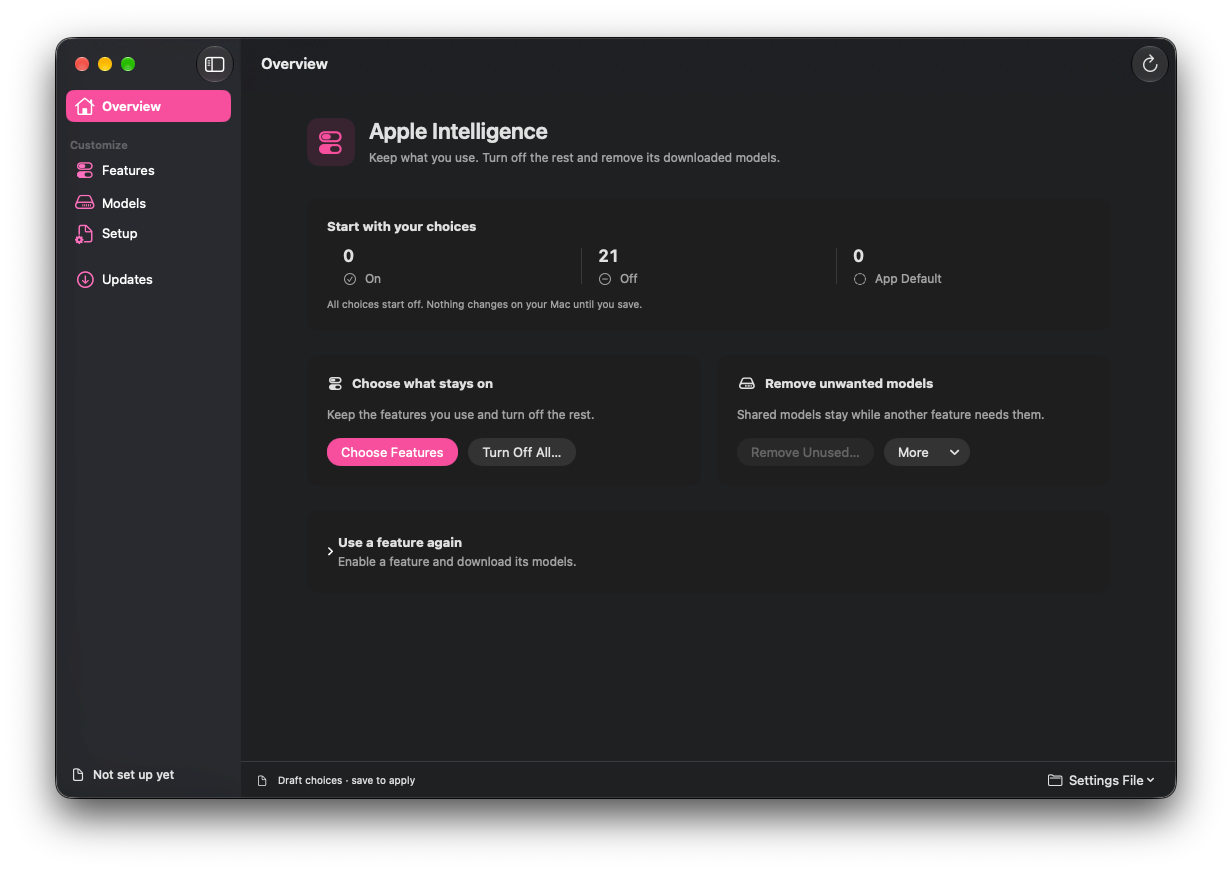
Keep what you use
Keep Writing Tools, turn off Genmoji, or switch everything off. Pared keeps shared models needed by features in its catalog that you leave on or unmanaged.
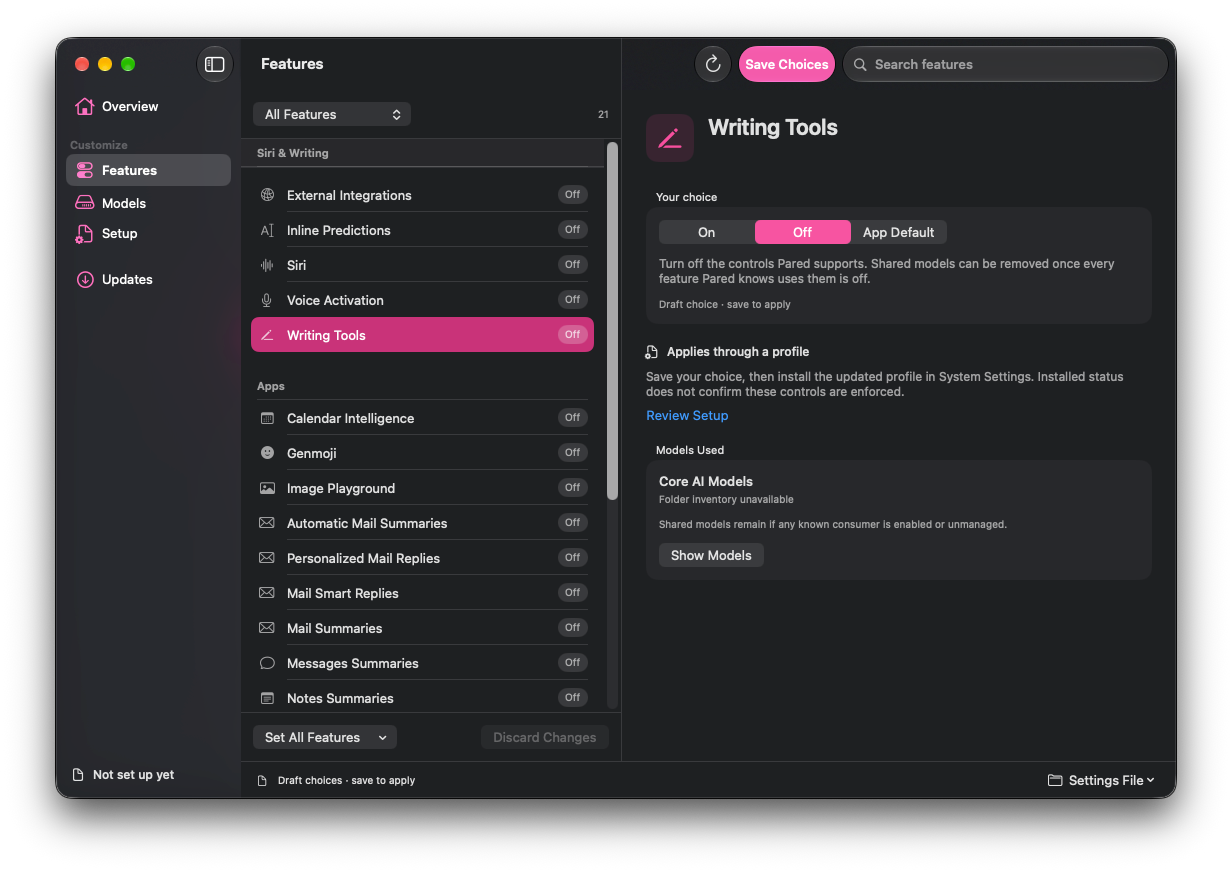
A few choices, then a review
- Choose your features. Set each one to On, Off, or App Default. A new policy starts with everything off; review your choices before saving
- Finish setup. Install Pared’s configuration profile in System Settings. It applies supported controls and blocks unwanted model downloads
- Review model removal. Pared shows which models can go before you confirm. Saving feature settings and removing models are separate actions
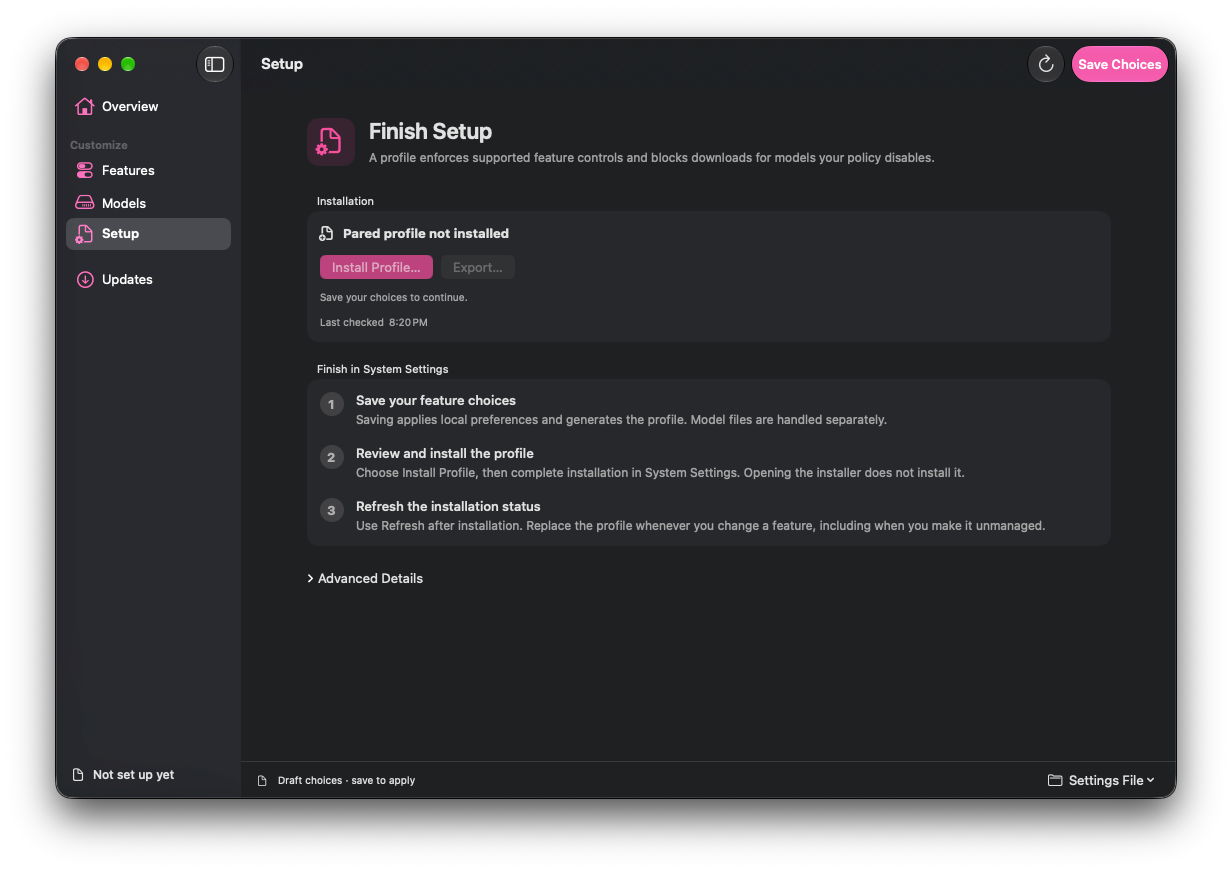
Want a feature back? Turn it on, install the updated profile, then request its models in Pared. For features Pared can’t download directly, use their Apple app.
Use
Open Pared or run pared wizard. Opening either changes nothing; feature
choices stay in a draft until you save.

See the app manual or command-line guide for setup and commands.
Configure it with Nix
Use the nix-darwin or Home Manager module to manage your choices. Both remove
eligible models during activation by default; set
programs.pared.cleanupOnActivation = false; to opt out. Install the generated
profile in System Settings to block future downloads.
See the Nix setup guide and option reference.
Build from source
With Xcode 27 or newer, run from this checkout:
tools/build-app.sh
open .build/Pared.app
For CLI and offline installation, see the command-line guide.
How it works
Pared uses Apple’s asset service to remove models. Read how profiles and model removal work for the implementation and compatibility limits.