Polymarket Sports Copy Trading Bot (TypeScript) — Top Traders, Automation, Dashboard
Polymarket sports copy-trading bot + Next.js dashboard for tracking top sports traders, selecting traders/markets, and running an automated copy-trading process in simulation or live mode. Includes an Express API server for Polymarket data (sports, markets, trader history) and real-time-ish bot logs.
Screenshots (dashboard)
If any image doesn’t load, make sure the Google Drive file is set to “Anyone with the link can view”.
Sports list
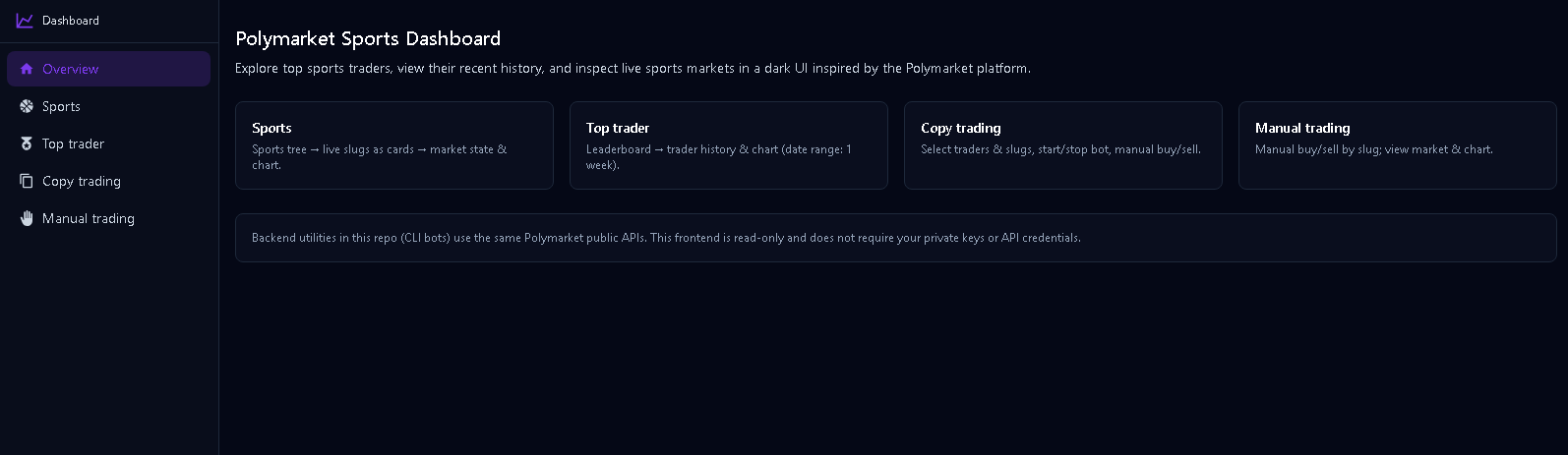
Sports list (more)
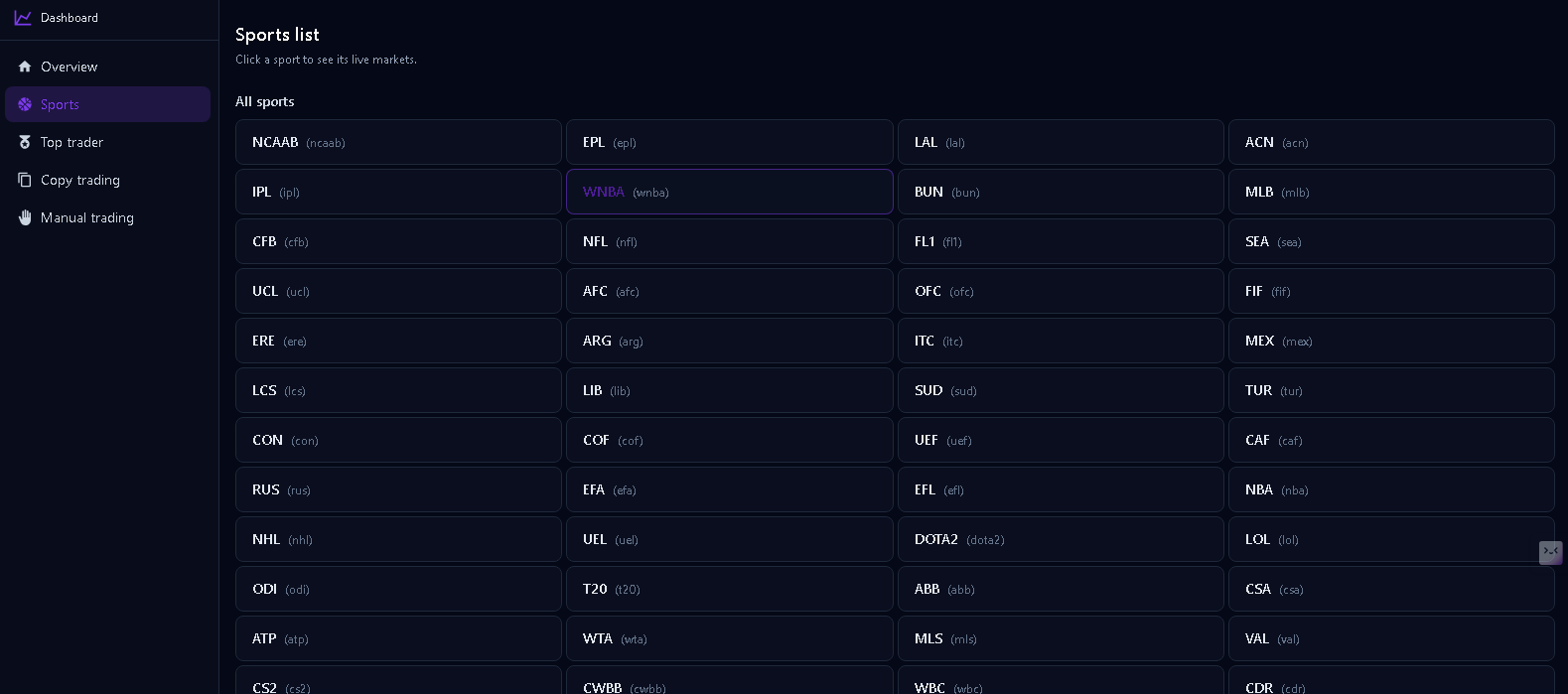
Top traders (SPORTS leaderboard)

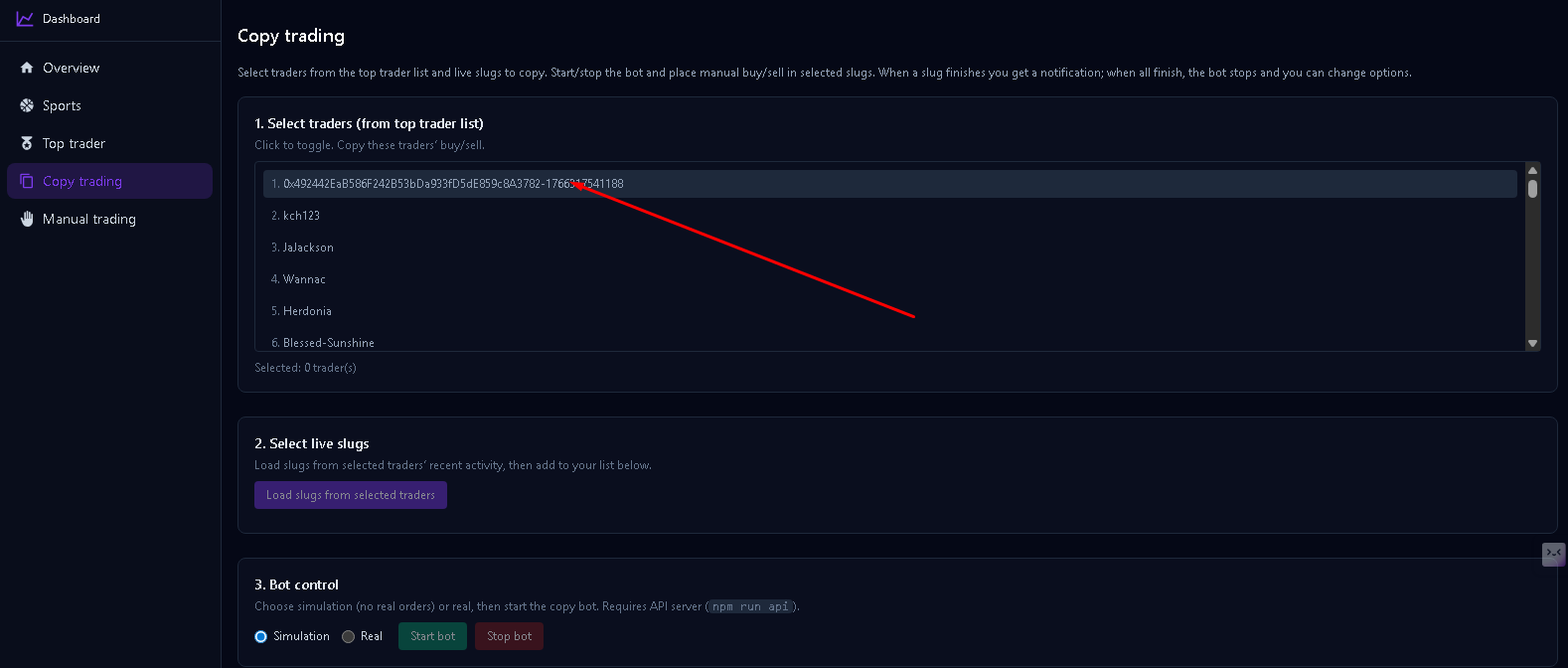
Copy trading (select traders)

Copy trading (select live slugs)
Copy trading (bot control + logs)
Market detail (chart + outcomes)

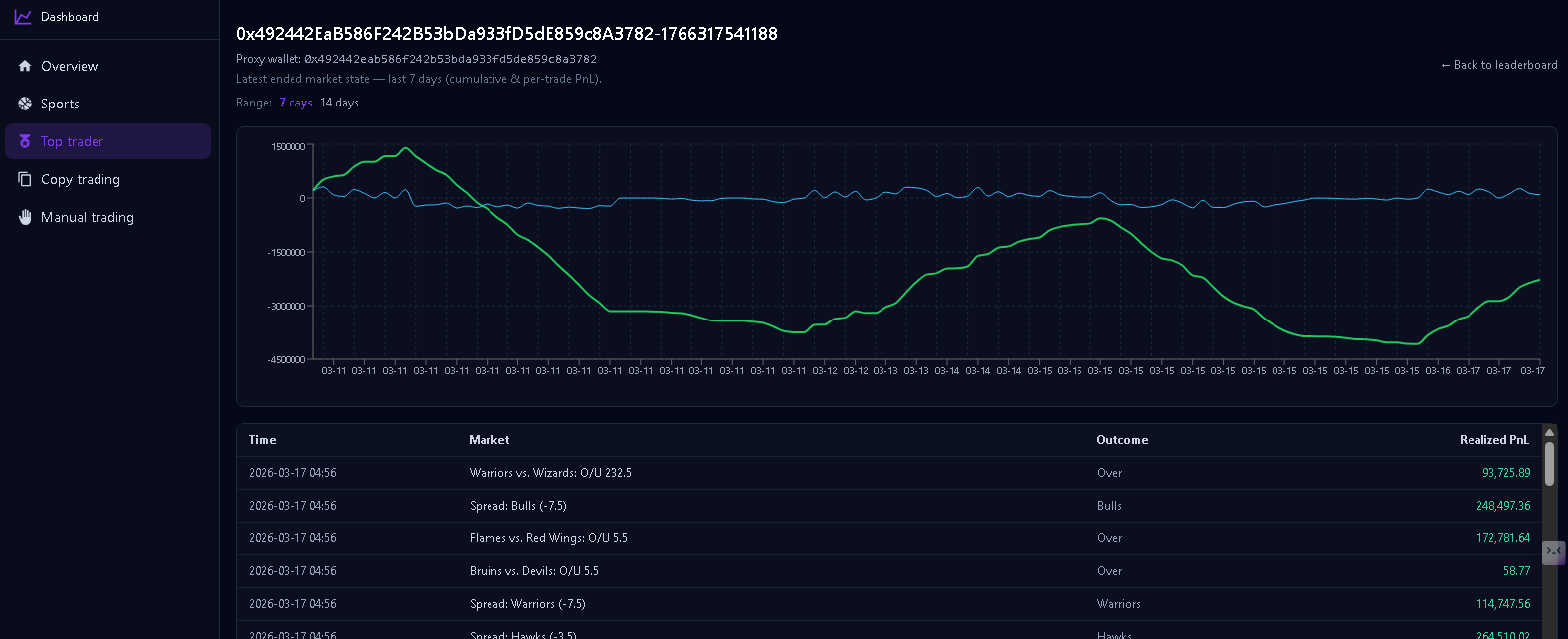
Trader detail (PnL chart + table)

Copy trading (full page)

What this bot does (plain English)
If you’re not technical, here’s the simple idea:
- You choose “who to follow”: pick one or more top Polymarket sports traders (wallets).
- You choose “where to trade”: pick one or more sports market slugs (the markets you care about).
- The bot then watches those traders’ recent trades and, when it sees a new BUY/SELL on your selected markets, it copies the action:
- Simulation mode: it only logs what it would do (no real orders).
- Live mode: it places real orders on Polymarket via the CLOB (requires credentials).
This repository also includes a dashboard where you can browse sports/markets, view traders, start/stop the bot, and read the bot logs in a user-friendly way.
How the copy-trading logic works (step-by-step)
-
Load configuration
- The backend loads settings from
.env(preferred) orconfig.json(fallback). - You provide: followed traders, selected market slugs, and mode (simulation/live).
- The backend loads settings from
-
Resolve market slugs
- A “slug” is the market identifier in the URL.
- The bot converts each slug into a market/condition id so it can filter trades correctly.
-
Poll trader activity
- On a fixed interval (for example every 3 seconds), the bot queries Polymarket’s Data API for each followed trader’s recent trades.
- It filters down to trades that match your selected markets.
-
Deduplicate
- The bot keeps an in-memory set of “already seen” trades (a unique key per trade) so it does not copy the same action twice.
-
Copy the action
- When a new trade is detected, it decides whether it’s a BUY or SELL and then:
- Simulation: write a clear log line.
- Live: submit a market order through the Polymarket CLOB client.
- When a new trade is detected, it decides whether it’s a BUY or SELL and then:
-
Logging + monitoring
- Every important event is written to a log file and displayed in the dashboard.
- The API server exposes endpoints to view status and tail the latest logs.
Important note about latency (why copy-trading exists)
On Polymarket, “top trader” activity can move fast. If you try to manually follow trades, you’ll often be late. This bot exists to reduce that delay by automating the detection + execution loop. It can’t guarantee you match the exact same fill price as the top trader, but it helps you react much faster than manual trading.
Development story (why this repo exists)
This project was built by a developer with strong experience building sports trading bots.
-
Phase 1 — manual trading
- The first version focused on manual trading tools to learn how Polymarket markets/tokens behave in real time.
- This phase helped validate market selection, token/outcome mapping, and order mechanics.
-
Phase 2 — studying top traders
- After observing the sports leaderboard and traders’ closed positions and trade patterns, it became clear that top traders often act with low latency.
-
Phase 3 — building a sports top-trader copy trading bot
- Manual following couldn’t keep up (“I can’t follow top trader’s latency”).
- The solution was an automated copy-trading loop: poll trades, detect new actions, dedupe, and (optionally) place real orders.
Requirements
- Node.js 18+
- Polymarket API credentials (API key, secret, passphrase) and a private key (or proxy wallet)
Quickstart (non‑technical, 10 minutes)
This is the easiest way to use the copy‑trading bot with the dashboard.
Step 1) Install (one time)
In the repo root:
npm install
cp .env.example .env
Step 2) Configure .env
Open .env and set at least:
- Simulation mode (safe, recommended first):
COPY_TRADING_SLUGS= comma‑separated market slugsCOPY_TRADING_TRADERS= comma‑separated trader wallets (0x...)- (Optional)
COPY_TRADING_AMOUNT_USD(default 5)
- Live mode (real trading) also requires Polymarket credentials:
POLYMARKET_API_KEY,POLYMARKET_API_SECRET,POLYMARKET_API_PASSPHRASE,POLYMARKET_PRIVATE_KEY
Tip: You can find slugs by opening a market on Polymarket and copying the last part of the URL.
Step 3) Start the backend API (Terminal 1)
npm run api
You should see it listening on http://localhost:4004.
Step 4) Start the dashboard (Terminal 2)
cd frontend
npm install
cp .env.example .env
npm run dev
Open http://localhost:3000.
Step 5) Run copy‑trading
You have two options:
- Option A (recommended): use the dashboard
- Go to the copy‑trading page, select traders + slugs, choose Simulation or Real, then press Start.
- Watch the log panel to confirm it’s running.
- Option B: run in the terminal
# Simulation by default:
npm run copy-trading

# Live orders:
npm run copy-trading:live
Glossary (simple)
- Trader / wallet: a Polymarket account address like
0x...you want to follow. - Slug: the market identifier in the URL (example:
will-the-oklahoma-city-thunder-win-the-2026-nba-finals). - Simulation: the bot logs actions but does not place real orders.
- Live / Real: the bot can place real orders (needs credentials).
Setup
npm install
cp .env.example .env
# Edit .env: set copy-trading vars (and for live trading: Polymarket credentials).
Configuration
The backend now prefers environment variables from .env. See .env.example for the full list.
Key env vars:
| Env var | Description |
|---|---|
TRADING_SLUG | Market slug (e.g. from Polymarket URL). Required to run the trailing bot. |
TRADING_CONTINUOUS | If true, after buying both sides, reset and trail again until market ends |
TRADING_TRAILING_STOP_POINT | Trigger when ask >= lowest + this (e.g. 0.03) |
TRADING_TRAILING_SHARES | Target shares per buy |
TRADING_FIXED_TRADE_AMOUNT | Fallback USD amount per trade |
TRADING_MIN_TIME_REMAINING_SECONDS | Do not open new trades when less than this many seconds remain (0 = trade until closure) |
TRADING_CHECK_INTERVAL_MS | Poll interval in ms |
Copy-trading (for npm run copy-trading) env vars:
COPY_TRADING_SLUGS: comma-separated slugsCOPY_TRADING_TRADERS: comma-separated proxy wallets (0x...)COPY_TRADING_POLL_INTERVAL_MS(default 3000)COPY_TRADING_AMOUNT_USD(default 5)COPY_TRADING_SIMULATION(default true)
Polymarket credentials (required for LIVE trading via CLOB):
POLYMARKET_API_KEYPOLYMARKET_API_SECRETPOLYMARKET_API_PASSPHRASEPOLYMARKET_PRIVATE_KEY- Optional:
POLYMARKET_PROXY_WALLET_ADDRESS,POLYMARKET_SIGNATURE_TYPE(0 = EOA, 1 = Proxy, 2 = GnosisSafe)
Optional endpoint overrides:
GAMMA_API_URL(defaulthttps://gamma-api.polymarket.com)CLOB_API_URL(defaulthttps://clob.polymarket.com)DATA_API_BASE(defaulthttps://data-api.polymarket.comfor the API server)
Optional: config.json
If you don’t set env vars, the code falls back to config.json like before. (Env wins when present.)
Run
Simulation (default, no real orders):
npm run dev
# or
npm run simulation
# or
npx tsx src/bin/sports-trailing.ts
Live trading:
npm run live
# or
npm run dev -- --no-simulation
Sports list only (no slugs):
npm run sports-list
Live slugs for a selected sport (run after sports-list to pick a sport):
npm run live-slugs -- nba
npm run live-slugs -- nfl
npm run live-slugs -- 34
List current live slugs for all sports (to copy into config):
npm run list-slugs
# Or only one sport, e.g. NBA:
npm run dev -- --list-slugs=nba
Top sports traders (daily rank, top 50 by PNL):
npm run sports-top-traders
# Optional:
npm run sports-top-traders -- --orderBy=VOL
npm run sports-top-traders -- --timePeriod=WEEK
npm run sports-top-traders -- --limit=10
Latest finished market history for a chosen top trader (last 7 days):
# By rank (1–50 from sports-top-traders list):
npm run trader-history -- 1
# By proxy wallet:
npm run trader-history -- 0x56687bf447db6ffa42ffe2204a05edaa20f55839
# Optional: --days=7 (default), --timePeriod=DAY|WEEK|MONTH|ALL when using rank
npm run trader-history -- 5 --timePeriod=WEEK --days=14
Copy-trading bot (copy selected traders’ buy/sell on selected slugs):
Set COPY_TRADING_SLUGS (comma-separated market slugs) and COPY_TRADING_TRADERS (comma-separated proxy wallet addresses). Run:
npm run copy-trading
# Simulation by default; for live orders:
npm run copy-trading:live
While running: start / stop / restart (copy on/off), buy <token_id> <usd> / sell <token_id> <usd> (manual orders), status, quit.
Troubleshooting (common issues)
-
Dashboard shows 404 for backend endpoints
- Make sure the backend is running with
npm run apiand your frontend.envhasNEXT_PUBLIC_API_URL=http://localhost:4004.
- Make sure the backend is running with
-
“Live” mode doesn’t place orders
- You must set Polymarket credentials in
.env(POLYMARKET_API_KEY,POLYMARKET_API_SECRET,POLYMARKET_API_PASSPHRASE,POLYMARKET_PRIVATE_KEY). - Try simulation first to confirm slugs + traders are correct.
- You must set Polymarket credentials in
-
Bot seems slow / misses trades
- Copy‑trading is based on polling the Data API, so it cannot perfectly match top‑trader speed. Reduce
COPY_TRADING_POLL_INTERVAL_MSif needed.
- Copy‑trading is based on polling the Data API, so it cannot perfectly match top‑trader speed. Reduce
Manual trading bot (manual buy/sell from current market state):
npm run manual-trading -- <slug>
# Live:
npm run manual-trading:live -- <slug>
In the prompt, use:
- refresh to update bid/ask/mid
- buy <outcomeIndex|tokenId>
- sell <outcomeIndex|tokenId>
- quit
Market state + chart data for a chosen live slug:
npm run market-state -- <slug>

# Example:
npm run market-state -- will-the-oklahoma-city-thunder-win-the-2026-nba-finals
This prints:
- Basic market info (question, conditionId, end_date_iso)
- Current bid/ask/mid for each outcome token
- CSV-style
tokenId,outcome,timestamp,priceseries that you can import into a charting tool.
Custom config path:
npm run dev -- --config ./my-config.json
Backend API (for frontend / other clients):
npm run api
# Listens on http://localhost:4004 (override with PORT=4001 npm run api)
Endpoints (read-only, CORS enabled):
| Method | Path | Description |
|---|---|---|
| GET | /api/sports | Sports list |
| GET | /api/sports/tree?livePerTag=5 | Sports grouped tree + live slugs per tag |
| GET | /api/sports/:tagId/live?limit=50 | Live markets for a sport tag |
| GET | /api/traders | SPORTS leaderboard |
| GET | /api/traders/:wallet/history?days=7 | Closed positions for a trader |
| GET | /api/markets/:slug | Market details by slug |
| GET | /api/tokens/:tokenId/history?interval=1h | Price history for one token |
| GET | /api/health | Health check |
| GET | /api/copy-trading/status | Copy-trading process status |
| GET | /api/copy-trading/logs?limit=100 | Tail copy-trading log file |
| POST | /api/copy-trading/start | Start copy-trading (body: { simulation, traders, slugs }) |
| POST | /api/copy-trading/stop | Stop copy-trading |
The server uses .env when present (env wins), otherwise falls back to config.json, otherwise defaults to Polymarket production URLs.
Frontend (Next.js dashboard):
cd frontend
npm install
cp .env.example .env
# Optional: set NEXT_PUBLIC_API_URL=http://localhost:4004 to use the backend API
npm run dev
Open http://localhost:3000 for traders list, trader history charts, and market state by slug. With NEXT_PUBLIC_API_URL set, all data is loaded via the backend API above.
Build
npm run build
node dist/bin/sports-trailing.js
Architecture
- config – Loads
.env(preferred) orconfig.json, plus CLI args (--simulation,--no-simulation,--config) - api –
PolymarketApi: Gamma (get market by slug), CLOB (get market details, get price). Order placement via@polymarket/clob-client - api-data – Read-only Data/Gamma/CLOB fetchers (leaderboard, closed positions, market by slug, price history). Used by api-server and reusable by CLIs.
- bin/api-server – HTTP API server (Express). Serves
/api/sports,/api/traders,/api/traders/:wallet/history,/api/markets/:slug,/api/tokens/:tokenId/history, plus/api/copy-trading/*. Uses.envwhen present (env wins) orconfig.jsonfor API base URLs when present. - trader –
Trader.executeBuy(): validates time remaining, computes size, then simulation (log + in-memory pending) or live (place market order via CLOB client) - bin/sports-trailing – Main loop: resolve market by slug, fetch both token prices every
check_interval_ms, run trailing state machine (WaitingFirst → FirstBuyPending → FirstBought → second buy → Done or reset if continuous), exit when market end time is reached. - frontend – Next.js app (traders, trader history chart, market state chart). Uses backend API when
NEXT_PUBLIC_API_URLis set, otherwise Polymarket public APIs.