Deskland Preview
Adaptive Windows wallpaper that makes your desktop icons part of the scenery.
Deskland turns the space around your icons into a living landscape. Move, add or remove an icon and the beach, meadow, clouds and shadows quietly reshape around it — in real time, without AI, an account or an API key.
This is the free, open-source Preview, not a time-limited trial. It includes the complete Beach and Meadow themes, the Windows host, settings and sharing tools.
English · 简体中文 · Official website · Features · Build from source
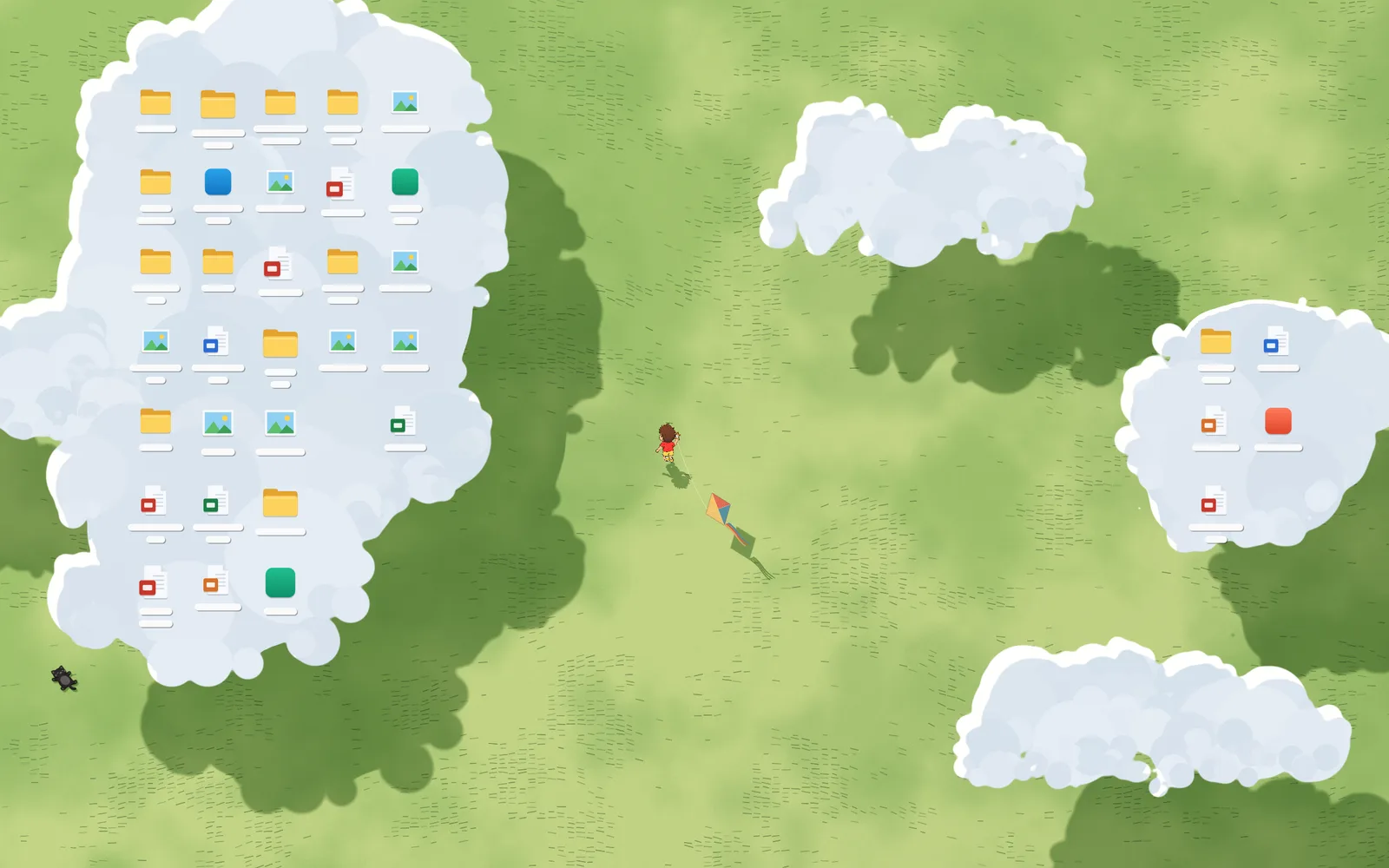
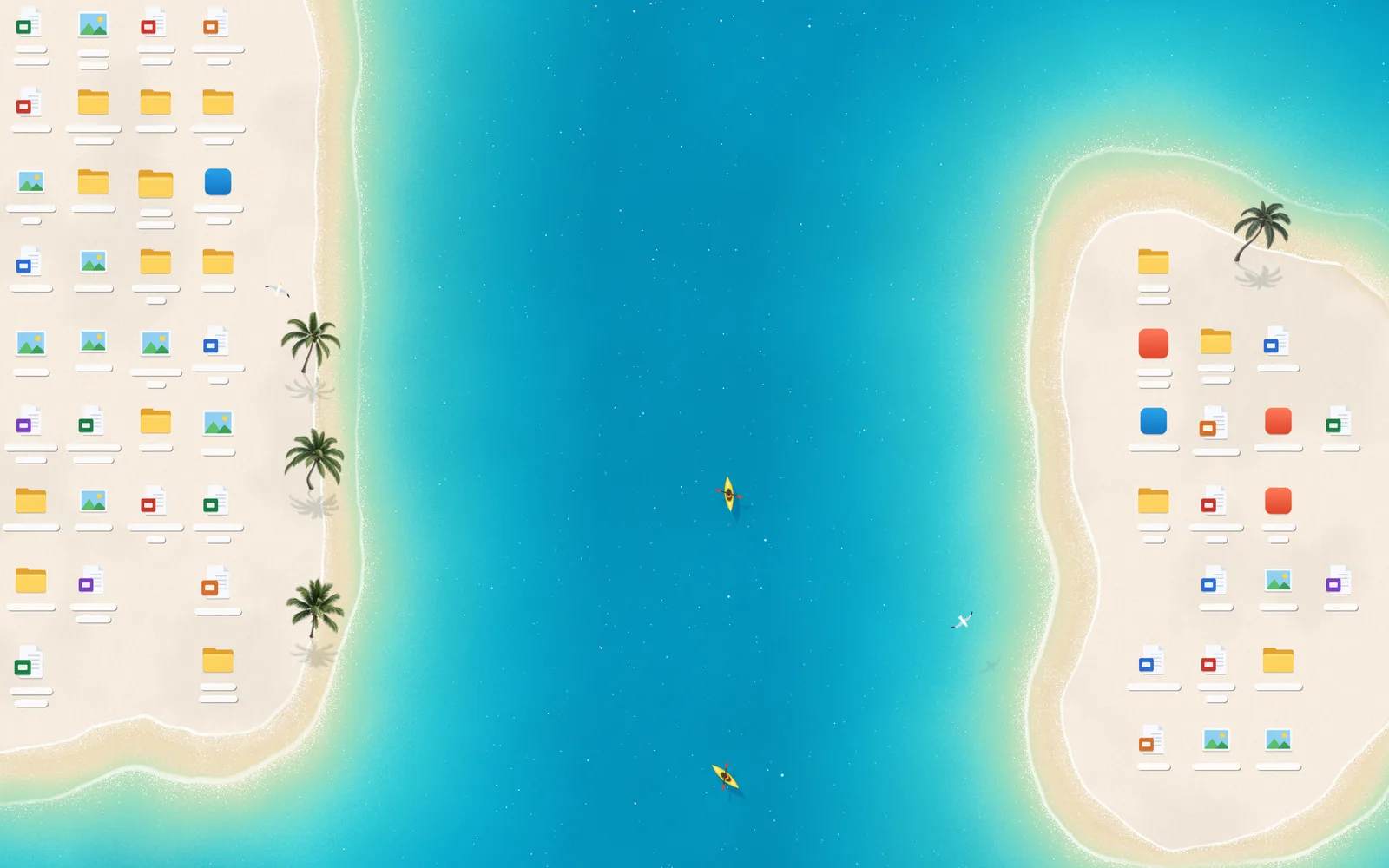
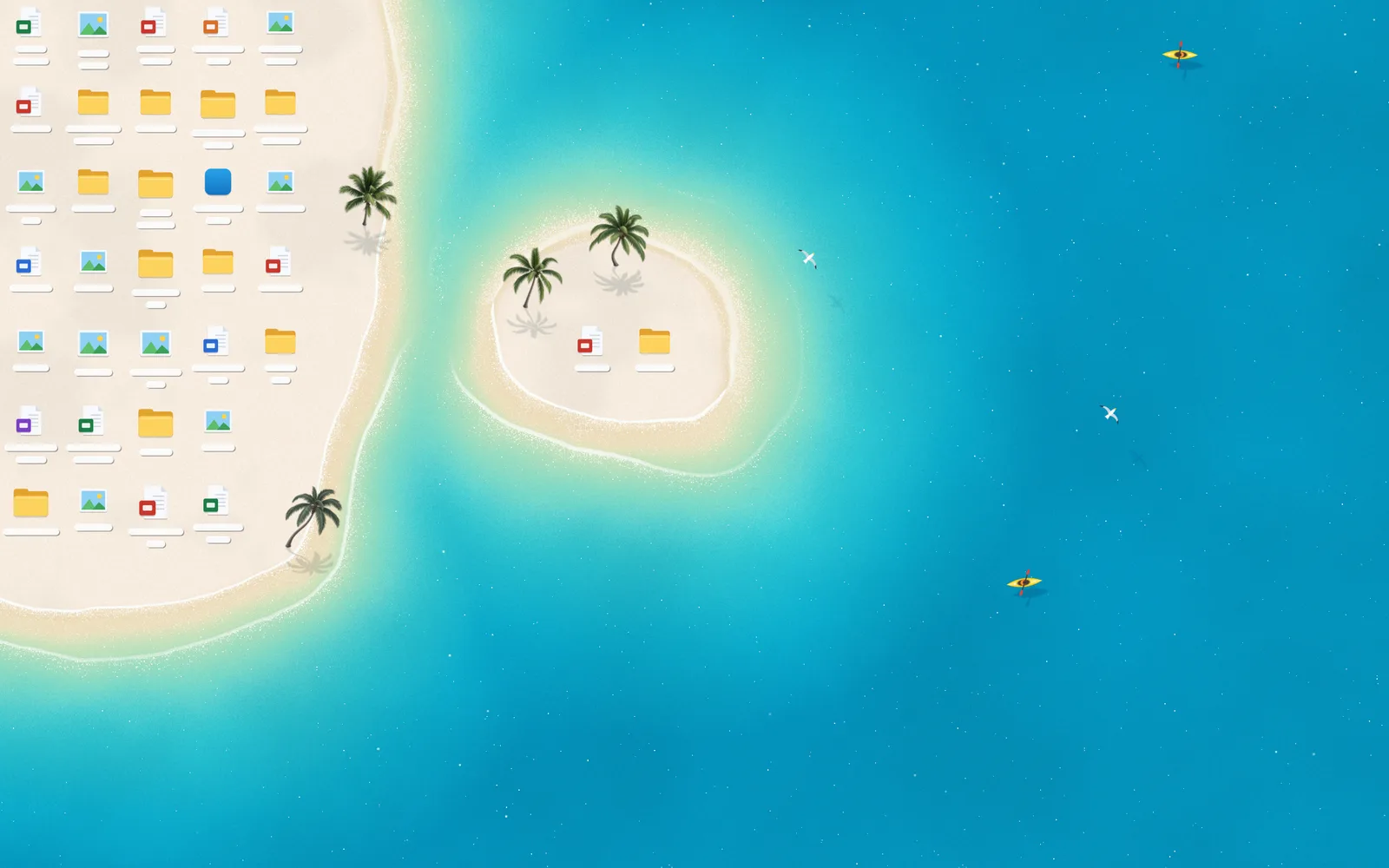
Meadow and Beach are included in Preview. Maldives is shown as a locked-theme preview.
Included themes
| Beach | Meadow |
|---|---|
 |  |
| Turquoise waves, kayaks, seabirds and coconut palms. | Drifting clouds and shadows, a boy flying a kite and a little black cat. |
The theme browser also shows 11 locked themes as a preview of the full Wallpaper edition. Only names, descriptions and thumbnails are included for those themes — not their page code, parameters or implementation.
Features
- Adaptive scenery: uses the real positions of desktop icons and transitions smoothly when they move.
- Two complete themes: every setting for Beach and Meadow is included and saved between sessions.
- Made for the desktop: tray controls, startup on sign-in and automatic pause when a window is maximized or full-screen.
- Private sharing: image and animation exports use sample icons and color blocks, never a screenshot of your desktop or real file names.
- Independent installation: Preview uses its own install directory, settings, startup entry and instance identity, so it can coexist with other Deskland builds.
- English and Simplified Chinese: no sign-in, purchase restoration, update service or store API is included.
Requirements
- Windows 10 or Windows 11, 64-bit.
- Microsoft Edge WebView2 Runtime.
- PowerShell and the .NET Framework C# compiler included with Windows; no .NET SDK installation is required.
- An internet connection for the first build, which downloads the WebView2 development library.
- Node.js only if you want to run the browser preview.
Currently, Deskland renders on the primary monitor and targets 30 fps on integrated graphics.
Build from source
Open PowerShell in the repository root:
powershell -ExecutionPolicy Bypass -File host\build.ps1
host\bin\Deskland.exe
Keep host/ and prototype/ together. Build output is written to host/bin/.
Run the program again or double-click its tray icon to open Settings. To exit and restore the original Windows wallpaper, use the tray menu or run:
host\bin\Deskland.exe --exitPreview settings and logs are stored separately in %LOCALAPPDATA%\DesklandPreview.
Browser preview
node prototype\serve.mjsOpen http://localhost:5178/settings.html. The browser uses sample icons; adaptation to real desktop icons requires the Windows host.
Windows installer
Build the NSIS installer without installing global development tools:
powershell -ExecutionPolicy Bypass -File tools\build-installer.ps1The first build downloads portable NSIS and Microsoft's WebView2 bootstrapper. Artifacts are written to dist/ with SHA256 checksums and a matching source ZIP.
The installer targets the current user's Programs\Deskland Preview directory and does not require administrator rights. If WebView2 is missing, its bootstrapper requires an internet connection. Uninstalling preserves user settings.
Download Deskland Preview for Windows. The installer is unsigned, so Windows SmartScreen may show a warning.
Project layout
| Path | Contents |
|---|---|
host/ | Windows host, build scripts and application manifest |
prototype/flat.html | Beach theme |
prototype/meadow.html | Meadow theme |
prototype/settings.html | Settings interface |
prototype/themes.json | Full free-theme definitions and locked-theme display metadata |
prototype/share.js | Privacy-preserving image and animation sharing |
prototype/assets/ | Images used by the included themes |
tools/ | Installer build tooling |
Known limitations
- Only the primary monitor is supported.
- Windows Spotlight or a wallpaper slideshow can briefly flash when Windows changes the background image.
- Preview does not include account sign-in, entitlement restoration, automatic updates or the other themes' implementation.
Credits and license
Source code and included theme assets are released under GPL-3.0. Third-party dependencies are listed in THIRD_PARTY_NOTICES.md.
The Deskland name and icon are not licensed as trademarks; modified distributions should use their own name and icon. See TRADEMARKS.md.
Issues and suggestions are welcome through GitHub Issues. This is an independent project, so immediate responses are not guaranteed.
中文说明
English · 简体中文
让桌面图标成为风景的一部分。
Deskland 是一款 Windows 自适应动态壁纸。移动、添加或删除桌面图标时,海岸线、草地、云朵和阴影会实时围绕图标调整。全部在本地实时演算,不使用 AI,无需账号或 API Key。
本仓库是免费的开源体验版,不是限时试用版,包含完整的沙滩和草地主题、Windows 宿主、设置界面与分享工具。
包含的主题
| 沙滩 | 草地 |
|---|---|
| |
| 海浪、皮划艇、海鸟和椰子树。 | 漂浮的云与云影、放风筝的男孩和小黑猫。 |
主题列表还展示另外 11 个锁定主题,帮助了解壁纸版内容。这些锁定主题只有名称、简介和缩略图,不包含页面源码、参数或其他实现。
功能
- **图标自适应:**读取真实桌面图标的位置,在移动、添加或删除时平滑调整场景。
- **两个完整主题:**沙滩和草地的全部参数均可调整并自动保存。
- **适合常驻桌面:**托盘控制、开机自动启动,前台窗口最大化或全屏时自动暂停。
- **隐私分享:**图片和动画使用示例图标与名字色块,不截取桌面窗口或真实文件名。
- **独立安装:**安装目录、用户数据、启动项和运行实例标识均独立,可与其他 Deskland 版本共存。
- **简体中文和英文:**不包含登录、购买恢复、自动更新或商店接口。
系统要求
- Windows 10 / Windows 11,64 位。
- Microsoft Edge WebView2 Runtime。
- 使用 Windows 自带的 .NET Framework C# 编译器,无需安装 .NET SDK。
- 第一次构建需要联网下载 WebView2 开发库。
- 仅浏览器预览需要 Node.js。
目前只覆盖主显示器,以核显 30fps 为目标。
从源码运行
在仓库根目录打开 PowerShell:
powershell -ExecutionPolicy Bypass -File host\build.ps1
host\bin\Deskland.exe
请保持 host/ 和 prototype/ 的相对目录结构,编译结果位于 host/bin/。
再次运行程序或双击托盘图标可打开设置。退出并恢复系统原壁纸,请使用托盘菜单或执行:
host\bin\Deskland.exe --exit体验版的设置与日志独立保存在 %LOCALAPPDATA%\DesklandPreview。
浏览器预览
node prototype\serve.mjs打开 **http://localhost:5178/settings.html**。浏览器使用示例图标,真实桌面图标适配需要 Windows 宿主。
Windows 安装包
powershell -ExecutionPolicy Bypass -File tools\build-installer.ps1首次构建会下载便携版 NSIS 和微软 WebView2 引导程序,无需安装全局开发工具。产物位于 dist/,附 SHA256 校验文件和对应源码 ZIP。
安装包安装到当前用户的 Programs\Deskland Preview 目录,无需管理员权限。缺少 WebView2 时需要联网安装;卸载保留用户设置。
下载 Deskland Preview Windows 安装包。安装包未签名,Windows SmartScreen 可能显示提示。
目录结构
| 路径 | 用途 |
|---|---|
host/ | Windows 宿主、构建脚本与清单 |
prototype/flat.html | 沙滩主题 |
prototype/meadow.html | 草地主题 |
prototype/settings.html | 设置界面 |
prototype/themes.json | 免费主题完整定义及锁定主题展示信息 |
prototype/share.js | 隐私保护的图片和动画分享 |
prototype/assets/ | 随附主题图片素材 |
tools/ | 安装包构建工具 |
已知限制
- 目前只支持主显示器。
- 使用 Windows 聚焦或壁纸幻灯片时,系统换图可能造成短暂闪烁。
- 体验版不包含账号登录、购买恢复、自动更新或其他主题实现。
许可与反馈
项目源码和随附主题素材按 GPL-3.0 发布,第三方依赖见 THIRD_PARTY_NOTICES.md。
Deskland 名称与图标不作为商标授权授予;修改版应使用自己的名称和图标,详见 TRADEMARKS.md。
欢迎通过 GitHub Issues 反馈问题和建议。个人项目,不保证即时回复。