CanvasAnvil
AI-powered multi-canvas creation for diagrams, interior design, presentations and images.


Canvases | PPT Showcase | Video Tutorial | Skills | Quick Start | Recent Updates | Chinese
⭐ If CanvasAnvil helps your workflow, please star the repo and fork it for your own canvas experiments.
CanvasAnvil brings diagramming, interior design, presentation production and free-form image work into one workspace, in Chinese or English.
🔷 Diagram Canvas
Turn structured prompts into clear diagrams for research, systems, delivery plans, and teaching maps, then keep refining layout, labels, and node relationships in one place.
Showcase
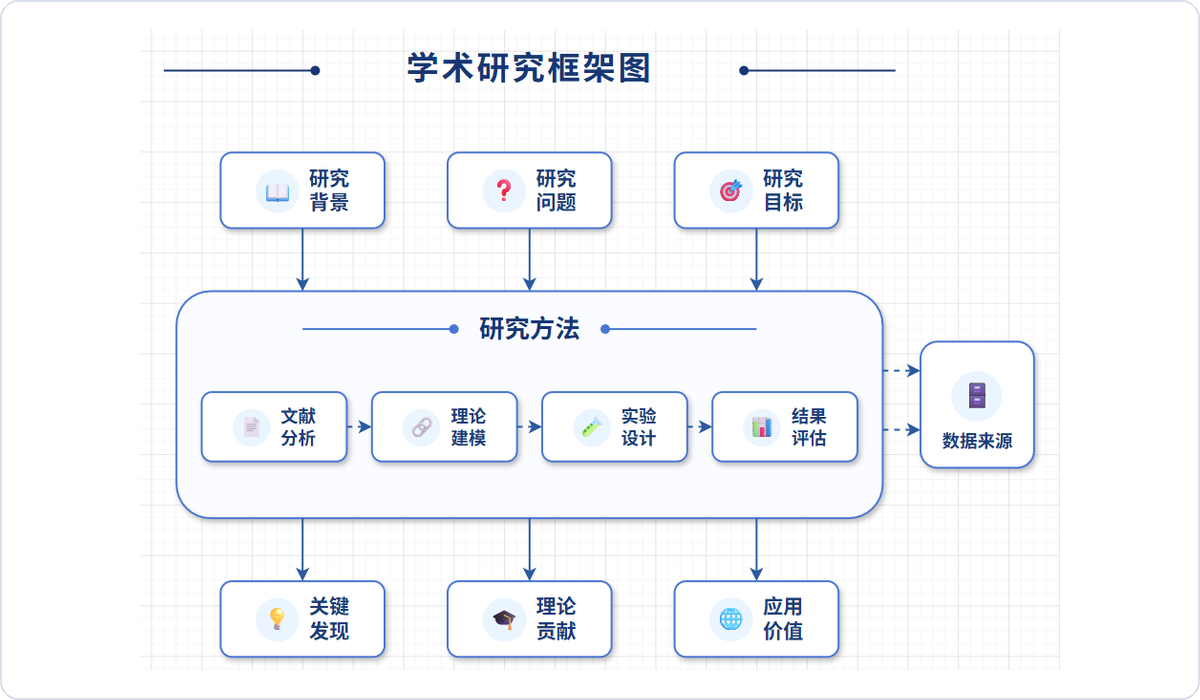 Academic Research Framework | 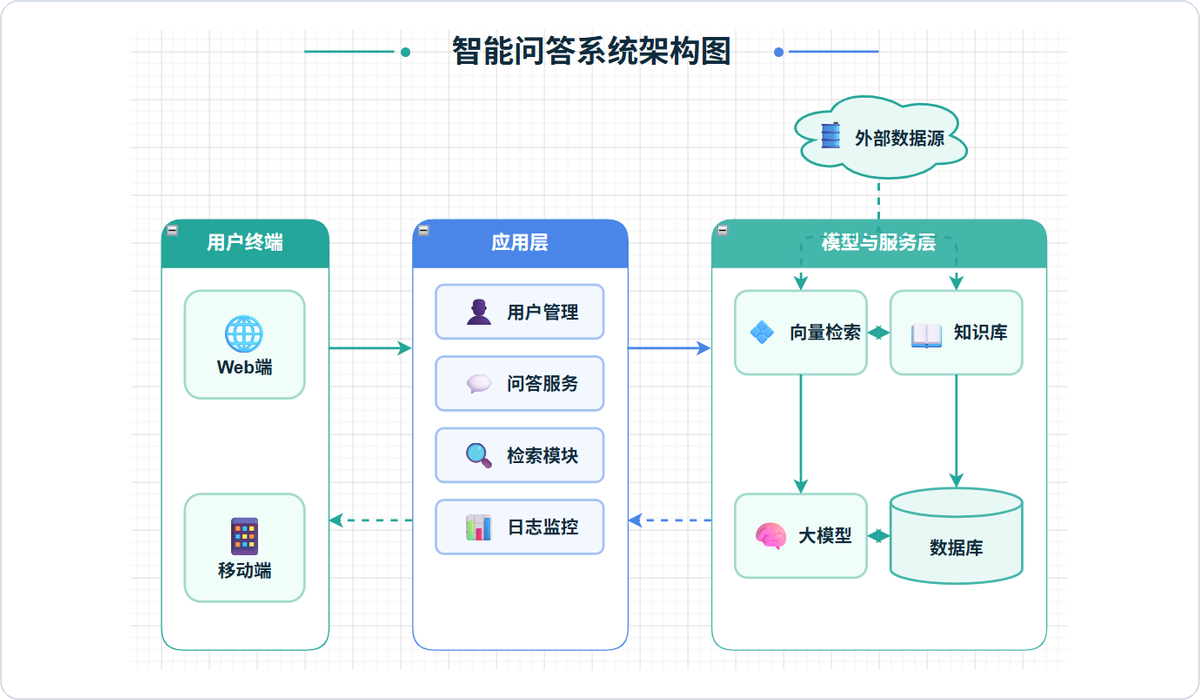 Intelligent Q&A System Architecture |
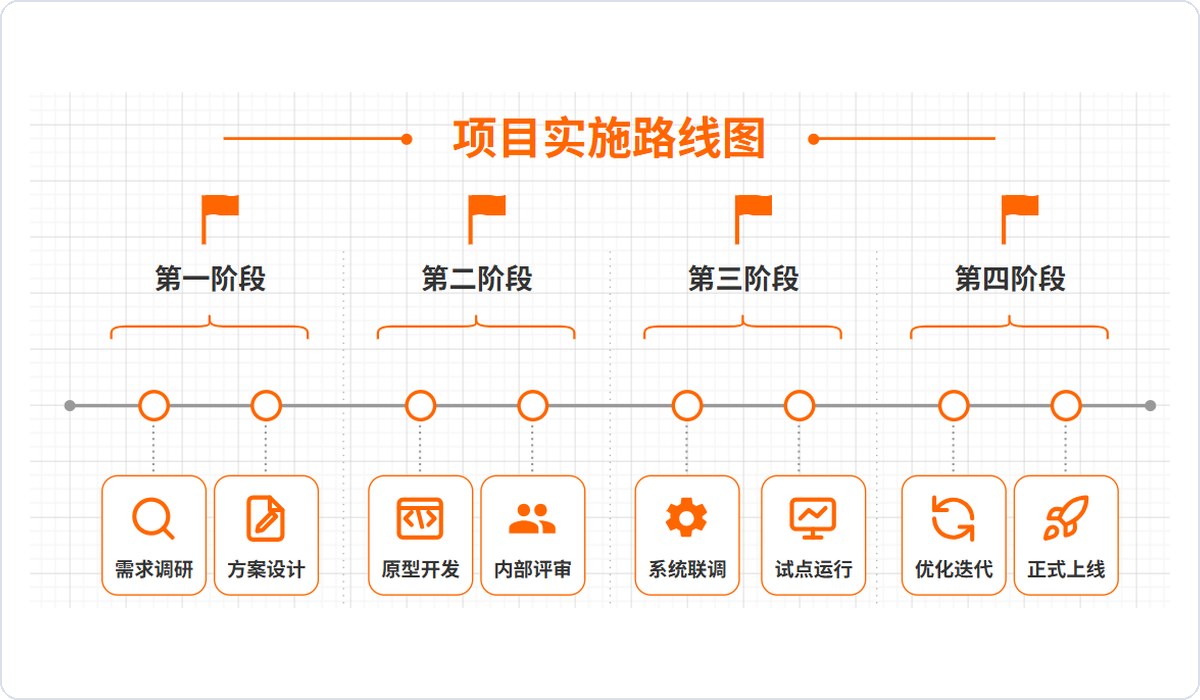 Project Implementation Roadmap | 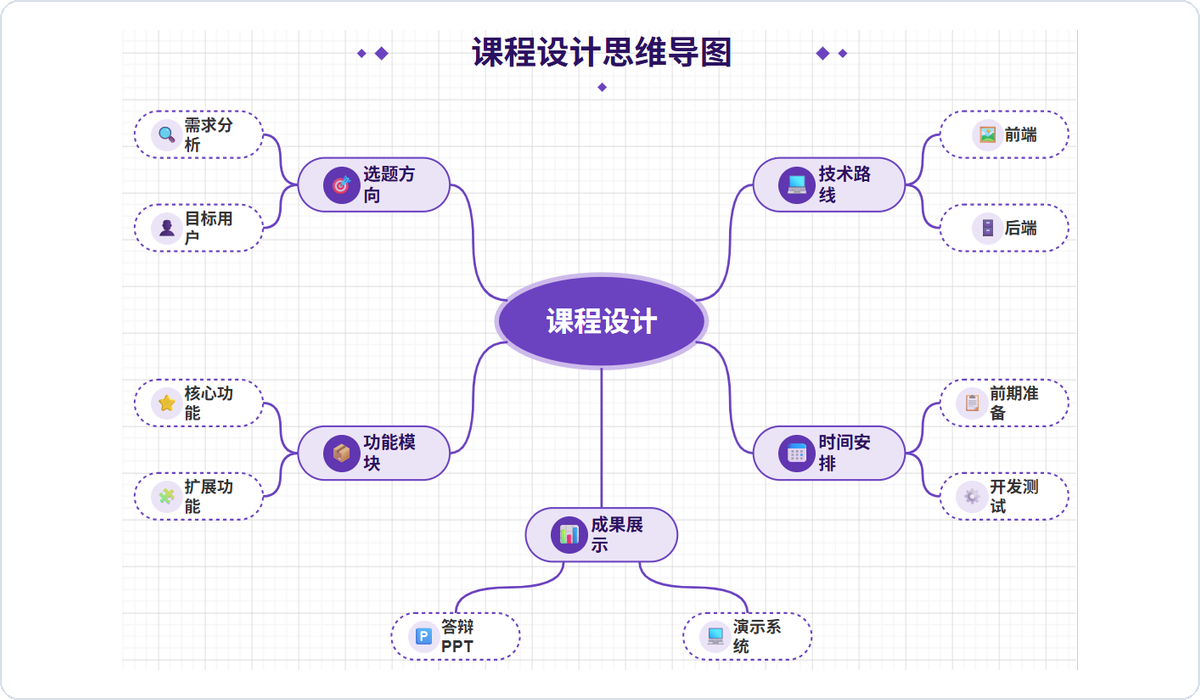 Course Design Mind Map |
🏠 Interior Design Canvas
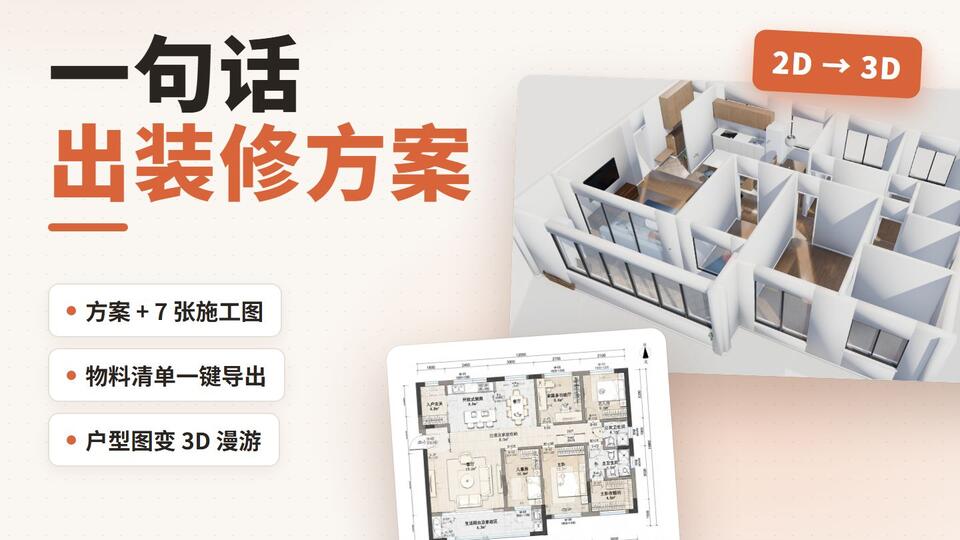
Move from concept framing to drawable outputs by combining planning boards, 2D layouts, render briefs, and material-list delivery in one workflow.
Showcase
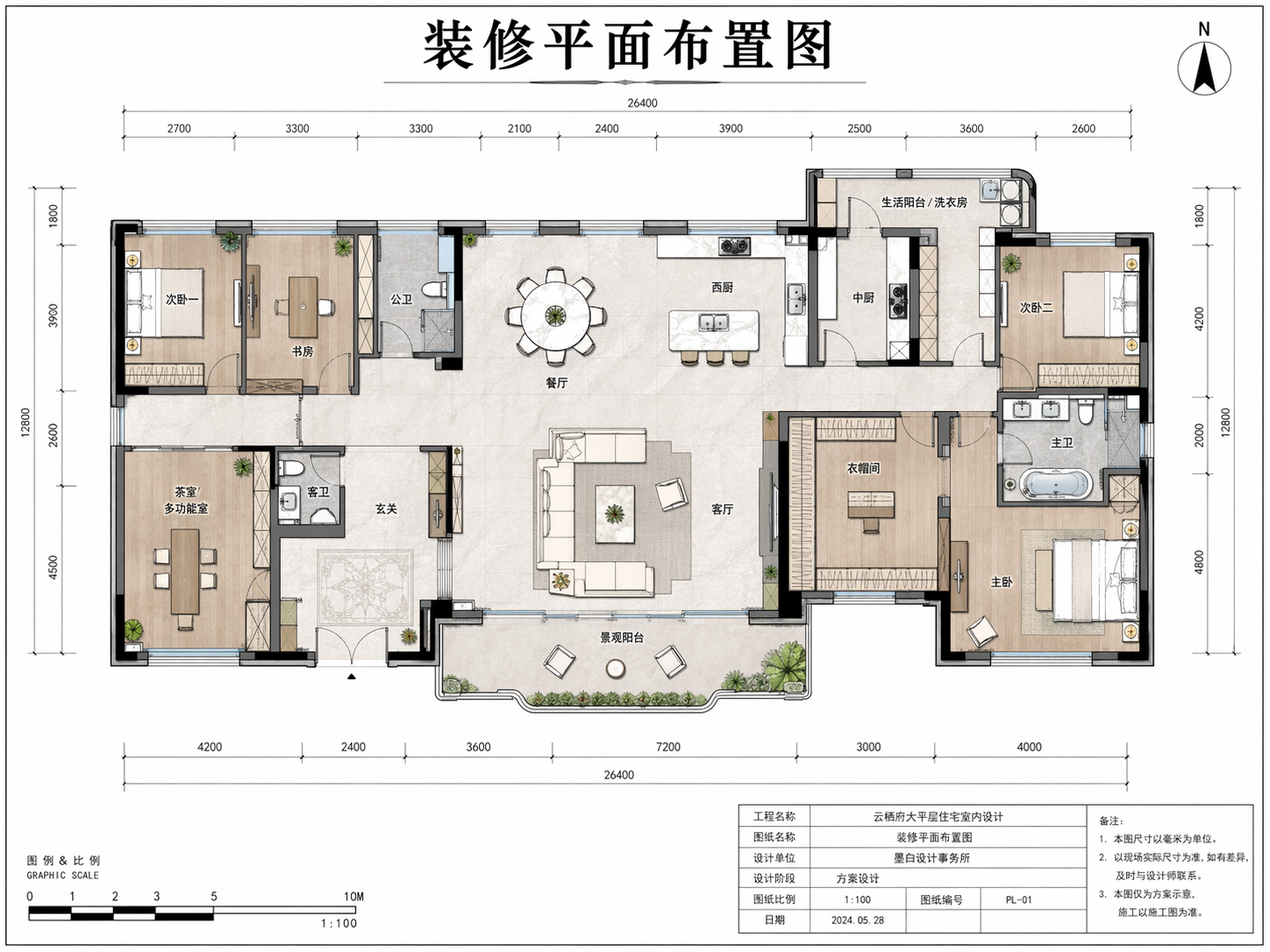 Renovation Plan Layout | 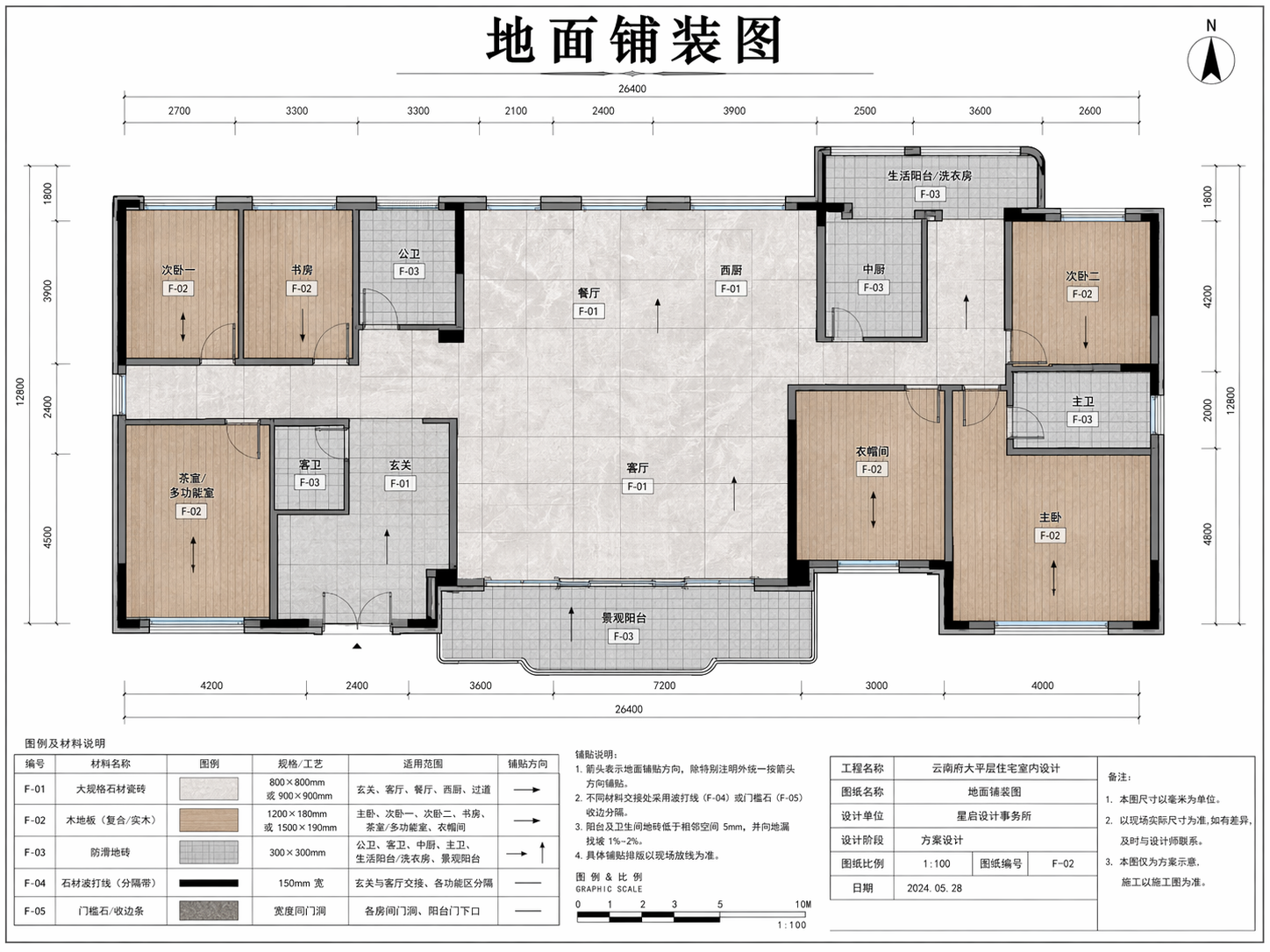 Floor Finish Plan | 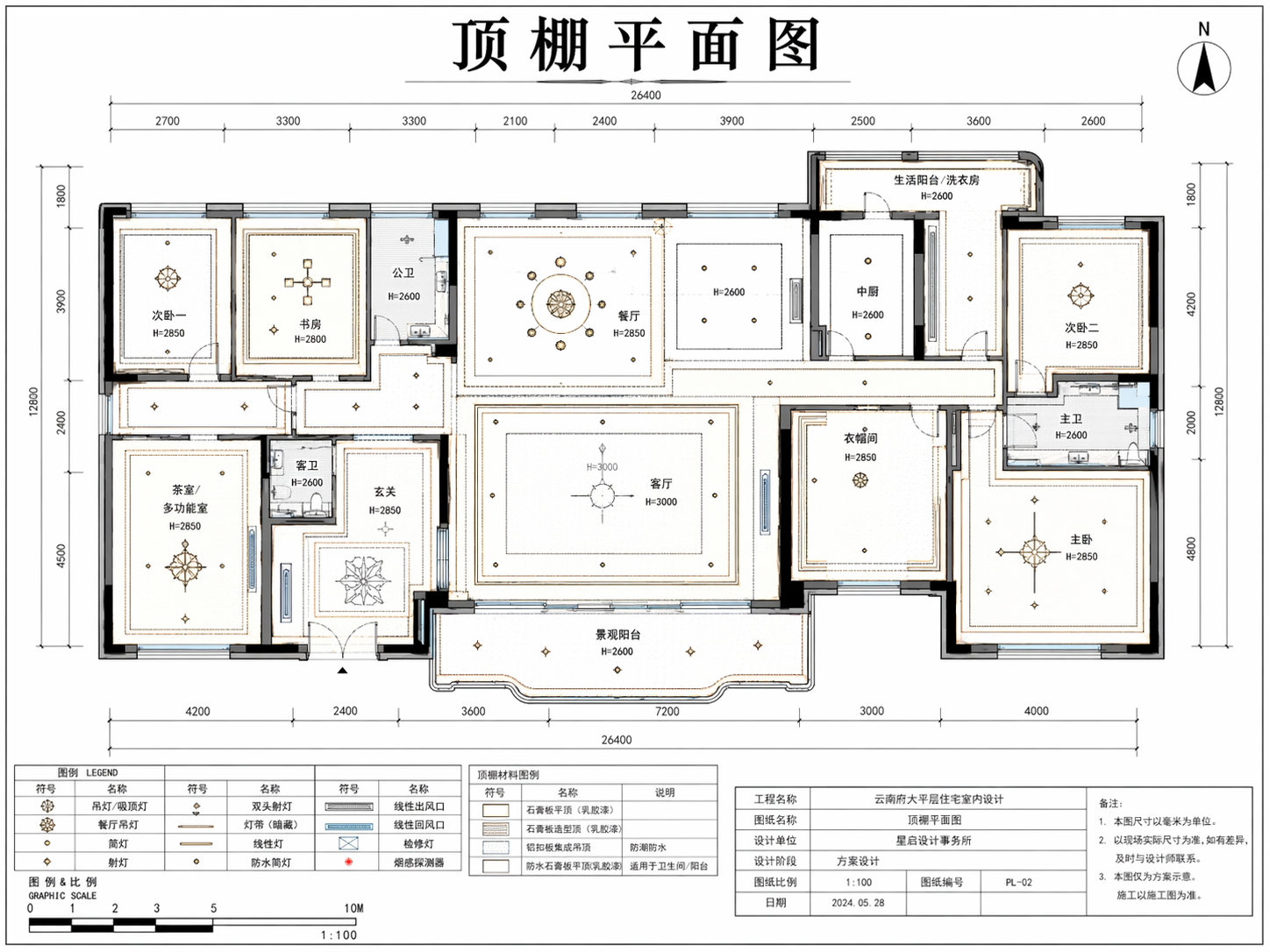 Reflected Ceiling Plan |
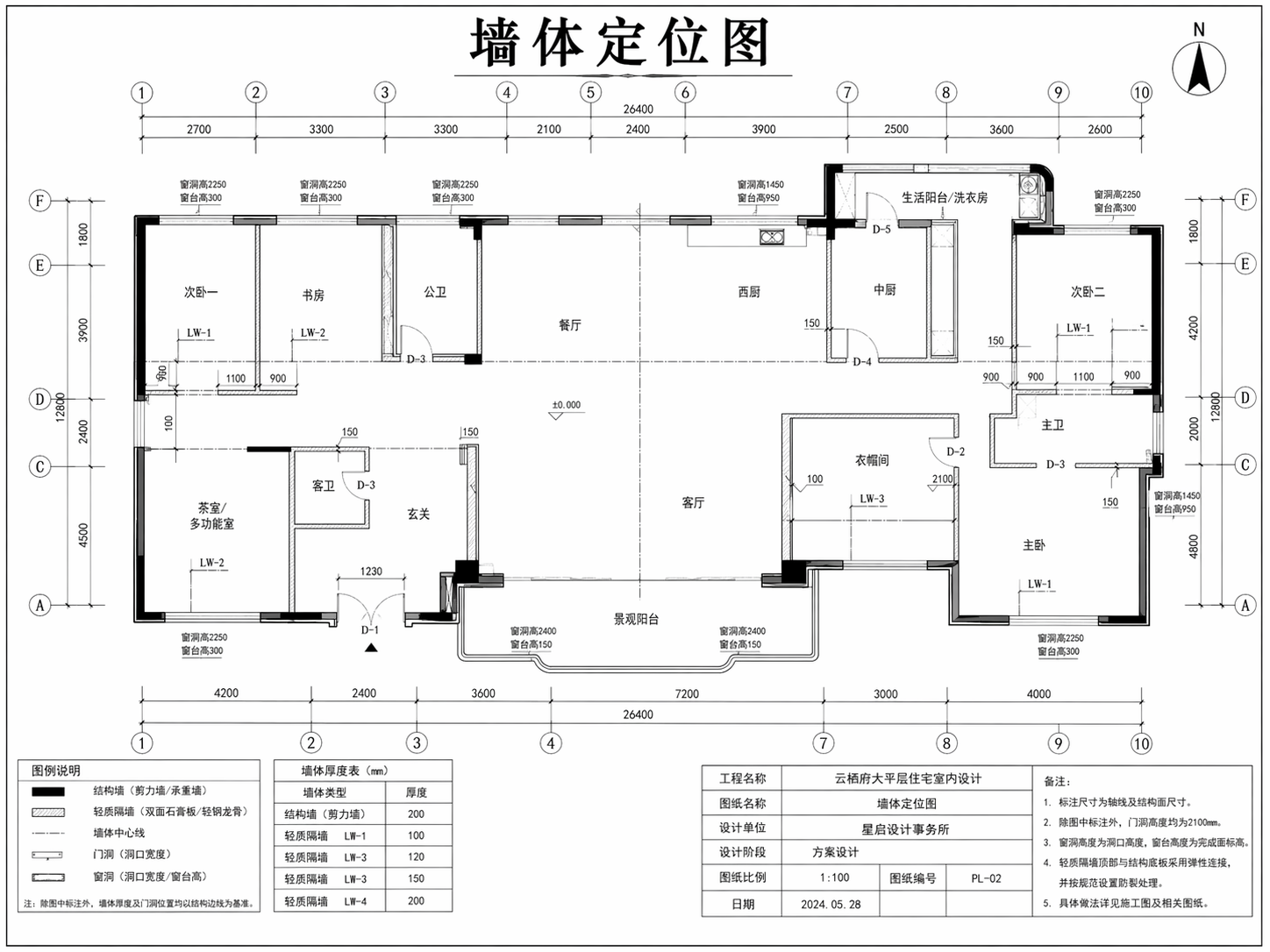 Wall Setting-Out Plan | 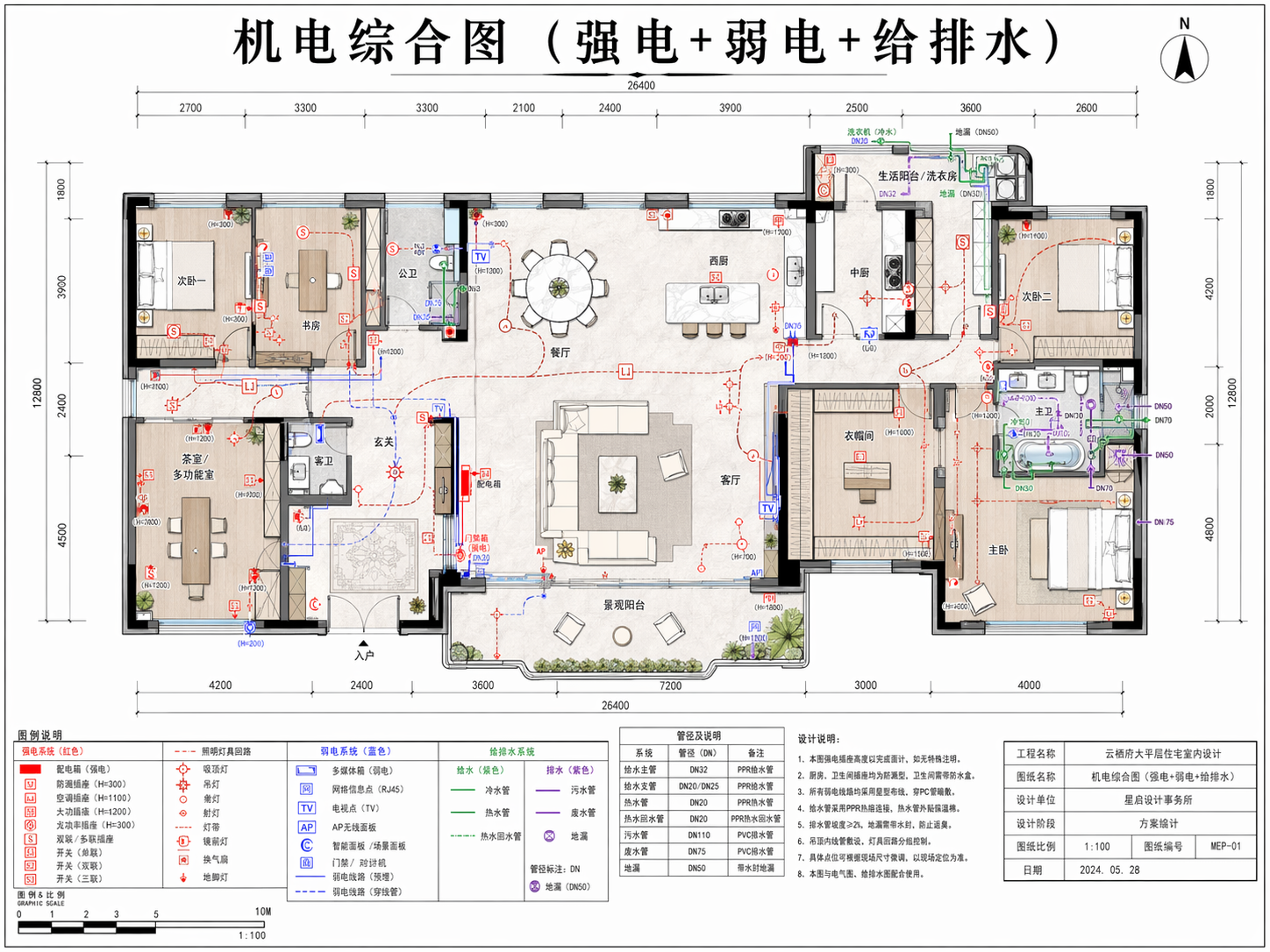 MEP Coordination Plan | 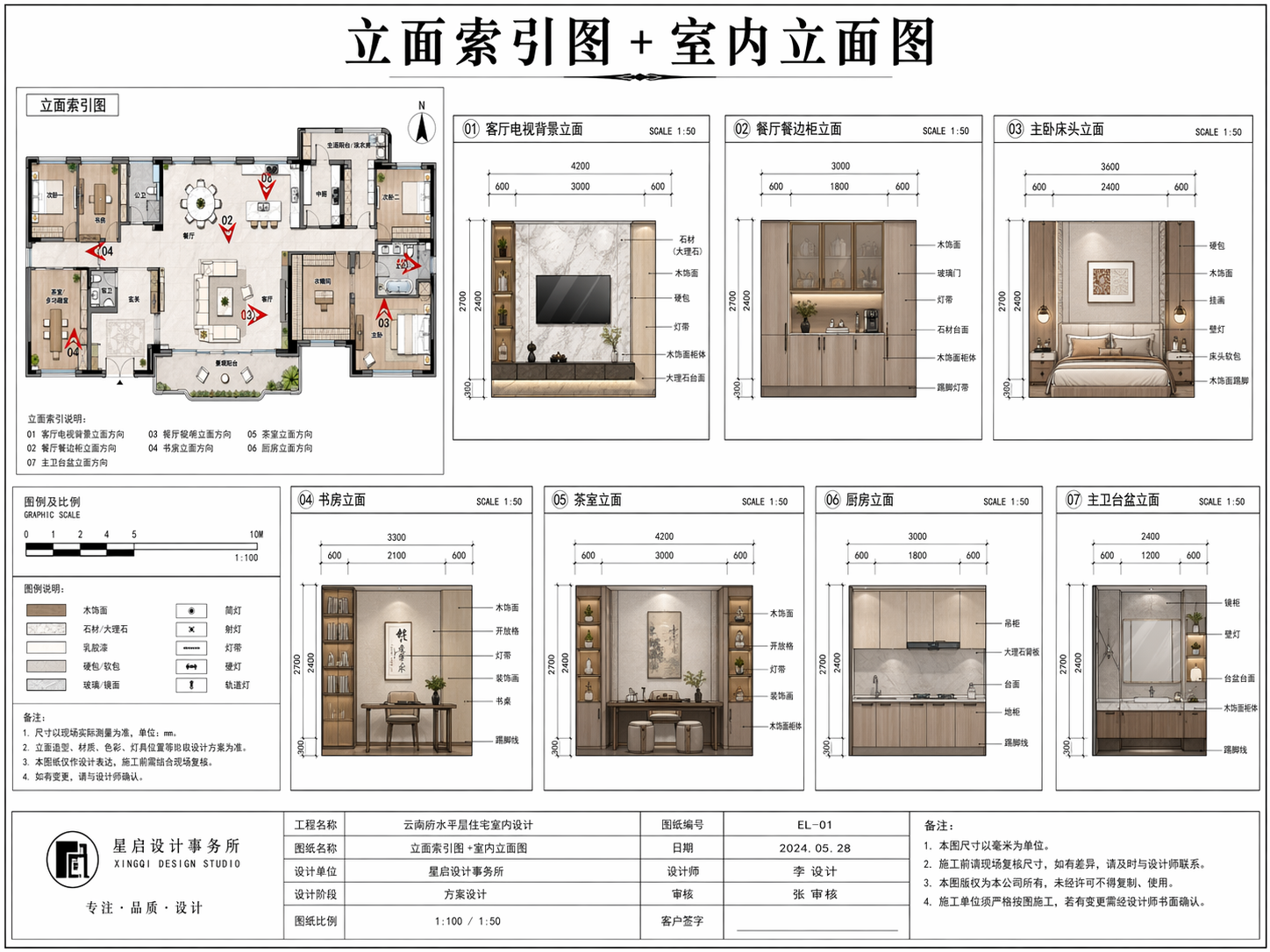 Elevation Index + Interior Elevations |
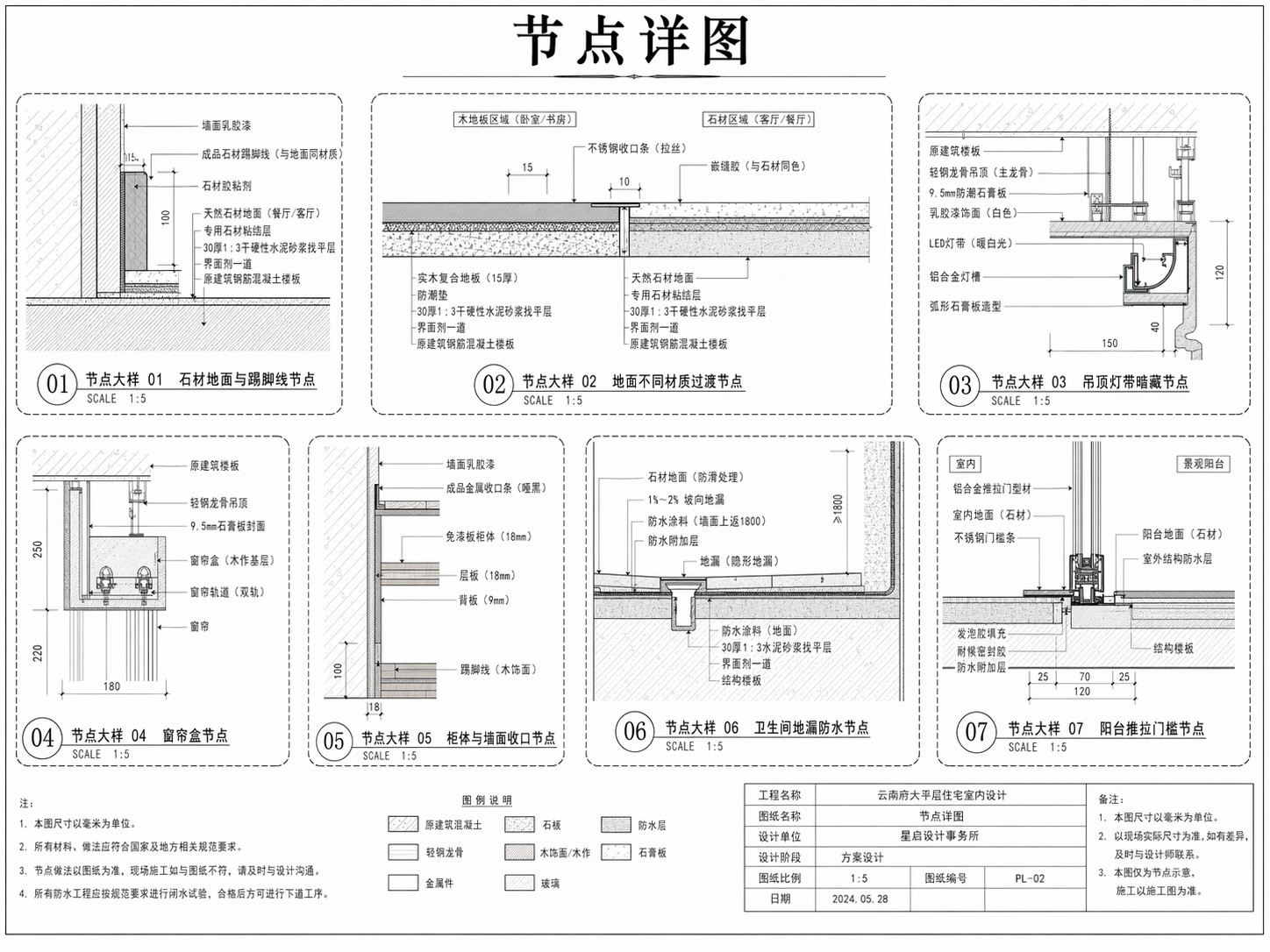 Detail Drawings |
📑 PPT Canvas
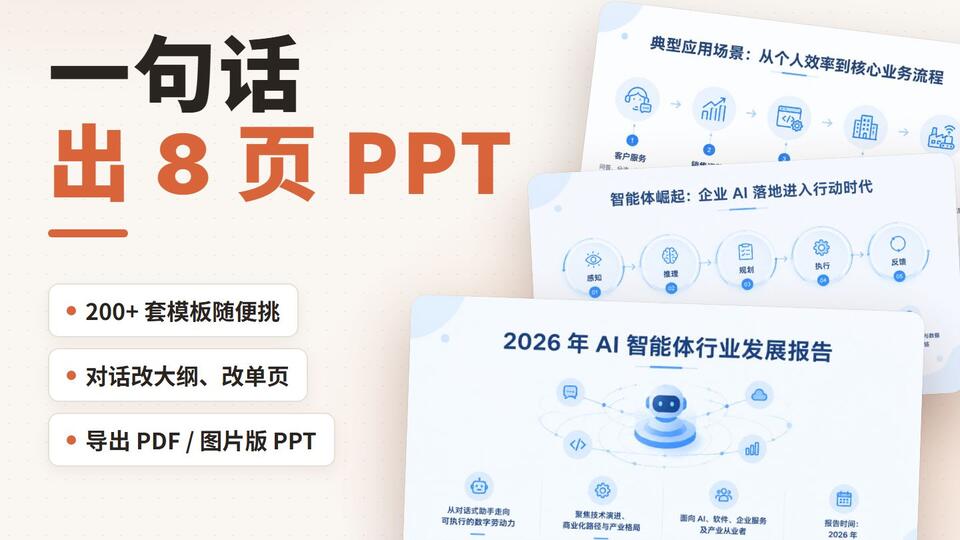
Generate full presentations through a controlled pipeline: outline first, visual production second, then export as PDF or image-based PPT. The deck template sets the style and colour palette; each slide gets a layout of its own.
Showcase
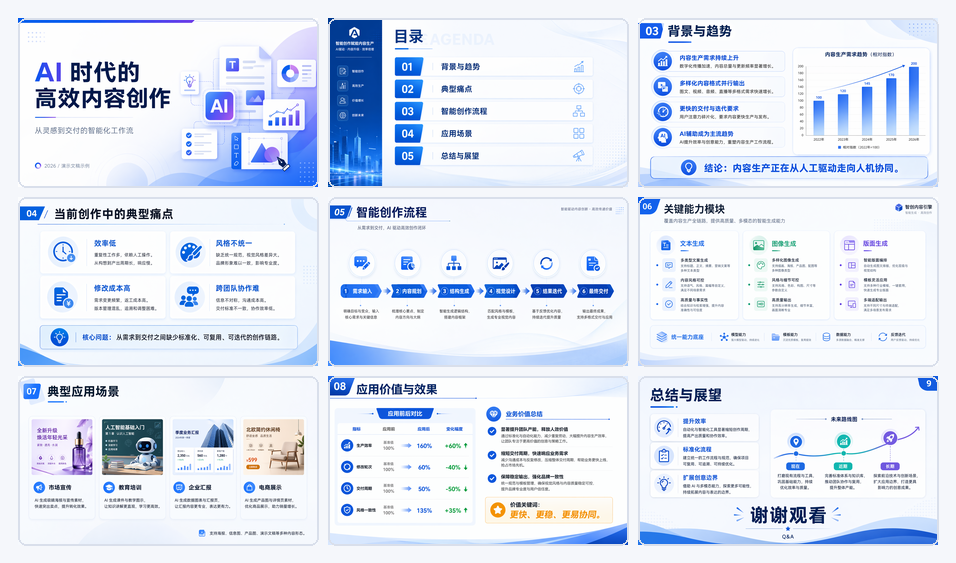 AI Content Creation Workflow |
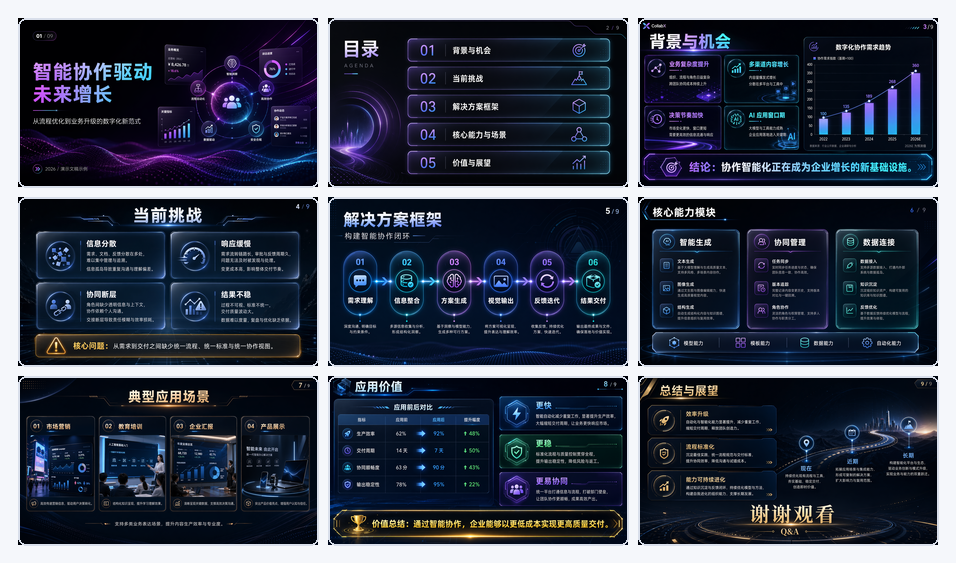 Intelligent Collaboration Growth |
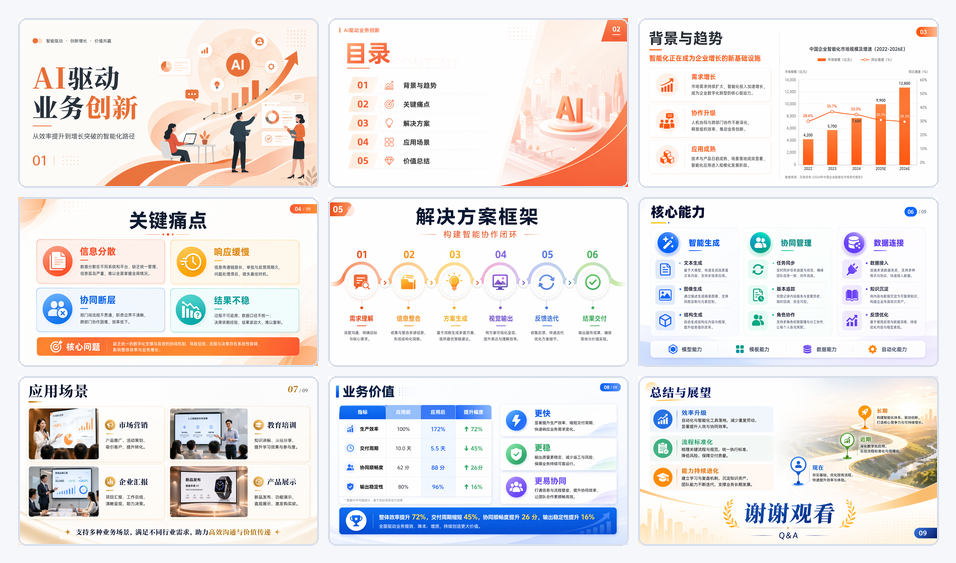 AI-Driven Business Innovation |
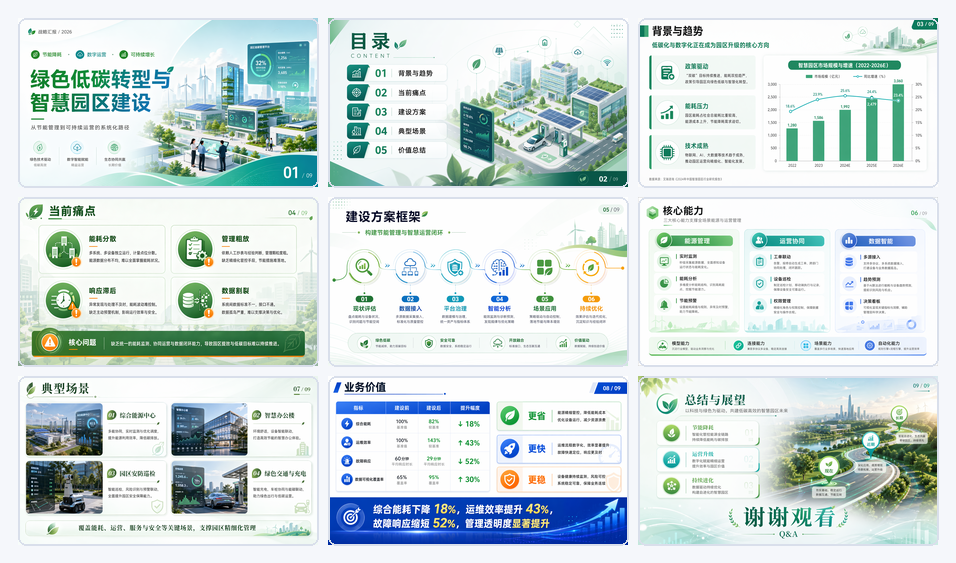 Low-Carbon Smart Campus Transformation |
🖌️ Free Canvas
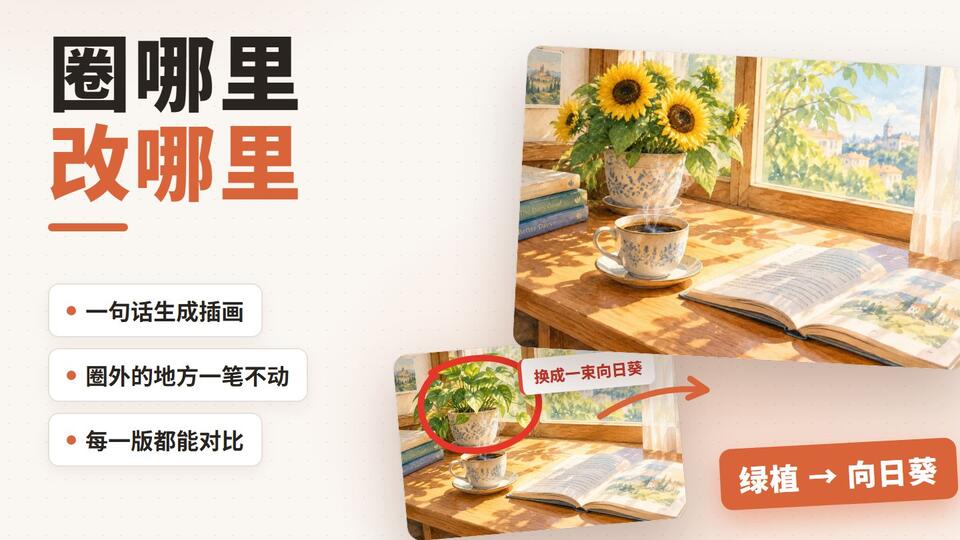
A whiteboard for images: describe a picture in one sentence and it lands on the board. Circle what to change, write a note beside it, press the wand, and a new version appears next to the original. Every version is kept, and the version strip shows what each one changed and when.
Showcase
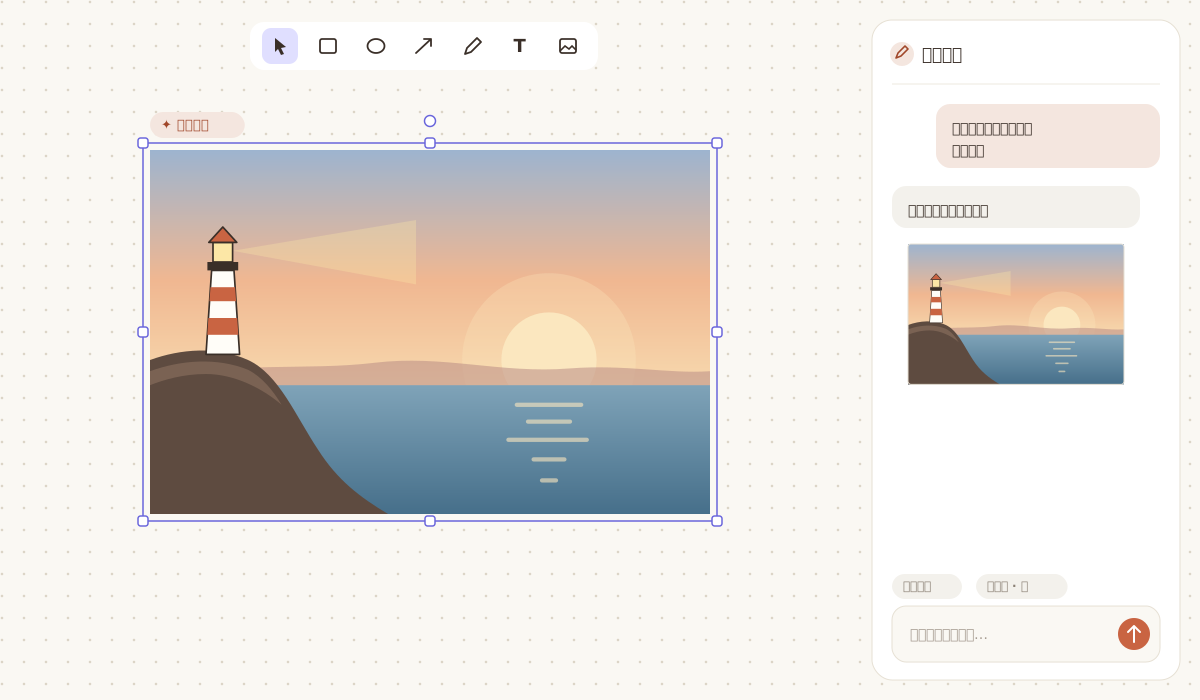 An Image from One Sentence | 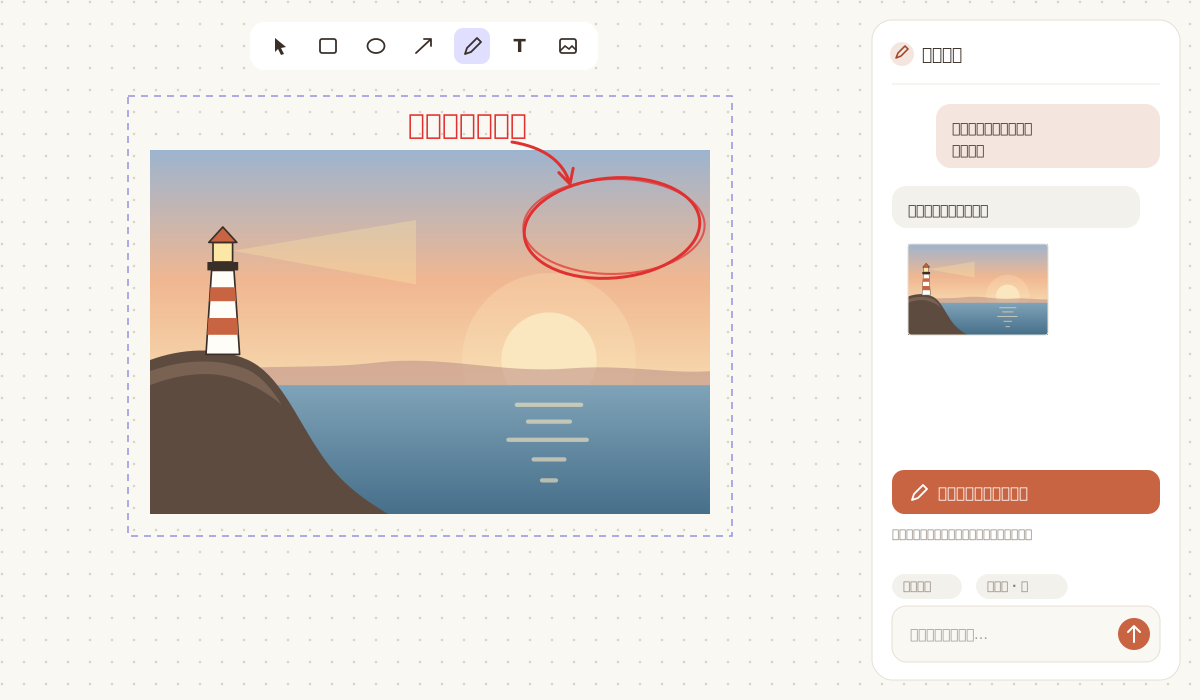 Mark It Up on the Board |
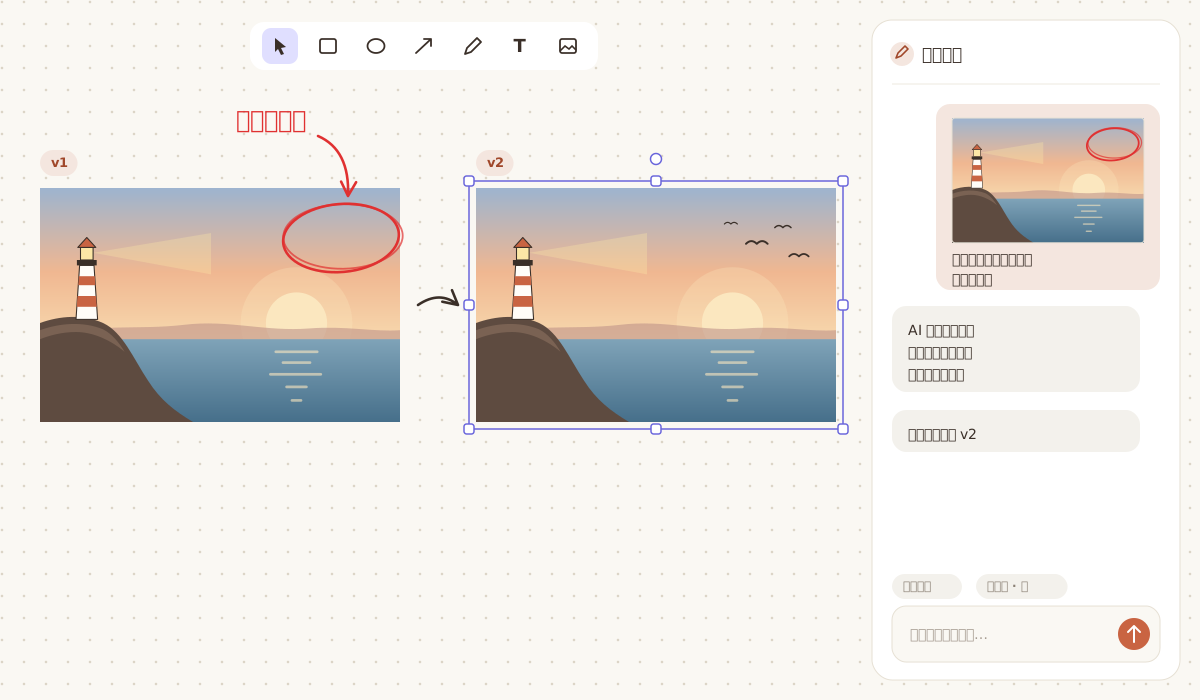 A New Version from the Marks | 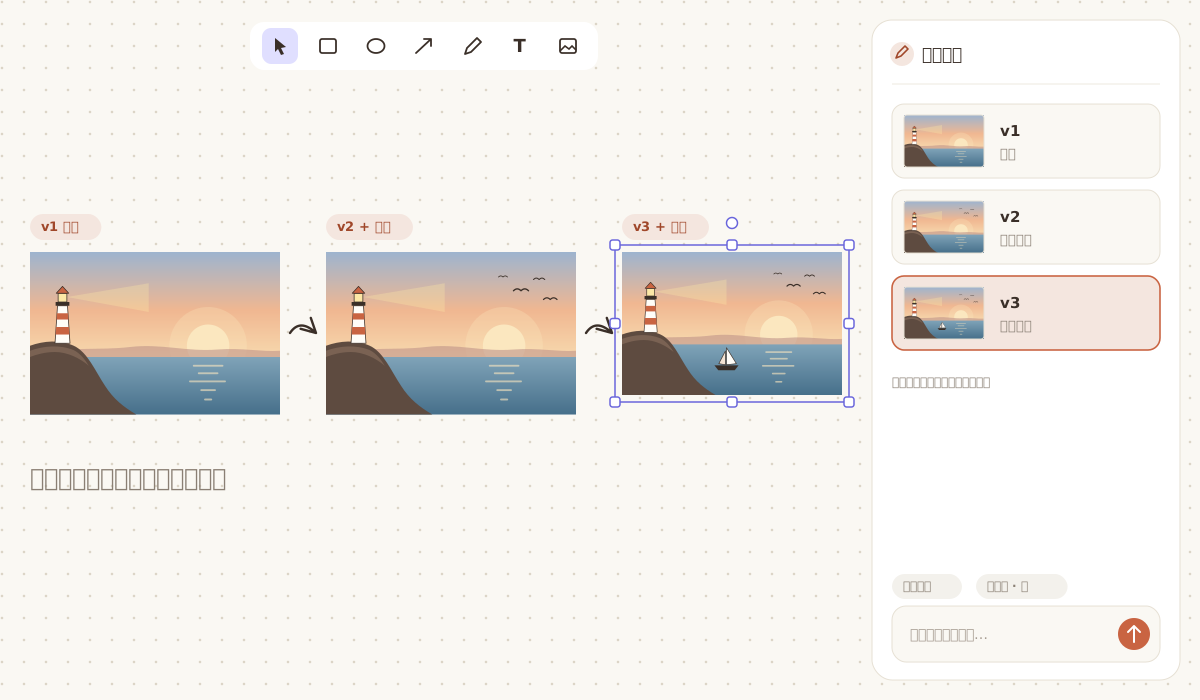 Compare the Versions |
🎨 Creative Canvases
| Workspace | Focus | Typical output |
|---|---|---|
Diagram | structured diagram generation and partial editing | flowcharts, architecture diagrams, logic diagrams |
Interior Design | interior planning, drawing coordination, and delivery packaging | concept boards, 2D drawings, render briefs, material lists |
PPT | structured presentation generation and export | presentations, pitch decks, report slides |
Free Canvas | text-to-image and edit-by-annotation on a whiteboard | posters, illustrations, revised versions of an image |
🌐 Online Access
Current online access URL:
- 🔗 CanvasAnvil: https://canvasanvil.codingfgd.asia
Video Tutorial
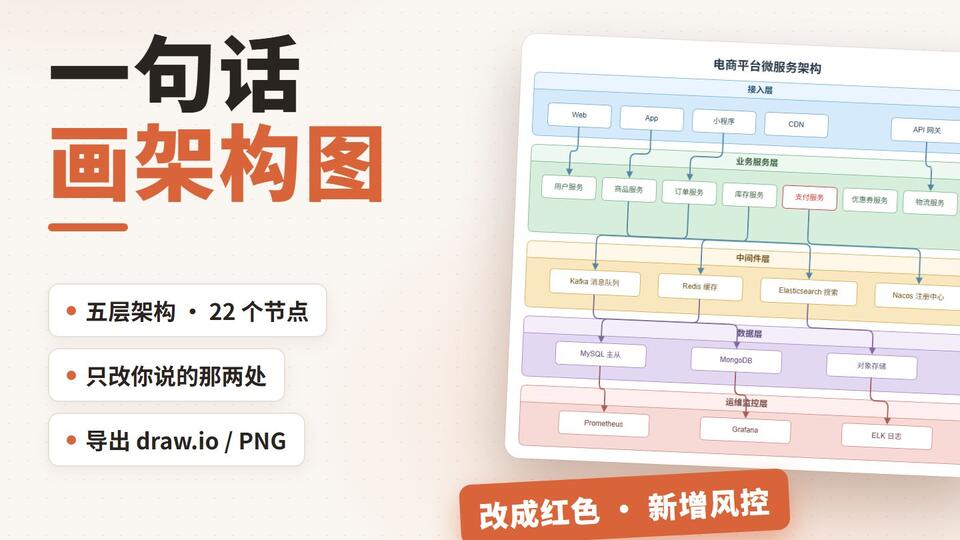
One walkthrough per canvas on Bilibili (narrated in Chinese). In the app, the Tutorials button at the top of the home page plays them in place.
🧰 Skills
CanvasAnvil includes dedicated local skills for each canvas so workflows stay opinionated, repeatable, and easier to maintain.
diagram-skill· Diagram generation and packaging Outputs clean diagram assets and skips standalone HTML preview by default.cad-skill· Interior-delivery workflow Exports drawing bundles and a CSV material list for downstream delivery.ppt-skill· Full presentation production Enforces outline review before generation and supports editable PPT, PDF, and image-based PPT output.
All skills use the host text model by default. Only image generation requires explicit provider configuration.
Editable PPTX export uses the host model too: the agent rebuilds the slides step by step following skill/ppt-skill/references/editable-pptx-workflow.md, with the scripts in the skill's editable/ folder; it also needs PowerPoint and the Python packages in editable/requirements.txt.
🚀 Quick Start
- Install dependencies
npm install- Start local development
npm run devDefault URL: http://127.0.0.1:8001
CanvasAnvil deploys as a single service. See deploy/README.md for detailed deployment configuration.
- Run type checks
npm run check- Build for production
npm run build🧪 Common Commands
npm run dev: start the app on8001npm run check: run TypeScript checksnpm run lint: run ESLintnpm test: run the test suitenpm run build: build the production bundle
📝 Development Notes
- Every model call uses the OpenAI HTTP protocol. To use another vendor, point the base URL in Settings at their OpenAI-compatible endpoint — there is no provider list to pick from.
- AI configuration is read from local app settings; the text and image channels are configured separately.
- Local development depends on the API service for
/api/chatand/api/ppt-ai. - After changing local API route wiring in
vite.config.ts, restart the dev server. server/**uses relative imports:vite.config.tsimports the dev middleware sonpm run devserves the API in-process, and Vite loads its own config through plain Node, which does not know the@/alias.- Set
PROMPT_LOG_DIRto write assembled prompts to disk; it is off by default because the log contains the user's content.
📚 Docs
- Architecture overview: docs/architecture.md
- Handoff notes (Chinese): docs/HANDOFF.md
- Deployment guide: deploy/README.md
🗓️ Recent updates
2026-11-06
✨ New
-
Editable PPTX export for the PPT canvas
- The export menu has a new "Export Editable PPTX", next to "Export PDF" and "Export Image PPT".
- Exported decks used to be one picture per slide. Now every slide comes back as layers you can edit, from bottom to top:
- Clean base: the background with text, cards and icons removed; gradients, waves, buildings and other background art stay in this layer;
- Native shapes: card frames, dividers, dots, rings, bars and arrows are PowerPoint's own shapes, so their colour, size and corner radius can be changed directly;
- Icons and illustrations: redrawn by the image model after the original, on transparent backgrounds, to move, resize or replace one by one;
- Editable text: titles, body text and lists sit in text boxes, keeping their position, size, colour and weight.
- Slides in one style share a single base, and icons and cards repeated across slides are drawn once, so the whole deck stays consistent.
-
Export settings
- Pages: lists every slide by number and title; select all, none or page by page to export only what you need.
- Rework rounds: up to 3–10 per page, default 3. Each finished page is checked against the original (overall similarity, local differences, text position and size, green fringes left from cut-outs); a page that fails is fixed and checked again, and a page that passes stops early instead of using up its rounds.
- A count out of range snaps to the nearest allowed value.
-
Export run panel
- Once started, a fixed-height panel opens under the export button and scrolls through the whole run as it happens, like an agent at work.
- Seven steps in order: read text → plan backgrounds → draw clean backgrounds → analyse elements → draw icons and illustrations → rebuild pages → write the PPTX, each with its state (waiting, running, done or failed) and time taken.
- Under each step, timestamped details such as "page 1: 12 text blocks read", "base g1 shared by pages 1 and 2", "page 2: round 1 failed (similarity 78.5, 6 problems), fixing".
- "Rebuild pages" is grouped by page, so pages built side by side keep their progress apart.
- The step and page in progress open by themselves and fold away when done; anything you opened or closed yourself stays as you left it. When the panel is full it scrolls, following the newest line unless you have scrolled up to read.
- Intermediate results open with a click: the clean bases, icon sheets, every sliced icon and illustration, every page's preview after each round and the check images with problem areas marked all show as thumbnails that open full size.
-
editable_pptxexport mode inppt-skill- Coding agents such as Claude Code and Codex can export a deck as editable PPTX, with the same steps and checks as the app.
- The host agent makes the judgments itself: planning the base groups, analysing each page's elements, writing each page's compose spec and fixing what the checks find. No separate chat model to configure.
editable/editable_run.pydoes the mechanical steps (OCR, image calls with retries, aspect checks, slicing by drawings, composition, PowerPoint previews, checks, merge), run in orderinit → base → analysis → assets → page / check → merge; the full workflow is inreferences/editable-pptx-workflow.md.- It reads the same slide manifest as the image PPT, converting JPG, WebP and other formats; the run folder keeps the bases, asset sheets and every round's previews and checks.
- The skill carries every script and rule doc it needs, independent of the app's code, so it works on its own.
- The image model comes from the skill's
config/image-provider.json, the same file the other export modes use. SKILL.mdandreferences/export-modes.mddescribe when to use the mode, its steps, settings and requirements, and the agent warns the user up front that it takes a while.
⚡ Improved
- During an export, collapse the run panel to a timer pill beside the export button (showing the time so far) and keep editing; click the pill to open it again.
- When the export finishes the panel closes and the file downloads; if it fails, the panel stays open with the step that failed and why.
- A page refresh, closing and reopening the page, or a server restart picks a running export back up, with its earlier steps and pictures still there, and the file still downloads when it is done.
- Better background detection: elements are analysed with the clean base alongside, so gradients, waves and buildings in the background are no longer drawn a second time as elements.
- A base whose aspect ratio is off from the original is redrawn, never stretched.
- An icon sheet with the wrong number of drawings is thrown away and redrawn, so misaligned icons never end up in the deck.
- Starting an export while one is running says "another export is running; wait for it to finish" instead of the two getting in each other's way.
📌 Notes
- Editable export builds and checks every page, so it is slow: usually 10+ minutes, and one export runs at a time.
- Icons and illustrations are redrawn after the original: the same design, not pixel for pixel.
- Needs Microsoft PowerPoint (previews for the checks); install the Python packages with
pip install -r scripts/slide-agent/requirements.txt. The scripts and rule docs it uses are all inscripts/slide-agent/; nothing else to install. - Models: set a chat model (
SLIDE_AGENT_API_KEY/SLIDE_AGENT_BASE_URL/SLIDE_AGENT_MODEL) and an image model (SLIDE_AGENT_IMAGE_API_KEY/SLIDE_AGENT_IMAGE_BASE_URL/SLIDE_AGENT_IMAGE_MODEL) inscripts/slide-agent/.env.localor the environment.
2026-11-05
🐛 Fixed
- The Diagram canvas lost its correction step after a reload: the canvas corrects the model's layout and shows each diagram as thinking → drawing → correction in the chat, but corrections lived only in memory, so a refresh dropped the third step.
- Every diagram's correction is now saved locally with the chat, so after a refresh the correction step and the layout scores before and after are still there;
- the latest diagram also keeps both versions, so you can still switch between the model's original and the corrected layout.
- A correction running at reload hung: one that had not finished when the page was refreshed now comes back as finished instead of staying "in progress".
⚖️ License
CanvasAnvil is released under the MIT License. See LICENSE for the full license text.
💌 Contact
3524962421@qq.com