
See where your PC's power actually goes, live, by app and by component.
Available in English, Français, 简体中文, Português, Deutsch and Română.




Why use WattSeal?
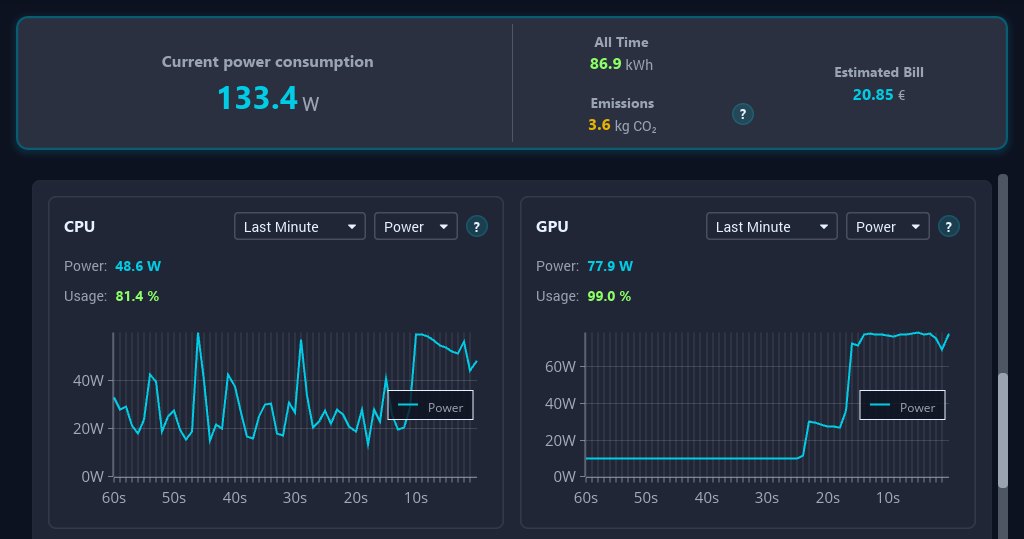
Most people have no idea how much electricity their computer actually uses, or which apps are silently draining power in the background.
WattSeal gives you that visibility:
- ⚡ Live power draw, updated every second
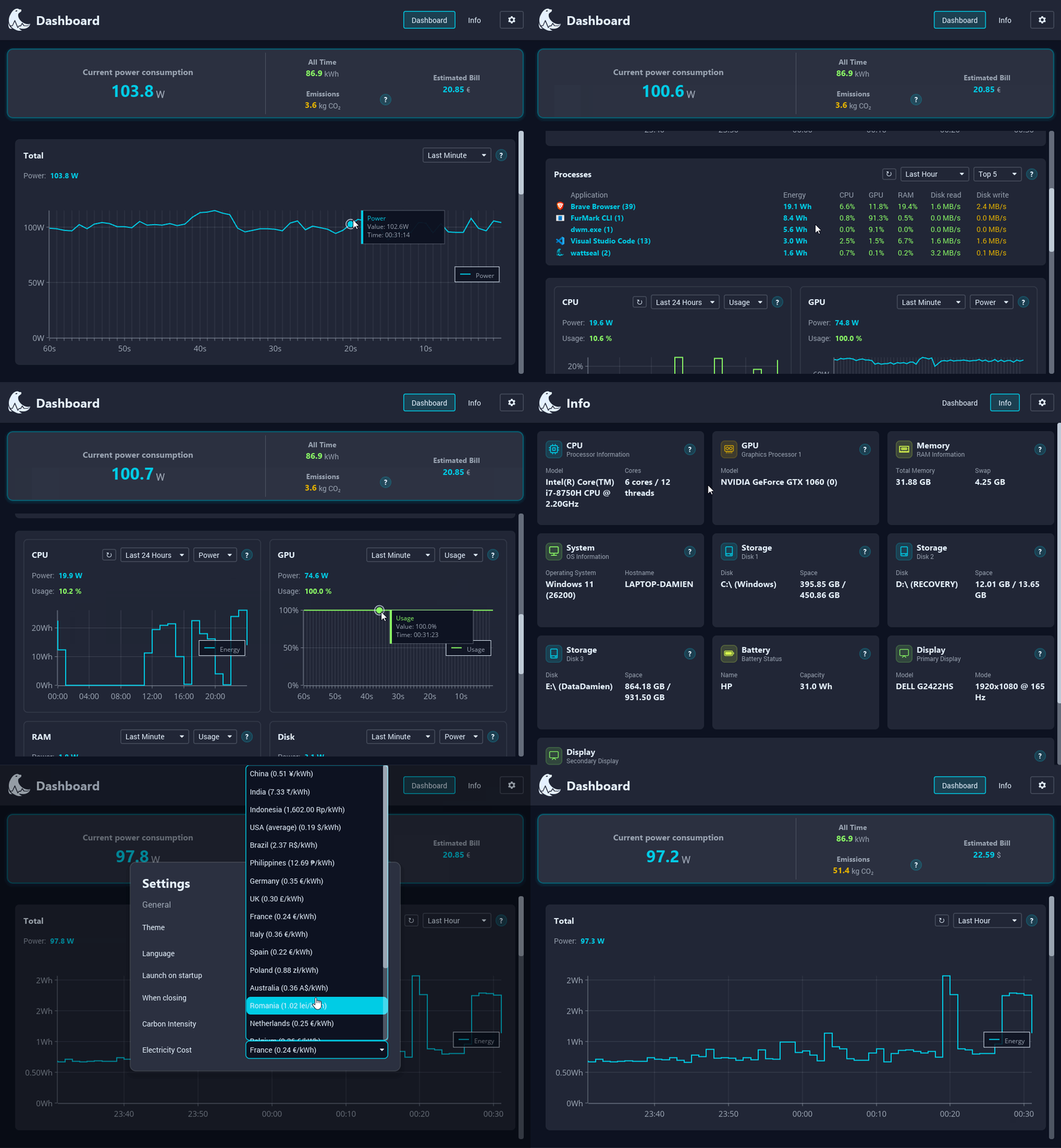
- 🧩 Per-component breakdown: CPU, GPU, RAM, storage, network
- 📋 Per-app breakdown: catch the process quietly draining your battery
- 📈 History: charts from the last minute to the last year
- 🔒 100% local: all your data stays on your machine, private
- 🏠 MQTT + Home Assistant ready, for anyone who wants it in their smart home dashboard
- 🌍 Carbon & cost estimates based on your grid and electricity price
- 🪶 Single executable, no installer, no runtime to manage
Quick start
WattSeal is a single executable. No installer, no dependencies to manage.
Download the executable for your OS below and run it:
| OS | Download |
|---|---|
| 🪟 Windows (x64) | WattSeal-windows.exe |
| 🐧 Linux (x64) | WattSeal-linux |
| 🍎 macOS (Apple Silicon) | WattSeal-macos |
Admin/root is optional everywhere. Without it, WattSeal still runs fully, CPU power just falls back to a usage-based estimate instead of a direct hardware reading.
Step by step instructions
Detailed instructions for each platform are below.
🪟 Windows
- Download and double-click
WattSeal-windows.exe. - If SmartScreen warns you, click More info → Run anyway. This is normal as we did not pay Microsoft to notarize the app.
- If prompted by User Account Control (UAC) to install the CPU MSR driver, click "Yes" to install it (this is a one-time step). If you click "No", WattSeal will still run but CPU power readings will be estimated.
The dashboard opens in a window and a tray icon is added. Closing the window keeps WattSeal running in the tray, reopen it from there.
🐧 Linux
Open a terminal in the folder where you downloaded WattSeal and run:
chmod +x WattSeal-linux
sudo ./WattSeal-linux
Root is needed to read /sys/class/powercap for CPU energy. Tray icon requires libappindicator or libayatana-appindicator; without either, WattSeal just runs without one.
🍎 macOS
Open a terminal in the folder where you downloaded WattSeal and run:
chmod +x WattSeal-macos
./WattSeal-macos
If macOS blocks the app because "Apple could not verify if it's free of malware", go to System Settings → Privacy & Security and allow WattSeal to run.
It is normal as we did not pay Apple to notarize the app.
Documentation
Quick reference, everything deeper lives in the Wiki:
| 🖥️ Platform Support | What's measured directly vs. estimated, per OS |
| ❓ FAQ & Troubleshooting | Common issues, quick fixes |
| ⌨️ CLI Reference | Flags, headless mode, background mode |
| 📡 MQTT Integration | Publish live data to a broker |
| 🏠 Home Assistant Integration | Wire WattSeal into your smart home |
| 🔬 Sensor Sources | Formulas and citations behind every reading |
| 🏗️ Architecture | Crate layout, database, data flow |
Contributing
Issues and PRs are welcome, small or large. See CONTRIBUTING.md to get started and ROADMAP.md for what's planned.
To translate WattSeal into your native language, see 🌏 App translations.
The following languages are currently supported:
| Language | Status | Contributor |
|---|---|---|
| English | ✅ Fully supported | Daminoup88 |
| French | ✅ Fully supported | Daminoup88 |
| Chinese (Simplified) | ✅ Fully supported | metahubaifeel |
| Portuguese (Brazil) | ✅ Fully supported | alisonpSWE |
| German | ✅ Fully supported | LivingPixel-pixel |
| Romanian | ✅ Fully supported | CodrinSocol |
License
WattSeal is licensed under GPL-3.0.
If WattSeal is useful to you, a ⭐ helps other people find it.