Jellyfish — AI Short Drama Studio





An end-to-end production workspace for AI-generated short dramas.
From script input to structured storyboarding, consistency management,
shot preparation, video generation, and export.
📷 Screenshots
| Project overview | Asset management |
|---|---|
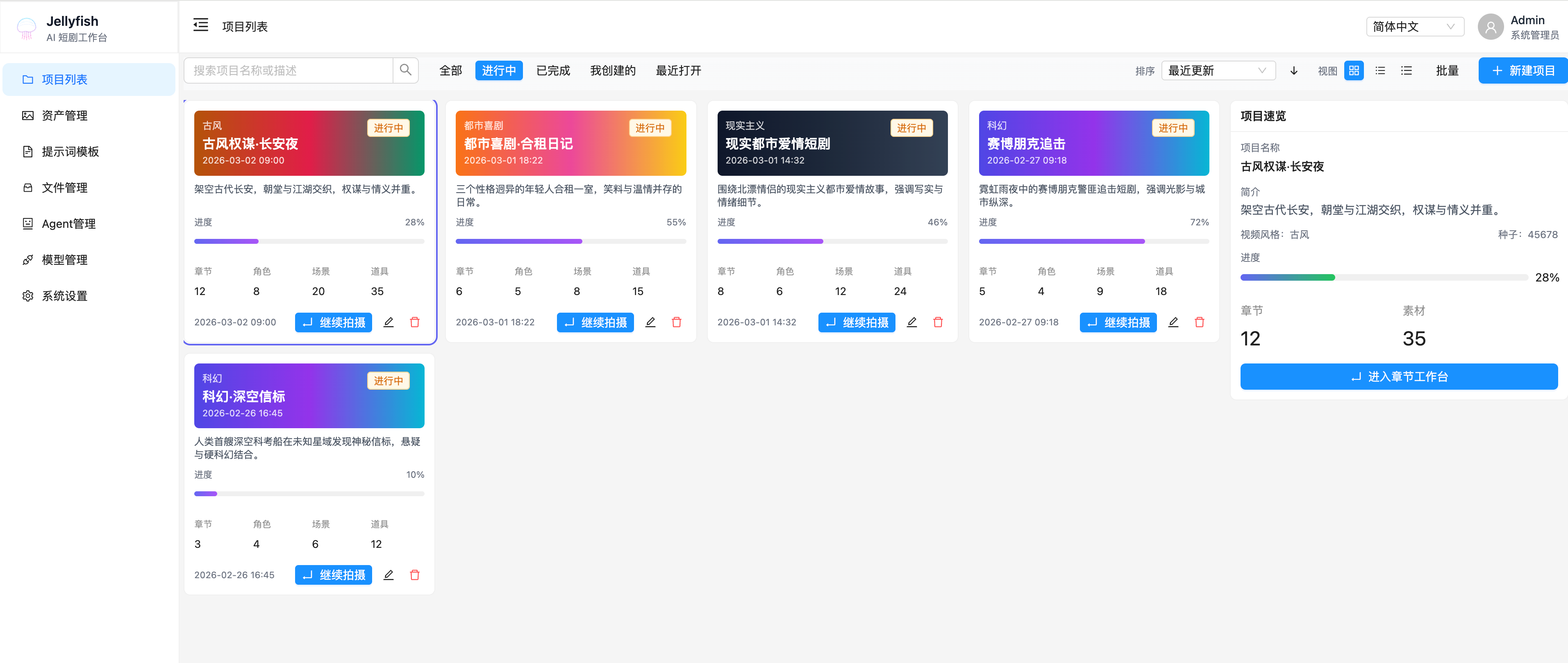 | 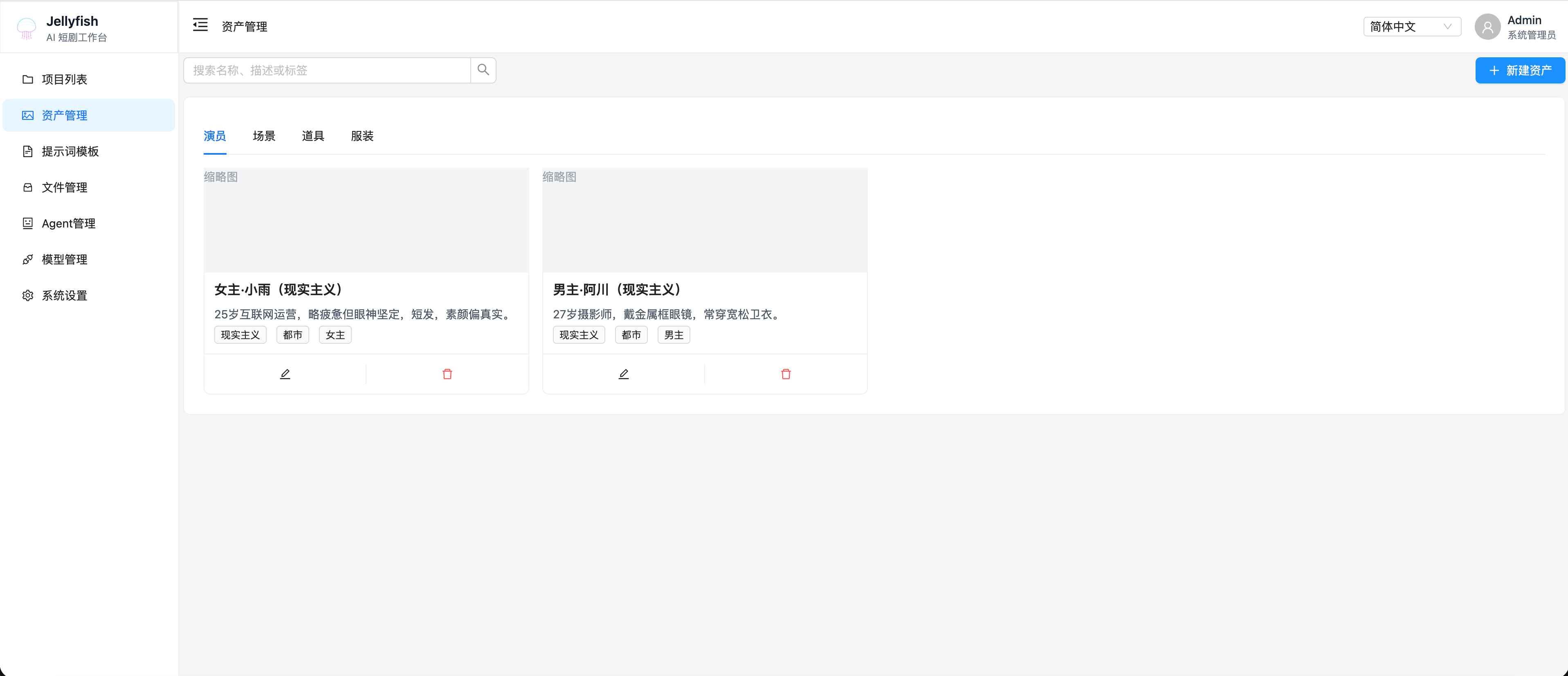 |
✨ Core Value
- Connect the full production flow: Move from script input to storyboard preparation, image/video generation, and task tracking in one place.
- Turn AI output into reusable production assets: Shots, candidate assets, dialogue, prompts, and generation tasks can all be reviewed and reused.
- Treat consistency as a first-class problem: Centralized character, scene, prop, and costume management reduces drift across shots.
- Handle long-running generation as trackable tasks: Text, image, and video jobs all go through one async task system with status, cancel, and recovery.
- Build AI capability as infrastructure: Model management, prompt templates, files, and OpenAPI-based collaboration make the system extensible.
✨ Core Capabilities
Jellyfish is not just a single “AI image/video” utility. It is a production workspace built around:
- script understanding
- shot preparation
- asset consistency
- generation execution
- task tracking
1. AI script understanding and storyboard breakdown
- Split chapter scripts into shots
- Extract characters, scenes, props, costumes, and dialogue
- Run script optimization, simplification, and consistency checks
- Support targeted analysis such as character portraits or scene details
2. Shot preparation and confirmation workflow
The main workflow is:
script breakdown → shot preparation → candidate confirmation → shot ready → generation workspace
Preparation currently supports:
- extracting and refreshing shot candidates
- accepting or ignoring asset candidates
- accepting or ignoring dialogue candidates
- linking existing characters, scenes, props, and costumes
- correcting shot-level basic information
- using a unified readiness state to decide whether a shot is prepared
3. Asset consistency and reuse
The system maintains a shared entity model across:
- characters / actors
- scenes
- props
- costumes
This supports asset reuse across shots and helps stabilize style and identity.
4. Shot-level image and video orchestration
Once a shot is ready, the generation workspace supports:
- keyframe and reference image management
- shot-level video prompt preview
- image and video generation tasks
- single-shot and batch pre-checks
- writing generation outputs back into the shot/media system
5. Unified async task center
Current task infrastructure supports:
- async text-processing tasks
- async image and video generation tasks
- unified task status, result, and elapsed-time tracking
- task cancellation
- a global task center with context-aware navigation back to project/chapter/shot
6. Model, prompt, and generation infrastructure
Supporting capabilities include:
- multi-provider / multi-model management
- default model settings by category
- prompt template management
- file and generated media management
- OpenAPI-driven frontend/backend contracts
🚀 Feature Overview
Project and chapter management
- Create and manage projects and chapters
- Use chapters as the unit for scripts, shots, and generation
- Provide dashboard-style entry points and aggregated stats
AI script processing
- Break chapter scripts into shots
- Extract characters, scenes, props, costumes, and dialogue
- Support optimization, simplification, and consistency checks
- Support focused analysis such as character portraits or scene information
Shot preparation workflow
- Edit shot title, summary, and basic information
- Refresh extracted asset and dialogue candidates
- Confirm, ignore, or link candidate items
- Use preparation state to determine shot readiness
- Keep “prepared” distinct from “currently generating”
Asset and entity management
- Manage characters, actors, scenes, props, and costumes
- Link and reuse them at shot level
- Manage entity images
- Check name existence to encourage reuse of existing assets
Shot generation workspace
- Manage keyframes, reference images, and video prompts
- Check video readiness before generation
- Launch image/video generation tasks
- Support both single-shot and batch generation workflows
Task center
- View active and recently finished tasks
- Track status, progress, elapsed time, and results
- Cancel tasks
- Jump back to the related project, chapter, or shot
Model and prompt infrastructure
- Manage providers, models, and default settings
- Manage prompt templates for images, video, and shots
- Generate frontend request helpers and types from OpenAPI
- Provide a stable base for future AI workflow expansion
File and media management
- Manage uploads and generated outputs
- Preview, link, and reuse image/video assets
- Preserve shot and entity context around generated media
🎯 Use Cases
- Short / micro-drama creators
- AI studios producing video content in batches
- Solo creators exploring vertical drama production
- Education and training teams making lesson videos
- Brands and e-commerce teams producing story-driven promos
🔁 Frontend OpenAPI client and type generation
Frontend request helpers and types are generated from the backend OpenAPI spec. Output directory:
front/src/services/generated/
Cached spec file:
front/openapi.json
With the backend dev server running at http://127.0.0.1:8000, run:
cd front
pnpm run openapi:update
🐳 Docker Compose
The repository includes a ready-to-run compose setup under
deploy/compose/.
Ports
- Frontend:
http://localhost:7788 - Backend:
http://localhost:8000(/docsfor Swagger) - MySQL:
localhost:${MYSQL_PORT:-3306} - Redis:
localhost:${REDIS_PORT:-6379} - RustFS:
http://localhost:${RUSTFS_PORT:-9000}
Start
cp deploy/compose/.env.example deploy/compose/.env
docker compose --env-file deploy/compose/.env -f deploy/compose/docker-compose.yml up --build🧑💻 Local Development
Backend
cd backend
cp .env.example .env
uv sync
uv run uvicorn app.main:app --reload --host 0.0.0.0 --port 8000
Frontend
cd front
pnpm install
pnpm dev
📄 License
This project is licensed under Apache-2.0.