Ricelin
My Hyprland setup on CachyOS. The whole shell is hand-written Quickshell, no copied dotfiles.
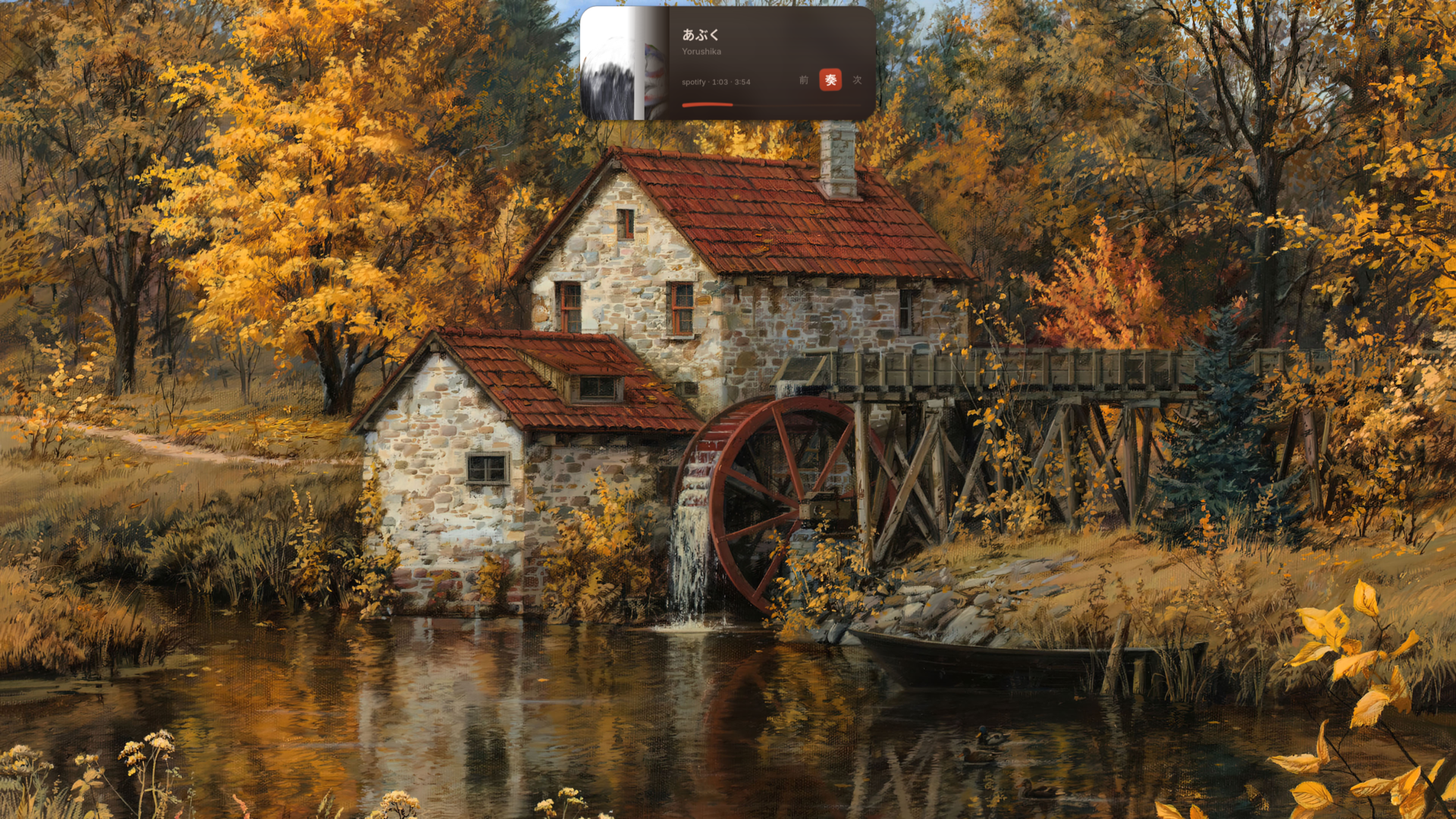
I started this a few months into Linux, mostly to learn how things work. It somehow turned into my daily driver.
The shell
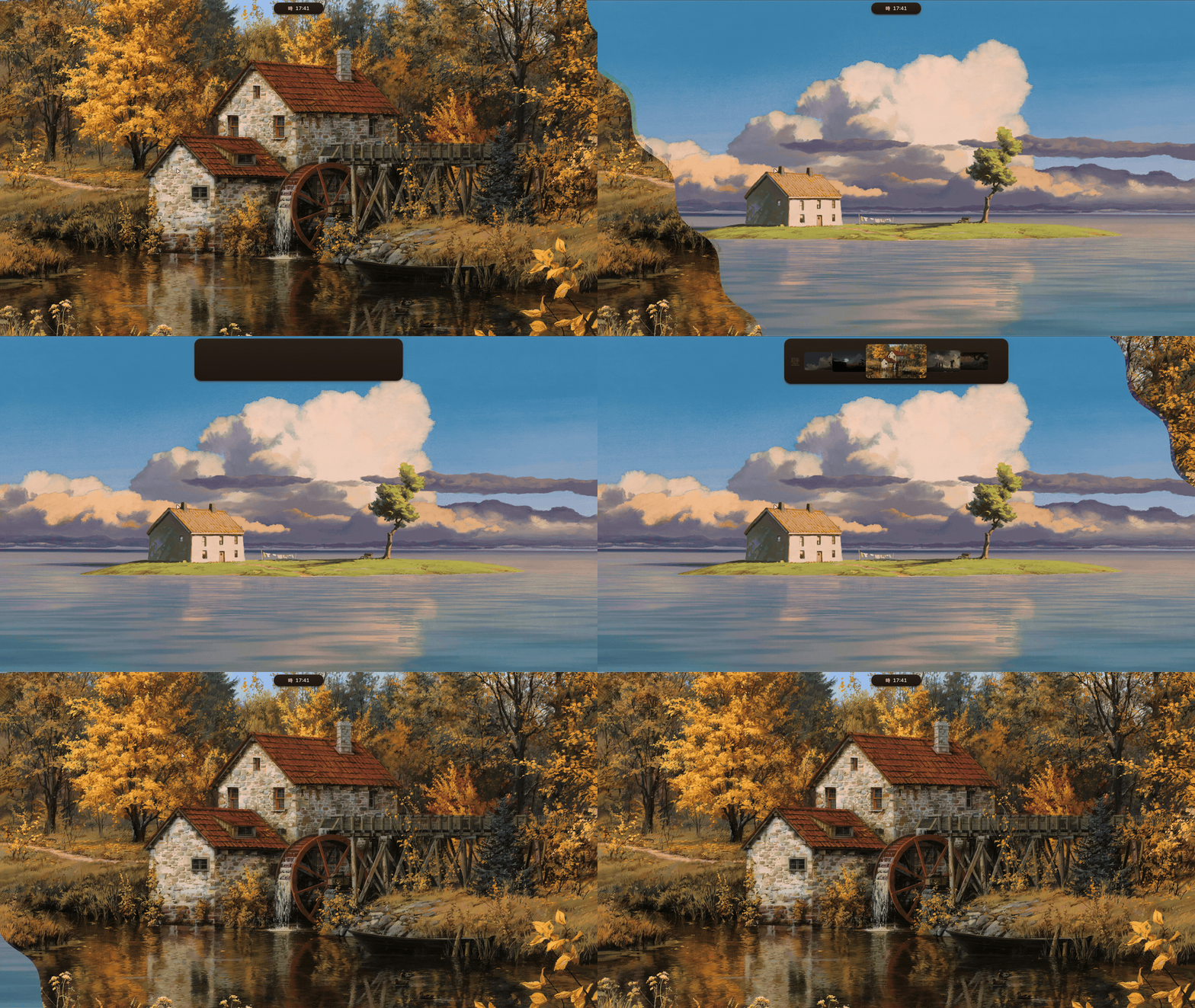
Everything you see is hand-written Quickshell. One pill bar that morphs into whatever surface I need.
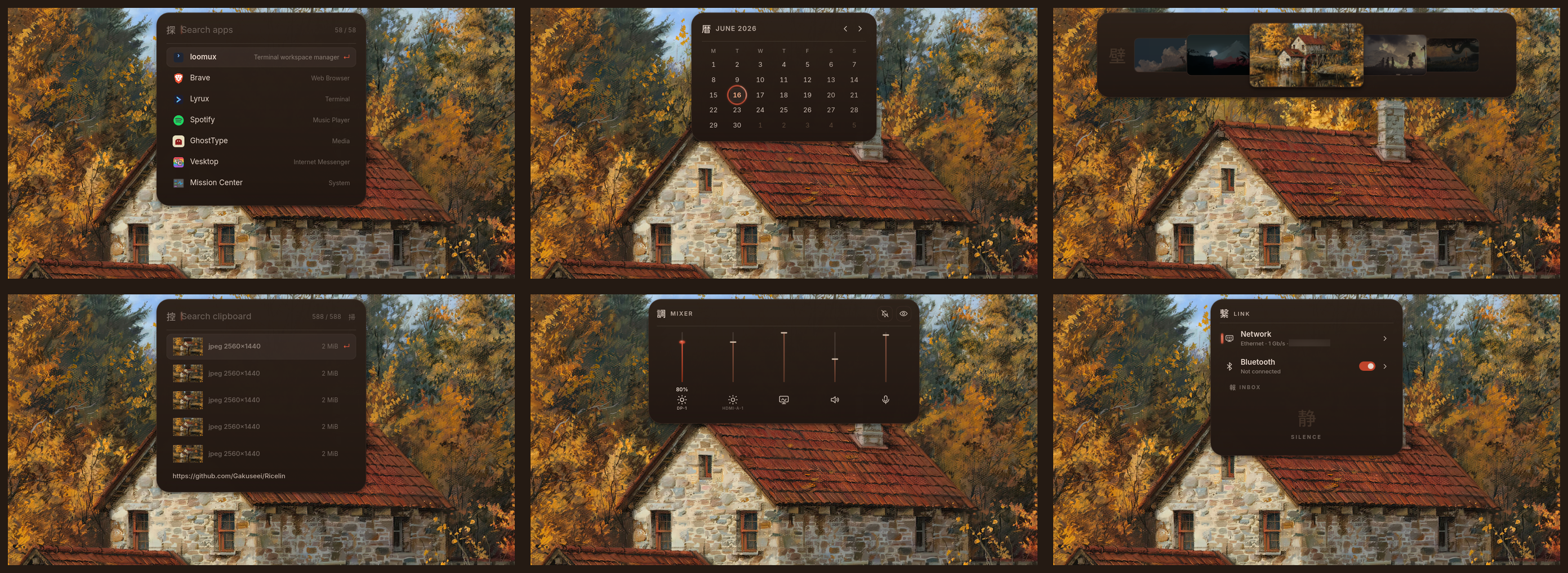
The pill becomes media and now playing, a calendar, the wallpaper picker, clipboard history, an audio and brightness mixer, a sound page with an EQ, AutoEQ headphone profiles, per-app volume and a mic noise filter, and network and bluetooth controls. There is also an app launcher, a lock screen, and rishot, my own screenshot and annotation tool, which lives in its own repo so you can read all of it there.
Stack
- WM: Hyprland, configured in Lua
- Shell UI: custom Quickshell
- Terminal: Ghostty
- Shell: fish
- Font: JetBrains Mono Nerd
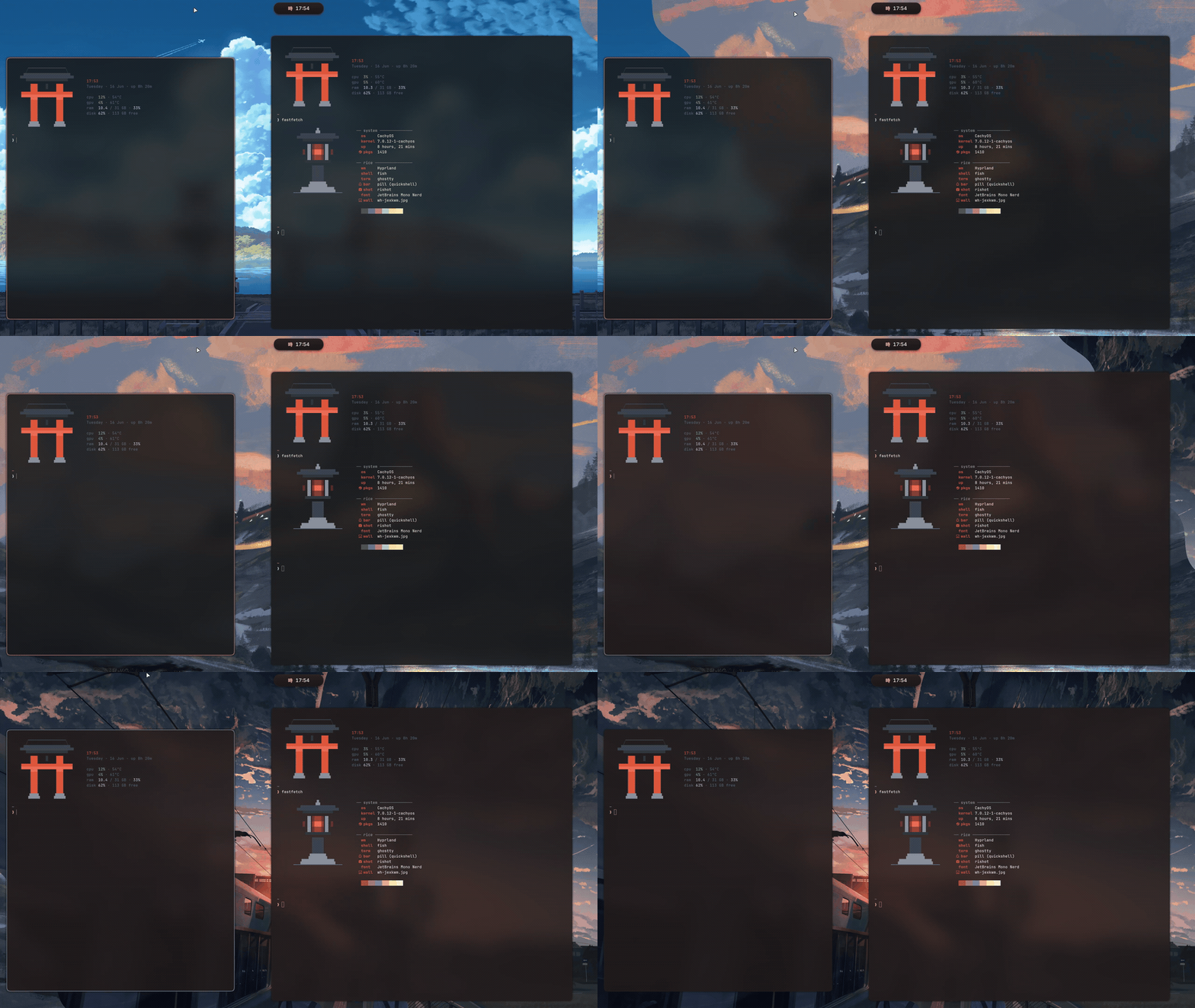
- Colors: matugen, palette pulled from the wallpaper
matugen pulls a palette from each wallpaper and recolors the pill, terminal, window borders, fastfetch and GTK apps. The shell itself runs a warm vermilion theme I tuned by hand.
Install
[!WARNING] The installer is young. It hasn't had a clean-machine run beyond mine yet, so expect rough edges. Read
install.shfirst and keep backups. If something breaks, file a bug and say it's the installer.
One line, straight through the pipe:
curl -fsSL https://raw.githubusercontent.com/Gakuseei/Ricelin/main/install.sh | bashinstall.sh is a thin bootstrap: it detects your distro (Arch, Debian, Fedora,
openSUSE or Gentoo), makes sure git and python3 are there, clones the rice into
~/.local/share/ricelin, then hands off to the guided Python installer. That part
walks you through a short wizard, picks the right package names for your distro,
pulls the deps and copies the configs into ~/.config, backing up anything it
replaces. The monitor layout and GPU env are swapped for portable defaults so it
boots on any hardware; my own layout is kept next to it as monitors.lua.example.
Then start Hyprland from a TTY.
Skip the wizard with flags, passed straight through the pipe:
curl -fsSL https://raw.githubusercontent.com/Gakuseei/Ricelin/main/install.sh | bash -s -- --quickstart--quickstart core defaults, no questions
--full also install the daily apps (dolphin, keepassxc, zathura, imv, rnote)
--sddm also install the torii SDDM login theme
--no-deps skip the package step, just deploy the configs
--dry-run walk the whole flow and change nothing
Ricelin is a Hyprland shell. On Niri, Sway or anything else only rishot (the screenshot tool) makes sense; grab it from rishot's own installer.
Keybinds
| Key | Action |
|---|---|
Super + Return | terminal |
Super + Space | app launcher |
Super + V | clipboard history |
Super + C | wallpaper picker |
Super + B | shuffle wallpaper and retheme |
Super + E | file manager |
Super + T | toggle floating |
Super + L | lock |
Print | rishot |
Notes
These started as my personal dotfiles, built around my own machine. The installer neutralises the hardware-specific bits, but some paths and choices still lean on how I run things, so read before you borrow.
Support
If Ricelin made your setup nicer, you can buy me a coffee on Ko-fi. I build this on my own and it keeps the work going.
Credits
The lock screen, the SDDM background and the wallpapers are not mine. See CREDITS.
The sound page started as a proposal by @Seza007 in #31. AutoEQ profiles come from AutoEq.