Spidy
VR for Marvel's Spider-Man Remastered
Swing on webs with your own arms, shoot from your wrists, punch with your fists.





Install · Controls · Troubleshooting · Players' guide · What's new
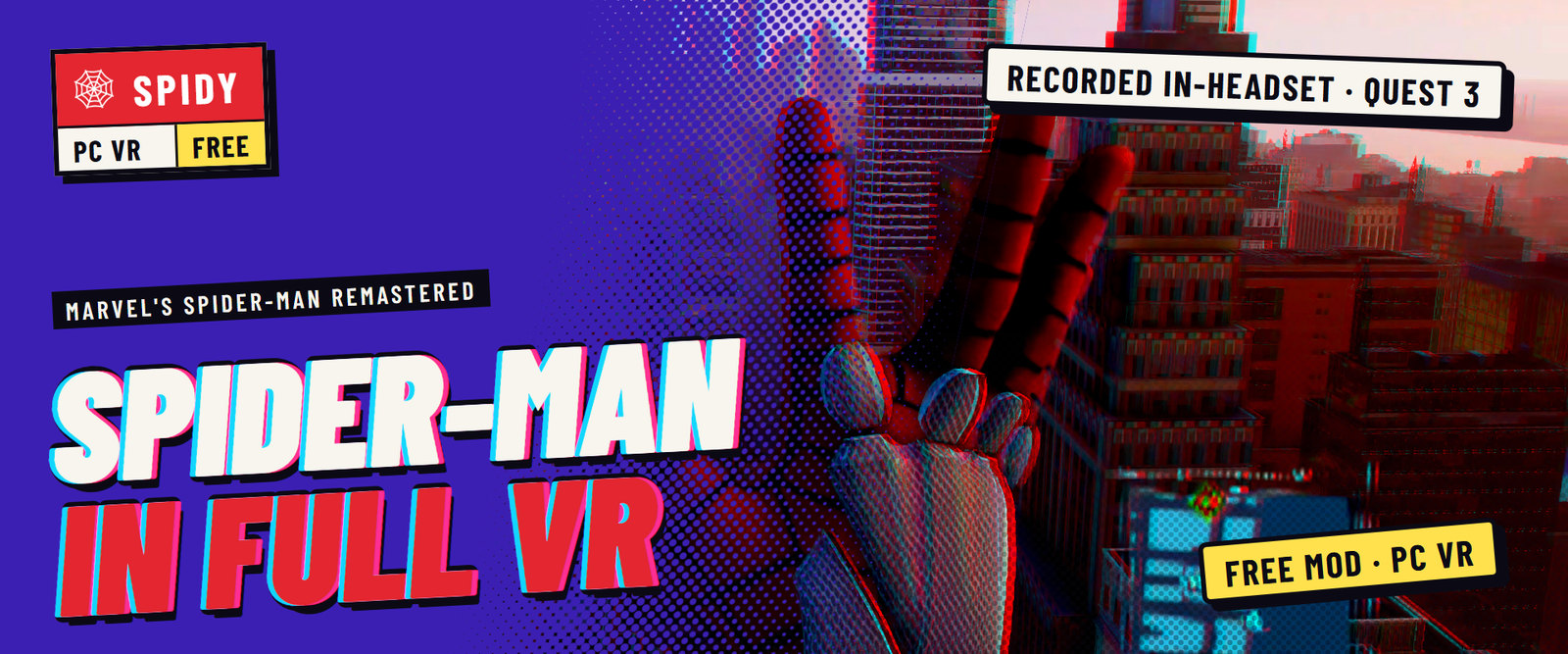
Spidy is a free fan mod by Ilya Mezerowsky that puts Marvel's Spider-Man Remastered in VR: native stereo at your headset's resolution, 6DoF head and hands, and web swinging you control with your arms. One zip, one launcher, one START VR button.

Recorded in the headset on Quest 3: this is how it plays. Watch the trailer on YouTube
Early and in development. Played on Quest 3 through Virtual Desktop. Spidy supports one Steam build of the game; a game update needs a Spidy update.
Features
- Physical web swinging. Squeeze a grip to fire that hand's web from your web shooter where you point, swing on it, reel in with the trigger, pull sharply to zip (or swap the two: the trigger webs, the grip reels). Webs hold on buildings, the ground, or open air, and bend round corners. Swing low and you skim the street on a near miss. Take the web in your other hand and climb it hand over hand.
- Web shooter and gadgets. The trigger of a hand without a web fires the game's own web ball from your wrist, with aim assist on enemies. Three quick hits web an enemy up. Hold X and a wheel of your gadgets opens in front of your hand; pick one and the trigger fires it.
- Grab and throw. Web a prop or an enemy, reel or yank it in, swing it on the web and let go to throw it. Heavy things feel heavy. Pulled enemies fly flailing, and get hurt when they slam into walls, the ground or each other.
- Punch across the room. A fast fist into an enemy lands the game's own melee hit, harder the faster you swing. Throw one at an enemy up to 10 m away and you fly in and strike. Uppercut an enemy into the air and keep fighting up there; blows in a row build to a finisher.
- Fights you read at a glance. A ring marks the enemy your next punch goes to, and an arrow calls the blow: a hook, an uppercut or a blow down. A yellow arrow calls the finisher. Bursts, counts and KO! land where your blows do.
- Slow motion. Click the left stick and the world slows to a third while you keep full speed, for as long as the focus meter on your left wrist lasts. Finishers and perfect dodges slow time by themselves.
- Walls are floors. Walk at a wall, or fly or jump into it, and you stay on it: run along it, walk up it, jump off. Your view turns so the wall is your floor. Point at a vent or a door and press Y to go through.
- You are Spider-Man. Look down and see his body; his arms and hands follow your controllers, open, in a fist or in the web-shooting pose. A quick T-pose the first time sizes him to your height and arm length.
- The game's prompts work in VR. Wherever the game asks for a button, look at the thing and press Y. A prompt that spells out a button names the VR control instead.
- VR settings in the game's menu. A SPIDY VR tab in the game's own Settings for aim markers, snap or smooth turning, vibration, swing speed, how heavy you swing, screen size, the HUD and more. Changes apply at once.
- Menus and cutscenes on a screen. Cutscenes in 3D: the game draws them once for each eye. The Touch controllers work as an Xbox controller there; VR resumes when play does. SWITCH TO GAME SCREEN in the pause menu plays the game as it is on that screen, whenever you like.
- One launcher. It checks the game, the headset and your PC, fixes what it can, starts VR with one button, and updates Spidy with one click.
Join the community


On Discord: where the players are
- Release news first. Every release is announced in
#spidy-updates, with a ping if you ask for one. - Help and fixes. Setup questions and bugs both go to
#spidy-bugs, one forum for every problem, where you can see what is already known and fixed. - A say in what comes next. Post and vote in
#spidy-ideas: standing on walls, the dodge button and the flip speed setting were all asked for there. - Clips. Show a swing in
#spidy-clips, share your videos in#spidy-socials.
On Ko-fi: what keeps it going
- Spidy is free. Every release, the whole mod, here on GitHub.
- Tips pay for updates. Spidy is built with a lot of AI help, and those tokens are the bill.
- And for the next conversion. More games in full VR, made to the same standard: native stereo, tracked hands, and the game's own systems in your hands.
Watch and follow
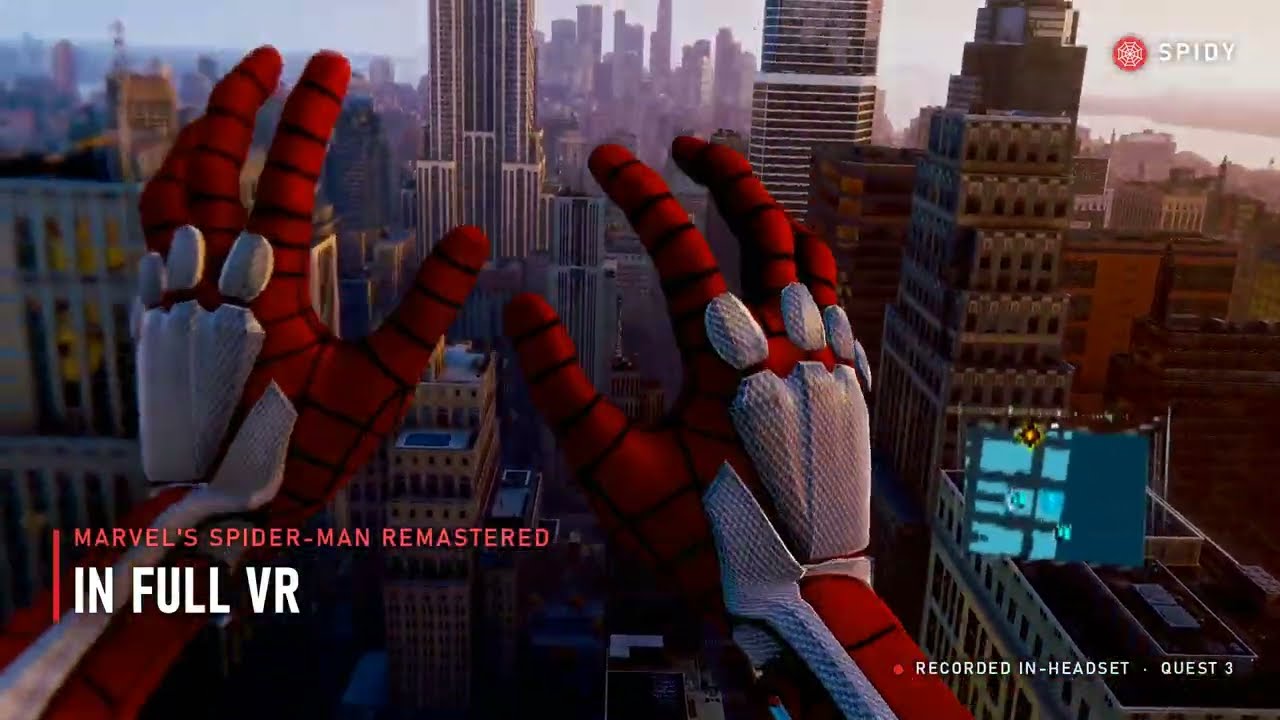 The trailer Swinging with your own arms | 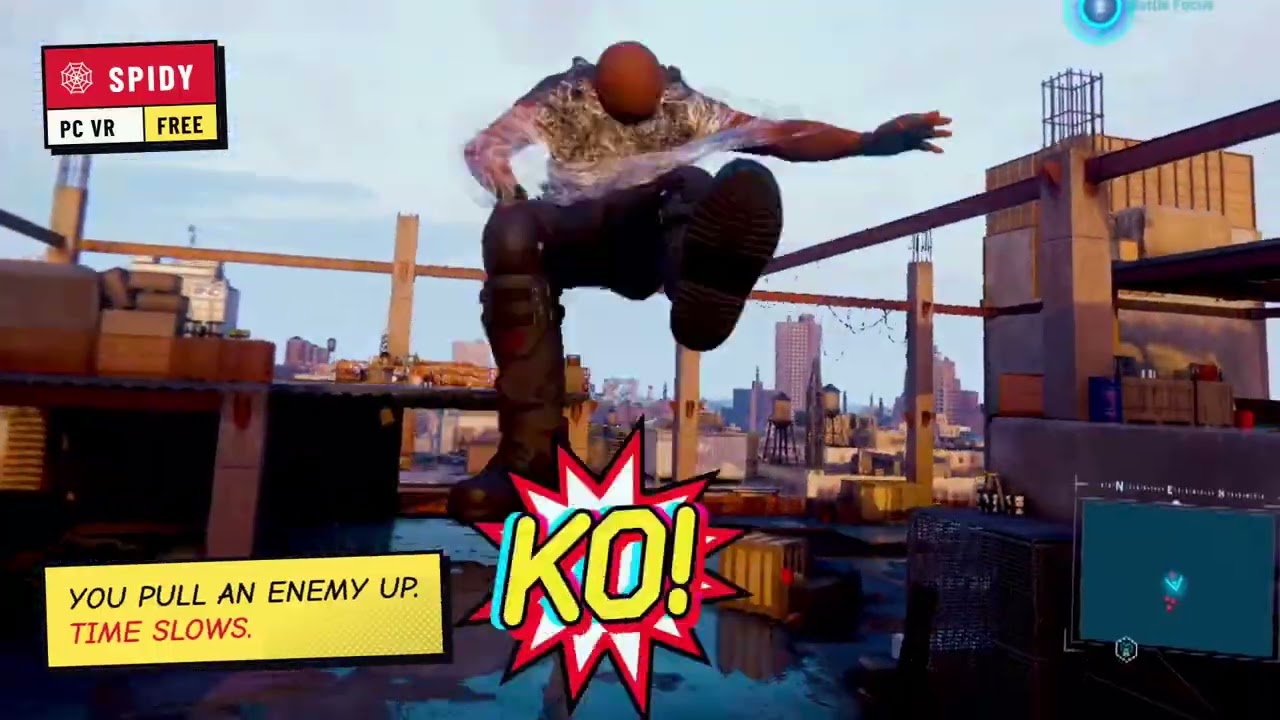 Combat, reworked Called blows, finishers, fights in the air |  Set up in five steps From the zip to your first swing |



Gameplay, release videos and guides go up on YouTube and
X. Made a video about Spidy? Post it in #spidy-socials on
Discord, and put this page's link in its description so players
find the real download.
What you need
- Marvel's Spider-Man Remastered on Steam. An Epic Games Store copy of the same version is tried too, untested so far.
- A PC VR headset with an OpenXR runtime. Played on Quest 3 with Virtual Desktop and with SteamVR (Steam Link), and by players on a Steam Frame with its own button layout; other SteamVR headsets and Quest Link should work.
- A gaming PC. It need not be new: players report good performance on lower settings with PCs like a GTX 1080 and 16 GB of RAM.
- Windows. On Linux, Spidy runs inside the game's Steam Proton session: experimental, with its own steps in docs/LINUX.md (contributed by sjrl2000).
Install and play
Prefer to watch? Set up Spidy in five steps on YouTube.
- Download the zip from Releases
and extract it to a folder you can write to, such as
Documents\Spidy. - Start Spidy Launcher.exe. If Windows says it protected your PC, choose More info, then Run anyway.
- Fix anything marked red. The launcher can install the Visual C++ runtime for you, and Add shortcuts puts Spidy VR on your desktop and Start menu.
- Connect your headset, close the game, and press START VR. Pick your save with the VR controllers; VR takes over as soon as you play.
Keep the game window in front on the desktop: the game pauses behind other windows. If the headset shows a still picture, click the game window once.
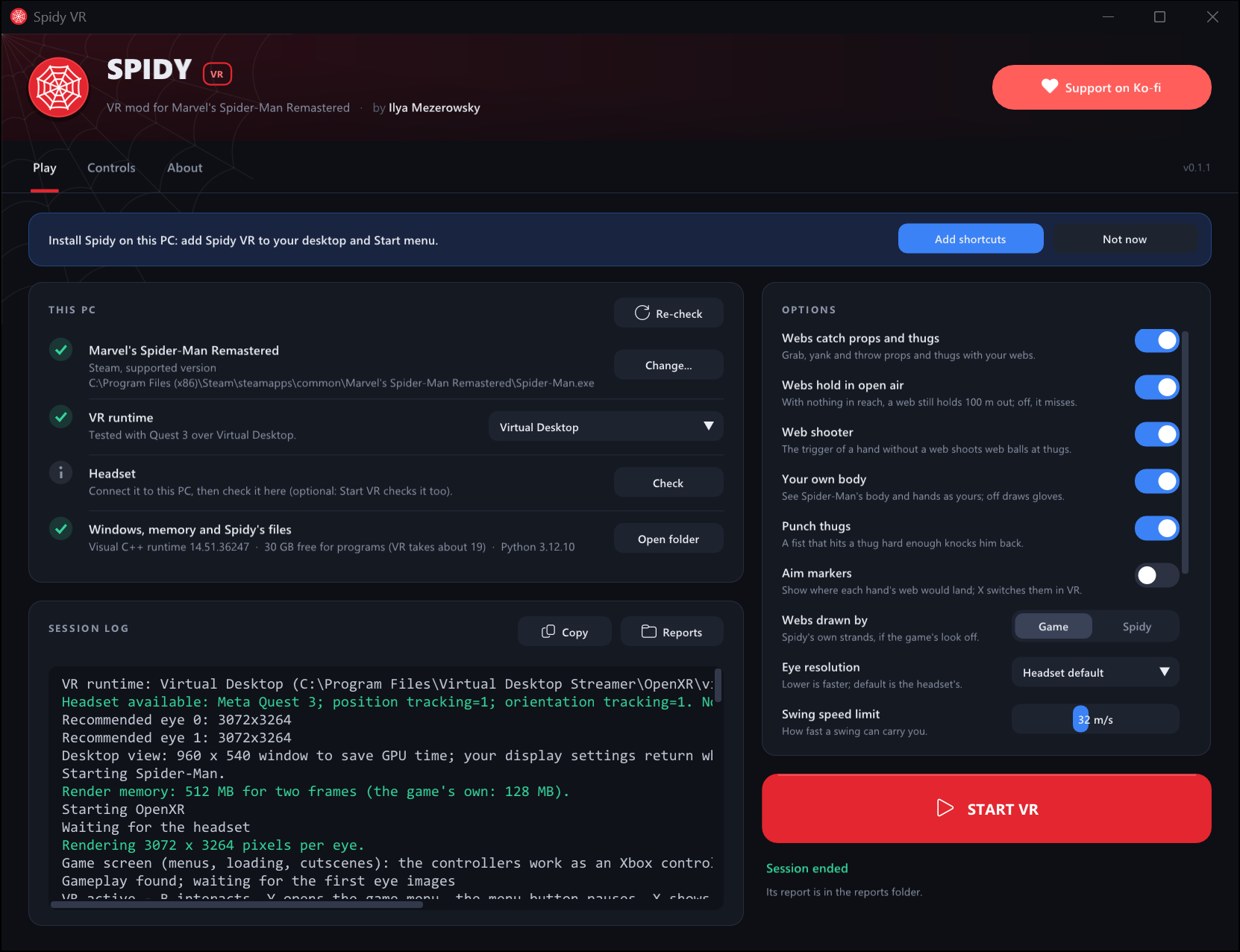
What the launcher does
- Finds the game in your Steam libraries and checks it is the supported build.
- Finds the OpenXR runtime your headset is connected to (or the one you choose) and checks the headset.
- Checks the Visual C++ runtime and Spidy's own files.
- Starts the game with the larger render memory VR needs, in a small window that saves GPU time, without frame generation, vertical sync or ray-traced reflections, and puts your settings back afterwards.
- Gives each eye the game's own anti-aliasing and upscaling (Upscaling in its options; the game's DLSS setting does not reach the headset), and shows your left eye in the game window while you are in VR.
- Remembers your options, and saves a report of every session in
reports\. - Offers each new Spidy release when it starts, and updates itself in place with one click.
Spidy changes nothing in the game's folder.
Controls
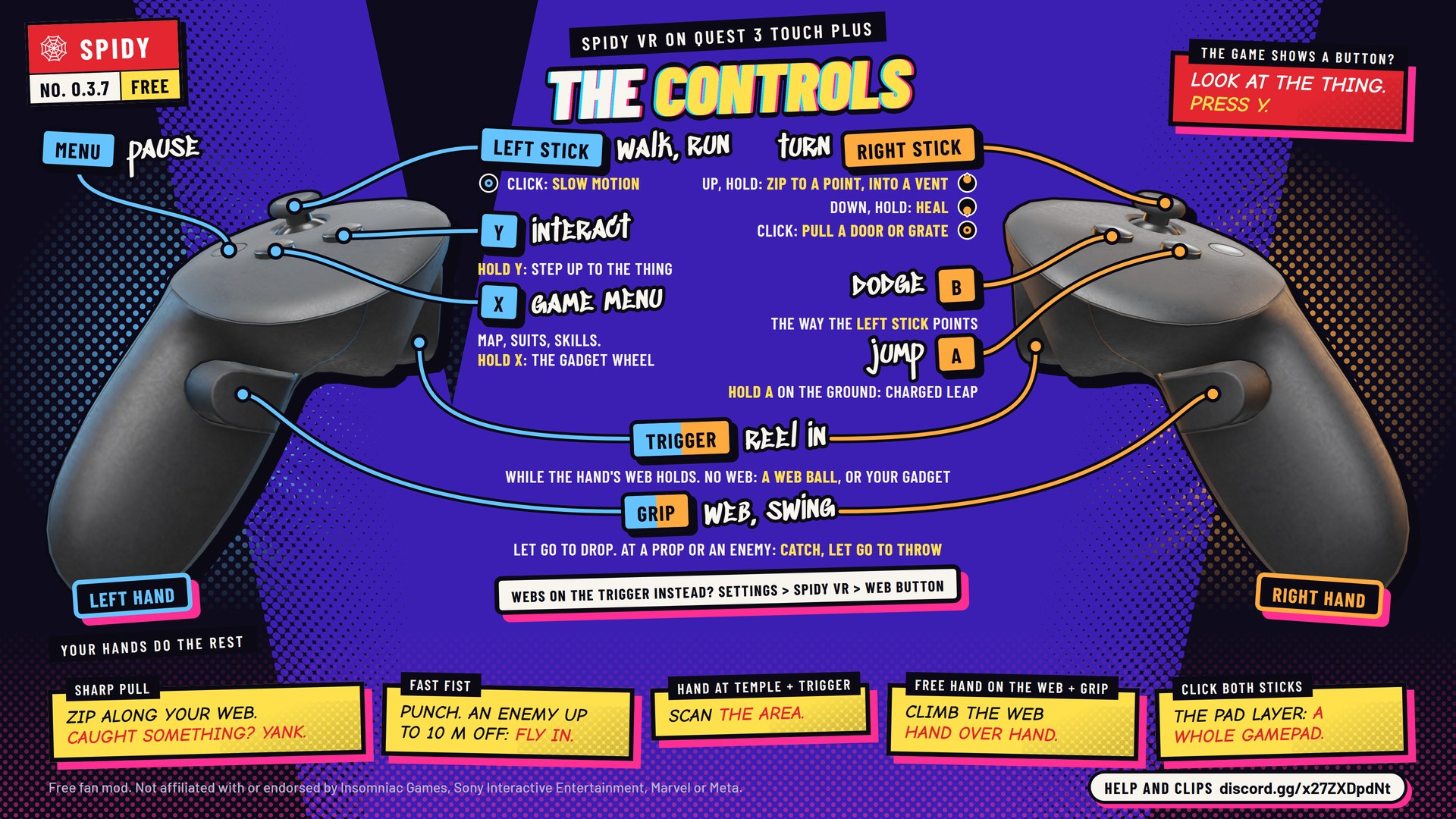
Quest 3 Touch Plus shown; Quest 2 and Quest Pro controllers have the same buttons. Steam Frame buttons are in the players' guide.
| Do this | With |
|---|---|
| Shoot a web, swing on it | Squeeze a grip; release to let go |
| Reel in | Trigger, while that hand's web is attached |
| Zip | Pull the hand sharply away from the anchor |
| Climb a web | Put your free hand on the web you hold and squeeze its grip; let go with the lower hand, take the web higher up, pull |
| Shoot a web ball | Trigger of a hand without a web |
| Gadgets | Hold X: a wheel of your gadgets opens in front of that hand. Move the hand to one and let go of X; the free hand's trigger then fires it. The web shooter at the top gives you web balls again |
| Grab a prop or an enemy | Grip aimed at it; trigger reels it, a sharp pull yanks it, release throws it |
| Webs on the trigger instead | Set WEB BUTTON to TRIGGER in VR settings (or Web button in the launcher): the trigger shoots and holds webs, the grip reels and shoots web balls |
| Punch | A fast fist into an enemy. Throw it at an enemy up to 10 m away and you fly in and strike |
| Slow motion | Click the left stick; click again to end it. The ring on your left wrist shows the focus left |
| Walk and run / jump | Left stick / A (from the ground, a wall or a perch; no web zip in the air). Hold A on the ground to charge a leap and let go: the longer you hold, the higher; with the left stick, forward too |
| Scan (the game's R3) | Raise a hand to your temple and pull its trigger |
| One enemy at a time | A ring marks the enemy your next punch goes to: the one you look at. Hit that enemy and the ring locks on until the enemy is down (KO!); look squarely at another for a moment to change |
| Called blows | An arrow comes into the ring from the side your fist should come from: swing a hook from that side, an uppercut from below or a blow down from above, at arm's reach or from across the room. The yellow arrow into a jagged red ring calls the finisher |
| Walls | Walk at one, or fly or jump into it, and you stay on it: at speed you run along it, then stop. Left stick walks it (pushed at the wall: up it), A jumps off, a web pulls you off. Walking it or stopped, your view turns so the wall is your floor (STAND ON WALLS in VR settings or the launcher) |
| Flip (experimental, off by default: FLIPS and FLIP SPEED in VR settings or the launcher) | Left stick in the air: turns you over, as fast as you tilt it; let go to come back level. Tap A in the air: one flip toward where the stick points. Hold A: you stay turned while the stick rests |
| Turn | Right stick: snap 30° (adjustable or off), or hold to turn smoothly with SMOOTH TURN on in VR settings |
| Dodge (the game's B) | B, the way the left stick points; not while a web carries you |
| Interact (the game's Y) | Y, looking at the thing from within about a metre of it; hold Y and you step up to what you look at until the game takes it. On a wall, point a hand at a vent or a door (a turning ring in that hand's colour) and press Y. Swinging, Y is the game's web strike too (onto a car in a chase) |
| Any button the game asks for | Look at the thing and press Y, whichever button the prompt shows |
| Pull a door or a grate (the game's LB + RB) | Click the right stick, or hold it; not while a web carries you |
| Heal (the game's D-pad down) | Push the right stick straight down and hold it a moment |
| Zip to a point, enter a vent (the game's LT + RT) | Push the right stick straight up and hold it, swinging too: the game takes you from your webs once its zip begins. No point to zip to? Keep holding: time slows as the game aims; look at a point and let go to zip there |
| Pause (VR settings: Settings > SPIDY VR) | Menu button, or hold both sticks in for a moment (under SteamVR a Quest's menu button opens SteamVR's dashboard) |
| Game menu (map, suits, skills) | X |
| The whole gamepad, for a moment | Click both sticks (and let go): the grips are the game's LB and RB, the triggers its LT and RT, the right stick its D-pad; your webs are off meanwhile. Click both again, or press nothing for 20 seconds, to leave |
| Play the game as it is | Pause, SWITCH TO GAME SCREEN (under RESUME): the game on a 3D screen in the headset, the controllers an Xbox controller. SWITCH TO VR goes back |
Aim markers show where each free hand's web would go, blue for the left hand and orange for the right: a ring holds, a dashed ring holds in open air, a red cross misses, a turning ring of three arcs catches a prop or an enemy. AIM MARKERS in VR settings (or Aim markers in the launcher) hides them.
Troubleshooting
| Problem | Fix |
|---|---|
| "This game version is not supported" | The launcher's game line names your version and the fix. An older version or a changed Spider-Man.exe: in Steam, right-click the game > Properties > Betas > None, then Installed Files > Verify integrity of game files. A newer version needs a Spidy update. |
| The headset is not found | Connect it first, check the VR runtime in the launcher, press Check. |
| "VR needs administrator rights" (0.2.9 and older: "[WinError 5] Access is denied", then "No loaded player within three minutes") | Steam or the game runs as administrator, and Windows keeps other programs out of such a game. Choose Restart as administrator when the launcher asks (older versions: right-click Spidy Launcher > Run as administrator), close the game, press START VR. If that changes nothing, allow the Spidy folder in your antivirus. |
| The picture breaks up | Close the game and start it from the launcher, which gives it the render memory VR needs. |
| Low frame rate | Lower the game's own graphics settings (players get good frame rates on a GTX 1080 that way). Set Upscaling in the launcher to Balanced or Performance, then lower Render resolution or the streaming quality in Virtual Desktop. On a laptop, plug it in and choose its highest performance mode. 90 Hz paces more evenly than 120 Hz. |
| Blurry edges | Set Upscaling in the launcher to High or Off, then raise Render resolution above 100% (try 125%); both cost frame rate and memory. |
| Web balls fly when you meant to reel | The trigger (the grip with WEB BUTTON: TRIGGER) reels only while that hand's web is attached; on a hand without a web it shoots. |
More fixes are in the players' guide. When you report a
problem, attach the session's report from the reports folder, on
Discord.
Building from source
Needs Visual Studio 2022 C++ Build Tools with CMake and Ninja, and a Windows SDK.
.\tools\bootstrap.ps1 -Observer   # dependencies, including Dear ImGui for the launcher
.\tools\build.ps1 -Observer       # build\windows-ninja
.\build\windows-ninja\spidy_tests.exe
.\tools\package.ps1               # dist\Spidy-<version>-win64.zip
Launch Spidy VR.cmd runs VR straight from a checkout, and Launch Spidy Lab.cmd
opens a standalone OpenXR swinging lab that needs no game. Releases are built on
GitHub: Actions > Release > Run workflow.
How it works
Spidy loads its modules into the running game and renders two extra scene views through the game's own renderer, one per eye, at the headset's resolution and lens, then hands them to OpenXR. Swinging is Spidy's own rope physics steering the game's mover against the game's collision world; the webs you see, the web shooter's shots, thrown props and punches are the game's own systems, fed from your tracked hands.
| Read more | |
|---|---|
| Players' guide | Setup, every control and fix (the zip's README.txt) |
| Changelog | Every build: what changed, why, and what was measured |
| Development notes | Launcher and release internals, tools, launch options, memory and graphics in VR, the lab |
| Validation | What passed locally, and what still needs a game or headset |
| Web grab · Body | Design and measurements of those features |
| Milestone 1 · Reference | Acceptance criteria, game research, sources |
Contributing
Fixes and features are welcome as pull requests, one feature each. CONTRIBUTING.md says how, and what applies when you run or share your own build.
Support Spidy
Spidy is free, and built with a lot of AI help whose tokens aren't. Two things keep it moving:
- A tip on Ko-fi pays for Spidy's updates, and for more full VR conversions of this quality.
- The Discord is where releases are announced, problems get solved, and your clips and ideas shape what comes next.
No tip to spare? A star on this page, or a clip of your best swing, helps other players find Spidy.
Please share the original release zip with its credit intact, so players get working files and know where updates come from.

Spidy is Copyright (C) 2026 Ilya Mezerowsky, and free software under the GNU General Public License, version 3.
Spidy is a free fan project, not affiliated with or endorsed by Insomniac Games, Sony Interactive Entertainment, Marvel or Valve. Third-party licences are in THIRD_PARTY_NOTICES.md and docs/licenses.