SpektraLab™
English · 简体中文 · spektralab.app
A film and print simulator for macOS. Open a RAW, pick a film and a paper, and get a physically modelled print — grain, halation, couplers, the enlarger's filter pack — in about a second.
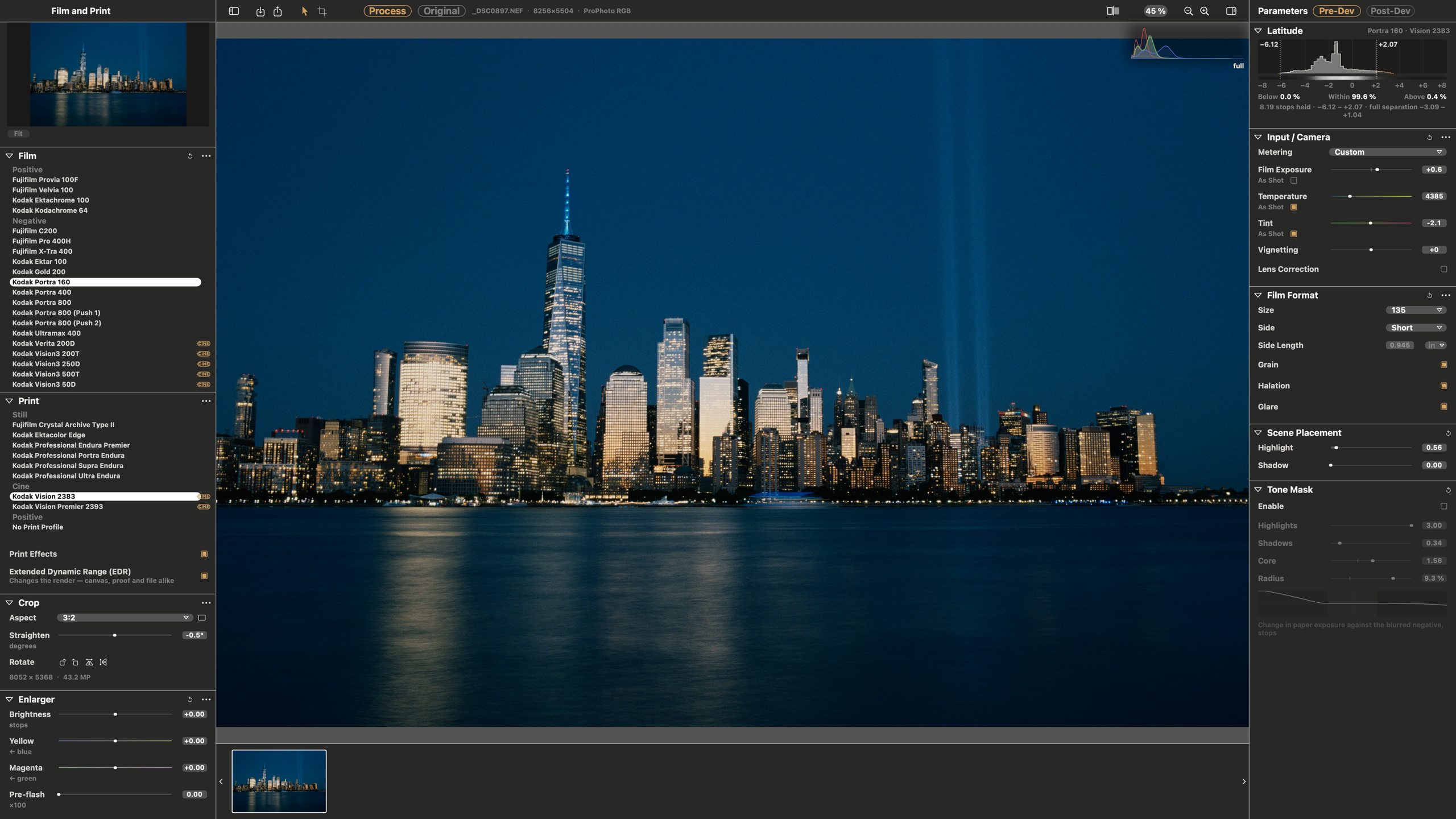
- Spectral, not a LUT. Light is traced through 81 wavelengths, the film's dye layers and the paper's, the way a darkroom does it.
- Physical units. Tell it the negative is 120 or 35 mm and the grain, halation and coupler diffusion scale with the frame in micrometres.
- Fast. A C++ Metal engine compiled into the app: a 45 MP reprint in ~0.01 s at preview size, a full-resolution render in under a second.
- One colour pipeline. ProPhoto RGB throughout; each export is gamut-mapped once into the space you ask for, and proofed before it is written.
- The film itself. Film Edge prints the frame on its own strip — rebate, perforations, each stock's edge print and frame numbers, measured on real strips — in 135, half frame, XPan, 645 to 6×9, 6×12 and 6×17. Date Back exposes a date onto the negative.
- Half-frame pairs. Two frames on one piece of film, side by side or one above the other, each with its own exposure, white balance, print and grade.
- Scriptable.
spektralab(CLI) and an MCP server drive the same session the window does. Off until enabled in Settings.
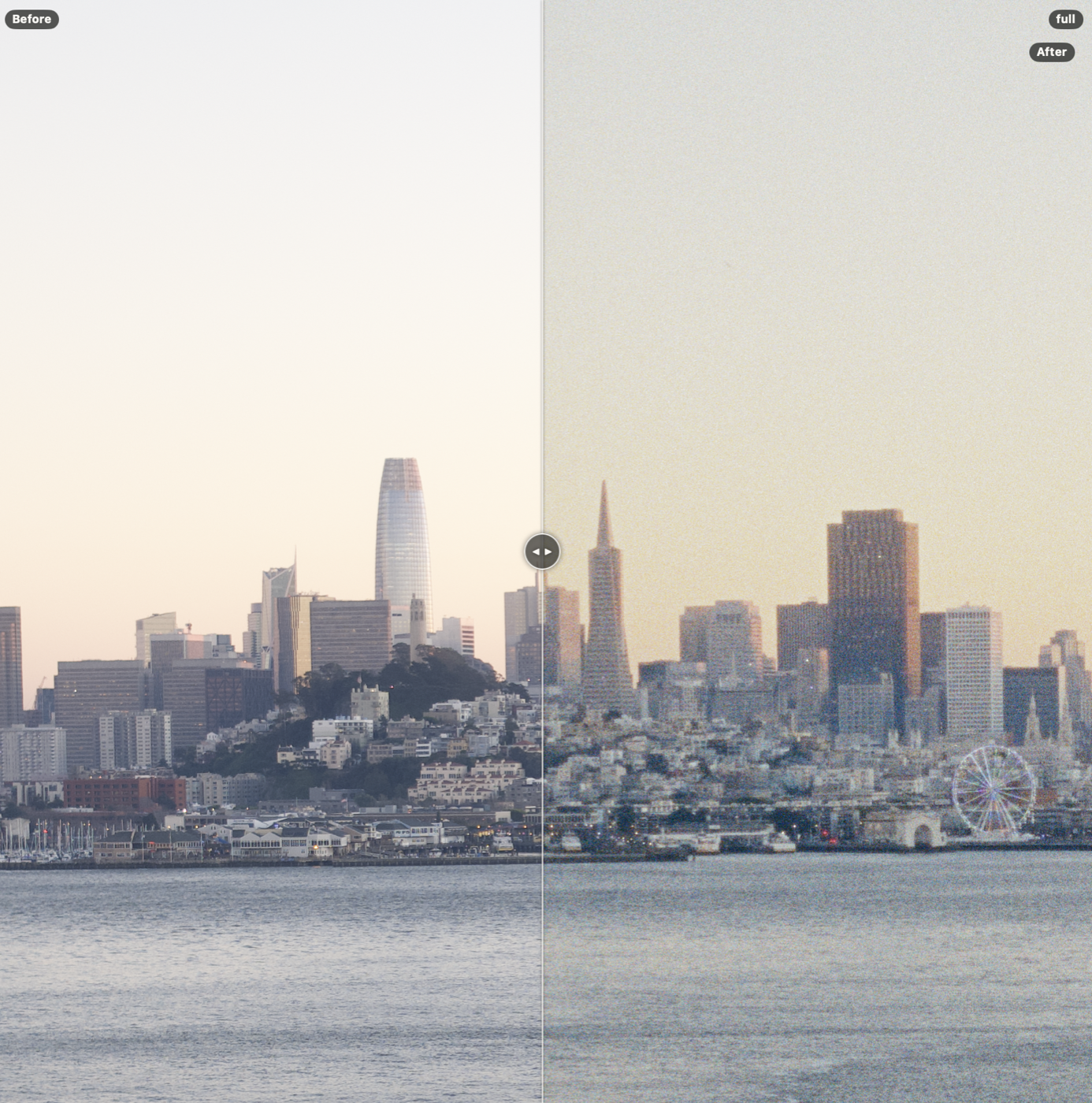
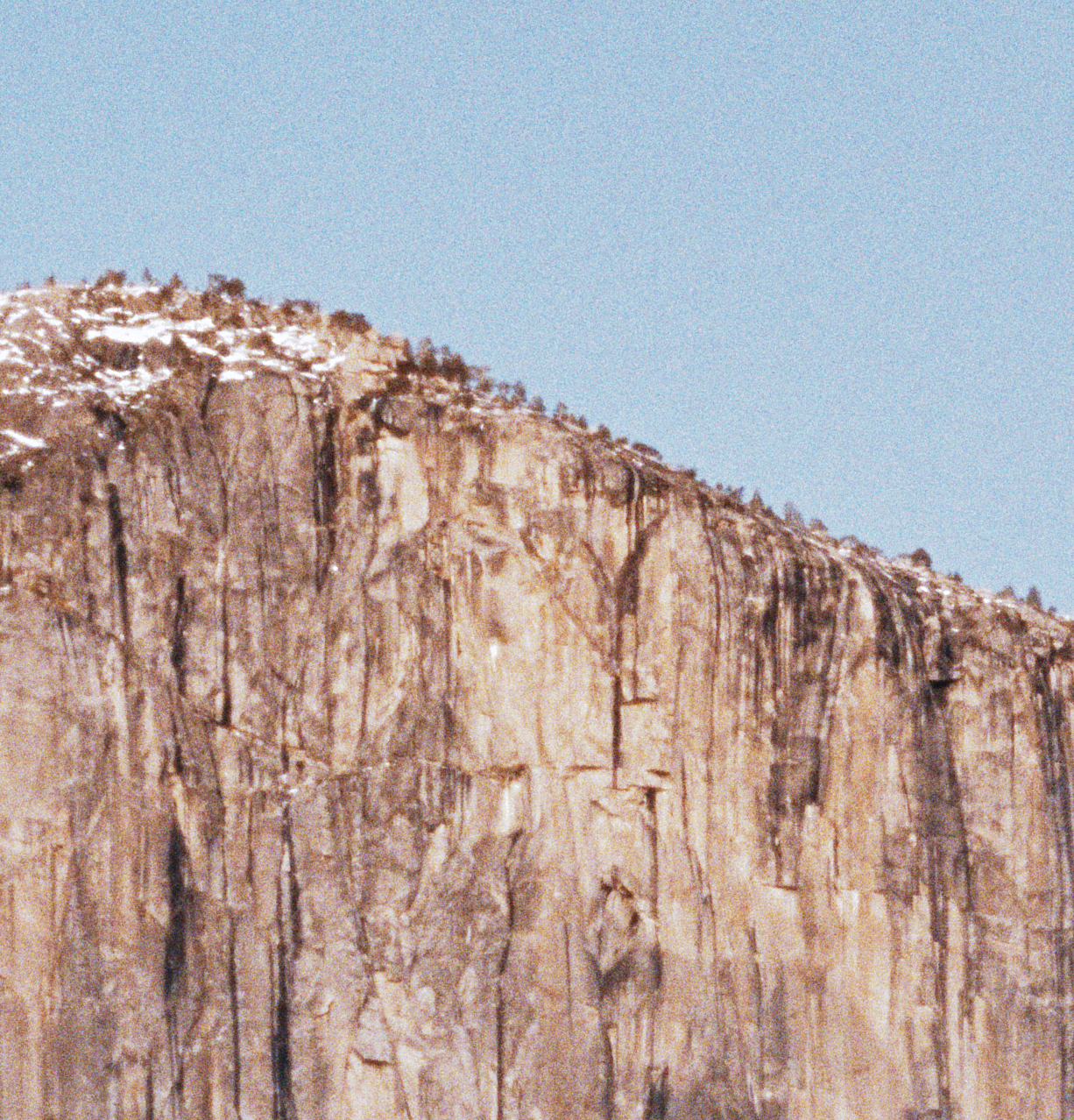
| RAW decode ⟷ film and paper (⌥\) | grain at 1:1 |
|---|---|
 |  |
Install
Download the DMG from spektralab.app or Releases, open it and drag SpektraLab to Applications. It is signed with a Developer ID and notarised by Apple, so it opens like any other app.
Apple silicon, macOS 15 or later.
Releases before 1.3.3 are ad-hoc signed. For one of those, clear the quarantine once:
xattr -d -r com.apple.quarantine /Applications/SpektraLab.appSelect and sync photos
Click a photo to make it the current photo, then Command-click other photos to add or remove them without moving the current photo. Command+A (Edit → Select All Photos) selects the library and keeps the current photo as the sync source. In a newly opened folder it opens the first photo. Command+A inside a text field still selects text.
Under Settings Clipboard, tick the groups to transfer and choose Sync to N (or Edit → Sync Settings). This reads the current photo's latest edits, preserves the clipboard and source photo, and saves the other selected photos immediately. They develop with those settings when opened. Crop, Post-Dev adjustments, lens correction, Film Edge and Date Back stay with each photo, following the existing clipboard rules. As Shot white balance and fitted Scene Placement are resolved for each target. Sync has no batch undo; the status reports writes and failures. Selection and sync are disabled during batch export.
Film Edge, Date Back and half-frame pairs
Film Edge (left rail) turns the canvas into the film: pick a format and the frame is cut to its gate and shown on the strip, with the stock's own edge print and a frame number you can set; a strip scan ends at the film's edges. The crop becomes the framing in the gate, so it is part of the negative. Date Back exposes the shooting date (or a date you type) into the frame; it needs no film edge. With one, it can print the shooting data beside the frame at the same time, and on 120 (645 to 6×9) the date and the data go in the film margin, where a medium-format back printed them.
A half-frame pair is two frames on one frame's worth of 135. With Film Edge on Half, Enter Half-Frame Pair appears under the format (or pick two photos and press ⌘J). The canvas shows two holes; an empty one has a +. Click a hole to pick its frame: Input / Camera, Scene Placement, the Enlarger and Post-Dev then act on that frame alone, and + Film moves the film around it too. Right-click a hole to replace, turn or crop its frame. In the crop mode, drag moves the picture under its hole and scroll or pinch scales it about the pointer. A pair is one item in the filmstrip and exports as one picture.
Drag a thumbnail along the filmstrip to reorder a folder; the order is kept for that folder. A file dropped from Finder still opens and edits.
Build
Xcode 26.6.
engine/build.sh bundle                 # engine, kernels, baked resources
cd modern_UI/Spektrafilm
xcodebuild -project Spektrafilm.xcodeproj -scheme Spektrafilm \
           -derivedDataPath build/DerivedData build
Re-run engine/build.sh bundle whenever engine/resources/ changes. If Xcode
suddenly cannot find metal, clean the build folder (⇧⌘K): the Metal
toolchain's mount path changed under a cached build.
Test
xcodebuild -project Spektrafilm.xcodeproj -scheme SpektrafilmTests \
           -derivedDataPath build/DerivedData test       # ~550 tests, ~6 min
Camera fixtures come from the upstream spektrafilm repository through a
tests symlink (ln -s ../spektrafilm/tests tests). Without it 25 cases skip
and the run still reports 0 failures in ~20 s — trust the duration.
Layout
modern_UI/Spektrafilm/ | the app: SwiftUI, AppKit, Metal |
engine/ | the C++20 render engine, its MSL kernels and C ABI |
engine/resources/ | baked constants, 28 film and paper profiles, print LUTs |
ARCHITECTURE.md | how it fits together — start here |
AGENTS.md | conventions and the traps that cost real time |
Windows development
This branch also contains a C++/Vulkan backend, native LibRaw decoding, RGB16 TIFF export and Windows desktop viewers. See the Windows build guide and feature coverage for the tested scope. The Qt Quick frontend brings the film/print editor layout to Windows; the minimal Win32 viewer is also retained. The macOS product described above has additional interface and display features.
Contributing
Pull requests are welcome. Three rules:
- Windows and Linux work goes to the
Windows_Linuxbranch, never tomain.mainis the macOS product; a Windows- or Linux-related pull request against it will be closed and asked to retarget. - Split your work into reviewable commits. One commit per change, each with a message that says what it does and why. A single commit that dumps a whole feature, a rename and a reformat together cannot be reviewed and will not be merged.
- Respect the open-source community. Keep the licences and credits intact (see below), credit the work you build on, and be civil in issues and reviews.
Credits and licence
The film process model, its 28 measured color profiles and the print LUTs are spektrafilm by Andrea Volpato; 4 new measured B&W profiles are by Hanze Qiu; SpektraLab is a native C++/Metal port of that engine and the application built around it.
| app and engine | GPL-3.0-or-later |
| film and paper profiles, print LUTs | CC BY-SA 4.0 |
| metal-cpp | Apache-2.0 |
All texts ship inside the app, under SpektraLab → About SpektraLab.
Trademark
SpektraLab™ and the SpektraLab icon are managed by Guangzhou Songzi Intelligent Technology Services Co., Ltd.; trademark registration is in progress.
Forks are welcome. You can study, modify, port and redistribute the code under its licences, which cover the code and data but not the name or the icon. Keeping both in a personal fork is fine. If you publish a build for other people, even a free one, please give it its own name and icon. You are welcome to say it is based on SpektraLab, as long as it is clear that your project is unofficial.
We reserve the right to act against builds that pass themselves off as official or imply our endorsement.