🌐 Azure Network Lab
███╗   ██╗███████╗████████╗██╗    ██╗ ██████╗ ██████╗ ██╗  ██╗
████╗  ██║██╔════╝╚══██╔══╝██║    ██║██╔═══██╗██╔══██╗██║ ██╔╝
██╔██╗ ██║█████╗     ██║   ██║ █╗ ██║██║   ██║██████╔╝█████╔╝
██║╚██╗██║██╔══╝     ██║   ██║███╗██║██║   ██║██╔══██╗██╔═██╗
██║ ╚████║███████╗   ██║   ╚███╔███╔╝╚██████╔╝██║  ██║██║  ██╗
╚═╝  ╚═══╝╚══════╝   ╚═╝    ╚══╝╚══╝  ╚═════╝ ╚═╝  ╚═╝╚═╝  ╚═╝

                    __    ___    ____
                   / /   /   |  / __ )
                  / /   / /| | / __  |
                 / /___/ ___ |/ /_/ /
                /_____/_/  |_/_____/
          A Z U R E   N E T W O R K   L A B

            ☁️ AZURE NETWORK LAB ☁️
         ╔══════════════════════════════════╗
         ║          [ VIRTUAL WAN ]         ║
         ║     🔥 Firewall    🌐 VPN        ║
         ╚════╦══════════════════╦══════════╝
              ║                  ║
        ╔═════╩════╗       ╔═════╩════╗
        ║  SPOKE1  ║       ║  SPOKE2  ║
        ║Route Srv ║       ║  vHub    ║
        ╚══════════╝       ╚══════════╝



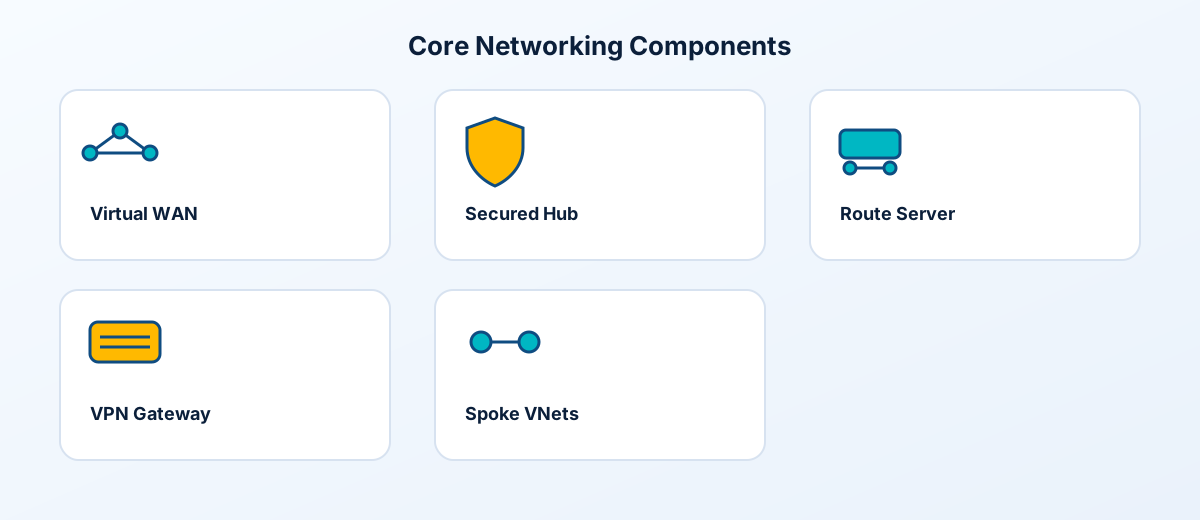
Learn Azure networking the right way—by building it. This Terraform project deploys a complete vWAN-centric networking environment you can explore, break, and rebuild. Covers Virtual WAN, Secured Hub, VPN connectivity, Route Server, and spoke networks following Microsoft best practices.
💡 Hands-on Learning: Deploy real enterprise network infrastructure in minutes. Perfect for AZ-700 certification prep, team training, or validating network architectures before production.
🧭 Master Control Panel (feature toggles)
The lab is driven by the deploy object in terraform.tfvars. Flip the flags to change the footprint, then run terraform plan and terraform apply.
Note: When
deploy.route_server = true, Spoke1 is not connected to vHub (Azure limitation).
📋 Table of Contents
- Overview
- Documentation
- Architecture Diagram
- What Gets Deployed
- Network Topology
- Quick Start
- Feature Toggles
- Configuration Options
- Cost Estimation
- Project Structure
- License
🎯 Overview
This lab deploys a Virtual WAN-centric architecture with:
| Component | Purpose |
|---|---|
| Virtual WAN + Hub | Global transit connectivity |
| Secured Hub (Azure Firewall) | Centralized security inspection |
| vHub VPN Gateway | Branch connectivity |
| Spoke VNets | Workload isolation |
| Route Server | BGP route injection |
| Simulated On-Premises | VPN testing |
📚 Documentation
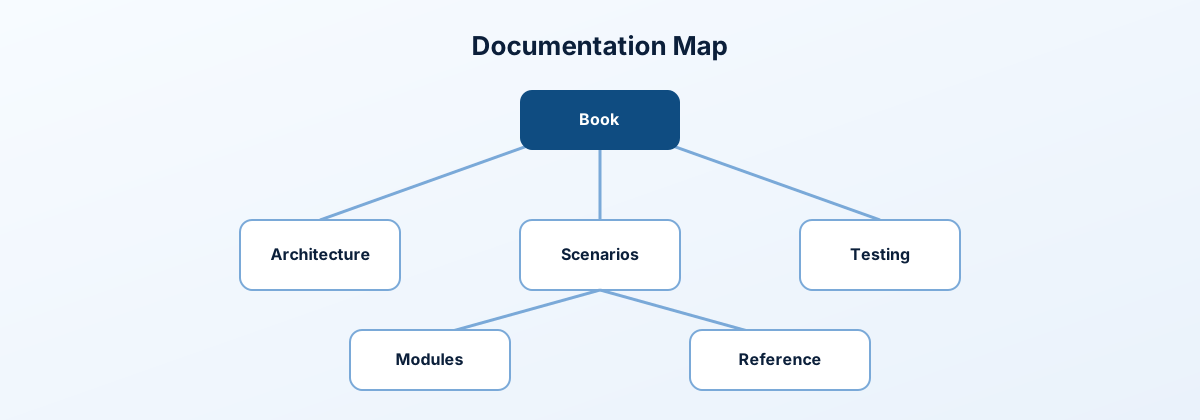
The full wiki lives in wiki/ and mirrors the style of the Azure Landing Zone lab.
- Start here:
wiki/README.md - Deep dive guide:
wiki/book.md - Architecture:
wiki/architecture/overview.md - Scenarios:
wiki/scenarios/README.md - Testing:
wiki/testing/lab-testing-guide.md
🏛️ Architecture Diagram
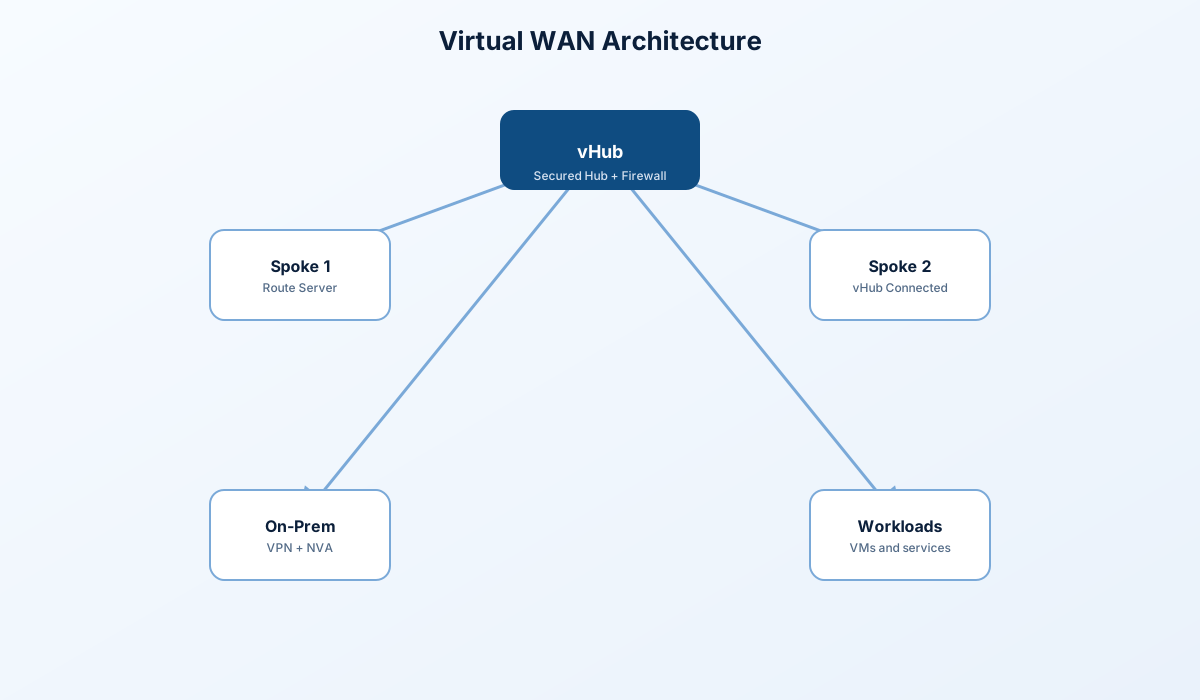
┌─────────────────────────────────────────────────────────────────────────────┐
│                              VIRTUAL WAN                                     │
│  ┌─────────────────────────────────────────────────────────────────────────┐│
│  │                          VIRTUAL HUB (10.10.0.0/23)                     ││
│  │  ┌─────────────┐  ┌─────────────┐  ┌─────────────┐                      ││
│  │  │   Azure     │  │  vHub VPN   │  │   Route     │                      ││
│  │  │  Firewall   │  │   Gateway   │  │   Tables    │                      ││
│  │  │  (Secured)  │  │   (BGP)     │  │             │                      ││
│  │  └──────┬──────┘  └──────┬──────┘  └─────────────┘                      ││
│  │         │                │                                               ││
│  └─────────┼────────────────┼───────────────────────────────────────────────┘│
│            │                │                                                │
└────────────┼────────────────┼────────────────────────────────────────────────┘
             │                │
    ┌────────┴────────┐       │         ┌─────────────────────────┐
    │                 │       │         │                         │
    ▼                 ▼       ▼         ▼                         │
┌─────────────────┐ ┌─────────────────┐ ┌─────────────────┐       │
│   SPOKE 1       │ │   SPOKE 2       │ │   ON-PREM       │       │
│  10.1.0.0/16    │ │  10.2.0.0/16    │ │ 192.168.0.0/16  │       │
│                 │ │                 │ │                 │       │
│ ┌─────────────┐ │ │ ┌─────────────┐ │ │ ┌─────────────┐ │       │
│ │Route Server │ │ │ │ Workload VM │ │ │ │ VPN Gateway │◄┼───────┘
│ │   (BGP)     │ │ │ └─────────────┘ │ │ │   (BGP)     │ │  S2S VPN
│ └──────┬──────┘ │ │                 │ │ └─────────────┘ │
│        │        │ │  vHub Connected │ │                 │
│ ┌──────▼──────┐ │ │                 │ │ ┌─────────────┐ │
│ │  NVA (RRAS) │ │ │                 │ │ │ NVA (RRAS)  │ │
│ │  ASN 65501  │ │ │                 │ │ └─────────────┘ │
│ └─────────────┘ │ │                 │ │                 │
│                 │ │                 │ │ ┌─────────────┐ │
│ ┌─────────────┐ │ │                 │ │ │ Workload VM │ │
│ │Workload VMs │ │ │                 │ │ └─────────────┘ │
│ │ (LB Pool)   │ │ │                 │ │                 │
│ └─────────────┘ │ │                 │ │                 │
└─────────────────┘ └─────────────────┘ └─────────────────┘
   Route Server        vHub Connected     VPN S2S to vHub
   (No vHub Conn)
📦 What Gets Deployed
Core Infrastructure
| Resource | Name | Purpose |
|---|---|---|
| Resource Group | rg-az700-lab | Container for all resources |
| Virtual WAN | vwan-az700-lab | Global WAN fabric |
| Virtual Hub | vhub-az700-lab | Regional hub (10.10.0.0/23) |
| Azure Firewall | fw-vhub-az700-lab | Secured Hub with firewall |
| vHub VPN Gateway | vpngw-vhub-az700-lab | Branch VPN termination |
Virtual Networks
| VNet | Address Space | Purpose |
|---|---|---|
| Spoke1 | 10.1.0.0/16 | Route Server + NVA testing |
| Spoke2 | 10.2.0.0/16 | Standard vHub connectivity |
| OnPrem | 192.168.0.0/16 | Simulated on-premises |
Virtual Machines
| VM | Location | Purpose |
|---|---|---|
| vm-spoke1-1 | Spoke1 | Workload (LB backend) |
| vm-spoke1-2 | Spoke1 | Workload (LB backend) |
| vm-spoke1-nva | Spoke1 | RRAS NVA for Route Server BGP |
| vm-spoke2-1 | Spoke2 | Workload |
| vm-onprem-1 | OnPrem | Simulated on-prem workload |
| vm-onprem-nva | OnPrem | RRAS NVA |
Optional Components
| Component | Variable | Default |
|---|---|---|
| Azure Bastion | deploy.bastion | false |
| Application Gateway (WAF) | deploy.application_gateway | false |
| DNS Private Resolver | deploy.dns_resolver | true |
| NAT Gateway | deploy.nat_gateway | true |
| Route Server | deploy.route_server | true |
🌐 Network Topology
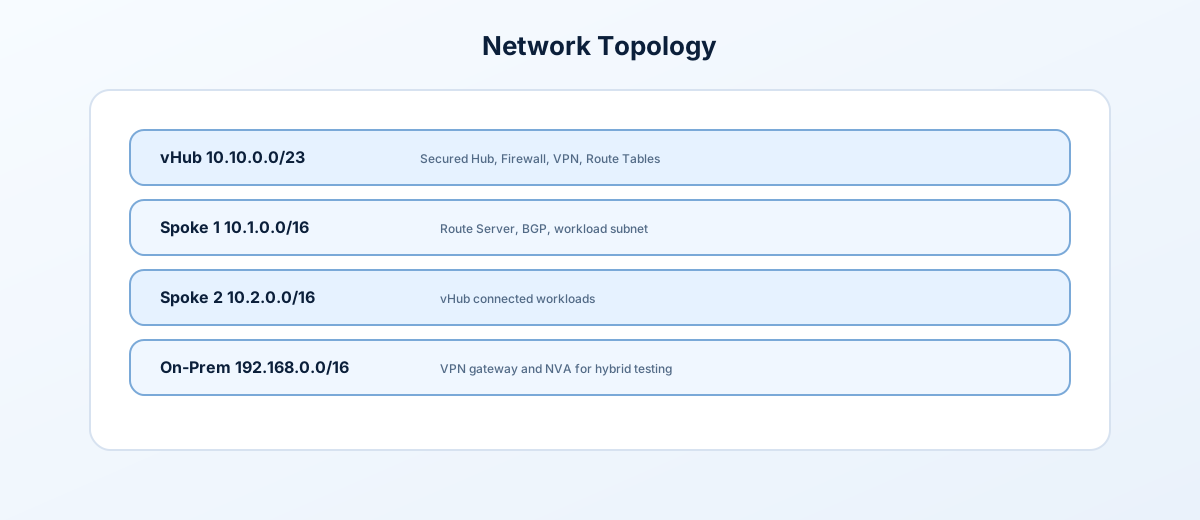
Address Space Allocation
| Network | CIDR | Purpose |
|---|---|---|
| Virtual Hub | 10.10.0.0/23 | vWAN Hub |
| Spoke 1 | 10.1.0.0/16 | Route Server testing |
| ├─ Workload | 10.1.1.0/24 | VMs |
| ├─ NvaSubnet | 10.1.8.0/24 | NVA (10.1.8.10) |
| ├─ RouteServerSubnet | 10.1.7.0/27 | Route Server |
| └─ Other subnets | 10.1.x.0/24 | LB, AppGw, PE, DNS, Bastion |
| Spoke 2 | 10.2.0.0/16 | vHub connected |
| └─ Workload | 10.2.1.0/24 | VMs |
| On-Premises | 192.168.0.0/16 | Simulated on-prem |
| ├─ Default | 192.168.1.0/24 | VMs |
| ├─ NvaSubnet | 192.168.2.0/24 | NVA (192.168.2.10) |
| └─ GatewaySubnet | 192.168.0.0/27 | VPN Gateway |
🚀 Quick Start
Prerequisites
- Azure subscription with Owner or Contributor rights
- Terraform 1.9 or later
- Azure CLI signed in (
az login)
Deploy
# Clone the repository
git clone https://github.com/Jamonygr/azure-network-lab.git
cd azure-network-lab

# Copy and edit variables
cp terraform.tfvars.example terraform.tfvars
# Edit terraform.tfvars with your values

# Initialize and deploy
terraform init
terraform plan -out=tfplan
terraform apply tfplan
Destroy
terraform destroy -auto-approve🎛️ Feature Toggles
Control what gets deployed to optimize costs:
# terraform.tfvars

# Feature Toggles
deploy = {
  vwan          = true   # Virtual WAN
  vhub_firewall = true   # Azure Firewall in vHub (~$912/mo)
  vpn           = false  # VPN Gateways (vHub + OnPrem)
  route_server  = true   # Azure Route Server (~$360/mo)

  dns_resolver      = true   # DNS Private Resolver (~$180/mo)
  private_dns_zones = true   # Private DNS Zones
  bastion           = false  # Azure Bastion (~$140/mo)

  application_gateway = false # WAF v2 (~$250/mo)
  load_balancer       = true  # Internal Load Balancer
  nat_gateway         = true  # NAT Gateway (~$45/mo)

  private_endpoint = true   # Storage Account + Private Endpoint

  spoke1_vms = true   # VMs in Spoke1 VNet
  spoke2_vms = true   # VMs in Spoke2 VNet
  onprem_vms = false  # VMs in OnPrem VNet
  nvas       = true   # Network Virtual Appliances (RRAS/BGP)
}Note: When
deploy.route_server = true, Spoke1 does NOT connect to vHub (Azure limitation: VNet cannot have both Route Server and vHub remote gateway).
⚙️ Configuration Options
Essential Variables
# terraform.tfvars

# Required
subscription_id = "your-subscription-id"
admin_username  = "azureadmin"
admin_password  = "YourSecureP@ssw0rd!"
vpn_shared_key  = "YourVPNSharedKey123!"

# Optional
ctx = {
  project  = "az700-lab"
  location = "eastus2"
  tags = {
    Environment = "lab"
    Project     = "az700"
  }
}
vm_size = "Standard_B2s"
Network Configuration
# Address Spaces
vhub_address_prefix  = "10.10.0.0/23"
spoke1_address_space = ["10.1.0.0/16"]
spoke2_address_space = ["10.2.0.0/16"]
onprem_address_space = ["192.168.0.0/16"]
💰 Cost Estimation
Monthly Cost by Component
| Component | Estimated Cost | Notes |
|---|---|---|
| Azure Firewall (Standard) | ~$350/mo | Always on |
| vHub VPN Gateway | ~$140/mo | Scale unit 1 |
| OnPrem VPN Gateway (VpnGw1) | ~$140/mo | For S2S VPN |
| Route Server | ~$360/mo | Optional |
| Application Gateway (WAF_v2) | ~$250/mo | Optional |
| DNS Private Resolver | ~$180/mo | Optional |
| NAT Gateway | ~$45/mo | Optional |
| Azure Bastion (Basic) | ~$140/mo | Optional |
| VMs (6x Standard_B2s) | ~$150/mo | Windows Server Core |
| Storage, IPs, etc. | ~$50/mo | Miscellaneous |
Cost Profiles
| Profile | Components | Est. Monthly |
|---|---|---|
| Minimal | vWAN + Firewall + VPN + VMs | ~$800 |
| Standard | + Route Server + NAT + DNS | ~$1,400 |
| Full | + AppGw + Bastion | ~$1,800 |
📁 Project Structure
azure-network-lab/
├── README.md                  # This documentation
├── LICENSE                    # MIT License
├── main.tf                    # Root orchestration (lab only)
├── variables.tf               # Input variables
├── outputs.tf                 # Output values
├── locals.tf                  # Computed locals
├── moved.tf                  # State move declarations
├── providers.tf               # Provider configuration
├── terraform.tfvars           # Your configuration (gitignored)
├── terraform.tfvars.example   # Example configuration
├── wiki/                      # Documentation wiki
│
└── modules/                   # Reusable modules
    ├── application-gateway/
    ├── bastion/
    ├── dns-private-resolver/
    ├── load-balancer/
    ├── local-network-gateway/
    ├── log-analytics/
    ├── nat-gateway/
    ├── nsg/
    ├── private-dns-zone/
    ├── private-endpoint/
    ├── resource-group/
    ├── route-server/
    ├── storage-account/
    ├── tags/
    ├── vhub/
    ├── vhub-connection/
    ├── vhub-firewall/
    ├── vhub-vpn-gateway/
    ├── vm-windows/
    ├── vm-windows-nva/
    ├── vnet/
    ├── vnet-peering/
    ├── vpn-connection/
    ├── vpn-gateway/
    ├── vpn-site/
    └── vwan/
Deployment Phases
| Phase | Components |
|---|---|
| 1. Foundation | Resource Group, Log Analytics |
| 2. vWAN Core | vWAN, vHub, Firewall, VPN Gateway |
| 3. Virtual Networks | Spoke1, Spoke2, OnPrem VNets |
| 4. NSGs | Network Security Groups |
| 5. vHub Connections | Spoke connections to hub |
| 6. VPN Infrastructure | OnPrem VPN, Site, Connection |
| 7. Route Server | Optional Route Server |
| 8. DNS | Private DNS Zones, Resolver |
| 9. Compute Support | LB, App GW, NAT GW, Bastion |
| 10. Private Endpoints | Storage, PE |
| 11. VMs | Workload VMs |
| 12. NVAs | RRAS Network Virtual Appliances |
🧪 Lab Scenarios
This environment supports the following AZ-700 exam topics:
| Scenario | Components Used |
|---|---|
| Virtual WAN Configuration | vWAN, vHub, Hub Connections |
| Secured Virtual Hub | Azure Firewall in vHub |
| VPN Site-to-Site | vHub VPN GW, OnPrem VPN GW, VPN Site |
| BGP Routing | VPN with BGP, Route Server |
| Route Server + NVA | Route Server, RRAS NVA, BGP Peering |
| Private DNS | Private DNS Zones, VNet Links |
| Private Endpoints | Storage PE, Private DNS Integration |
| Load Balancing | Internal Load Balancer |
| Application Gateway | WAF v2 |
| DNS Resolution | DNS Private Resolver |
📄 License
This project is licensed under the MIT License - see the LICENSE file for details.
🙏 Acknowledgments
Built with ❤️ for learning Azure networking
Last Updated: December 2024