Claude Animation Base
This is a small starter kit with code, instructions and assets for animating a character in p5.js and p5.brush with Claude Opus 5.5. It's based on the code from the music video I'm Upping My P(doom) and an analysis of what the model did and didn't do well. I highly recommend playing around with your prompting: make it give you the storyboard before coding, give it very broad instructions, try being very specific, ask for subagents, and try a bunch of other fun ways of testing the model's capabilities. In my testing, it can do a lot with very little, but it's also quite accurate when you give it more requirements. Also try asking the model to swap out the character or make new emotions or costumes, give it your own reference images, and try many other fun things like that. I've found that the reasoning level corresponds to how "extravagant" and detail-oriented the model makes the scene. All test videos were generated with Opus 5.5 on xhigh reasoning in Claude Code.
Make a video
Clone it, open it in Claude Code (or any coding agent) and ask for what you want:
Read ANIMATION_GUIDE.md, then make a 15-second video of Clawd trying to catch a butterfly.
The model storyboards first, builds shot by shot, renders contact sheets to check its own work, and writes out/video.mp4. ANIMATION_GUIDE.md holds the rules it follows: handmade, alive, one piece, no text, transitions always, something happens in every scene, and a solid medium of brush strokes, flat 2D and boiling linework. It also covers timing for the viewer and the core principles of character animation.
Run it yourself
You need Node.js, Google Chrome and ffmpeg.
Without a dedicated GPU, p5.brush's watercolour fills make render times fairly slow, measured in seconds per frame. If you're running on integrated graphics, I recommend asking the model to avoid those fills and replace them with something else appropriate. (I love the look of the watercolours, though.)
npm install
node render.mjs --clip --out=out/video.mp4
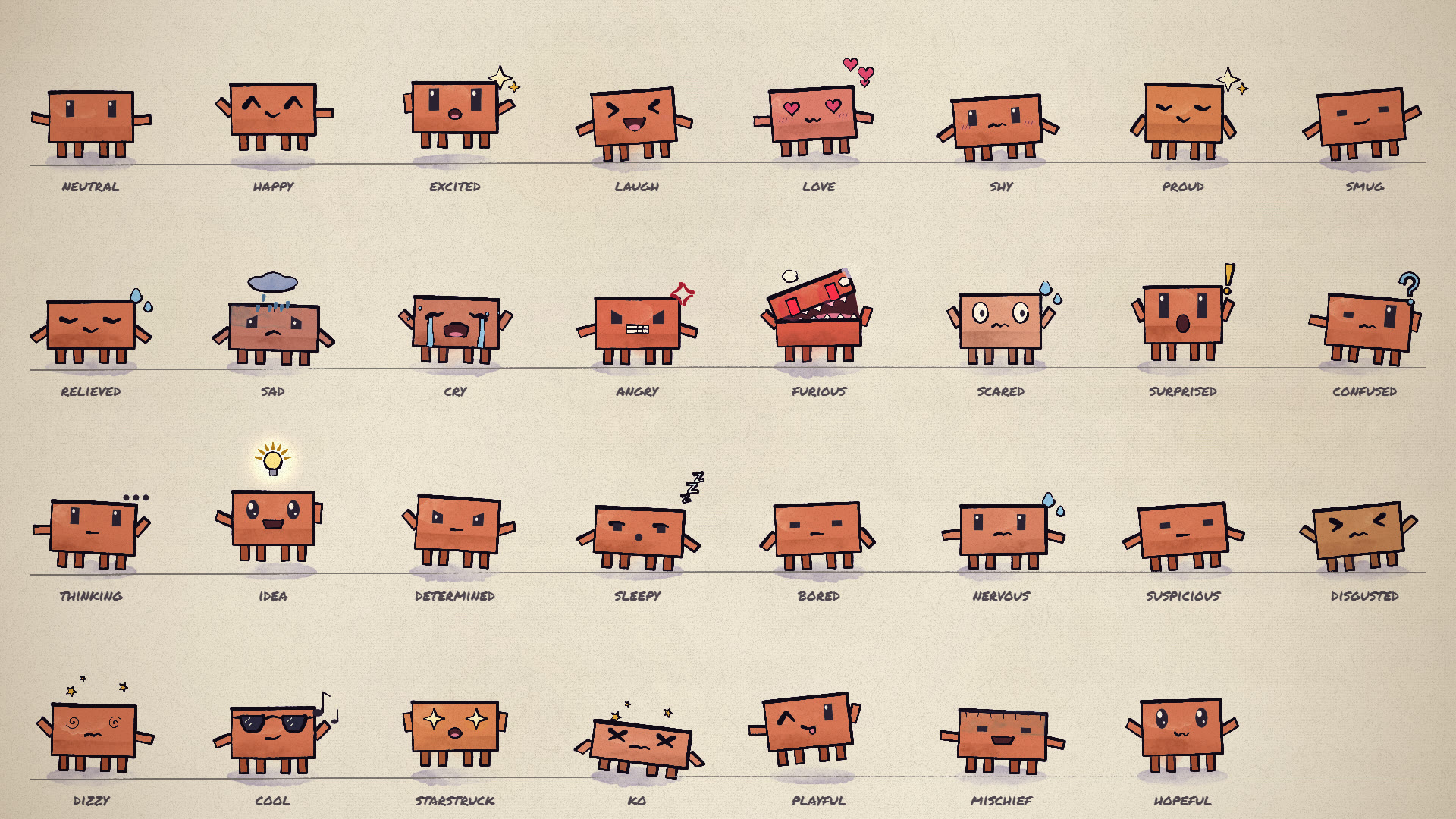
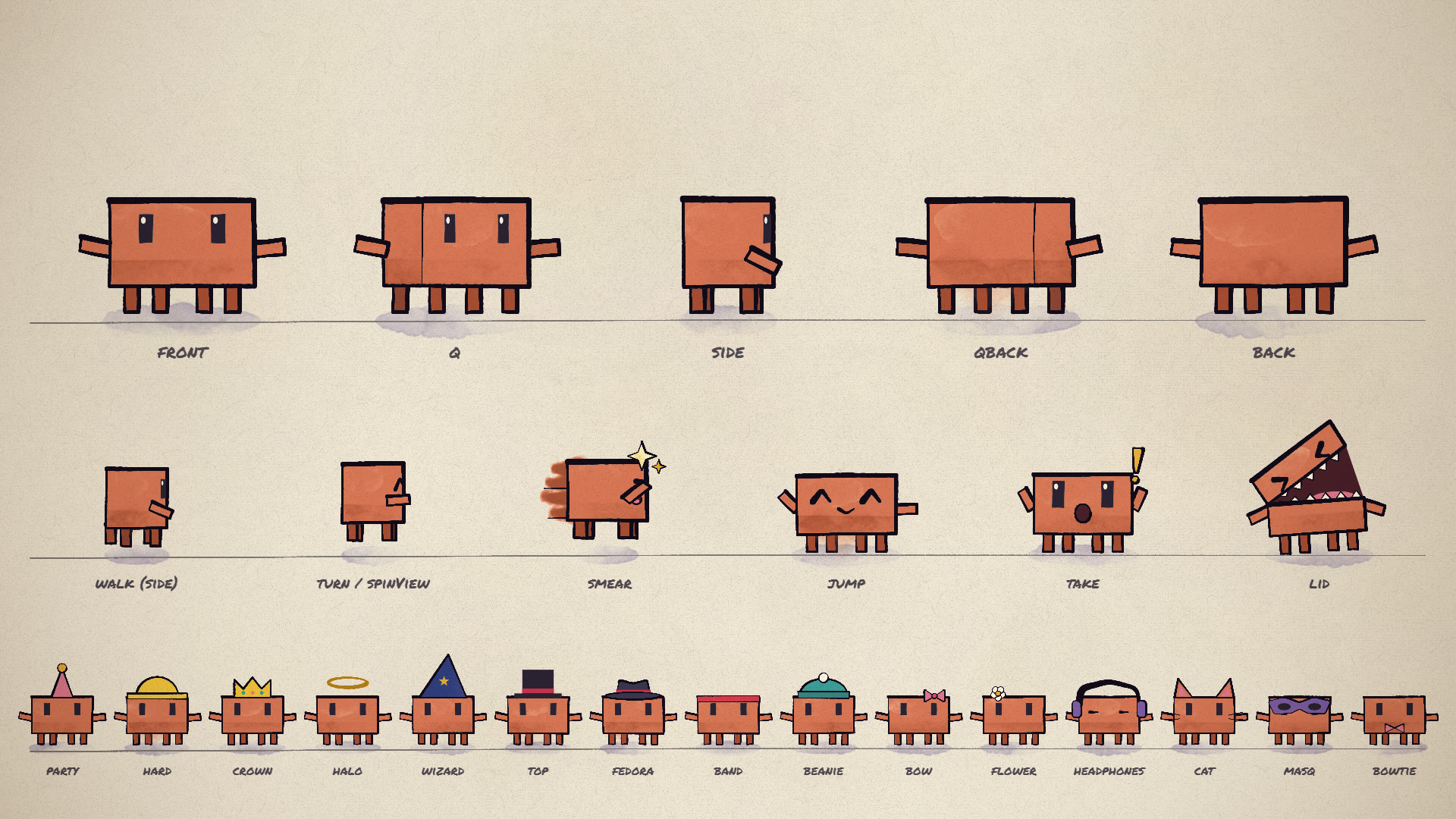

That renders the 11-second demo in src/scenes/demo.js. Open studio.html in Chrome to scrub through it. Add ?loop=emotions or ?loop=views to see the model sheets. If Chrome isn't in a standard location, pass --chrome=<path> or set CHROME_PATH.
On Linux, render.mjs starts Chrome with --no-sandbox (Ubuntu 23.10+ blocks Chrome's sandbox in headless use) and also finds a Chromium installed by Playwright. With no GPU at all, add --soft-gl to render WebGL in software: slow on watercolour fills, but it works. On a headless Linux machine with an NVIDIA GPU (a cloud or cluster node), add --gpu-angle=gl-egl (or vulkan); node gpu_probe.mjs <chrome path> shows which renderer each set of flags gets.
What's here
| path | what it is |
|---|---|
| ANIMATION_GUIDE.md | The rules, the workflow and the full API. Read it first. |
| src/clawd.js | Clawd: views, emotions, eyes, mouths, hats, emotes, dances |
| src/core.js | Painting, timing, motion helpers, camera, light, paper |
| src/timeline.js | Shots, loops and the brush-wipe transition |
| src/config.js | Length and tempo |
| src/scenes/ | Your video goes here (the demo is an example) |
| render.mjs | Headless renderer: contact sheets, frame strips, crops, stills, MP4 |
| docs/ | Model sheets: emotions (also animated) and views, motion and hats |