Simple Auto-Ricing i3wm Dotfiles
Minimal i3wm with automated Material 3 theming from wallpapers


[!WARNING] MAINTENANCE MODE — LIMITED UPDATES
This project currently uses Eww as its bar/widget framework. Eww has been effectively abandoned — no meaningful updates in years, and accumulated bugs with no fixes upstream.
Because of this, active development on this repo is paused until a replacement is ready.
What this means for you:
- The dotfiles still work as-is for most setups
- Bug reports related to Eww may not be fixable on this end
- No new features will be added in the meantime
What's coming: A complete rewrite is in progress using a custom bar/widget framework (currently in development). When ready, this repo will be updated or a new repo will be linked here.
Watch/star this repo to get notified. Thank you for 100+ stars ⭐
DEMO VIDEO
https://github.com/user-attachments/assets/f52d2bca-540a-45a8-8b81-4ce3fa77b193
Screenshots
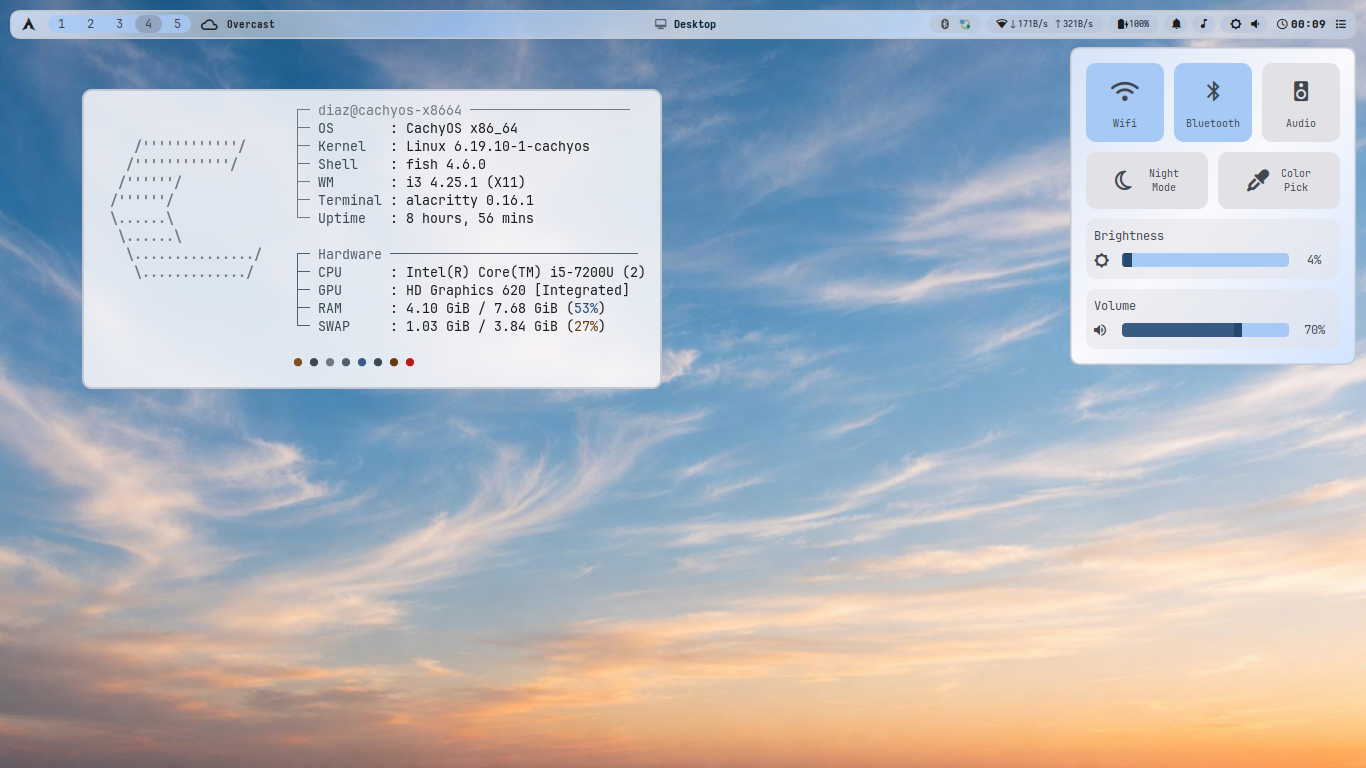
Clean Desktop
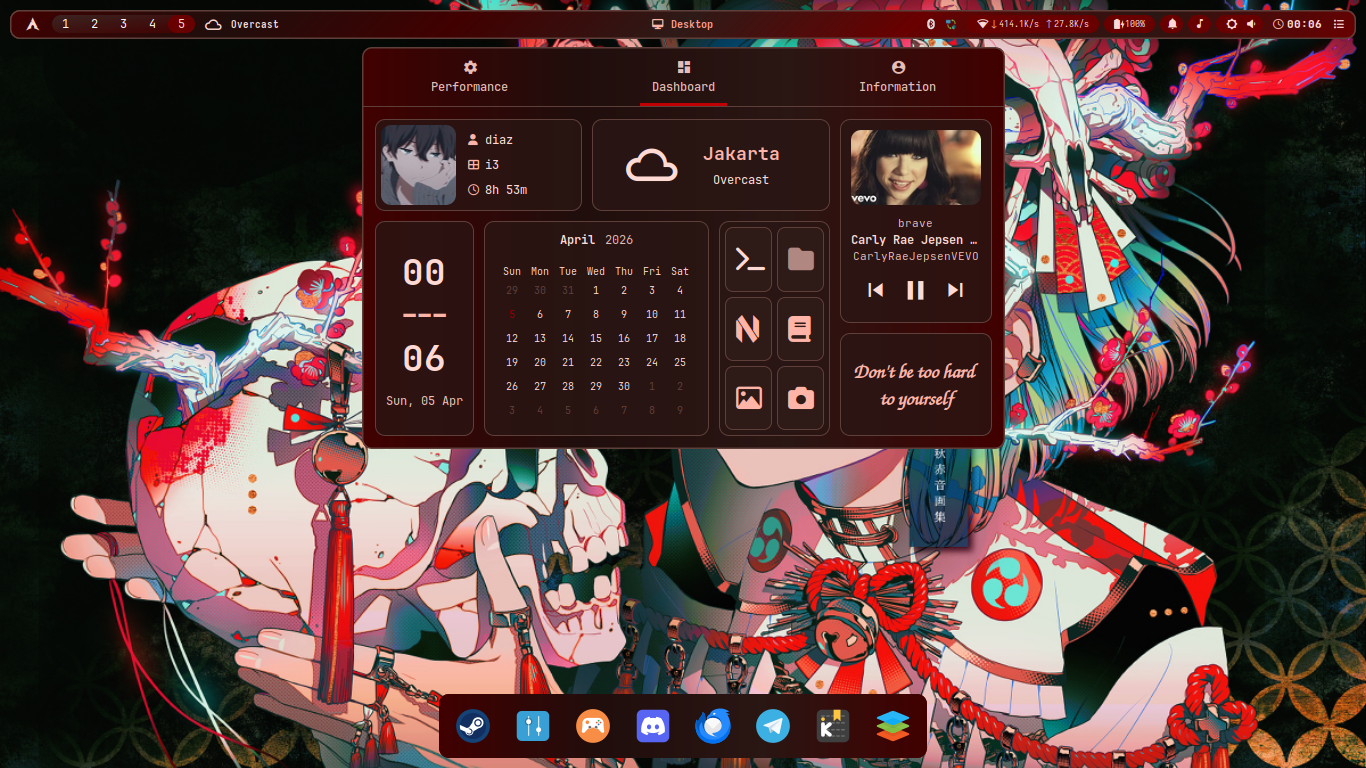
Busy Desktop
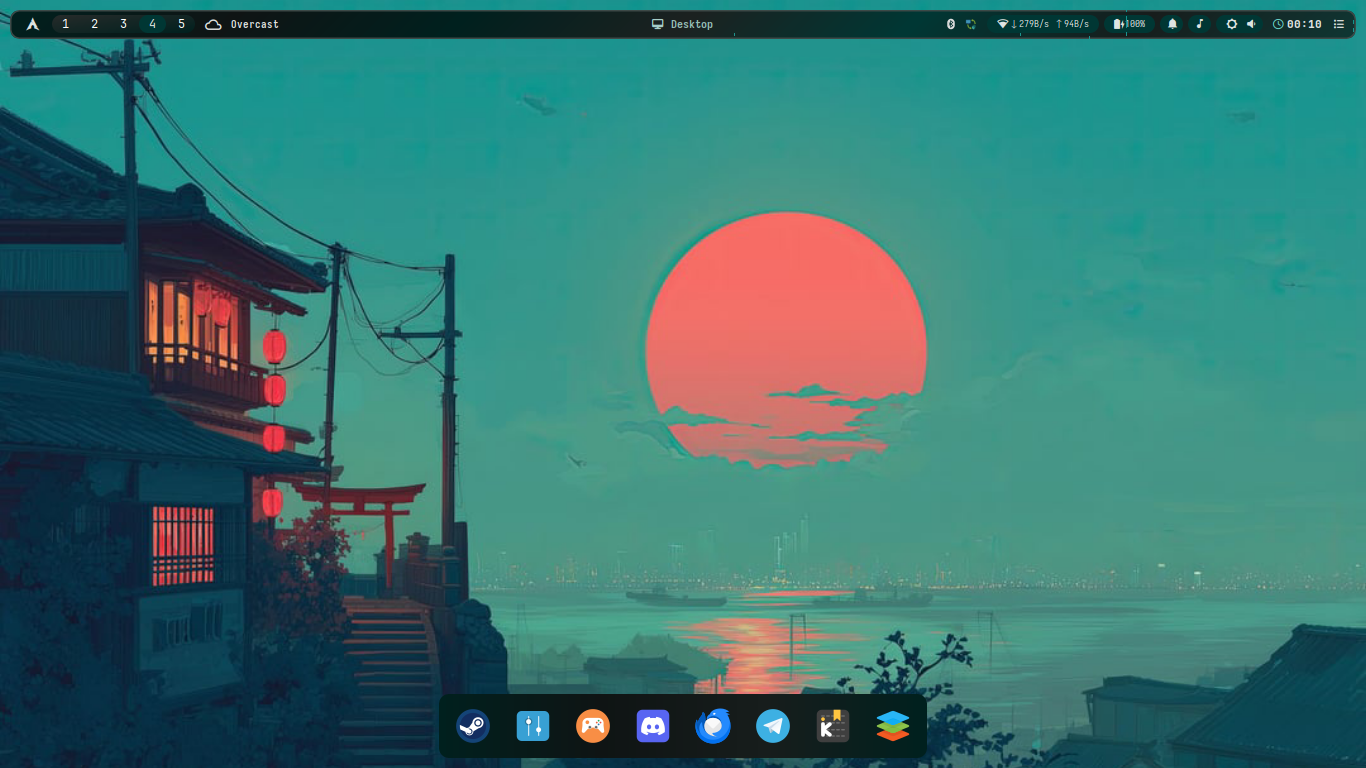
Minimalist Desktop
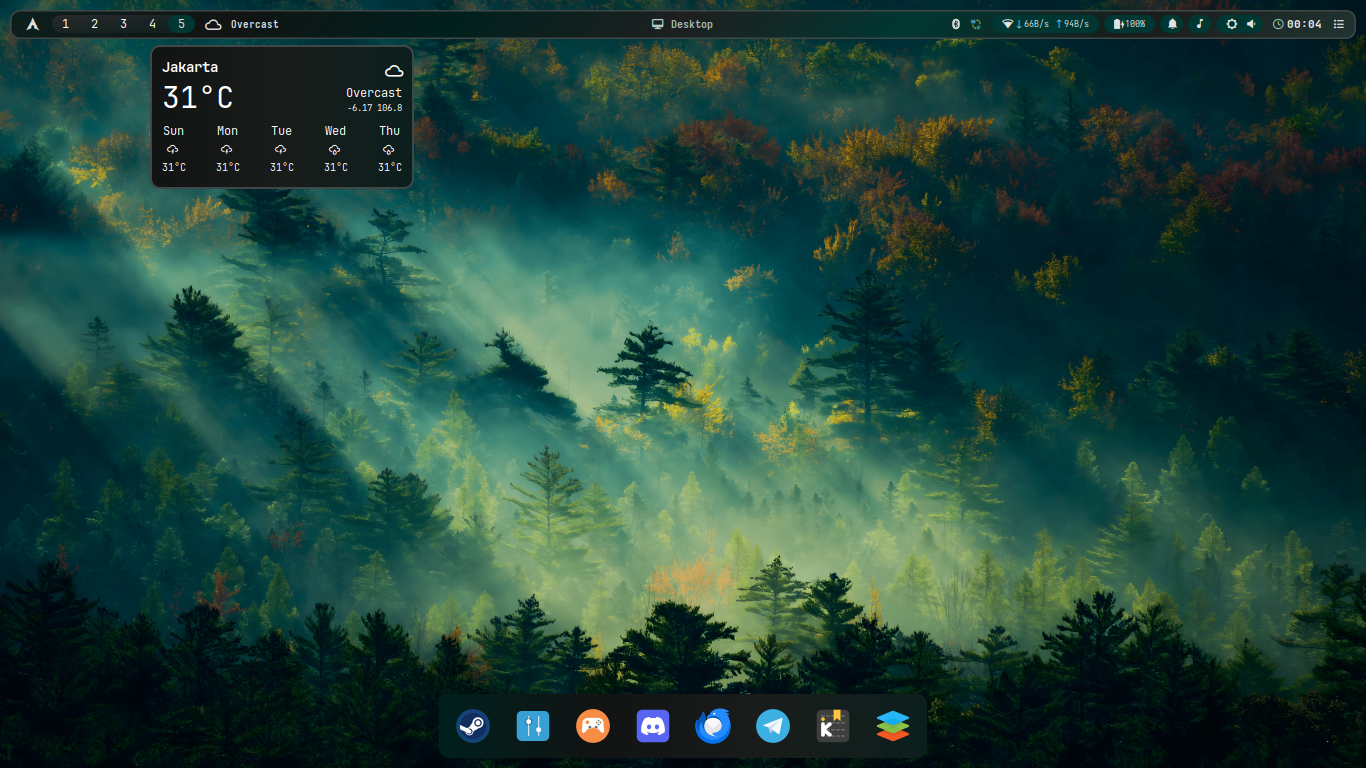
Daily Desktop
Colorful Desktop
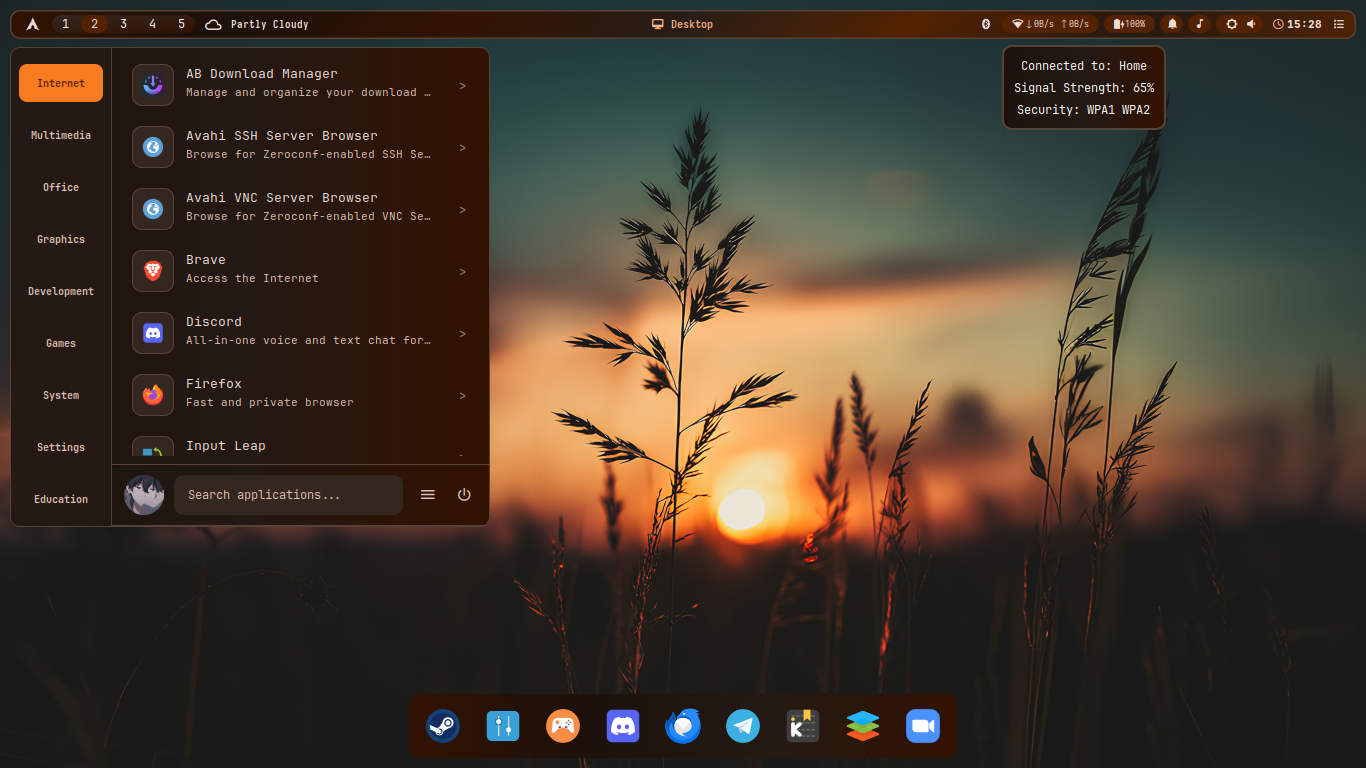
Wonderful Desktop
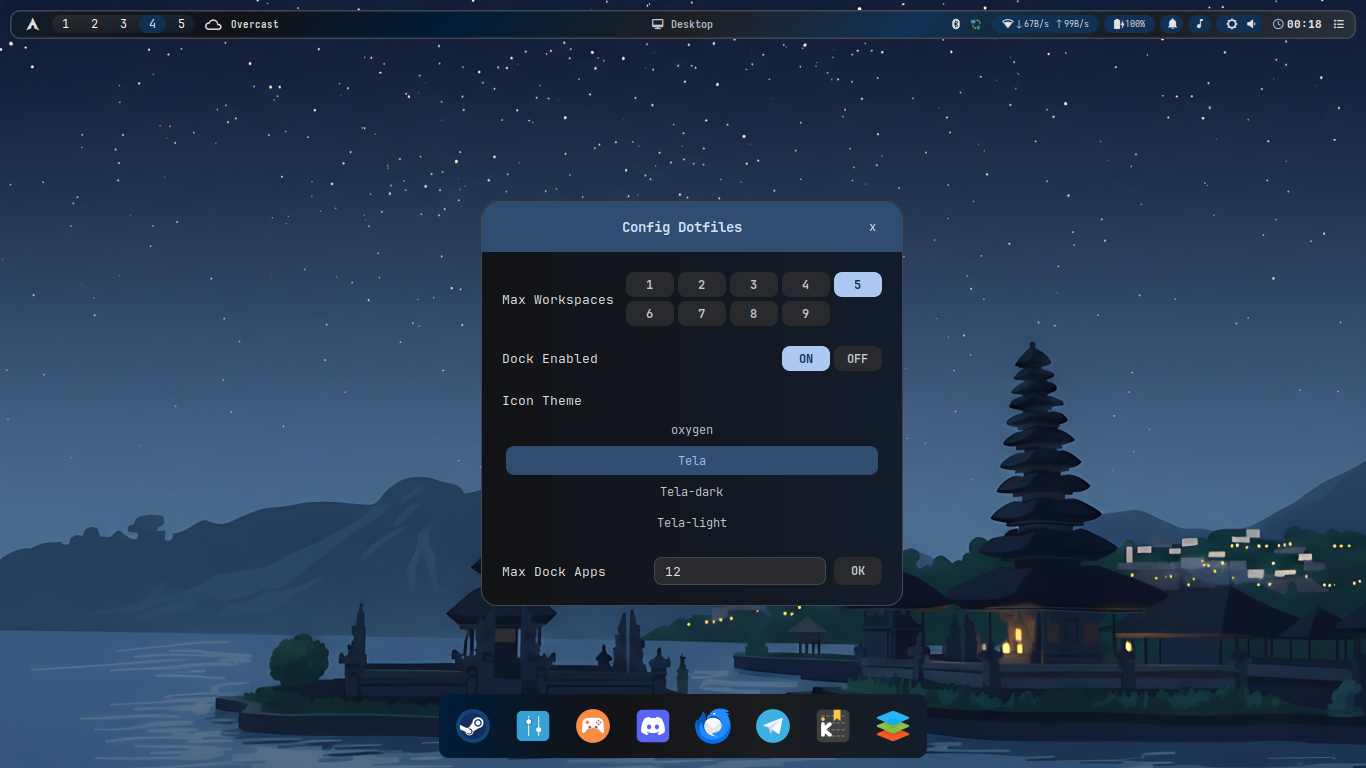
Features
- Auto Material 3 Theming - Colors extracted from wallpapers via m3wal
- Lightweight - Minimal resources, fast performance
- Complete Setup - i3wm, Eww, Alacritty, Fish, Rofi, all themed
- One-Click Install - Automated with backup
- Robust System Info - CPU, RAM, disk read directly from
/procandfree -k, no dependency ontopoutput format - Universal Hardware Detection - WiFi, battery, AC adapter auto-detected via glob patterns, works with any naming convention
- Persistent Workspaces - Visual-only in Eww bar, does not modify i3 behavior
- Config GUI - Eww widget to configure
MAX_WORKSPACES,ICON_THEME,DOCK_ENABLED, etc. without editing files manually - Integrated Dock & Start Menu - Bottom dock linked to start menu, manage dock apps without touching config files
Stack
| Component | App |
|---|---|
| WM | i3-wm |
| Bar | Eww ⚠️ (see notice above) |
| Theming | m3wal |
| Compositor | Picom |
| Terminal | Alacritty |
| Shell | Fish |
| Launcher | Rofi |
| Notifications | Dunst |
Installation
git clone https://github.com/MDiaznf23/simple-autoricing-i3wm-dotfiles.git
cd simple-autoricing-i3wm-dotfiles
chmod +x install.sh
./install.sh
Script will:
- Install all packages (repos + AUR)
- Backup existing configs to
~/dotfiles_backup_YYYYMMDD_HHMMSS - Install yay if needed
- Install m3wal via aur (you can use pipx if you want)
- Copy all dotfiles
- Set Fish as default shell
- Apply initial theme
Then: Logout → Select i3 → Login
Usage
Keybindings
| Key | Action |
|---|---|
Super + Enter | Terminal |
Super + Shift + q | Close window |
Super + h/j | Focus |
Super + 1-9 | Workspace |
Super + d | Launcher |
Super + Shift + r | Reload i3 |
Super + Shift + h | Move window |
Super + Shift + b | Change wallpaper |
Theming
Change wallpaper:
m3wal /path/to/wallpaper.jpg --fullWith options:
m3wal wallpaper.jpg --full --mode dark --variant VIBRANT
m3wal wallpaper.jpg --full --mode light --variant EXPRESSIVE
m3wal wallpaper.jpg --full  # auto-detect (recommended)
Variants: CONTENT (default), VIBRANT, EXPRESSIVE, NEUTRAL, TONALSPOT, FIDELITY, MONOCHROME
Modes: auto (default), light, dark
Configuration
m3wal Config
~/.config/m3-colors/m3-colors.conf
[General]
mode = auto              # auto, light, dark
variant = CONTENT        # Color variant
operation_mode = full    # generator or full

[Features]
set_wallpaper = true
apply_xresources = true
generate_palette_preview = true
Custom Templates
Create in ~/.config/m3-colors/templates/:
# myapp.conf.template
background={{m3surface}}
foreground={{m3onSurface}}
primary={{m3primary}}
Deploy via ~/.config/m3-colors/deploy.json:
{
  "deployments": [
    { "source": "myapp.conf", "destination": "~/.config/myapp/colors.conf" }
  ]
}
Hook Scripts
Create in ~/.config/m3-colors/hooks/:
# Colors are available as environment variables
echo "Primary color: $M3_M3PRIMARY"
echo "Mode: $M3_MODE"
echo "Wallpaper: $M3_WALLPAPER"

# Reload applications
killall -USR1 kitty
i3-msg reload
notify-send "Theme Updated" "Applied $M3_MODE mode"
Enable:
[Hook.Scripts]
enabled = true
scripts = reload-apps.sh
File Structure
~/.config/
├── i3/           # Window manager
├── eww/          # Bar & widgets
├── alacritty/    # Terminal
├── rofi/         # Launcher
├── m3-colors/    # Theming
│   ├── templates/     # Color templates
│   ├── hooks/         # Scripts
│   └── deploy.json    # Deployment
└── fish/         # Shell

~/.local/bin/     # Scripts
~/Pictures/Wallpapers/  # Your wallpapers
What's New
Robust System Info
- CPU Usage — reads
/proc/stattwice and calculates the diff, instead of parsingtopoutput - CPU Temp — priority order: hwmon with label →
thermal_zonefiltered by type (x86_pkg_temp/acpitz), not blindly usingzone0 - RAM — uses
free -k(pure kilobytes), human-readable format calculated manually withoutsed 's/i//g'
Universal Hardware Detection
- WiFi — loops through
/sys/class/net/*/wireless/, auto-detectswlan0,wlp2s0,wlpXsY, and any other name - Battery — globs
BAT*,BATT*,battery*, picks the first one with acapacityfile - AC Adapter — globs
ADP*,AC*,ACAD*, works across different laptop models
Eww Extras
- Persistent Workspaces — workspace indicator always visible in the bar, visual-only, no i3 config changes
- Config GUI — widget to edit
config-dotfiles(MAX_WORKSPACES,ICON_THEME,DOCK_ENABLED,MAX_DOCK_APPS) directly from the desktop - Bottom Dock — app launcher dock at the bottom of the screen, built with Eww
- Start Menu — application menu integrated with the dock; add or remove dock apps directly from the menu without editing any config file
Troubleshooting
Fonts missing:
fc-cache -fvTransparency broken:
picom --config ~/.config/picom/picom.conf &Manual wallpaper:
feh --bg-scale /path/to/wallpaper.jpgAdvanced
Python API
from m3wal import M3WAL

m3 = M3WAL("wallpaper.jpg")
m3.analyze_wallpaper()
m3.generate_scheme(mode="dark", variant="VIBRANT")
m3.apply_all_templates()
m3.deploy_configs()
Random Wallpaper
m3wal $(find ~/Pictures/Wallpapers -type f | shuf -n1) --fullLinks
Made with ❤️ for Arch Linux
⭐ Star if helpful!