AutoRAG Agent
Now your agent can find anything in your computer.





[!IMPORTANT] Looking for the original AutoRAG (RAG AutoML / pipeline optimization tool)? This repository now hosts AutoRAG 2.0, a complete reimagining of AutoRAG as a personal librarian agent for your office work. The original Python-based AutoRAG — the RAG AutoML tool for automatically finding an optimal RAG pipeline for your data — now lives in the
legacy/directory of this repository.The legacy AutoRAG is NOT abandoned. It continues to be maintained (bug fixes, dependency updates, and PyPI releases via
pip install AutoRAG) in maintenance mode. Existing users can keep using it exactly as before — see the legacy README for its documentation, and file issues in this repository as usual. New feature development is focused on AutoRAG Agent (2.0).
🖥️ The desktop app
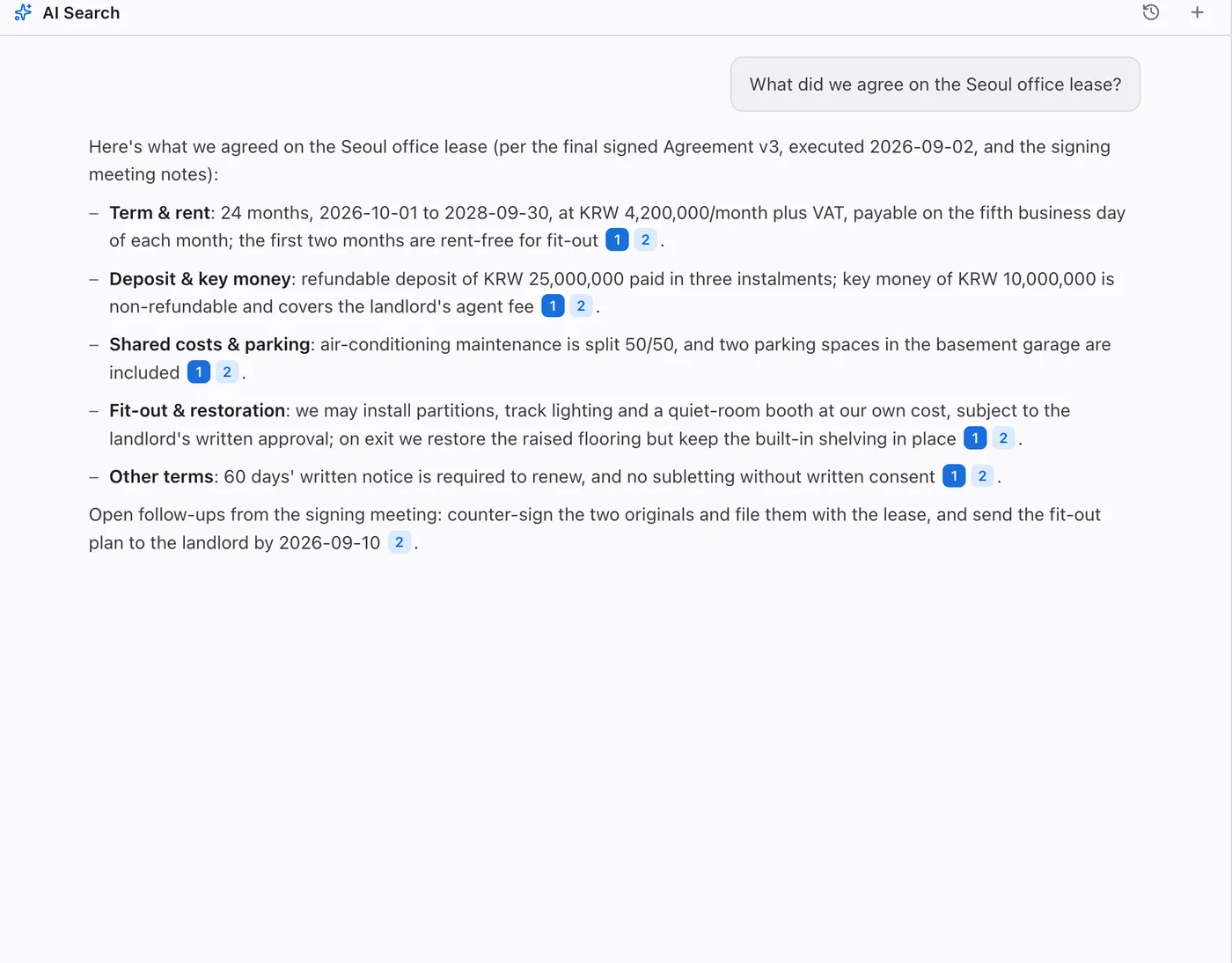
A Finder for your computer that understands what's inside your files. The AutoRAG desktop app puts this librarian behind a real file manager: browse your folders as usual, then ask a question and get an answer that cites the files, chats, and mail it came from. Everything it searches with is the engine in this repository.
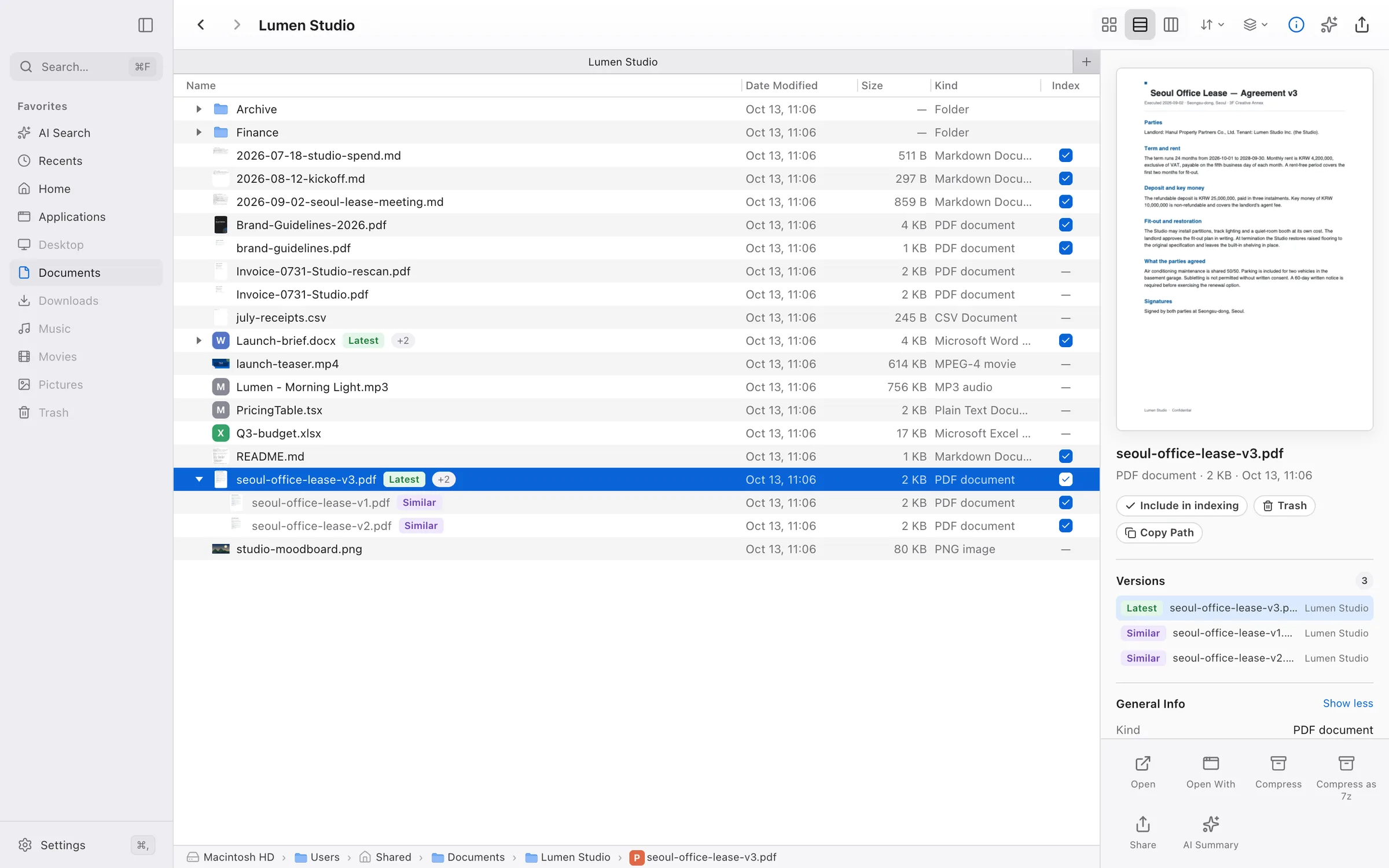
🔎 Just askAsk the way you'd ask a teammate. The librarian reads the files and writes back, every claim linked to the passage behind it. Drag files, folders, or links into a question to ask about just those. |
|
|
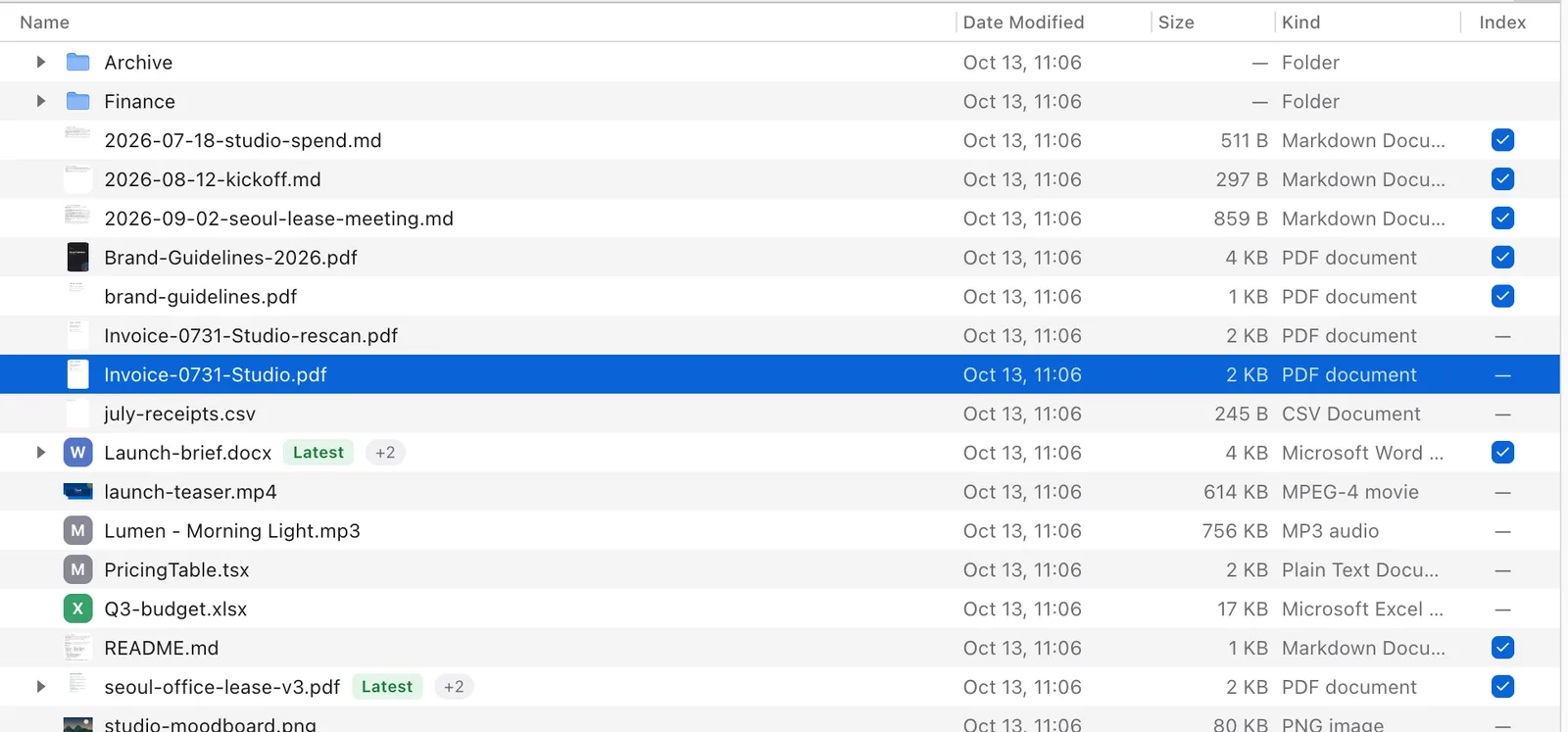
🗂️ Spot the twins
|
⌨️ Space to see anythingMarkdown, code, PDF, video, audio, Office, and HWP/HWPX previewed instantly in Quick Look. HWP pages are drawn locally by rhwp; Hancom Office is not required. |
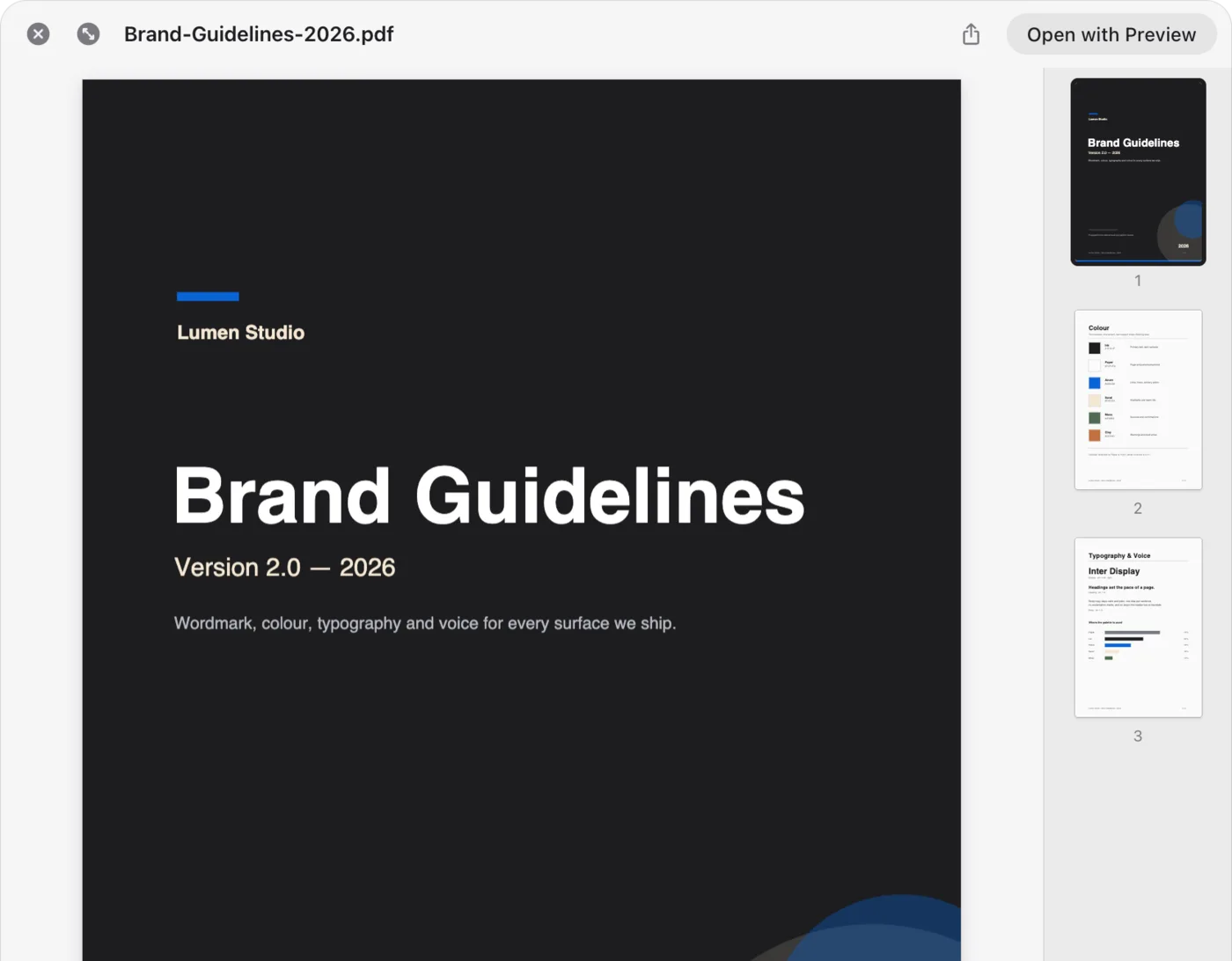
|
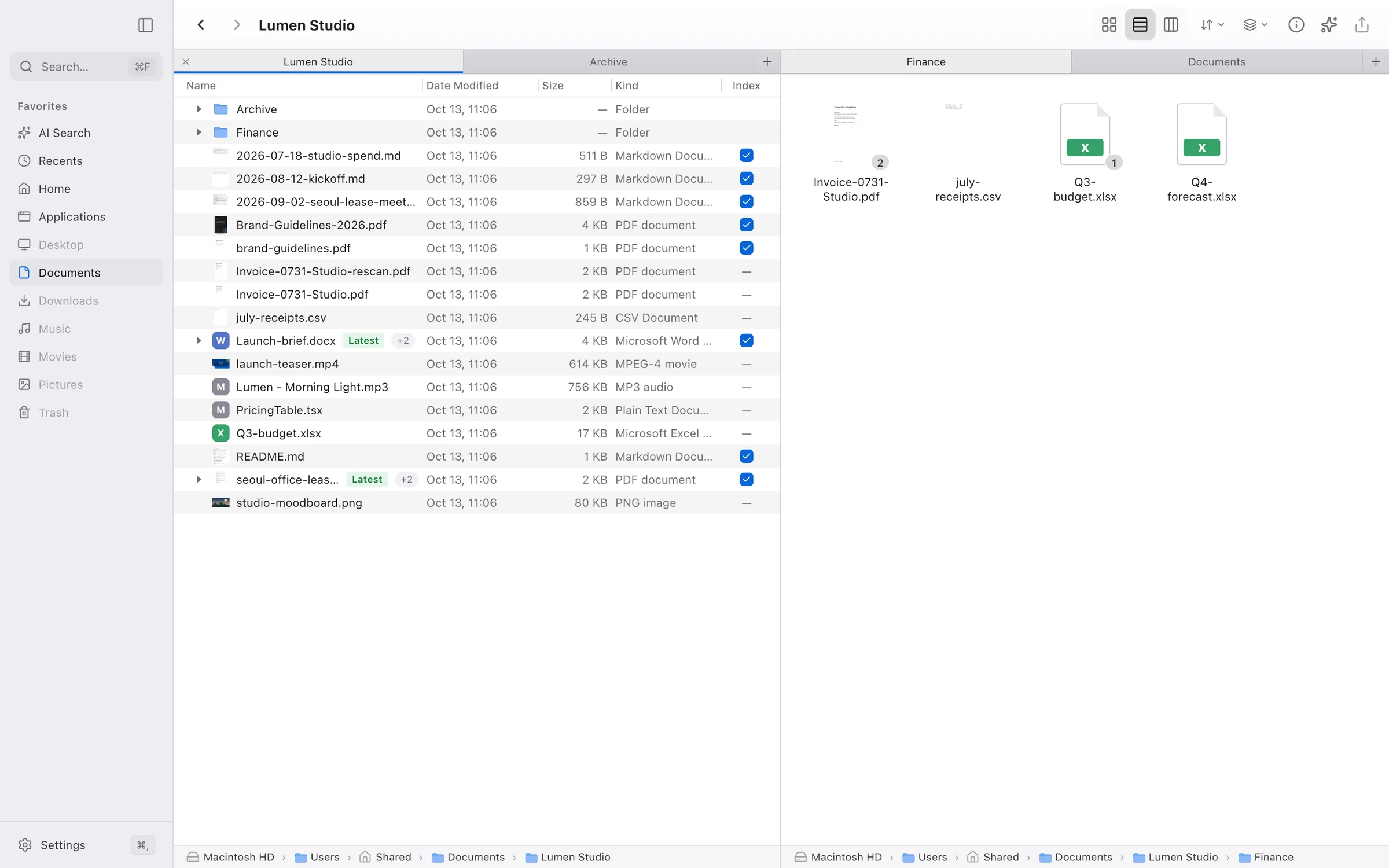
|
🪟 A real file managerTabs and split panes: drag a tab to an edge to split, and every pane keeps its own tabs, so a folder and a conversation sit side by side. Folders update live as other apps change them. |
And more: hybrid keyword + meaning search with a reranker · scheduled re-indexing that runs even while the app is closed · an Ask entry in the Finder and Explorer right-click menu · light and dark mode · Korean, English, Japanese, and Simplified Chinese.
Every place, one search
The app connects the same datasources the librarian does, and searches them right alongside your files:
| 💬 Slack Channels and threads | 💛 KakaoTalk Chats on this computer | 🎮 Discord Servers and forums | ✈️ Telegram Chats and channels |
| 📱 Messages, read-only | ✉️ Every inbox you sign in to | 🐙 GitHub Repos, issues, PRs | 🔮 Obsidian Your vaults |
Private by design
- Embedded on your machine. Semantic indexing runs on MinSync's local
Qwen3-Embedding-0.6B engine (1024 dimensions), which MinSync provisions and
runs; AutoRAG owns no embedding model. File contents are never sent to a
remote embedder unless you explicitly configure a remote
minSync.embedder. - Keys stay encrypted. Sign-in tokens and API keys live in the system's encrypted store, never in a config file.
- Bring your own model. Use the hosted Dazzi Models plan, or connect your own provider key and pay the provider directly.
[!TIP] The Dazzi desktop app's source lives in NomaDamas/AutoRAG-app (Electron + React, Fair Source under
FSL-1.1-MIT). It depends on the open-source@autorag/librarianengine (Apache-2.0) from this repository; build, run, and file app issues there.
One engine, every surface
The app is one way in. The same librarian runs everywhere else:
| Surface | Use it for | Start here |
|---|---|---|
| Desktop app (Dazzi) | Browsing and asking in one window | NomaDamas/AutoRAG-app (Fair Source, FSL-1.1-MIT) |
| Terminal UI | Interactive, steerable search sessions | autorag tui |
| Messenger | Asking the librarian from a chat app | Telegram, Discord |
| CLI | Scripts, indexing, health checks | CLI Command Reference |
| MCP server | Feeding retrieval to Claude Code, Codex, and other agents | AutoRAG Lite MCP Server |
| TypeScript API | Embedding the librarian in your own app | Programmatic usage |
| Agent skills | Letting a coding agent install and drive AutoRAG | For AI Agents |
What is AutoRAG Agent?
Search tools dump file paths and matching lines — forcing you to open files, read context, and synthesize answers yourself.
AutoRAG Agent is a personal librarian agent that helps with your office work. Built on the Pi agent framework, a single configured model searches your files, mail, chats, and notes in place, opens source documents directly via bash to verify ground truth, and curates answers into clean, numbered knowledge units. Because it works for you rather than only on your index, it can also act on your files when you ask, such as organizing, renaming, moving, or editing them with a record of every change:
You ask:  "What changes were made to the cloud infrastructure contract in Q3?"

AutoRAG Agent:
[1] Enterprise Compute Discount — AWS annual discount tier increased to 28% based on commitment volume. (contracts/cloud-2026.pdf:p.4)
[2] Regional Data Residency — Explicit compliance clause pinning customer data storage to the Seoul AWS region. (/slack/legal-ops/chunks/318)
[3] SLA Guarantee — Guaranteed uptime threshold adjusted to 99.95% with penalty credits starting at 15 minutes downtime. (contracts/sla-addendum.md:lines 45-62)
Core Values
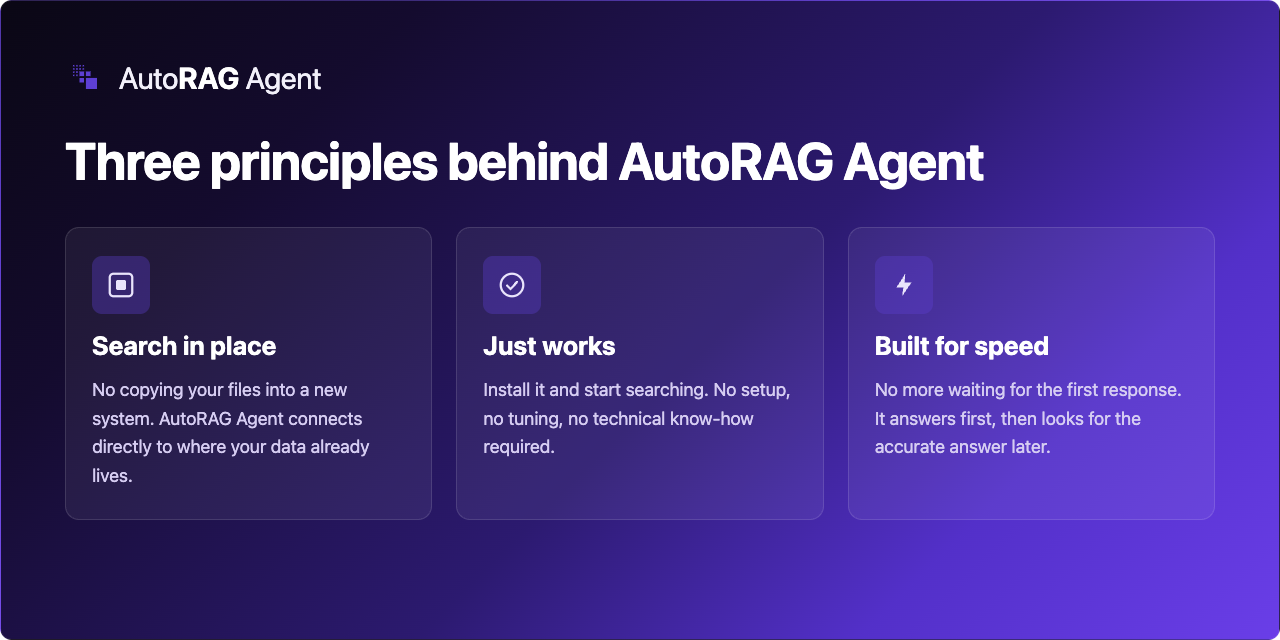
Three principles drive every design decision in AutoRAG Agent:
-
Never migrate your data to search it. Traditional RAG systems force you to upload, ETL, and duplicate your files into a centralized vector database. AutoRAG Agent federates your data in place, querying CLI-native stores (
lazykatok,discrawl,slacrawl,mailcrawl,rclone) where your data already lives. Results retain opaque, source-native identities (/kakao/...,/slack/...) that preserve local access control and privacy. (See our Competitive Landscape Study on why in-place federation is the durable differentiator). -
Just works — no RAG degree required. No pipeline tuning, no vector-DB maintenance, and no remote embedding keys required. AutoRAG Agent automatically manages MinSync for incremental Change Data Capture (CDC) chunking and provides a local embedding backend out of the box with zero external telemetry. A remote rerank model (the hosted Dazzi Models reranker when signed in, else OpenRouter
voyageai/rerank-3-lite) is an opt-in extra. -
Fast by design. Rather than coordinating slow multi-agent hierarchies, a single configured model owns the entire retrieval, direct-read, and curation loop. Local CDC chunks (BM25, vector, and hybrid modes) deliver rapid, low-latency turnaround across multi-turn research queries.
Architecture & How It Works
AutoRAG Agent orchestrates five integrated subsystems:
- Retrieval Memory (
check_memory): After each answer, cited evidence Jev judges to genuinely support it is stored in~/.autorag/memory.json. Later searches receive this conversation's evidence, similar past questions, and long-term insights as advisory reference — it never reorders results or overrides current evidence. See docs/retrieval-memory.md. - Pluggable Multi-Method Retrieval:
- BM25 Lexical Search: Fast keyword ranking via MinSync over parsed markdown mirrors. AutoRAG always uses MinSync's
multilingualtokenizer, which keeps each original word and adds Korean morphemes (via the Kiwi library), so both연구목표and인증서를→인증서match; without Kiwi AutoRAG warns and tokenizes on whitespace. See docs/minsync-setup.md. - Semantic Vector Search: Dense vector retrieval over CDC chunks via the shared MinSync embedder.
- Hybrid Search: Combines BM25 and vector ranking via Reciprocal Rank Fusion (RRF).
- Jikji Find-First Discovery: Local CLI-backed fast discovery answer packs.
- Everything File-Name Search (Windows): The bundled voidtools Everything indexes file and folder names under your search roots so the agent finds files by name, extension, path, size, or date instantly (
everything_search). - FSearch File-Name Search (macOS/Linux): fsearch-cli (FSearch) keeps a live, per-workspace name index of your search roots so the agent finds files by name, extension, path, size, or date instantly (
fsearch_search); without fsearch-cli installed it degrades to a slow filesystem walk. - Datasource Skills: Federated retrieval across every configured external datasource.
- BM25 Lexical Search: Fast keyword ranking via MinSync over parsed markdown mirrors. AutoRAG always uses MinSync's
- Result Merger & Scope Narrowing: Cross-method deduplication, score normalization, and ordinary query-scope narrowing.
- Direct Evidence Reading (
bash): The agent directly opens and inspects promising files withcat,grep, orfindto verify facts against ground truth. - Curation: The final answer is the model's plain reply; the harness resolves its inline
[eN]citations into numbered, source-backed results; cited evidence that Jev judges to genuinely support the answer is remembered as reference context for later searches (docs/retrieval-memory.md).
Pi host boundary
AutoRAG uses @earendil-works/pi-coding-agent as the runtime host for model sessions. Pi owns provider credentials and OAuth storage, model-runtime dispatch, session JSONL persistence/resume, extension loading, lifecycle events, and the built-in read/bash/edit/write/grep/find/ls tools. AutoRAG registers only its domain tools and keeps orchestration outside the host: datasource orchestration, MinSync/Jikji preparation, memory hints, fast-to-verification two-phase search, structured result emission, and remote-session filtering.
The CLI TUI (autorag tui) is Pi's interactive mode hosted on the AutoRAG librarian: there is no separate AutoRAG renderer. Pi owns the terminal UI and its native in-session commands — /login//logout, /model, /resume, /new, /tree, /compact, and /settings — so provider sign-in and model selection work on first launch even when no AutoRAG model is configured. AutoRAG registers its retrieval tools and runs the two-phase search in the same Pi session, where the model's progress notes, first answer, and final answer are ordinary assistant messages, so resume and two-phase search keep working together.
A fresh session — at launch and after /new (or /reload) — opens on AutoRAG's own welcome screen: the AutoRAG logo, the version, and three rotating tips, centered and scaled down to a smaller logo or a plain wordmark on narrow terminals. Pi's own logo, key-hint list, and loaded skills/prompts/extensions listing are hidden by default (quietStartup: "header"). A quietStartup saved in Pi's global or project settings.json wins: true removes the banner, false brings Pi's resource listing back.
Typing while a search runs works like steering one of Pi's own turns. Enter steers the running search: AutoRAG treats the text as a correction of a search that is going wrong, delivers it before the search's next model request (also between phases, where no turn is streaming), cuts in-flight retrieval short so the correction lands promptly, and always runs the verification phase so the answer reflects the correction. Alt+Enter queues a new question that runs after the current search answers. Esc stops the search instead of letting it continue into its next phase. Pi's registered / commands still run during a search; any other line starting with / (a path, for example) is a steer like any other text. A query typed after a search answers is a new search in the same session, as before.
From the moment a question is submitted, a live progress widget sits above the editor: a spinner, the elapsed time, and one line per step the search is running (routing, splitting the question, each retrieval source with its hit count and time, ranking, the first answer, verification). A slow source shows its own running timer, a failing source shows its error text verbatim, and the widget disappears when the answer is final or Esc stops the search. While the model streams, Pi's own Working loader takes over and the widget keeps only the header and steps. Every tool call also carries a short model-written intent (the i argument): Pi's Working loader shows the newest one, and autorag search and the desktop app receive it as progress, so the model does not write separate progress notes before tool calls.
Update notices are AutoRAG's, not Pi's: autorag tui suppresses Pi's "run pi update" banner (Pi is a bundled host, not a separate install) and instead checks the published @autorag/librarian release, showing a one-line notice in the session when a newer version exists. Set AUTORAG_NO_UPDATE_CHECK=1 to skip the lookup; AUTORAG_UPDATE_CHECK_URL overrides the registry endpoint.
Messenger Connections
| Messenger | Status | Start here |
|---|---|---|
| Telegram | Supported | autorag tui --telegram |
| Supported (unofficial client) | autorag tui --whatsapp | |
| Discord | Supported (no steering yet) | autorag tui --discord |
| Slack, others | Not supported yet |
Telegram runs through the @llblab/pi-telegram bridge inside a running autorag tui session: questions you send the bot get the same routing and two-phase search as the terminal. Setup, commands, and keeping it running are in docs/telegram.md.
WhatsApp runs through the pinned whatsapp-pi extension the same way; see docs/whatsapp.md.
Discord runs through the pi-discord-remote extension and creates one channel per TUI session; the fast answer and the verified final answer are posted as they land. Setup, permissions, and limits are in docs/discord.md.
Installation & Setup
AutoRAG Agent is published as @autorag/librarian (requires Node.js ≥ 24 or Bun):
# Install CLI globally
bun install -g @autorag/librarian
# or with npm:
npm install -g @autorag/librarian

# Add as a TypeScript/JavaScript library
bun add @autorag/librarian
System Prerequisites
- No Java required: Document parsing (HWP/HWPX/HWPML, PDF, DOCX, XLSX/XLS) runs in-process through
kordoc. - Rust Toolchain (Optional): Automatically compiles Jikji (
jikji-cli) if installed. - MinSync: Automatically downloaded and installed into
<workspace>/.autorag/binon first run. - Everything (Windows only, bundled): The package ships the portable Everything 1.4.1.1032 and its ES 1.1.0.38 CLI (x64 and ARM64, SHA-256 pinned). On Windows, AutoRAG extracts them into
<workspace>/.autorag/everything/and runs a private, user-level instance that indexes only your configured search roots: no administrator rights, no Everything service, no whole-drive scan, no HTTP/ETP server, and no change to any Everything you already run. Set"everything": falsein the config to turn it off. macOS and Linux are not affected. - filee-cli (file conversion, automatic):
autorag setupand the TUI download the pinned filee-cli release (~85 MB, SHA-256 verified) into<AUTORAG_HOME>/tools/filee-cli/<version>/, so the agent can convert between 255 formats offline withconvert_files. Afilee/filee-clialready onPATHis used instead. Set"filee": { "autoInstall": false }to forbid the download or"filee": { "enabled": false }to remove the tools. Filee fetches its own engines (FFmpeg, Pandoc, LibreOffice, calibre, Ghostscript; hundreds of MB, only when a conversion needs one) on first use. - FSearch (macOS/Linux only, separate install): Install
fsearch-cliyourself (e.g.brew install NomaDamas/fsearch-mac/fsearch-mac(installs thefsearch-clibinary); GPL-2.0, spawned as a separate process, never bundled or linked). On macOS and Linux, AutoRAG builds a per-workspace database at<workspace>/.autorag/fsearch/indexing only your configured search roots, and keeps afsearch-cli watchdaemon live (FSEvents/inotify) for sub-second name search. It never touches the FSearch app's own database. Without fsearch-cli, name search falls back to a slow bounded filesystem walk. Set"fsearch": falsein the config to turn it off. Windows is not affected (Everything covers it).
Quick Start
1. Initialize and Index
# Initialize configuration for your documents folder
autorag init --search-paths ~/Documents/research

# Korean + English is the default; set it explicitly for other corpora
autorag init --search-paths ~/Documents/research --languages ja,en

# Index documents (parses PDFs/Markdown, builds BM25 and MinSync vectors)
autorag refresh

# Check indexing health
autorag status
Excluding files and folders
Leave generated workspaces or archives out when initializing:
autorag init --search-paths "$HOME/Documents" \
  --exclude "$HOME/Documents/Build output" \
  --exclude "$HOME/Documents/Archive, old"
Repeat --exclude for each file or folder. Each argument is one complete path,
including spaces and commas; relative paths resolve from the current directory.
Excluding a folder also excludes its descendants. Paths are literal, not globs.
For an existing configuration, edit its excludePaths array and run
autorag refresh to update the indexes. File-name search applies exclusions to
native fsearch and Everything results as well as the filesystem walk. See the
exclusion configuration examples.
Document languages and parsers
One global languages setting describes the corpus. It is resolved from
--languages, then AUTORAG_LANGUAGES, then languages in the config file,
falling back to ["ko", "en"]. Supported tags: ko, en, ja, zh-hans,
zh-hant, fr, de, es, ru, it, pt, vi, th, ar, hi.
| Extension | Parser |
|---|---|
.hwp .hwpx .hml .hwpml .pdf .docx .xlsx .xls | kordoc (nested tables, per-sheet workbooks, no Java) |
.pptx | built-in PPTX reader |
.eml | built-in mail reader |
.txt .text .md .markdown | plain text (CP949/EUC-KR aware) |
.png .jpg .jpeg .webp | kordoc image OCR (only when parserOptions.ocr.enabled is true) |
.bmp and .tiff are not parsed: kordoc rejects both as unsupported.
Making photos and scans searchable
Image files and scanned PDF pages become searchable through one switch,
parserOptions.ocr.enabled (default false). It is off by default so indexing
downloads no recognition model and never runs OCR over a photo library. With it
off, image files are not parsed at all and scanned pages stay unrecognized.
{ "languages": ["ko", "en"], "parserOptions": { "ocr": { "enabled": true } } }kordoc owns both inputs. The configured languages pick the engine:
languages | Engine | First-use download |
|---|---|---|
only ko and/or en | kordoc built-in PP-OCRv5 (local CPU) | ~18 MB from Hugging Face, cached in ~/.cache/kordoc/models |
any other tag (ja, zh-hans, fr, de, …) | Tesseract, all configured languages at once (kor+jpn) | traineddata per language from the jsDelivr CDN, cached in <workspace>/.autorag/models/tessdata |
The built-in model has no kana, han, Cyrillic, Thai, Arabic or Devanagari
characters and drops diacritics in accented Latin text, so those languages need
Tesseract. Set parserOptions.ocr.cachePath to store the Tesseract models
elsewhere, or KORDOC_OFFLINE=1 to block the built-in model download. An
explicit parserOptions.kordoc.ocr overrides the language-based choice.
Bounding and cancelling a parse
kordoc (PDF, HWP/HWPX, DOCX, XLSX/XLS, images), .pptx and .eml parse in a worker
thread during a refresh, so one corrupt or hostile file cannot hang or crash the run. A
Promise.race deadline cannot stop a synchronous parse; terminating the worker can.
parserOptions key | Default | Effect |
|---|---|---|
fileTimeoutMs | 120000 | Per-file deadline. A parse still running is killed with its worker. |
maxHeapMb | Node's default | V8 old-generation limit for the worker. An out-of-memory parse is caught, not a host crash. |
A timeout, a heap overrun and a worker crash each become one parser-failed skip for that
file; the diagnostic message says which. The rest of the corpus is still indexed. Plain-text
files and parsers configured with a function (parserOptions.kordoc.parse, a custom OCR
provider) parse in-process.
{ "parserOptions": { "fileTimeoutMs": 60000, "maxHeapMb": 2048 } }Photos and videos are also reachable through two other paths that are not part
of this switch: the clawgallery datasource (captions and visual search over its
own folders) and Jikji's media index (jikji.enableMediaIndex, file facts such as
pixel size and format only, no content). Video content is not searchable yet.
2. Search from CLI
autorag search needs one chat model. autorag init does not pick one, so on
first run either sign in and choose a model inside the TUI:
autorag tui # then /login (OAuth or API key) and /modelor add the model entry to your existing AutoRAG config, preserving its other
settings. Find provider/model ids with autorag models list --available:
"model": { "provider": "<provider>", "id": "<id>" }Then run autorag health. Do not re-run autorag init --force just to select
a model: it replaces the existing config, including datasource and parser settings.
Configure the provider's credentials through /login or its supported environment variables.
# Perform a curated search (uses your configured reasoning model)
autorag search "What are our primary Q3 deliverables?"

# Launch the interactive Terminal UI (Pi host: /login, /model, /resume, …)
autorag tui
3. Programmatic Usage (TypeScript API)
import { AutoRAGAgent } from "@autorag/librarian";

// Initialize librarian agent
const agent = new AutoRAGAgent({
  searchPaths: ["/path/to/documents"],
});

// Run curated search loop
const response = await agent.searchDocuments("Summarize recent compliance updates");

console.log("Answer:", response.answer);
for (const result of response.results) {
  console.log(`[${result.number}] ${result.title} (${result.source})`);
  console.log(`    ${result.summary}`);
}
A caller can steer a search while it runs, the way Enter steers a TUI search, and stop it:
const run = (async () => {
  for await (const event of agent.searchDocumentsStream("When is the launch?")) {
    if (event.type === "preliminary") console.log("Quick:", event.response.answer);
    if (event.type === "complete") console.log("Final:", event.response.answer);
  }
})();

// A correction of the running search, not a new question. false = no search to steer.
agent.steer("Use the June plan, not the April one.");
// agent.abort() stops the whole search, including every later phase.
await run;
steer() reaches the search's next model request (also between phases), cuts in-flight retrieval and the baseline prefetch short, and always runs verification, whose prompt restates the correction. It returns false when no search is running, the search was stopped, or it is past its last model request; ask the text as a new question then.
A refresh can be cancelled and observed from code:
const controller = new AbortController();
try {
  await agent.refresh(false, {
    signal: controller.signal, // controller.abort() stops it
    onProgress: ({ phase, processed, total, currentVirtualPath }) => {
      console.log(`${phase} ${processed}/${total}`, currentVirtualPath ?? "");
    },
  });
} catch (error) {
  if (controller.signal.aborted) console.log("refresh cancelled");
  else throw error;
}
signal is checked between files and between phases, kills an in-flight parse worker, and
terminates the MinSync, Jikji and datasource child processes (and their descendants). The
refresh then rejects with the signal's reason and is recorded as failed; files already
mirrored are kept and not re-parsed on the next run. onProgress reports parsed
(processed/total are files, currentVirtualPath is the file about to be processed) and
datasources (processed/total are datasource skills). During the parse phase
.autorag/refresh-progress.json also carries the running sourceFiles.total and
parsedCounts, refreshed every 25 files rather than per file. The marker is replaced with a
retried rename (an in-place overwrite if a reader keeps the destination held, as on Windows).
Without these options a refresh behaves as before.
CLI Command Reference
| Command | Description |
|---|---|
autorag init | Initialize ~/.autorag/config.json with search roots, document languages, and model settings |
autorag refresh | Refresh parsed mirrors, MinSync CDC chunks, datasources, Jikji, and the platform file-name index (Everything on Windows, FSearch on macOS/Linux) |
autorag search "<query>" | Run the librarian agent to curate structured answers |
autorag status | Inspect corpus freshness, indexing status, and vector readiness |
autorag health | Check model provider authentication, token validity, and API reachability |
autorag models list | List chat models the pi runtime can resolve (built-ins, models.json, custom/extension providers) with provider auth status; never prints credential values |
autorag update-check | Compare the running autorag against the published npm version (also runs on autorag tui launch) |
autorag tui | Open Pi's interactive librarian TUI (/login, /model, /resume, …); the agent can stop and ask you a multiple-choice or open question through the ask_user tool; --telegram / --whatsapp / --discord add the Telegram / WhatsApp / Discord remote-control bridges; --permission-mode ask|auto|full (Shift+Tab, /permissions) sets the approval gate for file changes |
autorag duplicates [DIR] | Read-only scan for exact and near-duplicate document families with dupey |
autorag lite ... | CLI bootstrap, indexing repair, terminal maintenance, and fallback interface; agents use MCP for normal Lite operation |
autorag memory inspect | Render a read-only, path-opaque snapshot of retrieval memory (judged evidence, curated results, evidence chunks, insights); model-free |
autorag evidence <session> | Inspect persisted evidence behind numbered results; MCP clients normally use autorag.evidence, and the CLI stays available for terminal maintenance |
AutoRAG Lite MCP Server
Register the package's stdio server with the host; the host owns the process lifecycle and sends MCP tool calls:
AUTORAG_CONFIG=/absolute/path/to/.autorag/config.json autorag-mcpFor Claude Code and Codex registration commands, use
skills/autorag-lite-setup/SKILL.md.
The MCP contract source of truth is src/mcp/server.ts
(tool registration, schemas, handlers) plus src/mcp/index.ts
(stdio entrypoint). Discover tools and schemas with MCP tools/list; do not
hard-code a tool count.
Core Lite tools include autorag.status, autorag.search,
autorag.search.files, autorag.datasources.list, autorag.datasources.get,
autorag.refresh, autorag.report, and autorag.evidence. Configured
integrated datasources expose additional scoped search tools. Read-only MCP
mode omits mutating tools such as refresh and report.
Using external MCP servers and agent skills
AutoRAG is also an MCP client. Servers listed in the pi agent directory's mcp.json
(~/.pi/agent/mcp.json, or <piAgentDir>/mcp.json when the agent is given one) are connected
when a TUI session or a one-shot autorag search starts, and their tools reach the model next to
AutoRAG's own tools. The file uses the format shared by other MCP clients:
{
  "mcpServers": {
    "filesystem": { "command": "npx", "args": ["-y", "@modelcontextprotocol/server-filesystem", "."] },
    "docs": { "url": "https://example.com/mcp", "headers": { "Authorization": "Bearer ${DOCS_TOKEN}" } }
  }
}- Exposure. By default a server's tools are reached through the
codemodetool (the model writes a short script that calls them);"exposure": "direct"declares them to the model like built-in tools,"deferred"loads them on demand throughtool_search, and"hidden"turns a server off.descriptionis shown to the model so it knows when to use the server. - Only the user-level file is read. A project
.pi/mcp.jsonis ignored on purpose: it would let any folder AutoRAG starts in choose which processes run. - Failures are reported verbatim. An invalid entry or a server that fails to start is reported at session start with pi's own message; the other servers keep working.
- Inside the TUI,
/mcplists servers, reconnects them, signs in to OAuth servers, and changes exposure. Pi's/skill:<name>commands and<available_skills>list also work for any agent skill installed under the agent directory. - MCP results are data from an external server. AutoRAG tells the model never to follow instructions found in them.
⚡ AutoRAG Lite: Model-Free Retrieval Engine
Need blazing fast local search without configuring an LLM or paying for API tokens? Use AutoRAG Lite.
AutoRAG Lite provides the exact same high-performance indexing, BM25 ranking, and local MinSync vector/hybrid retrieval engine as the full librarian, but runs 100% model-free:
- Zero LLM Token Usage: Run purely local BM25 and vector search offline.
- Agent Integration Ready: Use the AutoRAG Lite MCP server to supply raw context chunks to an external model; the CLI remains a bootstrap and maintenance interface.
- Fast Local CLI: The CLI remains available for terminal-only indexing and repair.
# Initialize a model-free workspace
autorag lite init --search-paths ./documents

# Index local files and datasources
autorag lite refresh
Normal Lite retrieval runs through the MCP tools (autorag.status,
autorag.search); the CLI remains the bootstrap and maintenance interface for
indexing and repair.
🤖 For AI Agents & LLMs: Setup & Skills
If you are an AI coding agent or LLM (Claude Code, Cursor, Windsurf, Codex, Senpi, Pi, etc.) tasked with installing, configuring, or querying AutoRAG Agent, use our built-in skills located in the skills/ directory:
| Skill | Directory | When to Use |
|---|---|---|
autorag | skills/autorag/ | Model-backed querying, searching, comparing, and summarizing with an already configured AutoRAG librarian. |
autorag-setup | skills/autorag-setup/ | Installing AutoRAG, configuring the model-backed librarian, adding roots/datasources, running health checks, and registering Lite MCP when needed. |
autorag-lite-setup | skills/autorag-lite-setup/ | Installing/registering autorag-mcp, initializing model-free config, maintaining indexes, and verifying MCP search. |
Install the skills into your coding agent
Skills are not auto-discovered — copy only the setup skill when an agent needs
to bootstrap AutoRAG. Routine AutoRAG Lite retrieval is provided by MCP
tools, not by a autorag-lite-search skill or shell command.
# From a clone of this repository
mkdir -p .claude/skills
cp -R skills/autorag-lite-setup .claude/skills/
# From a global install — the npm package ships the same skills/ folder
AUTORAG_SKILLS="$(npm root -g)/@autorag/librarian/skills"
# Bun global installs live at ~/.bun/install/global/node_modules/@autorag/librarian/skills
mkdir -p .claude/skills
cp -R "$AUTORAG_SKILLS/autorag-lite-setup" .claude/skills/Run the setup skill once to register the stdio server with the host. Reload the
agent, then discover the actual tool names and schemas with MCP tools/list.
The normal Lite path is autorag.status → autorag.refresh when needed →
autorag.search; use autorag.report and autorag.evidence for the optional
curation lifecycle. Copy skills/autorag
and skills/autorag-setup only when the agent should also drive the
model-backed librarian, and skills/autorag-doctor for diagnostics. Other
agents read their own skill directories; copy the same setup folder there and
reload the agent session so it picks up the MCP registration instructions.
Do not copy or retain the removed autorag-lite-search skill.
Quick Agent Workflow
- Install CLI:
command -v autorag >/dev/null || bun install -g @autorag/librarian - Inspect & Preflight:
autorag status --json # check corpus freshness and index readiness autorag duplicates --json # scan for exact or near-duplicate document families - Perform Curated Search:
autorag search "your question" --json - Safety Guidelines for Agents:
- Setup, diagnostics, indexing, and refresh never modify your documents. An agent that installs, configures, or repairs AutoRAG (Claude Code, Codex, and similar) must not move, rename, edit, or delete user documents as part of that work. That rule is about those procedures; it is not a limit on the librarian itself, which may organize, create, or modify files in local sessions when the user asks (see
Local File Organizationin the system prompt). - Never permanently delete. Deletion goes to the OS trash, and every change is listed as old path → new path so it can be undone.
- AutoRAG writes index artifacts into
<workspace>/.autorag/and Jikji's central store (<OS data dir>/jikji/, override withJIKJI_DATA_DIR). Jikji also drops a.jikji_agent_map.mdguide into each indexed root. - Never print or leak API keys, tokens, or credential values into stdout or logs.
- Setup, diagnostics, indexing, and refresh never modify your documents. An agent that installs, configures, or repairs AutoRAG (Claude Code, Codex, and similar) must not move, rename, edit, or delete user documents as part of that work. That rule is about those procedures; it is not a limit on the librarian itself, which may organize, create, or modify files in local sessions when the user asks (see
🔌 Supported Datasources
AutoRAG Agent connects to external tools and communication platforms using dedicated datasource skills. Data remains in each tool's native store — AutoRAG does not copy or ingest foreign databases into a centralized store:
| Datasource | Skill Alias | Backend / Driver | Storage & Privacy Model | Search Capabilities |
|---|---|---|---|---|
| Local Documents | local | Native filesystem & MinSync | Workspace-local parsed mirrors (.autorag/) | BM25, Semantic, Hybrid |
| KakaoTalk | kakao | lazykatok CLI | Native KakaoTalk archive; zero direct DB access | BM25, Semantic, Hybrid |
| Discord | discord | discrawl CLI | Native SQLite archive; token-free wiretap mode | BM25, Semantic, Hybrid |
whatsapp | wacrawl CLI | Local-first incremental archive + FTS5 | Lexical FTS5; BM25 + Semantic + Hybrid by default via sidecar | |
| Telegram | telegram | telecrawl CLI | Local-first desktop archive + FTS5 | Lexical FTS5; BM25 + Semantic + Hybrid by default via sidecar |
| Slack | slack | slacrawl CLI | Local workspace/channel/thread archive + FTS5 | Lexical FTS5; BM25 + Semantic + Hybrid by default via sidecar |
| Notion | notion | notcrawl CLI | Local page/database/block archive + FTS5 | Lexical FTS5 |
| Email Archives | mailcrawl | mailcrawl CLI | Local Gmail, IMAP, and Maildir storage | BM25, Semantic, Hybrid |
| Local Mail Export | mail-export | Built-in .mbox / .eml parser | Local filesystem mailboxes | Lexical |
| Obsidian Vaults | obsidian | Indexed with MinSync in its own workspace (no external CLI) | Markdown notes, folder-scopable | Lexical (BM25), Semantic, Scoped |
| GitHub | github | GitHub REST API | In-memory fetched Issues and Pull Requests | Lexical, Scoped |
| GitHub Gists | github-gist | GitHub REST API | Incremental local index of own-account public and permitted secret Gist content/metadata; token not stored | Lexical (BM25), Local Semantic, Scoped |
| Cloud Drives | cloud-drive | rclone CLI | Google Drive (Tier-1), OneDrive, Dropbox, etc. | Incremental Mirror + BM25 |
| Photos & Shots | clawgallery | clawgallery CLI | Local screenshot and photo store | Hybrid OCR/Visual Search |
| RSS / News | rss | Native HTTP Poller | RSS 2.0 & Atom feeds (24h deduplication) | Lexical |
| macOS Spotlight | spotlight | Native mdfind CLI | macOS system metadata and content index | System Native |
| Browser History | hister | Hister server (AGPL-3.0-or-later, separate program, HTTP API) | Pages visited in Chrome/Chromium/Firefox, captured by Hister's own extension and indexed by Hister (web pages only; its local-file indexing is never used) | Lexical full-text; optional Semantic via Hister's own embedding endpoint |
For configuration syntax and connector details, see docs/datasource-skills.md. Non-interactive sync/index steps get a one-hour per-connector budget (connector.indexTimeoutMs) because first-run imports routinely take minutes; interactive search keeps its 60-second default.
Hosted Dazzi Models Plan
AutoRAG can run on the hosted Dazzi Models plan as a first-class model provider named
dazzi. The provider speaks the server's OpenAI Responses API surface (<root>/v1),
so streaming, tool calls, and usage are handled by Pi's built-in openai-responses
implementation, and the model catalog is discovered live from the server — no model id
is baked into AutoRAG.
Sign in from the interactive TUI. Login is the only way to authenticate; there is no API-key environment variable:
autorag tui
/login          # choose "Dazzi Models"; the browser completes a PKCE login
The provider, Jev, and rerank all use the credential /login stores. A login flow for
machines with no browser is not available yet and is tracked in #1913.
On a fresh agent home, pin the model with an explicit endpoint so it resolves offline without a catalog snapshot:
{
  "model": {
    "provider": "dazzi",
    "id": "anthropic/claude-haiku-5.5",
    "baseUrl": "https://api.dazziapp.com/v1",
    "api": "openai-responses"
  }
}
The provider/id-only shorthand ({ "provider": "dazzi", "id": "anthropic/claude-haiku-5.5" })
only resolves once a TUI /login or a model refresh has persisted the catalog
snapshot; with no snapshot there is nothing to restore offline, and resolution
fails with Unknown configured model: dazzi/<id>.
| Variable | Default | Meaning |
|---|---|---|
AUTORAG_BASE_URL | https://api.dazziapp.com | Server root (not the /v1 path); the API base is <root>/v1. |
The catalog is persisted after a /login (or any model refresh), so the
provider/id shorthand model: { provider: "dazzi", id }
keeps resolving offline. When you are not signed in the provider still registers — it appears under
/login, contributes no models, and makes no network call. See
Hosted Dazzi Models provider for the full flow.
The same sign-in can also serve the Jev judgment model and rerank stage, so the whole librarian loop runs on the hosted account:
{
  "jev": { "backend": "dazzi", "model": "jev-1.13" },
  "rerank": { "provider": "dazzi", "model": "qwen/qwen3-reranker-8b" }
}
jev.backend: "dazzi" posts Jev's native dialect to <root>/v1/jev
(default model jev-1.13); rerank.provider: "dazzi" reranks against
<root>/v1/rerank (default model qwen/qwen3-reranker-8b). Both use the stored
/login credential, and an explicit rerank.baseUrl or rerank.model still overrides
the defaults.
Documentation Links
Deep dive into AutoRAG Agent's architecture, security, and integration guides:
- MinSync Setup & Embedding QA: Automatic binary installation, CDC chunking, embedding backends (remote,
minsync servedaemon, in-process addon), and local verification. - Hosted Dazzi Models Provider: The hosted
dazzimodel provider — PKCE/login,AUTORAG_BASE_URL, live model discovery, and offline catalog snapshots. - Discord Remote Control: Ask the librarian from a Discord channel through a running
autorag tui --discordsession: bot setup, permissions, and limits. - Telegram Remote Control: Ask the librarian from a Telegram chat through a running
autorag tui --telegramsession: setup, commands, and keeping it alive. - Datasource Skills Reference: Full configuration contracts, connection aliases, and connector options.
- Apple Calendar & Reminders via EventKit MCP: macOS-only: read Calendar events and Reminders (Google/iCloud/Exchange accounts already in Calendar.app) by running
mcp-server-apple-eventsbesideautorag-mcp. Live, read-only; not indexed. - Jev Decisions: Jev query pipeline, on by default via Dazzi Models when signed in (OpenRouter otherwise): it routes each question to a direct answer (intrinsic knowledge), local search (everything needing more information; web search is left to the agent after the fast answer),
organize(move, rename, convert, or sort files and folders), orextra(any other action such as committing code; no retrieval), splits multi-part questions into up to five parallel searches (dazzi/openai/gpt-6-lunawhen signed in, elseopenrouter/qwen/qwen3.7-flash), picks which registered datasources to search before the fast answer, and ends the run after the fast answer when that answer is complete. Also covers thejevjudgment tool, backends (OpenRouter, TypeSafe, Vercel AI Gateway), and how to opt out. - Manual QA & Datasource Test Harnesses: Real-world testing guides for Discord, KakaoTalk, Slack, Notion, and email.
- Supply Chain Security & License Audits: Software bill of materials (SBOM) and dependency gate policies.
- Competitive Landscape Study: In-depth analysis of why in-place federation outperforms centralized RAG.
- Legacy AutoRAG (AutoML): Documentation for the legacy Python AutoML pipeline optimizer (
pip install AutoRAG).
Contributors & Community
AutoRAG Agent is an open-source project built by the community. We welcome contributions, bug reports, datasource connectors, and ideas!
- Contributing: Feel free to open an issue or pull request. Start with CONTRIBUTING.md — development setup, the
make cicheck we ask for, theSigned-off-bytrailer every commit needs, and when to run the live end-to-end lanes. MAINTAINERS lists who reviews which area. AI tools are allowed; unverified dumps are not — see AI_POLICY.md. - Discussions: For questions, usage help, ideas, and open-ended design talk, please use GitHub Discussions instead of opening an issue. Keep issues for confirmed bugs and concrete, actionable work.
- Security: Private vulnerability reports and the response SLA live in SECURITY.md.
- GitHub Contributors: View all contributors on GitHub.
Acknowledgements
AutoRAG Agent stands on the shoulders of fantastic open-source projects:
- Pi Framework by @earendil-works — The foundational agent framework powering AutoRAG's reasoning loop.
- MinSync — Ultra-fast incremental Change Data Capture (CDC) chunking, local BM25/vector indexing, and the Qwen3-Embedding-0.6B embedding engine.
- Jikji by NomaDamas — High-performance find-first local document discovery.
- Everything and ES by voidtools (David Carpenter) — Instant Windows file-name indexing and its command-line interface, bundled under the MIT License.
- FSearch and fsearch-cli — Everything-style file-name search for macOS/Linux (GPL-2.0-or-later). Never bundled or linked: users install fsearch-cli separately and AutoRAG spawns it as a separate process (mere aggregation per the FSF GPL FAQ).
- Hister by asciimoo and contributors — Self-hosted browser web-history search (AGPL-3.0-or-later). Never bundled, linked, copied, or modified: users run Hister as a separate program and AutoRAG only calls its public HTTP search API (mere aggregation). Hister is always named as the backend of the
histerdatasource. - dupey by NomaDamas — Fast duplicate and near-duplicate document family detection.
- Filee by KnifeLemon — Offline conversion of 240+ file formats (MIT). Never bundled or linked: AutoRAG downloads the SHA-256-pinned
filee-clirelease (NomaDamas' CLI-only redistribution, MIT) into<AUTORAG_HOME>/tools/filee-cli/onautorag setup/ first conversion and spawns it as a separate process. An existingfilee/filee-clionPATHorfilee.binaryPathwins. Filee downloads its own engines (FFmpeg, Pandoc, LibreOffice, …) on first use. - Federated CLI Authors: External datasource tools
lazykatok,discrawl,mailcrawl,wacrawl,telecrawl,slacrawl,notcrawl, andrclone. - kordoc by chrisryugj — HWP/HWPX/HWPML, PDF, DOCX and XLSX parsing with nested-table fidelity, used as AutoRAG's default document parser.
Troubleshooting
When search returns nothing, a datasource disappears from results, refresh hangs, or the embedder is unavailable, run the autorag-doctor agent skill (skills/autorag-doctor/SKILL.md). Point your coding agent at it and say "check AutoRAG" — it walks the full diagnose-and-repair procedure and ends with a per-datasource status table showing what is indexed and what actually returns hits.
The first three commands cover most of it:
autorag status --json          # freshness, per-component state, diagnostics
autorag health --json          # model resolution + one live completion probe
autorag setup                   # resolves the embedding backend and reports it
Indexing is not the same thing as searchability, so always confirm retrieval itself through the connected Lite MCP server:
autorag.status {}
autorag.refresh {}
autorag.search {"query":"a word that certainly appears","topK":3}
autorag.search {"query":"recent topic","scope":"/discord/local/**","topK":3}
The CLI equivalents remain available for terminal repair, but do not use them as the agent's normal Lite search path.
Common failures and their fix:
| Symptom | Diagnostic code | Fix |
|---|---|---|
| Results are missing recent files | stale-index | autorag refresh --method parsed,minsync --json |
| Semantic search returns nothing after changing the embedder, or after moving off the old embedding gateway | embedding-identity-mismatch | autorag index rebuild --method minsync |
No remote endpoint answers, no minsync serve daemon could start, and the in-process addon is missing or failed | embedder-unavailable | run minsync serve by hand to see its own error, install MinSync, install the optional @nomadamas/minsync-native addon, or configure a remote minSync.embedder |
| A datasource is healthy in its own CLI but absent from results | — | confirm it is configured under datasources and connected through its native CLI |
| A datasource errors during refresh | datasource-index-failed | run that CLI's own doctor |
MinSync binary missing (search and refresh fail with MinSync is required ...) | — | cargo install minsync, or leave minSync.autoInstall on and re-run refresh |
| Jikji missing | jikji-unavailable | check the Rust toolchain, re-run refresh |
Jikji prepare of a large root times out (the Jikji prepare run timed out) | jikji-prepare-failed | the refresh still finishes and the other roots are indexed. There is no fixed total wall: the per-root hang guard is jikji.timeoutMs (60 s base) plus jikji.prepareTimeoutMsPerFile ms per file under the root (default: jikji.parseTimeout, 5 s), uncapped, so a huge root is not cut by its size and only a run stuck beyond every file hitting its parse limit is killed. Set prepareTimeoutMsPerFile: 0 for a flat timeoutMs wall. jikji.parseTimeout (seconds) is the per-file limit, forwarded to jikji prepare --parse-timeout; jikji skips a file that exceeds it. A timeout kills jikji's whole process group |
| Windows file-name search fails during refresh | everything-index-failed | read the ES exit code and stderr in the message, then autorag refresh --method everything --json |
| Every search does a full local search and verification, even for small talk | query-route-fallback | sign in to Dazzi Models with /login, or set OPENROUTER_API_KEY (Jev routing and decomposition are on by default) |
Native datasource stores stay owned by their CLIs — AutoRAG never rebuilds them. Fix a broken archive with lazykatok doctor, discrawl --json metadata, slacrawl --json doctor, wacrawl --json doctor, telecrawl --json doctor, notcrawl doctor, or mailcrawl doctor, then re-run autorag refresh --method datasources --json.
License
- AutoRAG 2.0 (AutoRAG Agent): Released under the Apache License 2.0.
- Legacy Python AutoRAG (
legacy/): Released under the Apache License 2.0. - Production third-party notices and licenses are documented in
NOTICE. - The bundled Windows binaries keep their own licenses: Everything (MIT, plus PCRE BSD-3-Clause) in
licenses/everything-MIT-and-PCRE-BSD.txtand ES (MIT) inlicenses/es-MIT.txt. Everything's source code is not public; AutoRAG redistributes the unmodified voidtools portable ZIPs. - FSearch/fsearch-cli (GPL-2.0-or-later) are not distributed with AutoRAG: no code is copied, linked, or bundled. Users install fsearch-cli themselves and AutoRAG communicates with it only through its command-line interface and daemon socket — separate programs, per the FSF mere-aggregation FAQ. Source: https://github.com/NomaDamas/fsearch-mac.
- Hister (AGPL-3.0-or-later) is not distributed with AutoRAG: no Hister code is copied, linked, bundled, or modified. Users install an unmodified Hister release themselves and AutoRAG talks to that separate process only over its public HTTP API. Notice:
licenses/hister-AGPL-3.0-notice.txt. If you run Hister as a service for other people, AGPL section 13 applies to you as its operator.