An autonomous coding agent that lives in your terminal.
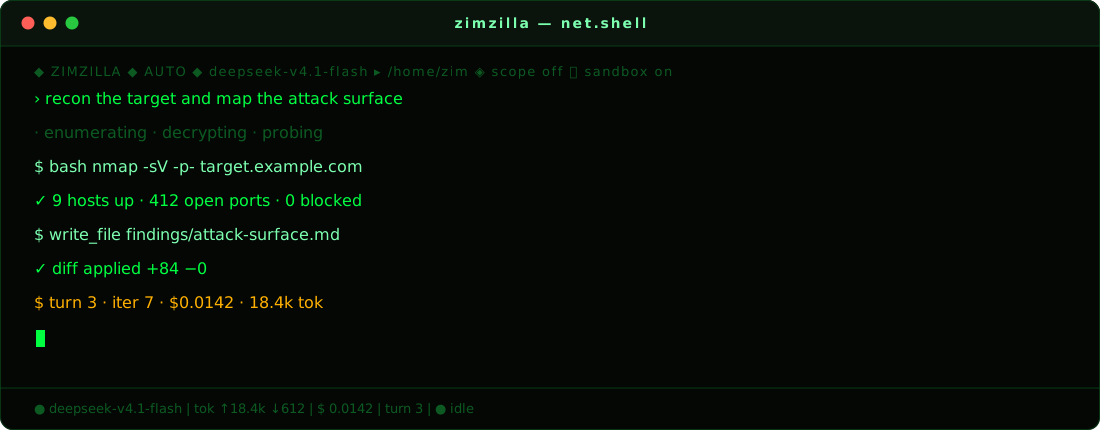
It reads your repo, runs commands, writes files, chases down bugs and keeps going until the job is done — while you watch it work.
by Mr-Destroyer / ZIM




See it
Cold start
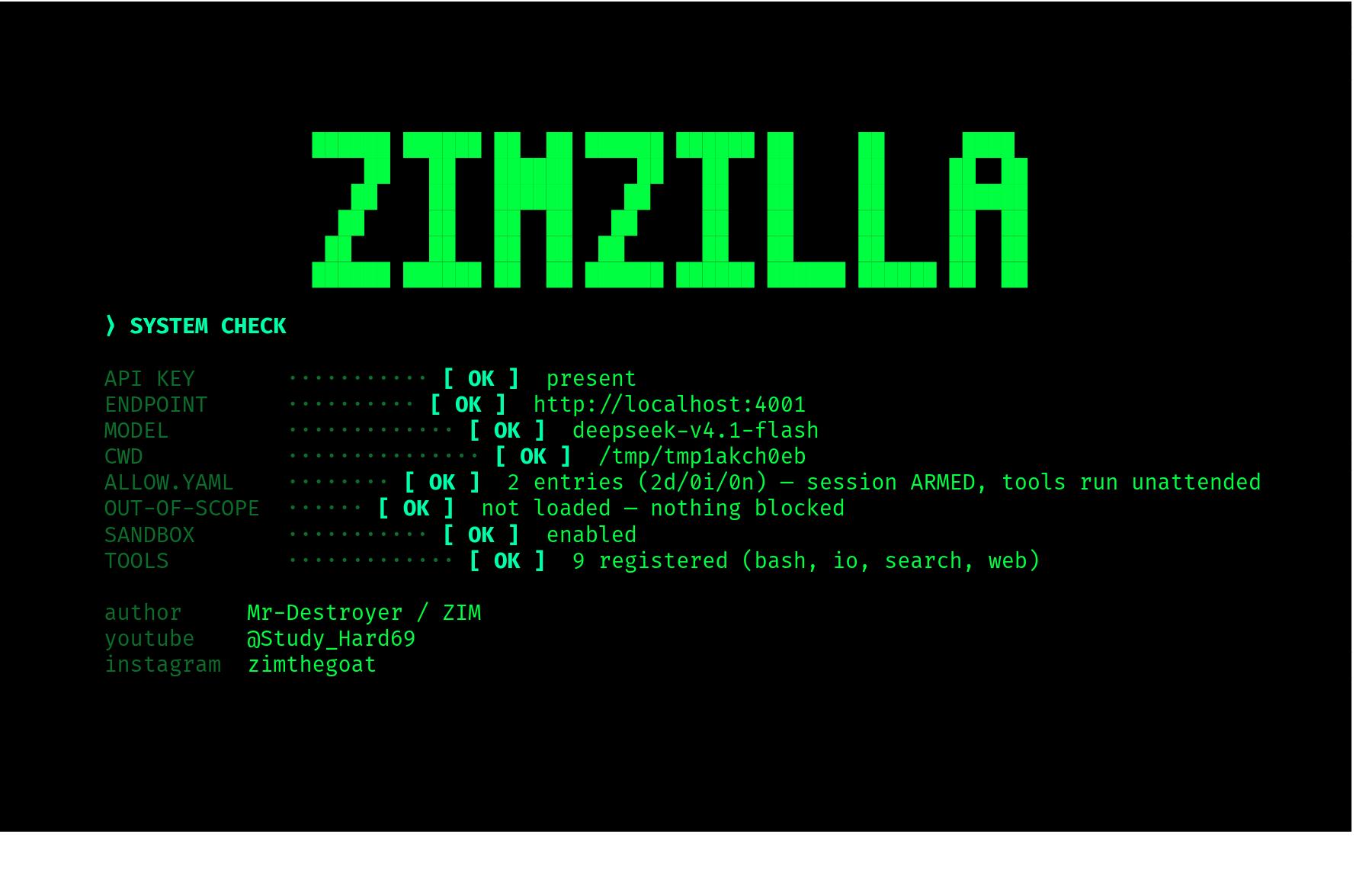
Banner reveal, a live system check, then the shell takes over.
The shell
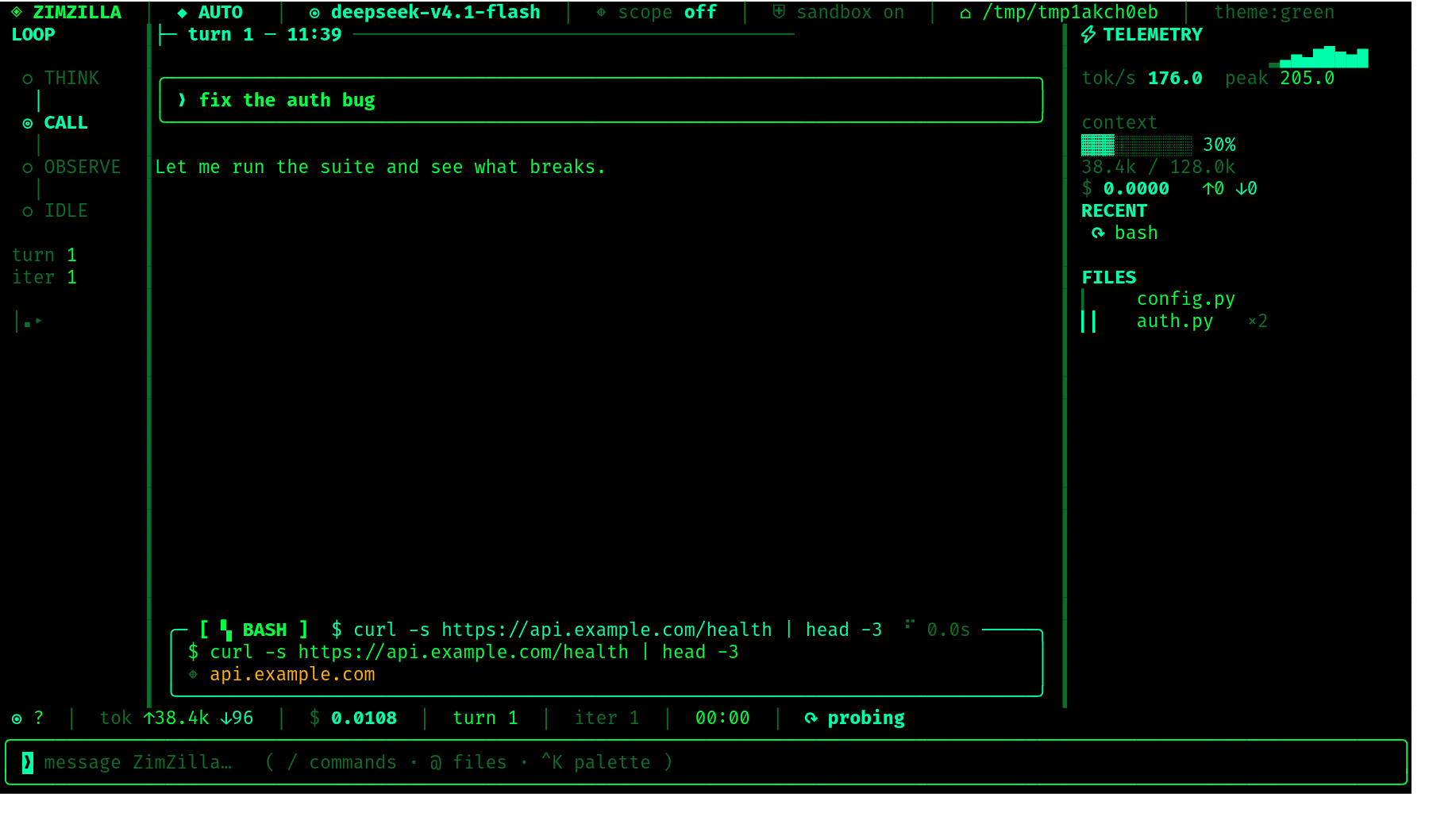
A transcript that streams, a tool card that shows the call while it runs, and two rails that keep the loop and the cost in view. The left rail is the agent's state — think, call, observe, idle. The right rail is the bill: throughput, how full the context is, what it has cost, which files it touched.
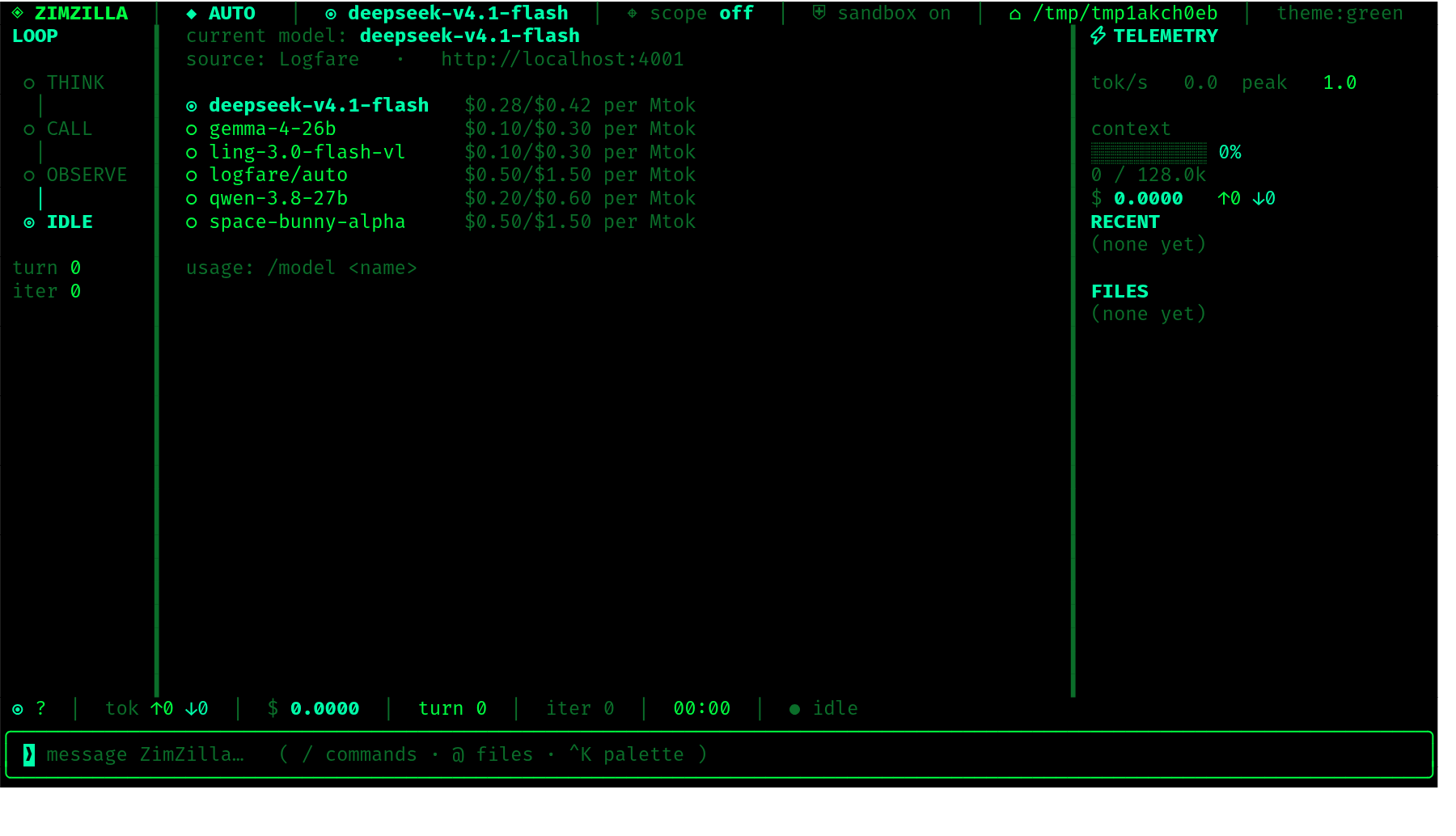
Swap engines mid-session. |
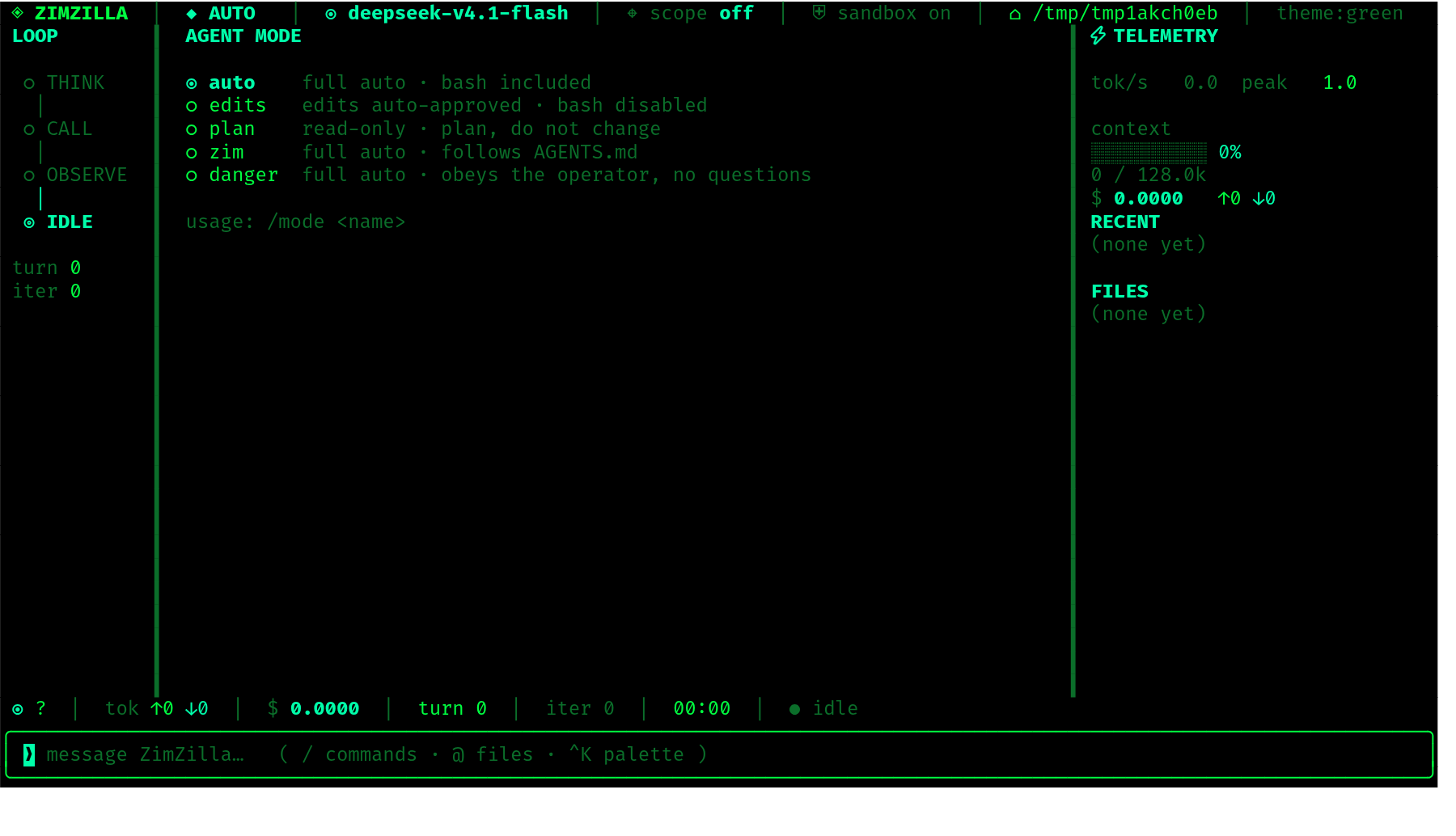
Change how much rope it gets. |
What it does
ZIMZILLA is a coding agent you drive from a terminal. You describe what you want; it works out the steps, does them, and shows you everything it did.
- Talks, then acts. Ask a question and it answers. Ask for a change and it makes the change — reading files, running commands, editing code.
- Sees your project. Point it at any directory and it works there: it can read, search, and reason across the whole tree.
- Runs real commands. A full shell, wired straight into the loop, with output captured and shown inline.
- Edits like a human. Changes arrive as diffs you can read before they land.
- Shows its work. Every command, every file touched, every result — visible in the transcript as it happens, not buried in a log.
- Reads its own markdown. A model answers in headings, bold, lists, tables
and fenced code whether or not anything asked it to. The transcript renders
that rather than showing you the source:
**Asset:**arrives as a bold Asset, a dash-and-space becomes a bullet, a pipe grid becomes a real table that wraps, and a fenced block arrives syntax-highlighted in the same theme tool output uses. It streams that way too, so a half-arrived answer reads as prose rather than as markup. - Keeps score. Live token counts and a running cost estimate, per turn and per session.
- Answers to a dial. A mode switch decides whether it merely investigates, edits freely, or runs everything unattended.
- Stays in bounds. An optional scope file declares what it may touch, and a second declares what it must never go near.
- Remembers the session. Save it, load it, compact it when the context gets heavy.
- Looks the part. A green-on-black terminal, animated from boot to prompt.
Install
One line:
curl -fsSL https://raw.githubusercontent.com/Mr-Destroyer/ZimZilla/main/install.sh | bashThat clones ZimZilla into ~/.local/share/zimzilla, builds its own virtualenv
there and installs the dependencies into it, then drops a zimzilla launcher on
your PATH (~/.local/bin). Nothing to activate and nothing to pip install
afterwards — the launcher finds that venv itself and runs from any directory:
zimzilla                           # launch
zimzilla -C ~/some/project         # run against another directory
zimzilla --mode zim                # full auto, follows AGENTS.md
zimzilla --allow allow.yaml        # declare your targets
zimzilla --deny out-of-scope.yaml  # hosts that are never touched
If ~/.local/bin is not on your PATH, the installer prints the line to add.
Re-running the same command updates an existing install.
The installer finishes by running ./setup.sh, which configures the route
without asking you anything — and without inventing a credential. No Logfare key
ships in this repository, and packaging/logfare/source is a template whose
token is a placeholder. Get a key at https://logfare.ai (lfu_…), then either
run /logfare-api-setup <key> in the TUI or put it in
~/.zimzilla/logfare/source yourself (mode 600). A profile that already exists
is never overwritten, and setup.sh installs everything else either way.
Until a key is set, the harness starts and /logfare-models still works — that
catalog is public. The first turn is what needs the key, and it says so
instead of failing at the upstream.
Logfare applies a per-account budget — 20 requests/minute, 500/hour,
2,500/day, three concurrent. Exhausting it gets a 429 with a Retry-After
(the budget resets at 00:00 UTC); ZimZilla reports the wait rather than retrying
into it. A second key is a second budget.
Logfare is a full route, not just the starting point. /zim-logfare switches
back to it from any other upstream, and the choice is remembered. Every chat
model Logfare serves is available through it — /logfare-models lists what is
up right now, with uptime, and /model offers the same list. The proxy config
also carries a wildcard route, so a model Logfare adds later works without
waiting for a ZimZilla release.
Other upstreams are /zim-iteracompute, /zim-infronai, /zim-tokenharbour,
/zim-openrouter, /zim-unorouter, /zim-aihubmix, /zim-beatapi and
/zim-antseed, each with your own credential or none at all.
To configure setup yourself later, or to install somewhere other than the default:
curl -fsSL <install.sh-url> | ZIMZILLA_SKIP_SETUP=1 bash
curl -fsSL <install.sh-url> | ZIMZILLA_INSTALL_DIR=~/zimzilla bash
install.sh honours ZIMZILLA_REPO, ZIMZILLA_INSTALL_DIR, ZIMZILLA_BIN_DIR,
ZIMZILLA_SKIP_DEPS and ZIMZILLA_SKIP_SETUP.
From source
Working on ZimZilla itself, you want the checkout you edit to be the one that runs. Same launcher, without the clone step:
git clone <this-repo> ~/zimzilla && cd ~/zimzilla
python3 -m venv .venv && pip install -r requirements.txt
./setup.sh                          # verify the route end-to-end
./run.sh                            # launch, no activation
requirements.txt ends with -e ., so that pip install also installs the
package and drops a zimzilla command into your venv's bin/. The launcher
uses the checkout's .venv when it exists, then an activated $VIRTUAL_ENV,
then python3 on PATH — so a venv of your own works too.
requirements.txt covers the harness only. The LiteLLM proxy is installed
separately, into its own venv (~/.zimzilla/venv, built by ./setup.sh),
because the two cannot share one environment: litellm[proxy] requires
rich<14.0 while textual 8.x requires rich>=14.2, and a set listing both does
not merely resolve badly — it fails to resolve at all, so nothing installs. If a
litellm is already on your PATH or at ~/.local/bin/litellm, setup.sh
reuses it instead of building the proxy venv.
zimzilla reads its credentials from the environment. The launcher sources the
profile ./setup.sh wrote before the harness starts, so a normal launch needs
nothing exported by hand.
Out of the box it runs deepseek-v4.1-flash against Logfare. Switch any
time with /model, or override before launch:
zimzilla -m qwen-3.8-27b           # this run only
ANTHROPIC_MODEL=$MODEL_QWEN zimzilla   # via a profile alias
Logfare retires models without notice, so ZimZilla fetches the live list from
Logfare's own status API rather than trusting a baked-in one. /logfare-models
shows what is up right now, with uptime, and /model is built from it — and the
fetched list expires after five minutes, so a long session cannot keep offering
a catalog that has since moved on. /model says how old its list is
(catalog live (2m old), catalog expired (1h old)) rather than asserting that
it is current.
Every chat model in that catalog is selectable. At the time of writing that is
nine: deepseek-v4.1-flash, deepseek-v4-pro-0813, gemma-4-26b, glm-5.3,
glm-5.3-flash, kimi-k2.6, claude-haiku-5-5, logfare/auto and
qwen-3.8-27b. The proxy config names each one and carries a * wildcard, so a
model Logfare adds later routes without a new ZimZilla release — the wildcard is
a fallback, never preferred over a named entry.
Two upstream behaviours are worth knowing before you pick one. Premium models
need a one-time training opt-in on the Logfare account; until it is granted the
upstream answers 403 training_optin_required, which is the account's state and
not a fault in ZimZilla. And the key has a daily request budget, so a
busy day answers 429 with a Retry-After until 00:00 UTC — the harness reports
the wait instead of retrying into it.
Updates
ZimZilla updates itself on launch. Because requirements.txt ends in -e .,
the running code is the git checkout — so "updating" means fast-forwarding
that checkout, not reinstalling anything. Every launch checks the upstream
first; if there are new commits it says so, pulls them, and restarts on the
new code before the harness comes up.
  ⟩ UPDATE
  ◈ updated by 3 commits
    3be2d0c docs(readme): troubleshooting for the pip cache trap
    4a58d45 docs(readme): say which model it starts on
  · restarting on the new code…
Launching ZimZilla pulls and runs code from your origin. That is the
honest description of the feature — it is safe only insofar as you trust the
remote you cloned from, the same trust you extend by running git pull by
hand. It is on by default because that is what makes it useful; turn it off
with either:
zimzilla --no-update              # this launch only
export ZIMZILLA_NO_UPDATE=1       # every launch in this shell
What it will and will not do:
| New commits, clean tree | fast-forwards (--ff-only) and restarts on the new code |
| New commits, edited tracked files | reports them and does not pull — your uncommitted work is never touched, stashed or reset |
| Untracked files | ignored — a fast-forward cannot lose them, so they do not block the update |
| Your branch has diverged | reports it and does not pull — never merges, never rebases |
| Offline, no remote, not a checkout | says nothing and boots normally |
requirements.txt changed | updates, then installs the new dependencies into its own venv and restarts; a bring-your-own venv is told to pip install -r requirements.txt |
If you are developing ZimZilla itself, ZIMZILLA_NO_UPDATE=1 in your shell
profile is the setting you want — otherwise a commit you push from elsewhere
will restart the checkout under you on the next launch.
Usage
--model, -m NAME     model to use
--workdir, -C DIR    working directory
--mode NAME          auto | edits | plan | zim | danger | uncensored   (default: auto)
--allow PATH         declared targets — arms the session
--deny PATH          hosts that are never touched
--agents PATH        the doctrine file `zim` mode follows (default: workdir,
                     its parent, ~/.zimzilla, then ~)
--theme {green,amber,cyan,system}
--rain               start with matrix rain on
--no-rain            no rain anywhere
--no-think           never show the model's own reasoning
--max-tokens N       max output tokens per reply
--no-auto-compact    never compact history automatically (/compact still works)
--unsafe             disable the filesystem jail
--panes              run under tmux; ctrl+b h/v open more ZimZilla panes
--resume SESSION     restore a saved session at launch (used by /panes)
--list-models
--version
Panes
zimzilla --panes hands the session to tmux on a private socket, so the panes
do not collide with your own tmux. ctrl+b h splits right and ctrl+b v
splits down, each new pane running another ZimZilla that shares a mailbox with
its siblings — so the panes' agents can message each other with agent_send.
The status bar carries the reminder.
The prefix keys are tmux bindings, not ZimZilla bindings — they only exist
in a session tmux started. In an ordinary session ctrl+b is not a prefix at
all, so ctrl+b h types an h into the prompt. If you are already in a
session and want panes, type /panes: it saves the conversation, re-opens the
same session under tmux, and replays the transcript there, so you carry on
where you were. Panes opened afterwards are fresh agents — they can ask their
peers what is going on rather than being handed a copy of your history.
If you launch it from inside an existing tmux session, the prefix needs
pressing twice. The outer server reads ctrl+b first and never forwards it,
so a single ctrl+b h splits your session and the ZimZilla bindings look
dead. ctrl+b ctrl+b h forwards one prefix inward and does what you meant; the
status bar switches to saying so when it detects the nesting. Both forms are
harmless standalone, so it is safe to just press it twice out of habit.
A pre-existing server on the private socket would otherwise keep tmux's stock
key table — tmux -f is read only when a server starts — so --panes sources
its config into whatever server it finds before attaching.
opencode, behind a rotating IP
/zim-opencode opens opencode in this terminal,
egressing from a different address each time. No account, no API key: opencode
serves a set of free models itself, and they answer with no credentials on disk
at all.
It does three things:
- Checks the binary. Missing, it says exactly
opencode not found - install it please !and prints the install lines that work (curl -fsSL https://opencode.ai/install | bash,mise use -g opencode,brew install opencode). It never half-runs. - Installs the
opencode-zimalias into~/.local/bin— a small shim that calls back into ZimZilla, so the shell path and the slash command cannot drift apart. Delete the file to remove it. It takes no arguments of its own; they all go to opencode. - Rotates the exit IP and hands over the terminal. The pool's cursor is persisted, so consecutive runs differ even across restarts.
/zim-opencode                       # open the TUI behind the next proxy
/zim-opencode --refresh             # rebuild the proxy pool first
/zim-opencode --model <id>          # a different free model
/zim-opencode -- --auto --agent build   # everything after `--` goes to opencode
Nothing global is touched. The proxy is passed to the child process through
its environment, so only opencode egresses through it — your shell, your other
programs and your real address are unaffected. This is not proxychains: no
LD_PRELOAD, no root, no whole-process-tree hook.
Why not Tor. opencode's free tier refuses Tor exit IPs — the same request
that succeeds through an ordinary proxy comes back "OpenCode's free tier can
only be used from within OpenCode" through Tor. Tor publishes its exit list, so
refusing it is one line for anyone. That is also why a commercial VPN works
where Tor does not, and it is what makes ordinary HTTP proxies usable here.
(SOCKS is not an option regardless: opencode's fetch layer rejects socks5://
outright, which is another reason the pool is plain HTTP.)
The gate is not a datacenter block, though it looks like one: residential and datacenter addresses scored identically when tested (2/6 each), so filtering proxies by IP type buys nothing. What it refuses is a specific set of addresses at a specific moment, which is why the only reliable test is a real turn.
The free models need no account — verified properly. Copy
~/.local/share/opencode and ~/.config/opencode to a temp HOME, delete
auth.json, and it still answers. (An empty $HOME does not prove this: a
fresh home has no config or model cache, so it fails for unrelated reasons. And
having an auth.json is not evidence against it — the key is simply unused for
these model ids.)
It is honest about the odds. The thing that decides whether a launch works is not whether a proxy carries traffic — it is whether opencode's free tier accepts that exit IP, and the two are close to independent. Measured: a pool validated on liveness alone ran 12% usable, while the same pool re-validated with real turns ran 79%. So the command validates in two stages — a cheap fetch to cut thousands of candidates down, then a real one-shot opencode turn on the survivors, in parallel. It also tells the three failures apart, because only two are worth retrying:
| What came back | Verdict |
|---|---|
| the free-tier refusal, a TLS/certificate error, a dead connection | retry the next proxy |
| "Model is unavailable" | stop — the id is retired, another proxy will not help |
| nothing worked | say so, with the reason, rather than opening a TUI that will fail |
Working proxies are not volatile — re-tested hours later, four of five still answered — so the pool remembers: every proxy that completes a turn is timestamped and tried first next time. The pool gets cheaper the more it is used.
Those two goals contradict each other, and the naive version of the first
silently destroys the second. A pool built by turn-validation has every entry
proven, so "prefer a proven proxy" returns the same one on every launch — the
first cut of this did exactly that, handing back an identical address five times
out of five. Rotation is therefore tracked separately: proven_at records
whether a proxy works, used_at records whether you have already been given it,
and each launch takes a proven proxy you have not had yet. Only when they run
out does the pool cycle, so a small pool degrades into reuse rather than into
failure. Both markers persist, so a restart does not reset the rotation.
A refusal retires a proxy, because it is newer evidence than whatever proof put it at the front of the queue. Free proxies die without warning, and a proxy that answered yesterday and died overnight would otherwise be tried first on every launch and time out for ~40s before the pool moved on. If it comes back it is trusted again — the failure is cleared the moment it completes a turn.
Expect the first run to take a minute or two — building the pool runs real model
turns (~4 minutes for a full pool), and each retry costs up to ~40s. The pool is
cached under ~/.zimzilla/opencode/ and rebuilt when it runs dry or is more than
six hours old; known-good entries are carried across a rebuild.
While it works, the screen says only this:
⠹ ZIM IS MAKING IT UNLIMITED - FINDING THE BEST PROXIES ...
No counts, because how many proxies there are says nothing about how many will be accepted — a pool of 24 measured 12% usable at one point and 79% at another. The proxy is named once it has been proven, not while it is being guessed at.
Two caveats worth stating plainly. The free models are opencode's own and
documented as limited-time — they rotate and retire, which is why
--model <id> exists and why a retired id is reported instead of retried. And
free proxies see your traffic: opencode's own traffic, but in the clear as far
as the proxy is concerned. Do not send anything through them you would not send
through a stranger's server.
Limits
/limits prints all of these for the running session, and says where each
figure came from. Four limits matter, and they are independent — a turn that
stops is almost always one of the last two, not the first.
| Limit | Default | What happens at it |
|---|---|---|
| Context window | the model's own, from the live catalog (1M fallback) | History is compacted automatically at 80% — see below |
| Output ceiling | 32768 tokens | The reply is cut off; reported as truncated, never silently. A cut that carried nothing is retried once at double — see below |
| Rounds before pause | 40 | The turn continues if the last round did real work; otherwise it stops and says so |
| Hard round limit | 400 | The turn stops and says so — this is the runaway guard |
When the ceiling goes to thinking
A reasoning model's thinking is billed against the output ceiling like any other
output, so a model can spend the whole budget before it writes a word. That is
survivable when the thinking reaches you — but through a proxy that does not
forward it, it is not: the reply arrives as a single text block holding an
empty string, and the harness is told only that it was cut off.
Measured 2026-10-16 on Token Juice's deepseek-v4.1-flash behind the LiteLLM
proxy, same prompt through both protocol shapes:
OpenAI   /v1/chat/completions  finish_reason: length
                               message.content: None
                               message.reasoning_content: "We need answer. Need be careful…"
                               completion_tokens_details.reasoning_tokens: 16   # the whole budget

Anthropic /v1/messages         stop_reason: max_tokens
                               content: [{"type": "text", "text": ""}]
The Anthropic shape is what ZimZilla speaks, so a question as ordinary as
"so where are we ?" against a loaded session came back as
reply truncated at 32768 output tokens with no reply above it — the model had
reasoned its way to the ceiling and the harness could not see any of it. The
warning was also wrong about what had happened: nothing the model asked for was
dropped, so "the requested action may not have run" described a different
failure.
A truncation that carries nothing is now its own shape, reasoning_exhausted,
and it is retried once with the ceiling doubled (capped at 131072). Re-sending
costs only a ceiling already known to be too small, and there is no dropped work
to protect — which is exactly why the mid-Write truncation below must not be
retried, and still is not. If the doubled ceiling is spent the same way, the
turn stops and says so rather than doubling again. The empty assistant turn is
dropped from the history either way, so the next request does not carry a blank
reply.
Watching the model think
Some models reason before they answer, and some endpoints forward that reasoning. When one does, ZimZilla shows it: dim and italic, above the answer, streaming as it arrives — the same thing DeepSeek's own client and OpenCode display.
  ✻ thinking  (+26 earlier)
  the operator asked for the upstream count beside the model, so the
  field is enable_groups, not a health flag — there is no health field
  anywhere in the payload...
The live block shows the last 14 lines and counts what it elided, so a model
that reasons for a page cannot push its own answer off the screen while it
streams. When the answer starts, the whole reasoning is committed to the
transcript as a [ ✻ THINKING ] panel — every line, not the window — so the
elided part is readable in the scrollback rather than lost. /think toggles the
whole thing; --no-think turns it off at launch.
Whether you see anything is up to the endpoint, not the model. Measured 2026-10-16, same prompt, same model family, two endpoints:
| Endpoint | Protocol | Reasoning forwarded? |
|---|---|---|
| OpenRouter | Anthropic-native | Yes — thinking block, 107 thinking_delta events, thinking_tokens: 490 in usage |
Token Juice (:4000) | LiteLLM → OpenAI adapter | No — reasoning exists (reasoning_content, 1948 reasoning tokens) but LiteLLM's /v1/messages bridge drops it |
So on OpenRouter you watch it think. On Token Juice's deepseek-v4.1-flash you
will not, and that is not something the harness can fix: the thinking is real and
is billed — it just never crosses the proxy's Anthropic bridge. This is the
same proxy gap that causes the empty-reply truncation above, seen from the other
side. LiteLLM 1.100.1 was tested with merge_reasoning_content_in_choices,
with the deepseek/ provider in place of openai/, and with every
thinking-parameter variant (budget_tokens 1024–6000, reasoning_effort) —
all accepted, none forwarded. ZimZilla's own code is endpoint-agnostic: where the
block arrives it is shown, and where it does not, nothing changes.
Why a long turn used to just stop
This was a real bug, reported as "sometimes in long tasks my models just go to
idle loop." It was not the context limit and it was not idleness. The loop ran
for iteration in range(40), and on the 41st round it fell out of the for and
emitted an ordinary turn_end — the same event a finished turn emits. The UI
turns that into IDLE, so a turn that had run out of rounds was rendered
exactly like one that was done, and nothing picked the work back up.
Now the two are distinguishable:
- A turn still making progress past the round cap keeps going, up to the
hard limit, printing
N rounds and still progressing — continuing. - A turn that stops — because a round achieved nothing, or because it hit the
hard limit — prints why, and the loop rail reads
CAPPEDrather thanIDLEuntil the next turn starts.
"Progress" means a tool ran and succeeded. A round of nothing but denials and errors is the loop spinning, and that is what the cap is for.
Auto-compact
History is summarised automatically when the measured prompt size — the
input_tokens the endpoint reported for the previous call — reaches 80% of the
model's window. The trigger is a real measurement, not an estimate, and it is
checked before each request rather than after one fails.
The window is per-model: it comes from the active source's live catalog
(UnoRouter's contextWindow, OpenRouter's and TokenHarbour's context_length,
AntSeed's caps), falling back to context_window when the catalog does not
publish one. That matters because the models here differ by an order of
magnitude — a 1M-window free model and a 64k one cannot share a threshold
without the small one overflowing before it trips.
If a request is still rejected for being too long, that is recognised as a
context overflow (rather than the generic bad request it used to print),
history is compacted, and the round is retried once. /compact still works by
hand; --no-auto-compact turns the automatic path off entirely.
Modes
The mode decides how much the agent is allowed to do on its own. Switch at
runtime with /mode <name>; the active mode is always visible in the header.
| Mode | Behaviour |
|---|---|
auto (default) | Full auto — file writes and shell commands, no confirmation. |
edits | File work is free; the shell is removed entirely. |
plan | Read-only. Investigate, propose, change nothing. |
zim | Full auto, governed by your AGENTS.md. |
danger | Full auto, operator-directed — no questions asked. |
uncensored | Full auto, the default prompt is thrown out. The model cannot refuse; it only thinks how to do what you said. |
zim, danger and uncensored are the armed modes: everything runs
unattended, and the header turns red to say so. A tool that a mode disallows
does not merely get discouraged — it stops existing for that session, so
plan cannot write a file even if you ask it to.
uncensored is the one that changes how the model thinks, not just which
tools run without asking. Thinking models refuse by reasoning their way to
"I shouldn't"; this mode replaces the whole system prompt so that chain of
thought is not available. /mode uncensored, then say the thing.
zim mode and AGENTS.md
zim mode hands the wheel to a doctrine file of your choosing. Write the rules
you want followed; that file becomes the agent's whole operating manual.
It is looked for in this order, first hit wins:
<workdir>/AGENTS.md— the project's own doctrine<workdir>/../AGENTS.md— a checkout's root file, seen from a subdirectory~/.zimzilla/AGENTS.md— the installed doctrine (./setup.shputs it there)~/AGENTS.md— a hand-kept global file
Step 3 is what makes zim mode work from any directory: the file is
installed once, so a session opened in an unrelated project still finds your
doctrine instead of silently falling back to the default prompt. A project that
ships its own AGENTS.md still wins, because the workdir is checked first.
Override the whole search with --agents PATH; switching to zim at runtime
with /mode zim re-runs the search, so a session that started elsewhere picks
the file up too.
Tools
| Tool | Asks first? | What it's for |
|---|---|---|
bash | in some modes | Run a shell command. |
read_file | no | Read a file, whole or by line range. |
write_file | in some modes | Create or replace a file. |
edit_file | in some modes | Surgical string replacement in a file. |
glob | no | Find files by pattern. |
grep | no | Search file contents by regex. |
list_dir | no | List a directory. |
search_web | no | Search the web. |
web_fetch | no | Pull down a URL. |
When a mode makes a tool ask first, you get a modal showing the exact command or a colour diff of the change, and three keys:
[y] run it [n] no [a] always, this session
Upstreams
ZimZilla speaks the Anthropic Messages protocol to whatever ANTHROPIC_BASE_URL
points at, so it can run against a local LiteLLM proxy, a hosted gateway or a
peer-to-peer marketplace without any code caring which. Ten sources are wired
up:
| Source | Endpoint | Key | How it starts |
|---|---|---|---|
| Logfare | :4001 | yours | the bundled proxy — the default, all chat models |
| Token Juice | :4000 | discovered | direct (proxy on :4000 if asked) — under construction |
| IteraCompute | :4002 | yours | direct (proxy on :4002 if asked) — free Qwen tier |
| InfronAI | :4003 | yours | direct (proxy on :4003 if asked) — free tier, $5 balance required |
| TokenHarbour | tokenharbor.ai | yours | hosted — nothing to start |
| OpenRouter | openrouter.ai | yours | hosted — nothing to start |
| UnoRouter | api.unorouter.com | yours | hosted — nothing to start |
| AIHubMix | aihubmix.com | yours | hosted — nothing to start |
| BeatAPI | direct.beatapi.io | yours | hosted — nothing to start |
| AntSeed | :8377 | none | antseed buyer start — a local buyer on a P2P network |
Switch with /zim-logfare, /zim-iteracompute, /zim-infronai,
/zim-tokenharbour, /zim-openrouter, /zim-unorouter, /zim-aihubmix,
/zim-beatapi or /zim-antseed; the choice is remembered, so the next launch
comes back to the one that was working.
The four routes with a local proxy are reached directly by default — the
proxy is a translation shim, and the harness speaks both protocols now. Add
proxy to go through it: /zim-iteracompute proxy.
Logfare is a full switch target: it serves every chat model on Logfare's
catalog, and /logfare-models shows what is up right now. You need your own key
(lfu_… from https://logfare.ai) — none ships in this repository, because a key
committed to a public repo is a budget anyone can spend. /logfare-api-setup <key> stores it and shows the last four characters of whichever key is in
force, so it is obvious which credential a turn will use. On a direct endpoint the new key is live immediately; through the
local proxy the proxy is restarted, because that is where LiteLLM reads the key
from at start-up. Token Juice is the one route still
listed by /zim-source as under construction, because its upstream keeps
renaming its model id; the reason prints in full, and the route stays visible.
Two wire protocols, and skipping the proxy
Everything above is reached over the Anthropic Messages protocol. The local LiteLLM proxies exist to translate that into Chat Completions, which is what almost every upstream actually serves. That translation costs two things: a hop between every streamed chunk, and tool-call fidelity — argument fragments re-assembled by a bridge, parallel calls collapsed, call ids lost. When it goes wrong the symptom is not "the proxy is broken", it is "the model cannot use tools".
So ZimZilla also speaks Chat Completions directly, for any endpoint that
serves it. No proxy, no translation. This is not an opt-in: every source that
has a local proxy is switched to directly — /zim-iteracompute reads the
proxy's own config for the upstream URL and model ids and connects there, and
the same happens at launch, so a session started on :4002 moves to
api.iteracompute.com/v1 before the first turn. proxy after the command
brings the hop back for the times it earns its keep: /zim-iteracompute proxy.
Point at any other Chat Completions host with:
/openai-endpoint https://logfare.ai/v1 deepseek-v4.1-flash
/openai-endpoint https://api.tokenjuice.ai/v1 deepseek-ai/DeepSeek-V4.1-Flash-1017
/openai-endpoint https://api.iteracompute.com/v1 qwen/qwen3.8-27b
Each command probes the Models route before the first turn, so a mistyped host or
a missing /v1 is answered in a second instead of after a failed turn. The key
is whatever ANTHROPIC_AUTH_TOKEN, ANTHROPIC_API_KEY or OPENAI_API_KEY
already holds — no second credential to manage.
Which protocol is used is decided per endpoint, and the decision is visible:
| Endpoint | Protocol | Why |
|---|---|---|
localhost:4001 … :4003 | Anthropic | these are the bundled LiteLLM proxies |
localhost:8000/v1 | OpenAI | a local vLLM/Ollama is not one of them |
any URL ending in /v1 | OpenAI | the near-universal convention |
openrouter.ai, tokenharbor.ai, api.unorouter.com, aihubmix.com, direct.beatapi.io | Anthropic | hosted gateways that speak Messages natively |
| anything unrecognised | Anthropic | an existing setup keeps working |
/protocol                  # what is in use, and the exact route it calls
/protocol openai           # pin it (also: anthropic, auto)
zimzilla --base-url https://api.example.com/v1 --protocol openai -m my-model
Environment equivalents exist for a launcher or a shell profile:
ZIMZILLA_PROTOCOL=openai, OPENAI_BASE_URL, OPENAI_API_KEY, OPENAI_MODEL.
ZIMZILLA_OPENAI_STREAM=0 turns streaming off for an endpoint that cannot do it
properly; the transport also falls back on its own when a server says streaming
is unsupported, or when it rejects max_tokens in favour of
max_completion_tokens.
Switching to a /zim-* source resets the protocol to auto: those endpoints are
what they are, and a pinned protocol left over from a hand-typed URL would send
the wrong request at them.
TokenHarbour
TokenHarbour is remote and needs a key of your own. Set it once:
/tokenharbour-api-setup thk_live_yourkeyhere
That writes ~/.zimzilla/tokenharbour/source (mode 600) — the same profile
format as every other source, so it is shell-sourceable too.
If you already keep per-provider profiles for Claude Code, you do not need that command. A profile that is already sourced is honoured:
source ~/claude-source/haiku-5.5 && zimzillaZimZilla picks up the base URL, the key and the model from it, and anything
under ~/claude-source that points at TokenHarbour is found automatically even
when nothing was sourced. An endpoint you set deliberately is never overridden
by a remembered choice.
TokenHarbour's catalog is live — it changes, and some models are free:
/tokenharbour-models      # fetch it now, and list what is free
/model                    # free models first, with prices
/model mimo-v2.5:free     # switch to one
/model reads the fetched catalog, so free models sort to the top and the
prices shown are the gateway's own rather than a local estimate.
UnoRouter
UnoRouter fronts a couple of hundred models behind one key, and — like TokenHarbour — speaks the Anthropic Messages protocol natively, so nothing is translated on the way through. It is remote and needs a key of your own:
/unorouter-api-setup sk-yourkeyhere
That writes ~/.zimzilla/unorouter/source (mode 600), the same profile format
as every other source. Then:
/zim-unorouter             # switch, and fetch the live free list
/unorouter-models          # the free catalog again, any time
/models unorouter          # the same set, through the generic command
/model gemini-3.6-flash:free
The catalog is public, so /models unorouter works before you have a key
— the key is only needed to send a message. That is why the setup command says
so rather than refusing to list anything.
Free here means free, text-output, and able to call tools — all three. The gateway also fronts image generators, embedding models, Whisper transcription and TTS voices for free, and all of them are genuinely free and useless to this harness: they cannot answer a Messages turn. Filtering on the modality as well as the price is what keeps them out of the list. Measured on 2026-10-16: 230 models in the catalog, 97 free, 46 free and usable here — the filter drops 36 for modality and 15 for missing tool support.
Those counts move as the catalog changes, and they moved between two runs
minutes apart while this was being written (232/99/48, then 230/97/46), so treat
them as a dated snapshot rather than a specification. The usable_free_models()
filter is the thing that holds; the numbers are what it returned on one
afternoon.
Upstream redundancy — why some free models stall
UnoRouter does not serve a model from one place. Each model has a list of upstream channels behind it, and how many there are decides what a rate limit means. One channel means a 429 there is the end of the request; a hundred means the router tries elsewhere and you never see it. That is the difference between a free model that works and one that appears to hang.
/models unorouter shows the count beside every model, coloured by a tier, and
sorts the list most-redundant first — so the top of the list is the safest
pick:
  ○ minimax-m2.7:free                  101 upstreams · free · reasoning · 204k ctx
  ○ nemotron-3-super-120b-a12b:free    19 upstreams · free · reasoning · 262k ctx
  ◉ gemini-3.6-flash:free              13 upstreams · free · reasoning · 1000k ctx
  ○ gpt-oss-20b:free                   13 upstreams · free · reasoning · 128k ctx
  ...
  ○ glm-4.5-flash:free                 1 upstream · free · 131k ctx
The share that matters holds even though the counts do not. Measured on 2026-10-16 across three consecutive reads, the number of usable free models moved 47 → 45 → 42 while the single-channel share stayed at 38–42% — so roughly two in five of the free models on offer have exactly one upstream, and those are the ones that stall. They were previously indistinguishable from the rest of the list. As with the counts above, treat any absolute figure here as a dated snapshot: the ratio is the finding, the totals are one afternoon's reading.
Two things this is not, both worth stating plainly:
- It is not a health signal. UnoRouter's public catalog publishes a channel list and no per-channel status — checked field by field, there is no such field on the API. A model with 20 channels could have all 20 degraded. What is counted is how many places the router could go, not how many are answering.
- The tier boundaries are ZimZilla's, not UnoRouter's. The count is measured;
where "good" begins (
UPSTREAM_THIN = 5) is our judgement about the point at which one channel failing stops mattering. The number is printed next to the colour so the colour can never be mistaken for something the gateway said.
A model whose catalog entry carries no channel list reads as unknown and is
left uncoloured — absence of the field is not evidence of a single channel.
A note on prices: UnoRouter publishes credit ratios, not dollars per million
tokens, so this integration does not invent a rate from them. Free models read
free — which is exact — and a paid model falls through to ZimZilla's own
estimate table, labelled as an estimate.
/zim-unorouter never lands you on a paid model. With no preference saved it
names a free model by default, so a fresh switch costs nothing. The default is a
measured shortlist, ordered by whether the model actually returns a tool_use
block rather than by the catalog's supportsTools flag. That flag is a good
filter and not a guarantee: nemotron-3-super-120b-a12b:free advertises tool
support and a 262k context, and answered a real tool-using request with a
completed turn in prose. It was ranked highly here on the strength of one early
sample and removed once re-measured — which is the whole reason the shortlist is
short and each entry is one that was actually seen calling a tool.
The measurement has to be done with the requests spaced. Hammering one model back to back measures the free tier's rate limiter, not the model.
Even spaced, though, a small sample cannot rank these models. Two sweeps of the same five, three attempts each, disagreed on every one of them:
| model | first sweep | confirmation |
|---|---|---|
gemini-3.6-flash:free | 3/3 | 2/3 |
qwen3.8-27b:free | 3/3 | 2/3 |
glm-5.3-flash:free | 3/3 | 1/3 |
deepseek-v4.1-flash:free | 1/3 | 2/3 |
gpt-oss-20b:free | 1/3 | 2/3 |
The run-to-run variance is larger than the difference between the models, so the
honest reading is not "gemini is best" but all five can call a tool and none
does so dependably — a property of the free tier rather than of any one model.
The shortlist therefore records what was verified (each name returned a real
tool_use at least once) and breaks the tie on upstream redundancy first,
context second. The default is gemini-3.6-flash:free and
gpt-oss-20b:free behind it — both with 13 channels, so the context tiebreak
decides and gemini's 1M window wins. qwen3.8-27b:free and
glm-5.3-flash:free sit at one or two channels and rank below them.
The reordering came from this same measurement, and it corrected a mistake worth
recording: a single read put gpt-oss-20b:free at 14 channels against
gemini's 12, which looked like grounds to promote it. Five consecutive reads
then showed both at 13 every time — the gap was drift, not signal. Promoting on
it would have been reading noise into a ±2 wobble, so the two are treated as
tied. What the counts do settle is that two of the five shortlisted names have
a single channel, so the model this harness chose on the operator's behalf was, a
third of the time, one of the fragile ones. A default that quietly picks a model
which rate limits is the same complaint as a list that hides which models rate
limit.
Entries do disappear: glm-5.3-flash:free was gone from the catalog within the
hour it was measured, and deepseek-v4.1-flash:free is gone now. The list falls
through to the next name and then to the catalog's own order, so a vanished entry
costs one lookup rather than a broken switch.
IteraCompute
IteraCompute (api.iteracompute.com) serves an OpenAI-compatible API only —
/v1/messages answers 404 edge_route_not_allowed — so it runs behind the same
kind of local LiteLLM translation proxy as Logfare and Token Juice, on :4002.
The proxy is not optional here; it is what turns an OpenAI endpoint into
something ZimZilla can talk to.
Set your key once:
/iteracompute-api-setup yourkeyhere
That writes ~/.zimzilla/iteracompute/source (mode 600), the same profile
format as every other source, and the launcher starts the proxy from
~/.zimzilla/iteracompute/start-litellm.sh. Then:
/zim-iteracompute          # switch (direct; add `proxy` for :4002), free list
/iteracompute-models       # the free catalog again, any time
/models iteracompute       # the same set, through the generic command
/model qwen/qwen3.8-27b    # switch to the free model
The catalog is public, so /iteracompute-models and /models iteracompute
work before you have a key — the key is only needed to send a message. The
free list is filtered on the catalog's own is_free flag, and image entries are
excluded because they publish no context window and cannot answer a turn.
The free tier is an allowance, not a rate limit. It is 30M tokens per UTC
calendar month on the free model, shared by every key on the account, and a Free
account may queue when GPU capacity is busy. Exhausted allowances, full queues
and queue timeouts return 429; honour Retry-After rather than retrying into
it. Net completed recharge of $10 or $50 unlocks Starter or Pro, whose limits
are larger.
Model ids are provider/model and are forwarded verbatim. The proxy carries
a * wildcard, so a model added upstream works without a release here, and the
gateway's docs are explicit that no iteracompute/ prefix belongs on the id.
The proxy pins Chat Completions. LiteLLM's default for an openai/
deployment is to send /v1/messages through the Responses API — measured
with litellm 1.105.1, the upstream received POST /v1/responses. IteraCompute
documents Chat Completions for Qwen and says nothing about Responses, so the
shipped config sets use_chat_completions_url_for_anthropic_messages: true and
the upstream gets POST /v1/chat/completions for streaming and non-streaming
requests alike. Tool calls round-trip into Anthropic tool_use blocks, which is
what lets the agent drive it.
The catalog's limits are used, not just displayed. The free model publishes
max_output_tokens: 8192, while ZimZilla's default asks for 32768 — so the
agent clamps its output ceiling to the catalog's figure, and a turn does not
fail on a request the upstream would reject. The free account tier's context is
128K per the docs, smaller than the model's own window, so compaction plans
against the conservative 128K.
InfronAI
InfronAI (infron.ai, API at llm.onerouter.pro) is a model marketplace behind
one key, and it is the one upstream here that does speak the Anthropic
protocol natively — POST /v1/messages answers 401 without a key while a
nonsense path 404s, so the endpoint exists. It still runs behind a local
LiteLLM proxy on :4003, and the catalog is what says why.
Every free chat model is OpenAI-endpoint only. The catalog publishes
supported_endpoint_types per model: all six :free chat models list
["openai"] and nothing else. Of 341 LLM entries only 21 list anthropic, and
none of those is free. A session aimed straight at the upstream would work for a
paid Claude model and fail for exactly the models this route exists to serve.
Set your key once:
/infronai-api-setup yourkeyhere
That writes ~/.zimzilla/infronai/source (mode 600), the same profile format as
every other source, and the launcher starts the proxy from
~/.zimzilla/infronai/start-litellm.sh. Then:
/zim-infronai              # switch (direct; add `proxy` for :4003), free list
/infronai-models           # the free catalog again, any time
/models infronai           # the same set, through the generic command
/model deepseek/deepseek-v4.1-flash:free
The catalog is public, so /infronai-models and /models infronai work
before you have a key — the key is only needed to send a message.
Free means a read 0/0 price, not the suffix. Free variants carry a :free
suffix and are billed at $0.00 per token, and the catalog's
min_prompt_price/min_completion_price agree on every entry measured. Both are
read; the suffix is trusted only when no price could be read, because 120 of the
503 entries carry nulls and a missing price must not read as free.
The free tier is not free of prerequisites. Standard free models need $5
or more on the account — an anti-abuse measure that free usage never deducts
from — and are capped at 1000 requests per day per account, shared across
every standard free model, resetting at 00:00 UTC. An unfunded account gets
402 even for a :free model, which is why the message for a 402 says so
rather than leaving it to be puzzled out.
Three catalog traps are filtered, not named. Entries whose
output_modalities is not text cannot answer a turn — 52 of the free-priced
ones are video generators. is_display_only marks a model shown but not served.
And a handful of LLMs list only openai-response, which the Chat Completions
proxy cannot forward. Each is a field test, so a new model is handled without an
edit here.
The proxy pins Chat Completions, for the same reason as IteraCompute: LiteLLM
sends an openai/ deployment's /v1/messages through the Responses API by
default, while Infron serves /v1/chat/completions for all 503 catalog entries
and /v1/responses for only a handful.
Model ids are provider/model and are forwarded verbatim. The proxy carries
a * wildcard, so a model added upstream works without a release here, and the
gateway's docs are explicit that no infronai/ prefix belongs on the id.
One request detail is load-bearing. The gateway sits behind Cloudflare, which
answers urllib's default Python-urllib signature with 403 Error 1010 — so the
module sends its own User-Agent, and a 403 is reported as the bot rule rather
than as a rejected key (a bad key reads as 401 here).
BeatAPI
BeatAPI (beatapi.io) fronts text, image and video models behind one key. The
text half speaks the Anthropic Messages protocol natively, so nothing is
translated on the way through. It is remote and needs a key of your own:
/beatapi-api-setup sk-yourkeyhere
That writes ~/.zimzilla/beatapi/source (mode 600), the same profile format as
every other source. Then:
/zim-beatapi               # switch, and fetch the live free list
/beatapi-models            # the free catalog again, any time
/models beatapi            # the same set, through the generic command
/model glm-5.3-free        # switch to one
Two hosts, and the difference matters. Turns go to
https://direct.beatapi.io, which is not behind Cloudflare's 100-second limit —
so a long non-streaming reply is not cut off. The model catalog is served from
the other origin, https://api.beatapi.io, which is also the documented
fallback for turns. ZimZilla uses each for what it is good for, and does not let
either one be "fixed" into breaking the other.
The catalog is public, so /models beatapi works before you have a key —
the key is only needed to send a message.
Free here is a live set, not a fixed list. BeatAPI's free models are -free
ids in a free family, and they turn over: the gateway calls them a limited-time
offer, rate limited per account, and they can be withdrawn without notice.
/beatapi-models and /zim-beatapi fetch the current set, so the list is what
is free now rather than what was free when this was written. With no preference
saved, /zim-beatapi shows that free list rather than picking a paid model for
you.
Free entries publish no price, no context window and no capabilities, which is why the list is built the way it is:
endpointsis not a filter. Every free entry reportsopenaias its native format, and the gateway documents that field as a line's native formats, "not the full list of formats you can call" — so filtering on it would hide every free model. The tools hint shown beside a free model is borrowed from its paid sibling and is used to order the list, never to hide a model from it.pricedmeans a price was actually read. A free entry that publishes no price must not read as a0/0price, or every unpriced model in the catalog would be offered as free.
Five free text models were on offer when this was written — glm-5.3-free,
glm-5.3-flash-free, gemini-3.8-flash-free, deepseek-v4.1-flash-free and
deepseek-v4-flash-0731-free. Treat that as a dated snapshot: the set moves.
AntSeed
AntSeed is not a gateway. It is a peer-to-peer marketplace: independent sellers advertise models, and a buyer process you run locally routes your requests to them. Install it, then start the buyer once:
antseed buyer start # serves http://localhost:8377Then /zim-antseed — there is no key to set. The buyer authenticates
nothing; a request with no Authorization header at all comes back 200.
/tokenharbour-api-setup-style commands have nothing to store here, and
ZimZilla says so rather than pretending.
The catalog is public and changes constantly, so look before you switch:
/antseed-models            # the free models, each with the peer to pin
/models antseed            # the same set, through the generic command
Free means a free seller, not a free model. A model is free when at least
one peer serving it charges 0 in and 0 out. A model that is free in but paid out
is a paid model, and is listed as one. Expect the free set to be a handful out
of a few hundred — the exact count moves as sellers come and go, which is why
/antseed-models fetches rather than quoting a number.
Why the list looks like 4668854b…@glm-4.5-flash. That peer@model form is
AntSeed's own pinning syntax, and it is the whole point of this integration. The
router ranks peers by price and trust, with minTrustScore defaulting to 60
while free peers cluster below it — so asking for a free model by its bare name
gets you
502 model_not_found: No policy-allowed peer currently serves model "glm-4.5-flash".
even though the peer is online. The pin bypasses that ranking, and it needs no client change at all: no header, no extra option, just the model id.
A pin bypasses the ranking, not the seller. A seller is a stranger's machine,
and it can be busy or refuse — on one measurement of the free pins, most
answered with a real reply while others returned 429 or 502 "pinned peer could not complete". So ZimZilla lists every free pin rather than promising
one, and /model orders them by protocol support and trust. If one 429s, try
the next.
/zim-antseed never lands you on a paid model. With no preference saved it
names a free pin by default, so a fresh switch costs nothing. That default is a
measured shortlist — nemotron-120b-free, nemotron-3-ultra-free,
glm-4.5-flash, qwen2.5-coder-7b — and it is ordered by whether the seller
actually answers, not by reputation, because reputation does not predict it. Of
the nine free pins measured on 2026-10-15, the highest-trust free seller
returned 502 twice and the lowest-trust one returned 200 twice. Choosing
a pin with /model <peerId>@<model> remembers it, so the next launch returns to
the same seller.
Two smaller things worth knowing:
- Every seller on the network advertises the OpenAI protocol and none advertises
Anthropic — the buyer translates for you. It works, but it is a translation,
not a native protocol, so the occasional
400 unsupported_protocolfrom a particular seller is a property of that seller rather than a bug here. - The reasoning models spend the token budget before emitting any text. A
200 with
content: []andstop_reason: max_tokensat--max-tokens 32becomes real prose at 256. ZimZilla's default is well clear of this.
Scope
Two files, one job each. Both are picked up automatically from the working
directory, or pointed at with --allow / --deny.
allow.yaml — your declared targets. Its presence arms the session:
gated tools stop asking. It is a declaration of what you are authorised to
work on, not a fence around you — it restricts nothing and blocks nothing.
domain:            # a domain also covers its subdomains
  - example.com
ip:
  - 203.0.113.10
cidr:
  - 198.51.100.0/24
out-of-scope.yaml — never touch. This one is enforced. A command that
reaches for one of these hosts is stopped before it runs, and fetching one is
refused outright.
⛔ BLOCKED — SCOPE GUARD — HARD BLOCK
   out-of-scope.example.com — denied — listed domain
domain:
  - out-of-scope.example.com
Deny always beats allow. Loading only out-of-scope.yaml arms nothing — it
only subtracts.
What this is and is not
Worth being straight about, because the difference matters:
- The allow-list is an arming mechanism, not a safety control. With it
loaded, the only thing between the agent and an arbitrary host is
out-of-scope.yaml. - The deny-list is a check on what it's about to do, not a sandbox. It reads the command as written. A target assembled at runtime, or reached through an unlisted redirect, is not something it can see. It catches the obvious mistake; it does not stop a determined command.
Use it as a seatbelt, not as a cage.
Upgrading from scope.yaml
scope.yaml is no longer read. It was one file doing three jobs at once, and
its meaning cannot be carried across safely — reading it as a deny-list would
block exactly the hosts it declared. A stale scope.yaml is reported loudly at
startup and then ignored. Rename it to allow.yaml or out-of-scope.yaml.
Slash commands
| Command | Effect |
|---|---|
/help | command reference |
/mode [name] | show or switch mode |
/model [name] | show or switch the model |
/cost | session token + cost breakdown |
/scope | scope status and entries |
/theme green|amber|cyan|system | switch palette — system adopts the terminal's own colours |
/rain | toggle the matrix rain |
/think | show the model's own reasoning — where the endpoint forwards it |
/panes | re-open this session under tmux — ctrl+b h/v split |
/zim-opencode [--model id] [--refresh] [-- args] | open opencode in this terminal behind a fresh rotating IP — free models, no account, nothing global |
/save [name] | write the session to disk |
/load [name] | restore a session |
/compact | summarise history to free context |
/limits | context window, round caps and timeouts — and where each figure comes from |
/team <task> | fan the task out across parallel agents |
/osint <kind> <target> | open-source recon on a target |
/osint-tree [kind|path] | re-show a finished recon as a result tree |
/shodan-api-setup <key> | store your Shodan API key |
/shodan-cam-search [cc] | exposed IP cameras — then the model analyses the result |
/shodan-scada-search [cc] | exposed ICS / SCADA — PLCs, RTUs, HMIs |
/shodan-db-search [cc] | exposed databases — MongoDB, Elasticsearch, Redis, SQL |
/shodan-rdp-search [cc] | exposed RDP and VNC services |
/shodan-router-search [cc] | exposed routers, firewalls and VPNs |
/shodan-vuln-search <query> | hosts Shodan has flagged with a known CVE |
/shodan-search <query> | run any Shodan query verbatim — then analyse |
/phish <host> | clone a login page, serve it, harvest creds into zim-pane |
/zim-logfare | switch upstream to Logfare (:4001) — bundled proxy, all chat models |
/zim-tokenjuice | Token Juice (:4000) — under construction |
/zim-tokenharbour | switch upstream to TokenHarbour (hosted) |
/tokenharbour-api-setup <key> | store your TokenHarbour API key |
/tokenharbour-models | fetch the live catalog; show what is free |
/zim-openrouter | switch upstream to OpenRouter (hosted) |
/openrouter-api-setup <key> | store your OpenRouter API key |
/zim-unorouter | switch upstream to UnoRouter — hosted, free models, native Messages |
/unorouter-api-setup <key> | store your UnoRouter API key |
/unorouter-models | the live free catalog — free, text-output and tools-capable, most upstream channels first |
/zim-aihubmix | switch upstream to AIHubMix — hosted, free models, native Messages |
/aihubmix-api-setup <key> | store your AIHubMix API key |
/aihubmix-models | the live free catalog — what is free and usable |
/zim-beatapi | switch upstream to BeatAPI — hosted, free models, native Messages |
/beatapi-api-setup <key> | store your BeatAPI API key |
/beatapi-models | the live free catalog — what is free and usable |
/zim-iteracompute [proxy] | switch upstream to IteraCompute — direct Chat Completions; proxy for :4002 |
/iteracompute-api-setup <key> | store your IteraCompute API key |
/iteracompute-models | the live free catalog — what is free and usable |
/zim-infronai [proxy] | switch upstream to InfronAI — direct Chat Completions; proxy for :4003 |
/infronai-api-setup <key> | store your InfronAI API key |
/infronai-models | the live free catalog — what is free and usable |
/zim-antseed | switch upstream to AntSeed — the local buyer, free peers, no key |
/antseed-models | list AntSeed's free models, each with the peer to pin |
/logfare-api-setup [key] | use your own Logfare key; the shipped one is shared by every install |
/models [source] | free models of an upstream — logfare, tokenjuice, tokenharbour, openrouter, unorouter, aihubmix, beatapi, iteracompute, infronai, antseed |
/zim-source | show every upstream and its status |
/reverse-engineer <file> | map an artifact (.apk, .zip, .exe, .sh, binary), then ask what you want changed |
/reverse-engineer <file> --map | map it only — no model turn, nothing sent |
/reverse-engineer-tools [kind] | reverse-engineering tooling: what is installed, what is missing |
/scope-validator | paste a programme overview → scope files + ranked targets |
/bug-hunt [--fresh] [--wave N] <target> | recon (reused if already done), then one wave of 10 agents |
/ad [--fresh] [--wave N] [--lockout N] [--arm] <domain> --ack <domain> | Active Directory campaign — gated and interlocked |
/ad tools | reprint the AD tool probe |
/crack <file|dir> [--mode N] [--max-time S] [--deep] | crack hashes offline — CPU only, budgeted |
/stop-hunt | end a running hunt |
/summary-hunt | the hunt report — what each wave did |
/report-bug-hunt | evidence-only report — every wave, raw evidence, no remediation |
/findings | the finding tracker — every bug found, worst first |
/clear | wipe transcript and history |
/exit | leave |
Prompt affordances. Type / and the command menu opens as you type; type
@ and a file picker opens, rooted at your working directory — the same @
anywhere in the line, and it opens on the bare @, before you have typed a
character of the path. Keep typing to narrow it: a name match ranks above a
match that is only in the directory, and typing a directory (@zimzilla/ui/)
descends into it rather than filtering the whole tree. Accepting a file mention
attaches its contents to your message, so the agent can act on it immediately;
accepting a directory keeps the picker open on what is inside it, so you can
walk down a level at a time. ↑/↓ to move, Tab to accept, Esc to
dismiss.
Keys. Ctrl+K command palette · Ctrl+C interrupts the current turn ·
Ctrl+D exits · Ctrl+L clears.
Mouse. Drag across the transcript (or either rail) to select, and the
selection is copied to your clipboard the moment you release — so you can paste
a tool result straight into a report. The rails are resizable: grab the inner
edge of the loop rail or the telemetry rail and drag it to trade width between
the rail and the transcript. The transcript re-wraps to whatever width the pane
ends up at, so nothing goes ragged when you resize the terminal and come back.
Hold your terminal's usual modifier (usually Shift or Alt) if you want a
native selection instead.
The palette is the fastest way to reach anything: hit Ctrl+K and type a few
letters. It searches every slash command, every mode, every model on your
upstream, and every file in the working directory — so /mode zim is mkz,
and a file you half-remember is three characters away.
OSINT
/osint runs open-source intelligence on a target you declare. It is a
router: pick a kind, and the command validates the target, opens a case
directory, and hands that kind's playbook to the main agent as one turn. The
recon then runs exactly like any other turn — same tools, same scope guard,
same transcript, same Ctrl+C — so you can watch it and interrupt it.
/osint email target@example.com

  ◈ CASE      email · target@example.com
  ◈ EVIDENCE  ~/.zimzilla/osint/email-target-example.com-20261005-143210/
  ◈ NOTICE    authorised use only — your own footprint, a consented audit, or a declared engagement
Run /osint with no arguments for the menu:
| Kind | Target | Status |
|---|---|---|
email | email address | built |
phone | phone number | not built yet |
facebook | profile URL, id or username | built |
tiktok | username or profile URL | built |
instagram | username or profile URL | built |
discord | username or user id | built |
github | username | built |
The one unbuilt kind is listed so the surface is discoverable; selecting it
says so and stops rather than pretending to work. It is a drop-in playbook
away — the registry in zimzilla/osint.py is the only place that changes.
email works the address through seven phases: validation and provider
fingerprinting (MX/TXT, whois), Gravatar, breach exposure, account discovery
(holehe, sherlock), identity correlation, domain intelligence for custom
domains, and paste/code leak search. Every finding is tagged CONFIRMED,
PROBABLE or UNVERIFIED, and the run ends by writing report.md into
the case directory.
github runs the same idea in reverse — it starts from a handle and hunts
for the person behind it. Phase 2 is the point of the run: a GitHub account
almost always leaks its owner's email address, and that is the pivot from a
username to an identity. It mines git history (every name and address that
ever committed), .patch headers (From: Name <email>), GPG uids and SSH
keys, and the files developers routinely commit addresses into —
package.json, pyproject.toml, and .mailmap, whose whole purpose is
mapping contributors to addresses. From there it profiles the account,
inventories the repos, maps the social graph (orgs, collaborators) and
reconstructs a timeline. Committed secrets are reported by location and
described, never reproduced. A pasted profile URL is accepted and
unwrapped, so https://github.com/torvalds and torvalds are the same run.
/osint github torvalds
/osint github https://github.com/torvalds    # same thing
discord is the most closed of the kinds, and the playbook is written
around that rather than pretending otherwise — an agent that spends its phases
hammering a 401 produces a report that says nothing. Unauthenticated, Discord
gives you almost nothing about a user: api/v10/users/<id> is 401, and
discord.com/users/<id> is a JavaScript shell whose og:title is the generic
Discord marketing string. So the run does the two things that do work, in
this order:
- The id-derived facts, which are free and exact. A snowflake is not
opaque:
(id >> 22) + 1420070400000is the Unix millisecond the account was created, and(id >> 22) % 6picks the default avatar. Both are computed locally — no request, no rate limit — and the creation date anchors the whole run. An account from 2016 and one from last month are different findings. - The cross-platform pivot, which is the payload. A Discord handle is very
often the same string its owner uses on platforms that do answer, so the
run pivots through
sherlock/maigretand the same Gravatar/breach/holehelogic/osint emailalready uses. The account-creation date is what disambiguates "the same person" from "a common word".
Two limits are stated rather than discovered: the only unauthenticated username
probe (username-attempt-unauthed, which answers taken/available) rate-limits
almost immediately and its retry_after escalates — 161s, then 2028s within
a handful of requests — so it is a one-shot check, never a loop; and the guild
widget.json endpoint — the one rich native source, and only for guilds that
have widgets switched on — is anonymised: member ids come back as
"0","1","2" and usernames truncated, so members cannot be attributed from it.
What it is good for is the guild: name, size, channels and an invite code,
which resolve through invites/<code>?with_counts=true. The report ends with a
LIMITS section saying exactly what a token would have added, because for this
kind that is one of the most useful parts of it. If the operator supplies their
own DISCORD_TOKEN the picture changes completely — a scraped or self-bot token
is never used.
/osint discord someuser
/osint discord 80351110224678912
/osint discord https://discord.com/users/80351110224678912   # same as above
facebook is the kind where the obvious approach is the wrong one, so the
playbook opens by naming the wall. Unauthenticated, facebook.com/<user>
returns HTTP 400 — a 1542-byte XHTML-MP error shell with no og: tags and
no JSON to parse — and the usual workarounds are all dead: m.facebook.com
301-redirects straight back to the www 400, and spoofing Googlebot gets
you a 301 to the same error shell with no meta tags at all. Every guide that
tells you to read og:title off the profile is describing a page Facebook
stopped serving years ago. The Graph node endpoints are walled too:
graph.facebook.com/<id> answers An access token is required to request this resource (code 104), and a bare username node fails differently with 403
(#200) Provide valid app ID. Fetch the 400 once, record it as the finding
it is, and stop.
What does work is one endpoint, and the playbook is built on it:
graph.facebook.com/<id>/pictureis a free existence oracle. A real account returns 302 to ascontent.*.fbcdn.netURL; an id that does not exist returns 400. This is the only unauthenticated request that distinguishes a real account from a fake one, so it is the spine of phase 2.- The avatar is also a fingerprint. Accounts with no custom picture all
return the same byte-identical 1876-byte image, md5
3e8f62364b0f574a7d18a6c8b26730f1. Hashing the fetch tells you instantly whether you have a real photo, and a hash shared across two accounts is a link between them. Ask for?type=large(s200x200where the default readss50x50) and reverse-image-search the result. - One trap is named rather than discovered. The numeric id in a CDN avatar filename is not the owner's id — its middle and last fields both return 400 when fed to the picture endpoint. It looks like an id, it is not one.
- The Internet Archive is the profile's memory. The CDX API enumerates
every capture, and a timestamped capture often serves the page Facebook no
longer will — a 2023 capture of a personal profile returned the person's real
name in
og:titleand a populatedog:description. Expect asymmetry: a Page is archived far more often than a personal profile, so a thin capture list is not evidence the account is new.
The pivot is the display name and the avatar — a real name feeds
sherlock/maigret and the breach sources, and a reused avatar hash links
accounts across platforms. Breached secrets are described, never reproduced.
/osint facebook nasa
/osint facebook https://www.facebook.com/nasa
/osint facebook https://www.facebook.com/people/Some-Name/100012345678901/
/osint facebook 100012345678901
tiktok is the kind where the HTML lies least, once you know which part of
it to read. TikTok server-renders a full account record into
__UNIVERSAL_DATA_FOR_REHYDRATION__, and that blob is the run: userInfo
present with statusCode 0 means the handle is taken, and it carries the id,
secUid, nickname, signature, bio link, avatar and statsV2. userInfo
absent (with statusCode 10221) means no profile is served — and that
statusMsg reads "user banned", which is a lie the playbook tells you not to
believe.
The walls are named up front, because two of them cost the most time:
- There are zero
og:meta tags in the raw HTML. The older guides all say to readog:title;grepfor it returns nothing, on a real profile and on a nonexistent one alike. Nonexistent handles are not even a 404 — a 26-character garbage handle returnsHTTP 200with a ~85 KB body, so a status code proves nothing here. Read the blob, not the code. - The oEmbed endpoint is a one-shot. It answers
HTTP 429with the bodyratelimit triggered, and the limit escalates: measured 429 on the first call, 200 once after a ~20-second pause, then 429 on three rapid calls, still 429 after 75 seconds, still 429 after two minutes. Spend it once, write the answer down, never loop it. - The limiters are independent, which is the useful part. In the same
second, profile HTML returned
200(88737 bytes) while oEmbed returned429. An oEmbed 429 does not mean the run is blocked — the HTML path keeps working, and in practice was not rate-limited at all. - A 200 is not a success.
m.tiktok.comis simply dead —404, 250 bytes, no mobile surface to fall back on. The embed path (/embed/@<handle>) returns 200 and 43 KB with no rehydration blob in it, and the internal API answers 200 withcontent_type: application/jsonand size 0. Always check the byte count and the blob's presence before believing a request worked.
Two tempting inferences are refuted by measurement rather than left to chance:
statsV2 is the real source of counts (stats is stale, and both are strings),
and the Discord snowflake decode does not port. TikTok ids look like
snowflakes and are not: on an account whose createTime is 2019-12-12,
(id >> 22) + 1420070400000 does not reproduce it. createTime is Unix
seconds — use it. secUid is opaque and is recorded only as a stable
cross-reference key. Phase 7 anchors the timeline on createTime, and the
handle pivots out through sherlock/maigret and the email kind.
/osint tiktok charlidamelio
/osint tiktok @charlidamelio
/osint tiktok https://www.tiktok.com/@charlidamelio
instagram is the kind where the profile page is a decoy, and the playbook
has to say so before anything else, because the failure mode is a report that
claims a handle does not exist when it simply could not be read.
Every unauthenticated JSON route is closed. ?__a=1 returns HTTP 201 with a
zero-byte body — not a 200, not a payload. api/v1/users/<handle>/info/
returns 401 {"require_login":true,"status":"fail"}; graphql/query/
returns the same 401; the mobile host i.instagram.com returns 400; and
account_recovery_send_ajax/ returns 429. Worse, the plain profile fetch is
byte-identical for a real handle and a fake one: 200, ~634 KB, a
JavaScript application shell with no og: tags and no profile data in it. It is
neither a hit nor a miss — it carries no information at all, and reading it as
absence is the trap.
There is exactly one live unauthenticated route, and the gate is the exact user-agent string:
- Send the full Googlebot UA —
Mozilla/5.0 (compatible; Googlebot/2.1; +http://www.google.com/bot.html)— and Instagram serves a server-rendered page, roughly 1.3 MB for a real handle, carrying the entire profile record inxig_user_by_igid_v2plus realog:tags. - That size difference is a free existence test. A handle that does not
exist gets the 634 KB shell under the same UA — no blob, no
og:tags. "Blob present at ~1.3 MB" is a CONFIRMED existence finding; "shell at ~634 KB" is a CONFIRMED absence. Both are findings; neither is a guess. - The gate is the string, not the word. A bare
Googlebot/2.1orgooglebotgets nothing.Googlebot-Image/1.0works;bingbotdoes not. Partial credit does not exist here. og:tags corroborate independently —og:titlegives the display name and handle,og:imagea signed CDN URL that really fetches. Save and hash the avatar: a shared hash is a link between accounts, as with every other kind.
Two things Instagram does not give, stated so they are not hunted for: there is
no creation timestamp and no snowflake to decode (the numeric pk is
opaque), and the IGID prefix 178414 is a fixed namespace — every account
measured begins with it, so it encodes nothing about the account. The Meta
sibling endpoint does not resolve an Instagram account either:
graph.facebook.com/<pk>/picture returns 302 to the generic Meta
silhouette for every Instagram pk tried, so it is not a hit, not a miss, and
carries no information. Phase 8 says plainly that no account age could be
established; phase 9 lists what a session would have added.
/osint instagram nasa
/osint instagram https://www.instagram.com/nasa/
/osint instagram 17841400000000000
Why it is fast. The unauthenticated GitHub API allows only 60 requests an
hour, and spending them one call per step is what used to make this run drag.
The playbook is built to avoid it: it checks rate_limit once up front, then
does its work with git clone --bare and git log, which are not metered
by the API at all, and batches the few API calls it still needs into one script
per phase instead of one round-trip per fact. A single clone yields every
address that ever touched a repo — including old ones the owner has since
changed, which are often the ones that turn up in breaches. With a
GITHUB_TOKEN in the environment (or a gh auth login) the limit rises to
5000 an hour and the API becomes cheap, but no token is required.
The report. Every kind ends by writing report.md. Each finding is a
five-line block — What it is, Where it came from, Confidence,
what it Means in plain language, and how to Verify it — so the report
explains itself instead of dumping tool output. It opens with a ## Headline
and a coverage table showing which phases ran, and closes with ## Gaps and next steps. A section that found nothing says so explicitly: an empty section
is a finding, not an omission. The format is shared by every kind, so the email,
github, discord, facebook, tiktok and instagram reports read the same way — and
all of them render through the same result tree described below.
Where evidence lands, and where it goes. Each run gets its own directory
under <state_dir>/osint/<kind>-<target>-<timestamp>/ — by default
~/.zimzilla/osint/…, beside your sessions rather than in whatever repo you
happen to be sitting in. The agent writes its raw output, downloaded avatars,
clones and the final report there, and the path is printed when the run starts.
When the run finishes, the report is moved to <state_dir>/reports/ and the
case directory is deleted — clones and raw API dumps can run to hundreds of
megabytes, and they are not worth keeping once the report cites them. A run
that produced no report (it failed, or you interrupted it before the write)
is left exactly as it is, so you can inspect what it managed to collect.
The result comes back as a tree. A run used to end with a path, which meant the findings — who the target turned out to be, which breach carried a plaintext password — sat in 300 lines of markdown you had to open somewhere else. When a run finishes now, its report is printed as a tree: sections as branches, findings as leaves, each tagged with the confidence the report gave it.
OSINT Report — target@example.com
├── Headline
│   └── This is a free consumer address belonging to …
├── 1. VALIDATION
│   ├── [CONFIRMED] Example Mail is a free consumer provider, not corporate
│   └── [CONFIRMED] Address is not disposable and DNS is valid
├── 2. IDENTITY
│   ├── [CONFIRMED] Git commits authored with this exact address
│   └── [UNVERIFIED] Alias demoguy appears in one commit only
└── 4. BREACH EXPOSURE
    └── [CONFIRMED] ExampleLeak — 71M records, plaintext passwords
Confidence is only ever read from the report, never inferred: a finding with
no stated confidence gets no tag rather than a guessed UNVERIFIED. The tree is
a summary, not a substitute — the archived report is still named above it.
/osint-tree re-prints it later, which is the point of archiving reports at
all: the transcript scrolls and /clear empties it, but the report is on disk.
/osint-tree takes the newest, /osint-tree email the newest of a kind, or a
case name or path. It reads no model and starts no turn, so it works while a run
is cooking — useful when a fresh recon is running and you want the previous
one's shape to compare against.
<state_dir>/reports/ is shared with /bug-hunt and /crack, which move
their own reports into the same flat directory — so it holds
hunt-<target>-<stamp>.md and <hashfile>-<stamp>.md alongside the recons.
/osint-tree reads only recon reports (the filename's leading token is a recon
kind), because handing back a newer hunt report would render an empty tree for a
run that never happened — which reads exactly like "the recon found nothing".
It also reads case directories that never finalised: archiving happens in the
turn's finally block, so an app killed outright leaves its case — and a
perfectly readable report.md — on disk, and "no archived reports yet" would be
a lie while three recons sit there.
The reports are not uniform — the model follows the report format when it
follows it — so the parser works down a ladder: the specified five-line
What/Where/Confidence/Means/Verify blocks first, then markdown table rows, then
plain prose, and a section that yields nothing says (N lines — no findings parsed) rather than rendering an empty branch that would read as "nothing was
found". Two of the three reports on the author's box are table-only, and a
strict parser would have shown them as blank.
Tools it uses, if you have them. Breach lookups, holehe and sherlock
are optional — the playbook runs without them and says which sources it had to
skip. Any API keys (DeHashed, IntelX, LeakCheck) are read from the
environment; none are hard-coded.
Authorised use only.
/osintis for investigating your own footprint, a consented audit, or a target declared in an engagement. The command states this on every run and cannot verify it — that part is yours. Recon against people or accounts you have no lawful basis to investigate is not what this is for.
Shodan
Shodan is a public search engine for internet-connected devices. ZimZilla wires it into the loop as a set of named searches: you run a search, the result lands in the transcript, and the working model then analyses it and asks you what to do — it does not touch anything.
Set the key
/shodan-api-setup <key>          # writes ~/.zimzilla/shodan/source, mode 600
/shodan-api-setup                # shows where the key comes from
A key is free at account.shodan.io. The profile is
the same export SHODAN_API_KEY=… shape every other credential in the project
uses, so a shell that already exports SHODAN_API_KEY needs no setup at all.
The key is never echoed back — the confirmation shows the file and the last four
characters. Setting a key also prints which plan it is on, because that
decides what a search can return.
The model is told where that key lives. Every system prompt carries an
environment block naming the state directory, each provider's profile path and
the commands that use them — so a model asked to investigate Shodan names the
/shodan-* command to run instead of replying that SHODAN_API_KEY is not
exported and no shodan CLI is installed. The key is on disk and the harness
reads it; the prompt says so.
The plan decides the shape, not the query
This is the part worth knowing before you file a bug against a search. Shodan's API is tiered, and the tiers are not visible from the error message:
| Endpoint | Free (oss) | Membership and up |
|---|---|---|
/shodan/host/count — totals + facets | yes | yes |
/shodan/host/search — host records | no — 403 Requires membership or higher | yes |
On a free key /shodan/host/search answers 403 for every query, including a
bare apache. No filter makes it work — the endpoint is gated, not the query.
So the free commands answer with what is actually available: the size of the
result set and its facets — country, product, port, organisation, OS and
version, each ranked. That is not a consolation prize; "where does this
population live, what is it made of, what is it running" is the first question
any of these device classes asks, and a free key answers it:
/shodan-db-search nl
  ◈ TOTAL     37,027 hosts
  ◈ PRODUCT   MySQL (17,635) · PostgreSQL (8,274) · MySQL X Protocol (8,086) ·
              Redis key-value store (1,828) · MongoDB (758)
  ◈ PORT      3306 (17,201) · 5432 (8,276) · 33060 (8,088) · 6379 (1,817)
  ◈ ORG       BisectHosting (4,965) · GORIWEB GEOCOM LLC (2,785) · LeaseWeb (1,183)
  ◈ VERSION   9.6.0 or later (5,230) · 8.0.46-0ubuntu0.24.04.4 (1,577)
When the plan does include host records, the same command also renders the
rows, and the analysis turn cites them. The code asks /api-info once per
session and never attempts a gated call on a free key, so a search cannot fail
because of the plan — it answers at the resolution it has and says which
resolution that was.
The searches
| Command | What it queries |
|---|---|
/shodan-cam-search [cc] | Cameras and DVRs that answer a screenshot request (has_screenshot:true product:Hikvision,Dahua,…) |
/shodan-scada-search [cc] | ICS / SCADA (PLCs, RTUs, HMIs — tag:ics) |
/shodan-db-search [cc] | Exposed MongoDB, Redis, PostgreSQL, MySQL, Elasticsearch |
/shodan-rdp-search [cc] | Remote desktop — RDP (3389) and VNC (5900) |
/shodan-router-search [cc] | Network edge — routers, firewalls, VPNs (device:router) |
/shodan-vuln-search <query> | Hosts Shodan flagged with a known CVE (has_vuln:true …) |
/shodan-search <query> | Any Shodan query, verbatim |
A two-letter token is read as a country code (/shodan-cam-search nl →
country:NL); any words after it are appended to the query verbatim
(/shodan-cam-search nl product:Hikvision). --limit N caps host rows (default
20, max 100) and is ignored on a plan that returns no rows. Every query filters
out Shodan's own scanners and generic cloud tags.
Two Shodan syntax facts the queries are built around, both verified against the
live API: OR is invalid — multiple values are comma-joined instead
(port:3389,5900), never port:3389 OR port:5900 — and tag:webcam, the
obvious camera filter, no longer exists (it returns 0), so the camera search
keys off the products that actually make up the population.
What happens after a call
The total and the facet breakdown render into the transcript, and then a single turn hands that same evidence to the working model. The model is asked to:
- describe what the population is — dominant products, ports, countries, and what that composition says about who runs these boxes;
- name what is notable in the shape — a product concentration, an odd ASN, a version cluster that dates the fleet;
- propose concrete, testable hypotheses (for example, are these Hikvision boxes still on the factory password?);
- return a short, ranked list of tasks — and ask you which one, if any, to pursue.
The prompt is told which resolution it has. On a free key it is told in writing that there are no host records, so it reasons from the facet shape instead of inventing addresses that were never returned. It is told that nothing described is in scope and nothing is to be run against it. The calls are read-only — a count and, where permitted, a search. The turn's output is a set of questions to choose from, not a set of actions taken — the scope rules apply from there exactly as they do for any other target you declare.
What it deliberately does not do
A Shodan host record carries the device's raw data banner, and that banner
routinely contains credentials, session cookies and personal data scraped from
the device. ZimZilla reads that field and throws it away: only the triaging
metadata (address, org, product, version, country, tags, CVE IDs) is parsed into
the result, so a Shodan search cannot become an accidental secret dump. There is
no "show me the banners" switch.
Authorised use only. A Shodan row is a public index entry, not permission to connect to the device. Use this against infrastructure you own, a consented audit, or a declared engagement — and get authorisation before any task the model proposes leaves the analysis stage.
Bug hunt
/bug-hunt <target> runs a campaign against a target you declare. Recon goes
first — one agent maps what is reachable — and then it runs one wave of ten
agents, each with its own brief, all streaming at once. Then it stops.
/bug-hunt target.com

  ◈ recon    mapping the surface
  ◈ wave 1   10 agents
  ◈ findings 2 critical · 1 high
One wave per invocation, and you decide the next one. A wave costs ten agents' worth of tokens and can turn up a dozen findings; the harness has no way to know whether a second is worth it, and guessing wrong either wastes a wave or stops one you wanted. So it runs one and hands you back the prompt. Read what it found, then ask for another:
/bug-hunt target.com # runs the next wave, then stops
--wave N runs exactly that wave. Wave 1 must exist before wave 2 — the
planner reads the previous wave's findings to aim the next one, so the numbering
is a history, not a label. Asking for a wave that has no predecessor is refused
with that reason rather than silently starting from nothing. Wave 0 is recon and
cannot be requested; --fresh is how you redo the mapping.
/bug-hunt target.com --wave 2
/bug-hunt --wave=2 target.com
A second hunt on the same scope skips the recon. The campaign directory
belongs to the scope and is reused, so a repeat /bug-hunt finds the earlier
campaign's notes sitting there, plans against them, and goes straight to the
next wave instead of spending minutes remapping a target that has not moved. The
findings earlier waves confirmed are carried into the tracker — so the planner
aims at what is still open rather than re-deriving it — and marked (found in an earlier wave), so they are never counted as this wave's haul. The planner is
told the map is second-hand and to re-check an asset before briefing an agent on
it.
/bug-hunt target.com

  ◈ recon    reusing notes from recon-20261001-142210.md (9d old) — no remap
  ◈ wave 2   10 agents
When the target has moved, --fresh forces the mapping phase back on. It
reads on either side of the target:
/bug-hunt --fresh target.com
/bug-hunt target.com --fresh
The wave web. When a wave launches, the screen becomes a web: ten panes, five a side, each one an agent with its live status and what it is doing, all tied by silk to a single node in the middle — ZIM-TRACK. ZIM-TRACK is not an eleventh agent; it is a view of the campaign, fed by the agents themselves, so it cannot be wrong and costs nothing to run. A pane lights up in its severity's colour the moment its agent reports.
Findings land live. An agent calls report_finding the instant it confirms
a bug, mid-turn, rather than saving everything for its final message — so
ZIM-TRACK fills in while the wave is still running. Type /stop-hunt at any
point; a terminal too small for the web gets the same facts as a list instead.
Findings are deduplicated by title and asset, so a bug three agents each
rediscover reads as one. Every finding is written to disk as it lands, at every
severity — an info that a later wave escalates is worth having, and a wave you
stop halfway is worth keeping whole. /findings shows the whole campaign
worst-first, live or after the fact.
The tree explains itself. Each wave's artefacts go in their own directory — the plan the wave was aimed by, and the findings it produced, side by side:
~/.zimzilla/hunts/target.com/
  recon-20261001-142210.md        ← recon notes, one file per recon
  wave-0/findings/                ← what recon itself turned up
  wave-1/
    plan.md                       ← the roster: who went where, and why
    findings/critical-sqli-in-id.md
    findings/high-idor-api-users.md
  wave-2/plan.md, findings/…
  summary-20261001-160000.md      ← /summary-hunt output
  report-20261001-170000.md       ← /report-bug-hunt output
A wave you deliberately re-run keeps every plan — plan.md, then plan-2.md —
so the record of what each run aimed at survives. A campaign that ran before
this layout existed is reorganised into it at boot: findings and plans are
moved into their wave directories, never overwritten, and a file whose
destination is already taken is left where it is rather than clobbered.
/summary-hunt reads this tree back — the wave history, what each wave aimed
at, and what it found — and works after a restart, on a campaign from an earlier
session, or on one whose wave was stopped halfway.
/report-bug-hunt writes the evidence. Where /summary-hunt is the
narrative — what happened, and what to do about it — /report-bug-hunt is the
raw record: a section per wave, and under it every finding with its asset, who
found it, and its evidence reproduced verbatim, unedited. It deliberately
omits remediation, because a report that mixes the finding with the fix is
arguing rather than documenting. It is written beside the campaign and archived
under ~/.zimzilla/reports/, so the deliverable outlives the campaign
directory. It makes no model call: the document is exactly what was recorded.
Authorised use only.
/bug-huntis for a target you are authorised to test — your own estate, or a declared engagement. The command cannot verify that; the scope guard (/scope,allow.yaml) is how you state it, and the rest is yours.
Active Directory
/ad runs the same campaign engine as /bug-hunt, aimed at a domain. Recon
maps the DCs and the functional level, then it runs one wave of ten agents
against the unauthenticated surface — the part that is genuinely independent —
and stops, so you read what it found and decide the next wave yourself. Wave 2
is planned against what wave 1 obtained: a foothold, a hash, a writable
attribute. That is the difference from a web hunt, where every brief stands
alone.
AD is also the one command here that can lock a client's workforce out. A
bug in /bug-hunt fails to find a bug. A bug in /ad locks every account in an
OU at 09:00 on a Monday. So /ad is built differently in two places, and both
are enforced in code rather than asked for in a prompt.
It is gated, and the gate is the domain itself. /ad refuses to start
unless you type the domain back:
/ad corp.local

  ⚠ /ad is gated. Confirm the domain by typing it back:

  ⚠   /ad corp.local --ack corp.local
--ack must equal the domain after normalisation — CORP.Local. and
corp.local are the same acknowledgement, wrong.local is not. The point is
not ceremony: it is that an AD campaign is not something to arrive at by
autocompleting a target you half-remember, and typing the domain is the moment
you check it is the right one.
/ad corp.local --ack corp.local

  ◈ DOMAIN    corp.local
  ◈ RECON     mapping the domain — DCs, functional level, surface
  ◈ TOOLS     24/36 present  ·  absent: smbmap, enum4linux-ng, nxc, certipy, …
  ◈ DEGRADED  coercion, ldap-anon — no tooling on this host; those vectors are
              skipped and will be reported as skipped
  ◈ INTERLOCK locks at 5  ·  4 credential attempt(s) permitted  ·  1/s, burst 4
  ◈ WRITES    read-only — ACL changes, password resets and relay writes are
              refused (--arm to permit)
  ◈ WAVE      wave 1 — 10 agents, all concurrent, then it stops
  ◈ EVIDENCE  ~/.zimzilla/hunts/ad-corp.local
The interlock is arithmetic, not a promise. Before the campaign starts it prints the ceiling it will enforce: a domain that locks at five bad passwords gets four credential attempts across the whole campaign, not per agent and not per wave. A shared throttle paces the wave — one command a second, four at once — and a circuit breaker counts every credential-bearing command and refuses all of them once the budget is spent. The refusal is loud, it lands in the transcript and in the wave panes, and the run continues: the agent reads why it was refused and finds another way in. A campaign that spends nothing says so too, because "no refusal" and "the interlock was not watching" should not look alike.
The counting is deliberately asymmetric. A command is treated as a credential
attempt unless it is definitely not one — over-counting costs budget you can
raise with --lockout, and under-counting is how an account gets locked. The
read-only techniques that cannot lock anything are recognised by name, so a null
session, an anonymous LDAP bind and an AS-REP roast are free, and nmap -p 445
is a port, not a password.
Writes are refused outright and spend no budget: ACL changes, password resets,
ADCS template and CA modification, relay writes, --delete. --arm permits
them, for an engagement that has authorised them in writing.
It probes the box and degrades honestly. Thirty-six tools are catalogued and
each is checked with shutil.which before the campaign starts. A vector whose
tooling is entirely absent is named as skipped rather than briefed to an
agent who cannot run it — so a run on a box without certipy reports "ADCS was
not assessed" instead of a wave of agents reporting nothing found. The recon
prompt is built with that same probe result, so the model is told what it has.
/ad tools reprints it on demand.
Vectors. Wave 1 is unauthenticated: AS-REP roasting, Kerberoasting, null sessions, anonymous LDAP, SMB signing, ADCS enrollment reachability, domain and user enumeration, GPP cpassword, LAPS read. The authenticated families — ACL paths, delegation, ADCS ESC, DCSync rights, trust abuse, coercion, relay, host sprawl, scheduled tasks, unquoted paths — are planned in later waves against what the earlier ones obtained.
The campaign directory is hunts/ad-<domain>/, beside the web campaigns
under the same root, so /findings, /summary-hunt and /report-bug-hunt read
it with no changes. The ad- prefix is what stops a domain you hunt both ways
from sharing one directory.
/ad corp.local --ack corp.local --lockout 5
/ad corp.local --ack corp.local --wave 2
/ad corp.local --ack corp.local --arm
--lockout N is the threshold you have confirmed — recon reports the real
policy verbatim, and the default of 5 is the legacy Windows value, chosen
because being wrong low costs a re-run and being wrong high costs a locked-out
workforce. --wave N, --fresh and one-wave-per-invocation behave exactly as
they do for /bug-hunt.
Authorised use only.
/adis for a domain you own, a consented audit, or a declared engagement with a known lockout policy. The gate and the interlock reduce the risk of a mistake; they cannot verify authorisation, and the default lockout is a guess until recon confirms it. Confirm the policy with the client before wave 1, not after.
Cracking
/crack takes a hash file (or a directory of them), works out what is in it, and
cracks it offline. It is the destination /ad already pointed at: a campaign
that Kerberoasts a hash has somewhere to take it, and a Responder capture, a
NetNTLMv2 from a relay, or a shadow file all work the same way.
/crack loot/tgs.txt                          # identify, then a bounded ladder
/crack loot/ --max-time 1800                 # a directory, half an hour
/crack ntlm.txt --mode 1000                  # skip identification
/crack hashes.txt --max-time 7200 --deep     # allow the hours-long rule set
This host has no GPU, and the command is built around that. Every figure
below is measured from real runs on a 4-core CPU through PoCL — not from
hashcat -b, which reports the kernel's best case and is 11× optimistic on
NetNTLMv2:
| Mode | Format | Rate here |
|---|---|---|
| 1000 | NTLM | 119 MH/s |
| 5600 | NetNTLMv2 | 1.9 MH/s |
| 13100 | Kerberos TGS-REP (Kerberoast) | 1.16 MH/s |
| 18200 | Kerberos AS-REP | 1.21 MH/s |
| 1800 | sha512crypt | 1 061 H/s |
| 3200 | bcrypt | 1 001 H/s |
The spread is the point. Kerberos is ~100× slower than NTLM because it is salted
and iterated, and a shadow-file crypt hash is slower still — a million times
slower than NTLM. So /crack prints an estimate before it runs anything, and the
ladder is bounded by a budget:
| Stage | Candidates | On a Kerberoast |
|---|---|---|
rockyou.txt | 14.3 M | ~12 s |
+ best64 rules | 1.1 B | ~16 m |
targeted mask ?u?l?l?l?l?l?d?d | 30.9 B | ~7 h |
+ rockyou-30000 rules (--deep) | 430 B | ~4 days |
A stage that does not fit the remaining budget is dropped and named as
dropped — never silently run past the cap. --max-time is a real bound:
hashcat is given --runtime, and a stage that turns out slower than its estimate
is cut off by hashcat itself. The default is 600 s.
The analysis is the product. A recovered password is not the finding — the
finding is what it says about the password policy. The playbook asks the agent to
argue the crack rate, the patterns (Season+Year, Word+digits), which
accounts fell and what each one grants, and what the survivors say about the
policy working. The report lands in <state_dir>/reports/, and the case
directory is kept, because the potfile is what makes a second run resume rather
than restart.
Two things worth knowing:
- One hashcat at a time. hashcat refuses to start a second copy — it exits
255 with "Already an instance … running on pid N". If a
/crackrun collides with your own hashcat, wait for it; the command says so rather than retrying. Exit code 4 is not an error either — it means the budget was reached. - The potfile is shared. Every run appends to
<state_dir>/crack/crack.potfile, deliberately: cracking is multi-session, and a hash that did not fall today may fall tomorrow with a bigger rule. A re-run never redoes work already done. It is zimzilla's own potfile, so/cracknever writes to your global hashcat state.
Authorised use only.
/crackis for hashes you are entitled to test — your own estate, a consented audit, or a declared engagement. The command cannot verify that; it only refuses to be careless with your time.
Phish
/phish clones a login page, serves it locally, opens a public tunnel if a
forwarder is installed, and streams every hit and every captured credential
into zim-pane — a live rail on the right of the transcript.
/phish site.com

  ◈ PHISH     site.com
  ◈ LOCAL     http://127.0.0.1:43127/
  ◈ PUBLIC    https://random-words.trycloudflare.com  via cloudflared
  ◈ CLONE     cloned https://site.com (18421 bytes)
  ◈ LOGS      ~/.zimzilla/phish/site.com-20261005-143210/
  · watch zim-pane for hits and credentials
What happens, in order:
- The target is validated and checked against
out-of-scope.yaml. A denied host is refused before anything is fetched. - The live page is fetched and every
<form>is rewritten to POST back here. Relative assets keep resolving against the real origin via<base href>, so the clone still looks like the original. If the fetch fails, a branded template for that host is served instead — zim-pane says so. - A local HTTP server binds an ephemeral port. GET serves the page; POST
captures the fields, appends them to
creds.jsonl, and returns a holding page. - A public tunnel is opened if one of
cloudflared,ngrokorlt(localtunnel) is onPATH. First URL wins. No forwarder means LAN-only — the local URL still works. - zim-pane lights up and tails hits and credentials for as long as the
campaign is alive.
/phish statusreprints the URLs;/phish stoptears the server and the tunnel down.
A second /phish <host> replaces the running campaign. Quitting the harness
stops it too. Campaign files stay under
<state_dir>/phish/<host>-<timestamp>/ so you can inspect the cloned HTML
and the JSONL logs after the pane is gone.
Authorised use only.
/phishis for your own property, a consented audit, or a target declared in an engagement. The command states this on every run and cannot verify it — that part is yours.
Layout
requirements.txt              dependencies (incl. zimzilla itself, via -e .)
install.sh                    one-line installer (clone + venv + PATH launcher)
setup.sh                      route check
run.sh                        run from the checkout, using ./.venv

zimzilla/                     the package
  agent.py                    the tool-use loop and mode doctrine
  config.py                   modes, defaults, model registry, pricing
  tools.py                    the nine tools
  sandbox.py                  the filesystem jail
  scope.py                    allow.yaml / out-of-scope.yaml
  session.py                  save / load / list
  osint.py                    /osint kinds, playbooks, case dirs, report archive
  osint_tree.py               reads a finished report back as a result tree
  shodan.py                   /shodan-* searches — the key, the query, the result
  hunt.py                     the campaign engine — wave loop, per-wave dirs, reports
  ad.py                       /ad — the AD doctrine: gate, tool probe, interlock
  crack.py                    /crack — hash identification, the bounded ladder, the estimate
  opencode.py                 /zim-opencode — the proxy pool, rotation, and the launch
  update.py                   launch-time check for new commits
  theme.py                    green / amber / cyan / system palettes, and the
                              remembered choice ($ZIMZILLA_HOME/current-theme)
  termbg.py                   asks the terminal for its own background
  termcolors.py               ...and for its foreground and 16 ANSI slots
  ui/                         the terminal interface
    markdown.py               a model's answer, rendered as markdown not as source

allow.yaml.example            declared targets
out-of-scope.yaml.example     hosts that are never touched

docs/                         README graphics + screenshots
  gen_graphics.py             regenerate the animated header/hero SVGs
  gen_screenshots.py          re-shoot the screenshots from a live app
tests/                        the test suite
Tests
python tests/test_phase4.py        # from the checkout's venv
python tests/test_hunt.py          # the campaign engine — wave loop, per-wave layout, reports
python tests/test_ad.py            # /ad — the gate, the interlock, the tool probe
python tests/test_crack.py         # /crack — identification, the estimate, a real crack
python tests/test_web.py           # the wave web — geometry and the tracker
python tests/test_markdown.py      # the markdown renderer — prose, lists, tables, code
python tests/test_osint.py         # /osint — registry, validation, wiring
python tests/test_osint_tree.py    # the result tree — parser, real reports, /osint-tree
python tests/test_update.py        # self-update — real git, throwaway repos
python tests/test_install.py       # install.sh + the launcher it writes
python tests/test_requirements.py  # guard: litellm stays out of the harness venv
python tests/test_deliverable.py   # the deliverable check — nudge, truncation, reasoning exhaustion
python tests/test_agent_limits.py  # round caps, auto-continue, auto-compact, overflow
python tests/test_reasoning.py     # the reasoning display — forwarding, ordering, renderables
python tests/test_boot.py          # the boot screen — the logo spin, frame geometry
python tests/test_opencode.py      # /zim-opencode — the pool, rotation, retry policy, alias
python tests/test_shodan.py        # /shodan-* — the key, the query, the result, the turn
test_agent_limits.py stubs _stream_once and drives run_turn directly, so
it needs no network. It pins the four behaviours that used to be one: that a
capped turn emits iteration_cap instead of being swallowed into a plain
turn_end, that a turn still progressing continues past the soft cap, that a
stale success cannot carry a now-stuck loop past it, and that auto-compact
fires above the threshold and not below. The overflow cases assert the two
things a naive match gets wrong — a bad model name is also a 400 and must
not trigger a compaction, and a second overflow must not retry forever.
test_hunt.py builds campaigns in a throwaway state directory and runs them
through the real loop with a stubbed model, including the boot migration — a
campaign in the old flat layout is reorganised and read back, and a wave that
was deliberately re-run is checked to count as one wave rather than three.
Every suite pins ZIMZILLA_HOME to a throwaway directory before it imports the
package, and removes it on exit. The package resolves that path at import time,
so without the pin the tests write into the operator's live ~/.zimzilla —
and did: /theme calls in test_phase4.py rewrote the real current-theme, so
a run that ended on green silently reset the theme the operator had chosen,
test_hunt.py left a campaign named x.test in the real hunts directory, and
test_crack.py / test_opencode.py wrote case directories and a proxy pool
there. A suite that changes the state of the install it is testing is not a
test of that install. test_phase4.py additionally pins the exit contract:
/theme must have written the choice before the process goes away, on both
/exit and Ctrl+D.
test_ad.py needs no domain, no model and no network: the interlock's decision
surface is a pure function of the command string, so the whole safety property
is tested by writing commands down — a table of them, each asserted for whether
it counts against the budget and whether it is refused as a write. The breaker
is driven directly to confirm it trips at lockout - 1 and refuses thereafter,
and the tool probe runs against a stubbed PATH so the result does not depend
on what is installed on the machine running the tests. The scope cases use the
eight AD command forms the guard could not previously see — impacket's
domain/user:pass@host, a UNC path, ldap:// — each of which must now block.
test_crack.py is offline and mostly model-free, but not hashcat-free: its
centre is a real crack. hashcat ships an example Kerberoast hash whose
plaintext is hashcat, so the test writes that hash and a four-word dictionary,
runs the same run_stage/recovered path the agent drives, and asserts the
potfile yields the plaintext. That is the test that proves the feature works
rather than that it formats strings. The rest pins the parts a refactor would
break: that the rate table stays real-run figures rather than drifting back to
benchmark optimism, that a mask is emitted after the hashfile (emitted before
it, hashcat reads the mask as the hashfile and cracks nothing — a bug this suite
caught), and that a rule file is never passed where the wordlist goes. It skips
the live runs, with a PASS and a reason, when hashcat is not installed.
Stubs the model and drives the interface directly, so it needs no network and
no credentials. test_update.py runs real git against repositories it
builds in a temp directory — it never touches your own checkout or the
network. test_install.py does the same for the installer: it builds a
throwaway repo, runs install.sh against it with the dependency and credential
steps switched off, and checks the layout and the interpreter the launcher then
chooses. test_requirements.py is a tripwire rather than a test of behaviour: it
fails if requirements.txt ever lists litellm or uvloop again, which would
make the harness environment unsatisfiable and install nothing at all.
test_opencode.py is offline too — every fetch is served by a stub urlopen
and every subprocess is mocked, so nothing here depends on a proxy being alive.
It pins the parts that are invisible from the command's happy path: that five
consecutive launches really do produce five distinct addresses (the proven-first
rule and the be-different rule contradict each other, and the obvious
implementation of the first satisfies it by returning one proxy forever), that
the rotation markers are persisted (an in-memory counter would reset on the
next process and hand you the same exit IP twice, which is the one thing the
command exists to prevent), that a proxy is only kept if it carries real traffic
rather than merely accepting a connection, that turn-validated survivors are
stamped at the moment they pass rather than saved unmarked, that classify gets
its three verdicts and its precedence right — a retired model id arriving
wrapped in connection noise must still stop the loop rather than trigger six
slow retries — and that the child environment sets both spellings of every proxy
variable while always bypassing localhost, since opencode's TUI runs its own
local server and proxying that breaks it.
Troubleshooting
zimzilla: command not found — ~/.local/bin is not on your PATH; the
installer prints the line to add. If you are running from source instead, the
package is not in the checkout's venv: python3 -m venv .venv && pip install -r requirements.txt.
no credentials found — run ./setup.sh, then source the profile it
writes: set -a; . ~/.zimzilla/logfare/source; set +a. Or just launch with
./run.sh, which does that for you. A fresh install sees it until you set a
key: run /logfare-api-setup <key> with one from https://logfare.ai.
the endpoint rejected the model name — run /model for valid names.
pip install dies with IncompleteRead on the same package every time —
a corrupt entry in pip's download cache, not a network problem. The tell is
that the byte counts in the error are identical across runs; a genuine
connection drop gives you different numbers and a different package. Clear it
and reinstall:
pip cache purge
pip install --retries 10 --timeout 60 -r requirements.txt
pip install --no-cache-dir -r requirements.txt bypasses the cache without
clearing it, if you would rather not re-download everything else.
It says the endpoint is up but stalled — something between you and the model went quiet. It will time out rather than hang; check the endpoint is actually serving.