GaussiAnimate
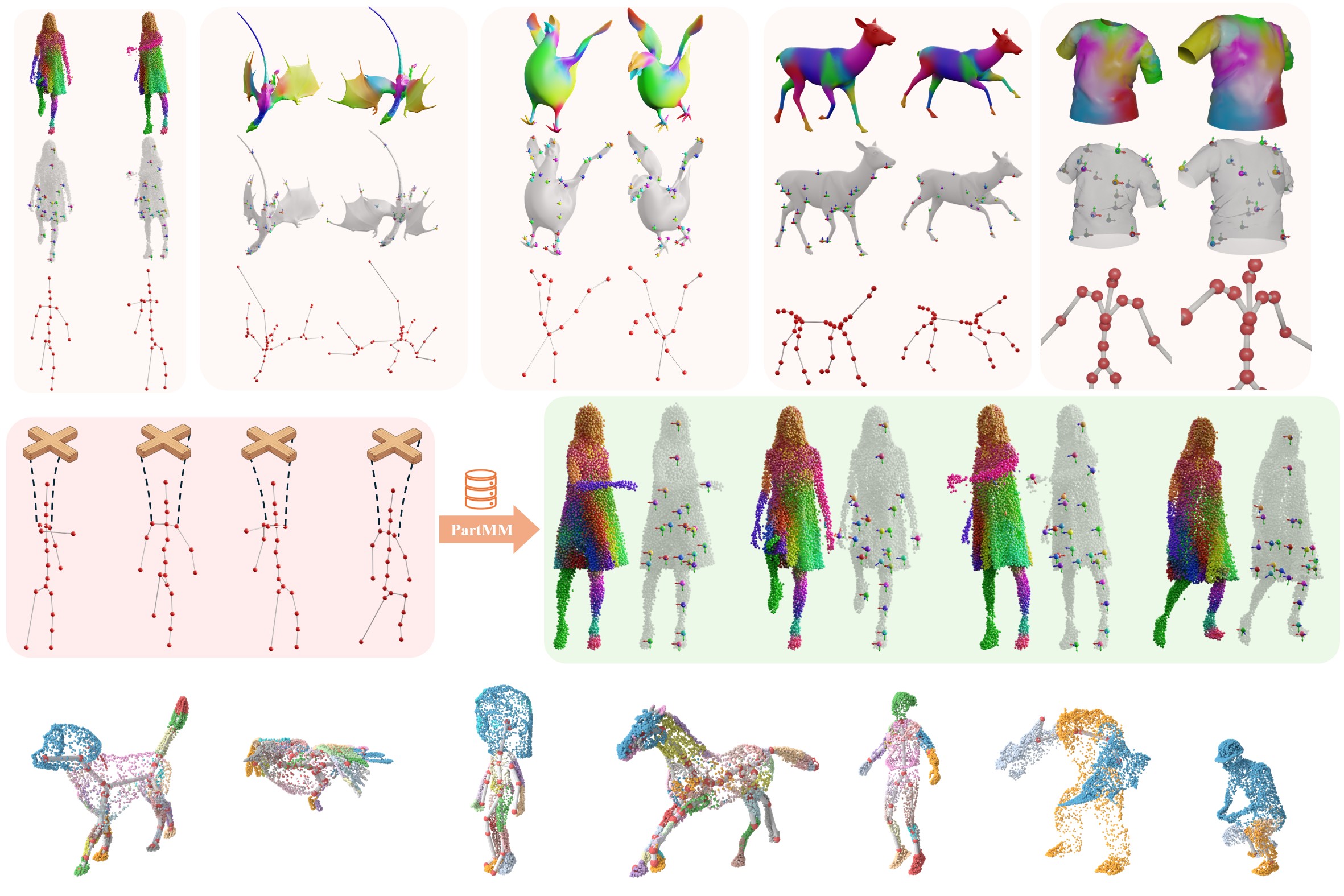
Official repository of the SIGGRAPH Asia 2026 paper GaussiAnimate: Rig Animatable Categories with Level of Dynamics.




GaussiAnimate turns a temporally registered 3D point sequence into a portable skelebone representation: free-form outer bones for expressive deformation, an inner kinematic skeleton for control, and the motion that connects them.
The core library does not assume a particular reconstruction method. Its input can come from a tracked mesh, Dynamic 3D Gaussians, a monocular Gaussian model, or any other system that gives the same material point a stable index over time.
registered points -> skelebone extraction -> skelebones.npz
                                               |
novel inner pose -------------------------> PartMM -> animated points
Start Here
There are two ways into this repository. Most users only need the first one.
| I want to... | Start with |
|---|---|
| Rig my own registered point sequence | Quick start |
| Rig and animate Gaussians | Gaussian animation |
| Understand the representation | What is a skelebone? |
| Call the library from Python | Python API |
| Transfer a new motion | Animate with PartMM |
| Copy PartMM into another project | Standalone PartMM guide |
| Reproduce the paper experiments | Experiment guide |
| Find a module or config | Repository tour |
Quick Start
1. Install the lightweight core
The Python core supports Python 3.8 through 3.11. Use Python 3.10 on Linux for the full research pipeline; this is the environment used for the source-release installation and native-backend checks.
python -m pip install --upgrade pip setuptools wheel
python -m pip install -e .
This installs the data model, I/O, kinematics, BVH export, PartMM, and the experiment configuration tools. Geometry extraction has two native dependencies and is installed separately below.
Install only the extras you need; the base package does not install PyTorch.
| Extra | Purpose |
|---|---|
ssdr | SciPy sparse weights for the native SSDR binding |
geometry | Open3D, SciPy, libigl 2.5.1, mesh I/O and plotting |
visualization | Open3D, Pillow and Matplotlib previews |
evaluation | Image metrics, including LPIPS |
research | Torch/Torchvision, SMPL-X, HDF5, Trimesh and TensorBoard adapters |
gui | Optional pose editor |
dev | Tests and distribution builds |
Gaussian training and rendering still use their upstream CUDA environments and rasterizers; these extras do not replace those installations. SMPL/SMPL-X model files and datasets must be obtained separately.
2. Validate an input sequence
The canonical input is one registered point trajectory, stored as
sequence.npz. Every frame must contain the same material points in the same
order.
gaussianimate /path/to/sequence.npz --validate-onlyFor the AMA T_samba example below, validation reports:
{
  "schema_version": 1,
  "frames": 175,
  "points_per_frame": 9971,
  "fps": 30.0,
  "registration_assumed": true,
  "faces": 19938,
  "dtype": "float64"
}
Validation is inexpensive and catches the most common mistakes before SSDR or surface processing begins. The complete array contract is documented under Input Contract.
3. Enable geometry extraction
The repository includes both small native backends: a focused CGAL curve
skeleton executable and a lightweight pyssdr binding around the Dem Bones
headers. Install their system headers once:
# Ubuntu
sudo apt-get install build-essential cmake libcgal-dev libeigen3-dev python3-dev libx11-6 libgl1 git fonts-dejavu-core libegl1 libegl-mesa0

# macOS
brew install cmake cgal eigen
Then build and verify both backends with one command:
bash scripts/install_geometry.shThe script installs the Python geometry extra, compiles pyssdr into the
selected Python environment, and installs curve_skeleton under
.native/bin/. To build only one backend:
bash scripts/install_geometry.sh --pyssdr-only
bash scripts/install_geometry.sh --curve-only
The Python package supports NumPy 1.x (numpy<1.26); the installer rejects
NumPy 2 before loading the pinned pybind11 binding. You can override the
Python, install prefix, or module directory through the script's documented
flags. Run bash scripts/install_geometry.sh --help for the complete list.
4. Run the real AMA example
The core example uses all 175 registered frames of AMA T_samba, not a
generated fixture or a cached skeleton. The meshes come from the official
AMA project page; the
T_samba meshes archive
is about 39.5 MB. After extraction, arrange the files as
GA_AMA_ROOT/T_samba/meshes/mesh_*.obj. Point the runner at your local
copy:
export GA_AMA_ROOT=/path/to/AMA
python -m skelebone.examples.ama outputs/ama_skelebone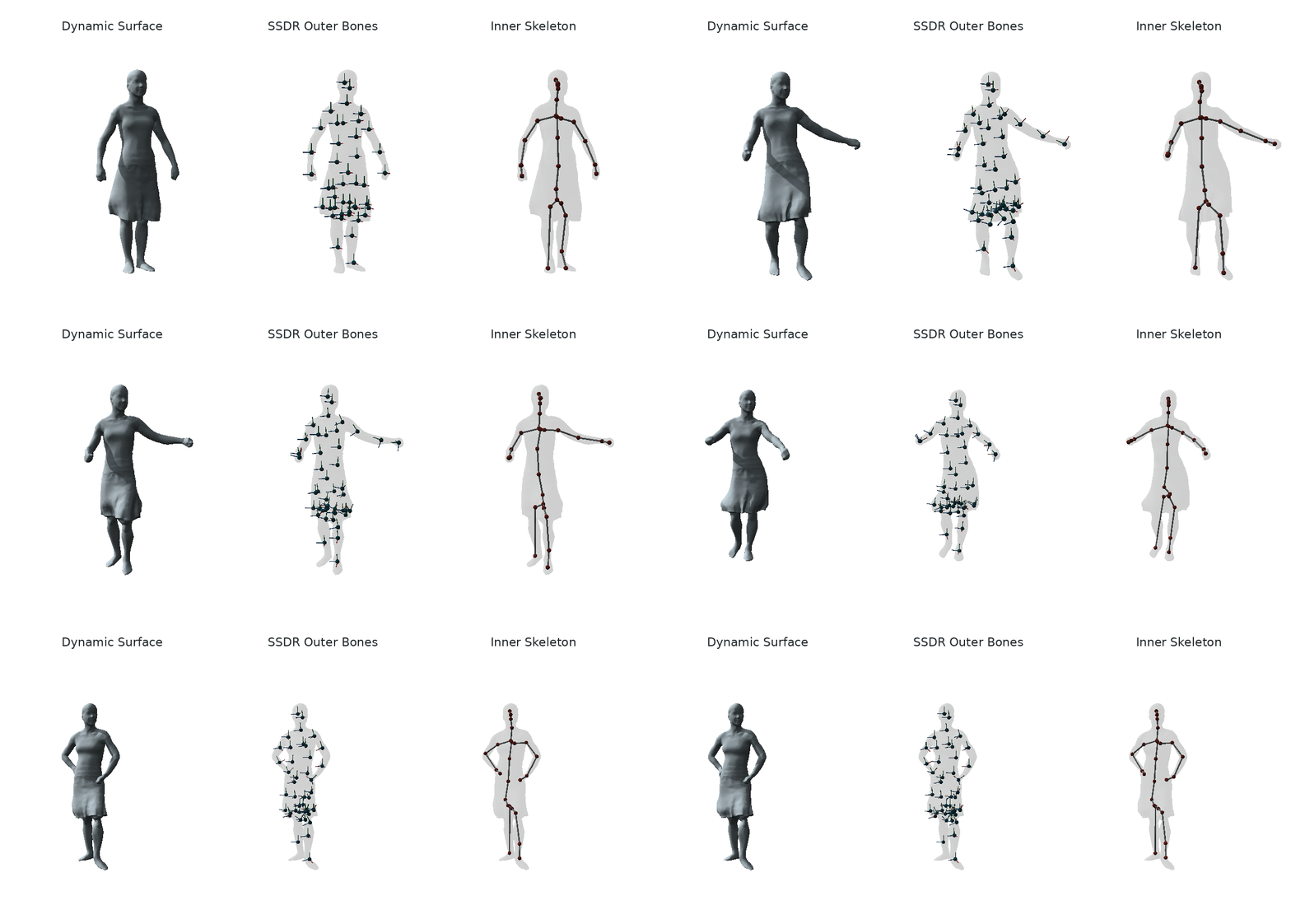
5. Extract your own skelebones
gaussianimate /path/to/sequence.npz outputs/my_asset \
  --mesh /path/to/rest_mesh.ply \
  --visualize
The mesh is optional, but a supplied mesh must be watertight. When no mesh is provided and the registered faces are open, GaussiAnimate uses Poisson only to create a temporary watertight proxy required by CGAL curve skeletonization. SSDR always runs on the original registered point sequence; the Poisson mesh does not replace the input geometry, reconstruction result, skinning target, or exported animated points.
The public hand-off is intentionally small:
outputs/my_asset/
├── skelebones.npz       complete representation consumed by PartMM
├── motion.bvh           portable inner-skeleton motion
├── manifest.json        dimensions, configuration, and artifact paths
├── skelebone.png        optional inspection figure
├── ssdr/                outer-bone decomposition
├── curve_skeleton/      canonical curve and surface correspondence
├── skinning_curve_skeleton/
└── kinematic_tree/      hierarchy and temporal tracking
If the command finishes, downstream code normally needs only
skelebones.npz. The remaining directories make each geometric step
inspectable and reproducible.
What Is a Skelebone?
Non-rigid surfaces need two different kinds of structure. A small set of free rigid motions can reproduce cloth, fur, and soft deformation well, but those motions are awkward to edit. A conventional joint hierarchy is easy to control, but cannot express the same surface dynamics by itself.
GaussiAnimate keeps both and binds them explicitly:
| Component | Representation | Role |
|---|---|---|
| Outer bones | SSDR weights and per-frame rigid transforms | Compactly reproduce observed non-rigid motion |
| Skinning curve | Mean-curvature curve with projected bone influence | Locate meaningful transitions between outer bones |
| Inner skeleton | A rooted kinematic tree | Provide interpretable joints and editable local rotations |
| Motion binding | Partwise Motion Matching (PartMM) | Retrieve and blend outer-bone motion for a new inner pose |
The distinction matters in code. J inner joints and B outer bones are not
required to have the same count: poses are stored over J, while skinning
weights and free-form transforms are stored over B.
Input Contract
save_point_sequence writes the canonical schema:
| Field | Shape | Required | Meaning |
|---|---|---|---|
points | [T, N, 3] | yes | Registered point positions |
faces | [M, 3] | no | Triangle indices shared by every frame |
fps | scalar | no | Frame rate; defaults to 30 |
schema_version | scalar | written by the helper | Current writer version, 1 |
Registration is the essential assumption: point n must refer to the same
material point in every frame. A changing point count or independently sampled
frames are not valid inputs.
Orientation and physical units may be chosen freely as long as they stay
consistent. Scale still matters, however: extraction includes absolute distance
controls such as --joint-merge-distance 0.08. Normalize unusually large or
small assets, or tune the distance parameters for their scale.
For Gaussian inputs, points is typically the time series of Gaussian means.
Optional per-point colors, opacity, scales, rotations, SH coefficients, and
source IDs are retained in point_attributes; extraction operates on means.
See the Gaussian and point-cloud guide.
Output Contract
The stable bundle contains no pickled Python objects and can be loaded with NumPy or the public helper:
| Array | Shape | Meaning |
|---|---|---|
rest_joints | [J, 3] | Inner skeleton in the bind pose |
parents | [J] | Acyclic parent hierarchy; -1 marks the root |
weights | [N, B] | Normalized outer-bone skinning weights |
source_points | [N, 3] | Canonical points used by PartMM |
local_rotations | [T, J, 4] | Scalar-first quaternions [w, x, y, z] |
root_translation | [T, 3] | Displacement from the bind root, not an absolute world position |
bone_transforms | [T, B, 4, 4] | Observed free-form outer-bone motions |
The bundle also records relative paths to intermediate artifacts so that a result can be inspected without coupling consumers to the pipeline internals.
Python API
The high-level API mirrors the command line:
from skelebone import extract_skelebones

result = extract_skelebones(
    "sequence.npz",
    "outputs/my_asset",
    mesh="rest_mesh.ply",  # optional
)

bundle = result.bundle
print(bundle.skeleton.num_joints)
print(bundle.num_bones)
print(result.bundle_path)
The public surface is small on purpose:
DynamicPointSequence,Skeleton,PoseSequence, andSkeleboneBundledefine the representations.save_point_sequence,load_point_sequence,save_bundle, andload_bundleprovide portable NPZ I/O.extract_skelebonesis the end-to-end extraction entry point.forward_kinematics,fit_pose_to_joint_positions, andexport_bvhexpose reusable kinematic operations.PartMMConfig,PartMotionMatcher, andanimatelive inpartmm.
Lower-level research interfaces for SSDR, surface preparation, curve
extraction, joint detection, and tracking are available under
skelebone.extraction.
Animate with PartMM
partmm/ is a standalone NumPy package: it can be copied directly into another
project without skelebone or the experiment code. See the
standalone guide for the direct-array contract and the real
VTO T-shirt example.
A novel pose is another portable NPZ:
| Field | Shape | Meaning |
|---|---|---|
local_rotations | [Q, J, 4] | Scalar-first local joint quaternions |
root_translation | [Q, 3] | Root displacement from the bind pose |
fps | scalar | Output frame rate |
Create, edit, or import that pose and run:
gaussianimate-animate \
  outputs/my_asset/skelebones.npz \
  novel_pose.npz \
  animation.npz
animation.npz contains:
points [Q,N,3]bone_transforms [Q,B,4,4]joint_positions [Q,J,3]- retrieved source-frame indices for each skeleton part
- scalar
fps
Prepare the T-shirt from the official data and SMPL model, then generate a shared-scale temporal preview:
python -m pip install -e '.[visualization]'
python -m partmm.examples.quickstart outputs/partmm_tshirt_demo \
  --bundle resources/partmm/example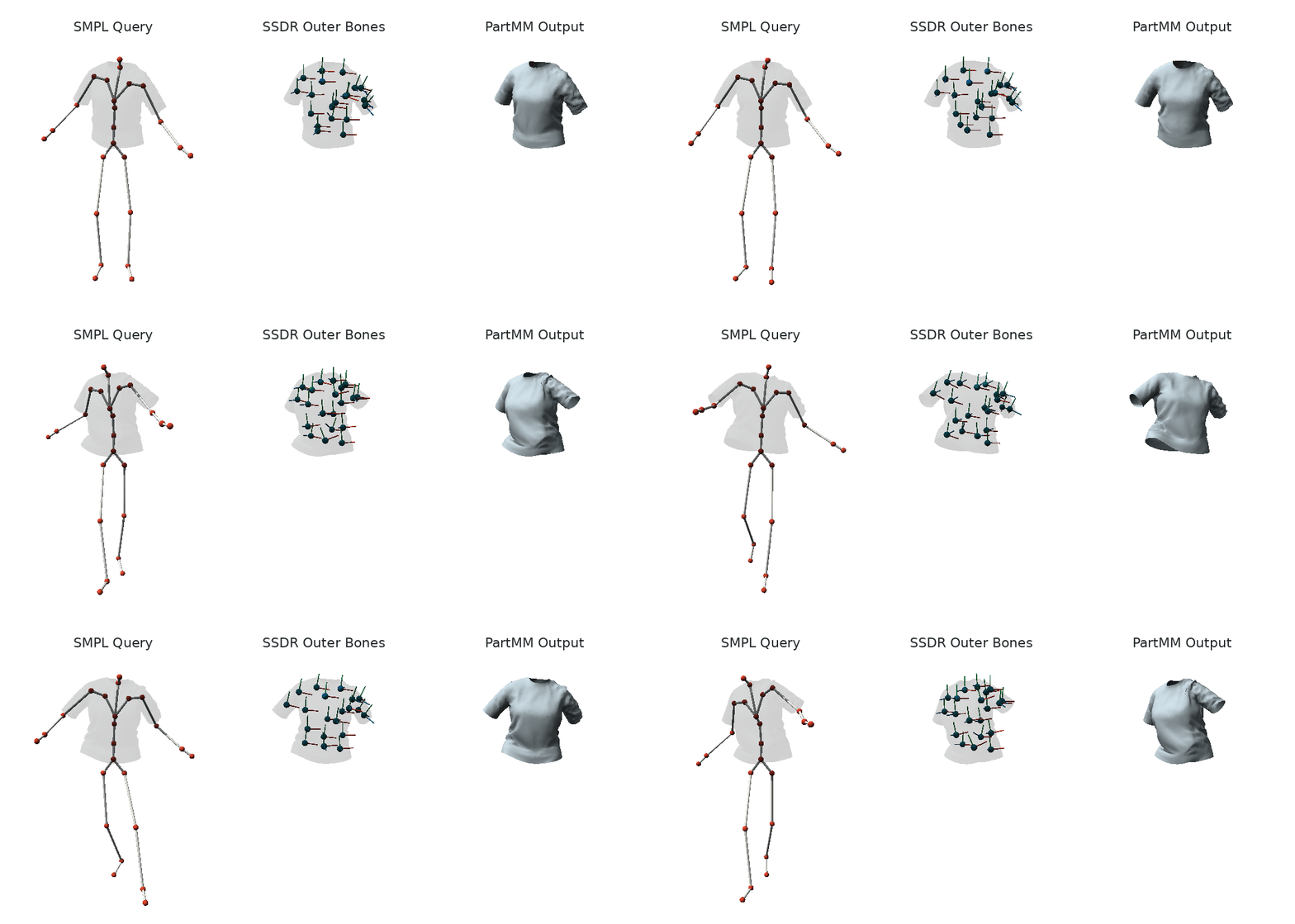
The preview shows the SMPL query skeleton, SSDR outer bones, and animated T-shirt.
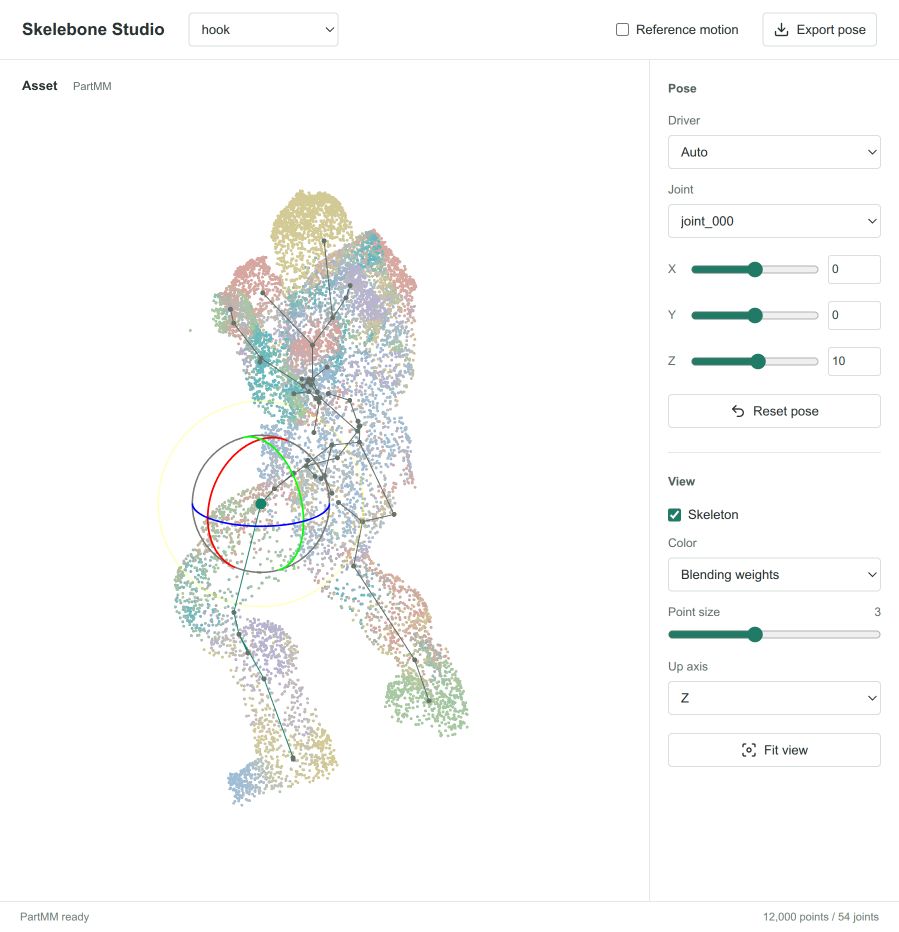
For the optional pose editor:
python -m pip install -e '.[gui]'
gaussianimate-edit outputs/my_asset/skelebones.npz --output novel_pose.npz
Repository Tour
GaussiAnimate/
├── skelebone/                  core representations and extraction pipeline
│   └── extraction/             SSDR, mesh, curve, joint, and tracking stages
├── partmm/                     standalone PartMM, example, visualization, and pose editor
├── experiments/
│   ├── engine/                 config composition, stages, cache, and reports
│   ├── methods/                shared protocol and artifact contracts
│   ├── mesh/                   VTO and DeformingThings4D
│   ├── monocular_gaussian/     monocular Gaussian experiments
│   ├── multiview_gaussian/     D3DGS human experiments
│   └── reproductions/          frozen evidence from related local codebases
├── pyproject.toml              package metadata and command-line entry points
└── THIRD_PARTY_NOTICES.md      upstream code, data, and license boundaries
If you are changing the representation, begin with skelebone/types.py and
skelebone/io.py.
Build a Source Release
python -m pip install build
python -m build
The source archive includes the native backends, scripts, configs, licenses, and README previews. The wheel contains the public Python packages and their declared resources. Datasets, checkpoints, local environments and generated experiment runs are excluded from both Git and release archives.
Citation
If GaussiAnimate is useful in your work, please cite:
@article{wang2026gaussianimate,
  title   = {GaussiAnimate: Reconstruct and Rig Animatable Categories with Level of Dynamics},
  author  = {Wang, Jiaxin and Lyu, Dongxin and Cai, Zeyu and Dou, Zhiyang and Lin, Cheng and Chen, Anpei and Xiu, Yuliang},
  journal = {arXiv preprint arXiv:2604.08547},
  year    = {2026}
}
License
The public Python packages are released under the MIT License. External tools, datasets, pretrained models, and recovered research artifacts retain their own terms. Review THIRD_PARTY_NOTICES.md before redistributing experiment resources.