Nomily AI
Recorder → Nomily AI → Your API Key → Your AI
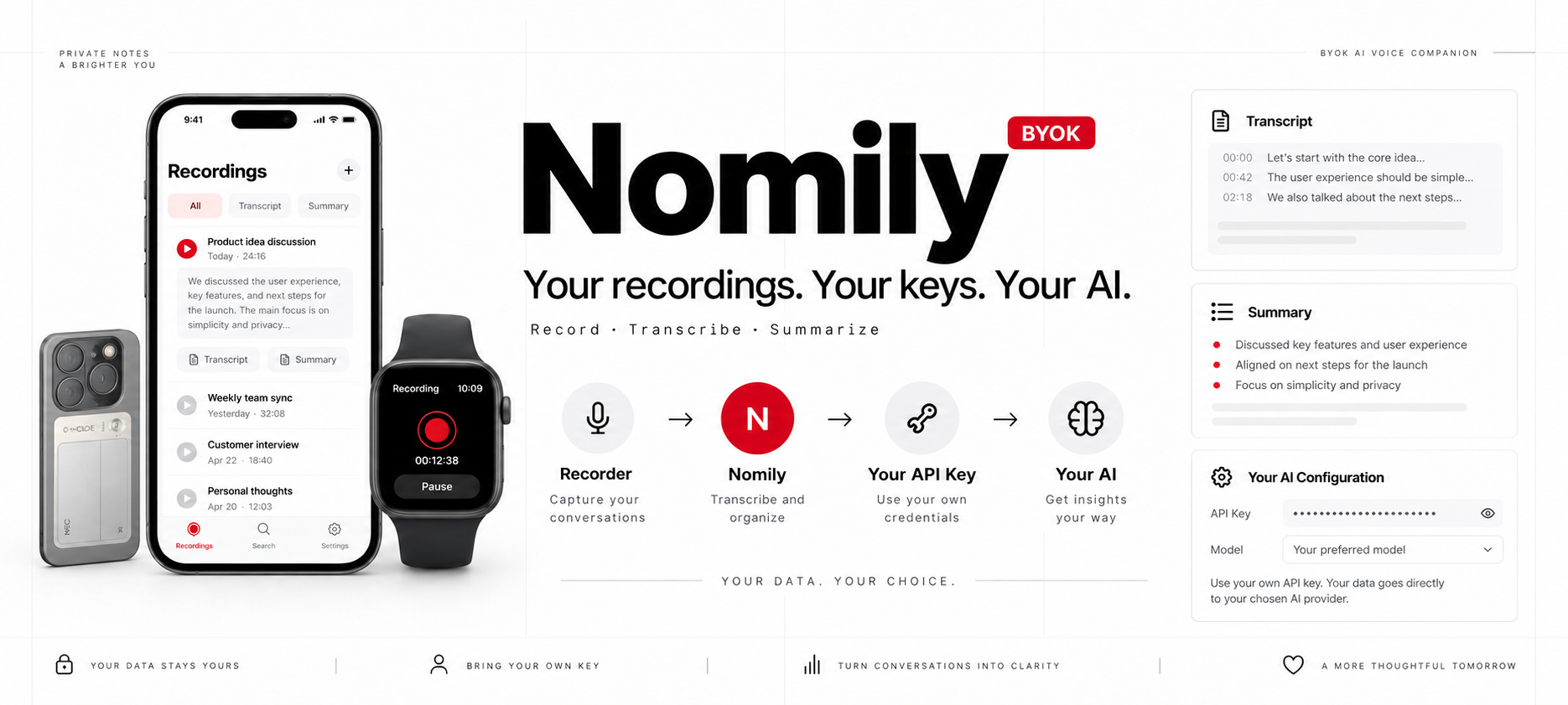





BYOK voice-recording companion for V05E, Apple Watch, and iPhone imports — ASR transcription, speaker diarization, AI summaries, and local ASR endpoint support.
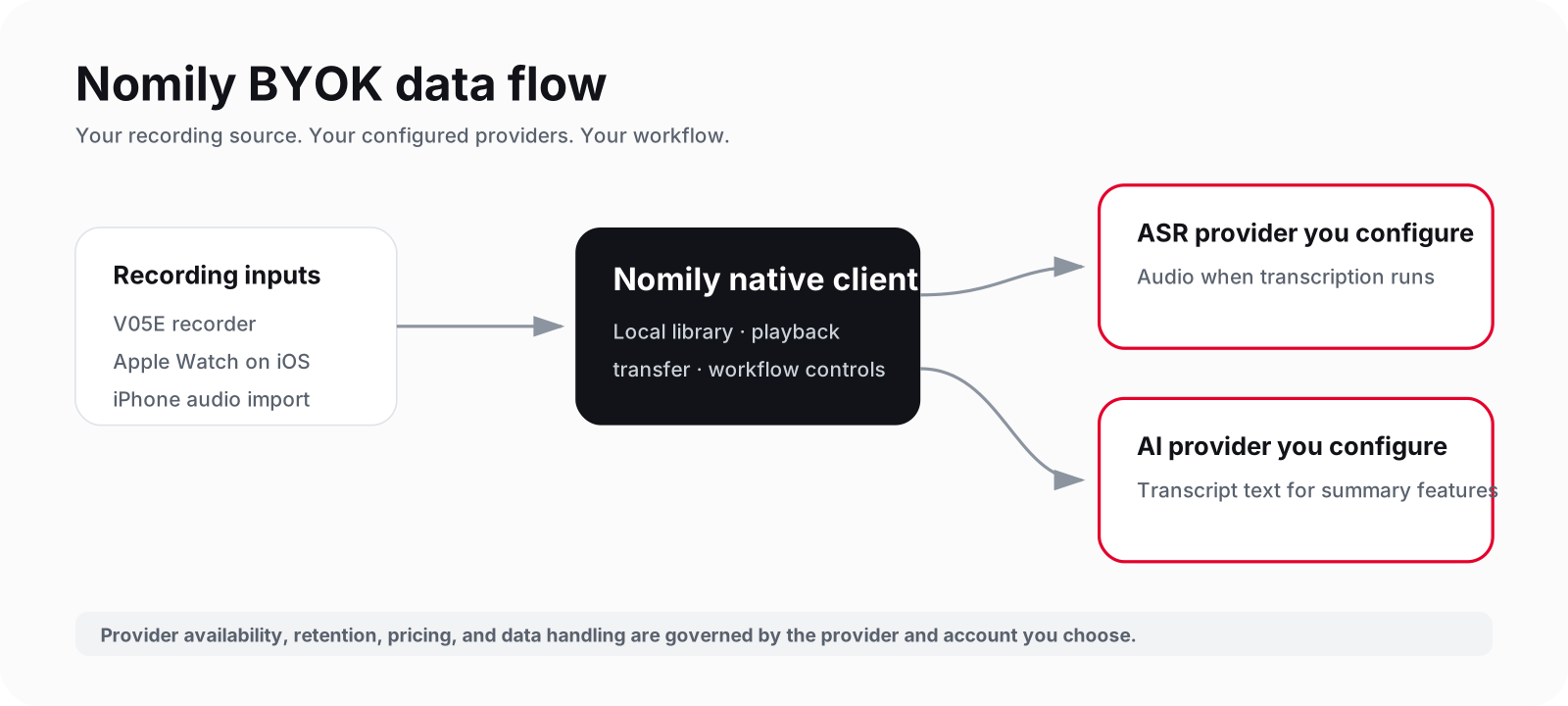
Nomily AI brings recordings into a native client, transcribes them with a provider you configure, and generates a summary with an AI provider you choose.
This repository is the project entry point. The runnable native clients live in
nomily-ios and
nomily-android.
Quick links
| 📱 iPhone app | 🌐 Online demo | 🎥 Video demos | 𝕏 Updates | 📚 Documentation |
|---|---|---|---|---|
| Download on the US App Store | Try the fixed-data preview | Nomily AI on YouTube Shorts | @nomilyai | Geekis.com |
Choose your path
| Build or need | Start here |
|---|---|
| Build for iPhone or Apple Watch | nomily-ios |
| Install Nomily AI on iPhone | Download on the US App Store |
| Build for Android | nomily-android |
| Explore the workflow without a device, key, or upload | Try the fixed-data demo |
| Get help, report a documentation issue, or ask about licensing | SUPPORT.md · nomily@geekis.com |
This repository is not an installable client or a Docker deployment. Read the client-specific build instructions before starting a local build.
What is Nomily AI?
Nomily AI is not a hosted transcription account or a shared recording cloud. It is a native companion workflow for recordings and user-configured AI services. The app keeps the choice of transcription and summary provider with the user.
The public repositories provide source for inspection and local builds. Store availability may vary by storefront and version; source commits do not promise device/firmware compatibility or a production service release.
What it does today
- Connects to the V05E BLE recorder workflow, downloads recordings, and manages a local recordings library.
- Imports recordings on iPhone, including recordings transferred from the Apple Watch companion.
- Transcribes live or recorded audio through Azure Speech or a user-operated local faster-whisper-compatible ASR endpoint; Azure transcription enables speaker diarization for up to 10 speakers.
- Generates summaries, titles, and translations with a configured LLM provider: OpenAI, Anthropic, Gemini, OpenRouter, Ollama, or a custom OpenAI-compatible endpoint.
- Provides native iOS / Apple Watch and Android implementations rather than a cross-platform wrapper.
Privacy and provider boundaries
Nomily AI is not a hosted transcription account or a shared recording cloud. API keys are supplied by the user and must never be committed. Keep recordings, transcripts, device identifiers, logs, generated configuration files, and access credentials out of issues and pull requests.
| Service layer | Data sent in a configured workflow | Who provides it |
|---|---|---|
| Nomily AI client | Recording library, transfer state, and generated files on the client | You install and operate the client. |
| Azure Speech | Audio for transcription, when Azure is selected | Your Azure account and key. |
| Local ASR endpoint | Audio for transcription, when a local endpoint is selected | You operate the endpoint. |
| LLM provider | Transcript text needed for summary, title, or translation | Your selected provider, model, endpoint, and key. |
The public repositories do not include a shared Nomily AI cloud, a bundled provider account, or a complete self-hosted sync stack. Local ASR and Ollama are provider integrations, not a claim that every product layer is self-hosted.
How it works
V05E recorder / Apple Watch / audio imported on iPhone
                  │
                  ▼
        Nomily AI native client
  local library · transfer · playback
                  │
        ┌─────────┴──────────┐
        ▼                    ▼
Azure Speech or        Your LLM provider
local ASR endpoint     summary · title · translation
diarization when       OpenAI · Anthropic · Gemini
Azure is selected      OpenRouter · Ollama · compatible endpoint
        │                    │
        └─────────┬──────────┘
                  ▼
         Transcript and summary
Advanced: run ASR and an LLM on your own network
This is an optional advanced setup, not a complete self-hosted Nomily stack. Run both services on a trusted computer on the same private Wi-Fi as the phone; do not expose either service to the public internet.
1. Local Whisper transcription
The included reference service implements the exact Local ASR Server contract:
WebSocket port 12300 for live audio and HTTP port 12301 for recording files.
It needs Python 3.10+ and ffmpeg (brew install ffmpeg on macOS, or
sudo apt install ffmpeg python3-venv on Ubuntu/Debian).
git clone https://github.com/Nomily-Ai/nomily-app.git
cd nomily-app/examples/local-asr-server
python3 -m venv .venv && source .venv/bin/activate
pip install -r nomily_local_asr/requirements.txt
python -m nomily_local_asr --host 0.0.0.0 --port 12300 --http-port 12301 --model small --lang auto
The first run downloads the Whisper model. Follow the complete
local ASR reference guide, including a
local curl test and firewall notes.
2. Local Ollama summaries
Install Ollama from ollama.com/download, then download a model:
ollama pull qwen3:8b
# Linux foreground service; bind to LAN only when the phone must reach it.
OLLAMA_HOST=0.0.0.0:11434 ollama serve
If Ollama is managed by its desktop app or a service manager, set its
OLLAMA_HOST environment variable to 0.0.0.0:11434 and restart that service.
This makes it reachable on the LAN; it does not add authentication.
3. Find the computer address and fill in Nomily AI
Keep the phone and computer on the same Wi-Fi, then run one of these commands:
# macOS
ipconfig getifaddr en0
# Linux
hostname -I
If the computer prints 192.168.1.20, enter the following in the phone app:
| Nomily AI screen | Field | Value to enter |
|---|---|---|
| Settings -> ASR providers -> Local ASR Server | Host | 192.168.1.20 |
| Port | 12300 | |
| Settings -> LLM providers -> Ollama | Endpoint URL | http://192.168.1.20:11434 |
| Model | qwen3:8b (or a model returned by Verify) |
Do not use localhost or 127.0.0.1 in the phone app: those addresses point
to the phone, not to the computer. The ASR client automatically sends complete
files to port 12301. Allow inbound LAN connections to ports 12300, 12301,
and 11434 only when the corresponding service is running.
Recording input support
| Input | Current source status | Notes |
|---|---|---|
| V05E recorder | Implemented in both clients | Primary BLE recording input; compatibility still depends on the actual device and firmware under test. View on Amazon |
| TicNote NE-79 | Physical-device validation in progress on iOS | Recorder-protocol work is in progress. It is not publicly supported until recording, transfer, and transcription complete on physical hardware. |
| Apple Watch microphone | Implemented in nomily-ios | The watchOS companion records on Watch and transfers recordings to the paired iPhone client. |
| Audio imported on iPhone | Implemented in nomily-ios | iPhone is an import, management, transcription, and summary client. |
| Other recorder models | Not committed | A model is not supported merely because it can record audio. |
| Android Watch companion | Not published | Do not infer a Wear OS client from the Android app source. |
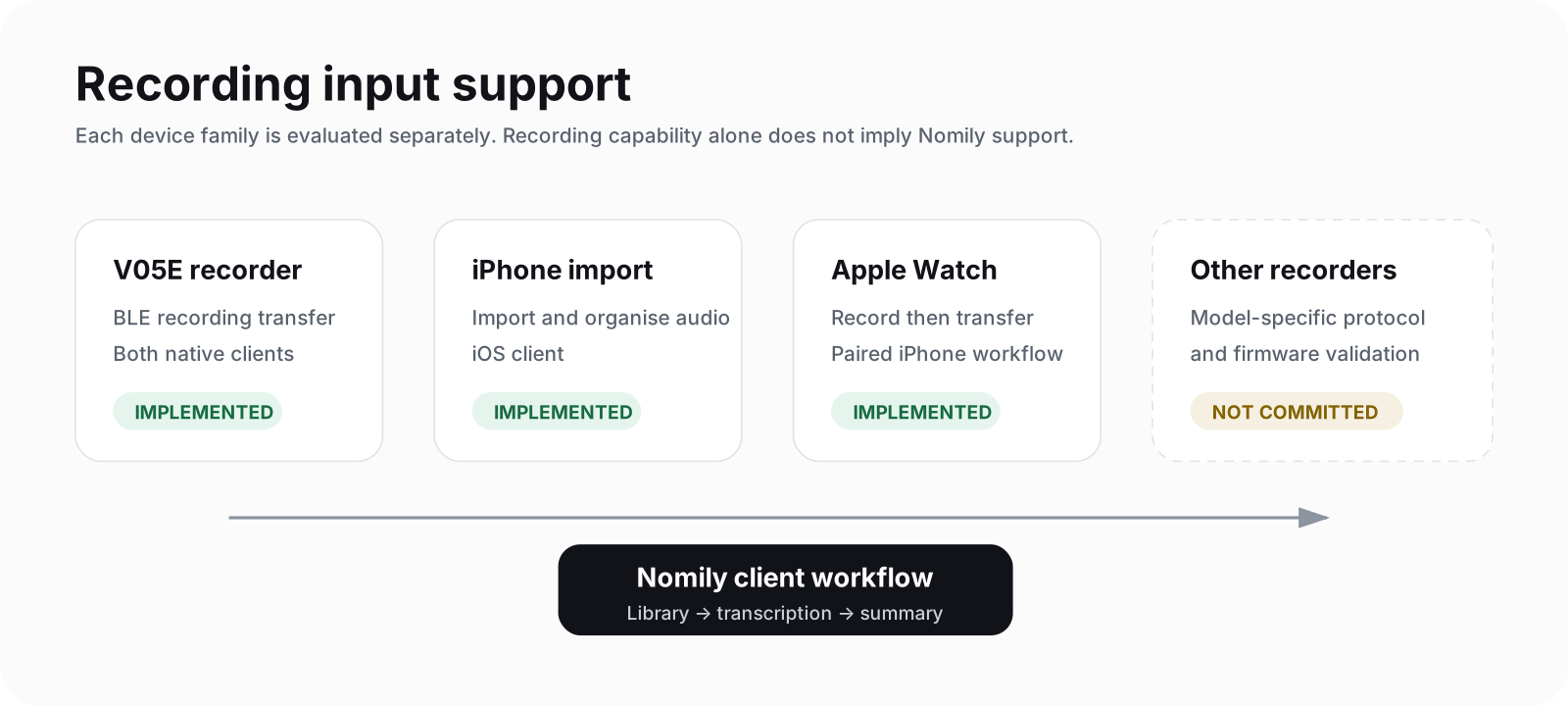
See the expandable device compatibility matrix before assuming a recorder model is supported.
Apple Watch companion
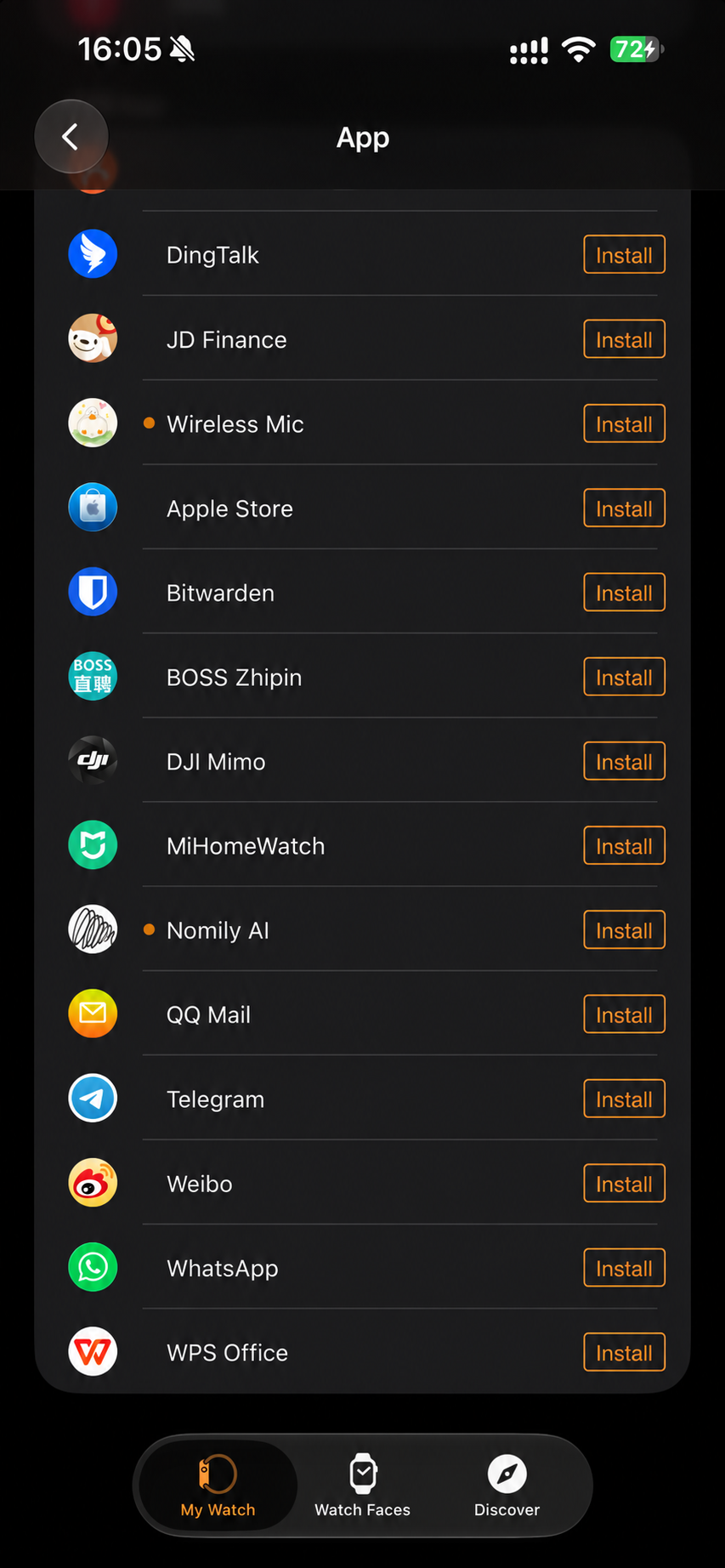
After Nomily AI is installed on the paired iPhone, install its Watch companion:
- Open the Watch app on iPhone and scroll to Available Apps.
- Find Nomily AI and tap Install.
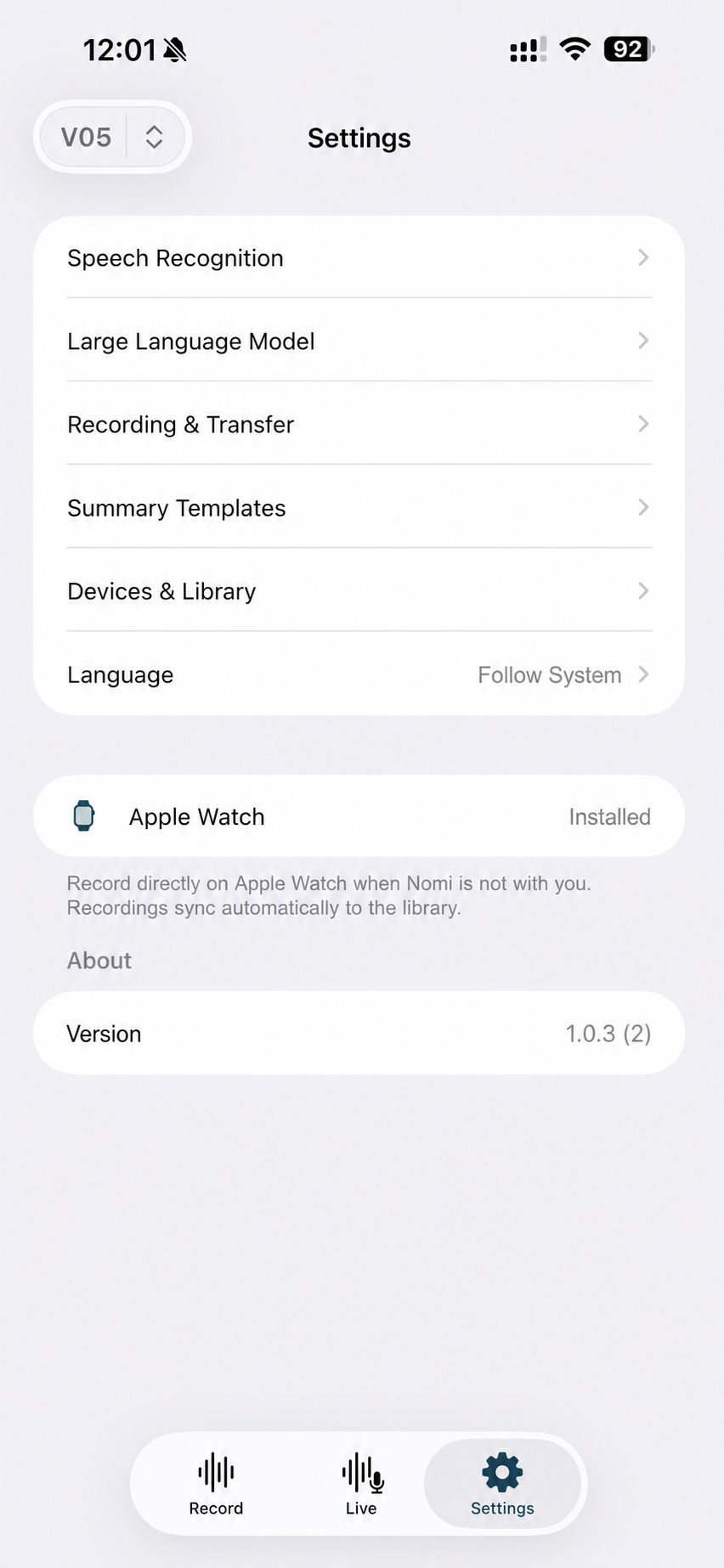
- In Nomily AI on iPhone, open Settings → Apple Watch and confirm it shows Installed.
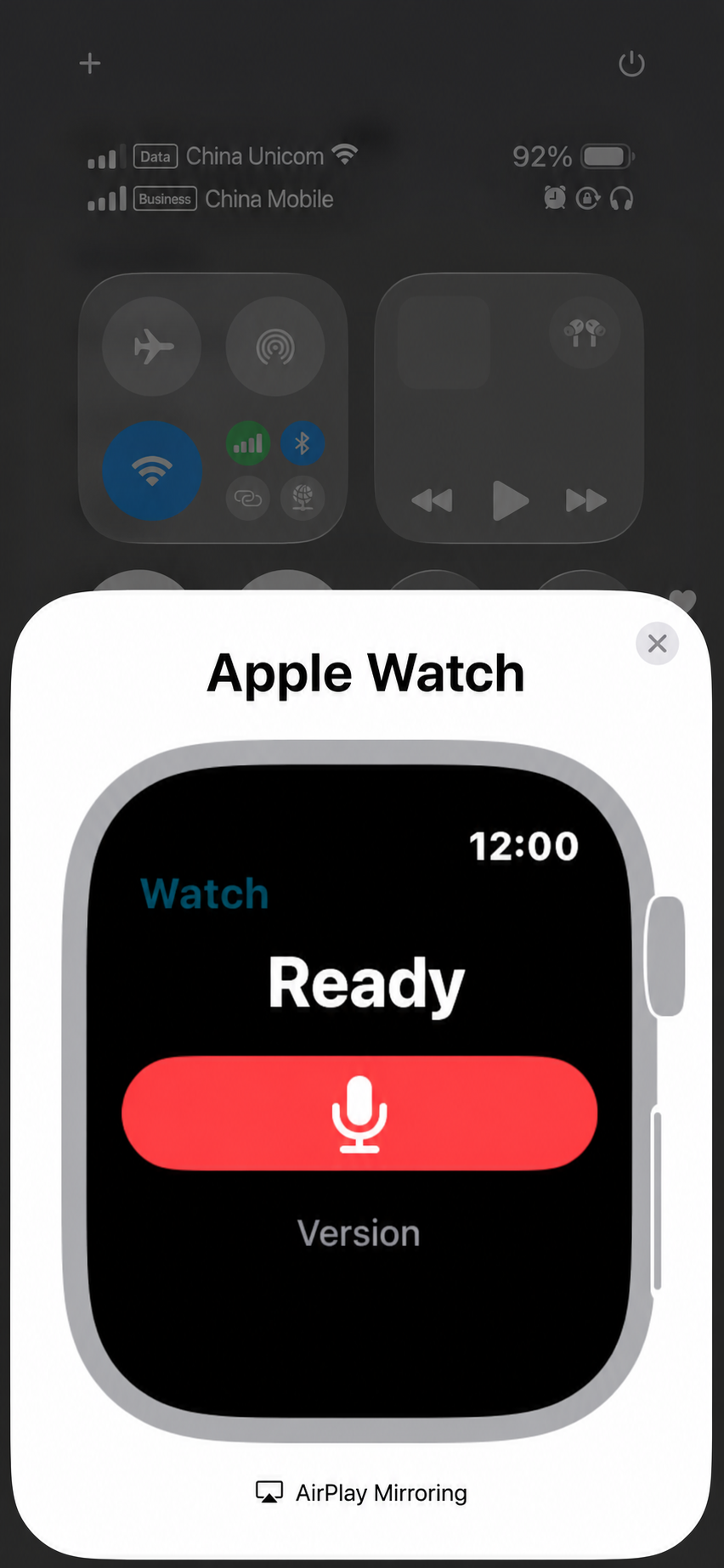
- Open Nomily AI on Apple Watch and record when V05E is not with you. The recording syncs to the iPhone Nomily AI app for transcription, organization, and summaries.
| Install from Watch App | Confirm in Nomily AI settings | Record on Apple Watch |
|---|---|---|
 |  |  |
Planned or not published
| Item | Status |
|---|---|
| Other recorder models and protocols | Compatibility is not committed until tested with the relevant firmware. |
| Android Watch companion | Not published. |
| RAG, MCP, shared self-hosted sync | Not represented by the current public client source; not an announced capability. |
| Online no-key demo | A fixed-data preview is live at Geekis.com/demo. It does not upload audio, call ASR or LLM services, or store keys. |
Repository map
| Repository | Role | Relationship |
|---|---|---|
| nomily-app | Project entry, cross-project documentation, licence, and preview assets | Start here. It does not contain an installable client by itself. |
nomily-ios | SwiftUI client for iPhone and Apple Watch | Its own native project, build instructions, and issue tracker. |
nomily-android | Kotlin / Jetpack Compose client for Android | Its own native project, build instructions, and issue tracker. |
nomily-site | Private static-site deployment source | Hosts setup and demo material; it is not a mobile-client source repository. |
Build and project layout
The clients share product concepts and protocol expectations, but are separate native implementations. Review the relevant repository before choosing a build path:
nomily-app/       project map, licence, public preview assets
nomily-ios/       iOS app, Watch companion, BLE / ASR / local library modules
nomily-android/   Android app and core protocol, crypto, audio, ASR, LLM modules
nomily-site/ private static deployment source for guides and the demo| Goal | Start here |
|---|---|
| Build for iPhone or Apple Watch | nomily-ios — macOS, Xcode 15+, and a physical iPhone; Apple Watch optional. |
| Build for Android | nomily-android — JDK 21, Android Studio or Gradle, and a physical Android phone. |
| Report a defect | Open an issue in the affected native-client repository with redacted reproduction steps. |
| Need support or have a project-entry question | Read SUPPORT.md or email nomily@geekis.com. |
| Review terms | Read the Nomily Small Team License. |
App preview
| Recordings | Transcription providers | LLM providers for summaries |
|---|---|---|
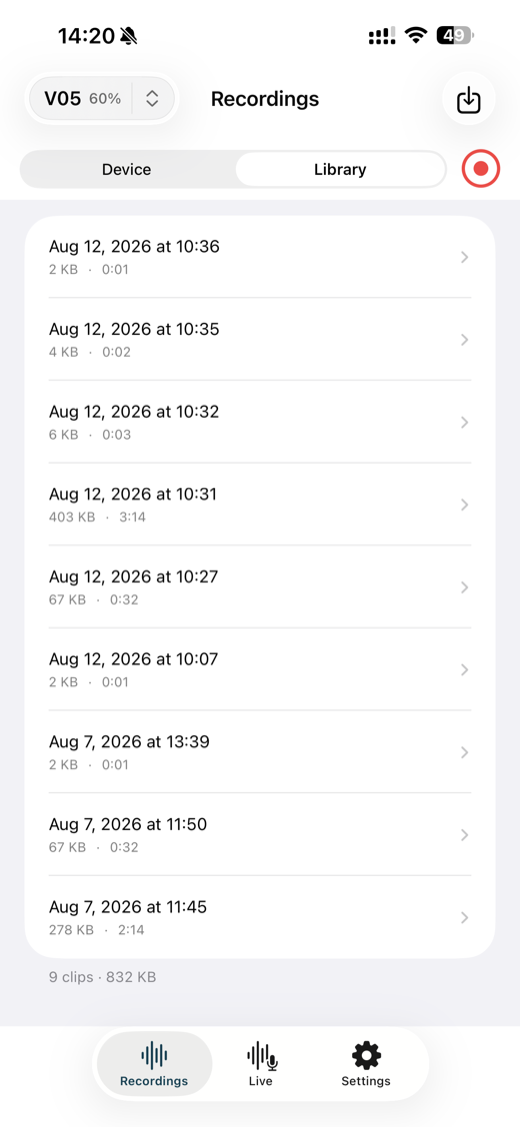 | 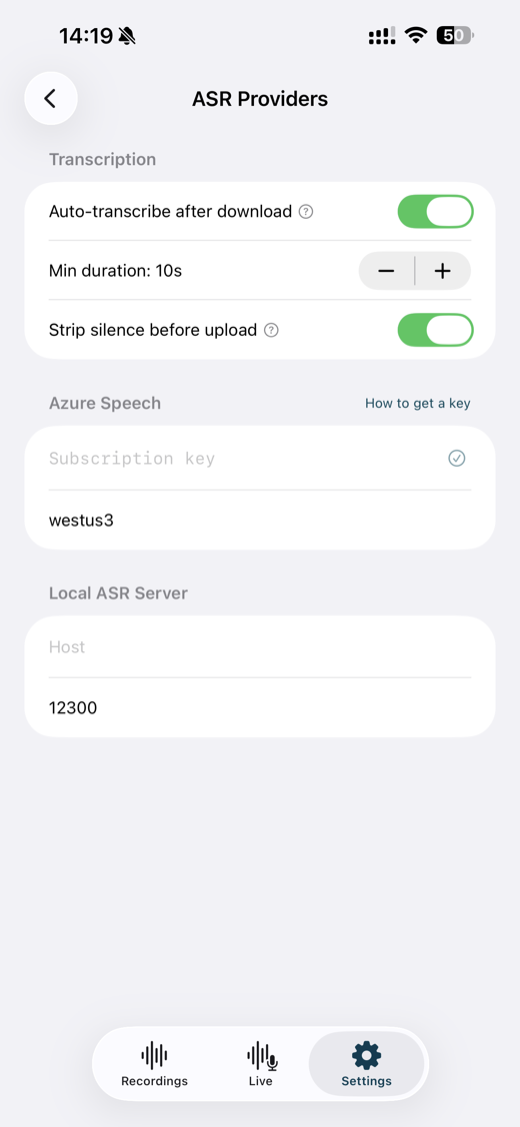 | 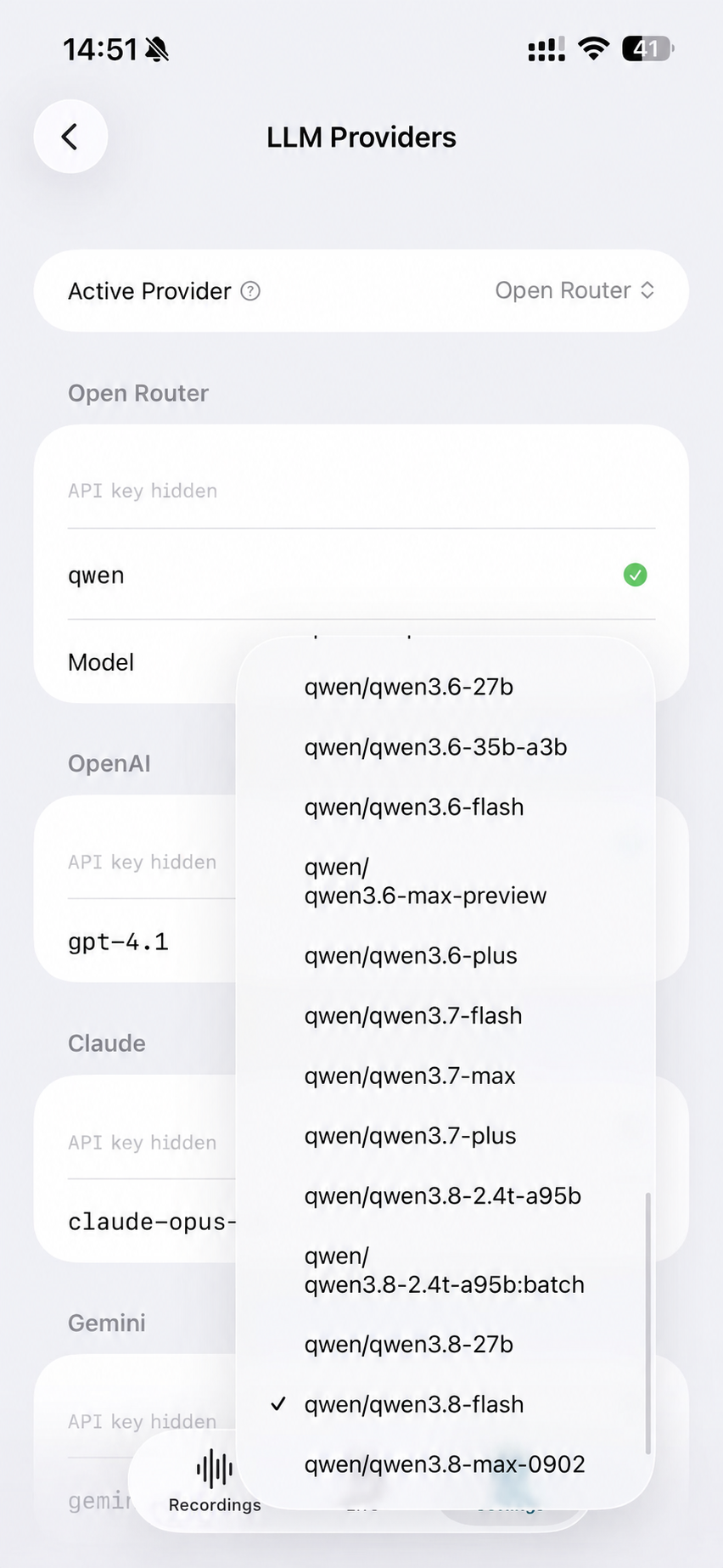 |
Screens use synthetic or non-sensitive preview data. Review
media/README.md before reusing product imagery or brand
assets.
Android workflow gallery
| Recording detail | ASR configuration | LLM configuration | Summary templates |
|---|---|---|---|
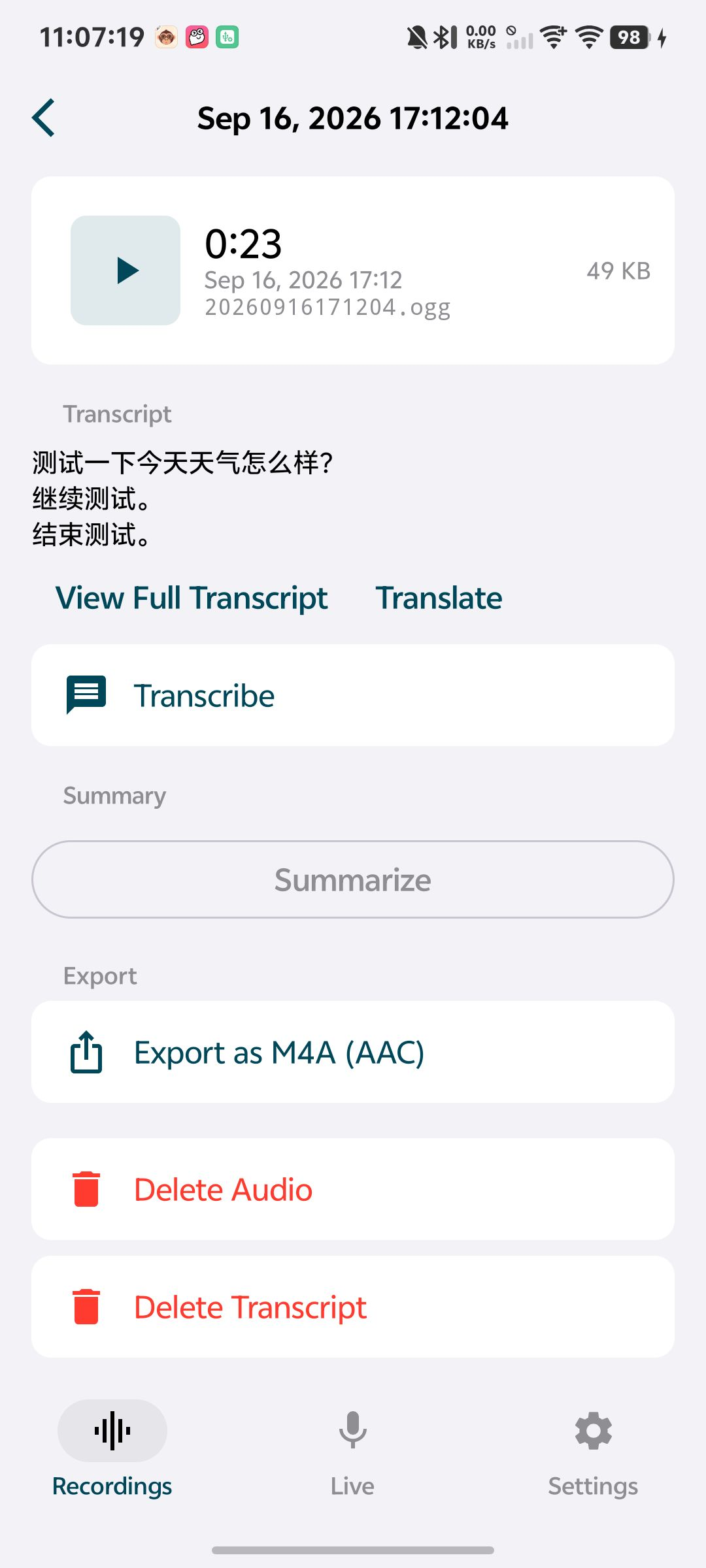 | 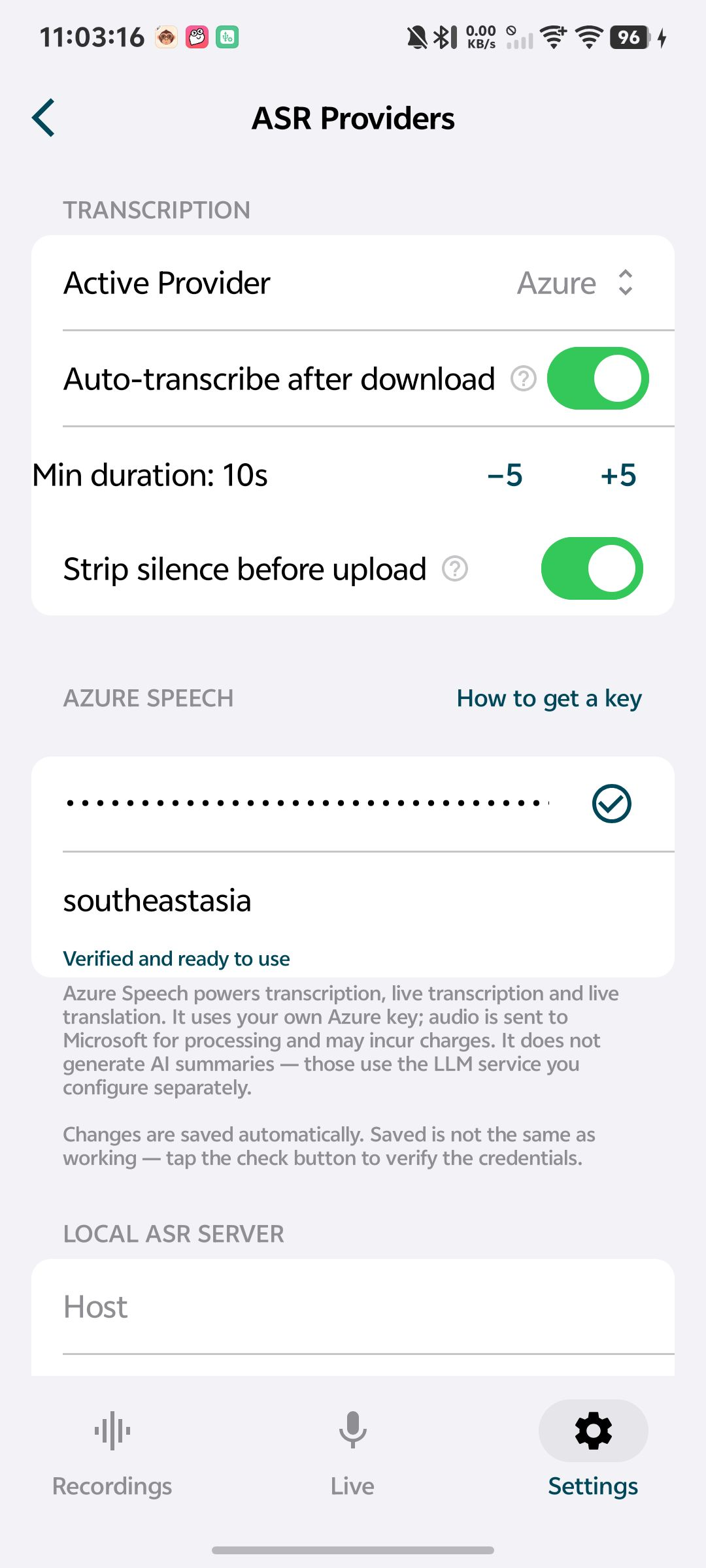 | 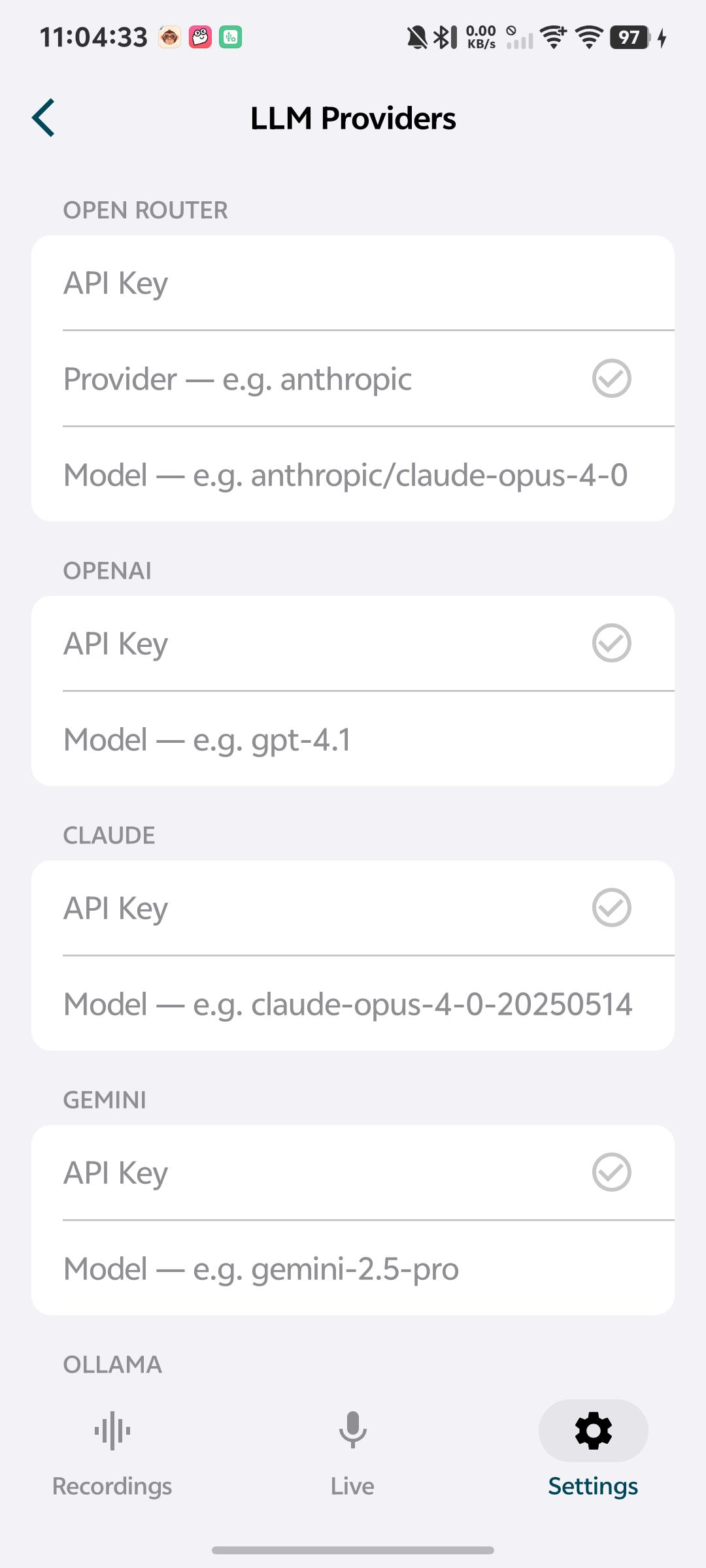 | 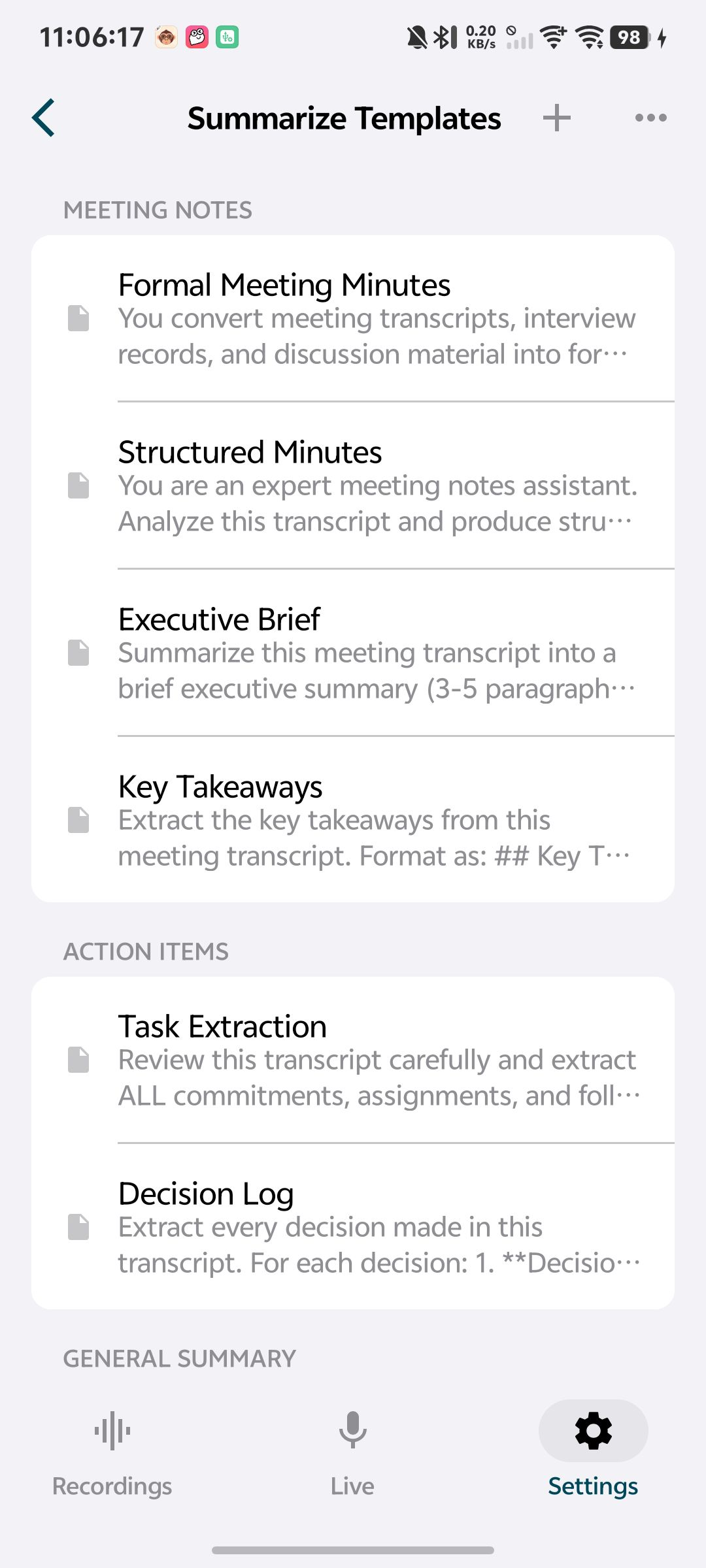 |
These screenshots use non-sensitive preview data. They show the Android client workflow and do not promise provider availability, device compatibility, or store release availability.
Licence
The source is available under the Nomily Small Team License 1.0.0. It permits personal use and company use by teams of up to 10 people; larger teams need a separate paid licence. Contact nomily@geekis.com for commercial licensing. This is a source-available licence, not an OSI-approved open-source licence.
Brand assets under media/ are excluded from that licence; see
media/README.md.
Community and security
Read CONTRIBUTING.md before proposing a change. For general help, use SUPPORT.md. Report vulnerabilities privately according to SECURITY.md, never in a public issue.