 OpenRadar
Real-time radar for Albion Online
Passive network capture • Zero injection • Open source


⚠️Dragonfire update of 08/31 broke detection on v2.2.3. Pre-release v2.2.4-beta1 restores it; report anything still off on #196.
I don't do a lot of updates recently, because I take some rest and working on something behind... that would be awesome 👀 🫣
https://github.com/user-attachments/assets/33fe1ac7-11f2-4c3c-a91c-0ab42ebdda7d
Tired of farming blind in the Black Zone? OpenRadar shows the resources, mobs and players around you, in your browser.
It reads the network traffic between your PC and Albion's servers, decodes the Photon protocol, and draws what it finds. No client modification, no memory injection, no proxy. Passive listening only.
Quick Start
Windows
- Install Npcap.
- Download
OpenRadar-windows-amd64.exefrom Releases. - Run it. The startup banner prints a localhost URL and, when available, a
http://<your-lan-ip>:5001 (LAN)one. - Open http://localhost:5001, or the LAN URL from a phone on the same network.
- Launch Albion.
Interfaces are auto-selected. Change them from Settings -> Network in the browser.
Linux
# 1. libpcap and ALSA (PulseAudio or PipeWire is used first when present)
sudo apt install libpcap0.8 libasound2   # Debian, Ubuntu
sudo pacman -S libpcap alsa-lib          # Arch

# 2. Download
mkdir ~/albion-radar && cd ~/albion-radar
curl -L -o OpenRadar-linux-amd64 \
  https://github.com/Nouuu/Albion-Online-OpenRadar/releases/latest/download/OpenRadar-linux-amd64
chmod +x OpenRadar-linux-amd64

# 3. Capture without root
sudo setcap cap_net_raw=eip ./OpenRadar-linux-amd64

# 4. Run
./OpenRadar-linux-amd64
libpcap.so.0.8: cannot open shared object file
Your distribution ships a different soname. Link it:
sudo ln -s /usr/lib/libpcap.so.1 /usr/lib/libpcap.so.0.8
# or, if that file does not exist
sudo ln -s /usr/lib/libpcap.so /usr/lib/libpcap.so.0.8
CLI options
OpenRadar -version       # print version and exit
OpenRadar -ip X.X.X.X    # one-shot interface override by IP (does not write network.json)
OpenRadar -dev           # development mode (read assets from disk)
Interface selection persists in network.json next to the binary. Edit it from Settings -> Network, or by hand for
headless setups.
Using ExitLag?
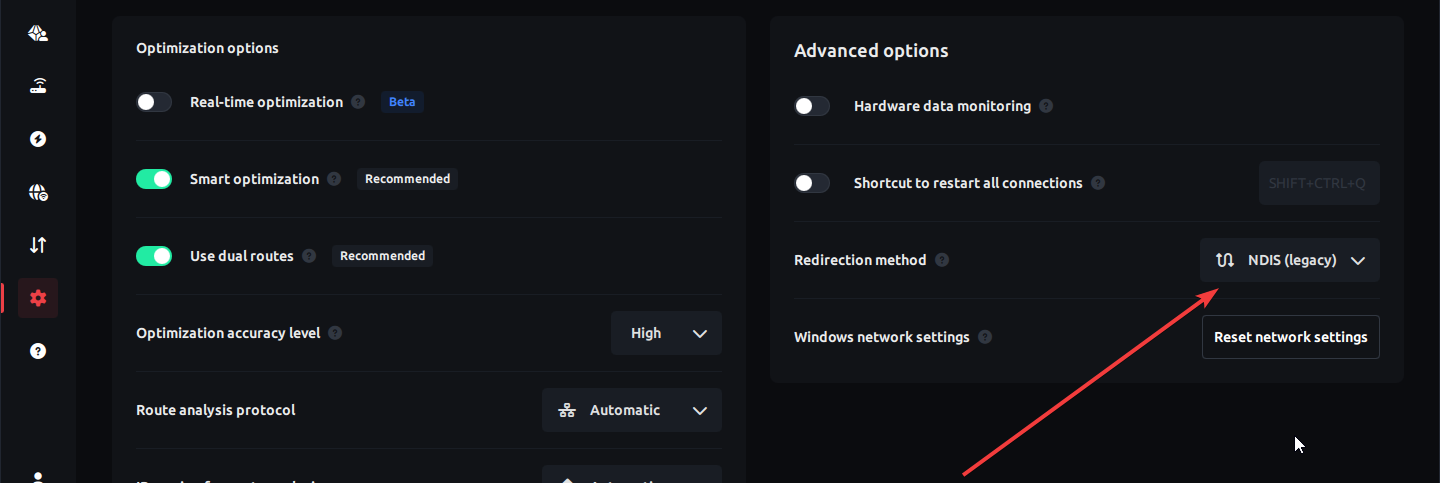
ExitLag's default redirection method (WFP) intercepts Albion's traffic above the NDIS layer, so Npcap sees nothing. Wireshark sees nothing either. In ExitLag, open Settings -> Advanced -> Packet redirection method and pick NDIS (Legacy).
Common Questions
Other players do not appear on the radar
Expected, and the question asked most often. Albion encrypts live player positions, so no passive tool can place them on the map. The radar still detects them: open the Players page to see who is around, their guild, alliance, gear and item power. Threat alerts run off that detection. Details in PLAYER_POSITIONS_MITM.md.
Nothing is detected at all
Work down this list:
- Npcap (Windows) or libpcap (Linux) installed, radar restarted afterwards.
- Settings -> Network: at least one interface ticked and marked active.
- ExitLag, a VPN or a proxy in the way. See the section above.
- On Linux,
setcapapplied, or running as root.
It worked yesterday and now it detects nothing
Albion patches shift the wire protocol. When that happens every build stops decoding until the parser catches up. Check Releases for a newer version before opening an issue, and hard-refresh the page (Ctrl+F5) after upgrading.
Can two PCs share one radar?
Yes. Run the binary on the PC that plays Albion, then open the (LAN) URL from the startup banner on the other device. The threat alert sound comes out of the PC running the radar, not the device showing the page.
Network interfaces, backend logs and pcap recording can only be changed from the PC running the radar. Another device can open Settings, but those controls are disabled.
Is there a macOS build?
No official build. It might compile from source, nobody has tested it. Tracked in #151.
Is there a Discord?
No. Use Issues or Discussions.
Is it safe?
The radar only reads network traffic. It never modifies the game client, never injects into its memory, and never touches the connection. That said, it is still a third-party tool for an online game, and whether you use one is your call and your risk.
What It Detects
| What | Coverage |
|---|---|
| Resources | Wood, Rock, Fiber, Hide, Ore. T1-T8, enchanted .1 .2 .3, static and living |
| Mobs | 5,186 catalogued, 9 danger classes colour-coded from green (normal) to red (boss) |
| Players | Faction flag, guild, alliance, equipment, item power, zone-aware threat alerts |
| Zones | 1,418 zones. Safe / Yellow / Red / Black drives the alert gate |
| Mists | Solo and Duo portals with rarity, feu follets (wisp signs), wisp cages, Knightfall Abbey |
| Dungeons | Solo, Group, Corrupted, Hellgate, with per-enchant filters E0-E4 |
| Fishing | Spawns detected and drawn |
| Chests | Drawn on the radar, color-coded from the chest name. A chest whose name matches no known rarity is not drawn |
Threat alerts
The alert gate depends on where you are:
| Zone type | Alerts on |
|---|---|
| Safe | nothing |
| Yellow, Red | hostile-flagged players only (faction warfare flags do not alert) |
| Black | every player |
Roads of Avalon always count as Black. A Mist counts as Black when you entered it through a lethal entrance or from a red zone, Yellow otherwise, which is what the game does. An alert flashes the screen and plays a sound, each with its own toggle on the Players page. While a threat is around, the radar border pulses red. Players on your ignore list never flash, sound or pulse the border. Alerts need player detection on.
Players appear in the players list with their gear and item power. They are not drawn on the radar itself: Albion encrypts live positions, see Known limitations.
Radar Controls
| Control | Range |
|---|---|
| Zoom | 10% to 300% |
| Max size | 300px to 1200px |
| Fit to screen | toggle, fills the window up to 1200px |
| Icon size | 50% to 200% |
| Map background | toggle, zone map under the radar |
| Zone info box | toggle, zone name, tier and PvP marker |
| Stats box | toggle, resource, mob and player counts |
| Players beside radar | toggle, player list right of the radar if room |
| Keep screen awake | toggle on touch screens, keeps the screen on |
| Resource count | toggle, estimated quantity per node |
| Resource distance | toggle, distance in meters per node |
| Resource tier color badges | toggle, colored squares with tier and enchant |
| Resource clusters | toggle, rings around groups of nearby nodes |
| Cluster radius (m) | 10 m to 100 m |
| Min nodes per cluster | 2 to 10 |
| Fullscreen | header button |
| PiP | Picture-in-Picture floating window |
Picture-in-Picture: playing fullscreen? Pop the radar into a floating always-on-top window. One click, native browser PiP. Alerts mirror onto it.
Self-contained: fonts, icons and game data are bundled in the binary. Once Albion connects, the radar needs no internet.
Screenshots
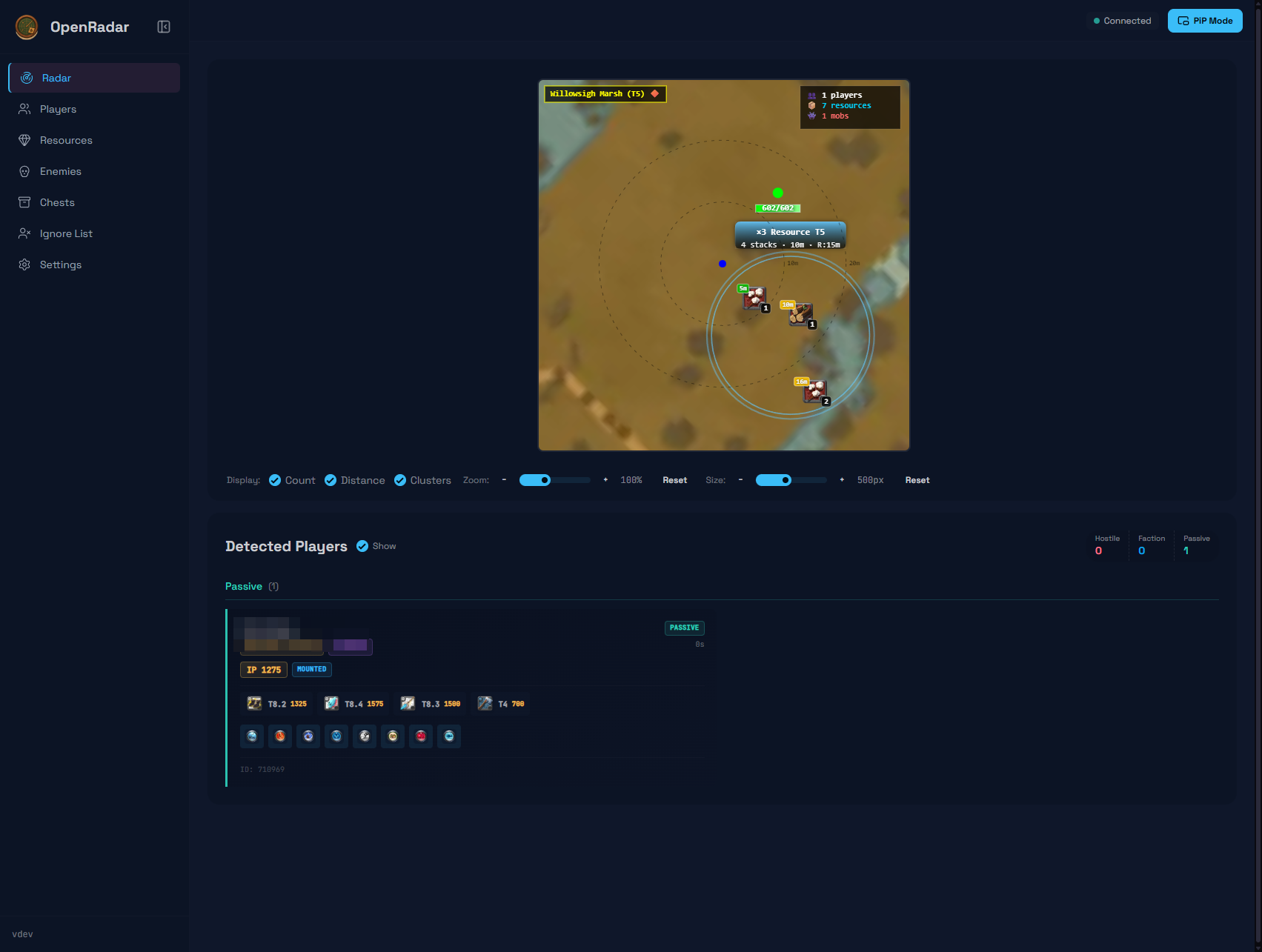 | 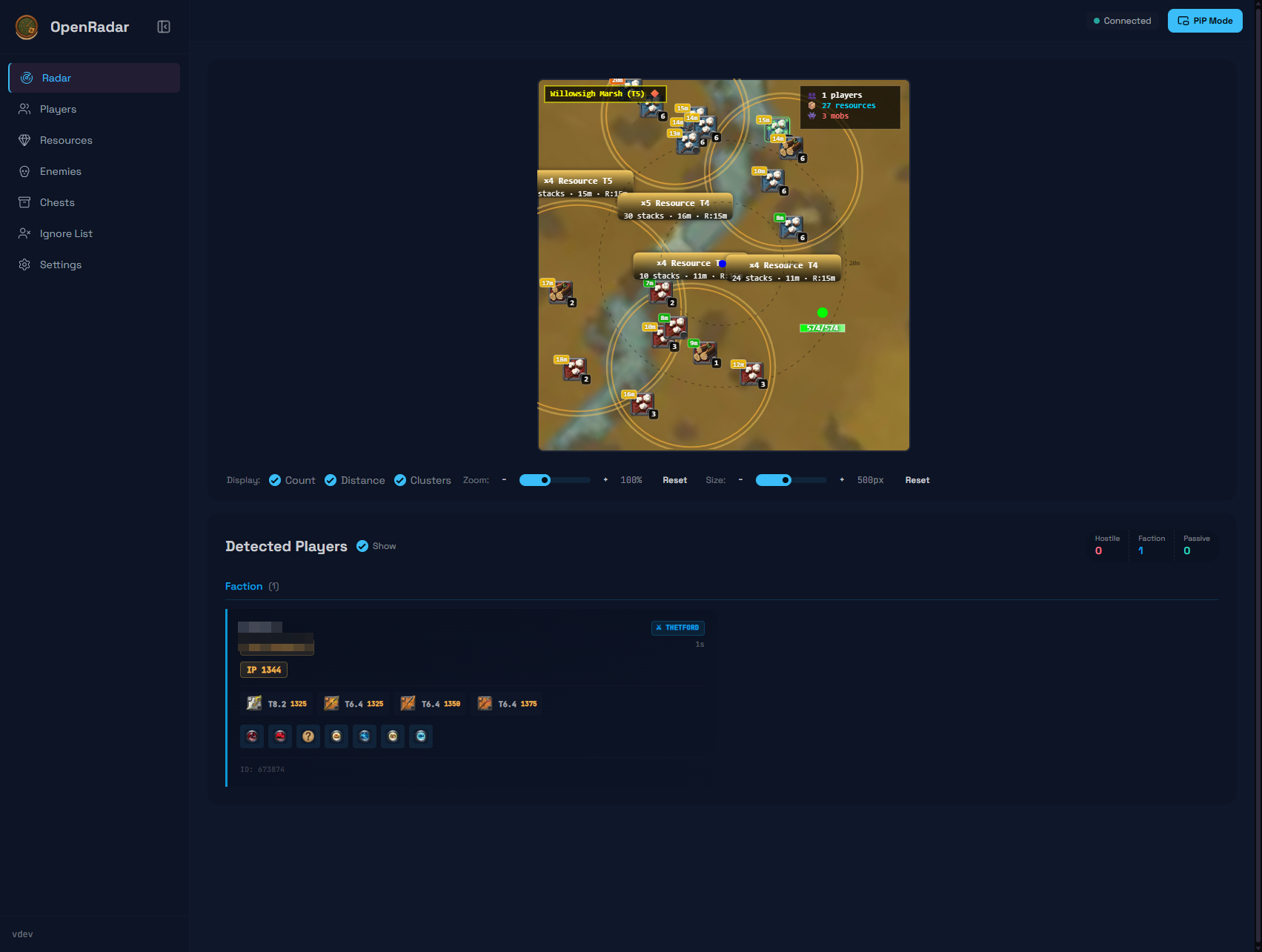 |
| Main radar view | Detecting resources and mobs |
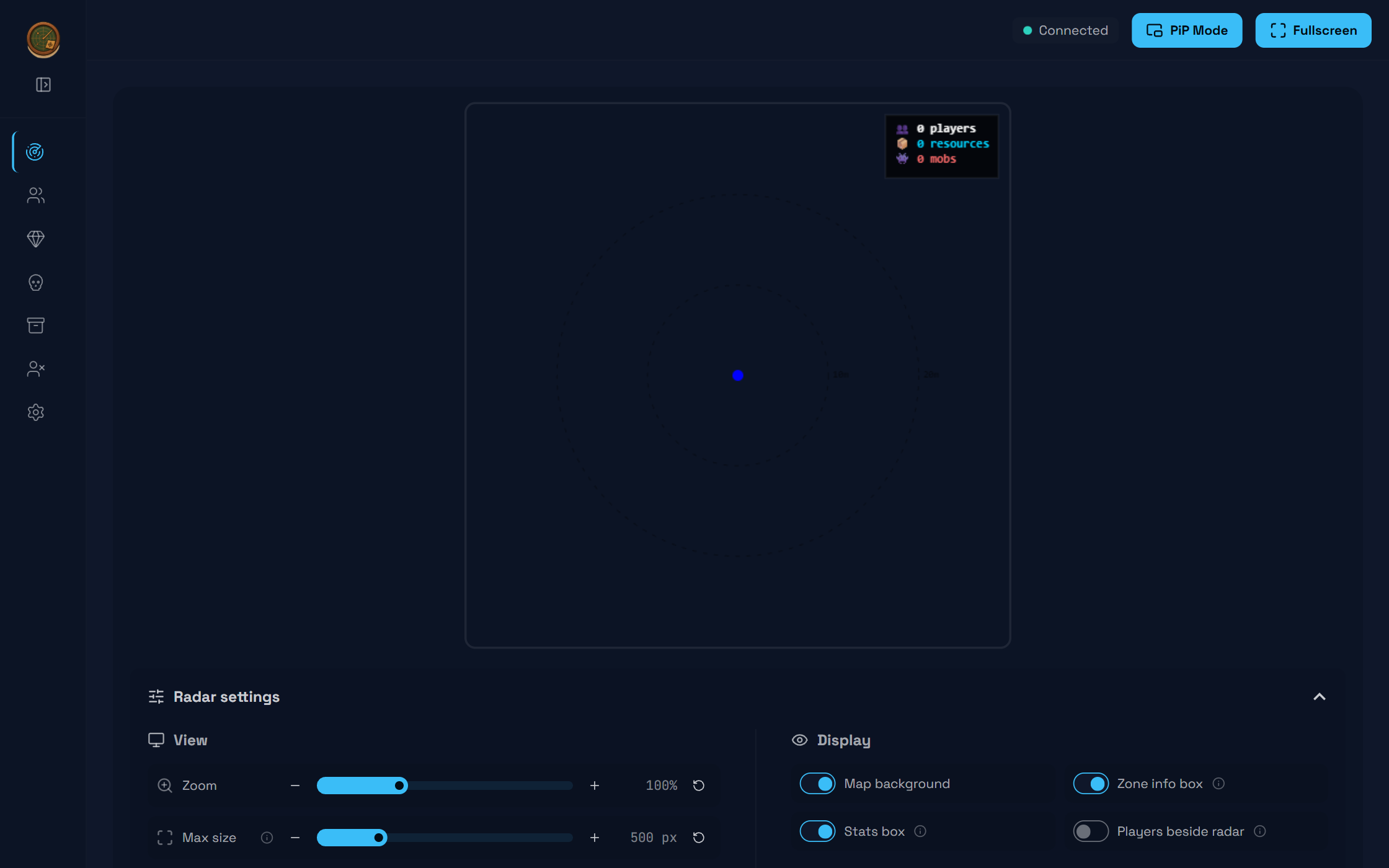 | 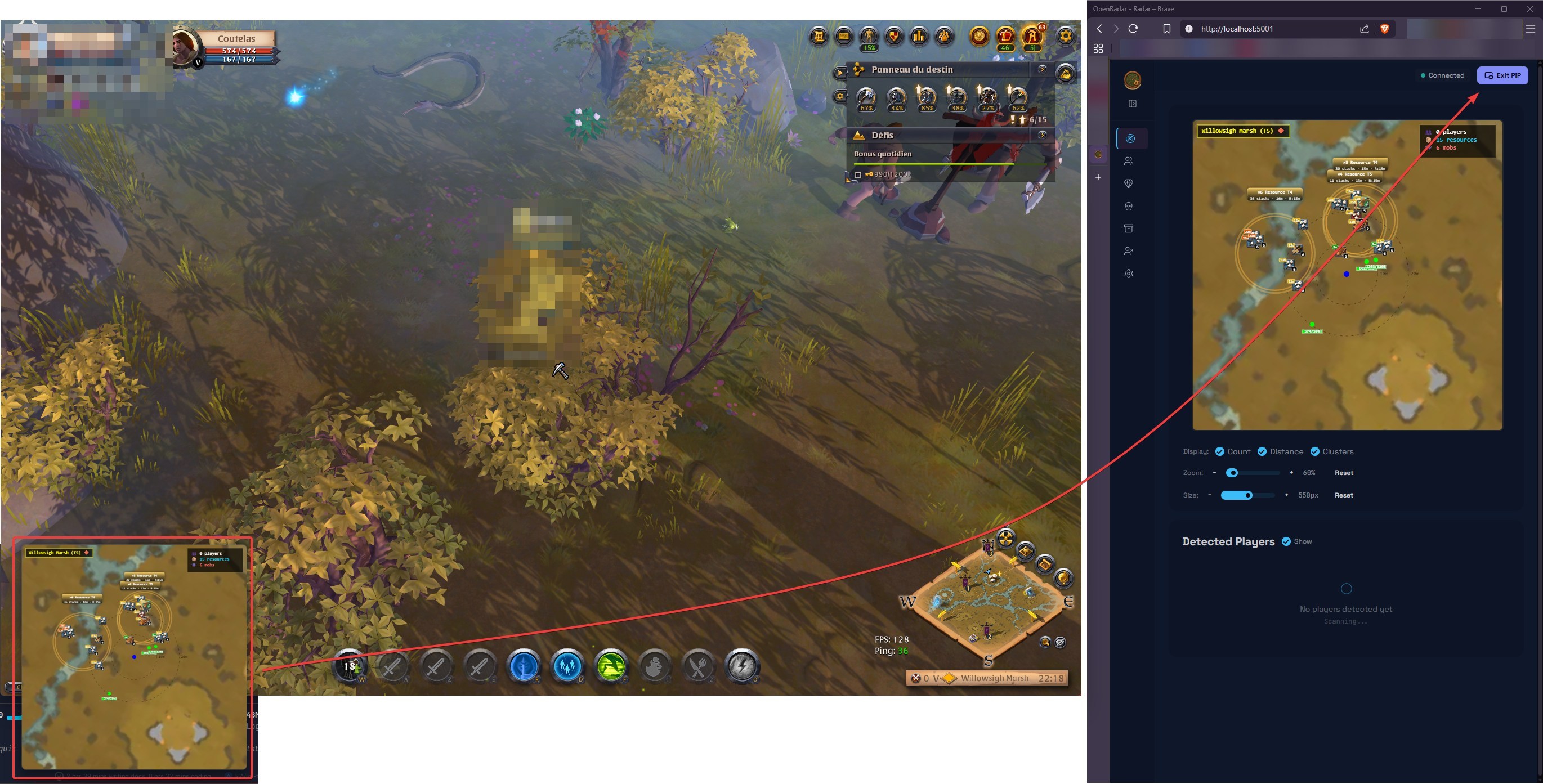 |
| Radar settings panel | PiP floating window |
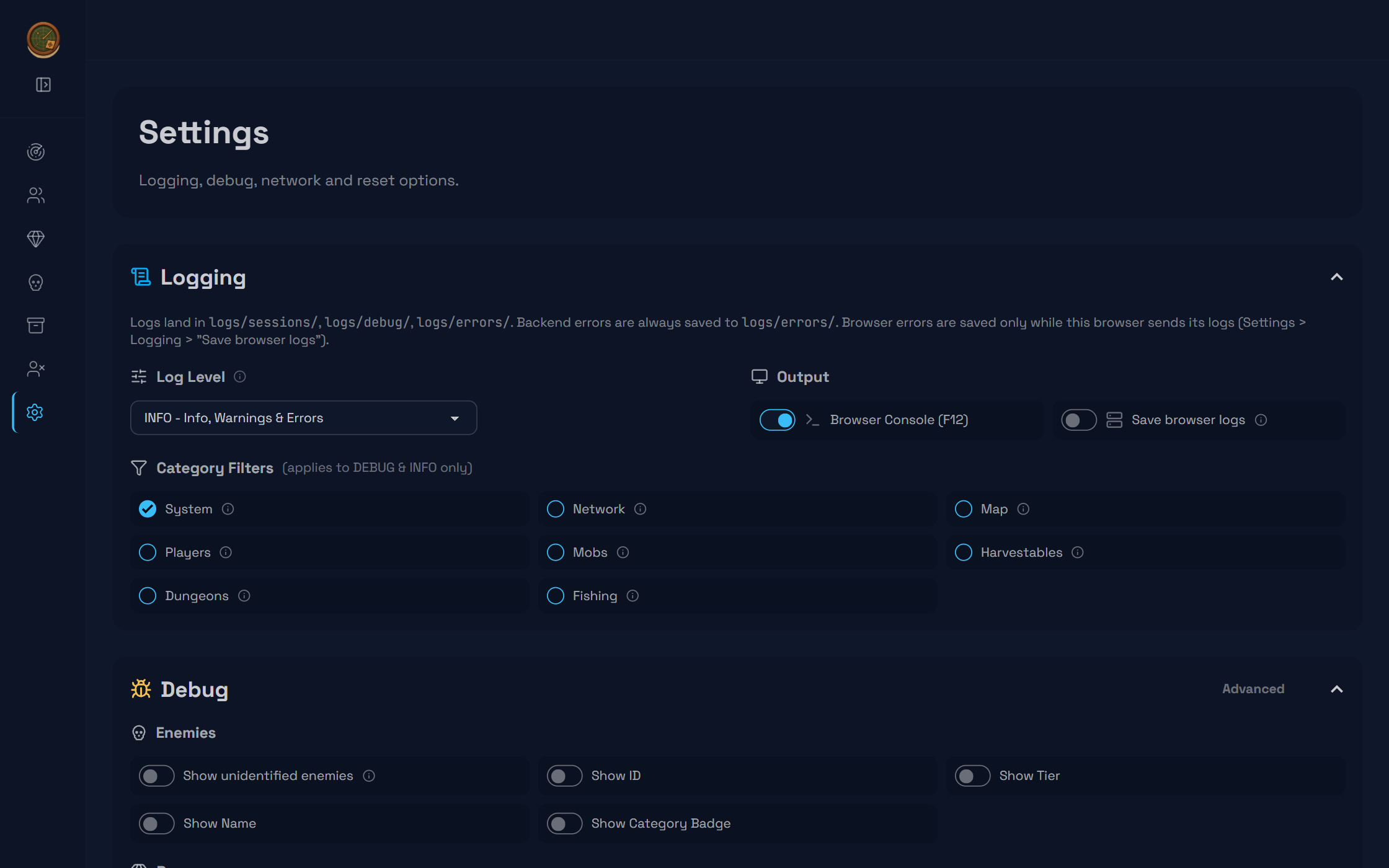 | 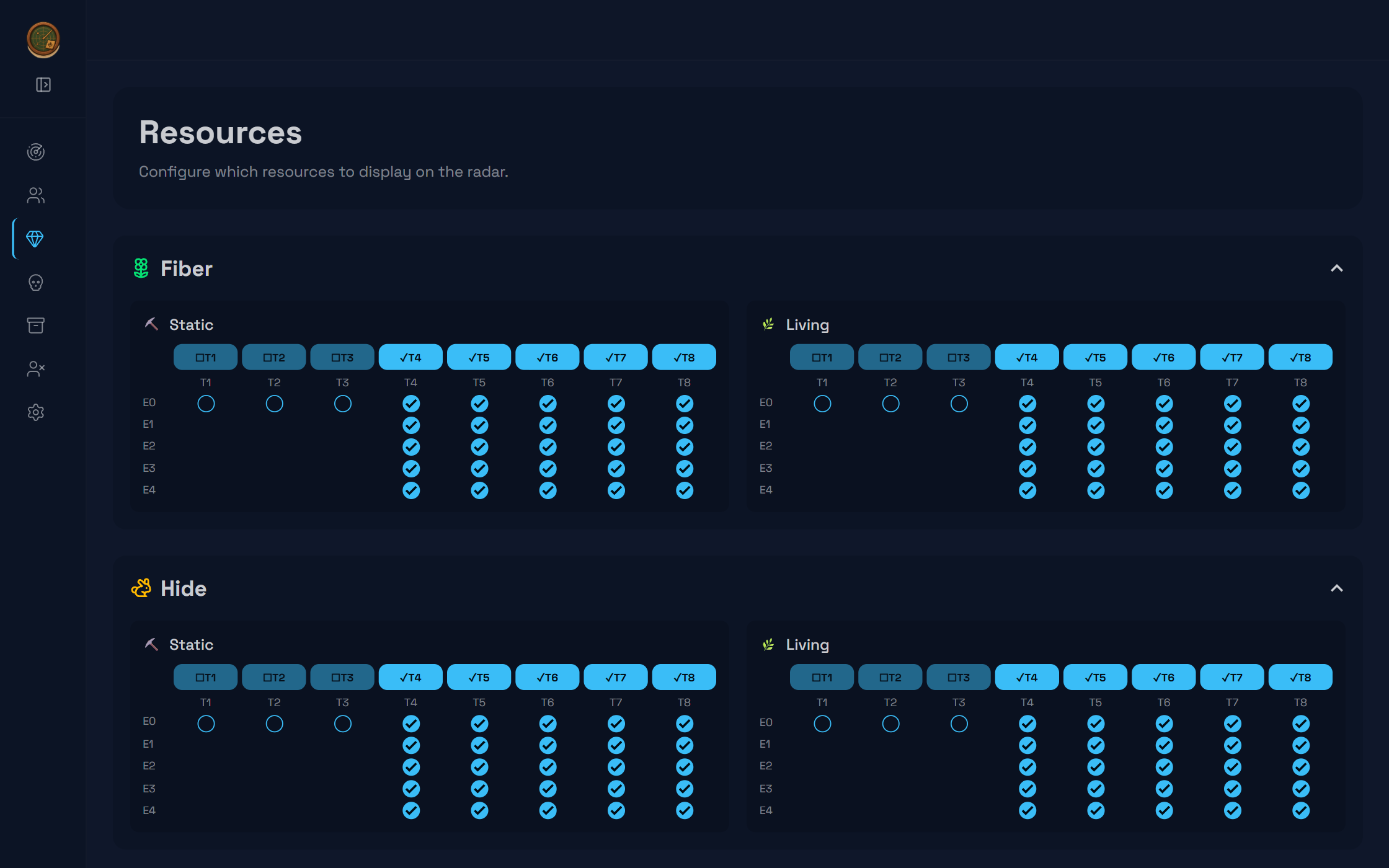 |
| Logging and debug settings | Resource filtering |
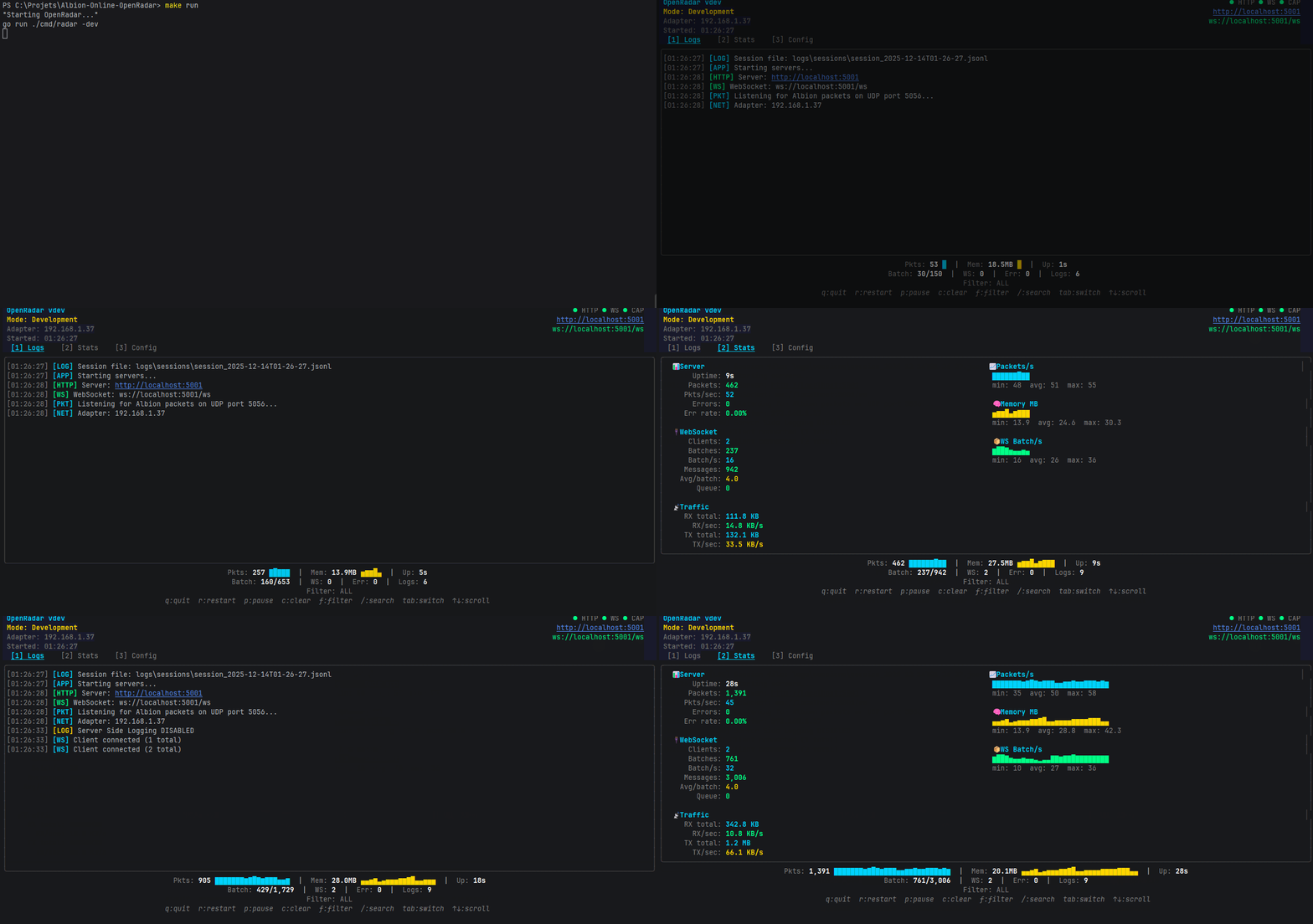 | |
| Terminal dashboard (TUI) | |
Releases
| Version | Headline |
|---|---|
| v2.2.3 | Fresh game data on upgrade, equipment ids, alert gate |
| v2.2.2 | 2026-06-29 patch resync: event codes and mob table |
| v2.2.1 | Mists threat detection, Knightfall Abbey, sub-zone maps |
| v2.2.0 | Protocol18 stabilization, multi-interface capture, LAN access |
| v2.1.0 | Memory and performance, Picture-in-Picture |
| v2.0.0 | Go backend, UI overhaul |
Albion patches shift the wire protocol regularly. When detection breaks after a game update, that is usually why, and the fix ships as a patch release.
Known Limitations
- Player positions: Albion encrypts movement data. Players are detected and listed, but their live positions cannot be placed on the radar without a Photon MITM proxy, which is out of scope. See PLAYER_POSITIONS_MITM.md.
- Some Black Zone maps: background tiles are missing for zone IDs 4000+. Turn off Map background in the radar settings panel on the Radar page.
- Event 46 timing:
HarvestableChangeStatecan skip sizes or arrive late depending on server batching. The radar shows what the wire delivers. States the server skipped are unrecoverable.
Open bugs and feature requests live in Issues, the roadmap in TODO.md.
For Developers
| Tool | Version | Purpose |
|---|---|---|
| Go | 1.27+ | backend |
| Npcap | 1.87+ | Windows packet capture |
| libpcap | latest | Linux packet capture |
| ALSA | latest | Linux alert sound, PulseAudio preferred when running |
| Node.js | 20+ | asset and data tooling |
| Docker | latest | Linux cross-compile |
git clone https://github.com/Nouuu/Albion-Online-OpenRadar.git
cd Albion-Online-OpenRadar

make run              # run
make dev              # hot-reload (needs: make install-tools)
make test             # Go tests + Vitest
make build-windows    # Windows binary
make build-linux      # Linux binary, via Docker
make all-in-one       # both binaries + READMEs + checksums
├── cmd/radar/ # entry point, flags, app wiring
├── internal/
│ ├── capture/ # multi-interface manager + libpcap workers
│ ├── photon/ # Protocol18 parser, event/op codes, pcap fixtures
│ ├── photonscan/ # shared decode walk used by the pcap tools
│ ├── server/ # HTTP routes, WebSocket, network and settings APIs
│ ├── templates/ # Go templates + HTMX pages
│ ├── ui/ # Bubble Tea TUI dashboard
│ └── logger/ # JSONL structured logging
├── web/ # frontend, embedded in the binary
│ ├── scripts/ # JS modules (core, handlers, drawings, utils)
│ ├── styles/ # Tailwind + DaisyUI, fonts
│ ├── images/ # maps, item and spell icons
│ ├── sounds/ # alert audio
│ └── ao-bin-dumps/ # game data, minified JSON
├── tools/ # Go tools (anonymize-pcap, photon-dump, photon-strings,
│ # gen-eventcodes, offset-validate) + TS asset scripts
└── docs/ # documentation
Full setup, build system and test strategy: DEV_GUIDE.md.
Documentation
| Guide | Description |
|---|---|
| docs/ | documentation index |
| DEV_GUIDE.md | development setup, build system, testing |
| docs/technical/ | subsystem deep-dives |
| TODO.md | roadmap and open observations |
Contributing
Found a bug? Open an issue. A network capture helps but is not required: a clear description of where you were and what you expected is already enough to aim the search.
Credits
Built by @Nouuu
Star History
⚠️ For educational purposes. Use at your own risk.