AI shorts generator


A free open-source project designed to turn youtube-videos into viral short videos. Highlight detection, subtitles, translation, voiceover, all in one for your content: no pre-clip credits or any watermarks. Designed for creators who want an alternative to short-video SaaS tools like OpusClip or Vidyo.ai for free.
Examples of a processed video
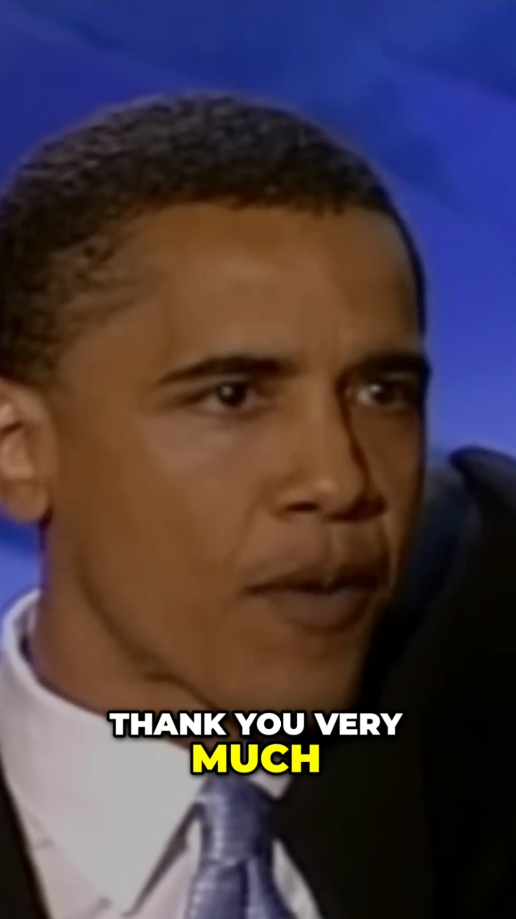 "The Speech that Made Obama President" |
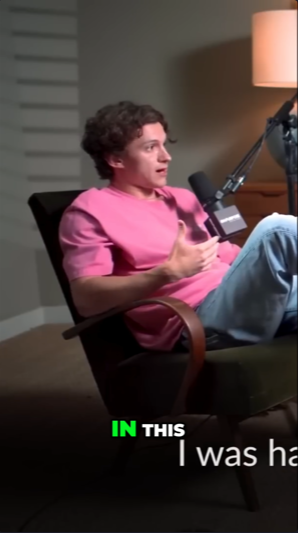 "How Tom Overcame Social Anxiety - The Mindset That Changed Everything" |
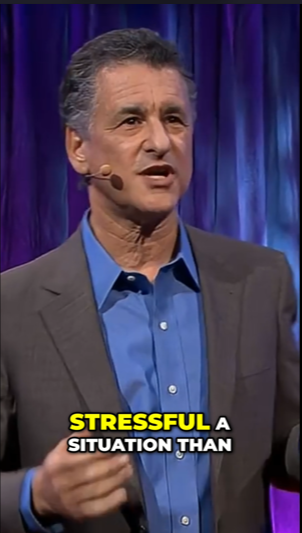 "How to stay calm when you know you'll be stressed | Daniel Levitin | TED" |
Features 🪁
- API: Freely use this generator in your own projects via our API.
- Convenient: Paste a YouTube link (any length!) and get a ready-to-post 9:16 short.
- Hooks option: When enabled, adds a context-aware AI-generated hook at the start of the clip
- Web version: Besides the CLI, you can also generate videos on a local website
- Smart Highlight Selection: Finds the most viral, hot moments from your video automatically based on algorithm
How It Works
- Download: Fetches the source video from YouTube, or uses the local file path directly
- Transcribe:
faster-whisperproduces a timestamped transcript locally — same step regardless of whichLLM_PROVIDERis selected - Detect content type: The chosen LLM classifies the video (podcast, interview, tutorial, vlog, etc.) and pacing, so the highlight prompt can be tuned per content style
- Highlight ranking: The chosen LLM (
openai/gemini/muapi) scans the transcript through a virality framework — hook moments, emotional peaks, opinion bombs, revelations, conflict, quotables, story peaks, practical value — and emits ranked candidates with scores 0–100 - Dedupe: Overlapping candidates are collapsed by score
- Top-N selection: The top
--ncandidates are selected - Auto-crop: Each highlight is rendered as a vertical short at the requested
--ratio, with an optional AI-generated hook at the start unless--no-hookis set
Requirements
- Python 3.10+
- Any LLM API key(OpenAI/Gemini/MuAPI)
requirements.txtfile dependencies
Quick start
- Clone the repo:
git clone https://github.com/OStudi/short-video-generator-AI.git
cd short-video-generator-AI- Create and activate a virtual environment:
Windows:
python -m venv venv
venv\Scripts\activate
Linux/MacOS:
python -m venv venv
venv\Scripts\activate- Install dependencies
pip install -r requirements.txt- Set up
.env
# Used LLM provider(openai/gemini/MuAPI)
LLM_PROVIDER=openai

# Enter the API key for the chosen provider
OPENAI_API_KEY=your_openai_key_here
OPENAI_MODEL=gpt-4o-mini          # optional
GEMINI_API_KEY=your_gemini_key_here
GEMINI_MODEL=gemini-2.5-flash      # optional
MUAPI_API_KEY=your_muapi_key_here

# Whisper settings
LOCAL_WHISPER_MODEL=base # tiny / base / small / medium / large-v3
LOCAL_WHISPER_DEVICE=auto    # auto / cpu / cuda
If you uncertain about the provider:
| Provider | Free tier? | Get key |
|---|---|---|
| Gemini | ✅ Yes, but daily limit | https://aistudio.google.com |
| OpenAI | ❌ Paid | https://platform.openai.com |
| MuAPI | ❌ Paid, but pay-per-use, no subscription | https://muapi.ai |
Usage
Basic usage:
python main.py "https://www.youtube.com/watch?v=video_id" Renderred clips are saved to output folder
With flags:
python main.py "https://www.youtube.com/watch?v=video_id" \
      --n 3 \
      --ratio 9:16 \
      --resolution 1080 \
You can also provide a local video file instead of a YouTube link, for example:
python main.py "/Users/Admin/Folder/video.mp4" \
      --n 4 \
      --ratio 9:16 \
      --resolution 720 \
      --language zh \
CLI Flags
| Flag | Default | Notes |
|---|---|---|
| --n | 3 | How many clips to render |
| --ratio | 9:16 | Any ratio / 9:16 for short videos / 1:1 for square |
| --resolution | 720 | Source video download resolution: 360 / 480 / 720 / 1080 |
| --language | auto | Force Whisper language code (e.g. en) |
| --no-hook | - | Excludes AI generated hook from the start of the clip |
Web version set-up
Instead of the CLI, you can use a local web interface to queue multiple videos at once and adjust flags visually. The LLM provider and API keys are still configured in .env — the web version only handles video input and render flags.
python3 server.pyServe the frontend:
cd web
python3 -m http.server 8000
Then, open in your browser:
http://localhost:8000/shorts-generator-ui.htmlContributing
Feel free to open an issue or fork the repository for your projects.
License
This project is licensed under the MIT License.