⚡ Snappy Switcher
A blazing-fast, context-aware Alt+Tab window switcher for Hyprland





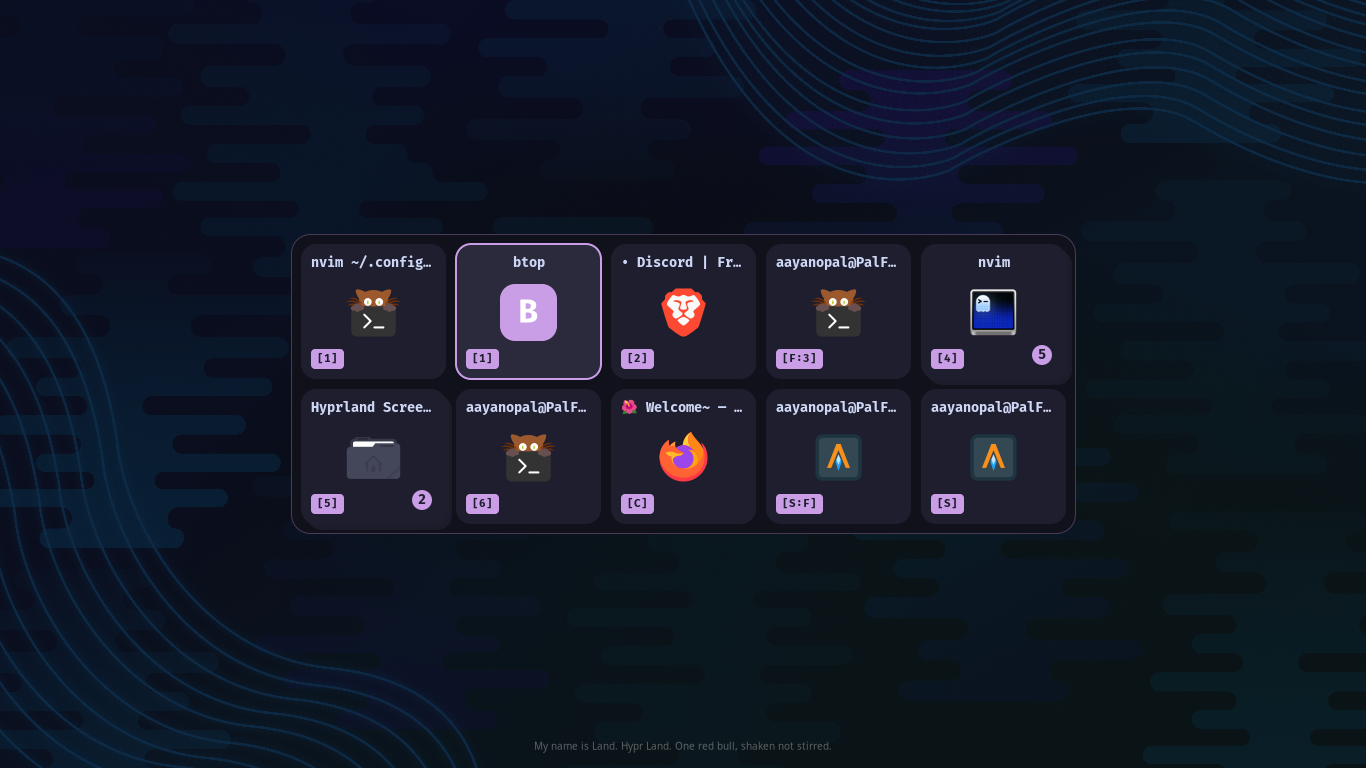
The window switcher that actually understands your workflow
Pure C · Wayland Layer Shell · Zero dependencies on Electron or GTK runtimes
Key Features
| Feature | Description |
|---|---|
| Context Grouping | Tiled windows sharing the same workspace + app class are collapsed into a single card with a count badge. Floating windows are never grouped. |
| Dynamic Pango UI | Cairo/Pango rendering pipeline with automatic grid scaling, HiDPI support, SVG/PNG icon resolution, and configurable workspace badges. |
| Silent & Linear Routing | --silent performs an instant MRU switch without ever creating a Wayland surface. --linear bypasses MRU for deterministic workspace/address cycling. Combinable. |
| Dual-Track Dismiss | Dismiss-on-release supports both XKB modifier masks (alt, super, ctrl, shift) and raw keycode tracking (space, 1, Return, etc.). |
| Rapid-Tap Safe | The input engine distinguishes genuine config mismatches from rapid taps by inspecting the XKB depressed-modifier bitmask, eliminating false-alarm error banners. |
| 15 Themes | Ships with Catppuccin (Mocha/Latte/Frappe), Dracula, Nord, Nordic, Tokyo Night, Gruvbox, Rose Pine, Cyberpunk, Liquid Glass, and more. Full .ini customization. |
| Crash Recovery | Socket takeover protocol ensures seamless daemon restart. POLLHUP detection prevents Wayland client death spirals if the compositor exits. |
Installation
 Arch Linux (AUR)
|
Using Yay |
Using Paru |
Build from PKGBUILD
git clone https://github.com/OpalAayan/snappy-switcher.git
cd snappy-switcher
makepkg -si
Fedora / RHEL
sudo dnf install wayland-devel cairo-devel pango-devel json-c-devel libxkbcommon-devel glib2-devel librsvg2-devel wayland-protocols-develA Copr way to install things will be included soon (Community maintained pkgs will be appreciated)
 Nix / NixOS
|
Install with Flakes |
Run directly |
Add to NixOS Configuration
# flake.nix
{
  inputs.snappy-switcher.url = "github:OpalAayan/snappy-switcher";
}

# configuration.nix
environment.systemPackages = [
  inputs.snappy-switcher.packages.${pkgs.system}.default
];
Manual Build
Dependencies
| Package | Purpose |
|---|---|
wayland | Core protocol |
cairo | 2D rendering |
pango | Text layout |
json-c | IPC parsing |
libxkbcommon | Keyboard handling |
glib2 | Utilities |
librsvg | SVG icons (optional) |
# Arch
sudo pacman -S wayland cairo pango json-c libxkbcommon glib2 librsvg

# Build & install
make
sudo make install

# Or install for current user only
make install-user
Quick Start
1. Setup Configuration
snappy-install-configThis copies themes to ~/.config/snappy-switcher/themes/ and creates config.ini.
2. Add to Hyprland Config
Add these to ~/.config/hypr/hyprland.lua. The --mod flag must match the modifier used in the bind.
-- Start daemon on login
hl.exec_cmd("snappy-switcher --daemon")

-- Alt+Tab (standard MRU)
hl.bind("ALT + Tab", hl.dsp.exec_cmd("snappy-switcher next --mod alt"))

-- Super+Tab (workspace-filtered)
hl.bind("SUPER + TAB", hl.dsp.exec_cmd("snappy-switcher next --workspace --mod super"))
Hyprland v0.55+ uses Lua config (
hyprland.lua), though it will work on older version of hyprland or using (hyprland.conf) on v0.55.x
For Hyprlang
# --- (Snappy Switcher) ---
#exec-once = snappy-wrapper
exec-once = snappy-switcher --daemon
# Alt+Tab: Global window cycling
bindd = ALT, Tab, Snappy Switcher Next, exec, snappy-switcher next --mod alt
# Super+Tab: Workspace-local window cycling
bindd = SUPER, Tab, Snappy Switcher Workspace Next, exec, snappy-switcher next --workspace --mod super
3. Done
Press your configured bind to see it in action.
Commands
| Command | Description |
|---|---|
snappy-switcher --daemon | Start the background daemon |
snappy-switcher next | Cycle to next window |
snappy-switcher prev | Cycle to previous window |
snappy-switcher toggle | Show/hide the switcher |
snappy-switcher select | Activate the currently selected window |
snappy-switcher hide | Force-hide the overlay |
snappy-switcher quit | Gracefully tear down Wayland surfaces, close the IPC socket, and exit |
--mod--workspace--silentand--linearare flags and should be used with this commands
Flags
Flags can be combined with next, prev, and toggle.
--mod <key>
Tells the daemon which key to watch for release so it can dismiss the switcher.
| Type | Values | Tracking Method |
|---|---|---|
| Modifiers | alt, super, ctrl, shift, mod1–mod5 | XKB modifier mask |
| Regular keys | space, 1, 2, f, Return, etc. | Raw key press/release |
Literally use it with any fucking key you want!!!, its a WINDOW SWITCHER not any freaky
ALT + TAB
Rules:
- The
--modvalue must match the key used in your compositor bind. A mismatch triggers a CONFIG ERROR banner. - If
--modis omitted, the switcher opens in toggle mode -- no dismiss-on-release. Close with Escape, Enter, orsnappy-switcher toggle. - The engine handles rapid taps correctly: if you release the modifier before the compositor delivers the first event, it auto-dismisses instead of throwing a false error.
just plz set bind 1st key and mod same key or you will be blessed with scary banners i made
--workspace
Filter the window list to the currently active workspace.
--silent
Perform an instant MRU switch without creating any Wayland UI. The Cairo rendering pipeline is bypassed entirely — the daemon queries the window list, picks the target, and calls activate_window() directly. If the GUI panel is already open, it is torn down before the silent switch executes.
--linear
Use deterministic workspace/address sorting instead of MRU order. Windows are ordered by workspace ID first, then by Hyprland address. Combinable with --silent for headless deterministic cycling.
Examples
# Standard Alt+Tab with GUI
snappy-switcher next --mod alt

# Workspace-filtered Super+Tab
snappy-switcher next --workspace --mod super

# Instant MRU switch, no UI
snappy-switcher next --silent

# Deterministic linear cycle, no UI
snappy-switcher next --silent --linear

# Space as dismiss key
snappy-switcher next --mod space

# Toggle mode (no modifier dismiss)
snappy-switcher toggle
Theme Gallery
All 15 themes included out of the box. Change one line in your config.
|
Snappy Slate Default |
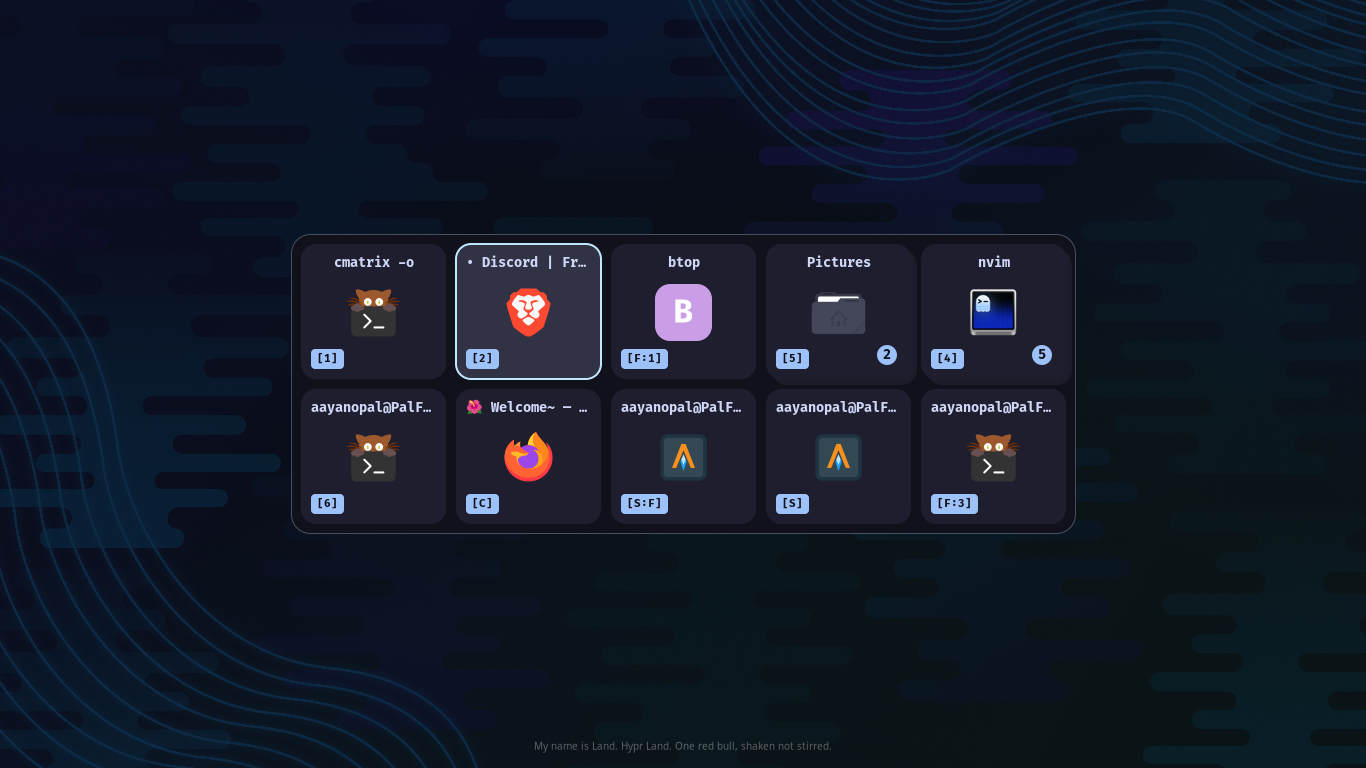 Catppuccin Mocha |
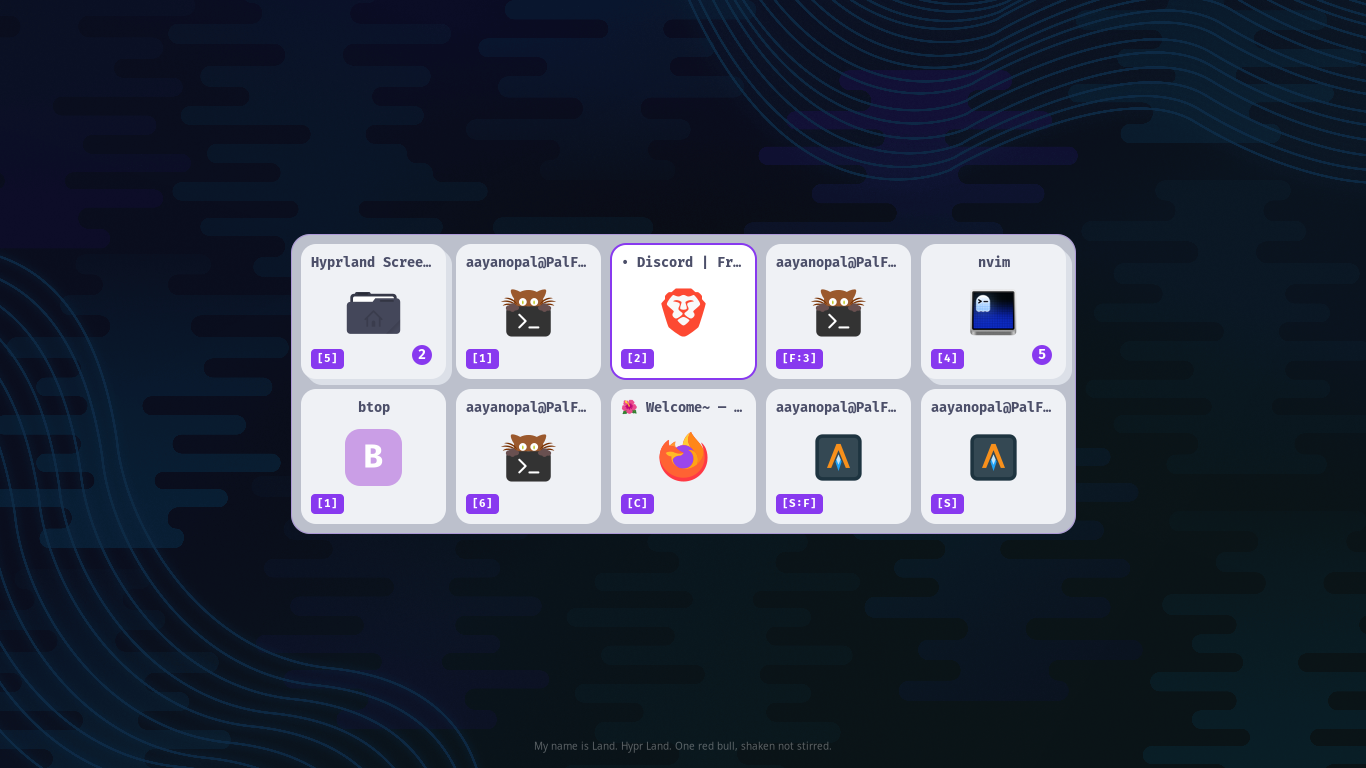 Catppuccin Latte |
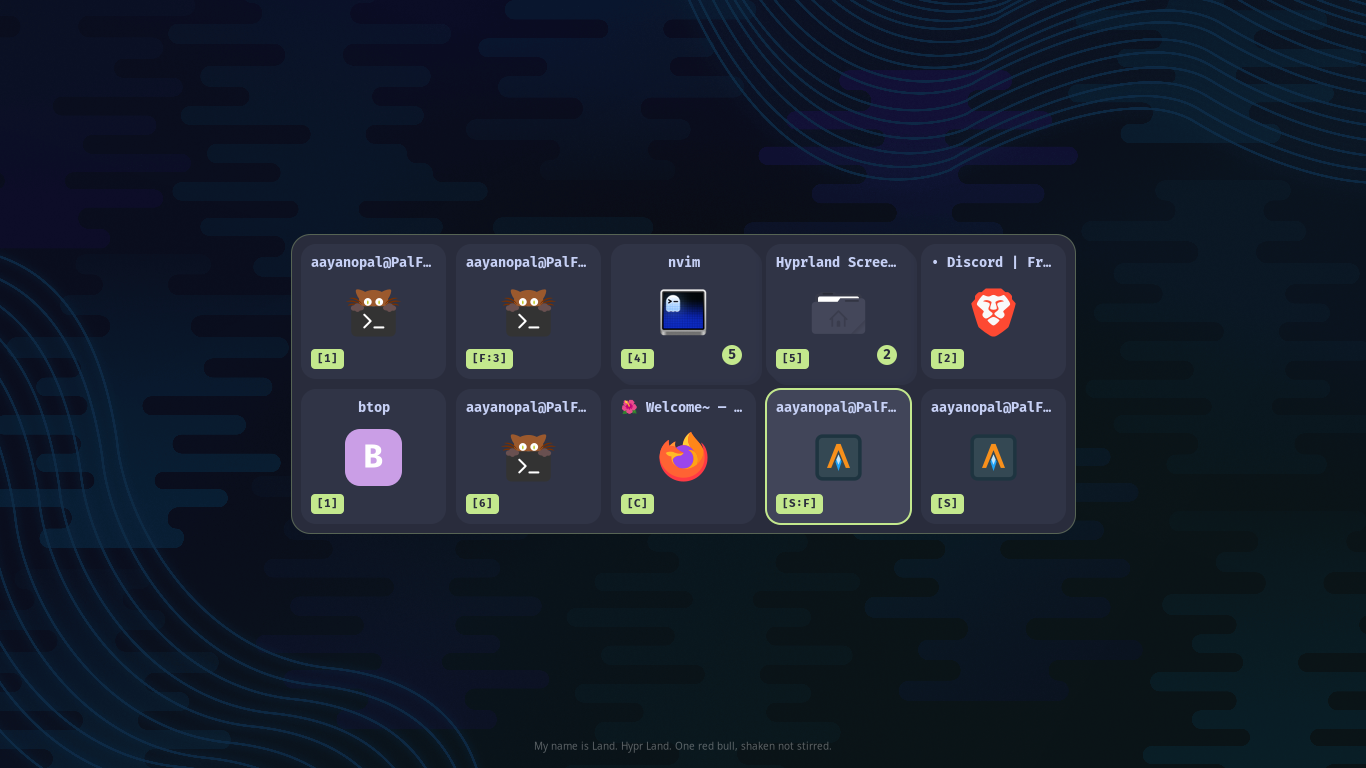 Catppuccin Frappe |
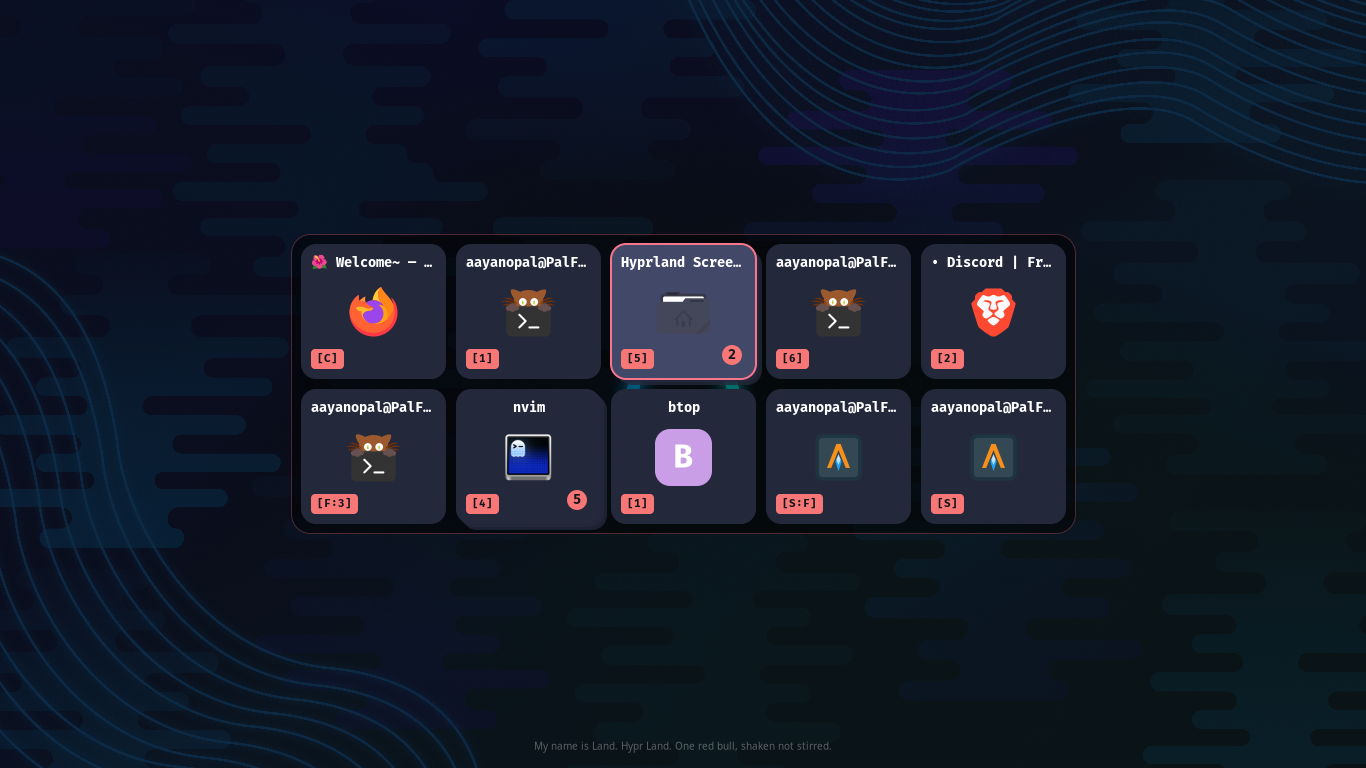 Tokyo Night |
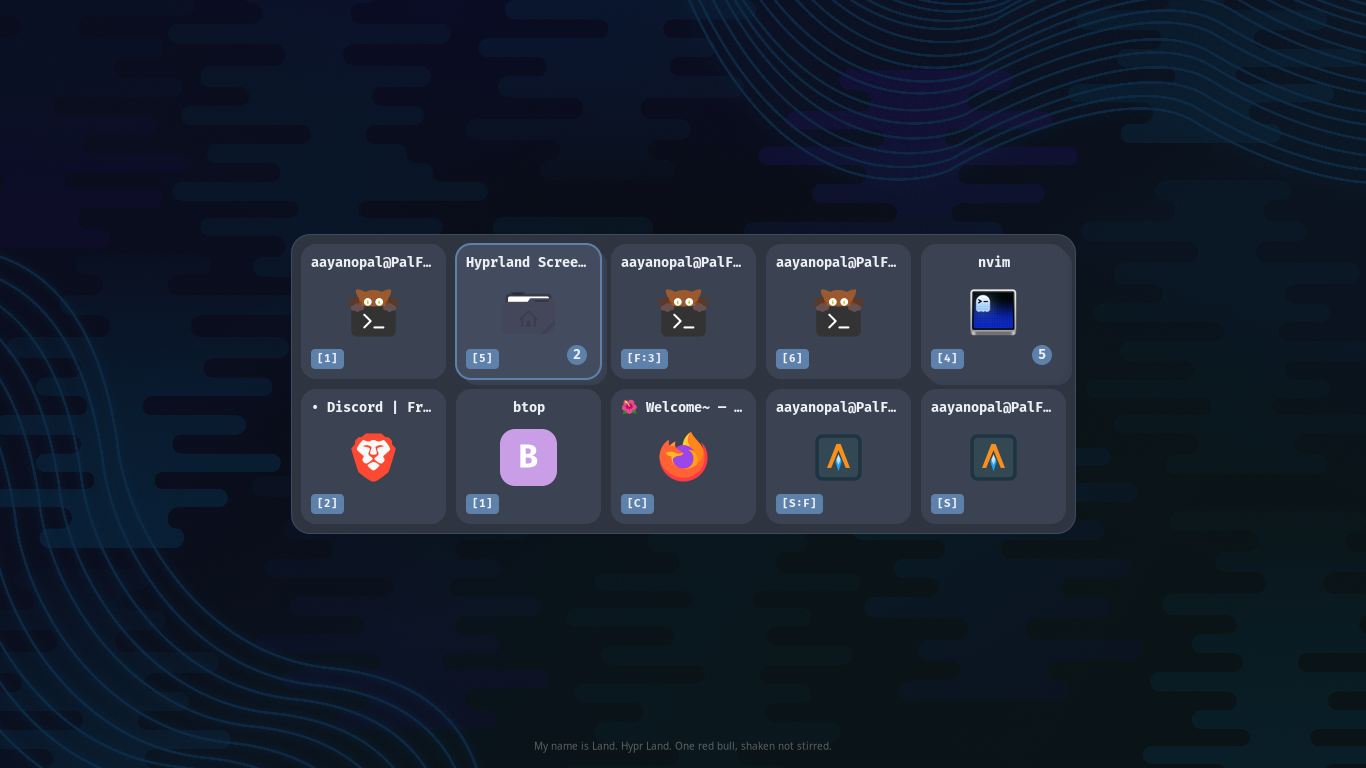 Nord |
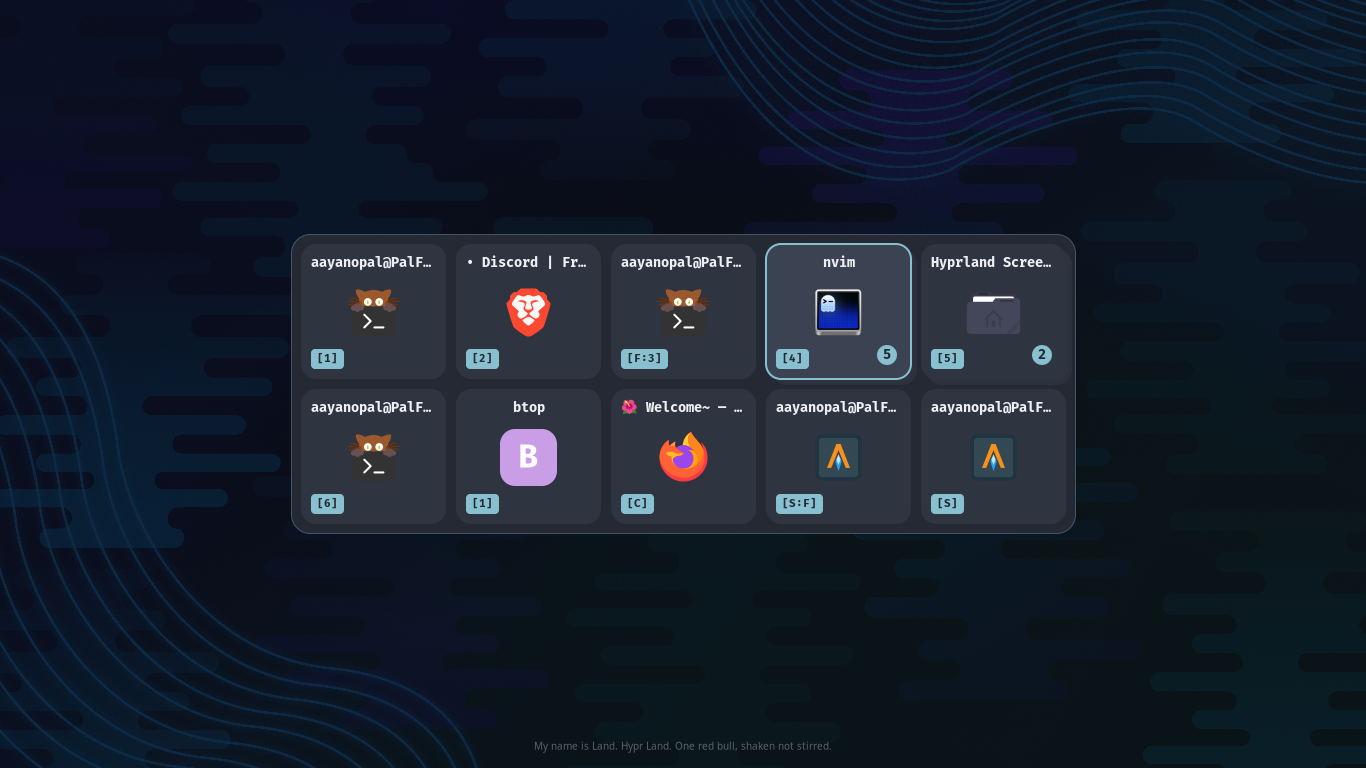 Nordic |
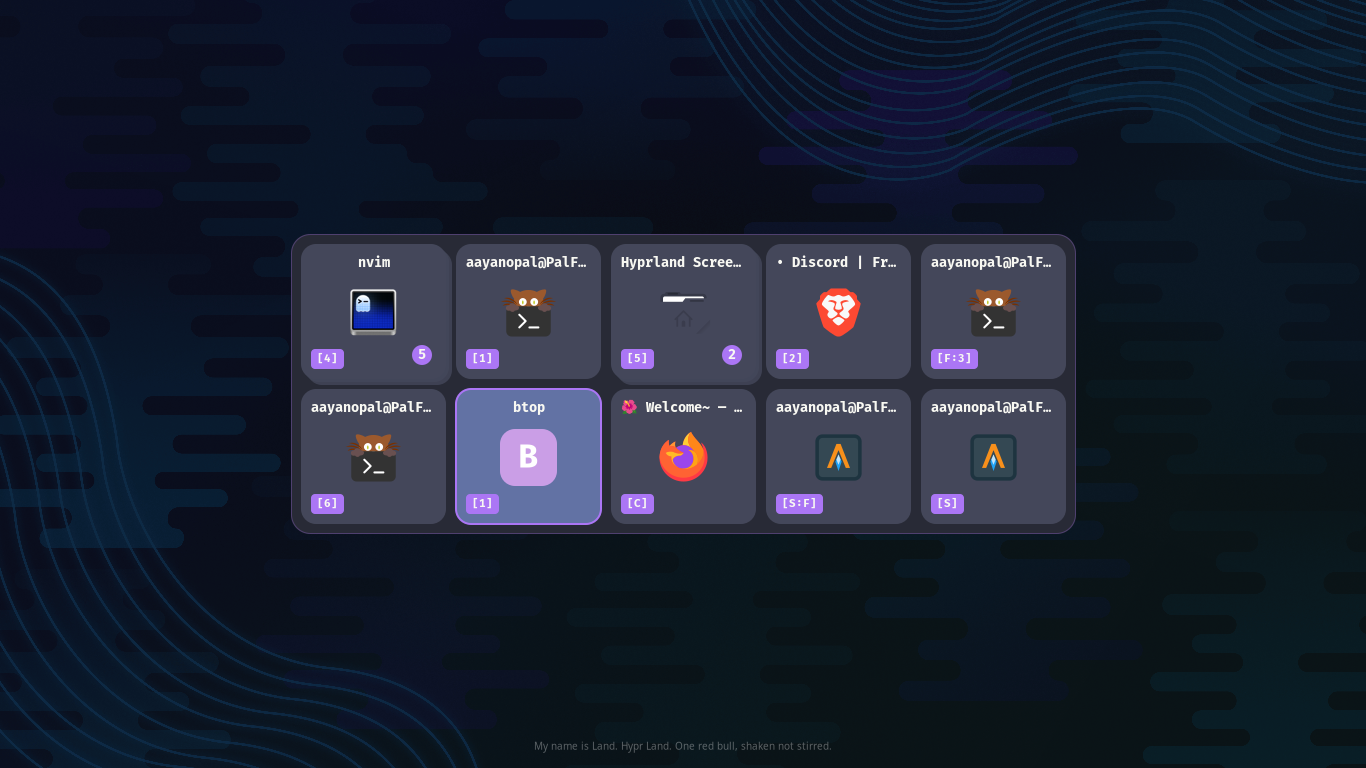 Dracula |
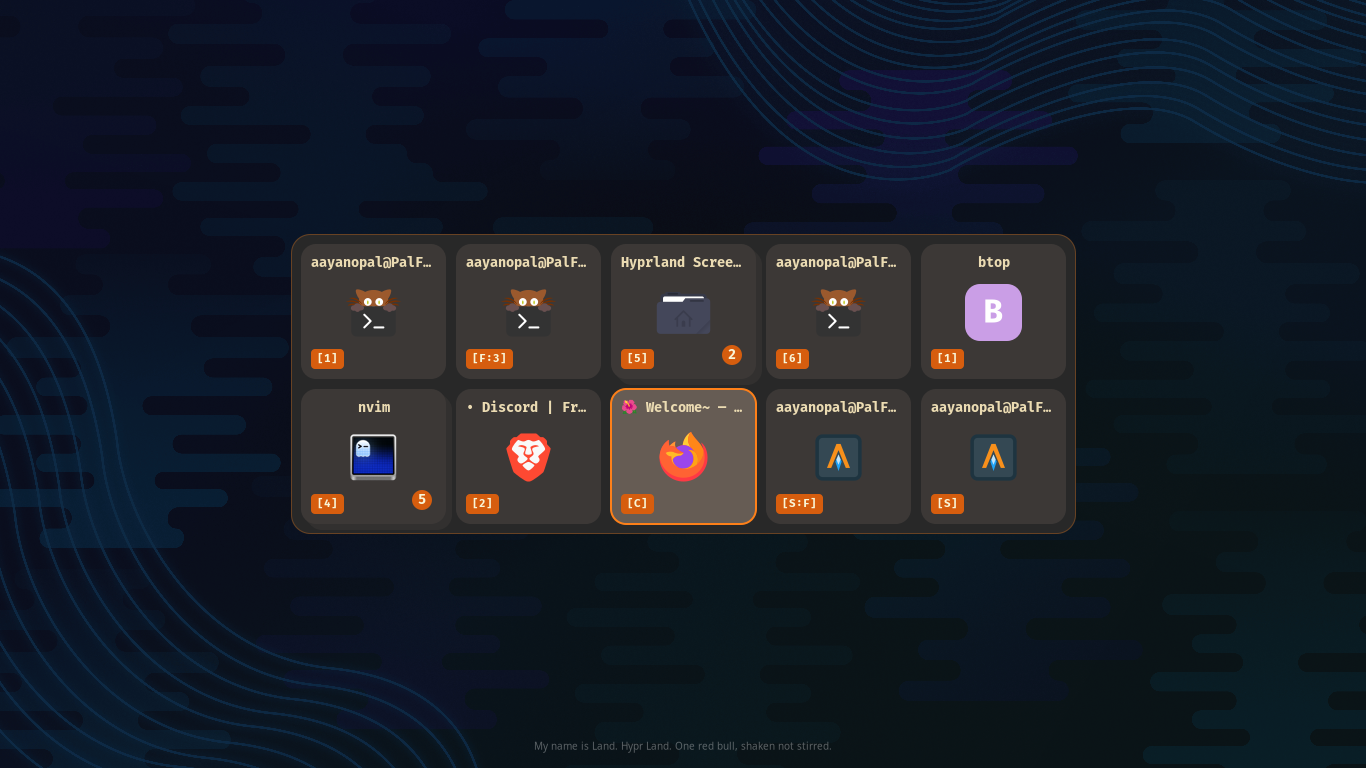 Gruvbox Dark |
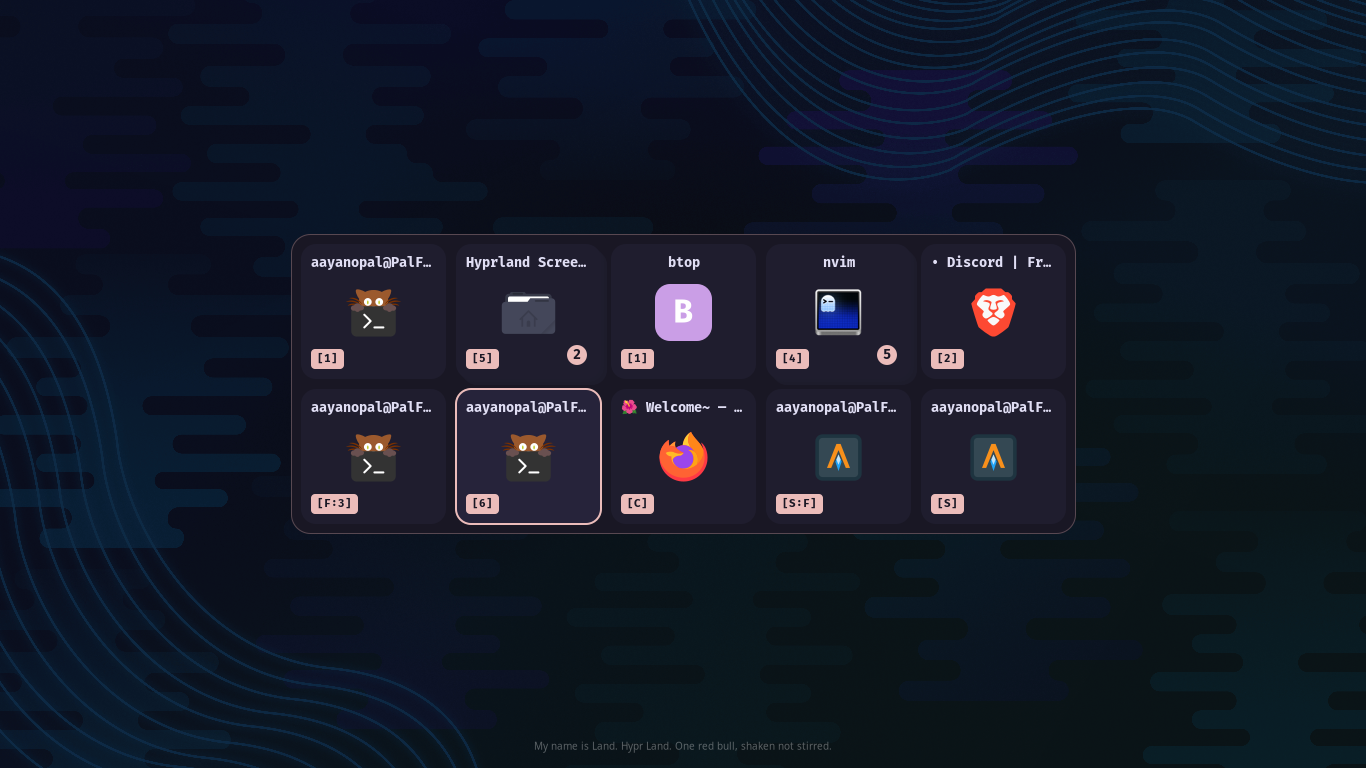 Rose Pine |
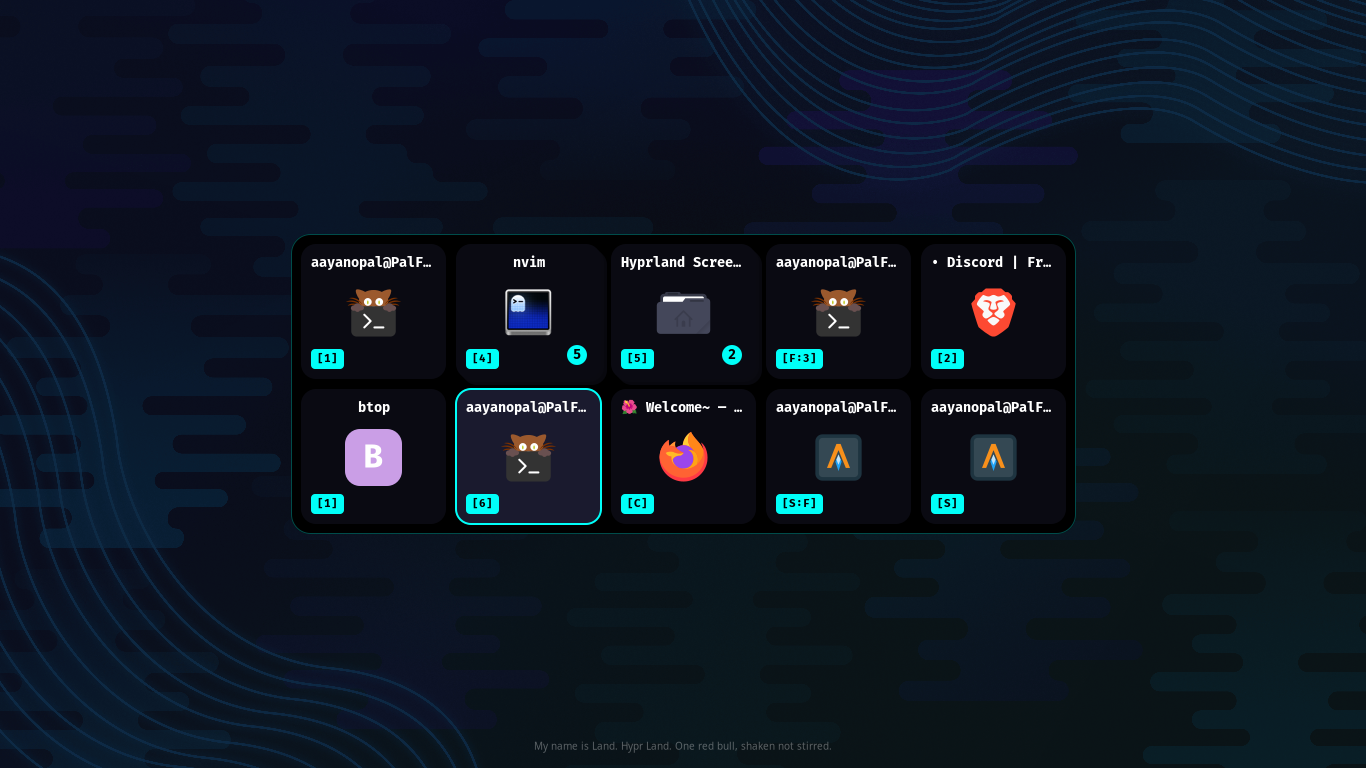 Cyberpunk |
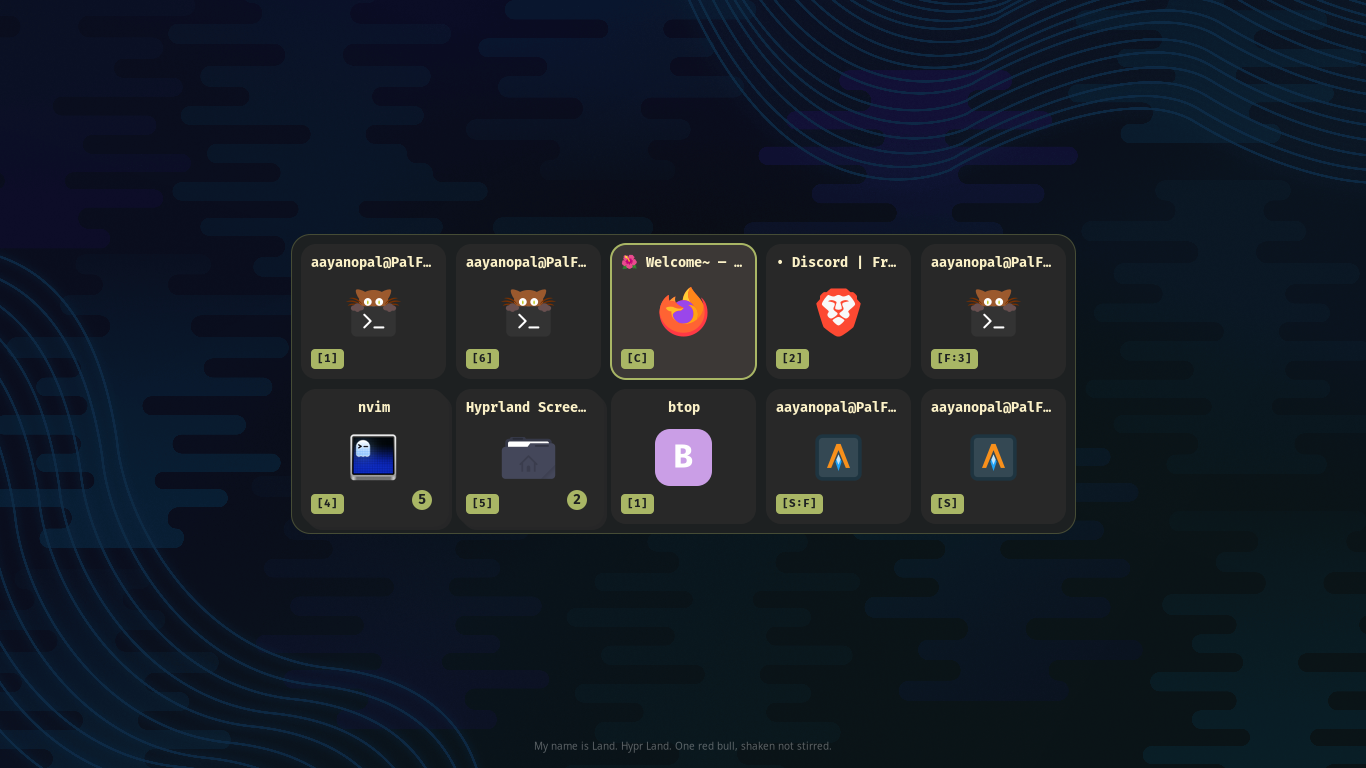 Grovestorm |
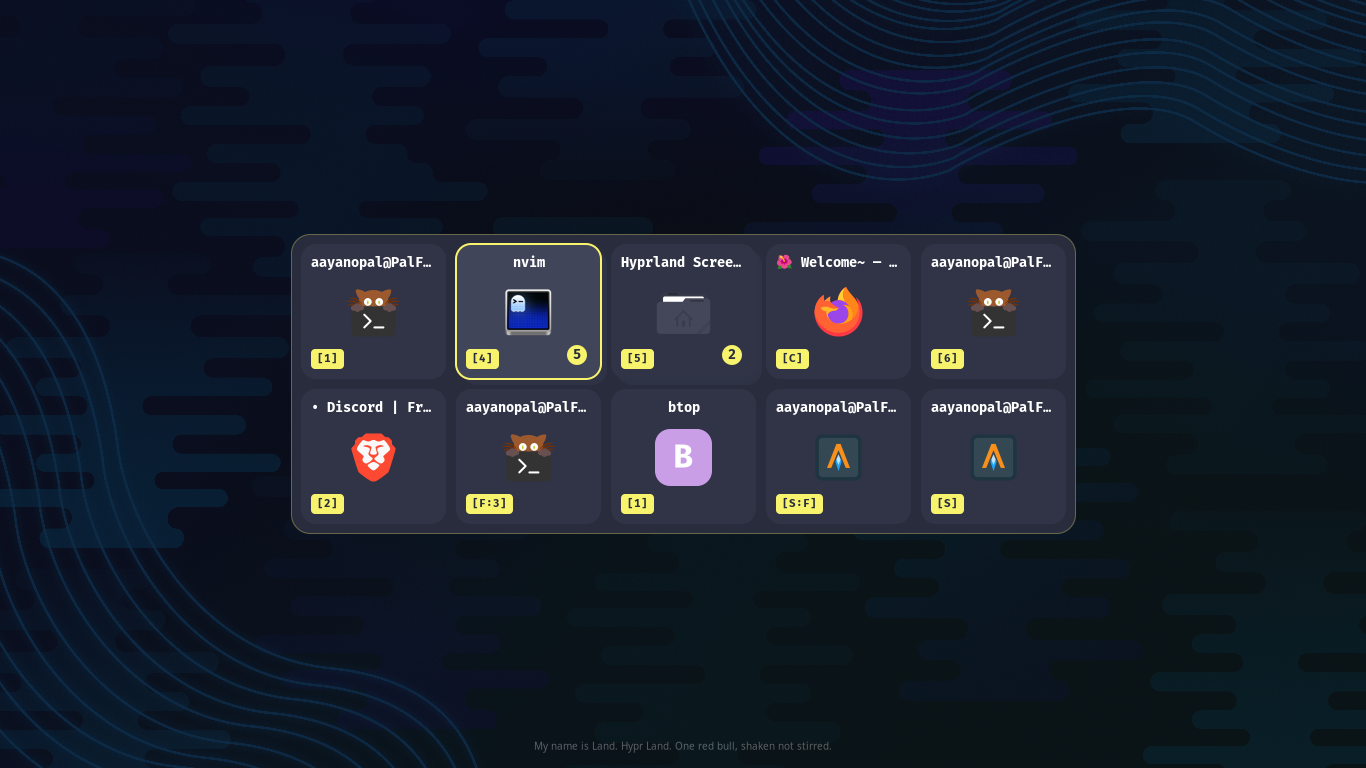 Stormlight |
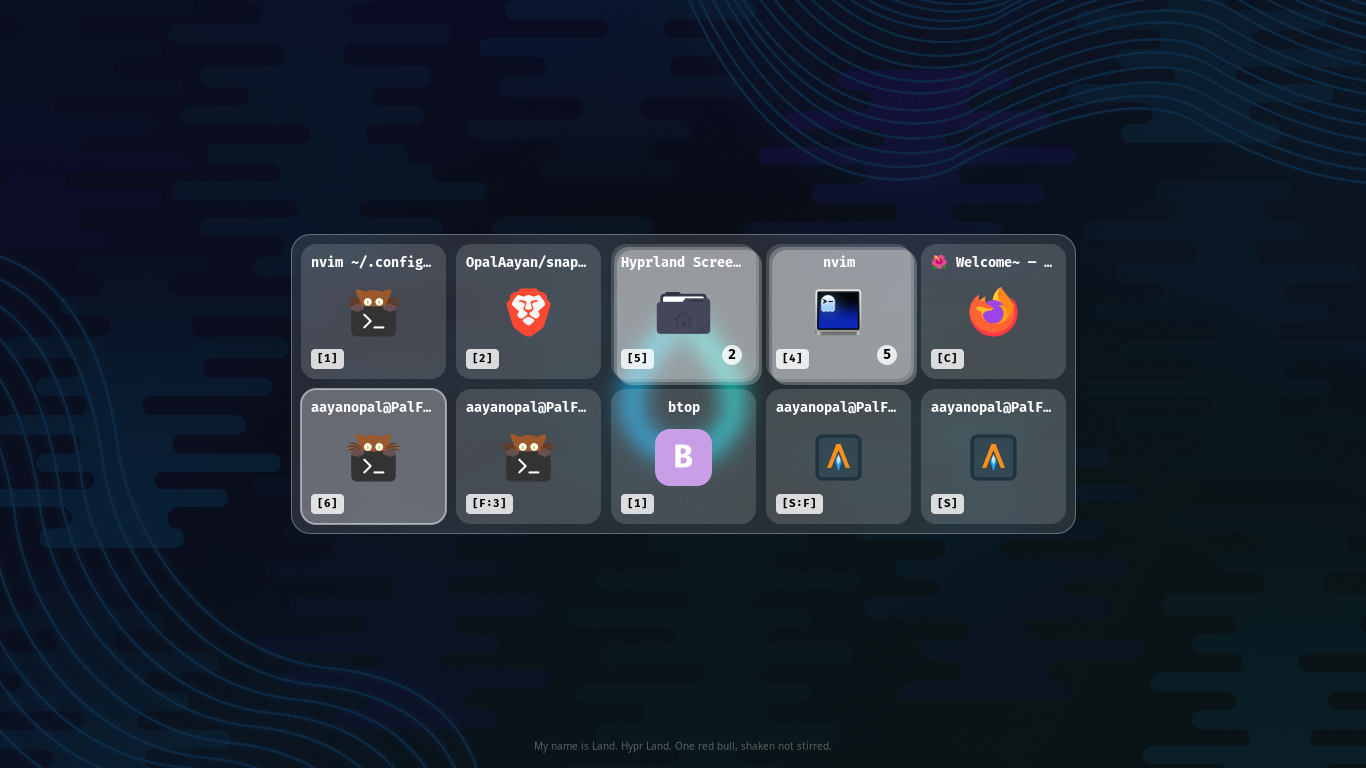 Liquid Glass White |
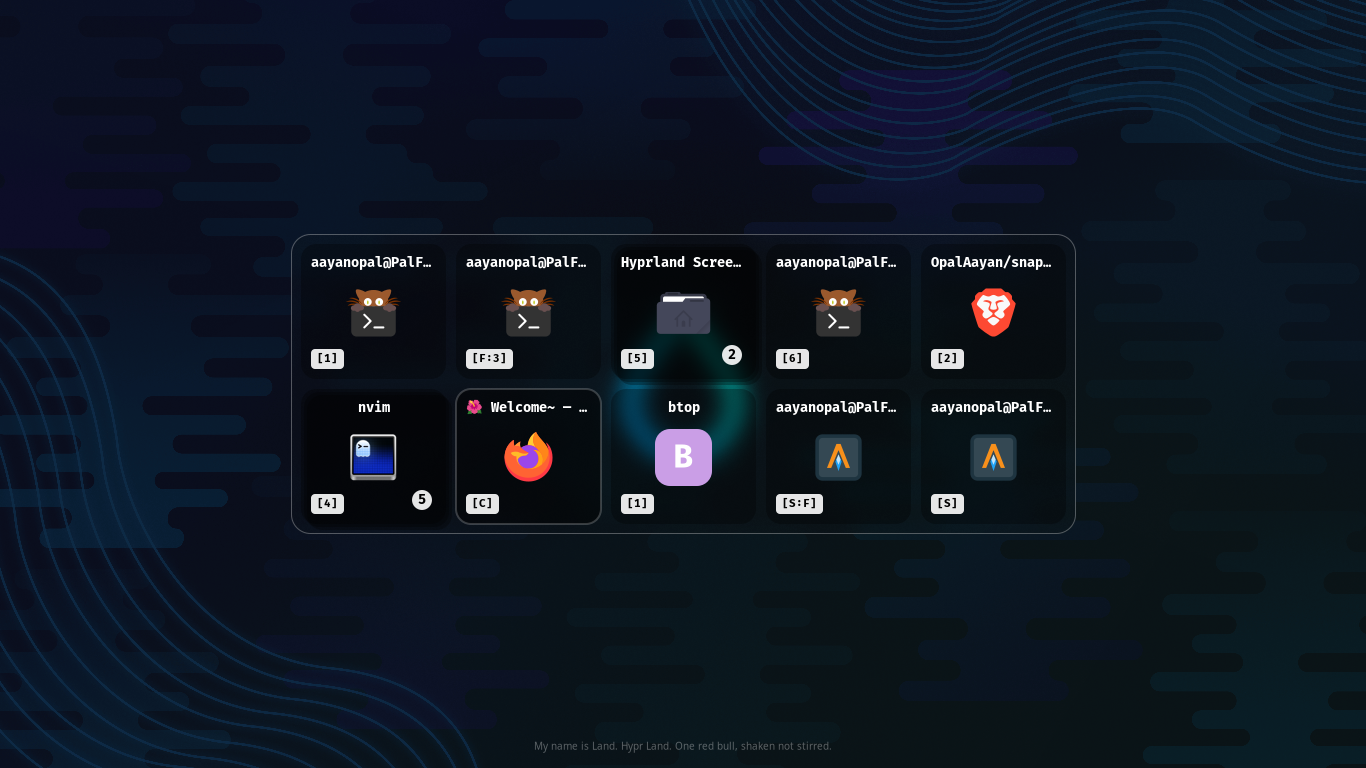 Liquid Glass Black |
Change Theme
[theme]
name = catppuccin-mocha.ini
If name doesnt match the file you made or left blank, it will switch to a default ugly theme
My Conf
[general]
mode = context
follow_monitor = true
show_workspace_badge = true
sticky_mode = false
[theme]
name = stormlight.ini
border_width = 2
corner_radius = 15
[layout]
card_width = 145
card_height = 135
card_gap = 10
padding = 10
max_cols = 5
icon_size = 57
icon_radius = 15
error_font_size = 11
[icons]
theme = Tela-dracula
fallback = Tela-dracula
show_letter_fallback = true
[font]
family = FiraCode Nerd Font
weight = Bold
title_size = 10
icon_letter_size = 24
Full Configuration Documentation →
Hyprland Integration
Lua Config (v0.55+)
-- ── Snappy Switcher ──
hl.exec_cmd("snappy-switcher --daemon")

-- Alt+Tab: standard MRU switching
hl.bind("ALT + Tab", hl.dsp.exec_cmd("snappy-switcher next --mod alt"),
  { description = "Snappy Switcher" })

-- Super+Tab: workspace-filtered switching
hl.bind("SUPER + TAB", hl.dsp.exec_cmd("snappy-switcher next --workspace --mod super"),
  { description = "Snappy Switcher (Workspace)" })

-- Silent instant switch (no UI) + linear
-- hl.bind("CTRL + W", hl.dsp.exec_cmd("snappy-switcher next --silent --linear --mod ctrl"),
--   { description = "Snappy Silent Switch" })
Could be mostly Any key!!
snappy-switcher next --linear will not work as intented if working with cli
-- Liquid Glass blur rules
 hl.layer_rule({ match = { namespace = "snappy-switcher" }, effect = "blur" })
 hl.layer_rule({ match = { namespace = "snappy-switcher" }, effect = "ignorealpha 0.01" })
Config Error Banner
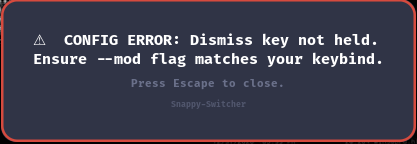
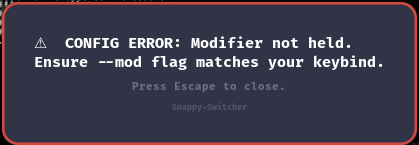
You will see CONFIG ERROR banner is displayed if bind doesnt match with --mod
| Scenario | Result |
|---|---|
Bind: ALT+Tab, Flag: --mod alt | ✅ Normal operation |
Bind: ALT+Tab, Flag: --mod ctrl | ❌ CONFIG ERROR -- Ctrl is not held |
snappy-switcher next from terminal | Toggle mode -- no error |
CLI MODE (No pop up or GUI)
With test flags
you can use Snappy-Switcher via shell or terminal
try --silent + --linear combo
Like this:- (Switching with Shell)
#try --silent alone to build mru and switch then break it with --linear (best for cli)
snappy-switcher next --silent
snappy-switcher next --silent --linear
Bind it
-- No GUI Switching with MRU
hl.bind("CTRL + S", hl.dsp.exec_cmd("snappy-switcher next --silent --mod CTRL"),
 { description = "Snappy Switcher CLI (MRU BUILDER)" })
-- Break MRU to move forward (then rebuild it)
hl.bind(
	"CTRL + W",
	hl.dsp.exec_cmd("snappy-switcher next --silent --linear --mod CTRL"),
   { description = "Snappy Switcher" }
 )
At this point just use Hyprlands binds (this are test flags)
Architecture
Component Overview
flowchart TB
    subgraph Client["Client Commands"]
        CMD["snappy-switcher next/prev"]
    end

    subgraph Daemon["Daemon Process"]
        SOCK["Unix Socket\n/run/user/$UID/snappy-switcher.sock"]

        subgraph Core["Core Logic"]
            HYP["hyprland.c\nIPC + Window Fetch"]
            CFG["config.c\nINI Parsing"]
            ICO["icons.c\nTheme Resolution"]
        end

        subgraph Render["Rendering"]
            RND["render.c\nCairo + Pango"]
            INP["input.c\nKeyboard + Dismiss"]
        end

        WL["Wayland\nLayer Shell"]
    end

    subgraph External["External"]
        HYP_IPC["Hyprland IPC"]
        DISP["Display Server"]
    end

    CMD -->|"send command"| SOCK
    SOCK --> HYP
    HYP <-->|"j/clients"| HYP_IPC
    CFG --> RND
    ICO --> RND
    HYP --> RND
    RND --> WL
    INP --> WL
    WL <--> DISP

    style SOCK fill:#89b4fa,stroke:#1e1e2e,color:#1e1e2e
    style HYP fill:#a6e3a1,stroke:#1e1e2e,color:#1e1e2e
    style RND fill:#cba6f7,stroke:#1e1e2e,color:#1e1e2e
    style WL fill:#f9e2af,stroke:#1e1e2e,color:#1e1e2e
Key Components
| File | Purpose |
|---|---|
main.c | Daemon event loop, IPC command routing, silent/linear dispatch, POLLHUP orphan protection |
hyprland.c | Hyprland IPC client, MRU + linear sorting, context aggregation |
render.c | Cairo/Pango rendering, card drawing, workspace badges, error overlay |
config.c | INI parser, theme loading, selected-state badge fallback |
icons.c | XDG icon theme resolution, SVG/PNG loading, Flatpak discovery |
input.c | Dual-track dismiss system (XKB modifier + raw keycode), Wayland state priming |
socket.c | Unix domain socket IPC server/client |
Full Architecture Documentation →
🛠️ Debugging & Development
Debug Script
The project includes a unified debug/profiler tool at ./scripts/snappy-debug.sh:
| Mode | Command | Description |
|---|---|---|
| Memcheck | ./scripts/snappy-debug.sh --memcheck | Launch daemon under Valgrind with --leak-check=full --track-origins=yes. Logs to logs/valgrind-<timestamp>.log. |
| Trace | ./scripts/snappy-debug.sh --trace | Launch daemon under strace tracing network/file/poll syscalls. Logs to logs/strace-<timestamp>.log. |
| Hammer | ./scripts/snappy-debug.sh --hammer | Stress test: fire 500 rapid next --silent --linear IPC commands while sampling CPU% and RSS every 200ms. Outputs a CSV profile to logs/. |
# Hammer with custom count
./scripts/snappy-debug.sh --hammer --count 1000

# Memcheck with custom config
./scripts/snappy-debug.sh --memcheck -c ./my-config.ini
Contributing
git clone https://github.com/OpalAayan/snappy-switcher.git
cd snappy-switcher
make
better do
sudo make installenjoy it!!
Credits & Inspiration
| Project | Contribution |
|---|---|
| hyprshell |

