Snapframe 🖼️
A professional web-based screenshot builder designed for app developers and designers. Create stunning, marketing-ready screenshots for your apps with ease.



✨ Features
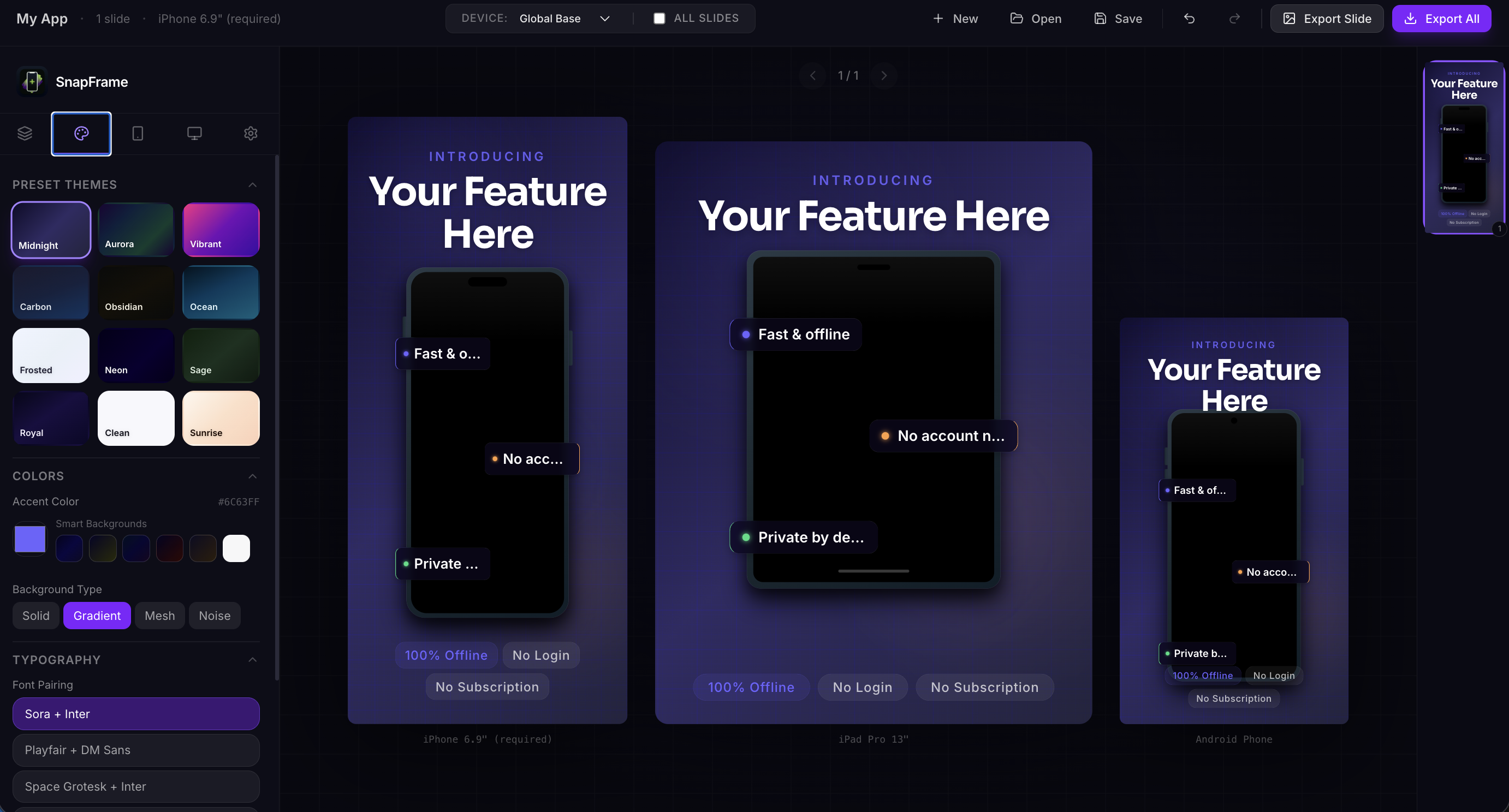
- Professional Templates: Choose from curated themes or create your own custom styles.
- Device Frames: High-quality device mockups (iPhone, etc.) to showcase your app in context.
- Per-Slide Theming: Customize individual slides or apply global themes across your entire project.
- Dynamic Text Blocks: Add professional typography with customizable layouts and positioning.
- Real-time Preview: See your changes instantly as you edit.
- High-Quality Export: Export your screenshots as PNG, JPG, or a compressed ZIP archive for all resolutions.
- Undo/Redo Support: Full history management to iterate quickly without fear.
- Offline First: Fast and responsive UI with local state management.
- JSON Editor: Build entire screenshot sets programmatically — paste JSON directly and see a live preview side by side. Perfect for AI-assisted workflows.
🚀 Tech Stack
- Framework: React 19
- Build Tool: Vite
- Styling: Tailwind CSS 4
- State Management: Zustand
- Icons: Lucide React
- Export Engine:
html-to-image&jszip
🤖 JSON Editor & AI Workflow
The JSON Editor (toolbar → JSON button) lets you create and edit projects entirely in JSON — no clicking through the UI required.
Split-panel interface:
- Left — editable JSON with live validation and a status bar showing error details
- Right — live
ScreenshotCardpreview that updates as you type, with slide navigation for multi-slide projects
Typical AI-powered flow:
- Open the JSON Editor and click Copy to grab the current project JSON
- Paste it into Claude, ChatGPT, or any AI tool with a prompt like:
"Add 3 slides for a meditation app using a calm green theme"
- Paste the AI response back into the editor — the live preview updates instantly
- Click Apply & Close to load it into the project, then export as usual
See JSON_SCHEMA.md for the full field reference, all valid values, and copy-paste examples.
⚠️ Browser Compatibility
| Browser | Status |
|---|---|
| Chrome | Fully supported |
| Firefox | Known rendering issues — investigation in progress |
🌐 Live Demo
No install needed — just open it in your browser:
https://pawandeep-prog.github.io/Snapframe/
🛠️ Local Setup
Getting started with Snapframe locally is simple:
-
Clone the repository:
git clone https://github.com/Pawandeep-prog/Snapframe.git cd Snapframe -
Install dependencies:
npm install -
Run the development server:
npm run dev -
Open in browser: Navigate to
http://localhost:5173
📦 Building for Production
To create an optimized production build:
npm run buildThe output will be in the dist/ directory.
📄 License
This project is licensed under the MIT License - see the LICENSE file for details.
Built with ❤️ by Pawandeep Singh