LaTeXSnipper ✨
Turn screenshots, images, PDFs, and handwriting into editable formulas and text.





Download · User Manual (Chinese) · FAQ · Demos
English · 简体中文
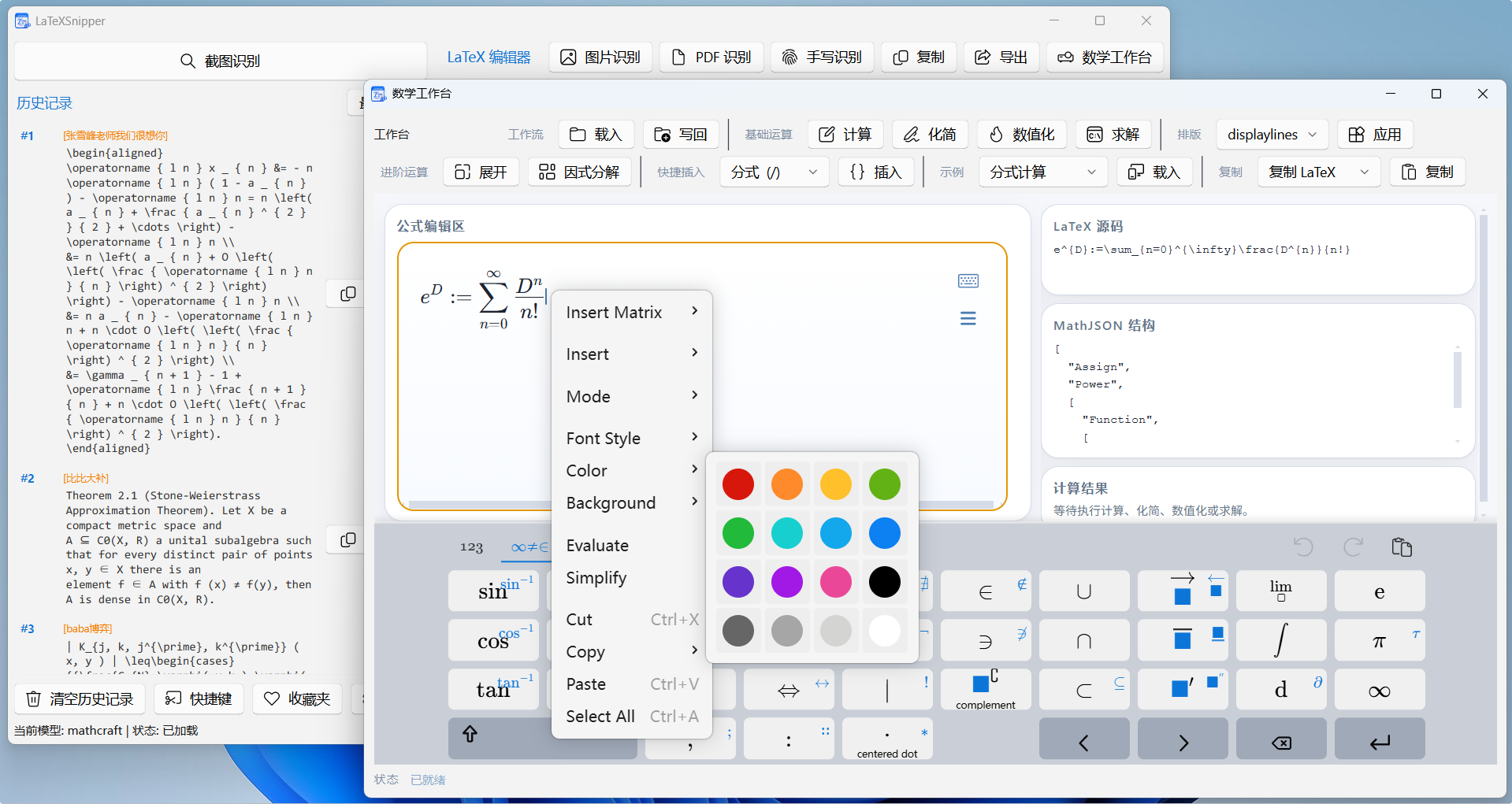
What You Can Do
| Feature | What it offers |
|---|---|
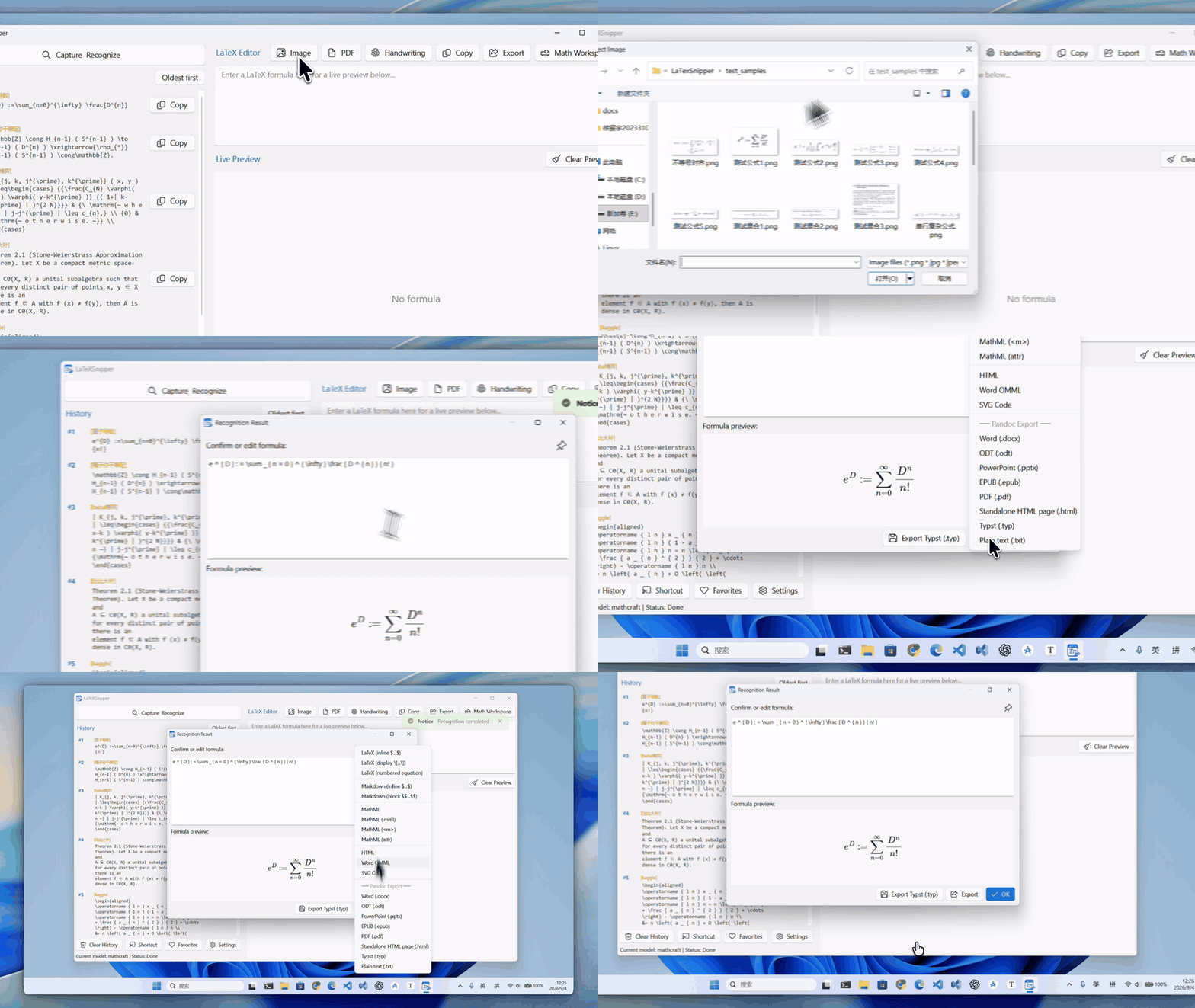
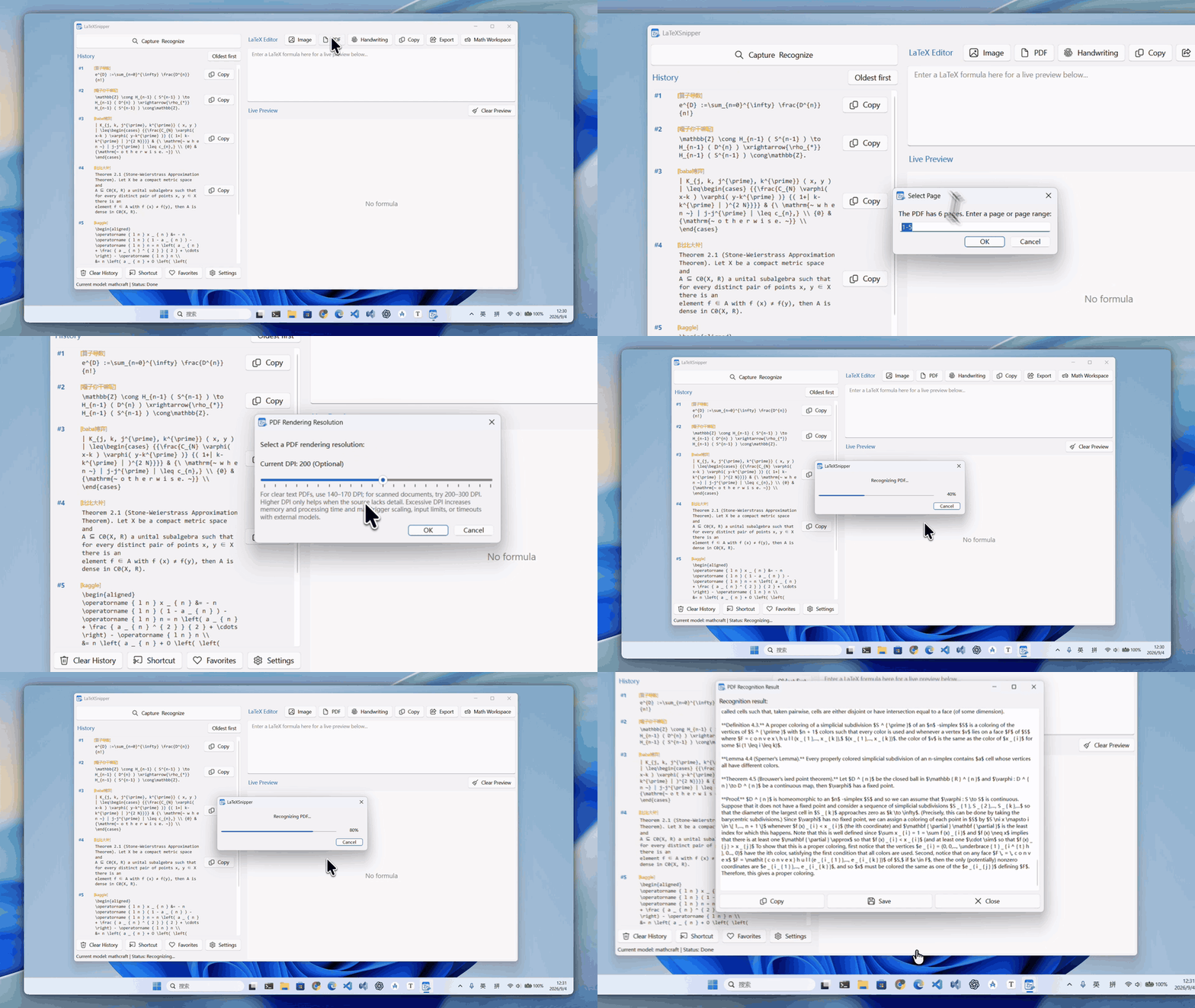
| 📸 Recognize | Capture a region, open an image, select PDF pages, or write by hand; recognize formulas, text, and mixed content |
| ⌨️ Edit and preview | Edit LaTeX source with live preview from the bundled MathJax runtime |
| 🔄 Export | Copy formulas or export documents in 20 formats, including LaTeX, MathML, Word, PDF, and Typst |
| 🧩 Integrate | Work in Word/PowerPoint or connect scripts and other tools through the Automation API |
| 🧠 Choose your model | Run the bundled MathCraft OCR locally, or configure a local/online external model |
| 🎨 Make it yours | English/Chinese interface, light/dark themes, configurable shortcuts, history, and favorites |
MathCraft OCR: benchmark results · reproduce the benchmarks
Download and Get Started
- Install the desktop app. Choose the package for your system from Releases.
- Select recognition. Start the installed app and choose the built-in model and recognition type in Settings.
- Recognize and edit. Use Capture Recognize, Image, PDF, or Handwriting, then review, copy, or export the result.
Windows/Linux installers provide CPU and NVIDIA GPU editions; macOS 14.0 or later on Apple Silicon uses CPU. Python, inference dependencies, models and Pandoc are bundled, so local recognition needs no first-run dependency or model downloads. GPU builds carry private CUDA/cuDNN libraries and require a supported NVIDIA GPU and driver. Linux requires glibc 2.35 or newer, and apt may need network access to install missing system GUI libraries. See installer requirements. Source development provides its Python packages and PATH Pandoc through standard developer tools.
Routine app updates download only application code and resources, retaining Python, Qt, Pandoc, inference dependencies and models. If an update requires a new base, or installed resources are missing or damaged, run the matching complete installer. Settings, history and other user data are preserved. See the update and installation guide (Chinese).
[!TIP] For permissions, resources, and troubleshooting, see the FAQ, user data locations, and full user manual (Chinese).
Demos
Screenshot Recognition
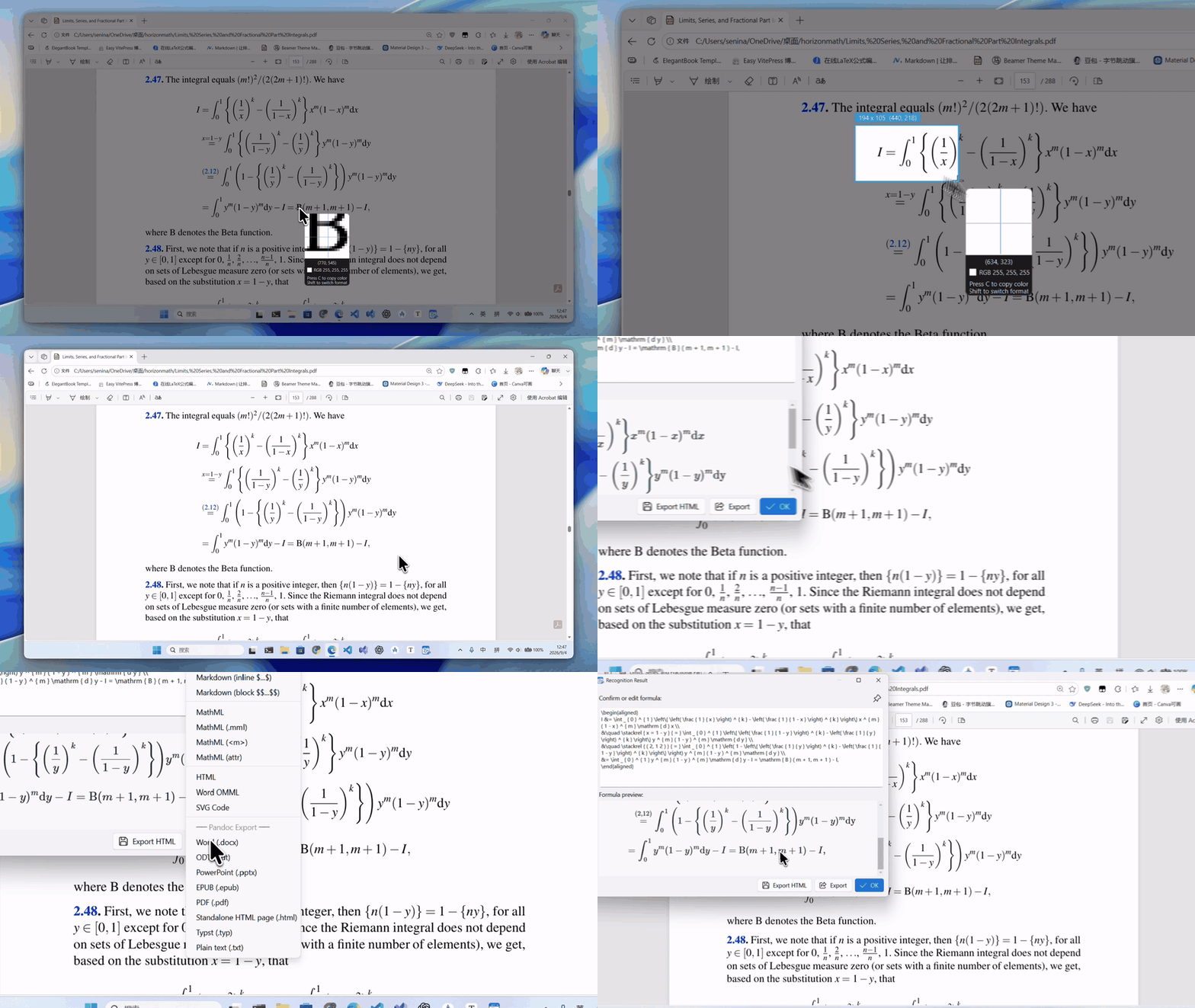
Image Recognition
PDF Recognition
Microsoft Office Plugin
[!NOTE] The Office plugin is designed for Windows desktop Microsoft Word and PowerPoint, where you can insert and edit formulas directly.
- Word OLE/OMML and PowerPoint OLE/PNG insertion, with editable LaTeX source.
- Formula editing, updates, and Word automatic numbering and references.
- Local formula rendering and screenshot OCR through the desktop Automation API.
Download LaTeXSnipperOffice_<version>_amd64.exe separately from Releases. Supports 32-bit and 64-bit Office 2019/2021/2024, LTSC 2021/2024, and Microsoft 365 Apps on Windows.
Installation requirements and features · Formula workflows
Automation API
Use MathCraft or your configured external model from scripts, batch jobs, editor integrations, or authorized remote devices.
- Desktop shortcuts: connect Snipaste, AutoHotkey, AutoKey, Hammerspoon, or ShareX to an image-recognition workflow.
- Batch and editor workflows: submit images with Python/curl and insert results into your tools.
- Mobile access: connect Shortcuts or Tasker to your running desktop app through a secure tunnel.
[!CAUTION] The API is disabled by default. Local clients use the address and token in
automation-api.json. Remote access requires explicit opt-in, a separate key, and HTTPS or an encrypted tunnel; do not expose it over plain public HTTP. Remote external-model access is separately controlled and may incur provider charges.
API reference and connection setup · Ready-to-adapt client examples
Export
Built-in exports cover LaTeX, Markdown math, MathML, HTML, Word OMML, and SVG code.
[!NOTE] Document exports use installation-owned Pandoc in self-contained builds and PATH Pandoc in source development. PDF export also requires an external LaTeX PDF engine.
See the user manual for the full format list and requirements.
Supporters
Thanks to everyone who helps with development, testing, documentation, and community support.
| Supporter | Contribution |
|---|---|
| strangelion | Contributor |
| Galileo927 | Contributor |
| ljygo | Sponsor |
| Yokie-D | Sponsor |
Support the Project
LaTeXSnipper is a free, open-source, ad-free personal project with no in-app purchases. If it helps your work, consider starring the repository, sharing it, reporting an issue, or sponsoring maintenance.
| Alipay | WeChat Pay | Community chat (Chinese) |
|---|---|---|