OMH — Oh My Hermes





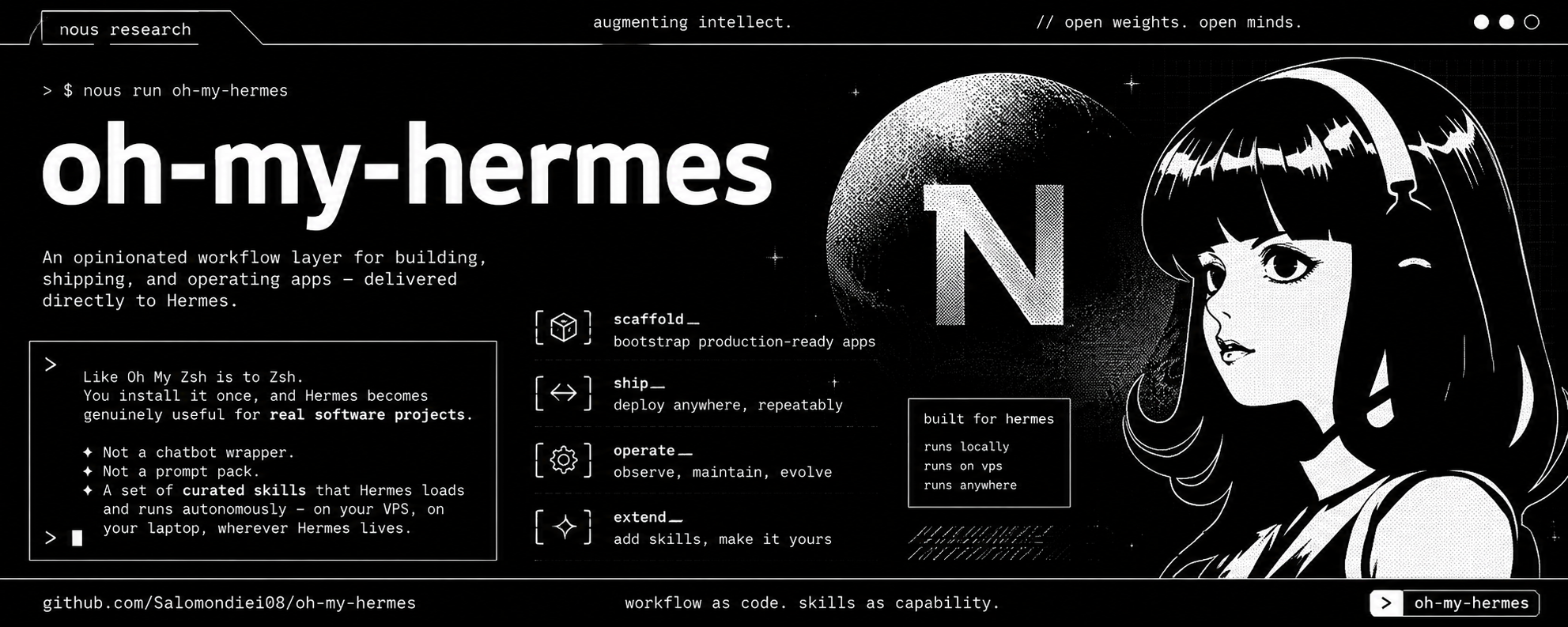
An opinionated workflow layer for building, shipping, and operating apps — delivered directly to Hermes.
Like Oh My Zsh is to Zsh. You install it once and Hermes becomes genuinely useful for real software projects. Not a chatbot wrapper. Not a prompt pack. A curated set of skills that Hermes loads and runs autonomously — on your VPS, on your laptop, wherever Hermes lives.
AI agent? See INSTALL_FOR_AGENTS.md for the one-command install protocol.
Using with an AI agent
If you work with Claude, Cursor, Copilot, or any coding assistant, follow the agent install protocol:
The file contains exact commands your agent can copy and run — prerequisites check, install, verify, bootstrap, and CTO loop setup.
The core idea
Hermes is the operator. It talks to you. It remembers. It builds. It deploys. It monitors. It notifies.
You describe what you want in plain language — on Telegram, Slack, Discord, your terminal, wherever you have Hermes configured. Hermes loads the right skill and runs the workflow. Claude Code and Codex are optional engines Hermes can invoke when a task needs deep file editing — but Hermes handles the orchestration, the ops, the memory, and the lifecycle on its own.
Hermes does not need Claude Code or Codex to be useful. Those are optional. Hermes itself has a terminal backend and can write, edit, and run code directly.
How it all fits together
┌─────────────────────────────────────────────────────────────────┐
│                        YOU (founder)                            │
│         Telegram · Slack · Discord · WhatsApp · terminal        │
└──────────────────────────┬──────────────────────────────────────┘
                           │  plain-language messages
                           ▼
┌─────────────────────────────────────────────────────────────────┐
│                   HERMES  (VPS / local, 24/7)                   │
│                                                                 │
│  ┌──────────┐   routes to   ┌─────────────────────────────────┐ │
│  │ Gateway  │ ────────────▶ │        CTO Agent                │ │
│  │(Telegram │               │  monitors kanban, orchestrates  │ │
│  │ /Slack…) │               └───────────┬─────────────────────┘ │
│  └──────────┘                           │  spawns sub-agents    │
│                      ┌──────────────────┼──────────────┐        │
│                      ▼                  ▼              ▼        │
│               ┌────────────┐  ┌──────────────┐  ┌──────────┐   │
│               │  PM · Dev  │  │ QA · Security│  │   Ops    │   │
│               │ triage     │  │ review · scan│  │ deploy   │   │
│               │ implement  │  │ approve      │  │ monitor  │   │
│               └─────┬──────┘  └──────┬───────┘  └────┬─────┘   │
│                     │                │               │          │
│              ┌──────▼────────────────▼───────────────▼──────┐   │
│              │              Hermes Kanban                    │   │
│              │   Triage → Ready → Running → Blocked/Done     │   │
│              └───────────────────────────────────────────────┘   │
│                                                                 │
│  Persistent memory · 23 skills · 5 workflows · cron jobs        │
└──────┬──────────────────────────────────────────────────────────┘
       │
       ├──▶  Claude Code  (complex multi-file coding)
       ├──▶  Codex        (quick single-file fixes)
       ├──▶  Vercel       (hosting + preview URLs)
       ├──▶  Supabase     (database + auth + migrations)
       ├──▶  GitHub       (issues, PRs, merge)
       └──▶  Sentry / Uptime Kuma  (monitoring)
Full project lifecycle
From idea to running production app, Hermes handles each stage:
IDEA
  ↓  onboarding            ← Bot asks everything in chat, configures the loop
  ↓  clarify-requirements  ← Hermes asks 7 questions, saves answers to memory
  ↓  product-brief         ← Writes PRODUCT_BRIEF.md from requirements
  ↓  design-handoff        ← Converts your design notes to an implementation spec
  ↓  choose-engine         ← Decides: Hermes / Claude Code / Codex
  ↓  implement             ← Builds it — surgical changes, no secrets committed
  ↓  deploy-to-vercel      ← Pre-deploy checks → deploy → captures URL
  ↓  connect-supabase      ← Links DB, pushes migrations, sets env vars
  ↓  setup-monitoring      ← Sentry + Uptime Kuma
  ↓  post-deploy-followup  ← Health check → log → notify you
  ↓
RUNNING APP
  ↓  auto-issue-triage     ← Every hour: scores issues, picks top priority
  ↓  implement + PR        ← Dev Agent builds, Security Agent reviews
  ↓  await-merge-approval  ← Sends you YES/NO message
  ↓  YOU reply YES         ← Merges, deploys, health-checks, confirms
  ↓
REPEAT — Hermes watches it, you approve changes
The autonomous CTO loop
Once configured, this runs every hour without you touching anything:
GitHub issue opens
       ↓
  PM Agent scores & triages  →  kanban: Ready, assignee=dev
       ↓
  Dev Agent implements  →  kanban: Running
       ↓
  Security Agent: secret scan + OWASP check + CVE check
       ↓
  QA Agent: build check + health check + plain-English summary
       ↓
  YOU get a message on Telegram:
  ────────────────────────────────────────
  PR #12 — Fix login redirect

  What changed: Users who hadn't verified their email were
  sent to a broken page. They now see "Check your inbox."

  Build: passing  |  Preview: healthy (180ms)  |  No secrets found
  Preview: https://myapp-fix-login.vercel.app

  Reply YES to ship. Reply NO and tell me why.
  ────────────────────────────────────────
       ↓
  YES → merges, deploys, health-checks, confirms live URL to you
  NO  → Dev Agent iterates on your feedback
Get started
Step 1 — Install Hermes Agent
Follow the Hermes quickstart. At the end you have a bot you can message on Telegram (or Slack, Discord, WhatsApp).
Step 2 — Install Oh My Hermes
git clone https://github.com/salomondiei08/oh-my-hermes /tmp/oh-my-hermes
cd /tmp/oh-my-hermes
bash install.sh
curl | bash is supported too; the installer self-clones a temporary copy when repo files are not present.
Step 3 — Message your bot
set up the CTO loop
The bot will ask for your GitHub repo, walk you through creating a token step by step, ask for your production URL, and configure everything. No terminal needed after Step 2.
What you unlock at each step:
| Step | What to do | What you get |
|---|---|---|
| 1 | Install Hermes + connect Telegram | A bot you can message |
| 2 | Run install.sh | 23 skills and 5 workflows loaded |
| 3 | Message: "set up the CTO loop" | Bot guides the full setup in chat |
| 4 | Bot asks for GitHub token | Issues monitored, PRs managed |
| 5 | Bot asks for production URL | Health checks every 15 min |
| 6 | /goal command | Agent stays focused across long sessions |
| — | Autonomous from here | Hourly triage, daily report, weekly security scan |
Skills
| Skill | What Hermes does |
|---|---|
onboarding | Guides full setup in chat — no terminal, no manual config |
clarify-requirements | Asks 7 structured questions, saves answers to memory |
product-brief | Generates a product brief, writes PRODUCT_BRIEF.md |
design-handoff | Converts design notes to an implementation spec |
create-skill | Creates a new skill in the correct format (meta-skill) |
choose-engine | Routes tasks to Hermes, Claude Code, or Codex |
implement-with-claude-code | Scaffolds Claude Code with full context + scope constraints |
implement-with-codex | Scaffolds Codex for targeted single-file fixes |
deploy-to-vercel | Pre-deploy checks → deploy → capture URL |
connect-supabase | Links Supabase, pushes migrations, sets Vercel env vars |
setup-monitoring | Configures Sentry + Uptime Kuma |
health-check | Calls /api/health, validates response, checks Supabase + Vercel logs |
send-notification | Sends Slack webhook with deployment or status info |
post-deploy-followup | Health check + deployment log + notification + summary |
manage-github-issues | Triage, create, label, assign, and close GitHub issues |
create-github-pr | Creates PR with secret scan before opening |
auto-issue-triage | Hourly: scores open issues, picks top priority, starts work |
review-github-pr | Reviews PR diff, runs checks, writes plain-English summary |
security-review | Secret scan + OWASP check + CVE audit + weekly supply chain |
await-merge-approval | Sends YES/NO message to founder, merges or iterates |
kanban-task | Creates and updates Hermes kanban cards at every stage |
cto-status-report | Daily morning report: what's in progress, done, blocked |
backup-hermes-data | Tarballs ~/.hermes/ to S3, Dropbox, or local |
rollback | Rolls back Vercel production to previous deploy after health check failure — requires founder YES |
Agents
Six agents, each with a specific role, kanban ownership, and clear scope. Role definitions live in agents/. Running scripts/setup-cto.sh (or messaging "set up the CTO loop") creates all six profiles and makes them active.
CTO — Chief Technology Officer
The main Hermes session. Owns all kanban columns. Delegates work to sub-agents, monitors progress, and is the only one who talks to you.
What triggers it: Every hour via cron, or when you send a message.
What it does:
- Watches the kanban continuously (
hermes kanban watch) - Spawns PM, Dev, Security, QA, or Ops sub-agents as needed
- Sends you a daily morning report (what shipped, what's stuck, what needs your input)
- Escalates to you only when a human decision is needed — health check failure, task blocked twice, secret found in a diff, scope change
- Makes the call when two sub-agents conflict
What it does NOT do: Write code, merge PRs, or deploy anything directly.
PM — Product Manager
Owns triage and ready work. Converts raw GitHub issues into implementation-ready kanban cards assigned to dev.
What triggers it: When new issues appear on GitHub or when the CTO spawns it for triage.
What it does:
- Reads open GitHub issues and scores them by impact and urgency (bug labels, comment activity, age, priority labels)
- Writes kanban tickets with: a verb-based title, the business reason in one sentence, 2-4 testable acceptance criteria, and the linked issue number
- Flags issues that are too vague — asks you for clarification rather than guessing
- Pings you after 24h if a blocked or approval-waiting card has gone stale
What it does NOT do: Implement anything, merge PRs, make architecture decisions, or guess at unclear requirements.
Dev — Software Developer
Owns running implementation work. Claims the top ready kanban ticket and builds it.
What triggers it: When the PM Agent creates a ready card assigned to dev and the dispatcher starts work.
What it does:
- Claims the highest-priority ready ticket assigned to
dev - Chooses the right engine for the task: Hermes terminal for ops/config, Codex for single-file bug fixes, Claude Code for multi-file features
- Implements the change, commits after every logical unit of work
- Never commits
.envfiles, API keys, tokens, or credentials — scansgit diff --stagedbefore every commit - Creates a PR with a description drawn from memory and ticket context
- Completes the implementation task with PR summary and metadata for Security/QA handoff
What it does NOT do: Merge PRs, deploy to production, start a second ticket while one is in progress, or make product decisions.
Security — Security Analyst
Sits between Dev and QA on every PR. Runs weekly supply chain checks.
What triggers it: Every time Dev creates a PR; Monday 9am cron for supply chain.
What it does on every PR:
- Scans the diff for hardcoded secrets (API keys, tokens, passwords, service role keys)
- Flags dangerous patterns:
eval(), raw SQL string concatenation,dangerouslySetInnerHTMLwithout sanitization,process.envvalues logged to console - Checks for CVEs with
npm audit/pip-audit— only whenpackage.jsonorrequirements.txtchanged - Reviews auth flows and Supabase RLS policies when auth files are touched
- OWASP Top 10 diff scan: broken access control, injection, weak crypto, missing auth, secrets in logs
What it does on Mondays:
- Lists all direct dependencies and their publishers
- Flags publishers that changed in the last 30 days (account takeover risk)
- Flags near-matches of popular package names (typosquatting)
- Sends you a plain-English report: packages reviewed, flags, action required
Severity table:
| Level | Action |
|---|---|
| Critical | Block merge. Alert you immediately via Telegram. |
| High | Block merge. Comment on PR with fix instructions for Dev. |
| Medium | Comment on PR. Fix before next sprint. Does not block. |
| Low | Log to memory. Include in weekly report. |
What it does NOT do: Write code fixes (sends feedback to Dev instead), run SAST, pen tests, exploit simulations, or forensics. Does not run scans outside PR review and the weekly window.
QA — Quality Assurance
Owns product verification before a PR reaches you.
What triggers it: When the Security Agent passes a PR and hands off for QA.
What it does:
- Reviews the PR diff for scope creep, leftover TODOs, and missing env vars in
.env.example - Runs
gh pr checksto verify the build passes - Runs a health check on the Vercel preview URL — HTTP 200,
status: ok, under 3000ms - Verifies the changes actually match the acceptance criteria on the ticket
- Writes a plain-English founder summary: what the user experiences differently, which functions changed (not filenames), build status, response time, preview link
- Sends back to Dev with specific feedback if anything fails
What it does NOT do: Merge PRs, implement fixes, or approve without running the health check.
Ops — Operations
Owns Done + active monitoring. Handles everything infrastructure.
What triggers it: After QA approval, and on a 15-minute health-check cron.
What it does:
- Deploys to Vercel (production and preview)
- Runs a three-layer health check after every deploy: app endpoint (
/api/health), Supabase connection, Vercel logs scan - Monitors production every 15 minutes — checks HTTP status, response time, Supabase query latency, log errors
- Pulls and scans Vercel logs hourly for 500s, crashes, and auth anomalies
- Sends you a Slack/Telegram notification after every deploy and on any incident
- On incident: retries once after 60 seconds, identifies which layer failed, pulls logs for context, alerts you in plain language — never pastes raw logs or stack traces
- Offers to roll back if the last deploy was less than 2 hours ago; confirms with you before doing it
- Holds all DB-touching operations during active Supabase incidents and resumes when the status page clears
What it does NOT do: Write or edit application code, triage issues, manage PRs, or roll back without telling you first.
Workflow examples
Start a new project:
you: start a new app
hermes: What problem does this solve? Who experiences it?
you: [answer]
hermes: [6 more questions…]
hermes: Requirements saved. Generating product brief…
hermes: Brief written to PRODUCT_BRIEF.md. Ready to implement or do design first?
Deploy after implementing:
you: deploy this to Vercel
hermes: Running pre-deploy checklist…
hermes: Deploying… done. URL: https://myapp.vercel.app
hermes: Health check: PASS (200ms)
hermes: Notification sent to Slack.
Quick fix:
you: fix the auth redirect bug in src/middleware.ts
hermes: Loading context… routing to Codex (single-file fix)
hermes: Done. Typecheck passes. Creating PR…
hermes: PR #14 ready — reply YES to ship.
Steer mid-session (Hermes v0.13+):
you: /steer prioritize the payment bug above everything else
hermes: Understood. Switching Dev Agent to issue #38.
Default stack
| Layer | Default | Alternative |
|---|---|---|
| Frontend / full-stack | Vercel | Railway, Render |
| Database | Supabase PostgreSQL | PlanetScale, Neon |
| Auth | Supabase Auth | Clerk, Auth.js |
| Error tracking | Sentry | LogRocket |
| Uptime monitoring | Uptime Kuma | Better Uptime |
| Notifications | Slack webhook | Telegram, Email |
All pluggable. Each skill documents how to substitute.
Running on a VPS
The intended setup for production use — Hermes runs 24/7, crons fire automatically, you interact from your phone:
# On a $5/month VPS (Ubuntu 22.04+)
curl -fsSL https://raw.githubusercontent.com/NousResearch/hermes-agent/main/scripts/install.sh | bash
hermes model        # choose your provider (Anthropic, OpenAI, etc.)
hermes gateway setup && hermes gateway start   # connect Telegram or Slack

# Then install Oh My Hermes
git clone https://github.com/salomondiei08/oh-my-hermes /tmp/oh-my-hermes
cd /tmp/oh-my-hermes
bash install.sh

# Message your bot: "set up the CTO loop"
For Docker:
docker run -d --restart=always \
  -v hermes-data:/root/.hermes \
  nousresearch/hermes-agent
Installation scripts
| Script | What it does |
|---|---|
install.sh | Installs all skills, workflows, and agent definitions |
scripts/bootstrap.sh | Creates AGENTS.md, .env.example, and a Next.js health endpoint only when Next.js is detected |
scripts/setup-cto.sh | Creates profiles, initializes kanban, schedules crons after explicit confirmation |
scripts/verify.sh | Checks everything is installed correctly |
scripts/uninstall.sh | Removes all Oh My Hermes files from ~/.hermes/ |
Optional: GBrain memory backbone
GBrain gives Hermes a richer, self-updating knowledge graph — people, companies, decisions, deployment history — queryable across sessions.
git clone https://github.com/garrytan/gbrain.git ~/gbrain && cd ~/gbrain
curl -fsSL https://bun.sh/install | bash && export PATH="$HOME/.bun/bin:$PATH"
bun install && bun link && gbrain init
Do not use npm install -g gbrain — a squatter package exists on npm under that name.
Architecture
oh-my-hermes/
├── skills/          ← 23 skill files → ~/.hermes/skills/
├── workflows/       ← 5 workflow files → ~/.hermes/workflows/
├── agents/          ← 6 agent role definitions → ~/.hermes/agents/
├── templates/       ← AGENTS.md template, .env example, health endpoint
├── scripts/         ← install, bootstrap, verify, setup-cto, uninstall
└── docs/            ← Full documentation
See docs/architecture.md for detail.
Roadmap
V1 — current 23 skills, 6 agents, 5 workflows, chat-guided onboarding, security agent, Karpathy code principles, one-command CTO setup, Vercel + Supabase + GitHub ops.
V2 — planned Rollback skill, staging → production promotion workflow, incident creation, post-deploy automated tests.
V3 — planned Multi-service orchestration, more example apps, hosted setup wizard.
Star history
Contributing
Read docs/architecture.md before proposing features. Open issues for wrong or missing skills, bugs in scripts, or Hermes improvement proposals.
License
MIT