Neovim Ayu
A colorscheme for Neovim reimplemented in lua from ayu-vim.
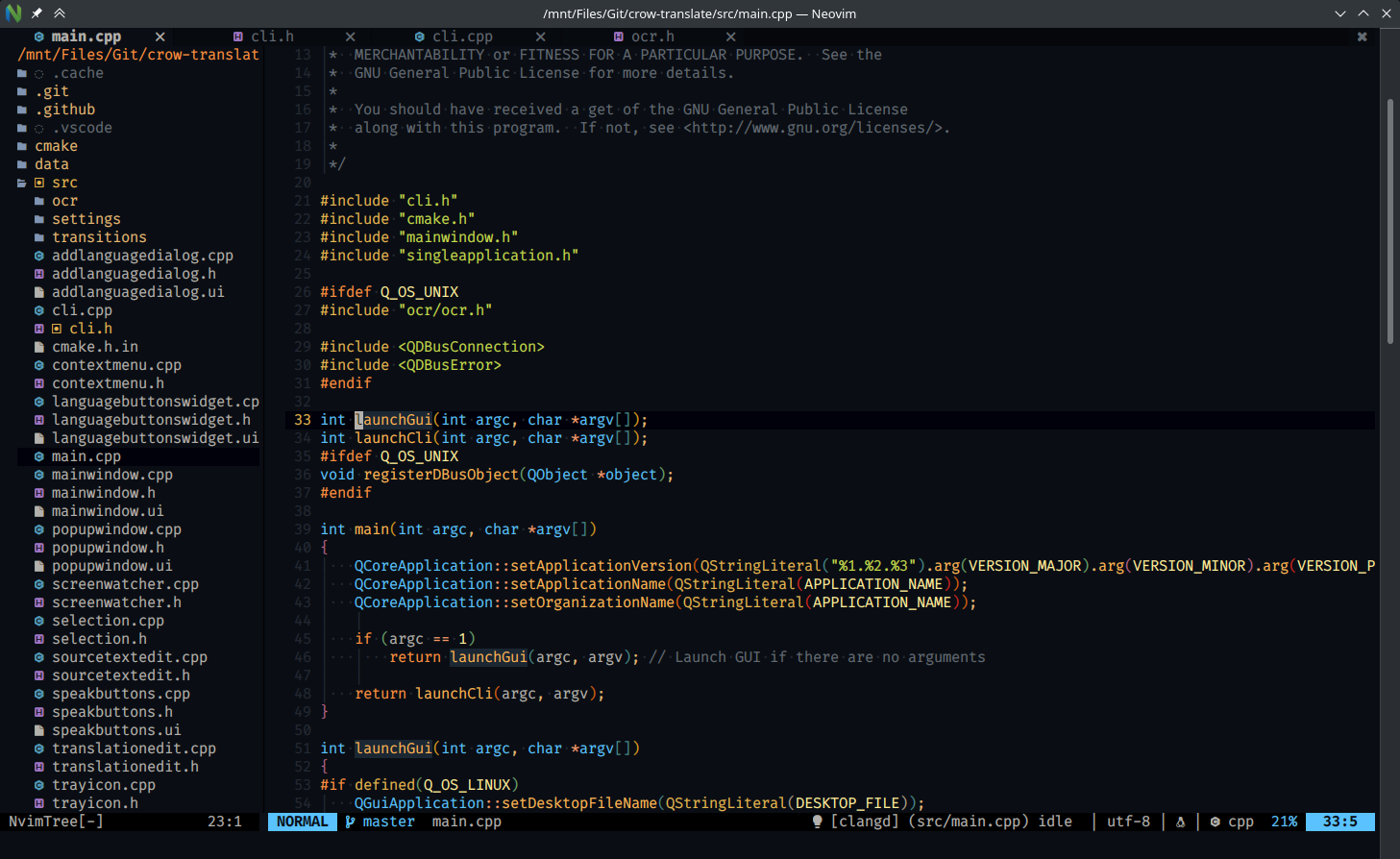
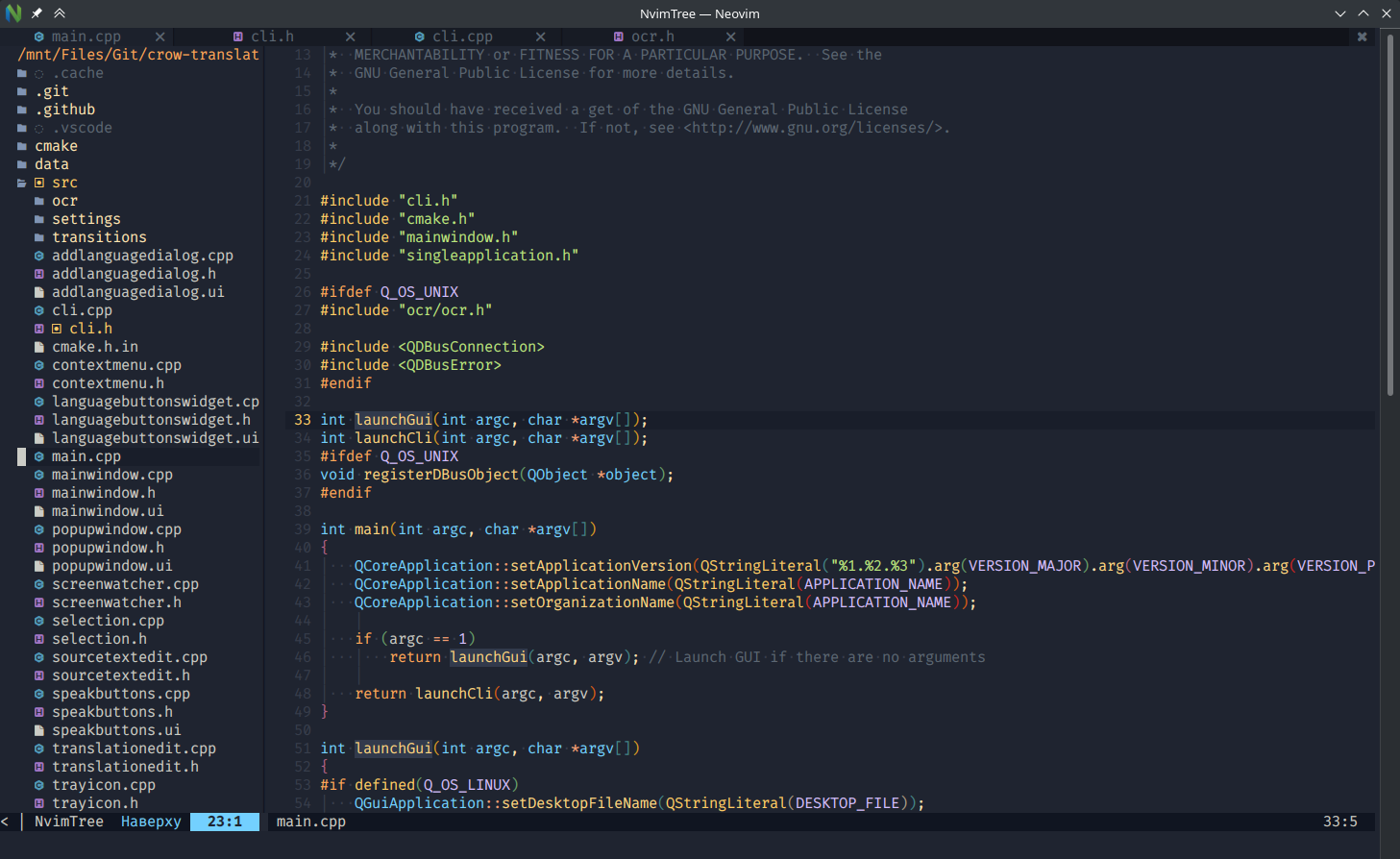
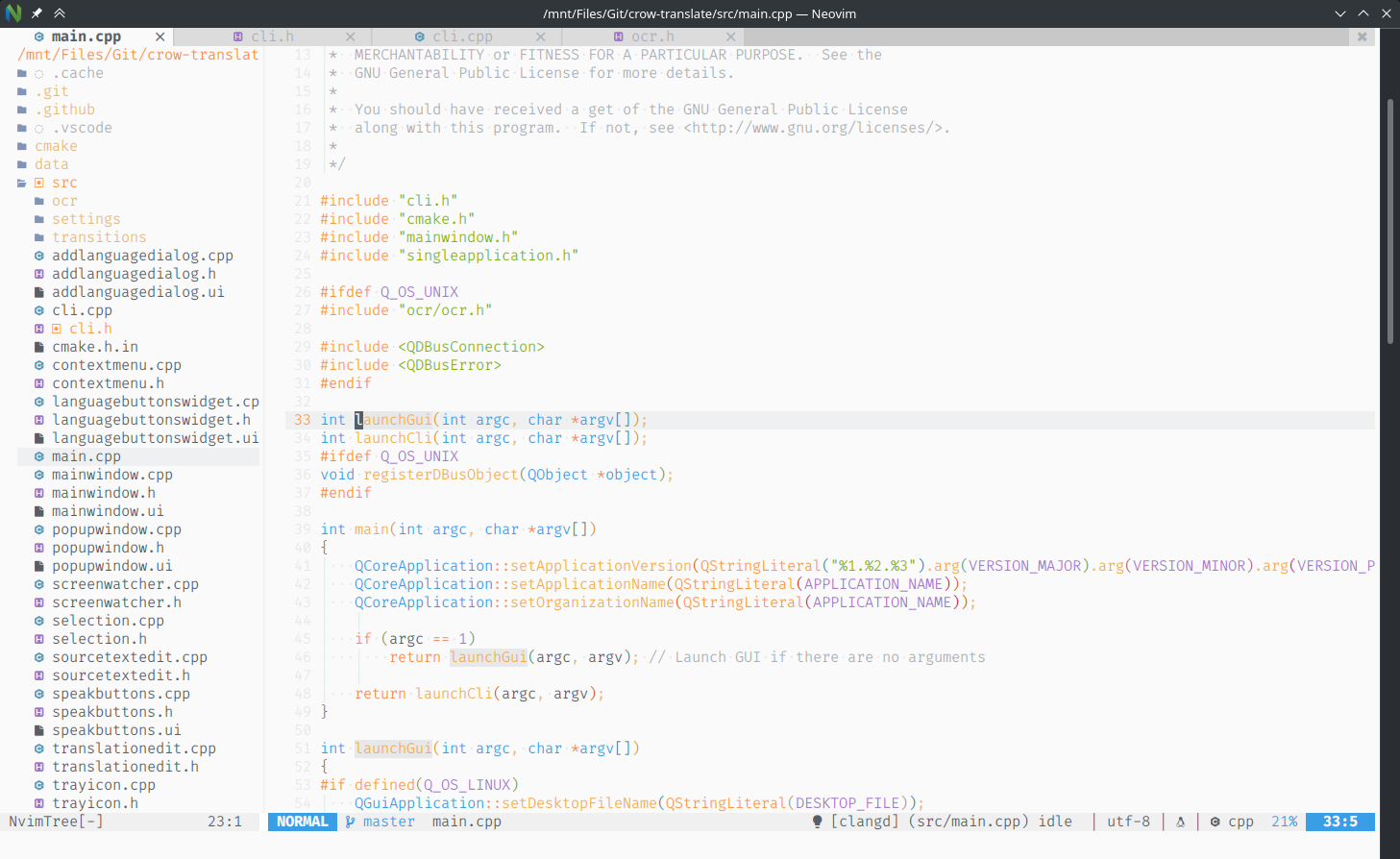
Screenshots
Commands
To apply the colorscheme, you can call require('ayu').colorscheme() from lua or use :colorscheme ayu command. By default it respects your 'background' (see :h background) setting to choose between dark and light variants. But you can use the :colorscheme ayu-dark, :colorscheme ayu-light, or :colorscheme ayu-mirage commands to apply a variant directly.
Configuration
To configure the plugin, you can call require('ayu').setup(values), where values is a dictionary with the parameters you want to override. Here are the defaults:
require('ayu').setup({
    mirage = false, -- Set to `true` to use `mirage` variant instead of `dark` for dark background.
    terminal = true, -- Set to `false` to let terminal manage its own colors.
    overrides = {}, -- A dictionary of group names, each associated with a dictionary of parameters (`bg`, `fg`, `sp` and `style`) and colors in hex.
})
Alternatively, overrides can be a function that returns a dictionary of the same format. You can use the function to override based on a dynamic condition, such as the value of 'background'.
Colorscheme also provides a theme for lualine.nvim. You can set in setup lualine:
require('lualine').setup({
  options = {
    theme = 'ayu',
  },
})
Overrides examples
Transparency
require('ayu').setup({
    overrides = {
        Normal = { bg = "None" },
        NormalFloat = { bg = "none" },
        ColorColumn = { bg = "None" },
        SignColumn = { bg = "None" },
        Folded = { bg = "None" },
        FoldColumn = { bg = "None" },
        CursorLine = { bg = "None" },
        CursorColumn = { bg = "None" },
        VertSplit = { bg = "None" },
    },
})
Tip: You can use :source $VIMRUNTIME/syntax/hitest.vim to see all highlighting groups.
Re-use colors from the colorscheme
local colors = require('ayu.colors')
colors.generate() -- Pass `true` to enable mirage

require('ayu').setup({
  overrides = {
    IncSearch = { fg = colors.fg }
  }
})
Tip: You can use :lua print(vim.inspect(require('ayu.colors'))) command to check all available colors.
Set background color of non-active windows for both light and dark backgrounds
In this case you need to use a function to dynamically generate colors:
require('ayu').setup({
  overrides = function()
    if vim.o.background == 'dark' then
      return { NormalNC = {bg = '#0f151e', fg = '#808080'} }
    else
      return { NormalNC = {bg = '#f0f0f0', fg = '#808080'} }
    end
  end
})
Tip: If you use ayu.colors as in the example above, you don't need to check for vim.o.background, but you still need to use a function.
Disable italic for comments
require('ayu').setup({
  overrides = {
    Comment = { italic = false },
  },
})