Slunder Studio





If Slunder Studio helps your local music workflow, a coffee helps me keep the workstation tested and maintained.
Your private music workstation, from first line to final master.
Slunder Studio brings song generation, lyric writing, MIDI composition, vocal tools, stem separation, and mastering into one desktop workspace. The creative engines run on your computer once their models are installed. Projects and exports stay under your control.
Download Slunder Studio v0.1.34 for Windows | Run from source | Choose your models

Make a track without leaving the workstation
Start with a lyric or production brief. Build the song in Song Forge, compose or edit MIDI, route audio through vocals and stem tools, then prepare the final mix. Every stage remains available as a focused workspace when you want direct control.
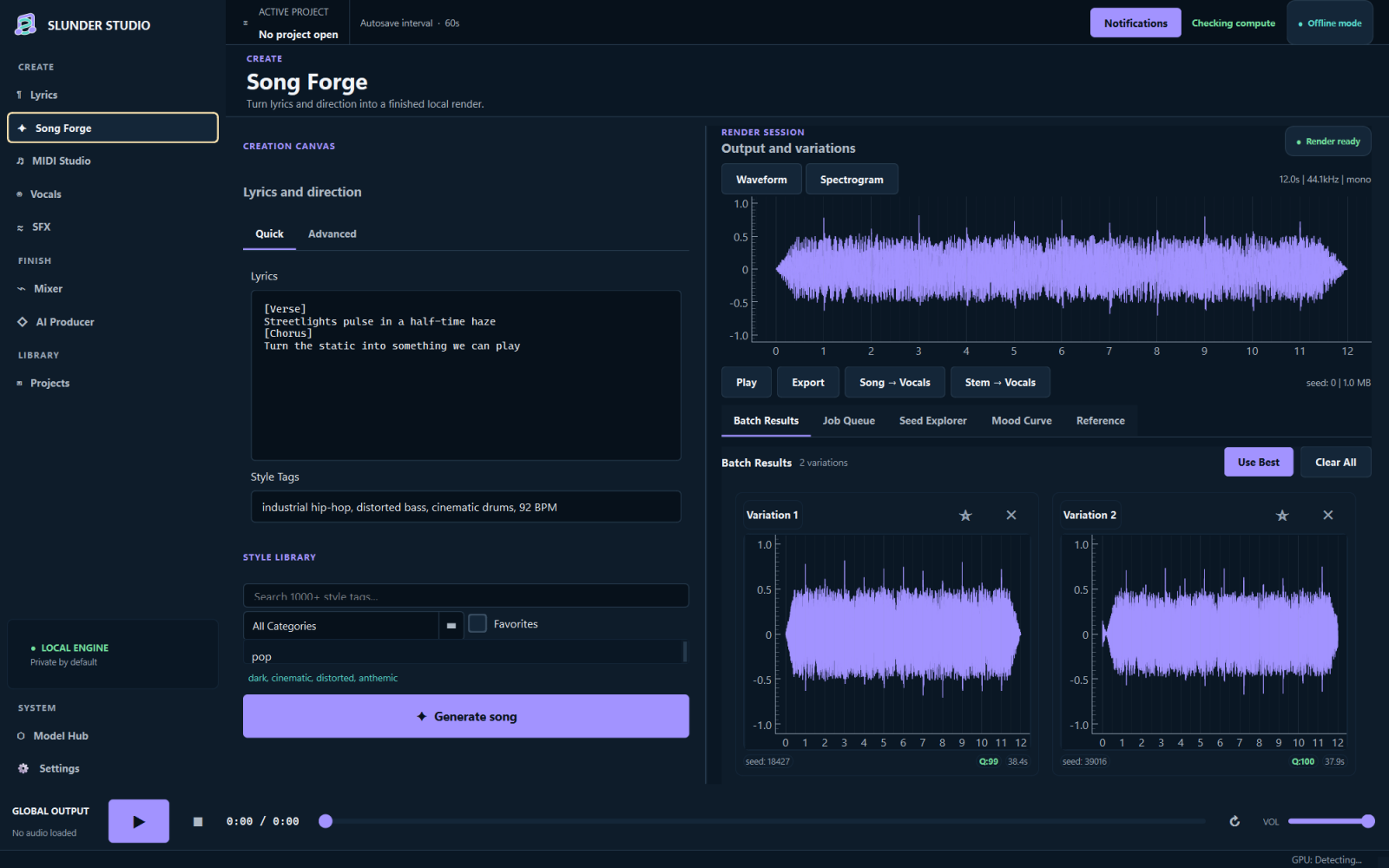
| Compose and arrange | Finish and deliver |
|---|---|
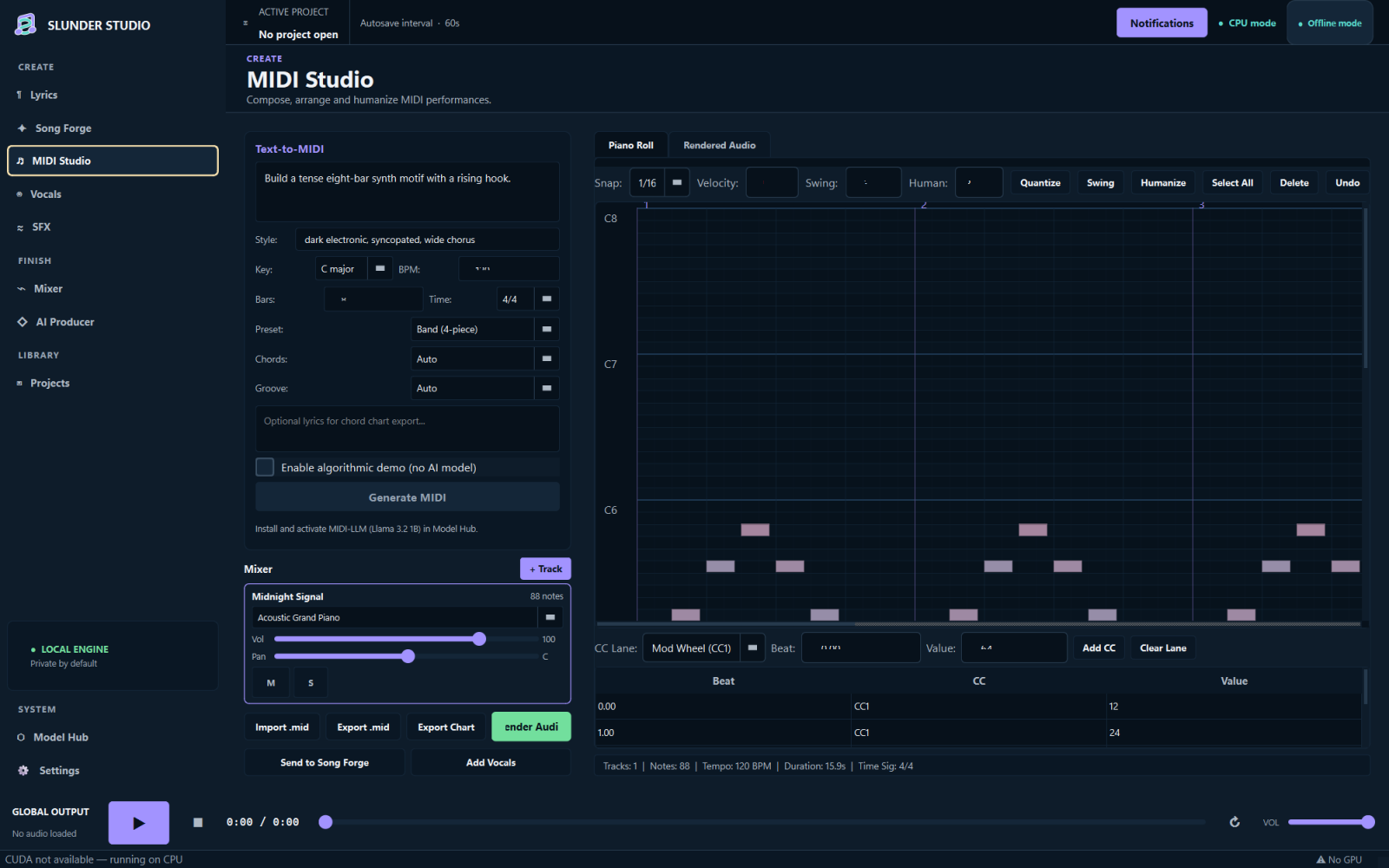 | 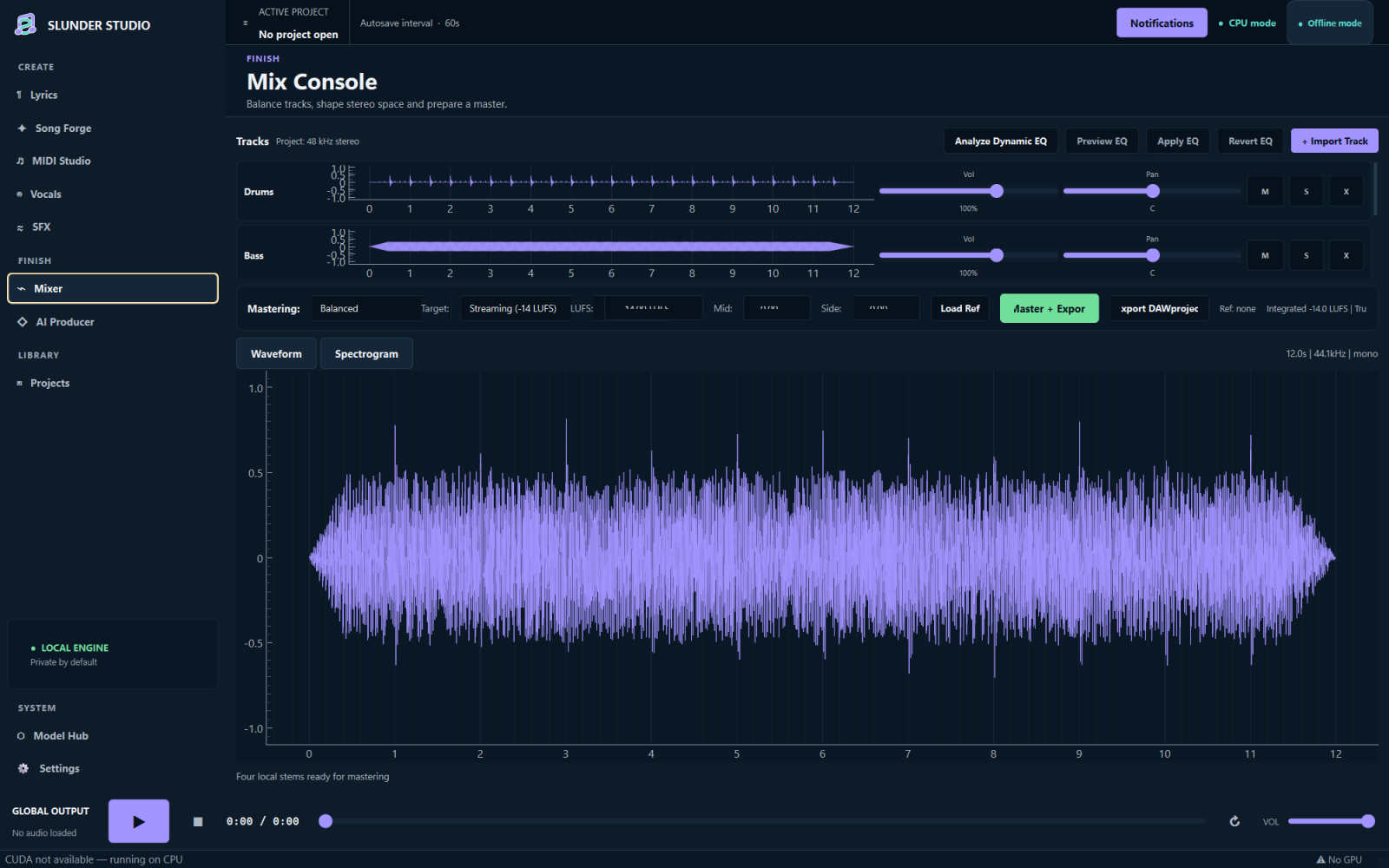 |
| Edit notes, automation, groove, and chord charts in MIDI Studio. | Balance stems, analyze EQ, match loudness, and export a master or DAWproject. |
| Coordinate a full production | Control what runs locally |
|---|---|
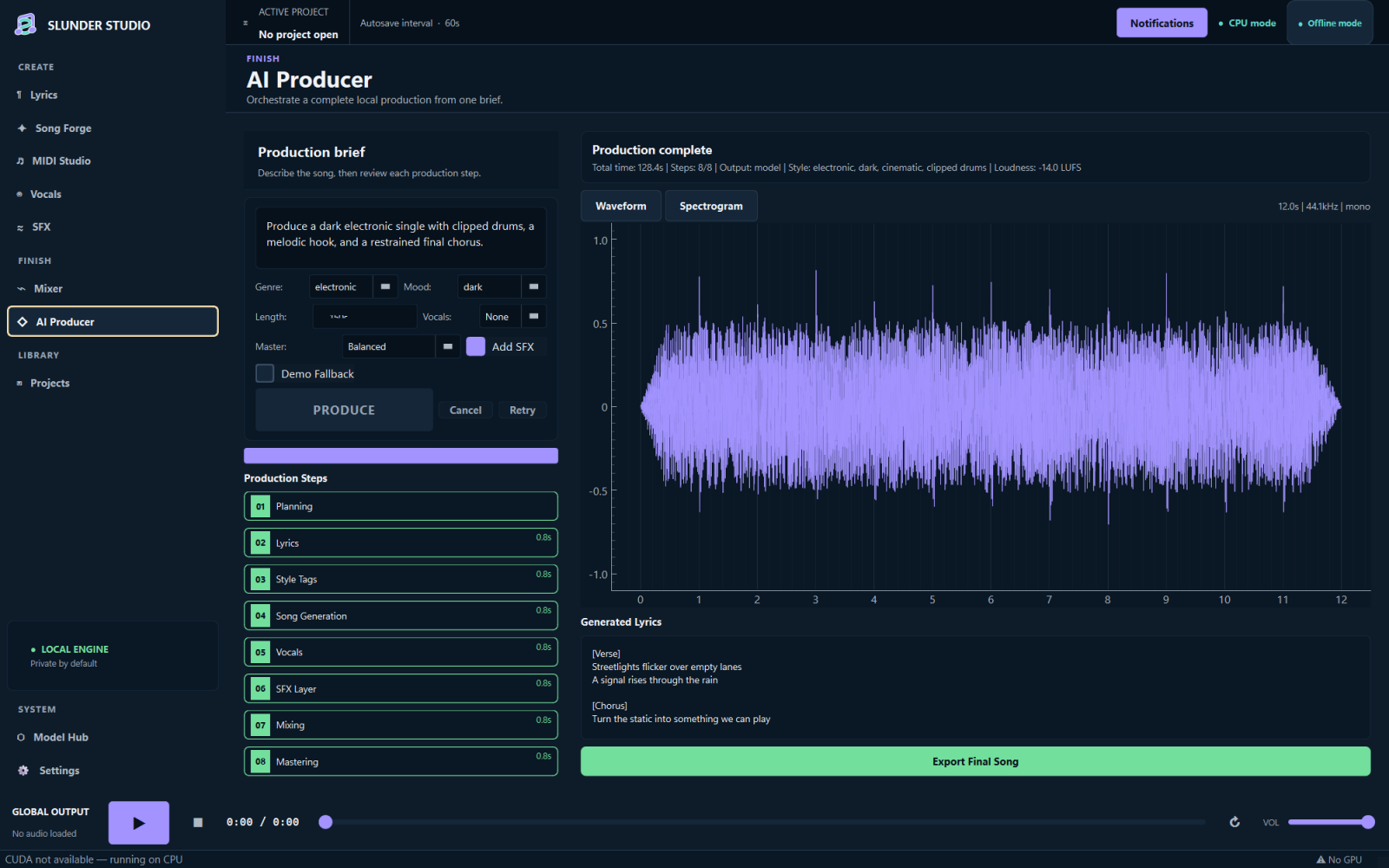 | 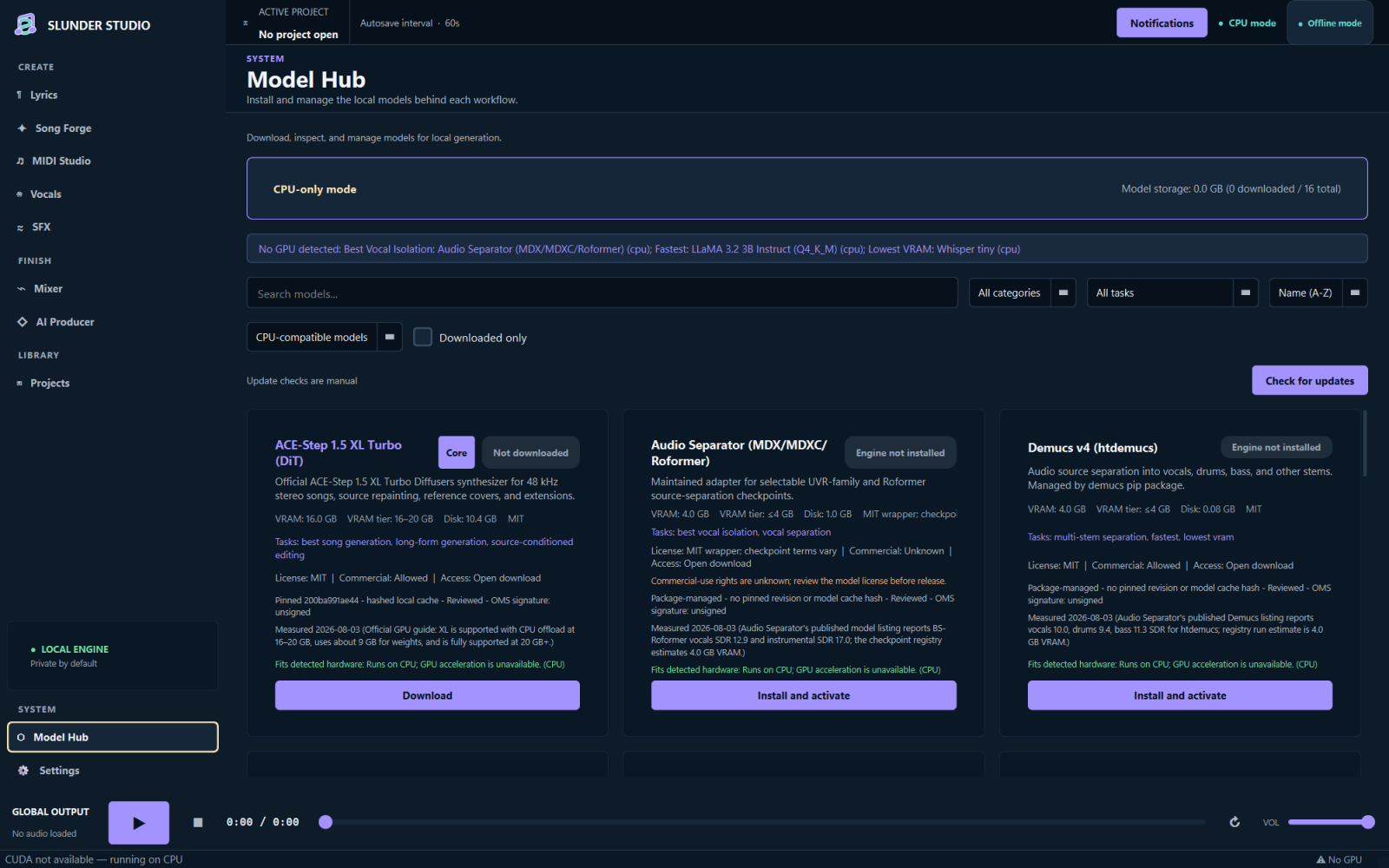 |
| AI Producer turns one brief into inspectable production stages. | Model Hub shows disk size, hardware fit, licensing, trust, and download state before installation. |
Screenshots use a deterministic sample project to exercise the shipping interface. They do not claim a particular model produced the displayed example audio.
Why Slunder Studio
- One creative chain. Move between lyrics, songs, MIDI, vocals, stems, sound effects, and mastering without rebuilding the session in separate tools.
- Local by default. Audio processing happens on your machine. Offline Mode blocks model lookups and downloads, including accidental ones.
- Outputs you can inspect. Exports receive provenance sidecars with model, source, seed, render, and replay details when available.
- No pretend results. Missing or unsupported engines fail with an explanation. RVC conversion and GPT-SoVITS cloning never substitute placeholder audio.
Workspaces
| Workspace | What it does |
|---|---|
| Song Forge | Generates songs from lyrics and style direction, compares batch variations, explores nearby seeds, and supports reference, cover, repaint, extend, and long-form workflows. |
| Lyrics | Writes from 33 genre templates, keeps searchable history, and provides optional rhyme and cadence feedback. |
| MIDI Studio | Turns prompts into MIDI, offers piano-roll and CC editing, applies quantize, swing, or humanization, and exports MIDI or chord charts. |
| Vocal Suite | Synthesizes singing, maps humming to lyric MIDI, tunes vocals, separates stems, and manages consent records for voice profiles. |
| Mixer | Combines local tracks with volume and pan control, stem-aware EQ suggestions, Mid/Side trims, reference matching, loudness targets, and mastering. |
| AI Producer | Runs a cancellable production plan from one brief while exposing the status and output of each stage. |
| Projects | Stores assets with collision-safe IDs, searchable notes, version history, recovery, provenance, and DAWproject export. |
| Model Hub | Downloads reviewed model revisions, verifies cache contents, reports licenses and hardware fit, and keeps rollback data for updated models. |
Install on Windows
- Open the v0.1.34 release.
- Download
SlunderStudio-v0.1.34-win-x64.zipandSHA256SUMS.txt. - Verify the ZIP, extract it, then run
SlunderStudio.exe. - Complete the short setup and install only the models you plan to use.
certutil -hashfile .\SlunderStudio-v0.1.34-win-x64.zip SHA256
Get-Content .\SHA256SUMS.txt
The Windows release is unsigned. SmartScreen may show a warning on first launch. Compare the SHA-256 digest with SHA256SUMS.txt before opening the app.
No model weights are bundled with the application. Model Hub downloads them only after you choose one.
Run from source
Python 3.11 or 3.12 is required. Python 3.12 is used for release builds.
git clone https://github.com/SysAdminDoc/SlunderStudio.git
cd SlunderStudio
py -3.12 -m venv .venv
.\.venv\Scripts\python.exe -m pip install -r requirements.txt
.\.venv\Scripts\python.exe main.py
If a core dependency is missing, Slunder Studio opens a diagnostics screen with the exact setup command. It does not install packages during startup.
Models and storage
Pick models per workflow. You do not need the full catalog.
| Model | Approximate download | Used for |
|---|---|---|
| ACE-Step 1.5 XL Turbo | 10.4 GB | Song Forge |
| Llama 3.1 8B Q4_K_M or Q8_0 | 4.9 GB or 8.0 GB | Lyrics |
| MIDI-LLM | 3.2 GB | Text-to-MIDI |
| DiffSinger | 500 MB | Singing synthesis |
| Demucs htdemucs | 300 MB | Stem separation |
| Stable Audio Open | 3 GB | Sound effects |
Model cards show the exact source revision, estimated memory, signature state, access requirements, and commercial-use status. Review the model license before releasing music. Application code uses the MIT License, but downloaded model terms are separate.
The main ACE-Step path is best suited to an NVIDIA GPU with at least 16 GB VRAM and CPU offload. Smaller models fit lower VRAM tiers. CPU mode works without a supported GPU, but generation can be much slower.
| Component | Minimum | Comfortable starting point |
|---|---|---|
| Operating system | Windows 10, Linux, or macOS | Windows 11 or Ubuntu 22.04+ |
| Memory | 8 GB RAM | 16 GB RAM or more |
| Storage | 2 GB for the application | 20 GB for the app and core models |
| GPU | CPU mode | NVIDIA CUDA GPU sized for the chosen model |
Public binaries are currently built for Windows x64. Linux and macOS users can run the source version, subject to each engine's platform support.
Privacy and network behavior
Generated audio, prompts, projects, job logs, and model caches stay in local application folders. On Windows, secrets such as a Hugging Face token are stored in Windows Credential Manager. macOS uses Keychain, and Linux uses Secret Service when available. Tokens are not written into the settings file or health reports.
Slunder Studio can contact the network for actions you start:
- Downloading a model or checking its upstream revision in Model Hub.
- Using an RFC 3161 timestamp service that you entered for optional C2PA signing.
- Installing dependencies when you set up the source version.
Enable Offline Mode to block Hugging Face API calls and model downloads. A configured network timestamp is also refused while Offline Mode is active.
Headless CLI
The CLI shares the desktop engine contracts, durable job ledger, exports, errors, and provenance records.
py -3.12 slunder_cli.py lyrics "write a dark synth-pop chorus" --output chorus.txt
py -3.12 slunder_cli.py midi "syncopated piano groove" --output groove.mid --demo
py -3.12 slunder_cli.py sfx "rain on a window" --output-dir renders --demo
py -3.12 slunder_cli.py export source.wav renders\master.wav --format wav
py -3.12 slunder_cli.py provenance renders\master.wav
py -3.12 slunder_cli.py jobs --status recoverable --json
MIDI and SFX demo paths run only when --demo is explicit, and their outputs remain labeled as demos. Commands that need an unavailable model return structured guidance instead of inventing a result.
Projects, recovery, and delivery
Projects keep imported assets under stable IDs, including same-named files. Autosave writes only when a project changes. Version restore first records a pre-restore snapshot, which makes the operation reversible.
The Recovery Center inventories interrupted jobs, logs, settings backups, project versions, and recoverable trash. Cleanup starts with a preview. Active work, current logs, the newest project version, and pre-restore snapshots are protected.
Mixer and Project Manager can export validated .dawproject archives. Audio delivery supports WAV, FLAC, MP3, OGG, and Opus, subject to installed codecs. Optional C2PA Content Credentials are off by default and require your own P-256 signing key and certificate chain.
Build and test
py -3.12 -m unittest discover -s tests
py -3.12 build/build.py --clean-env
py -3.12 tools/check_release.py --artifacts --tag
The clean build creates a temporary environment from SHA-256 locked runtime and build requirements. It removes stale outputs, packages the Windows application, exercises the frozen executable on a private desktop, writes a CycloneDX SBOM, and emits dist/SHA256SUMS.txt. The release check refuses version, changelog, link, tag, archive, checksum, or SBOM drift before publication.
Use py -3.12 build/build.py --clean-env --onefile only when you specifically need a single executable. The ZIP is the primary release format because it starts faster and exposes its included files for inspection.
Accessibility
The desktop shell supports English and Arabic, including right-to-left layout. A pseudo-locale is available for layout testing. Primary controls have screen-reader names, visible focus states, and predictable keyboard traversal. Reduced motion can be enabled in Settings.
License
Slunder Studio is released under the MIT License.
Created and maintained by SysAdminDoc.