MegaStyle++: Scaling Image Style Space through Hierarchical Style Definition

MegaStyle++ scales up the style space of MegaStyle through a hierarchical style definition, enabling more fine-grained, diverse, and comprehensive characterization of image styles. Based on this formulation, we construct a large-scale style dataset containing 8M high-quality images and covering 150K overall style identities.
[NeurIPS 2026] MegaStyle: Constructing Diverse and Scalable Style Dataset via Consistent Text-to-Image Style Mapping






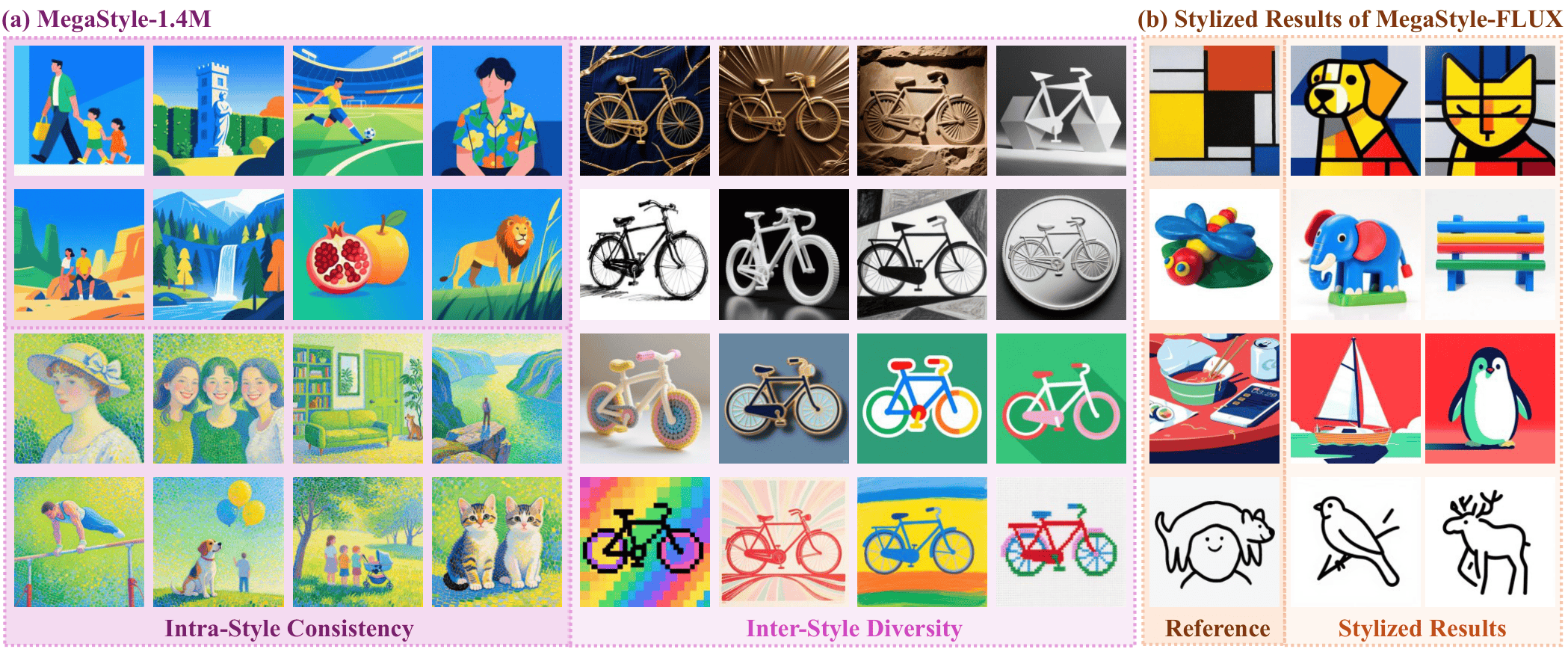
MegaStyle is a novel and scalable data curation pipeline that first explores consistent T2I style mapping ability from current large generative models to construct intra-style consistent, inter-style diverse and high-quality style dataset.
Your star is our fuel! We're revving up the engines with it! Check out our project page for more visual results!
News
- [2026/9/25] 🔥 MegaStyle will appear at NeurIPS 2026 as a Spotlight paper (top 0.8%)!
- [2026/9/2] 🔥 We release a paper, dataset of MegaStyle++!!!
- [2026/4/23] 🔥 We release a Gradio demo and ComfyUI custom nodes (with a ready-to-use workflow) for style transfer using MegaStyle-FLUX.
- [2026/4/22] 🔥 Thanks to @olfronar's contribution! The style score computation using MegaStyle-Encoder is now available on HF space.
- [2026/4/21] 🔥 We release the training/inference codes, models and dataset of MegaStyle!!!
TODO List
- A more diverse and larger-scale style dataset.
Dataset
MegaStyle++-8M
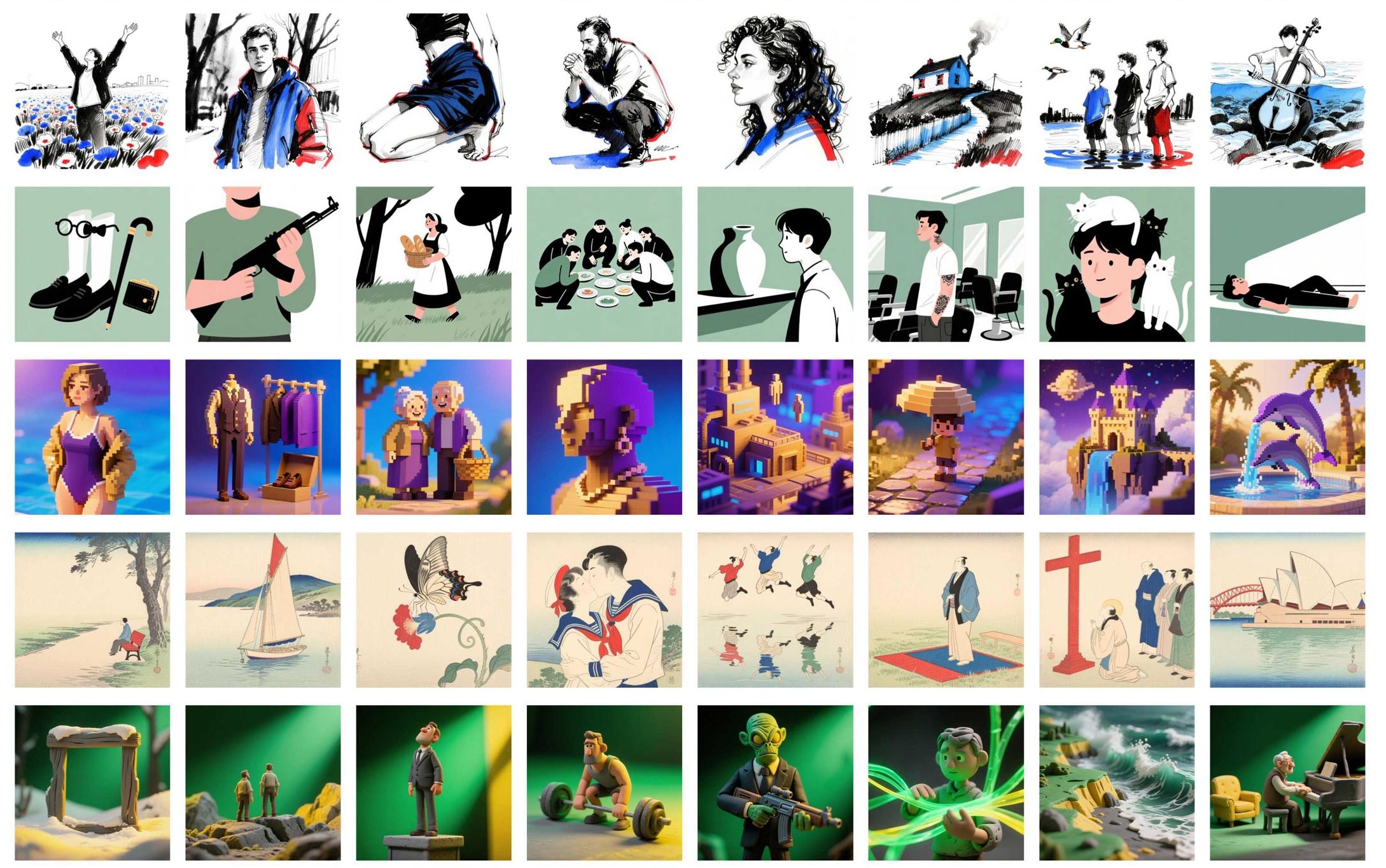
MegaStyle++-8M is an expanded and improved version of MegaStyle, containing 8M high-quality style images with substantially increased style diversity and coverage.
The dataset is available at:
MegaStyle-1.4M
The original MegaStyle-1.4M contains 1.4M high-quality images constructed from 170K curated style prompts and 400K content prompts, providing strong intra-style consistency and diverse fine-grained styles.
The dataset is available at:
Get Started
Trained on MegaStyle1.4M, we introduce MegaStyle-FLUX and MegaStyle-Encoder for generalizable style transfer and reliable style similarity measurement.
Clone the Repository
git clone git@github.com:Tencent/MegaStyle.git
cd ./MegaStyle
Environment Setup
conda create -n megastyle python==3.10
conda activate megastyle
pip install diffsynth==1.1.8
Downloading Checkpoints
-
Download the pretrained models of SigLIP and FLUX.1-dev.
-
Download the models into
./models/.
Running Inference
For image style transfer, we provide 50 reference style images from StyleBench in ./ref_styles:
python inference.py --ckpt_path models/megastyle_flux.safetensors --ref_path ./ref_styles
For computing style score:
python style_score.py --ckpt_path models/megastyle_encoder.pth --real_image_path <path/to/image.png> --fake_image_path <path/to/image.png>
Gradio Demo
An interactive web UI is provided via gradio_demo.py.
Install Gradio and launch:
pip install gradio
python gradio_demo.py --ckpt_path models/megastyle_flux.safetensors --ref_path ./ref_styles
Then open http://localhost:8080 in your browser. Upload a reference style image, type a content prompt, and click Generate. Common options:
python gradio_demo.py \
    --ckpt_path models/megastyle_flux.safetensors \
    --ref_path ./ref_styles \
    --server_name 0.0.0.0 --server_port 8080 [--share]
ComfyUI Custom Nodes
Custom nodes live in ./comfyui/ and, together with the shipped
workflow_megastyle.json, make MegaStyle
available as a drop-in graph inside ComfyUI.
The exposed nodes mirror a standard Flux workflow:
- Models Loader — loads FLUX.1-dev into a
FluxImagePipeline. - MegaStyle LoRA Loader — patches the MegaStyle-FLUX LoRA onto the DiT.
- Reference Style —
LoadImageinput for the style reference. - Text Encode — CLIP + T5 prompt encoding.
- VAE Encode — encodes the reference style image into latents.
- Flow Matching Scheduler — denoise loop with
enable_shift_rope=True. - VAE Decode — decodes latents back to an image.
- Save Image — writes results to
output/MegaStyle/.
1. Clone & install ComfyUI (skip if you already have one)
git clone https://github.com/comfyanonymous/ComfyUI.git
cd ComfyUI
conda activate megastyle            # reuse the MegaStyle env (needs diffsynth==1.1.8)
pip install -r requirements.txt
cd ..
2. Register the MegaStyle node package
From the MegaStyle repo root (so that flux_image_mega.py stays importable):
# Option A (recommended): symlink the comfyui package directly.
ln -s "$(pwd)/comfyui" /path/to/ComfyUI/custom_nodes/MegaStyle

# Option B: symlink the whole repo, then drop a one-line shim.
ln -s "$(pwd)" /path/to/ComfyUI/custom_nodes/MegaStyle
echo 'from .comfyui import NODE_CLASS_MAPPINGS, NODE_DISPLAY_NAME_MAPPINGS' \
    > /path/to/ComfyUI/custom_nodes/MegaStyle/__init__.py
On first launch the package will also:
- copy
comfyui/workflow_megastyle.jsontoComfyUI/user/default/workflows/MegaStyle.jsonso it shows up in the Workflows side panel; - symlink
ref_styles/*.jpgintoComfyUI/input/so the defaultLoadImagenode resolves00.jpgout of the box.
Disable with MEGASTYLE_AUTO_INSTALL_WORKFLOW=0 / MEGASTYLE_AUTO_INSTALL_REFS=0.
If auto-discovery of the ComfyUI root fails, set MEGASTYLE_COMFY_ROOT=/path/to/ComfyUI.
3. Launch & run
cd /path/to/ComfyUI
python main.py --listen 0.0.0.0 --port 8080
Open http://localhost:8080, pick the MegaStyle workflow from the
Workflows panel, then click Queue Prompt. The default lora_path is
models/megastyle_flux.safetensors (resolved relative to the MegaStyle
repo root); set it to an absolute path if you keep the checkpoint
elsewhere.
See ./comfyui/README.md for the wiring diagram and
advanced options (CFG, custom negative prompts, etc.).
Training
To train a style transfer model with paired supervision, please download our style dataset, MegaStyle-1.4M or MegaStyle++-8M, and start training with:
bash FLUX.1-dev.sh # FLUX.1-dev-npu.sh for npu
License and Citation
All assets and code are under the license unless specified otherwise.
If this work is helpful for your research, please consider citing the following BibTeX entry.
@article{gao2026megastyle,
  title={MegaStyle: Constructing Diverse and Scalable Style Dataset via Consistent Text-to-Image Style Mapping},
  author={Gao, Junyao and Liu, Sibo and Li, Jiaxing and Sun, Yanan and Tu, Yuanpeng and Shen, Fei and Zhang, Weidong and Zhao, Cairong and Zhang, Jun},
  journal={arXiv preprint arXiv:2604.08364},
  year={2026}
}

@article{gao2026megastyle++,
  title={MegaStyle++: Scaling Image Style Space through Hierarchical Style Definition},
  author={Gao, Junyao and Liu, Sibo and Li, Jiaxing and Sun, Yanan and Zhang, Weidong and Zhang, Jun and Zhao, Cairong},
  journal={arXiv preprint arXiv:2609.01423},
  year={2026}
}
Acknowledgements
The code is built upon DiffSynth-Studio.