VideoHub
A local review studio and render queue for videos that Claude Code or OpenCode writes as code. Ask your agent for a video. It builds a film as a web page that draws every frame in code. VideoHub plays the film straight from its code, so you can watch it, step through frames, draw and leave notes before rendering. Send the notes back to your agent, review the fixes in the reloading preview, then render when you are ready. The queue keeps the computer usable and can re-render only the seconds that changed.
Windows 10/11, Linux and macOS; Claude Code or OpenCode. Linux and macOS are new, not yet tested on real machines. See platform support for feature limits and the remaining hardware checks.
Features
- Projects — every film in your watched folders with its videos, versions, notes and disk use; a live cover for films that have no video yet.
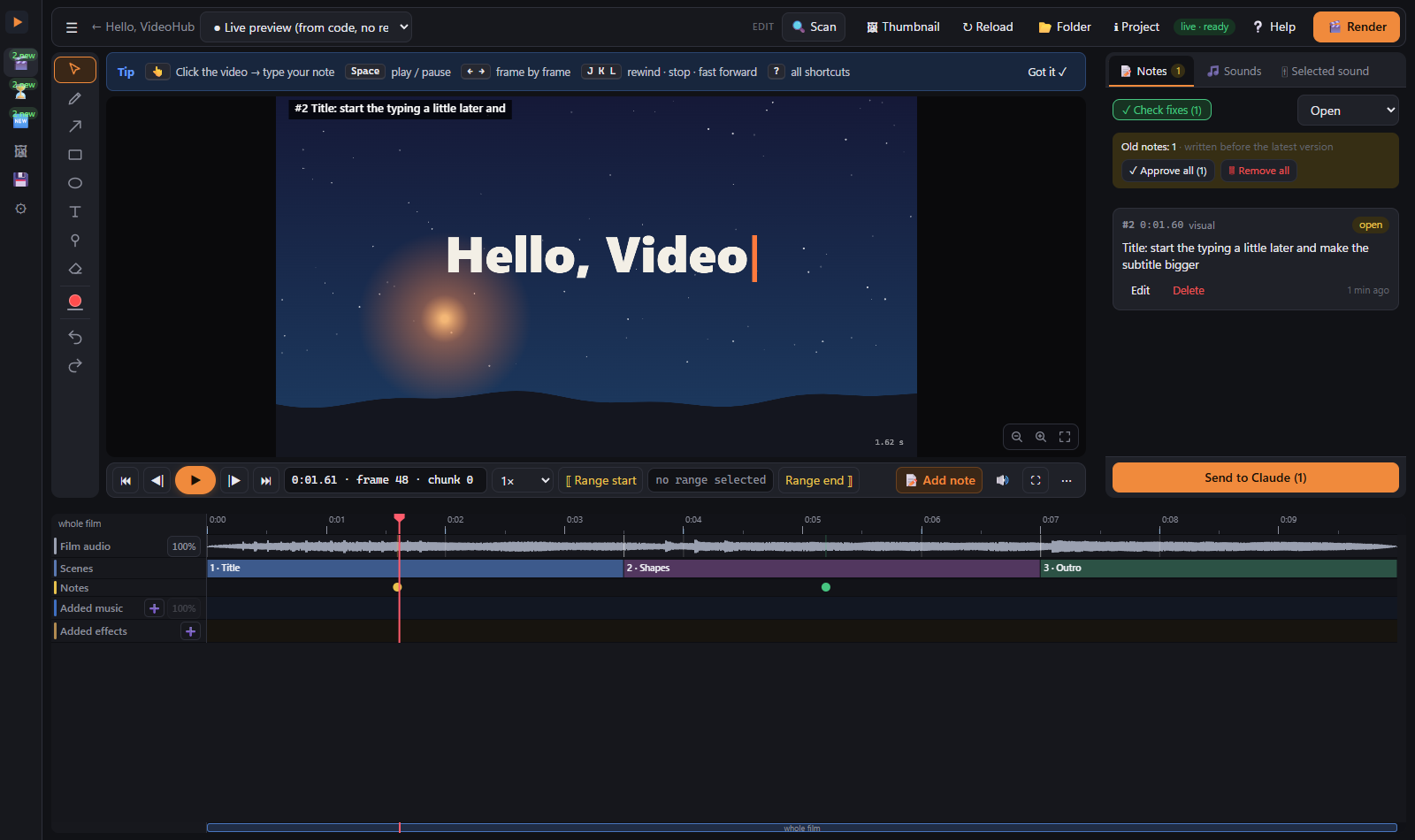
- Live preview, no render — plays a film from its page (
window.renderOut(t)), frame-accurate, with its sound, scenes and narration on a timeline. Changing the code reloads the open preview in place. - Review notes — click or draw on any frame (or pick a frame range), type what is wrong. Send to Claude / OpenCode (Settings → Agent name) copies
a short message; your agent reads the notes (time, frame, chunk, a close-up picture of your drawing) with
hub_notes. - Check fixes — a tour through the notes your agent marked fixed, with before/after; "Still there" sends one back.
- Render queue — one render at a time on the PC, waits for renders started elsewhere, progress and ETA, a render dialog with size/fps/workers/encoder, a copy to any folder, a desktop notification when available.
- Partial re-render — a film rendered in 2-second chunks re-renders only the chunks your notes touched, joins the
film again and saves
film_vN.mp4with the changed ranges; Watch only the changes plays just those. - Render protection (built in) — see below.
- Recent renders & outputs folder — every finished render, newest first; each one also hard-linked into one outputs folder (a folder per day, no extra disk space).
- Disk cleanup — what can safely go (old chunks, silent copies, browser profiles, check frames, old versions) and why; always to Trash / Recycle Bin or the archive, never deleted outright, always with your approval.
- Sound — mute/solo/levels per stem, remove the music, duck it under a range, add sounds from your library or disk on the timeline; renders use the rebuilt mix.
- Thumbnail Studio — sketch a thumbnail (posed mannequins, objects, text, camera/depth/light), send the brief to your agent, which makes the variants; annotate a variant, add the final text in code.
- Agent tools (MCP) —
hub_live,hub_notes,hub_note_update,hub_render,hub_job,hub_project,hub_workspace,hub_register_version,hub_cleanup,hub_thumb_*; the same tools work from a shell (node server/cli.js).
Render protection and speed
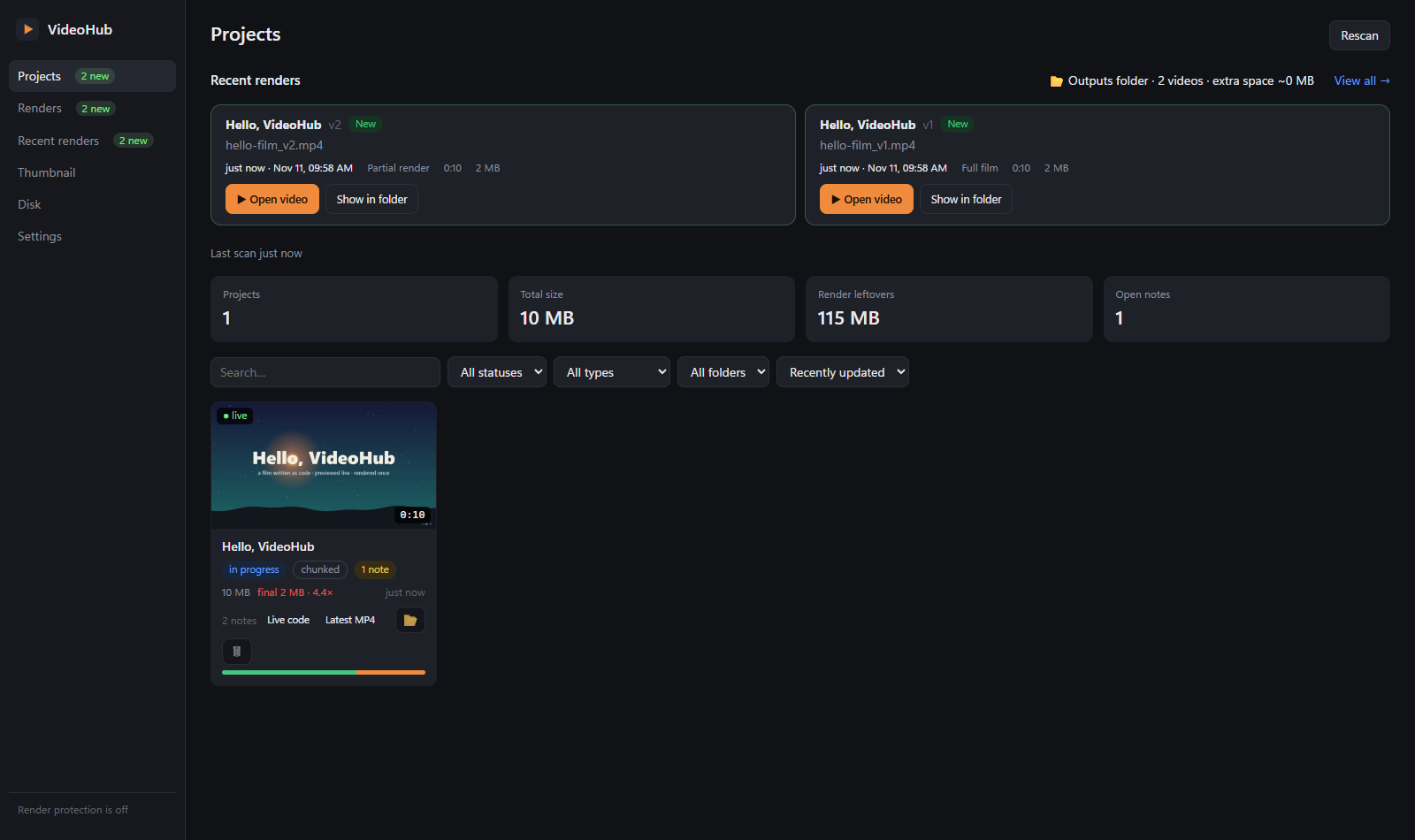
Built into the Node server, with no compiled helper:
- CPU limits and priority — Windows uses processor affinity; Linux uses
tasksetwhen installed. Renders run at low priority. These systems offer Full power / Balanced / Quiet presets and a temporary full-power window. - macOS protection — uses niceness and background QoS (
taskpolicy) when a render slows down. macOS has no supported CPU-core affinity API, so VideoHub hides the Render power and slow CPU sliders and explains the limit. Priority and RAM protection remain available. - RAM slow mode — when available RAM crosses a threshold, the newest render slows down; at critical RAM, every render slows down. Windows/Linux with affinity also reduce the allowed cores. macOS counts free, inactive and speculative memory through
vm_stat. - Slow down / Normal speed / Stop per render, or for all renders at once. On Unix, restoring a numerically lower nice value can require privileges, so a slowed render may retain its lower priority until it ends. VideoHub does not request elevated privileges; a new render starts with its configured priority.
- One render at a time, partial re-renders, workers / encoder / fps controls, and a list of other programs holding RAM (VideoHub never closes them).
- Hardware encoders — Windows: NVENC / AMF / QSV; Linux: NVENC / VAAPI / QSV; macOS: VideoToolbox; x264 is the processor fallback. A short encode probe determines what works with the installed ffmpeg. See render speed for the existing Windows measurements; Linux and macOS performance is unverified.
Requirements
All platforms need Node.js 22+, ffmpeg on PATH, a native Chrome/Chromium/Edge browser for headless rendering, and Claude Code or OpenCode for making and fixing films. No native modules or compiled render-protection helper are required.
| Platform | Install missing tools | Notes |
|---|---|---|
| Windows 10/11 | winget install -e --id OpenJS.NodeJS.LTS; winget install -e --id Gyan.FFmpeg | Edge or Chrome; setup retains the existing Windows paths |
| Linux desktop | Your distribution's Node 22+ package; sudo apt install ffmpeg, sudo dnf install ffmpeg, or sudo pacman -S ffmpeg | Install a native browser; Snap/Flatpak browser wrappers are unsupported. Optional taskset, zenity/kdialog, notify-send |
| macOS | With Homebrew: brew install node ffmpeg; brew install --cask google-chrome, or Chrome from its download page | Chrome / Edge / Chromium in /Applications or ~/Applications; Apple Silicon and Intel code paths need hardware verification |
A graphical desktop session is needed for windows, folder dialogs, desktop notifications and file-manager actions. A compatible graphics encoder is optional.
Install
Download the ZIP and unpack it, or clone the repository into a folder you want to keep. Open that folder in Claude Code or OpenCode and ask it to install VideoHub, or run the installer yourself. Setup asks about the workspace, discovered video folders, graphics encoding, agents, review rule, shortcut, login startup and example film. Re-runs keep existing answers, folders and settings.
Windows
Double-click SETUP.cmd. It runs the shared Node installer directly. Preview the steps with node scripts/install.mjs setup --dry-run; --yes accepts recommended answers. Examples: --workspace "D:/Videos/VideoHub" and --agents claude,opencode. The same answer flags shown below work on every platform.
The .ps1 setup/update/uninstall files are compatibility forwarders and respect PowerShell's existing policy. If that policy blocks one, use the Node command or .cmd entry point; no policy change is needed.
Open VideoHub from its Desktop shortcut or open.cmd. The shortcut starts the installed Node.js executable directly; a console window may appear briefly. open.cmd and login startup may also show a short console window. The current launch path uses neither VBScript nor hidden PowerShell. Update migrates owned shortcut/startup entries and recycles the old open.vbs / open.ps1 only when those references are safe; custom, unreadable or failed migrations retain the files and show a warning. Start a new session in your selected agent to load hub_* tools.
Linux and macOS
Run chmod +x setup.sh update.sh uninstall.sh open.sh, then ./setup.sh. Preview first with ./setup.sh --dry-run --agents opencode. Setup prints missing-system-tool instructions instead of silently installing system packages.
Flags: --yes, --workspace PATH, --agents claude,opencode, and --watch-found, --gpu-encoder, --global-rule, --shortcut, --startup, --example with yes or no. Launch with ./open.sh. Linux also installs an application desktop entry and can add a Desktop copy.
On macOS the optional Desktop launcher is VideoHub.command, which briefly opens Terminal. There is no unsigned .app bundle. If macOS blocks the downloaded launcher, attempt to open it, then go to System Settings → Privacy & Security → Open Anyway, confirm, and open it again. You can also launch with ./open.sh from the installed folder.
Claude Code and OpenCode
Setup detects the installed agents. Select one or both with --agents claude,opencode on every platform; legacy Windows -Agents spelling remains accepted. Each receives its own local MCP registration, the shared skill and the optional marked review rule. Restart the selected agent after setup.
OpenCode's rules live in ~/.config/opencode/AGENTS.md (under $XDG_CONFIG_HOME if set). When that file exists OpenCode reads it instead of Claude's global compatibility rules. Setup prints this consequence and never copies unrelated personal rules between agents. Settings → Agent name controls the review button label.
Your first film
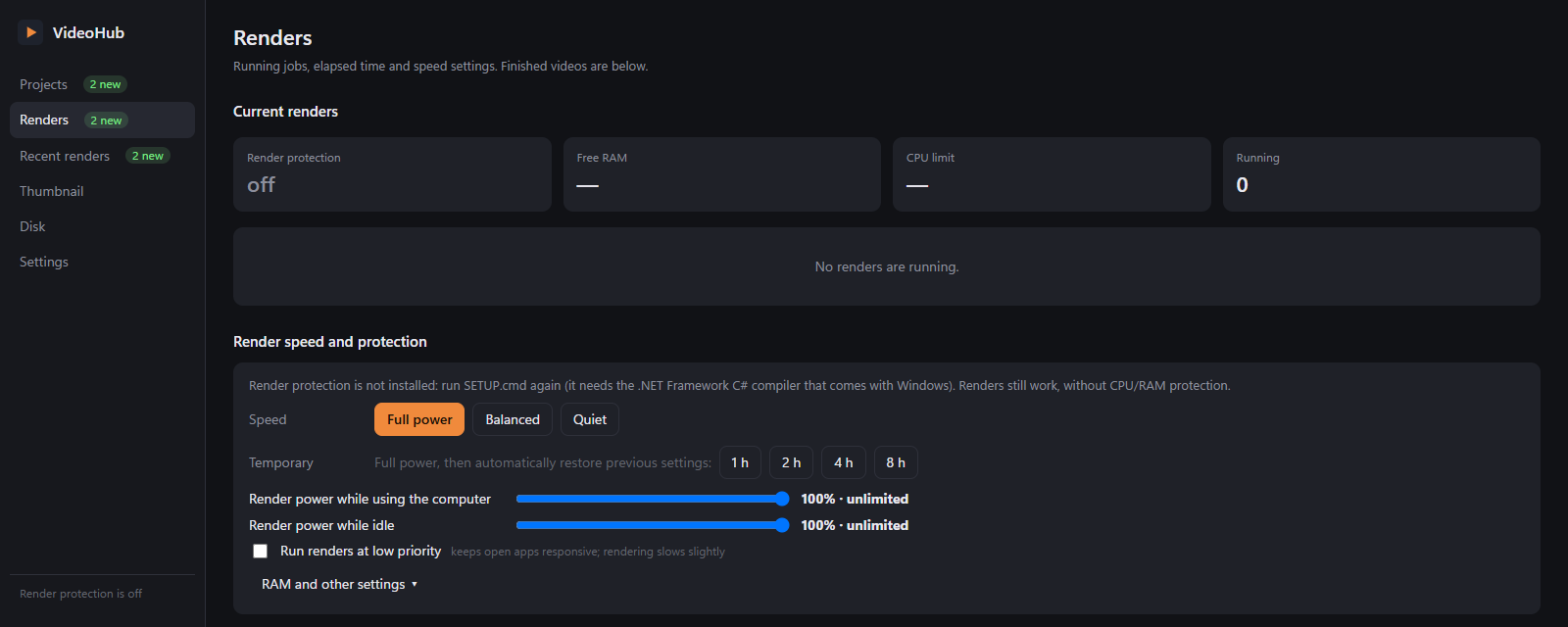
- If setup added the example film, its card is on the Projects page. Otherwise the page shows Welcome to
VideoHub with your workspace and films folder (
<workspace>\films): click ▶ Add the example film. - Click its card: it opens in the live preview. Press Space, step with ← →, click on the video to leave a note.
- Press 🎬 Render → Full film: the queue renders 5 two-second chunks and saves
hello-film_v1.mp4with sound. - Leave a note on a frame, change
film.js(e.g. a colour), then 🎬 Render → Only the fixed parts: only the touched chunks are rendered again →hello-film_v2.mp4, and Watch only the changes plays them. What a film folder must contain for each feature: docs/PROJECT-CONTRACT.md. New films start from templates/new-film.
Working with your agent
- Ask Claude Code or OpenCode for a video. It builds the film from the template.
- Preview — when it plays, the agent calls
hub_live, opens the film in VideoHub and stops for your review. - Notes — watch, leave notes, press Send to Claude / OpenCode and paste the message into your chat.
- Fix — the agent reads
hub_notes, edits the code and marks the fixes. The preview updates itself; repeat as needed. - Render — when you ask, the agent calls
hub_render, or you press Render. Later fixes can render only the changed chunks; use Watch only the changes and Check fixes to review them.
If MCP tools are not loaded, the same tools work through node <VideoHub>/server/cli.js <tool> "<json>".
Optional integrations
| Feature | Needs | Without it |
|---|---|---|
| Ready-made sound effects | a 3D studio engine with engine/audio/synth.js (studioDir in Settings) | your own sound folder and files from disk |
| Scene editor / 2D layers in the preview | the page includes the hooks from engine-hooks/ | those editors are hidden |
| Snipp export status | Snipp writing .renders\*.json in a watched folder | not shown |
| Settings → Optional parts on this computer shows what was found. |
Security
VideoHub is a local tool. The server listens on 127.0.0.1 only and refuses requests with a foreign Host, cross-site
requests from other web pages and writes with a foreign Origin. Its render queue can run shell commands for your
projects, so never expose port 7788 (no port forwarding, no tunnels, no 0.0.0.0 proxies). It only serves files
inside your watched folders, the archive and its own folders.
Windows launch and security warnings
Windows setup, update and uninstall use the shared Node lifecycle commands listed in the security guide. SETUP.cmd and UPDATE.cmd call Node directly. Normal launch uses open.cmd → Node → scripts/install.mjs open; new Desktop shortcuts and login startup also use the installed Node executable. None of these paths changes PowerShell's execution policy or adds a policy override. Windows integrations still use transparent commands and installed Windows/.NET libraries where needed: the picker loads WinForms, and Trash uses the installed Recycle Bin API. Nothing compiles inline C# or custom P/Invoke helpers.
See Windows security guidance for the current behavior, exact-alert evidence and upgrading an older distributed copy.
These changes simplify the launch and system-integration paths. They do not establish that a security alert is a false positive or guarantee that a vendor will accept every downloaded version. Record the security product, exact warning or detection ID, affected file and VideoHub version before deciding what needs review. node scripts/windows-security.mjs prints local source fingerprints and retired-helper presence without reading antivirus history or uploading anything; it is not an antivirus scan.
| Warning type | What to distinguish |
|---|---|
| Antivirus malware detection | A named threat/detection for a file needs investigation of that exact file and verdict. Keep the blocked item blocked during review. |
| SmartScreen / unknown publisher / reputation warning | Publisher identity and download reputation are separate from a named malware detection. The exact message identifies which check was involved. |
| Smart App Control block | This is an application-control trust decision. It is not interchangeable with an antivirus detection or a script-policy error. |
| PowerShell scripts disabled / unsigned-script error | This is a script-policy restriction. Use the direct Node lifecycle command instead of the optional .ps1 compatibility entry; no policy setting needs to change. Other application-control restrictions still need the computer's approved deployment process. |
If an examined distributable still receives a malware detection, use that product vendor's official file-review process for the exact affected file. Review what the submission contains first; VideoHub does not upload files to scanners or vendors automatically. Disabling security protection, adding broad exclusions or bypassing download/script policies is not part of setup.
Update
Download the new version and unpack it separately. Windows: double-click UPDATE.cmd, or run node scripts/install.mjs update --target "C:/path/to/installed/VideoHub" --dry-run, then repeat without --dry-run. Linux/macOS: from the new copy run ./update.sh --target /path/to/installed/VideoHub --dry-run, then repeat without --dry-run.
The update backs up replaced code and keeps the workspace, settings, queue, films and notes. Use the existing launcher afterwards and restart your agent session. Downloaded or shared copies do not change automatically: distribute this version and explicitly update each installed copy that needs it.
Uninstall
Windows: from the installed folder run node scripts/install.mjs uninstall --dry-run, then repeat without --dry-run or use UNINSTALL.cmd. Linux/macOS: ./uninstall.sh --dry-run, then ./uninstall.sh from the installed folder.
Only integrations owned by this install are removed: MCP entry, skill, managed rule block, shortcut and login startup. Reversible removals use Trash / Recycle Bin. Films, notes, outputs, settings and the program folder remain.
Troubleshooting
- macOS Trash permission — Finder may ask for Automation permission the first time VideoHub moves a file to Trash. Allow it in System Settings → Privacy & Security → Automation for the requesting terminal/process. If denied, VideoHub refuses the operation and keeps the source; it never falls back to permanent deletion.
- macOS launcher blocked — use Privacy & Security → Open Anyway after the first blocked launch of
VideoHub.command, or run./open.sh. No.appbundle is shipped. - macOS Render power is missing — macOS has no supported CPU-core limit. Low priority, background QoS and RAM protection remain available; the Renders page explains the limitation.
- Linux folder picker is unavailable — install
zenity/kdialog, or enter the path in the text field. - Linux CPU limit unavailable — install
taskset(util-linux). Low priority and RAM watching still work. Raising Unix priority after slowing down may require privileges; a fresh render starts with its configured priority. - Linux browser not found — use a native browser package. Snap/Flatpak browser wrappers cannot reliably be driven by Puppeteer;
VIDEOHUB_BROWSERcan select a native executable. - Linux Trash unavailable — VideoHub tries
gio,trash-put, then the freedesktop Trash format; it refuses an unsafe or unwritable destination and leaves the item in place. - The page is blank — open it in a browser and look at the console; a missing Node 22 or a broken update are the usual causes. Restart with the Desktop shortcut.
- Your agent does not see
hub_*tools — start a new session;claude mcp listoropencode mcp listshould showvideohub. Re-run the installer for that agent if needed. - "This folder is not a project VideoHub knows" — put the film inside a watched folder or add its parent folder in Settings → Watched folders.
- "The live preview could not open" — the page lacks
window.renderOut(t)/window.READY; see PROJECT-CONTRACT.md. The message says what is missing. - Partial renders refused — the render script is not chunked (family A) or the film length is unknown:
hub_project({set:{render:{env:{DUR:"…"}}}}). - Renders fail at once — ffmpeg or a native Chrome/Chromium/Edge browser missing (Settings → Tools), or
puppeteer-coremissing for a film's render script (VideoHub ships one; runnpm installin VideoHub's folder). - Port 7788 is taken — set
"port"indata\config.json. - A warning names
RenderGuard.exe/VideoHubAgent.exe— these names belonged to the retired compiled render-protection helper. Current source neither builds nor ships it. Update retires a recognized helper belonging to the target install without launching that executable. Classify the exact warning using the distinctions above; its filename alone does not establish a false positive. - Coming from an older (Turkish) build — see docs/MIGRATING.md.
Development
npm test runs the suites; see CLAUDE.md and docs/ARCHITECTURE.md.
License
MIT © 2026 VideoHub contributors.