svg_animate





Plays SVGs that declare their own animation — SMIL (<animate>,
<animateTransform>, <animateMotion>, <set>), CSS @keyframes, and CSS
motion paths — using the same vector_graphics renderer that
flutter_svg draws still SVGs with.
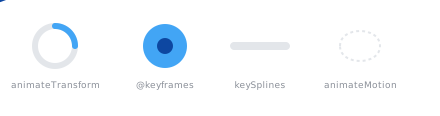
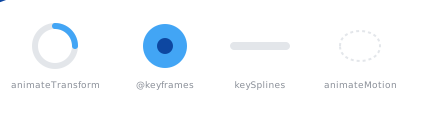
The image above is a single SVG file, animating in your browser exactly as it
does in Flutter through this package. Its source is
doc/demo.svg.
AnimatedSvgPicture is a drop-in companion to SvgPicture: it takes the same
arguments for sizing, alignment, theming, color filtering, semantics and error
handling, and reuses flutter_svg's SvgTheme, ColorMapper and
DefaultSvgTheme. An SVG with no animation renders exactly as SvgPicture
renders it, and starts no ticker.
AnimatedSvgPicture.asset('assets/spinner.svg', width: 48, height: 48)Files exported by animation editors work as they come. SVGator, the most common
of them, expresses every movement as a CSS motion path and places repeated
artwork through <use>; both are handled, including exports that embed their
artwork as raster images. See what is not supported
for the parts of such files that do not survive.
Getting started
dependencies:
  svg_animate: ^0.3.2
There are constructors for every source flutter_svg supports:
AnimatedSvgPicture.asset('assets/spinner.svg');
AnimatedSvgPicture.network('https://example.com/spinner.svg');
AnimatedSvgPicture.file(File(path));
AnimatedSvgPicture.memory(bytes);
AnimatedSvgPicture.string(markup);
Playback
By default the animation starts as soon as it loads, and the SVG decides
whether it repeats: markup that asks to loop forever does, and markup whose
animations all end plays once and holds its final frame. Pass repeat to
override that.
AnimatedSvgPicture.asset(
  'assets/progress.svg',
  repeat: false,
  onCompleted: () => debugPrint('done'),
);
For play/pause/seek, pass an AnimatedSvgController. It can be used before the
picture has loaded — requests are remembered and applied once it is ready.
final controller = AnimatedSvgController();

AnimatedSvgPicture.asset(
  'assets/spinner.svg',
  controller: controller,
  autoPlay: false,
);

controller.play();
controller.pause();
controller.seek(0.5);                                  // 0.0 to 1.0
controller.seekTo(const Duration(milliseconds: 500));
controller.progress is a stable Animation<double>, so it can be handed to an
AnimatedBuilder to follow playback frame by frame, even before loading
finishes.
Supported SVG features
Animation
<animate> | values / keyTimes / keySplines, from / to / by |
<animateTransform> | translate, scale, rotate, skewX, skewY |
<animateMotion> | path and <mpath>, rotate="auto" / auto-reverse |
<set> | yes |
calcMode | linear, discrete, paced, spline |
| Timing | begin (offsets), dur, end, repeatCount, repeatDur, fill |
| Composition | additive="sum", accumulate="sum" |
| Targeting | href / xlink:href, or the parent element |
CSS @keyframes | animation shorthand and every longhand, per-keyframe animation-timing-function |
animation-direction | normal, reverse, alternate, alternate-reverse |
animation-fill-mode | forwards and both hold the last frame |
| CSS motion paths | offset-path: path(...), offset-distance, offset-rotate |
transform-origin | resolved against the view box |
| Animated value types | numbers, lengths, percentages, colors (hex, rgb(), hsl(), SVG keywords), number lists, transform lists |
Drawing
Everything is drawn by vector_graphics, so an animated SVG supports exactly
what a still one does through flutter_svg: paths and shapes, linear and radial
gradients, patterns, clipPath, mask, text, embedded raster images, and the
fifteen CSS blend modes.
Two things that a still SVG does not get are handled here, because the renderer cannot do them on its own:
- CSS in a
<style>element is resolved into presentation attributes. Thevector_graphicscompiler implements no CSS selectors, so without this a stylesheet-driven SVG renders unstyled.SvgPictureignores<style>entirely. - A
<use>pointing at an<image>is expanded into the image. The renderer loses an image's size through a reference and then fails the whole picture rather than that one element.
What is not supported
| why | |
|---|---|
<filter> and everything in it | vector_graphics drops filters; the element still draws, without the effect |
mix-blend-mode: plus-lighter | not among the fifteen modes the renderer knows; editors reach for it to make a glow |
Morphing the d attribute | those animations switch between values instead of interpolating |
begin on an event or another animation | there is no interactive document to fire it |
CSS pseudo-classes such as :hover | same |
CSS custom properties and var() | left alone, so the element keeps the presentation attribute it already had |
<script> | not run |
@media, @supports | skipped rather than guessed at |
How it compares
This package deliberately covers less of SVG than the alternatives, and carries much less with it.
- It renders through
vector_graphics, the same rendererflutter_svguses, so animated and still SVGs in one app are drawn by the same code and shareSvgThemeandColorMapper. - It adds two pure Dart packages,
xmlandpath_parsing, both already influtter_svg's own dependency tree. No JavaScript runtime, no native engine, no FFI. - A frame costs what a still SVG costs to draw, because frames are compiled ahead of time rather than evaluated as they are shown.
Which to reach for:
| svg_animate | Spinners, loaders, animated icons, exports from animation editors. You already use flutter_svg and want to keep the dependency list short. |
| full_svg_flutter | You need filters, d morphing, or SVGs that carry <script>. It covers considerably more of the format, and bundles a QuickJS runtime and woff2 to do it. |
| anim_svg | You would rather transpile to Lottie and render through the native thorvg engine. |
| flutter_svg | The SVG does not animate. |
| lottie, rive | The animation is authored in those formats to begin with. Both are far more capable than any SVG animation runtime, if you can choose the format. |
What is written above about other packages comes from their descriptions and dependency lists, not from benchmarking them.
How it works, and what it costs
When the picture loads, the animations the document declares are resolved, and
the document is sampled to a static SVG at each frame time. Each sample is
compiled by vector_graphics_compiler — the same compiler flutter_svg uses —
in a background isolate. Playback then swaps between those pre-compiled frames,
so drawing one costs the same as drawing a still SVG.
The trade-off is loading: compiling N frames takes roughly N times as long as loading a still SVG, and the frames stay in memory while they are cached.
The awkward case is an SVG that embeds raster images, because the image data appears in every compiled frame and is far larger than the drawing around it. Two things keep that affordable. The run of bytes every frame begins with, which is where the encoder puts whatever a picture embeds, is stored once instead of per frame. And an embedded image is decoded once for the whole animation instead of on every frame change. For a 450×450 banner carrying five embedded bitmaps that is 5.1 MB rather than 27.5 MB, and 1.5 ms rather than 6.8 ms to change frame — the same cost as an SVG that embeds nothing at all.
An animation can say what it costs rather than being guessed at:
final AnimatedSvgFrames frames = await compileAnimatedSvg(markup);
debugPrint('${frames.frameCount} frames, ${frames.compiledByteSize} bytes');frameRate(default60) — frames compiled per second of animation.maxFrames(default300) — ceiling; longer animations are sampled at a lower rate rather than growing without bound.placeholderBuilder— shown while the animation compiles.svgAnimateCache— the shared cache of compiled animations. Lower itsmaximumSize(default 10) to trade recompilation for memory.
On the web there are no isolates, so compilation runs on the main thread; prefer
a lower frameRate for long animations there.
Contributing
Development setup and the release process are in
CONTRIBUTING.md. Releases are cut by pushing a v0.0.0 tag;
GitHub Actions verifies the tagged commit and publishes it.
License
BSD 3-Clause. Portions are derived from the Flutter project, which is distributed under the same license.