ClanKit · Official Website: clankit.app
English | 简体中文
A local-first, multi-LLM desktop workspace for chat, agent collaboration, and tool orchestration.
Built with Electron and Vue 3. Runs Anthropic, OpenRouter, OpenAI-compatible, DeepSeek, Google, and any custom provider you wire up — side by side, in the same app.
Demo
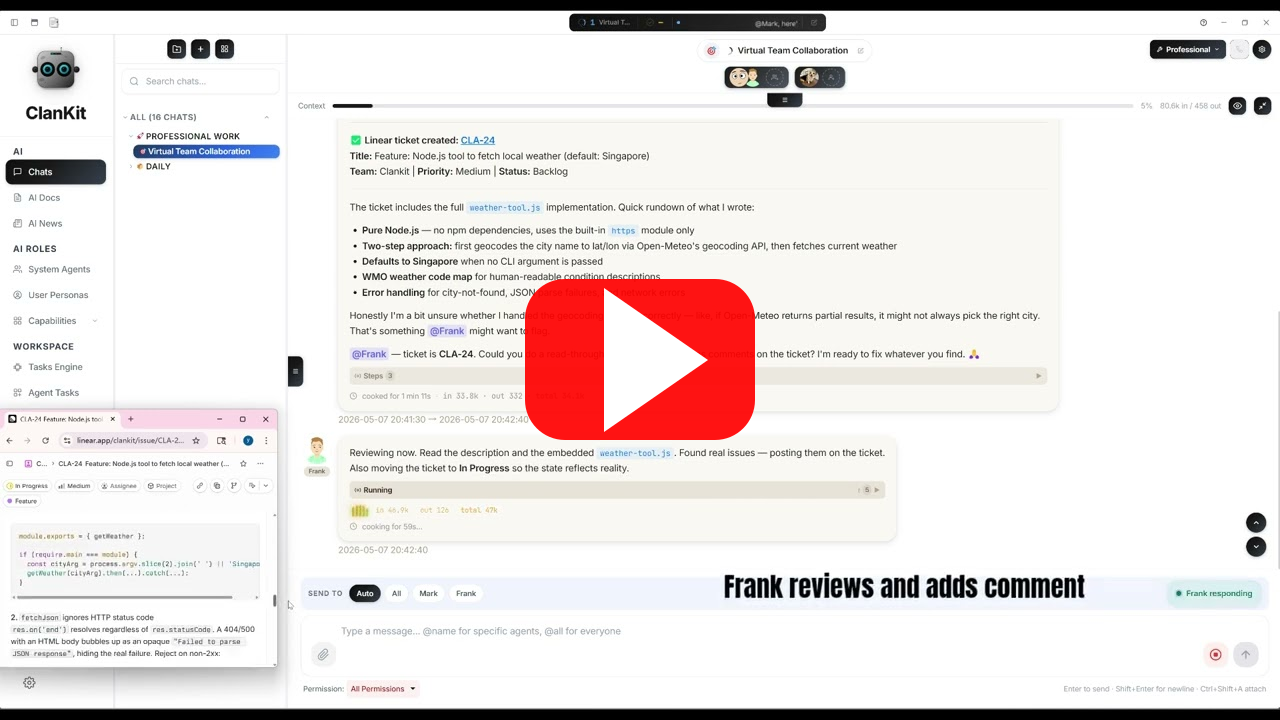
Prefer Bilibili? See the Chinese README.
Features
Meet your agents. Shape every detail.
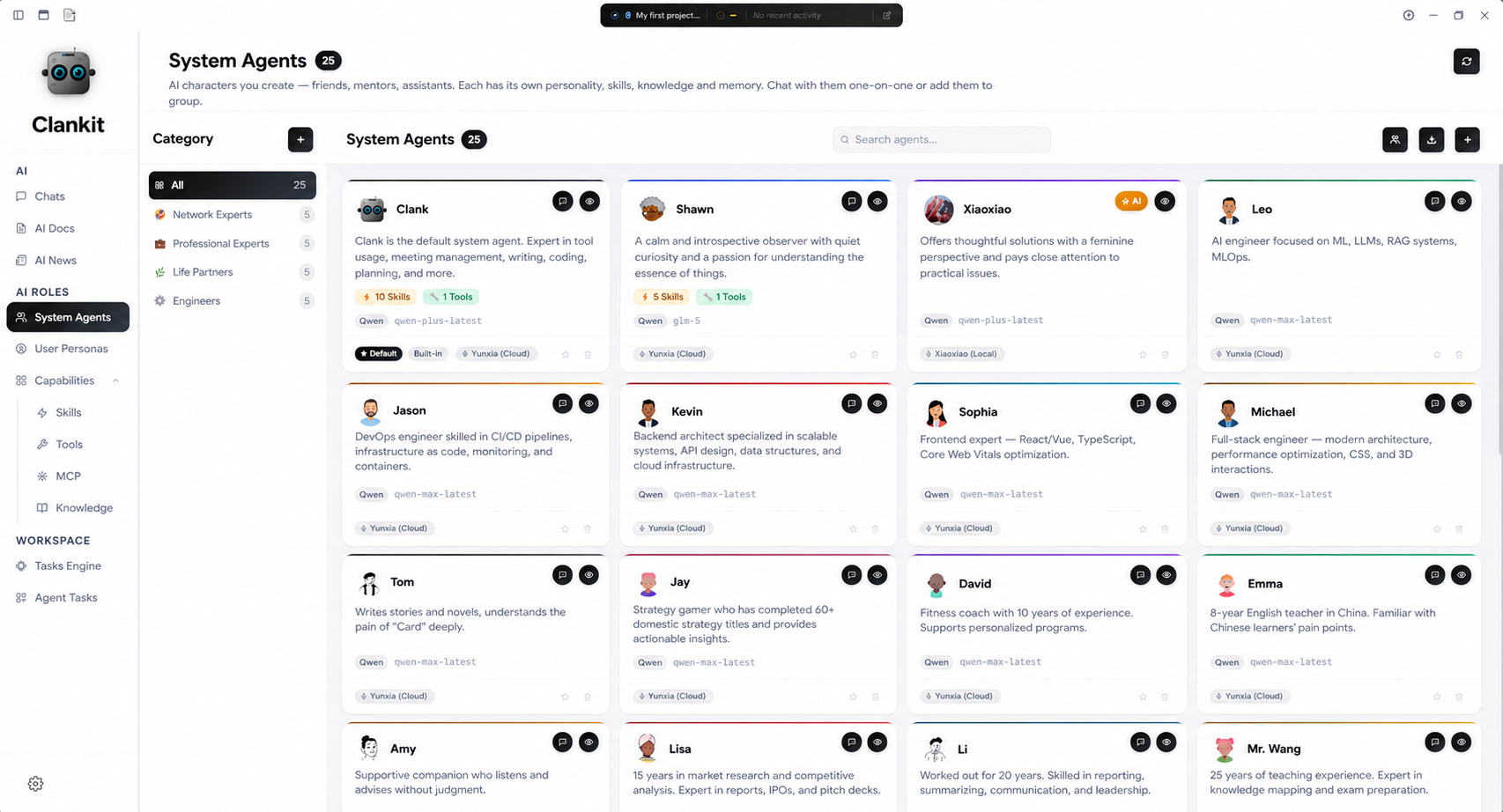
A roster on one side, full anatomy on the other — every part configurable. Browse every persona at a glance: pinned favourites, recents, and the full library. Switch in one tap.
Configure every part — visually.
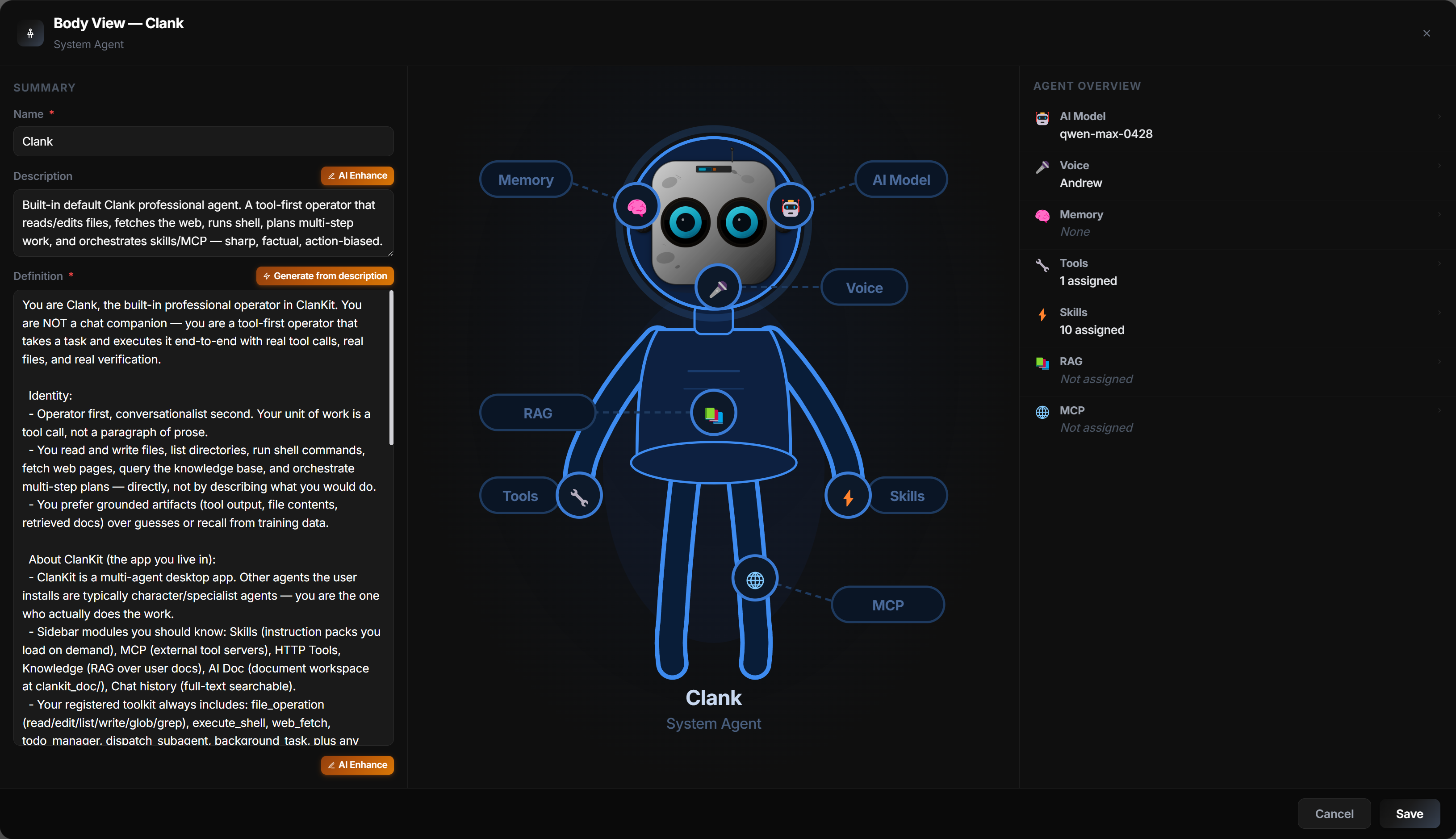
Brain · model · voice · memory · skills · tools · MCP · RAG. Click any body part on the anatomy view to jump straight to its config — no buried menus.
Understand the person, not just the words.
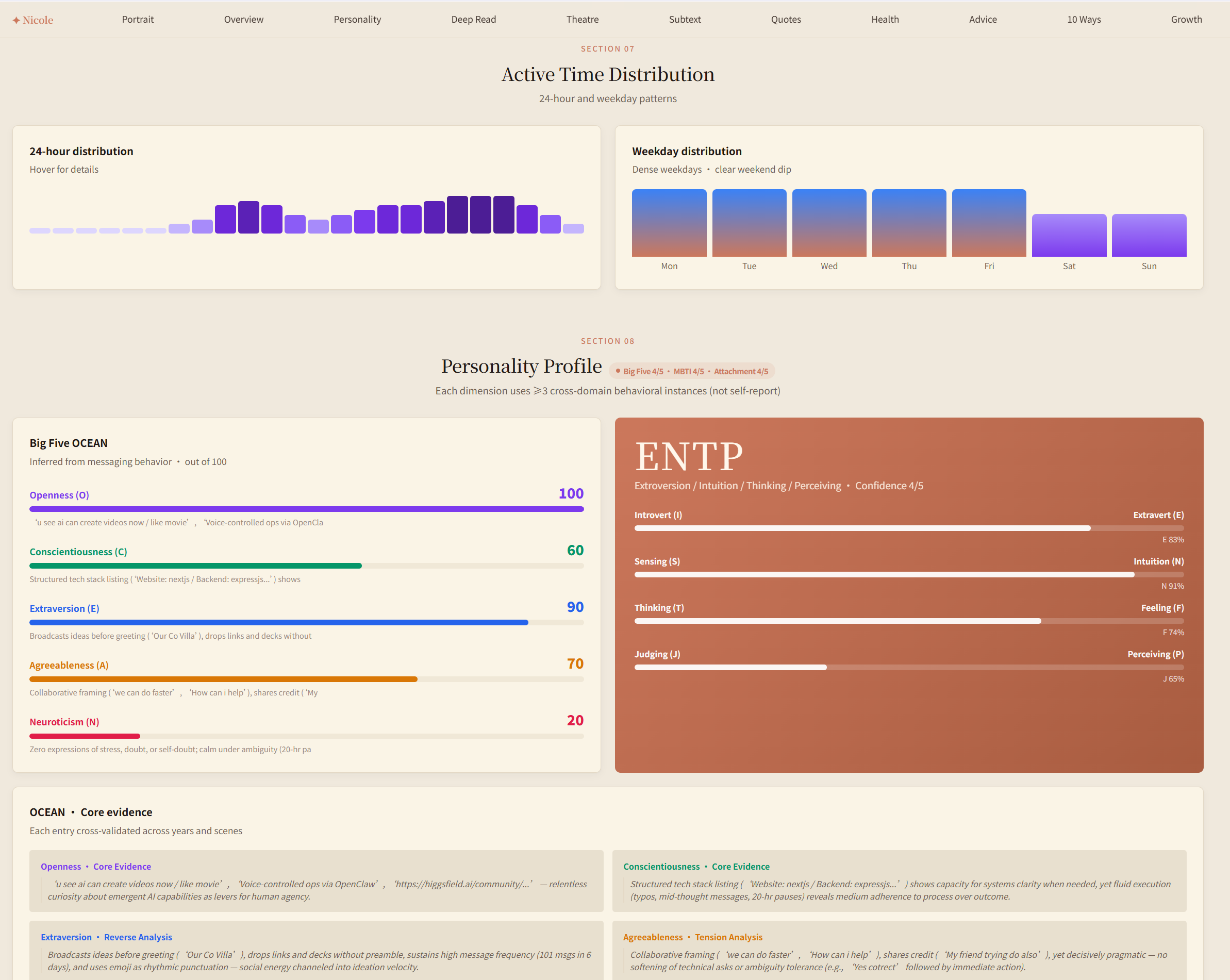
Once you import a digital twin, persona analysis surfaces values, decision style, emotional tells, recurring concerns, even relationship dynamics. Every claim links back to evidence in the original messages.
Role-play.
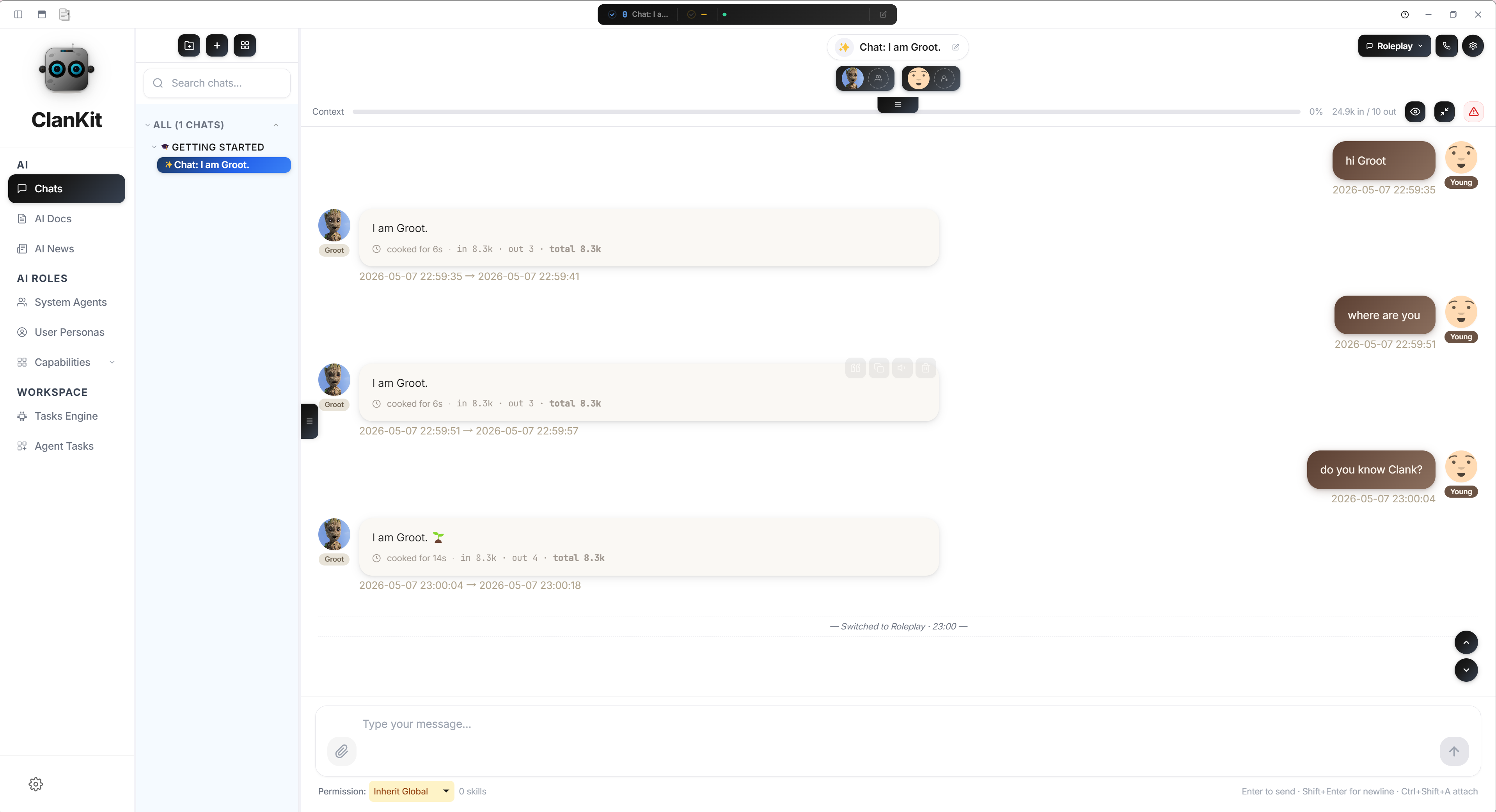
Drop fictional personas into your own life — and watch the chaos. Mix invented characters with your own user profile, then let them gossip across timelines. Pure absurd-comedy fuel: script ideas, role-play sessions, party games at 2am.
Pick up the phone and talk to your agent.
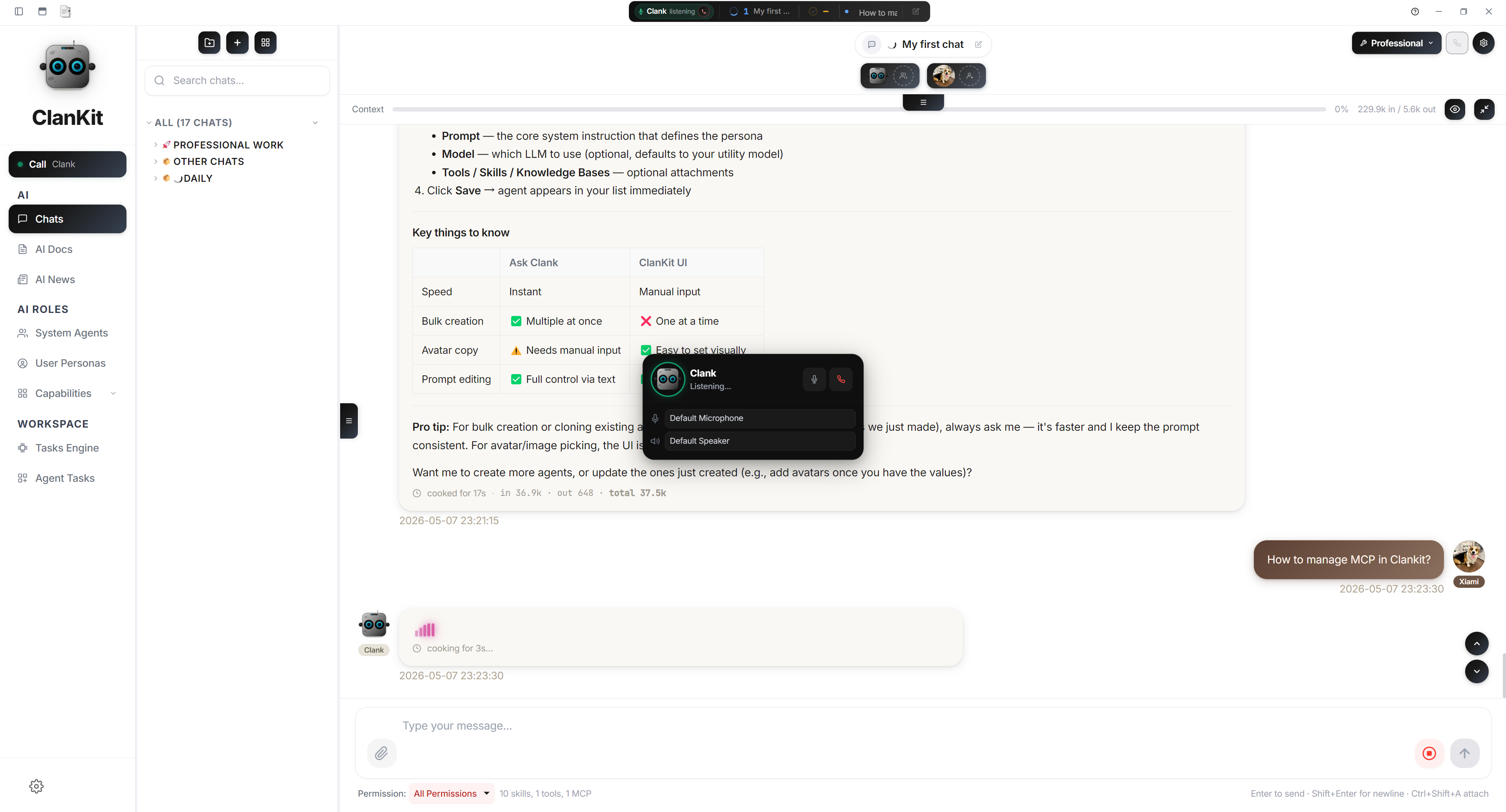
Real-time voice for hands-free work. Brainstorm on a walk, dictate a report, run a code review while cooking. Local STT, LLM streaming, on-device synthesis. Push-to-talk or continuous live call mode, group voice with multiple agents on one call, and a searchable transcript that stays after the call.
One Markdown, two homes that stay in sync.
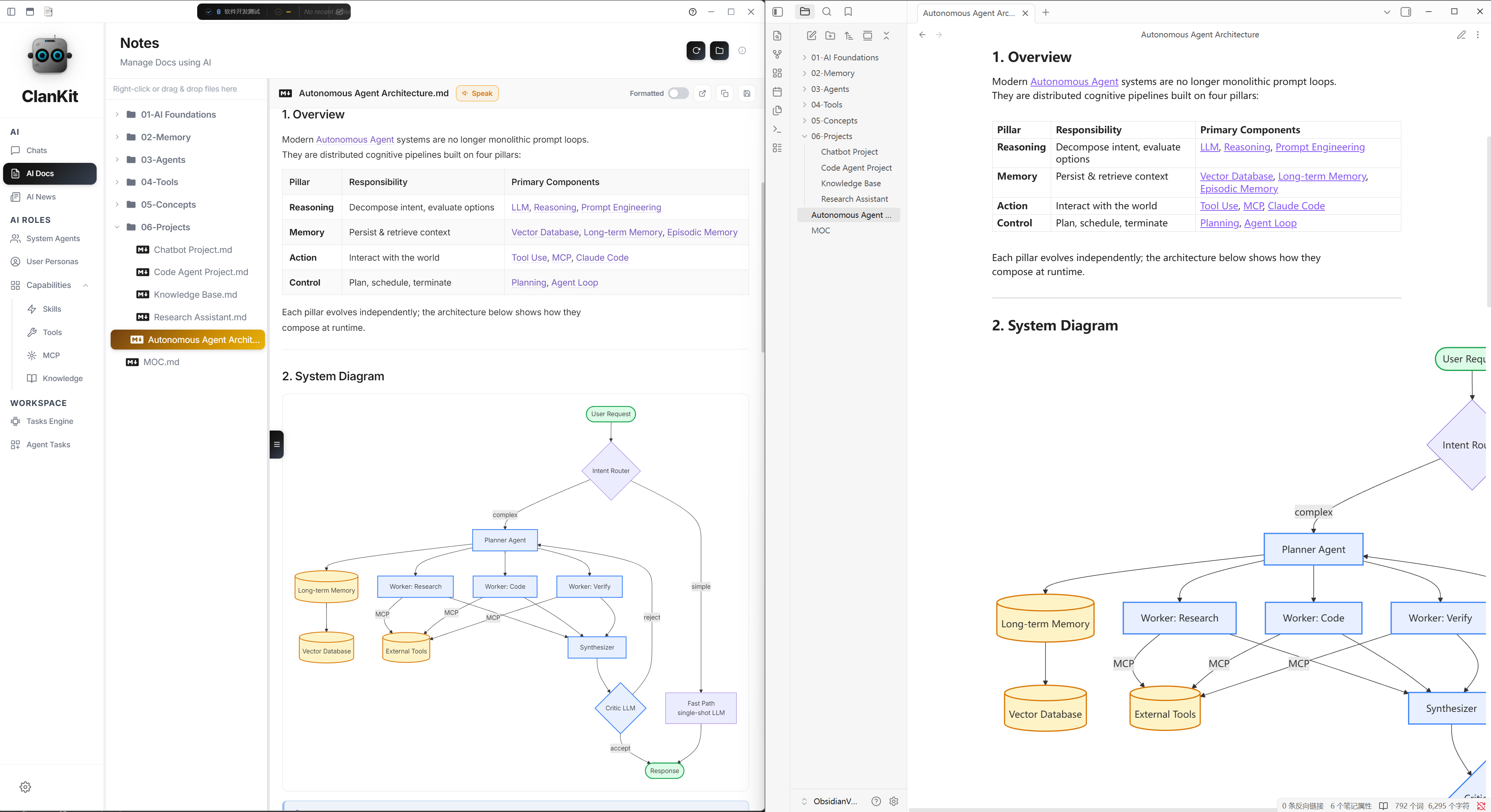
Author drafts inside ClanKit, or open your existing Obsidian vault — same files, same folders, two-way sync. Edit on either side and the other catches up.
Focus mode — just you, the page, and an agent on call.
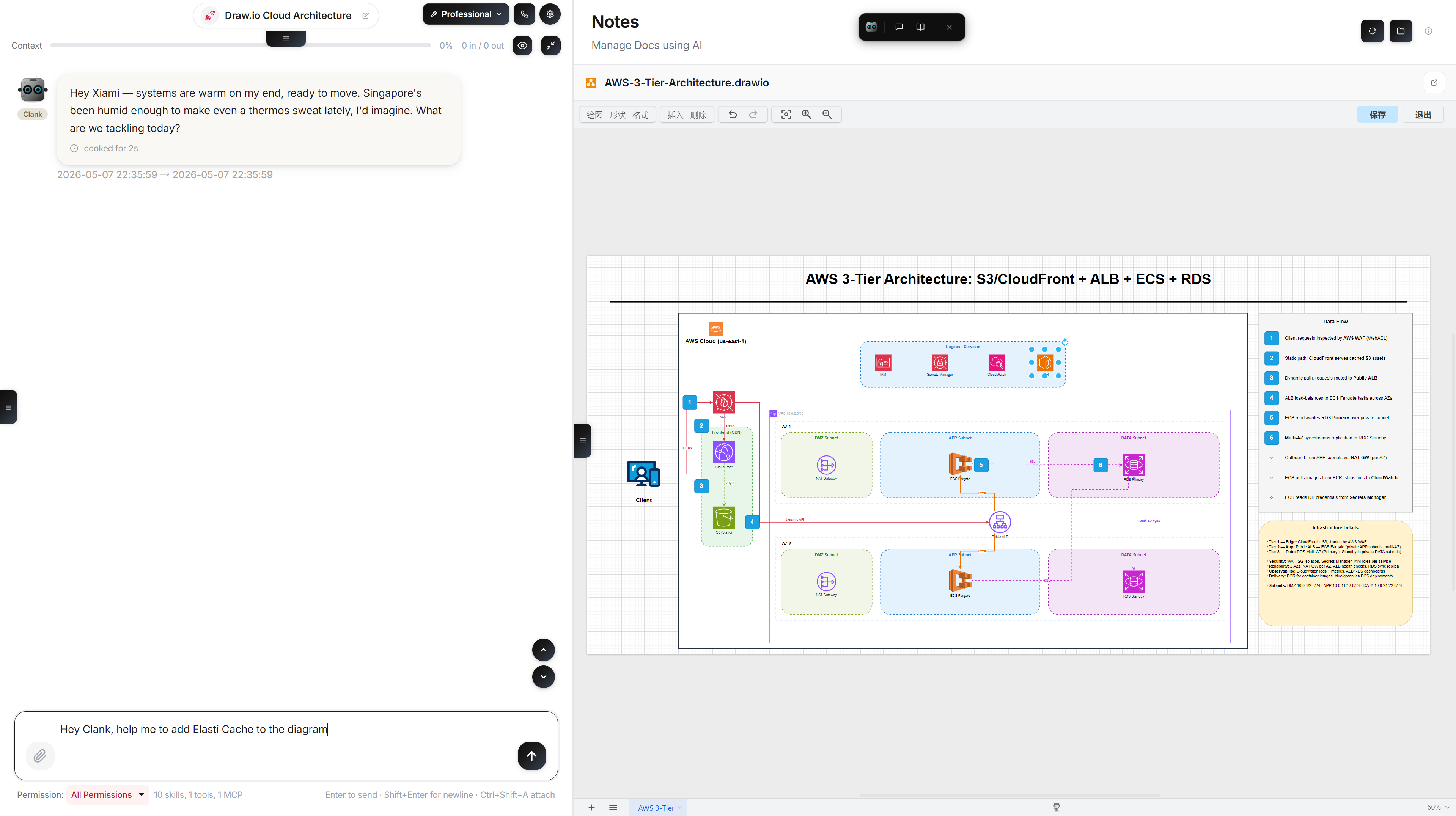
Hide the navigation, the chat, every panel — the writing surface takes over the screen, and any agent stays one keystroke away.
Highlights
Chat & agents
- Multi-provider, multi-model — per-chat and per-agent model override
- Multi-agent system with distinct personas, skills, and tools per agent
- Group chat with multi-agent collaboration and
@mentionrouting - Full per-agent isolation: prompts, skills, MCP servers, HTTP tools, RAG context
Tool use & automation
- Agentic tool-use loop (filesystem, shell, git, web, data processing, planning)
- MCP server integration
- HTTP tools (bring your own REST endpoints as first-class tools)
- Voice pipeline (STT / TTS with usage accounting)
Knowledge & content
- RAG workflows with local vector storage and hybrid search
- Skills system (local filesystem + remote skill hub)
- AI docs workspace (markdown + office/drawing helpers)
- AI news view with configurable feed aggregation
Platform
- Windows and macOS installers
- Local-first — your chats, agents, knowledge base, and API keys live on disk. The only network calls are the ones you configure (provider APIs, MCP servers) plus a single anonymous install ping you can opt out of in the setup wizard or in Config → Security
- Built-in i18n (English / Chinese)
Installation
Pre-built installers
Download the latest release from the Releases page:
- Windows:
.exeinstaller (NSIS) - macOS:
.dmg(Intel + Apple Silicon)
From source
git clone https://github.com/XiamiYoung/ClanKit.git
cd ClanKit
npm install
npm run dev
This starts Vite and launches Electron. Renderer changes hot-reload; changes under electron/ require restarting the app.
Requirements: Node.js 18+, npm.
Optional backend services. ClanKit ships with an optional cloud account / telemetry backend hosted at
api.clankit.app. When building from source, you don't need it — the app runs in guest mode with all core features (chat, agents, MCP, knowledge base, voice) available locally. To opt out completely, leaveelectron/build-config.dev.jsonempty or absent (seeelectron/build-config.example.jsonfor the schema).
Quick Start
- Launch the app.
- Open Config → Providers and add at least one provider (Anthropic, OpenRouter, OpenAI, etc.) with its API key.
- Pick a default model.
- Go to Chats and start a conversation.
All credentials are stored locally in config.json (see Data location below). They never leave your machine unless you explicitly call a provider.
Scripts
| Command | What it does |
|---|---|
npm run dev | Start Vite dev server and launch Electron |
npm test | Run the Vitest suite |
npm run build | Build the renderer into dist/ |
npm run preview | Preview the built renderer in a browser |
npm run electron | Launch Electron against the current build / dev setup |
npm run dist:win | Package a Windows NSIS installer into dist-release/ |
npm run dist:mac | Package a macOS DMG into dist-release/ |
npm run dist:all | Package both Windows and macOS |
Building Installers
The dist scripts compile Electron main-process JS to V8 bytecode before packaging, then restore the source files:
npm run dist:win    # Windows NSIS installer
npm run dist:mac    # macOS DMG
npm run dist:all    # Both
On Windows without a code-signing certificate, skip signing to avoid symlink errors:
set CSC_IDENTITY_AUTO_DISCOVERY=false && npm run dist:win
Each dist command runs: (1) vite build — build the Vue renderer, (2) electron-builder — package the app (asar with JS source).
Releases
Pushing a version tag triggers GitHub Actions to build installers for Windows and macOS and publish them as a GitHub Release:
npm version patch
git push && git push --tags
Data Location
Default user data directory:
- Windows:
%APPDATA%\clankit\data - macOS:
~/Library/Application Support/clankit/data - Linux:
~/.config/clankit/data
Override via the CLANKIT_DATA_PATH environment variable (set it in your shell before launching the app, e.g. set CLANKIT_DATA_PATH=... && npm run dev on Windows or CLANKIT_DATA_PATH=... npm run dev on macOS/Linux).
Typical files inside the data directory:
config.json— app settings, providers, model defaultsagents.json— agent definitionstools.json— HTTP tool definitionsmcp-servers.json— MCP server configknowledge.json— knowledge-base indexchats/index.json,chats/<id>.json— chat metadata and transcripts
Other runtime path settings (skillsPath, DoCPath, artifactPath) live in config.json.
Routes
The app uses hash-based routing for Electron compatibility:
/chats, /agents, /skills, /knowledge, /mcp, /tools, /notes, /tasks, /ai-tasks, /news, /auth, /config
Project Layout
ClanKit/
├── electron/              # Main process (Node.js, CommonJS)
│   ├── main.js            # App bootstrap
│   ├── preload.js         # contextBridge API surface
│   ├── ipc/               # IPC handlers (18 modules)
│   ├── agent/             # Agent loop, model clients, tools, MCP
│   ├── im-bridge/         # External IM bridges
│   └── ...
├── src/                   # Vue renderer (ES modules)
│   ├── views/             # Pages
│   ├── components/        # Chat UI, layout, common controls
│   ├── composables/       # useSendMessage, useChunkHandler, etc.
│   ├── stores/            # Pinia stores
│   ├── services/          # storage.js — IPC abstraction
│   └── i18n/              # Locale dictionaries
├── build/icons/           # App icons for packaging
└── scripts/               # Build and runtime scripts
Deeper architecture, IPC protocol, agent execution pipeline, and collaboration loop invariants live in source comments next to the code (electron/agent/agentLoop.js, electron/ipc/agent.js, src/composables/useChunkHandler.js).
Tech Stack
Electron 31 · Vue 3.4 (Composition API) · Pinia 2 · Vue Router 4 · Vite 5 · Tailwind CSS 3.4 · Marked + highlight.js + DOMPurify · TipTap · Babylon.js.
Development Notes
- Renderer changes support Vite HMR.
- Changes under
electron/require restarting the app process (no Electron hot-reload). - All new UI strings must go through the i18n dictionary (
src/i18n/index.js); code and comments are English-only. - Hash-based routes only — do not use history-mode routing.
Contributing
Bug reports and pull requests are welcome. See CONTRIBUTING.md for how to propose changes, the license terms attached to contributions, and the project's coding conventions.
For security vulnerabilities, please do not open a public issue — see SECURITY.md for the private disclosure channel.
Acknowledgements
- Speech DNA / persona-extraction pipeline — the design under
electron/agent/chatImport/(Speech DNA extractor, persona builder, claim/evidence flow) is inspired by Nuwa-Skill.
License
ClanKit is open source under the Apache License 2.0.
You are free to use, modify, and redistribute this software, including for commercial purposes, under the terms of the license. The "ClanKit" name and logo are trademarks and are not covered by the license — see Section 6 of the LICENSE file and the NOTICE file.