Public
Star 历史趋势
数据来源: GitHub API · 生成自 Stargazers.cn
README.md
p6s - PostgreSQL Terminal Management Tool

Introduction
p6s is a terminal-based PostgreSQL database management tool developed in Go, providing an intuitive text user interface (TUI) for managing and monitoring PostgreSQL database connections. It enables easy access to PostgreSQL instances deployed anywhere, especially in Kubernetes clusters, without requiring additional IDEs or SQL clients, making database management simpler and more efficient.
Key Features
- Built-in Database Monitoring: Quickly access comprehensive database information through built-in functions:
- View all/active/blocked database connections with real-time status
- Display database table statistics including size, row count, and index information
- One-click filtering and switching between different connection views
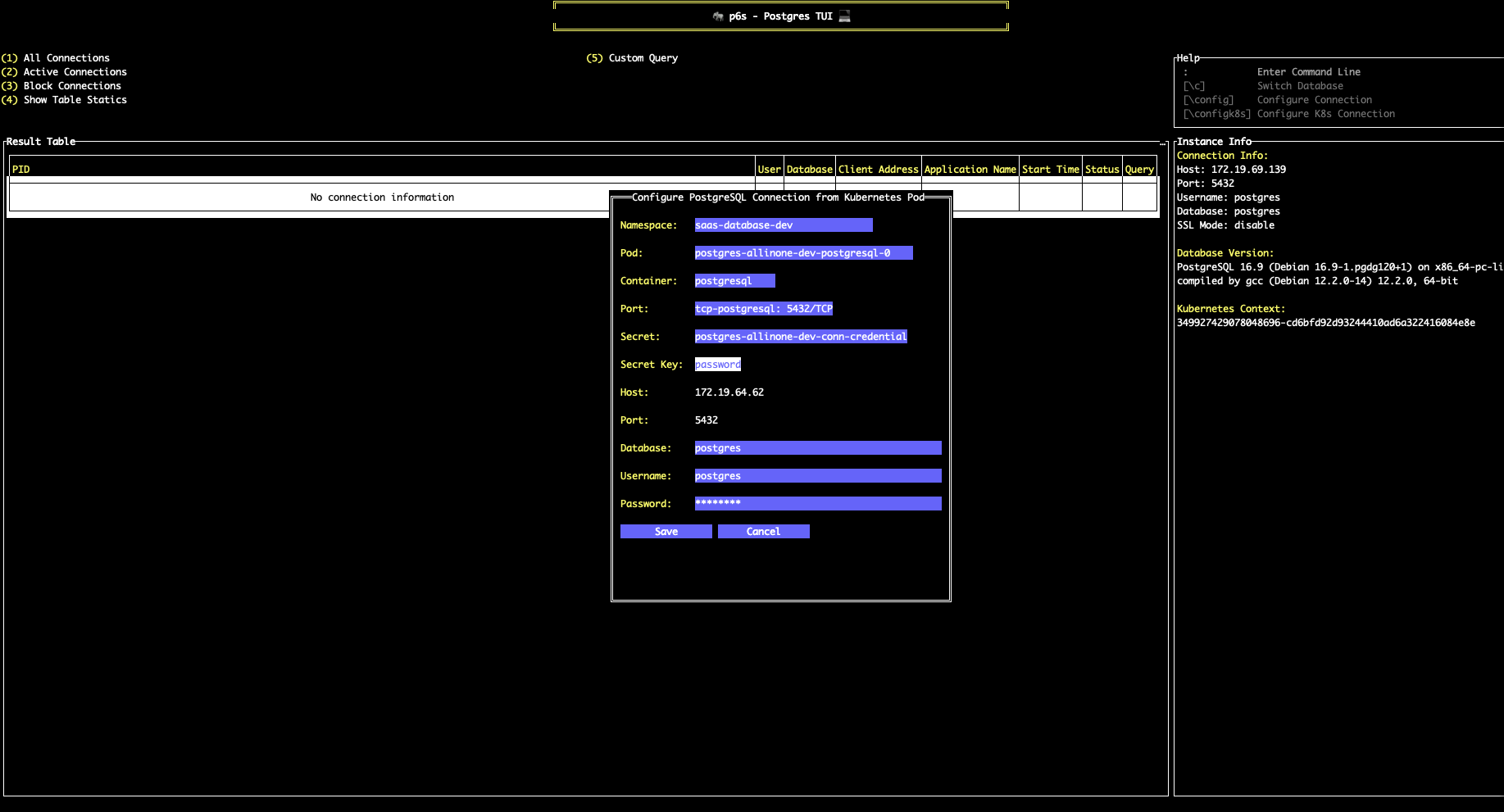
- Kubernetes Native Integration: Seamlessly connect to PostgreSQL instances in Kubernetes clusters:
- Auto-discover PostgreSQL pods through local kubeconfig
- Direct selection of pods, containers, and associated secrets
- Automatic credential extraction from Kubernetes secrets
- Support for port-forwarding and namespace switching
- Connection Management: Connect to PostgreSQL database servers with support for configuring and saving connection information
- Database Switching: Quick switching between different databases
- Command Mode: Support for executing commands within the application
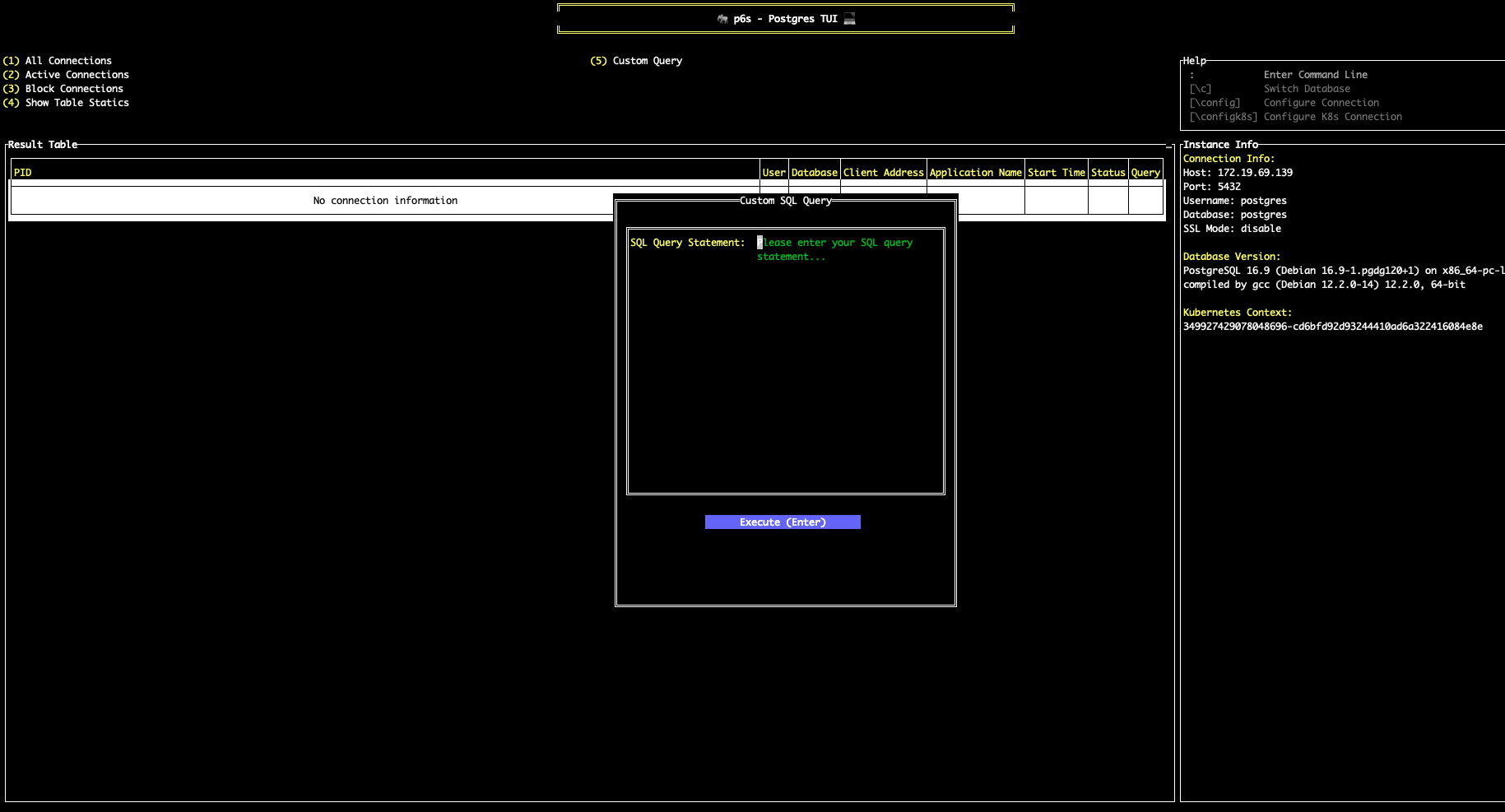
- Custom SQL Queries: Execute custom SQL queries with results display
Screenshots
Kubernetes Configuration
Query Data Using SQL
Usage
Building From Source
-
Clone the repository
git clone https://github.com/your-username/p6s.git cd p6s -
Build and run the executable
# Using Makefile (recommended) make build # Or build manually go build -o p6s cmd/p6s/main.go # Run the application ./p6s -
Cross-platform builds
# Build for all platforms (recommended)
make build-all

# Or build for specific platforms
make build-linux-amd64
make build-linux-arm64
make build-windows-amd64
make build-darwin-amd64
make build-darwin-arm64

# Manual builds (alternative)
GOOS=linux GOARCH=amd64 go build -o build/p6s-linux-amd64 cmd/p6s/main.go
GOOS=linux GOARCH=arm64 go build -o build/p6s-linux-arm64 cmd/p6s/main.go
GOOS=windows GOARCH=amd64 go build -o build/p6s-windows-amd64.exe cmd/p6s/main.go
GOOS=darwin GOARCH=amd64 go build -o build/p6s-darwin-amd64 cmd/p6s/main.go
GOOS=darwin GOARCH=arm64 go build -o build/p6s-darwin-arm64 cmd/p6s/main.go
Basic Operations
- Configure Connection: After starting the application, configure database connection information (host, port, username, password, database name, SSL mode)
- Switch Database: Use
\ccommand or menu options to switch to different databases - View Connections: Main interface displays all connection information for the current database
- Filter Connections: Use menu to select different filter conditions (all connections, active connections, blocked connections)
- Command Mode: Press
:to enter command mode for executing specific commands
Keyboard Shortcuts
:- Enter command line mode\c- Switch database\config- Configure connection information\k8s- Kubernetes commands
Configuration File
Connection configuration information is saved in the .p6s/config.json file in the user's home directory, containing database connection settings and Kubernetes integration parameters:
{
  "host": "",
  "port": "",
  "username": "",
  "password": "",
  "database": "",
  "sslmode": "",
  "namespace": "",
  "pod": "",
  "container": "",
  "port_name": "",
  "secret": "",
  "secret_key": ""
}
Dependencies
- github.com/gdamore/tcell/v2 - Terminal interface library
- github.com/rivo/tview - Terminal UI component library based on tcell
- github.com/lib/pq - PostgreSQL driver
- k8s.io/client-go - Kubernetes client library
License
MIT License
Star History
关于 About
🐘easily access PostgreSQL deployed in any environment, especially within Kubernetes (k8s).
golangkubernetespostgresqlterminal
语言 Languages
Go87.3%
HTML10.6%
Makefile2.1%
提交活跃度 Commit Activity
代码提交热力图
过去 52 周的开发活跃度16
Total Commits峰值: 12次/周
LessMore