Agent Skills
Production-grade engineering skills for AI coding agents.
Skills encode the workflows, quality gates, and best practices that senior engineers use when building software. These ones are packaged so AI agents follow them consistently across every phase of development.
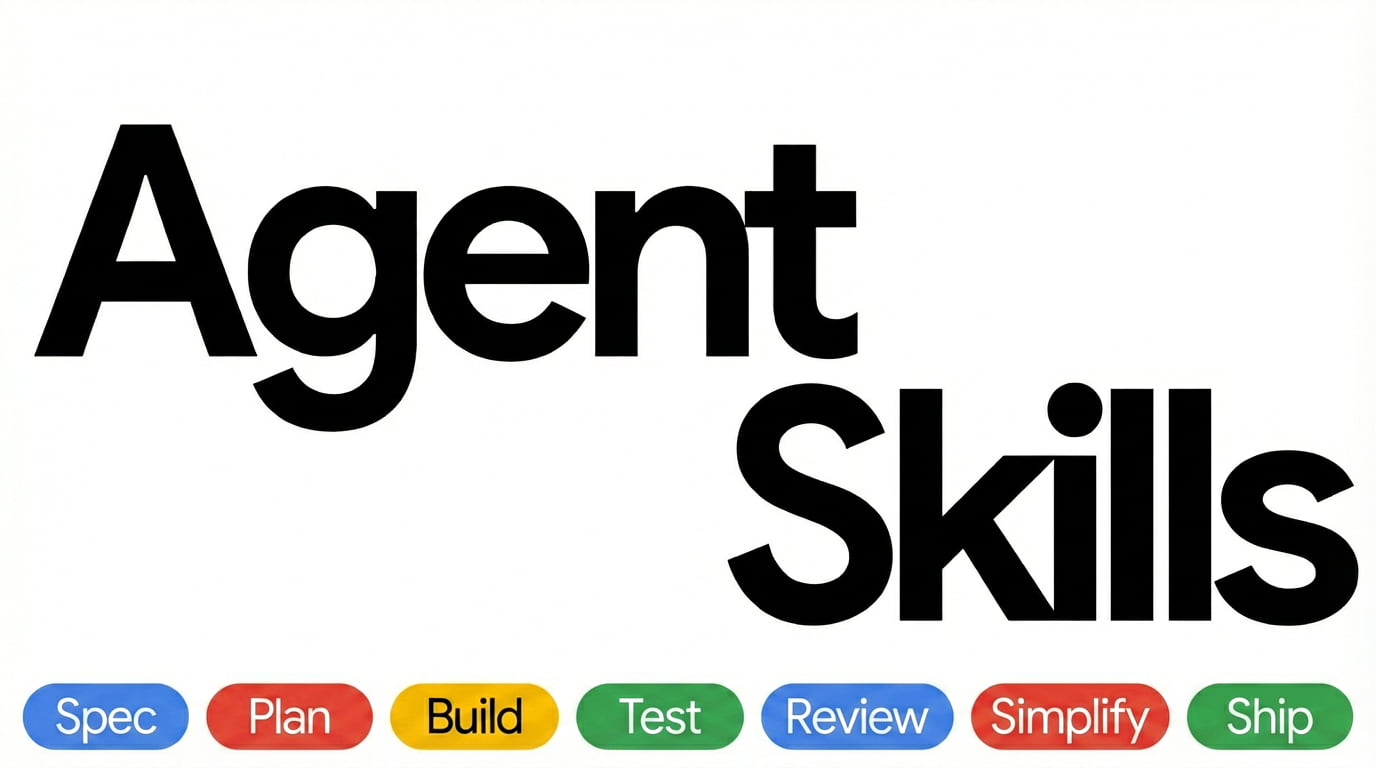
  DEFINE          PLAN           BUILD          VERIFY         REVIEW          SHIP
 ┌──────┐      ┌──────┐      ┌──────┐      ┌──────┐      ┌──────┐      ┌──────┐
 │ Idea │ ───▶ │ Spec │ ───▶ │ Code │ ───▶ │ Test │ ───▶ │  QA  │ ───▶ │  Go  │
 │Refine│      │  PRD │      │ Impl │      │Debug │      │ Gate │      │ Live │
 └──────┘      └──────┘      └──────┘      └──────┘      └──────┘      └──────┘
  /spec          /plan          /build        /test         /review       /ship
Commands
9 slash commands that map to the development lifecycle. Each one activates the right skills automatically.
| What you're doing | Command | Key principle |
|---|---|---|
| Define what to build | /spec | Spec before code |
| Plan how to build it | /plan | Small, atomic tasks |
| Build incrementally | /build | One slice at a time |
| Prove it works | /test | Tests are proof |
| Set the quality bar | /constraints | Decide it once, enforce it everywhere |
| Review before merge | /review | Improve code health |
| Audit web performance | /webperf | Measure before you optimize |
| Simplify the code | /code-simplify | Clarity over cleverness |
| Ship to production | /ship | Faster is safer |
Want fewer manual steps once the spec exists? /build auto generates the plan and implements every task in a single approved pass — you approve the plan once, then it runs autonomously. It removes the human stepping between tasks, not the verification: every task is still test-driven and committed individually, and it pauses on failures or risky steps.
Skills also activate automatically based on what you're doing — designing an API triggers api-and-interface-design, building UI triggers frontend-ui-engineering, and so on.
Quick Start
Fastest path — any agent, one command. The open skills CLI installs into 70+ agents (Claude Code, Cursor, Codex, Copilot, Cline, and more):
npx skills add addyosmani/agent-skills            # install all 25 skills
npx skills add addyosmani/agent-skills --list     # browse before installing
Or grab individual skills:
npx skills add addyosmani/agent-skills --skill code-review-and-quality   # five-axis review before merge
npx skills add addyosmani/agent-skills --skill interview-me              # requirements interrogation, one question at a time
npx skills add addyosmani/agent-skills --skill test-driven-development   # red-green-refactor, enforced
Installing one skill? A per-skill
npxinstall copies onlyskills/<name>/, not the repo-levelreferences/directory. The skill still works, but paths to supplementary shared checklists are unavailable. Use a whole-repo integration, clone the repository, or copy the needed checklist into areferences/directory inside the installed skill. This portability gap is tracked in #361.
Prefer a native integration? Pick your tool below.
Claude Code (recommended)
Marketplace install:
/plugin marketplace add addyosmani/agent-skills
/plugin install agent-skills@addy-agent-skills
SSH errors? The marketplace clones repos via SSH. If you don't have SSH keys set up on GitHub, either add your SSH key or use the full HTTPS URL to force HTTPS cloning during the marketplace-add step:
/plugin marketplace add https://github.com/addyosmani/agent-skills.git
/plugin install agent-skills@addy-agent-skills
If
/plugin installstill fails withgit@github.com: Permission denied (publickey)on Windows or macOS, the recommended workaround is to configure Git once to rewrite GitHub SSH URLs to HTTPS for subprocess clones:git config --global url."https://github.com/".insteadOf git@github.com:
Local / development:
git clone https://github.com/addyosmani/agent-skills.git
claude --plugin-dir /path/to/agent-skills
Cursor
Put workflow skills under .cursor/skills/ (sync from agent-skills/skills/) and short policies in .cursor/rules/*.mdc — do not paste full skills into rules. See docs/cursor-setup.md.
Antigravity CLI
Install as a native plugin for skills and subagents. In affected Antigravity CLI releases, legacy command TOMLs are reported as converted but their wrapper commands are not discoverable; invoke the underlying namespaced skills directly. See docs/antigravity-setup.md.
Install from the repo:
agy plugin install https://github.com/addyosmani/agent-skills.gitInstall from a local clone:
git clone https://github.com/addyosmani/agent-skills.git
agy plugin install ./agent-skills
Gemini CLI
Install as native skills for auto-discovery, or add to GEMINI.md for persistent context. See docs/gemini-cli-setup.md.
Install from the repo:
gemini skills install https://github.com/addyosmani/agent-skills.git --path skillsInstall from a local clone:
gemini skills install ./agent-skills/skills/Windsurf
Add skill contents to your Windsurf rules configuration. See docs/windsurf-setup.md.
OpenCode
Copy skills to .opencode/skills/ (or ~/.config/opencode/skills/), add a project-local AGENTS.md, and use the built-in skill tool for agent-driven execution. Optional slash commands can be added under .opencode/commands/.
GitHub Copilot
Use agent definitions from agents/ as Copilot personas and skill content in .github/copilot-instructions.md. See docs/copilot-setup.md.
Using the standalone copilot CLI? Install it as a plugin — see docs/copilot-cli-setup.md.
Kiro IDE & CLI
Skills for Kiro reside under ".kiro/skills/" and can be stored under Project or Global level. Kiro also supports Agents.md. See Kiro docs at https://kiro.dev/docs/skills/Codex
Install as a native Codex plugin (Codex CLI v0.122+):
codex plugin marketplace add addyosmani/agent-skills
codex plugin add agent-skills@agent-skills
The first command registers the marketplace; the second installs the plugin. Codex reads the root skills/ directory directly through .codex-plugin/plugin.json. Once installed, invoke skills in chat using @ (e.g., @spec-driven-development). See docs/codex-setup.md for local installation and troubleshooting.
Command Code
Install natively with the built-in cmd skills command. Command Code clones the repo, discovers every SKILL.md, and installs into .commandcode/skills/:
cmd skills add addyosmani/agent-skills            # pick skills to install (project)
cmd skills add addyosmani/agent-skills --global   # install for all projects (~/.commandcode/skills/)
cmd skills add addyosmani/agent-skills -s spec-driven-development  # install a specific skill
Installed skills show up in the TUI slash menu, e.g. /spec-driven-development. See docs/commandcode-setup.md.
Other Agents
Skills are plain Markdown - they work with any agent that accepts system prompts or instruction files. See docs/getting-started.md.
Adoption
Already installed? How you roll the pack out depends on your codebase. The Adoption Guide covers two paths: the full lifecycle from day one for a greenfield project, or an incremental, verification-first rollout for an established codebase.
All 25 Skills
The commands above are entry points. The pack includes 25 skills total — 24 lifecycle skills plus the using-agent-skills meta-skill. Each skill is a structured workflow with steps, verification gates, and anti-rationalization tables. You can also reference any skill directly.
Meta - Discover which skill applies
| Skill | What It Does | Use When |
|---|---|---|
| using-agent-skills | Maps incoming work to the right skill workflow and defines shared operating rules | Starting a session or deciding which skill applies |
Define - Clarify what to build
| Skill | What It Does | Use When |
|---|---|---|
| interview-me | One-question-at-a-time interview that extracts what the user actually wants instead of what they think they should want, until ~95% confidence | The ask is underspecified, or the user invokes "interview me" / "grill me" |
| idea-refine | Structured divergent/convergent thinking to turn vague ideas into concrete proposals | You have a rough concept that needs exploration |
| spec-driven-development | Write a PRD covering objectives, commands, structure, code style, testing, and boundaries before any code | Starting a new project, feature, or significant change |
| constraint-driven-development | Interviews you for a quality bar with sane default thresholds, writes CONSTRAINTS.md, places each check by cost, and catches agents silencing checks or skipping tests to get green | No standards are written down, or an agent is producing more than anyone reads |
Plan - Break it down
| Skill | What It Does | Use When |
|---|---|---|
| planning-and-task-breakdown | Decompose specs into small, verifiable tasks with acceptance criteria and dependency ordering | You have a spec and need implementable units |
Build - Write the code
| Skill | What It Does | Use When |
|---|---|---|
| incremental-implementation | Thin vertical slices - implement, test, verify, commit. Feature flags, safe defaults, rollback-friendly changes | Any change touching more than one file |
| test-driven-development | Red-Green-Refactor, test pyramid (80/15/5), test sizes, DAMP over DRY, Beyonce Rule, browser testing | Implementing logic, fixing bugs, or changing behavior |
| context-engineering | Feed agents the right information at the right time - rules files, context packing, MCP integrations | Starting a session, switching tasks, or when output quality drops |
| source-driven-development | Ground every framework decision in official documentation - verify, cite sources, flag what's unverified | You want authoritative, source-cited code for any framework or library |
| doubt-driven-development | Adversarial fresh-context review of every non-trivial decision in-flight - CLAIM → EXTRACT → DOUBT → RECONCILE → STOP, with optional user-authorized cross-model escalation | Stakes are high (production, security, irreversible), working in unfamiliar code, or a confident output is cheaper to verify now than to debug later |
| frontend-ui-engineering | Component architecture, design systems, state management, responsive design, WCAG 2.1 AA accessibility | Building or modifying user-facing interfaces |
| api-and-interface-design | Contract-first design, Hyrum's Law, One-Version Rule, error semantics, boundary validation | Designing APIs, module boundaries, or public interfaces |
Verify - Prove it works
| Skill | What It Does | Use When |
|---|---|---|
| browser-testing-with-devtools | Chrome DevTools MCP for live runtime data - DOM inspection, console logs, network traces, performance profiling | Building or debugging anything that runs in a browser |
| debugging-and-error-recovery | Five-step triage: reproduce, localize, reduce, fix, guard. Stop-the-line rule, safe fallbacks | Tests fail, builds break, or behavior is unexpected |
Review - Quality gates before merge
| Skill | What It Does | Use When |
|---|---|---|
| code-review-and-quality | Five-axis review, change sizing (~100 lines), severity labels (Nit/Optional/FYI), review speed norms, splitting strategies | Before merging any change |
| code-simplification | Chesterton's Fence, Rule of 500, reduce complexity while preserving exact behavior | Code works but is harder to read or maintain than it should be |
| security-and-hardening | OWASP Top 10 prevention, auth patterns, secrets management, dependency auditing, three-tier boundary system | Handling user input, auth, data storage, or external integrations |
| performance-optimization | Measure-first approach - Core Web Vitals targets, profiling workflows, bundle analysis, anti-pattern detection | Performance requirements exist or you suspect regressions |
Ship - Deploy with confidence
| Skill | What It Does | Use When |
|---|---|---|
| git-workflow-and-versioning | Trunk-based development, atomic commits, change sizing (~100 lines), the commit-as-save-point pattern | Making any code change (always) |
| ci-cd-and-automation | Shift Left, Faster is Safer, feature flags, quality gate pipelines, failure feedback loops | Setting up or modifying build and deploy pipelines |
| deprecation-and-migration | Code-as-liability mindset, compulsory vs advisory deprecation, migration patterns, zombie code removal | Removing old systems, migrating users, or sunsetting features |
| documentation-and-adrs | Architecture Decision Records, API docs, inline documentation standards - document the why | Making architectural decisions, changing APIs, or shipping features |
| observability-and-instrumentation | Structured logging, RED metrics, OpenTelemetry tracing, symptom-based alerting - instrument as you build | Adding telemetry, or shipping anything that runs in production |
| shipping-and-launch | Pre-launch checklists, feature flag lifecycle, staged rollouts, rollback procedures, monitoring setup | Preparing to deploy to production |
Agent Personas
Pre-configured specialist personas for targeted reviews:
| Agent | Role | Perspective |
|---|---|---|
| code-reviewer | Senior Staff Engineer | Five-axis code review with "would a staff engineer approve this?" standard |
| test-engineer | QA Specialist | Test strategy, coverage analysis, and the Prove-It pattern |
| security-auditor | Security Engineer | Vulnerability detection, threat modeling, OWASP assessment |
| web-performance-auditor | Web Performance Engineer | Core Web Vitals audit with Quick/Deep modes and a metric-honesty rule; run it via /webperf |
See docs/agents.md for the decision matrix, orchestration rules, and how personas compose with skills and slash commands.
Reference Checklists
Quick-reference material that skills pull in when needed:
| Reference | Covers |
|---|---|
| definition-of-done.md | Project-wide standing bar every change clears, contrasted with per-task acceptance criteria |
| testing-patterns.md | Test structure, naming, mocking, React/API/E2E examples, anti-patterns (JavaScript/TypeScript) |
| security-checklist.md | Pre-commit checks, auth, input validation, headers, CORS, OWASP Top 10 |
| performance-checklist.md | Core Web Vitals targets, frontend/backend checklists, measurement commands |
| accessibility-checklist.md | Keyboard nav, screen readers, visual design, ARIA, testing tools |
| observability-checklist.md | On-call questions, structured logging, RED/USE metrics, tracing, symptom-based alerting, pre-launch gate |
| orchestration-patterns.md | Endorsed multi-persona orchestration patterns, anti-patterns, and the "personas don't invoke personas" rule |
How Skills Work
Every skill follows a consistent anatomy:
┌─────────────────────────────────────────────────┐
│  SKILL.md                                       │
│                                                 │
│  ┌─ Frontmatter ─────────────────────────────┐  │
│  │ name: lowercase-hyphen-name               │  │
│  │ description: Guides agents through [task].│  │
│  │              Use when…                    │  │
│  └───────────────────────────────────────────┘  │
│  Overview         → What this skill does        │
│  When to Use      → Triggering conditions       │
│  Process          → Step-by-step workflow       │
│  Rationalizations → Excuses + rebuttals         │
│  Red Flags        → Signs something's wrong     │
│  Verification     → Evidence requirements       │
└─────────────────────────────────────────────────┘
Key design choices:
- Process, not prose. Skills are workflows agents follow, not reference docs they read. Each has steps, checkpoints, and exit criteria.
- Anti-rationalization. Every skill includes a table of common excuses agents use to skip steps (e.g., "I'll add tests later") with documented counter-arguments.
- Verification is non-negotiable. Every skill ends with evidence requirements - tests passing, build output, runtime data. "Seems right" is never sufficient.
- Progressive disclosure. The
SKILL.mdis the entry point. Supporting references load only when needed, keeping token usage minimal.
Project Structure
The portable core stays in shared directories. Host-specific paths are native discovery conventions, not branding aliases; renaming or merging them would break the tools that scan those exact locations.
| Layer / consumer | Repository paths | Purpose |
|---|---|---|
| Shared workflow core | skills/ (25 skills) | Portable SKILL.md workflows used by every integration |
| Shared review material | agents/ (4 personas), references/ (7 checklists) | Specialist reviewers and pack-level checklists carried by whole-repo installs |
| Claude Code adapter | .claude/commands/ (9 commands), .claude-plugin/, hooks/ | Slash-command wrappers, marketplace metadata, and lifecycle hooks |
| Gemini CLI adapter | .gemini/commands/ (9 commands) | Gemini-native TOML command wrappers |
| Antigravity CLI adapter | commands/ (9 commands), plugin.json | Legacy TOML wrappers and the root plugin manifest; see the known wrapper limitation |
| Codex adapter | .codex-plugin/, .agents/plugins/ | Codex plugin metadata and marketplace registration; Codex consumes skills/ directly |
| GitHub Copilot CLI adapter | plugin.json | Root plugin metadata; Copilot CLI discovers skills/ by convention and does not register the lifecycle wrappers |
| Contributor tooling | scripts/ (13 scripts), evals/ (25 case files), .github/workflows/ | Validation, routing evals, and CI |
| Documentation | docs/ | Universal guidance and per-tool setup guides |
Tools without a checked-in adapter directory install or copy the shared skills/ core into their own native location. The Quick Start links the setup guide for each supported host.
Why Agent Skills?
AI coding agents default to the shortest path - which often means skipping specs, tests, security reviews, and the practices that make software reliable. Agent Skills gives agents structured workflows that enforce the same discipline senior engineers bring to production code.
Each skill encodes hard-won engineering judgment: when to write a spec, what to test, how to review, and when to ship. These aren't generic prompts - they're the kind of opinionated, process-driven workflows that separate production-quality work from prototype-quality work.
Skills bake in best practices from Google's engineering culture — including concepts from Software Engineering at Google and Google's engineering practices guide. You'll find Hyrum's Law in API design, the Beyonce Rule and test pyramid in testing, change sizing and review speed norms in code review, Chesterton's Fence in simplification, trunk-based development in git workflow, Shift Left and feature flags in CI/CD, and a dedicated deprecation skill treating code as a liability. These aren't abstract principles — they're embedded directly into the step-by-step workflows agents follow.
How it compares
Wondering how this stacks up against Superpowers or Matt Pocock's skills? See docs/comparison.md for an honest, side-by-side look at how the three are shaped differently and when to reach for each — including a link to a controlled head-to-head experiment.
Contributing
Skills should be specific (actionable steps, not vague advice), verifiable (clear exit criteria with evidence requirements), battle-tested (based on real workflows), and minimal (only what's needed to guide the agent).
See docs/skill-anatomy.md for the format specification and CONTRIBUTING.md for guidelines.
Team
agent-skills is built and maintained by:
| Name | GitHub | Role | |
|---|---|---|---|
 | Addy Osmani | @addyosmani | Creator |
 | Federico Bartoli | @federicobartoli | Collaborator |
 | Joan León | @nucliweb | Collaborator |
License
MIT - use these skills in your projects, teams, and tools.