Muse4AI
Let your AI agent make the pictures and the videos.
Muse4AI runs on your own Windows PC and hands your Muse session to ChatGPT, Claude, Cursor, Codex, n8n or anything else that speaks REST, MCP or OAuth — with no cloud middleman and no per-seat fee.
Website · Download · Guide · For agents · Tiếng Việt






How it fits together
   ChatGPT · Claude · Cursor · Codex · n8n · your own script
                       │
                       │  REST  ·  MCP  ·  OAuth
                       ▼
              ┌─────────────────────┐
              │   Muse4AI on your PC│   local library, queue,
              │   (Windows app)     │   keys, tokens, history
              └─────────────────────┘
                       │
                       │  your own signed-in Muse session
                       ▼
                     Muse
Nothing is relayed through a server we run. The app talks to Muse from your machine,
with your session, and keeps every result, key and token in
%APPDATA%\MuseStudio on that same machine.
What you can ask an agent to do
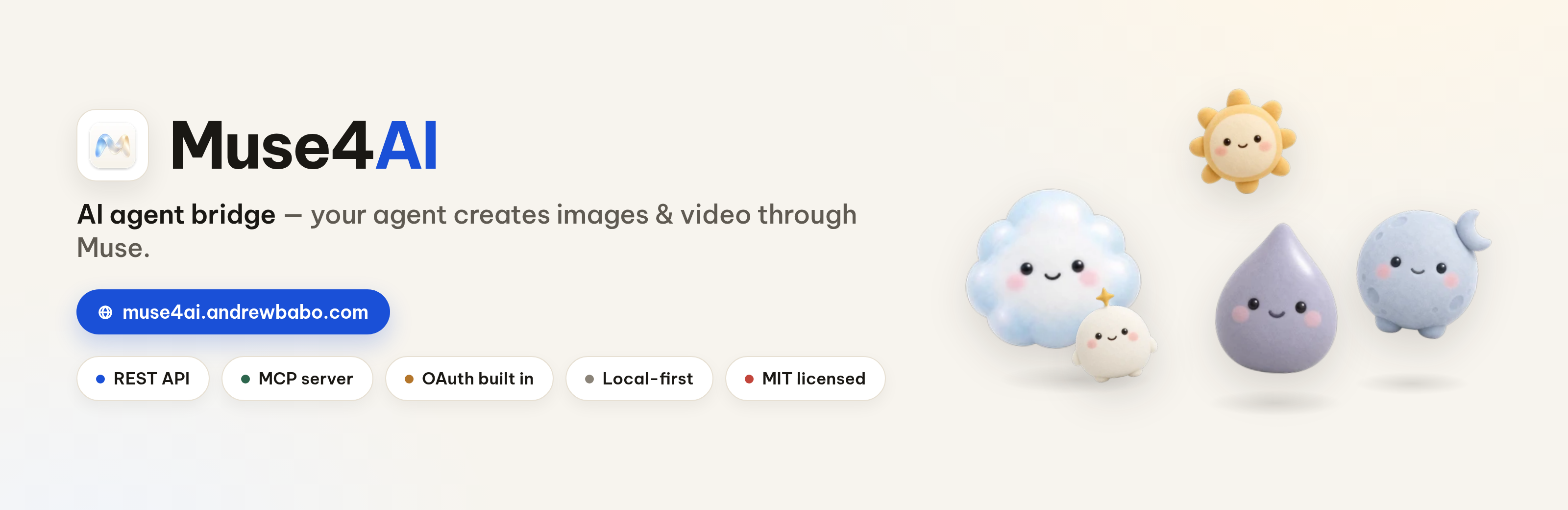
🎬 Generate video & imagesOne call, text-only or with reference photos. Repeat a prompt, pick the account, watch it appear in the in-app queue. |
💬 Chat that remembersAsk questions or iterate on an idea. The conversation id comes back, so the agent can keep the thread going and attach files. |
⏱ Extend a finished videoKeep a clip rolling, up to 6 steps and about 60 seconds per chain, in the same conversation it was born in. |
🛠 Edit a video by describing itAttach an MP4 and say what to change in words — no timeline, no rendering settings. |
🔑 Two ways to connectAn API key you paste once, or real OAuth: the agent asks, and you approve with the 6-digit code the app shows on screen. |
📚 Built-in guideEvery screen has a bilingual guide (English / Vietnamese) with real screenshots, plus a Skill your agent can read. |
See it in action
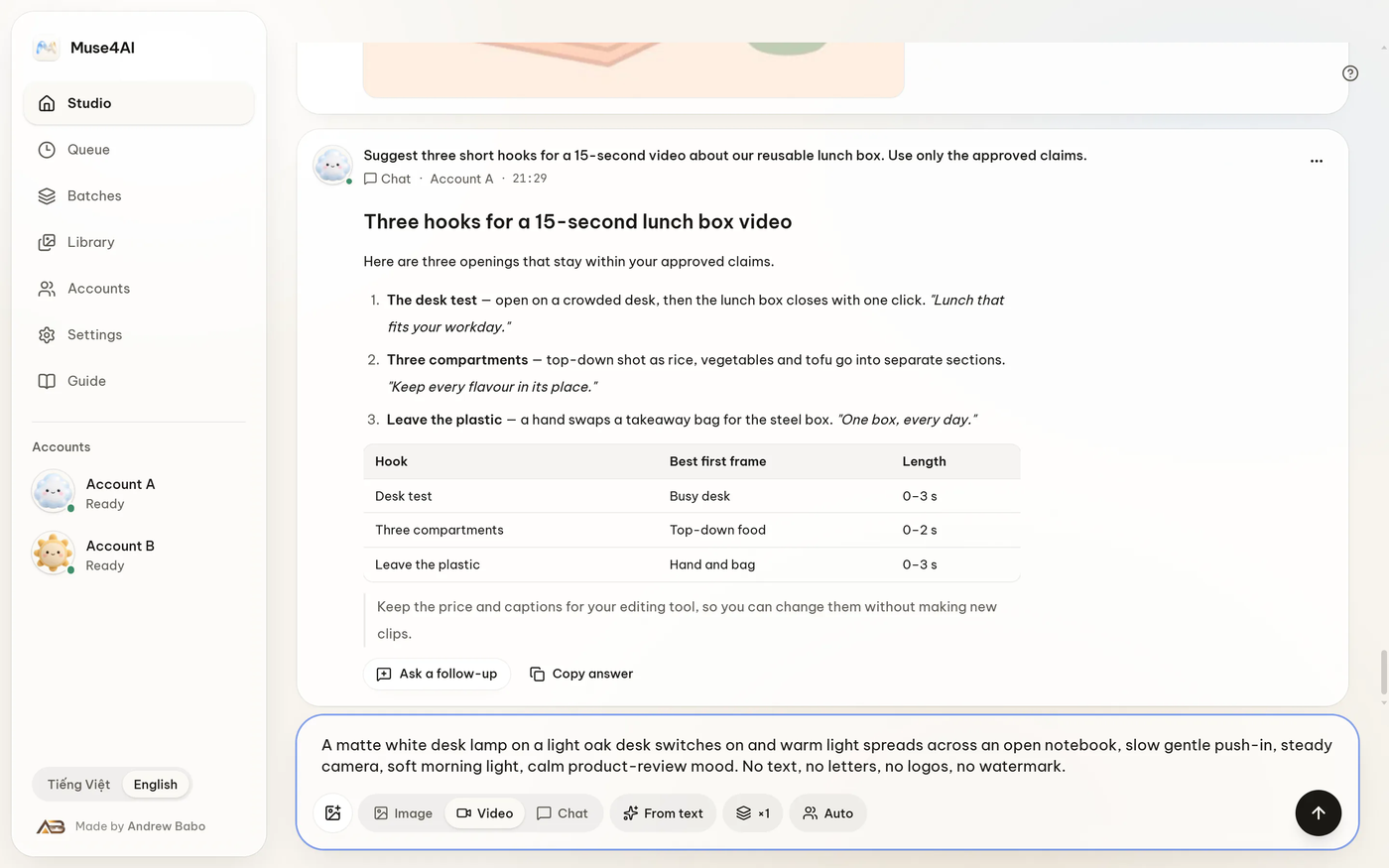 | 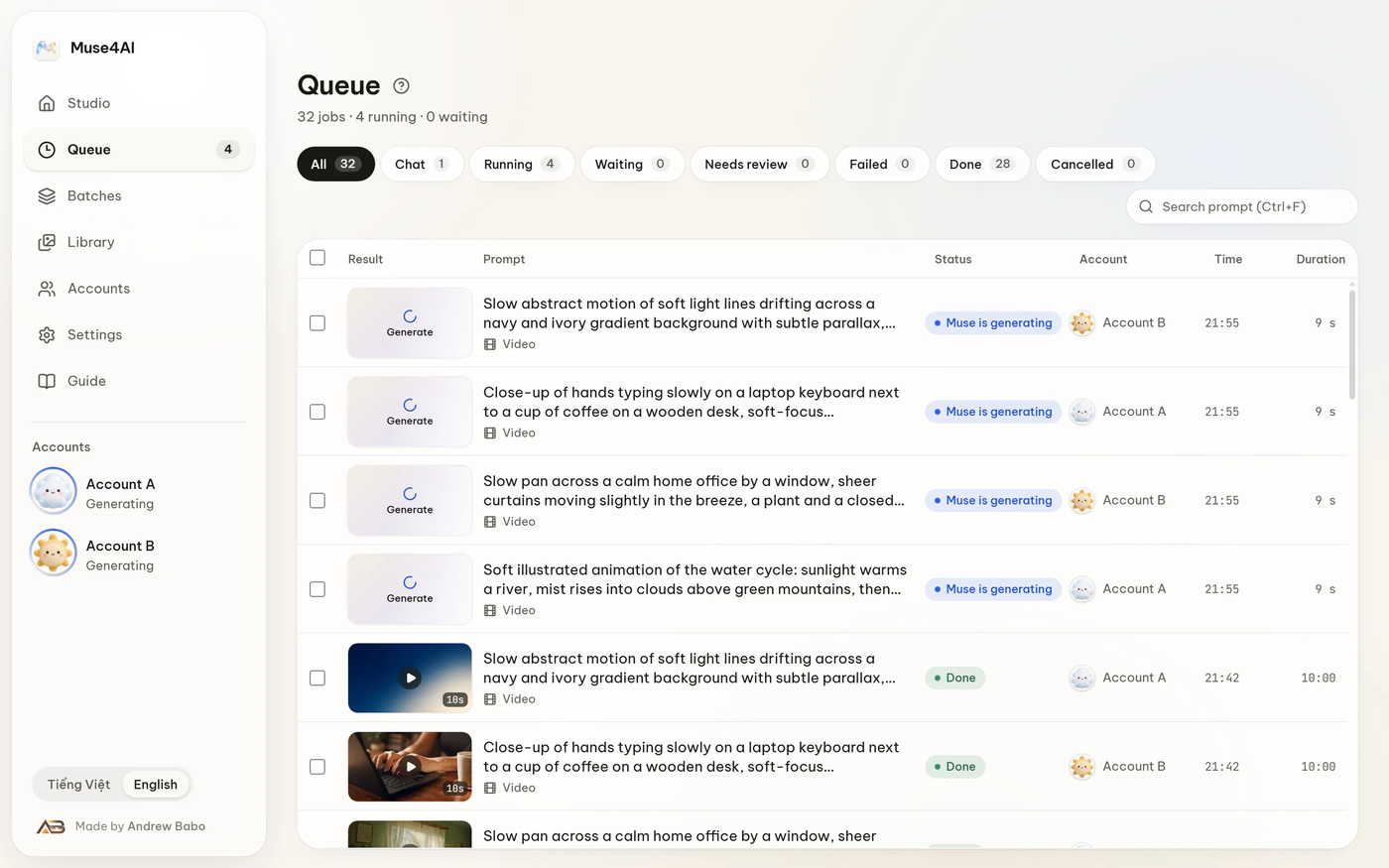 |
| Studio — write the prompt, attach references, run. | Queue — live status, thumbnails, quick preview. |
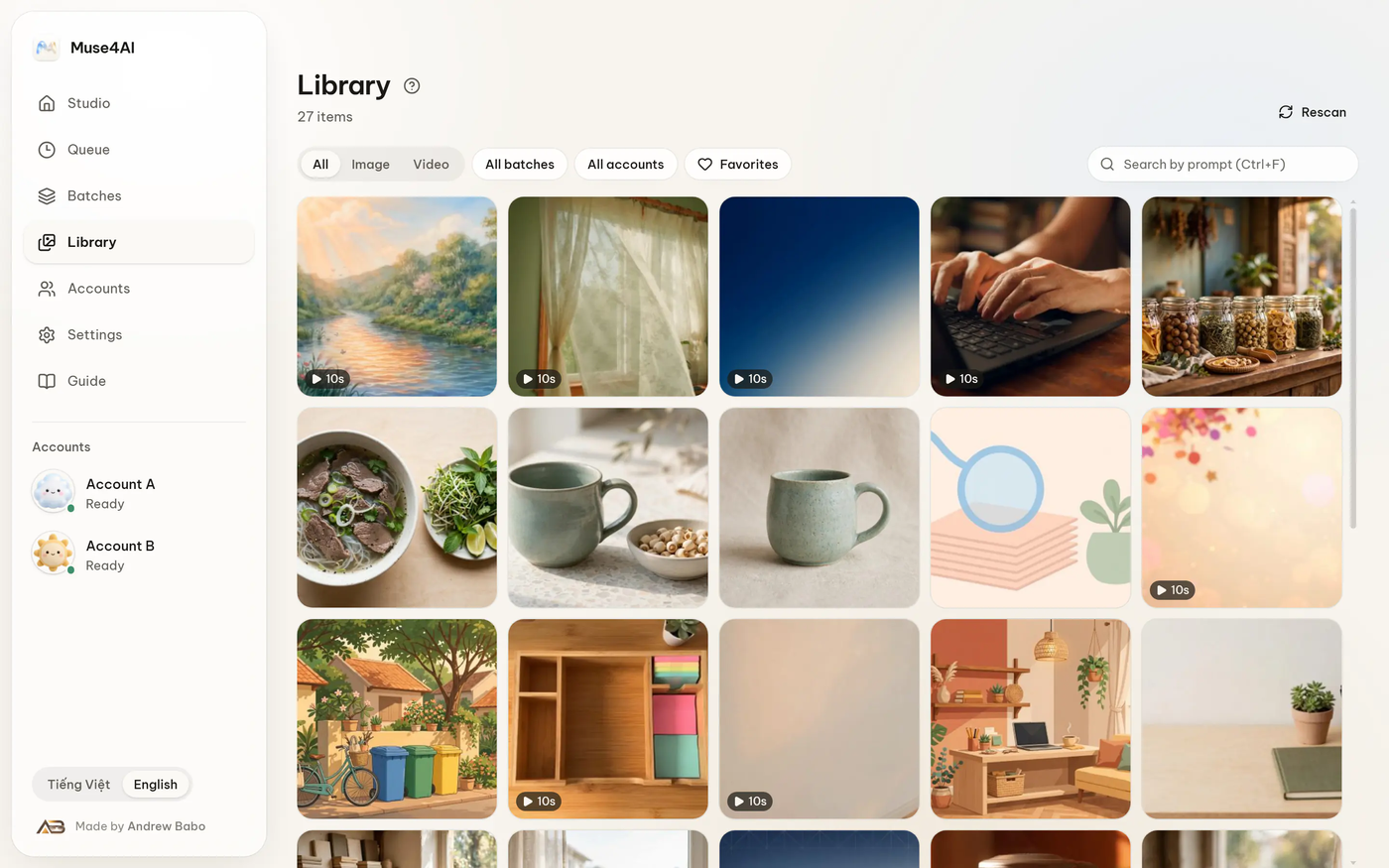 | 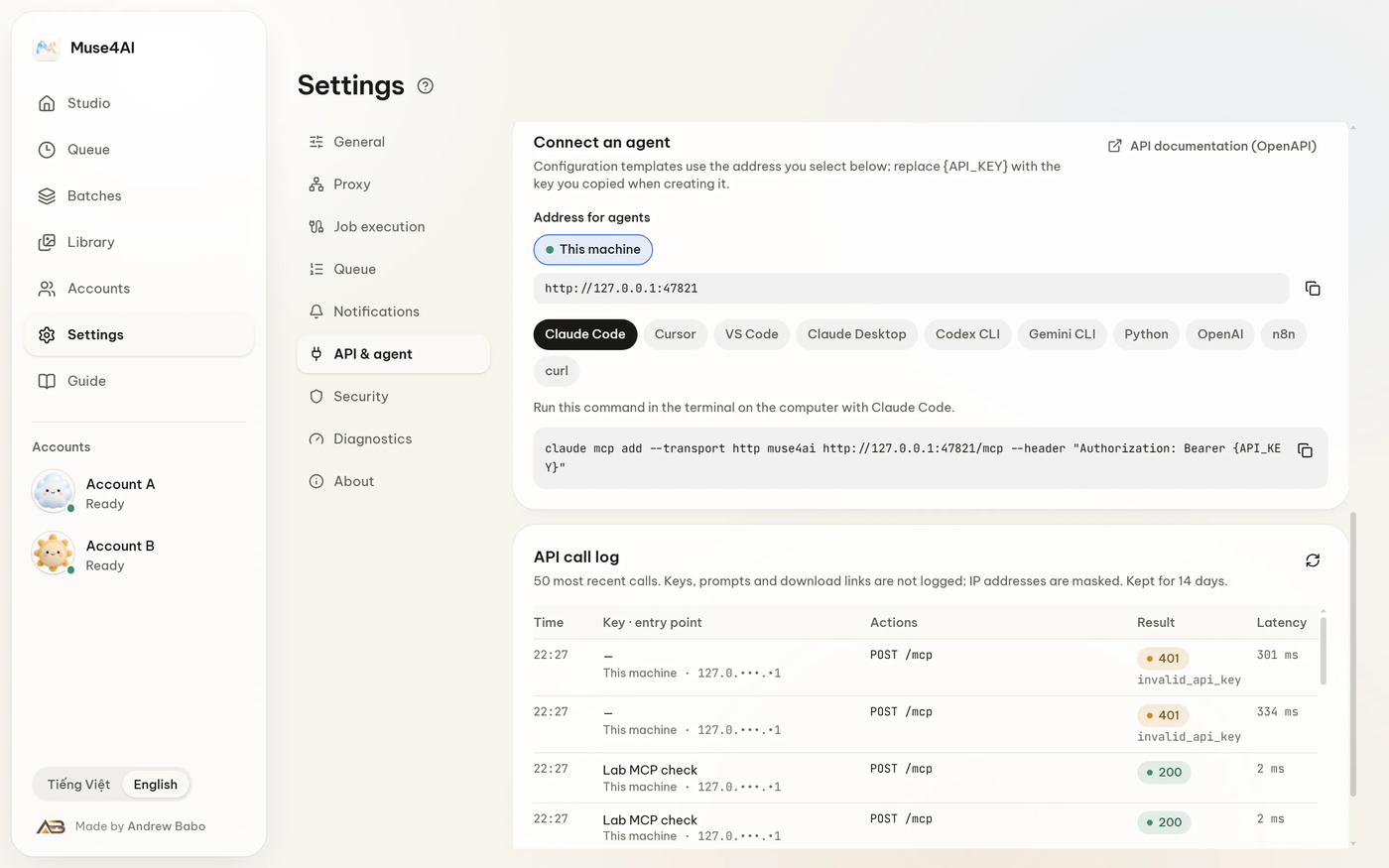 |
| Library — everything you made, searchable. | API & agent — connect an agent in one paste. |
Quick start
1. Install (easiest)
Grab the installer from the download page, run it, then add your Muse account in Accounts. Windows will warn that the file is unsigned — choose More info → Run anyway. After that the app checks for new versions by itself and installs them from Settings › About — no need to come back here.
2. Run from source
Needs Node.js 22+.
cd desktop
npm install
npm run build
npm start
The app opens on your desktop and serves its API on http://127.0.0.1:47821.
Connect an agent
Open Settings → API & agent in the app. It shows a ready-made snippet with your key already filled in — paste it into your agent's config.
OAuth (no key to copy)
The app is a real OAuth authorization server: it publishes
/.well-known/oauth-authorization-server, registers clients dynamically and signs its
own tokens. Point the agent at the MCP endpoint and let it redirect:
{
  "mcpServers": {
    "muse4ai": { "url": "http://127.0.0.1:47821/mcp" }
  }
}
The app then shows a 6-digit code. Type it into the consent page and the token is issued. Anyone who only knows the link cannot grant themselves access. Revoke any app later under Settings → API & agent → Connected apps.
API key
Create a key in the same screen (msk_…), then send it as a bearer token:
curl -X POST http://127.0.0.1:47821/v1/jobs \
  -H "Authorization: Bearer msk_YOUR_KEY" \
  -H "Content-Type: application/json" \
  -d '{"kind":"video","prompt":"a coffee cup on an oak desk, warm morning light"}'
Keys are scoped, rate-limited and individually revocable.
What the agent gets
| REST | MCP tool |
|---|---|
POST /v1/jobs — image / video | muse_generate |
POST /v1/jobs with kind:"chat" | muse_chat |
GET /v1/jobs · GET /v1/jobs/{id} | muse_list_jobs · muse_get_job |
POST /v1/jobs/{id}/cancel | muse_cancel_job |
POST /v1/assets/{id}/extend · POST /v1/conversations/{id}/extend | muse_extend_video · muse_get_extend |
GET /v1/status · GET /v1/health | muse_status |
Full machine-readable contract: GET /v1/openapi.json.
For agents that prefer Markdown: llms.txt.
Project layout
| Path | What lives there |
|---|---|
desktop/ | The app itself — main process, renderer, REST/MCP/OAuth API, tests, installer |
content/ | Guide, agent and use-case text shared by the app and the website |
agent-kit/ | The Muse4AI Skill, so an agent can learn the tool on its own |
Development
cd desktop
npm test            # 848 tests
npm run typecheck   # strict TypeScript
npm run package:win # Windows ZIP + installer inputs
Quality checks
Every push, and every Monday at 02:00 UTC, GitHub Actions re-runs the whole suite: 848 tests, a type check, a dependency vulnerability scan, a secret scan across the full git history, and live checks against the public endpoints. If a weekly run fails, an issue is opened automatically.
- Audit report: docs/audit/2026-11-06.md
- Build specs, plans and lab evidence: docs/build-3.3/ (updates, rollback, uninstall) · docs/build-3.2/
- What changed in each version: CHANGELOG.md
- Contributing: CONTRIBUTING.md · Code of conduct
- Reporting a vulnerability privately: SECURITY.md
Honest notes
- Unofficial. Muse4AI is an independent project. It is not affiliated with, endorsed or sponsored by Meta Platforms, Inc. "Meta" and "Muse" are trademarks of their owners.
- You own the risk. The app automates your Muse session. Automating a web app can break when the site changes, and may not fit Meta's terms of service — read them before you rely on it.
- Windows first. macOS and Linux builds are not packaged or tested yet; the core code does not depend on Windows, so porting is on the roadmap.
- No cloud account. There is no sign-up, no telemetry server and no subscription.
License
MIT © 2026 Andrew Babo. Third-party notices: desktop/LICENSES/.
Questions or ideas: the website · guide · changelog.