AZERIOID Stack Manager
One host. One panel. A full Linux web stack you control.
AZERIOID Stack Manager is a self-contained stack manager and web control panel for operators who run sites on a single Linux server. One installer bootstraps Caddy, a dedicated PHP 8.4 FPM pool, and a SQLite-backed admin UI on Laravel 13 + Livewire 4. Everything else — Nginx, Apache, databases, cache, PHP site runtimes, Node.js, Supervisor, mail, rootless Docker — installs on demand from the dashboard or the matching CLI, using official upstream packages.
Built for VPS and bare-metal operators who want a clean bootstrap, a real UI for day-two work, and a privileged broker that keeps package installs and host changes out of the web app process.
Screenshots
Captured from a live Ubuntu 24.04 panel host (UI anonymized where needed). Reflects the post–v1.6 Virtual Hosts redesign and current Mail / runtime pages.
| Overview | Virtual hosts |
|---|---|
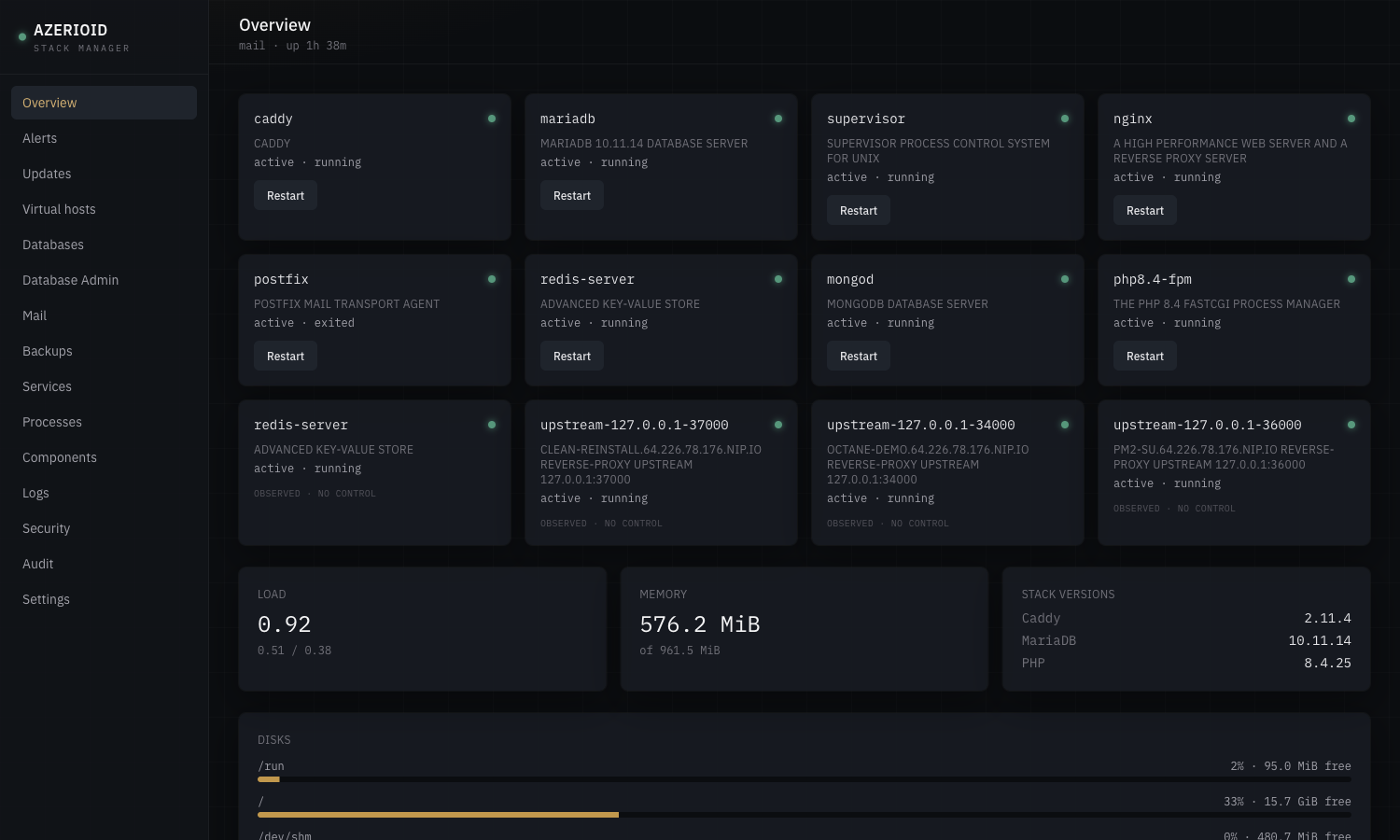 | 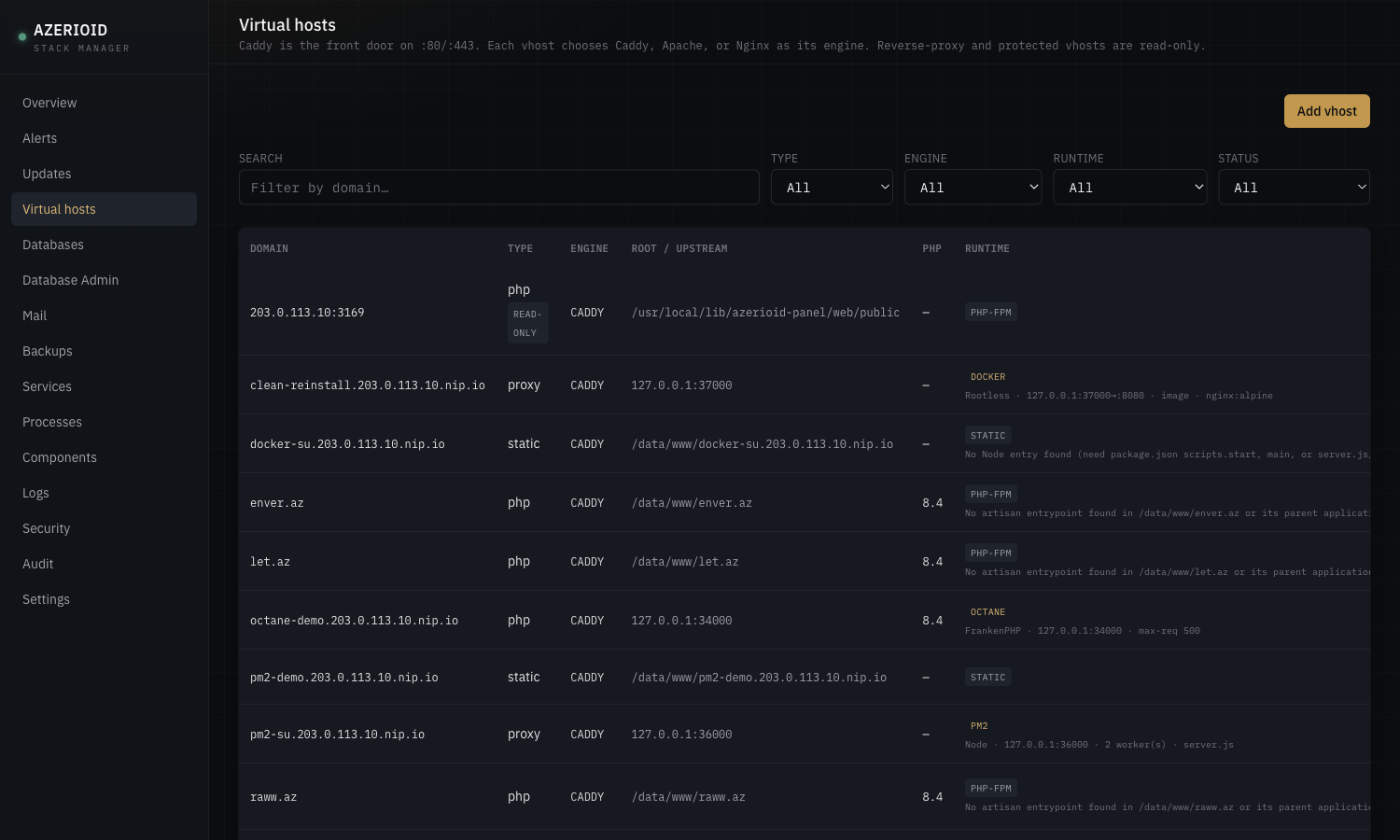 |
| Virtual hosts · row actions | Docker runtime filter |
|---|---|
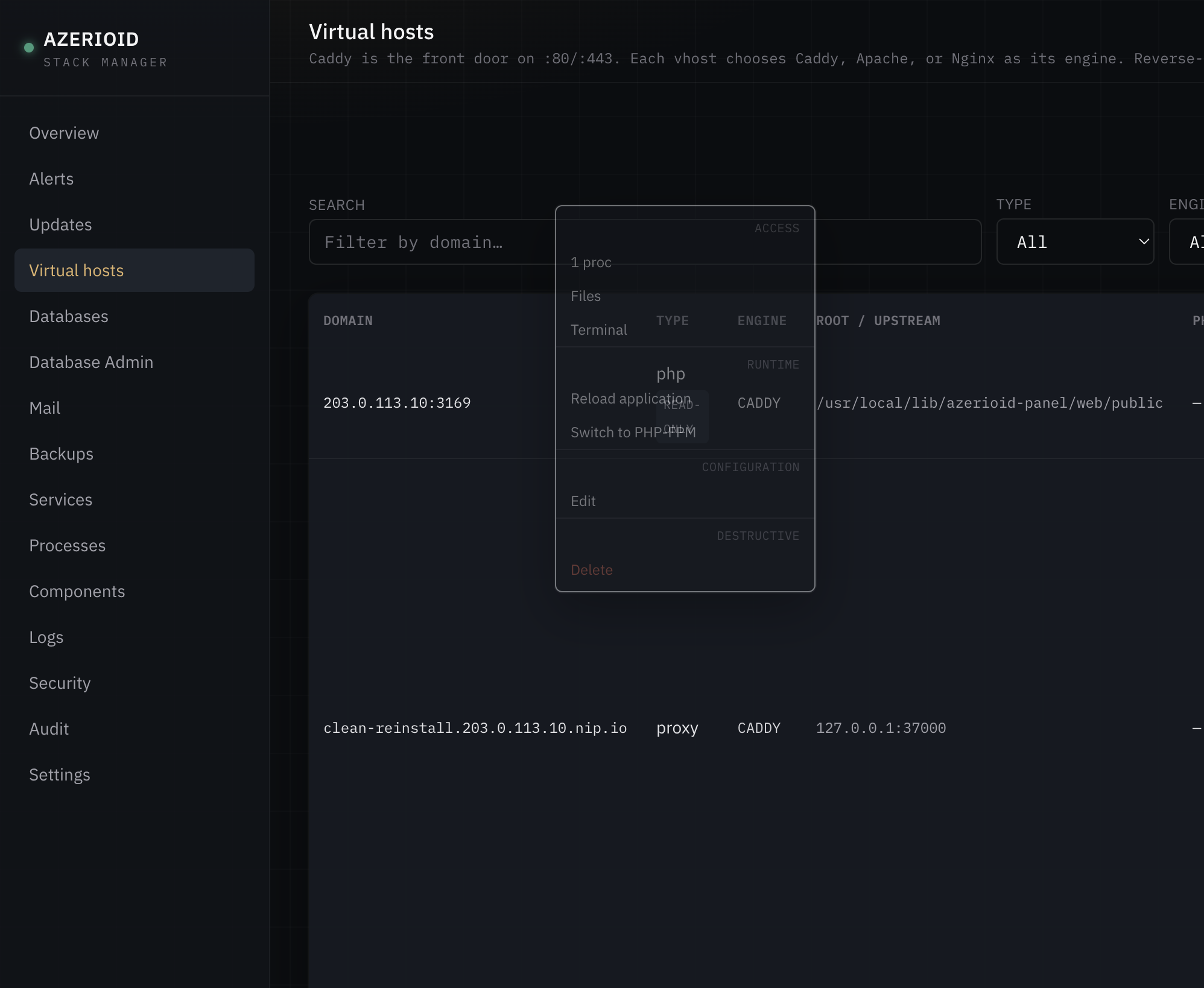 | 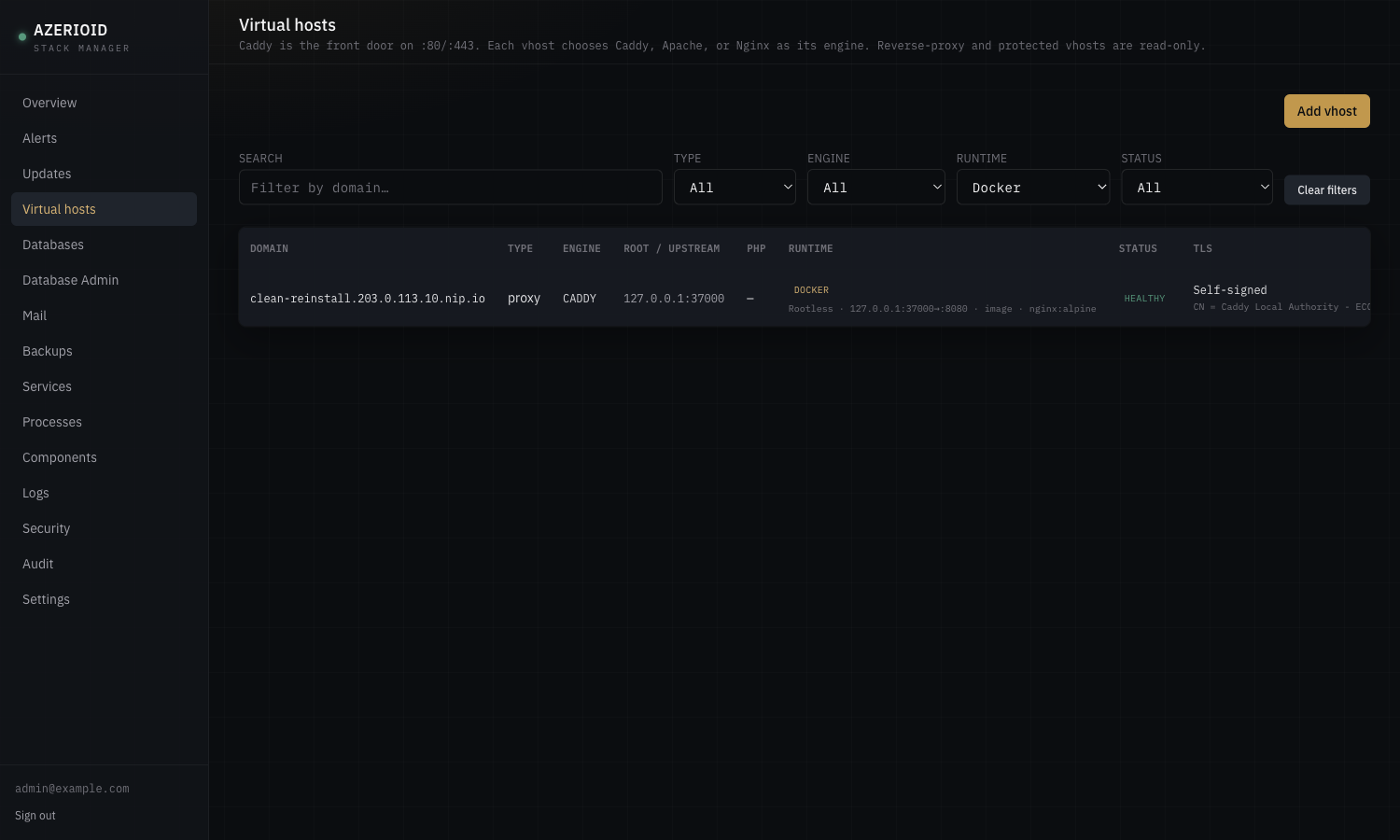 |
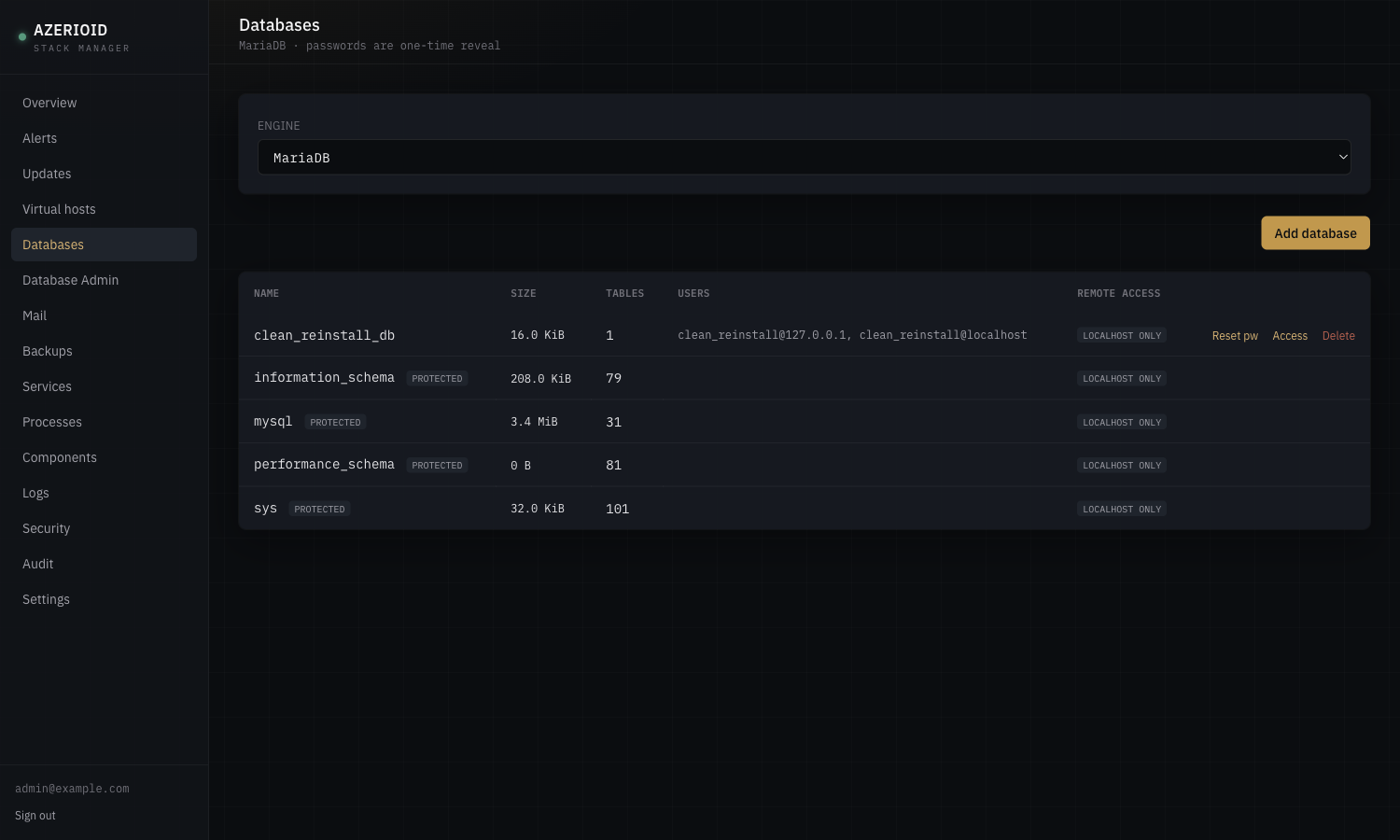
| Databases | |
|---|---|
 |  |
| Terminal | File Manager + editor |
|---|---|
 |  |
| Components | Security |
|---|---|
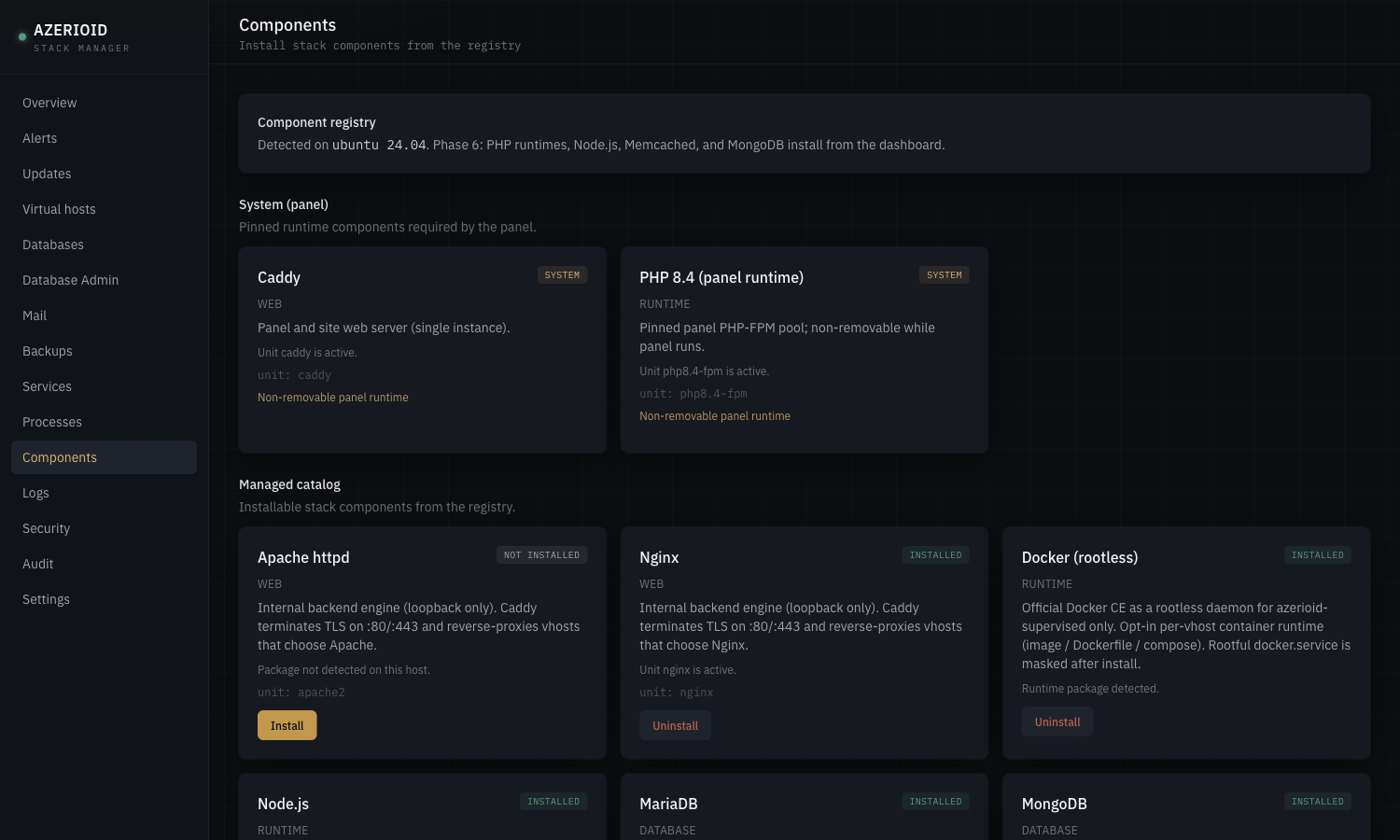 | 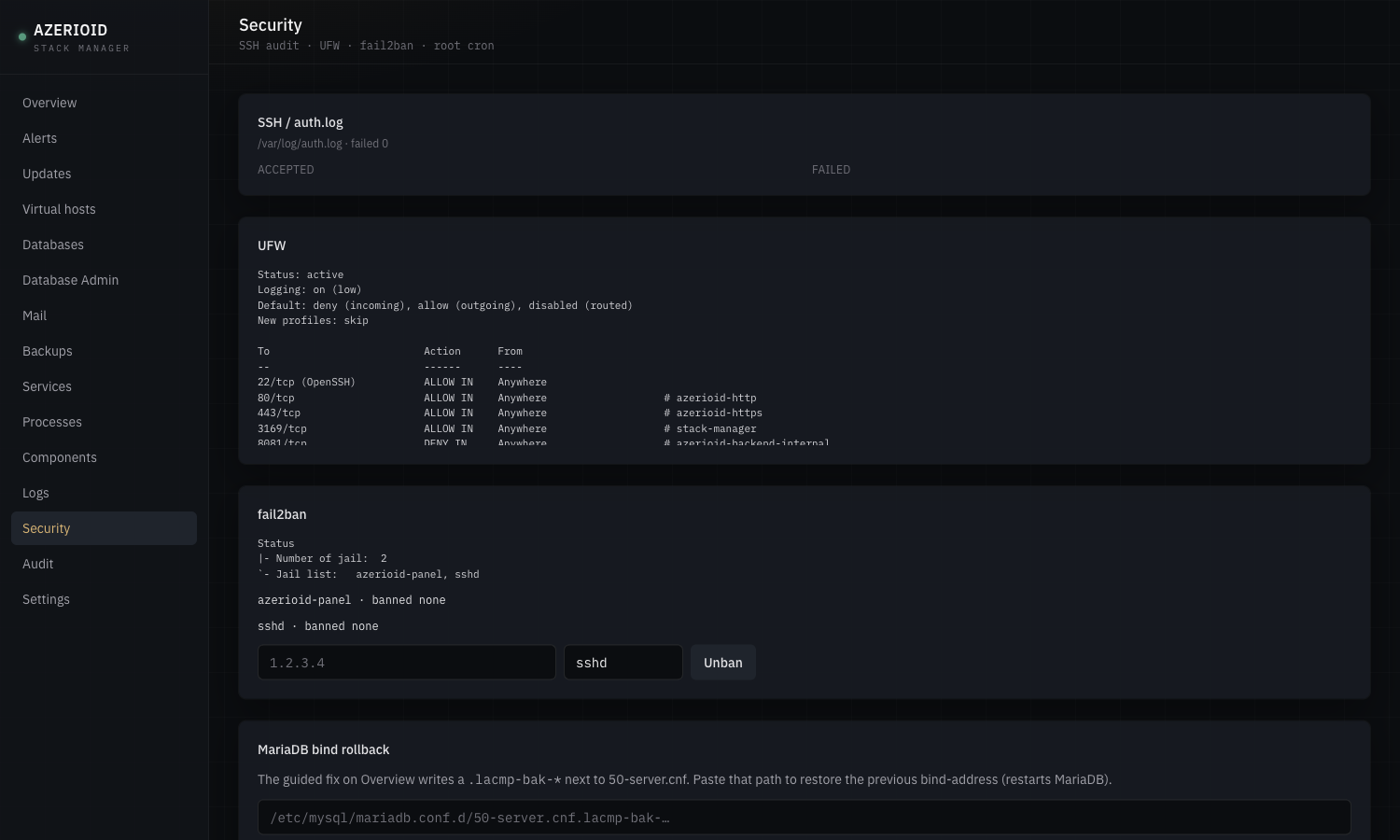 |
What ships out of the box vs on demand
Bootstrap (automatic)
| Piece | Role |
|---|---|
| Caddy | Panel vhost on port 3169; front door on :80/:443 for sites |
| PHP 8.4 FPM | Dedicated panel pool — isolated from site PHP versions |
| SQLite | Panel state under /var/lib/azerioid-panel/ |
| Broker | Privileged host driver (sudoers); UI never runs apt/dnf itself |
| Queue worker | Background component install/remove jobs |
On demand (Components page or azerioid component)
| Category | Components |
|---|---|
| Web engines | Nginx, Apache (loopback backends; Caddy terminates TLS) |
| Databases | MariaDB, PostgreSQL, MongoDB |
| Cache / KV | Redis, Memcached |
| Runtimes | PHP 8.1–8.3 (site pools); Node.js 20 / 22 / 24 |
| Process manager | Supervisor (programs run as azerioid-supervised, never root) |
| Per-vhost app runtimes | Opt-in: PHP-FPM (default), Laravel Octane / FrankenPHP, PM2 Node cluster, rootless Docker — chosen at create time or enabled later |
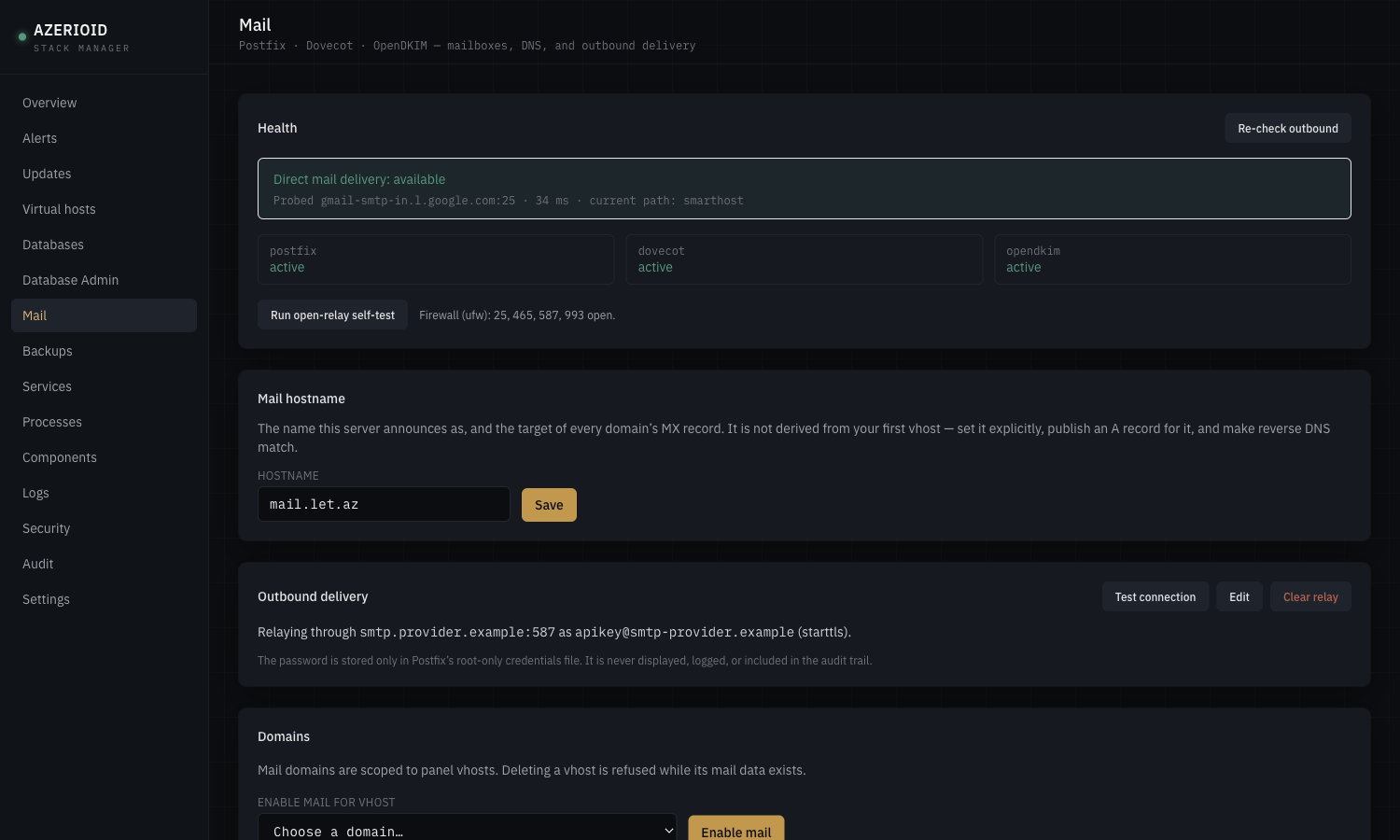
| Postfix + Dovecot + OpenDKIM (opt-in; authenticated submission only, virtual mailboxes, DKIM/SPF/DMARC guidance, direct or smarthost outbound) | |
| Tools | Adminer (panel session–gated SQL UI; MariaDB / PostgreSQL / SQLite — not MongoDB) |
Feature highlights
Proven on supported distros in operator testing — not marketing vapor:
- Multi-engine virtual hosts — each site chooses Caddy, Apache, or Nginx independently; Caddy always owns
:80/:443. Create-time runtime intent picks Traditional (PHP-FPM), Octane, PM2, or Docker up front; the Virtual Hosts list uses status/runtime badges, search/filters, and a consolidated row-actions menu - HTTPS — Let's Encrypt HTTP-01 (automatic), self-signed/
tls internal(extensively used), DNS-01 via Cloudflare/DigitalOcean (supported; lightly tested vs internal TLS) - High-performance runtimes (opt-in per vhost) — Laravel Octane (FrankenPHP) for Laravel apps and PM2 cluster mode for Node apps, both on the same Supervisor + Caddy foundation, with reload paths aimed at zero-downtime worker replacement. New PHP vhosts stay on PHP-FPM unless you opt in; the panel’s own runtime never uses Octane
- Rootless Docker (opt-in per vhost) — pull an image or build from Dockerfile/compose in the site tree; container shell and log streaming from the panel. Daemon runs only as
azerioid-supervised(nodockergroup, rootful Docker masked) — least-privilege layout adversarially tested so a bind-mount cannot escalate to host root - Mail server (opt-in) — per-domain mailboxes and aliases on Postfix/Dovecot/OpenDKIM, copy-paste MX/SPF/DKIM/DMARC records with live verification, full send+receive when DNS is correct. Direct MX delivery and smarthost/relay are equally first-class: most cloud providers block outbound port 25, so the health strip probes reachability and steers you to a relay when needed — a duality many competing panels never surface. Replacing an existing MTA always requires a typed
REPLACE-MTA; deleting a mail-enabled vhost requiresDROP-MAIL - Databases with remote access modes — localhost / specific IPs / global (with explicit confirmation); MariaDB and PostgreSQL enforce per-database host rules; MongoDB remote access is instance-wide firewall
- Adminer — installable SQL admin UI for MariaDB / PostgreSQL / SQLite, reachable only through the panel’s authenticated session (never independently exposed)
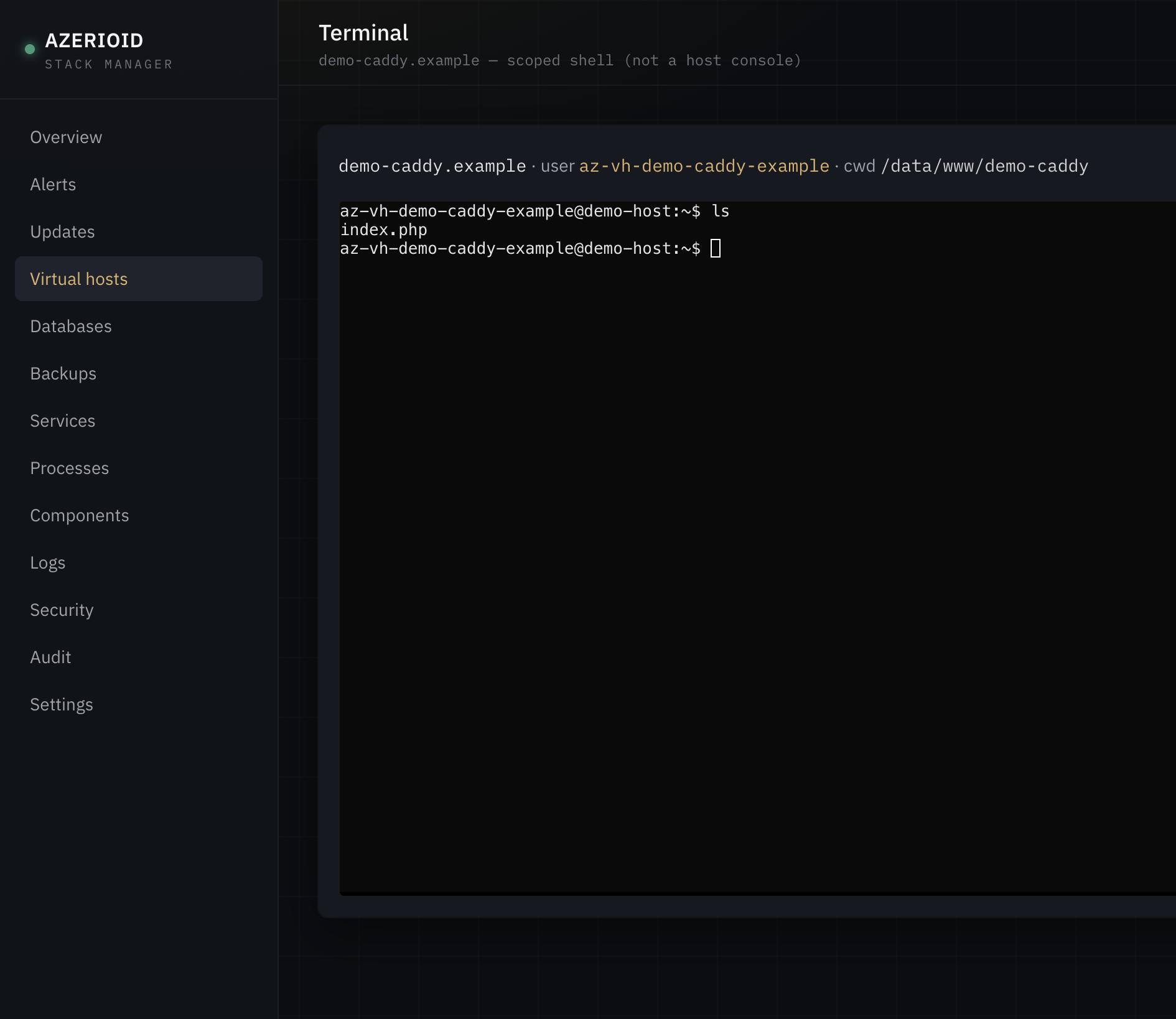
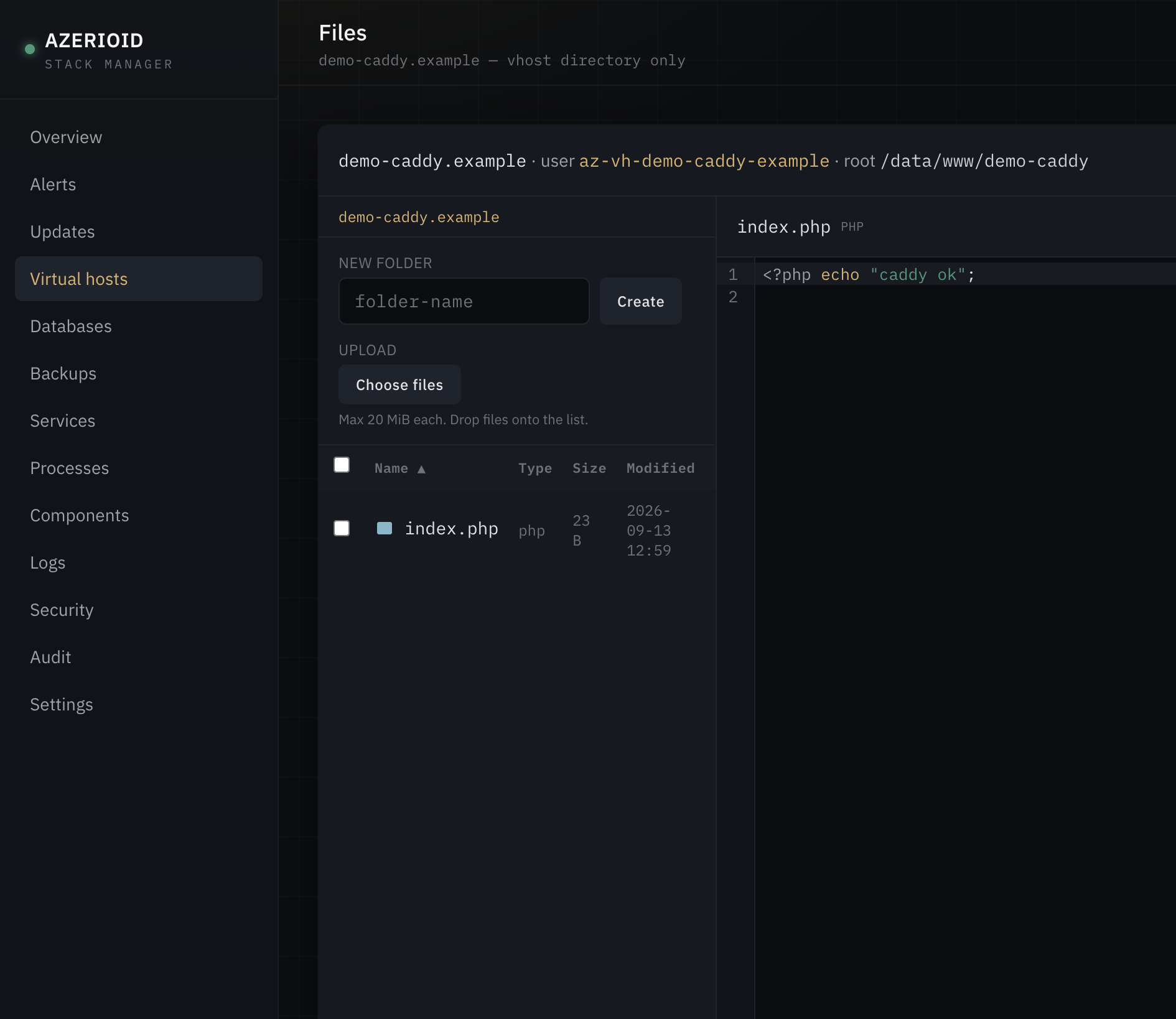
- Per-vhost Terminal and File Manager — broker drops to the vhost user (
az-vh-…); path traversal and symlink escape rejected - Supervisor processes — create/start/stop/logs from UI or CLI
- CLI parity —
azerioidwraps the same broker path as the dashboard (origin=cliin audit) - Tag self-update —
azerioid panel update check|applyinstalls semver git tags (latest or--v=<tag>), refuses dirty trees, and rolls back automatically if apply fails mid-update - White-label panel domain — bind the panel to a hostname on
:443; IP:3169 and SSH tunnel stay as fallback
Honest limits: single admin (no multi-user RBAC yet). Archive extract is not offered in the File Manager (zip-slip scoped out). Mail ships without webmail, spam filtering, quotas, or catch-all addresses; deliverability still depends on reverse DNS you set at your VPS provider. Octane is Laravel-only; PM2 is Node-only; Docker compose host mounts are bounded by what azerioid-supervised can already access (not equivalent to root).
Supported operating systems
Verified end-to-end on the current stack (Laravel 13 + Livewire 4, including mail / Octane / PM2 / rootless Docker paths where those features apply):
| OS | Support | Notes |
|---|---|---|
| Ubuntu 24.04 | Supported | Verified |
| Debian 12 / 13 | Supported | Verified |
| AlmaLinux 9+ | Supported | Verified with SELinux Enforcing |
| Rocky Linux 9+ | Supported | Verified with SELinux Enforcing (same EL path as AlmaLinux) |
| CentOS Stream 9+ | Supported | Verified with SELinux Enforcing (same EL path; ID=centos) |
| RHEL / Oracle Linux 9+ | Supported (same EL path) | Same installer/SELinux helpers |
| Fedora | Not supported | Installer refuses correctly |
Requirements: root, outbound HTTPS, git.
Quick start
git clone https://github.com/azerioid/azerioid-stack-manager.git stack-manager && cd stack-manager
chmod +x stack-manager.sh
sudo ./stack-manager.sh
Interactive install (TTY) prompts for:
- Access mode —
tunnel(default,127.0.0.1:3169) orpublic(HTTPS on the host IP) - Panel port, optional TOTP requirement, firewall, fail2ban, IP allowlist
- Optional admin creation (email + password)
Non-interactive example:
sudo ./stack-manager.sh --non-interactive --access=public --create-admin=true --admin-email=you@example.com
# Set ADMIN_PASSWORD in the environment — never pass passwords on argv
Tunnel access after a default install:
ssh -L 3169:127.0.0.1:3169 user@host
# open http://127.0.0.1:3169/setup  (or /login if an admin was created)
Optional hardening flags: --firewall=true, --fail2ban=true, --require-totp=true. Full list: sudo ./stack-manager.sh --help.
On any public install, change the admin password immediately after first login if you used a weak or default value.
Security model (brief)
- Least-privilege broker — privileged work is sudo + broker, not the Laravel process
- Registry-gated installs — only components defined under
registry/components/ - Panel PHP isolated (dedicated FPM pool, locked-down
disable_functions) - Livewire actions authorize server-side (Phase 2/3 hardening) — UI hiding is not the control boundary
- Rootless Docker only for panel-managed containers — rootful
docker.service/docker.socketare disabled and masked; nodockergroup path (group membership is root-equivalent) - Mail anti-abuse — not an open relay (
mynetworkslocalhost-only; SASL on submission 587/465 only); open-relay self-test before “healthy”; typed confirms forREPLACE-MTA/DROP-MAIL - Localhost-first defaults for panel bind and managed DB/cache
- Adminer only behind the panel session — not a separately published vhost
- Optional TOTP, fail2ban jail, ufw/firewalld rules
- DNS-01 API tokens (and mail/smarthost secrets) stored root-only; never accepted on argv
Details: docs/SPEC.md, docs/DECISIONS.md, docs/port-ownership.md.
CLI examples
azerioid status
azerioid vhost list --json
azerioid vhost add --domain=app.example.com --type=php --php=8.4 --root=/data/www/app.example.com --tls=auto
azerioid vhost add --domain=api.example.com --type=php --php=8.4 --runtime=octane --tls=auto
azerioid vhost octane enable --domain=api.example.com
azerioid vhost octane reload --domain=api.example.com
azerioid vhost pm2 enable --domain=node.example.com --instances=2 --entry=server.js
azerioid vhost docker enable --domain=app.example.com --mode=image --image=nginx:alpine --internal-port=80
azerioid db add --engine=mariadb --name=appdb --user=appdb
azerioid component install redis
azerioid component install mail   # refuses foreign Exim/Sendmail unless --option=confirm=REPLACE-MTA
azerioid component install adminer
azerioid process create --vhost=app.example.com --command='node server.js' --name=app-node
azerioid mail hostname set --hostname=mail.example.com
azerioid mail domain enable --domain=app.example.com
azerioid mail mailbox add --address=inbox@app.example.com   # password printed once
azerioid mail status   # “Direct mail delivery: available” or “…blocked… configure a relay”
azerioid mail smarthost set --host=smtp.provider.example --port=587 --username=apikey
# relay password: AZERIOID_RELAY_PASSWORD=… (never argv)
azerioid mail dns --domain=app.example.com
azerioid panel update check
azerioid panel update apply --v=v1.6.0 --confirm
Secrets (DB passwords, DNS tokens, backup passphrase, TOTP re-auth, mail/smarthost passwords) go through the environment or one-time stdout — not argv flags. Full surface: azerioid help.
Uninstall
Panel only:
sudo ./deploy/uninstall.sh --drop-db --remove-bootstrapFull teardown (panel + broker-managed components + added repos). Intentionally retains site trees under /data/www and panel/broker logs under /var/log/azerioid-panel (audit trail after reinstall):
sudo ./deploy/uninstall.sh --fullLicense
MIT — see web/composer.json.
Contributing
Issues and pull requests: azerioid/azerioid-stack-manager. Architecture decisions live in docs/DECISIONS.md; keep ADR history intact when proposing changes.