Goose - Local Companion for WHOOP 5.0
Alpha proof of concept. This build is for developers to evaluate whether a project of this scope is viable. It is not ready to use as an app for tracking personal health data yet.
If you don't know what Xcode is, or how to build the Rust core, this build is not for you. Come back on 13 June 2026 for the first public beta on TestFlight.
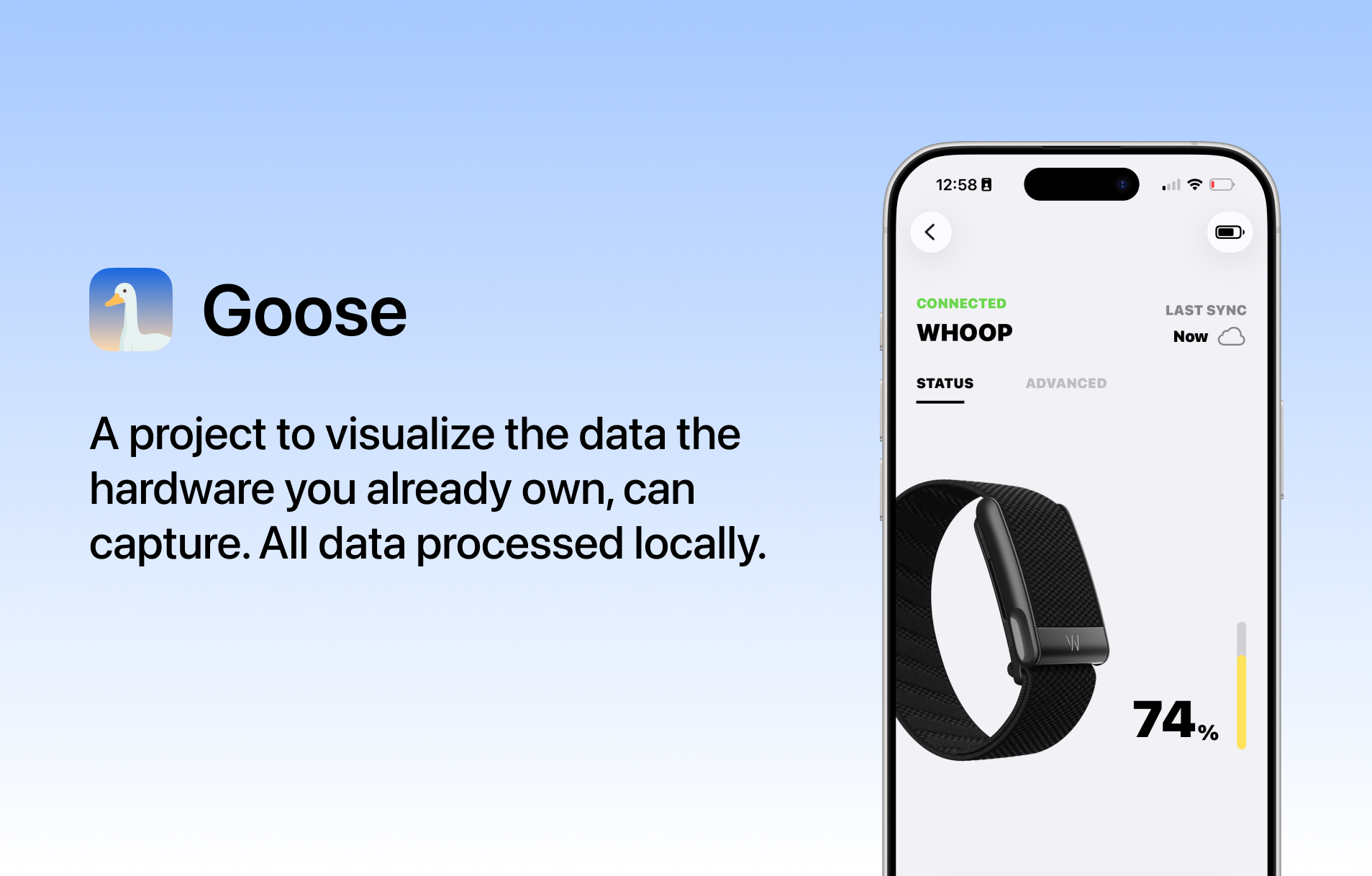
This prototype targets WHOOP 5.0 only. Other WHOOP generations are not supported in this build.
The app and backend have had very little attention put into performance. The app will lag, very considerably. Performance PRs are welcome, or you can wait until I address it in due course.
Goose is a local-first WHOOP 5.0 data and health metrics project. The iOS app connects to WHOOP 5.0 bands, routes packet data through the Goose Rust core, and turns that data into daily health, recovery, sleep, strain, stress, cardio, energy, coach, and debug views.
Project Layout
GooseSwift/                         SwiftUI app source
GooseWorkoutLiveActivityExtension/  Live Activity widget extension
Rust/                               iOS static library, headers, per-platform outputs
Scripts/build_ios_rust.sh           Xcode build phase for the Goose Rust core
docs/goose-swift-mvp/               MVP plans, contracts, and data-readiness docs
GooseSwift.xcodeproj                Xcode project
Key Swift entry points:
GooseSwiftApp.swift: app lifecycle and deep-link handling.RootView.swift: onboarding gate and global sync toast host.AppShellView.swift: tab shell and shared health store wiring.GooseAppModel.swift: app state, BLE ownership, lifecycle, and bridge summaries.GooseBLEClient.swift: Bluetooth scan/connect/sync logic.GooseRustBridge.swift: Swift wrapper around the Rust C bridge.HealthView.swiftandHealth*files: health dashboards, metric pages, trends, and sheets.CoachView.swiftandCoach*files: coach UI and chat support.MoreView.swift: operational/debug/settings surfaces.
This is an active prototype. Because the data pipeline is still evolving, some metrics appear as empty or unavailable until the app has a source for them.
Independence
Goose is an independent project and is not affiliated with WHOOP. This repository does not include or reference source code owned by WHOOP. The app communicates with WHOOP 5.0 bands over Bluetooth using services and data exposed by the device, then parses and stores that local data through the Goose Rust core. Product names are used only to describe compatibility.
Design Credit
The current health metric UI draws heavily from Bevel, especially the Sleep, Recovery, Strain, Stress, and trend-detail surfaces. Bevel is not affiliated with Goose; this credit is here because their product design has been a major visual reference.
Current Scope
- SwiftUI app shell with Home, Health, Coach, and More tabs.
- Onboarding and persisted profile state.
- CoreBluetooth scan/connect flows for WHOOP 5.0 devices.
- JSON-over-C bridge into the Goose Rust core.
- Health metric surfaces for Sleep, Recovery, Strain, Stress, Cardio Load, Energy Bank, Health Monitor, Packet Inputs, Algorithms, References, and Calibration.
- HealthKit sleep import and workout write support.
- Coach surfaces that summarize local metrics and explain missing data.
- More/Debug operational surfaces for device state, capture, sync, algorithms, storage, privacy, and support.
- Workout Live Activity extension.
Requirements
- macOS with Xcode installed.
- iOS 26 SDK and an iOS 26 capable simulator/device.
- Apple Developer signing configured for the
com.goose.swiftbundle identifier. - Rust and Cargo for building the Goose Rust core from the committed
Rust/coresource. - iOS Rust targets installed with
rustup; see the Rust Core Bridge section below.
Built Rust .a archives are generated locally during Xcode builds and are not committed. Set GOOSE_SKIP_RUST_CORE_BUILD=1 only when the matching local archive already exists for the active Xcode platform.
Build
Open GooseSwift.xcodeproj in Xcode and build the GooseSwift scheme, or build from the command line.
Simulator build:
xcodebuild \
  -project GooseSwift.xcodeproj \
  -scheme GooseSwift \
  -configuration Debug \
  -destination 'platform=iOS Simulator,name=iPhone 17' \
  -derivedDataPath /tmp/goose-swift-deriveddata \
  build
Physical device build:
xcodebuild \
  -project GooseSwift.xcodeproj \
  -scheme GooseSwift \
  -configuration Debug \
  -destination 'platform=iOS,id=<device-id>' \
  -derivedDataPath /tmp/goose-swift-deriveddata-device \
  -allowProvisioningUpdates \
  build
List connected devices:
xcrun devicectl list devicesReinstall On A Device
After a successful physical-device build, reinstall and launch:
xcrun devicectl device uninstall app \
  --device <device-id> \
  com.goose.swift

xcrun devicectl device install app \
  --device <device-id> \
  /tmp/goose-swift-deriveddata-device/Build/Products/Debug-iphoneos/GooseSwift.app

xcrun devicectl device process launch \
  --device <device-id> \
  --terminate-existing \
  com.goose.swift
Rust Core Bridge
The Rust bridge source is committed in Rust/core. Do not commit built .a
archives; Xcode generates them locally through Scripts/build_ios_rust.sh.
Prerequisites:
- Xcode command line tools.
- Rust via
rustup. - iOS Rust targets:
rustup target add aarch64-apple-ios aarch64-apple-ios-sim x86_64-apple-iosScripts/build_ios_rust.sh builds Rust/core for the active Xcode platform:
iphoneos->aarch64-apple-iosiphonesimulatoron Apple Silicon ->aarch64-apple-ios-simiphonesimulatoron Intel ->x86_64-apple-ios
Outputs are staged into:
Rust/iphoneos/libgoose_core.a
Rust/iphonesimulator/libgoose_core.a
The Swift target links Rust/$(PLATFORM_NAME)/libgoose_core.a and reads the C
bridge header from Rust/core/include/goose_core_bridge.h. The default Cargo
target directory is build/rust-target/goose-core, so Rust build products stay
outside the committed source tree.
Manual builds:
# Simulator on Apple Silicon
PLATFORM_NAME=iphonesimulator CURRENT_ARCH=arm64 Scripts/build_ios_rust.sh

# Physical iPhone
PLATFORM_NAME=iphoneos CURRENT_ARCH=arm64 Scripts/build_ios_rust.sh
You normally do not need to run these by hand; the Xcode build phase runs the script before compiling Swift.
Data And Privacy
- Metric views show empty, stale, or unavailable states when a source is missing.
- Metric rows and trend sheets show where values came from when that information is available.
- Raw packet payloads stay in debug/export flows rather than everyday health views.
- Coach responses use the same local metric summaries shown in the app.
- Health and fitness data is local by default. Any future backend or AI feature will need its own consent flow and privacy notes.
Documentation
Detailed implementation plans live in docs/goose-swift-mvp/:
Home.md: Home tab contract and remaining work.Health.md: Health surfaces, metric pages, packet inputs, trends, and acceptance checks.Coach.md: Coach tab plan and chat architecture notes.More.md: operational settings/debug/capture/privacy surfaces.CodexCoachServer.md: viability notes for a future Codex-powered coach.RemainingDataTodo.md: unresolved data-source and persistence work.
Recovery-specific follow-up work is tracked in recovery-todo.md.
Contributing
This project moves quickly, so small focused changes are easiest to review.
Want to talk to other contributors? Join the group here.
- Keep changes close to the feature or bug you are working on.
- Match the existing SwiftUI style before introducing new patterns.
- Build after touching Swift, Rust bridge, project, or signing settings.
- Check both empty and populated states for metric UI when possible.
- Keep user-facing health copy plain and careful. Avoid medical claims.
- Put debug tooling, packet details, and raw export behavior under More or Debug surfaces.
- Update the relevant MVP doc when a change completes or changes an open task.
- Mention any build warnings, skipped checks, or device-only assumptions in the PR notes.
Development Notes
- Prefer small, typed Swift models over displaying raw summary strings.
- Keep Home, Health, Coach, and More routes modular enough to work independently.
- Metric pages should still look polished when data is missing.
- Before installing to a device, run a simulator or device build and check that the Rust library target matches the destination platform.