Design Studio AI
Open the studio · Guide · Documentation · Source · MIT license
An agent-first design workspace for web interfaces, slides, reports, wireframes, 3D scenes, and timeline videos. Start with a brief or template, inspect the preview, make focused changes through chat or the manual editor, and export or publish the result. People and agents work on the same versioned document.
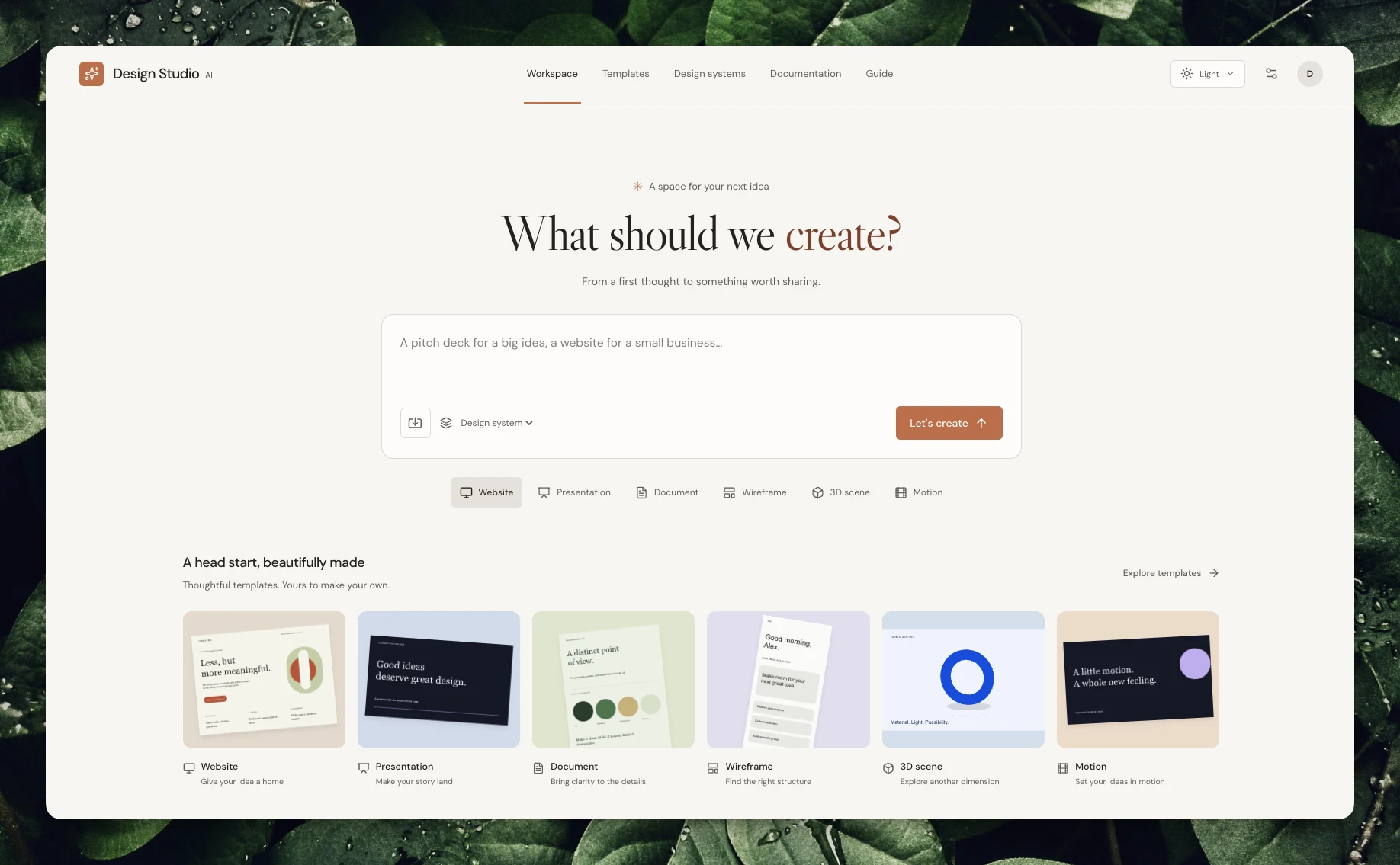
Capabilities
- Responsive project library with search, filters, sorting, duplication, and saved designs.
- Structured flex/grid layouts, nested groups, Ant and shadcn-style components, versioned reusable design systems, and live human/agent editing.
- Native 2D character motion: bones, skins, weighted meshes, per-property clips, constraints, physics and scene blending.
- Editable 3D characters: remesh/loft, quadruped rigs, weights, IK, morph targets and UV painting; textured animated 3D scenes, multi-layer keyframe editing, presentation modes, font/model discovery and interactive API docs.
- BYOK text, image, speech, music/effects, and video generation, plus supported source-media edits. See providers.
- JSON, HTML, SVG, PNG, PDF, PowerPoint, WebM, supported MP4 recording, React prototype ZIP, GLB/glTF, and authorized Google Slides export.
- Immutable public snapshots, REST, authenticated Streamable HTTP MCP with OAuth/API keys, experimental browser WebMCP, and the
dsaCLI with an agent skill. - Owner-scoped activity, correlated request/provider traces, and reported token/cost usage with explicit coverage; optional operator views and PostHog forwarding. See activity and configuration.
- Cloudflare hosting or Docker self-hosting with persistent SQLite/files.
- Email/password and optional GitHub sign-in, with explicit account linking in Settings.
- Persisted contextual interviews, editable scopes, explicit approval, and shared REST/MCP/CLI/WebMCP access to the same brief.
- System/light/dark appearance, keyboard-friendly mobile controls, and design checks that locate likely text overflow, missing media, and contrast issues without changing the canvas.
- Searchable API/CLI/connection documentation, a visual beginner guide, crawlable HTML, Markdown, sitemap, and llms indexes.
Generation calls real providers and requires your credentials and account access. It returns a proposal or asset; saved designs change through explicit revision-checked writes.
Inside the studio
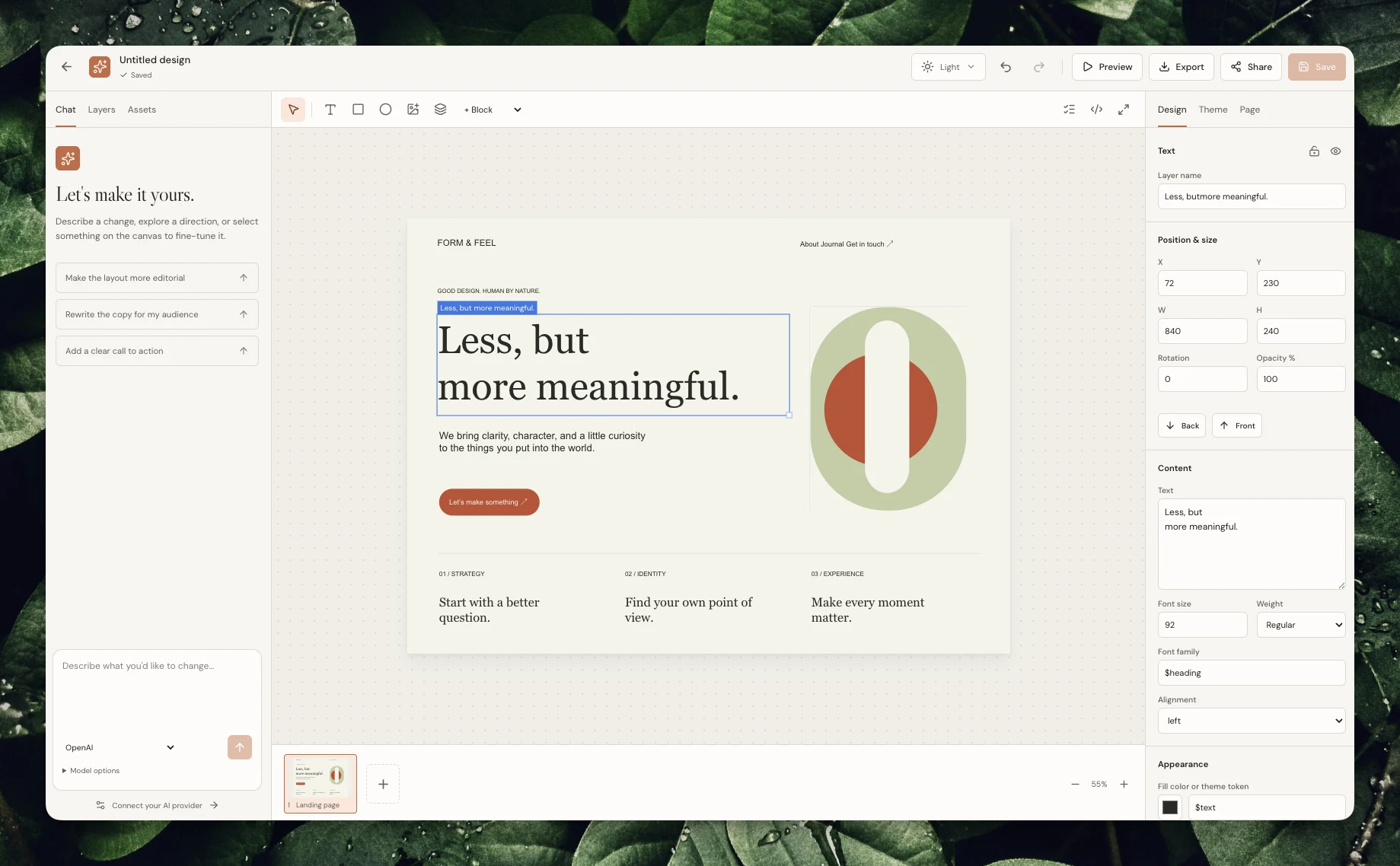
Web, slide, and 3D editing
Web layouts — edit the canvas and typography alongside the conversation.
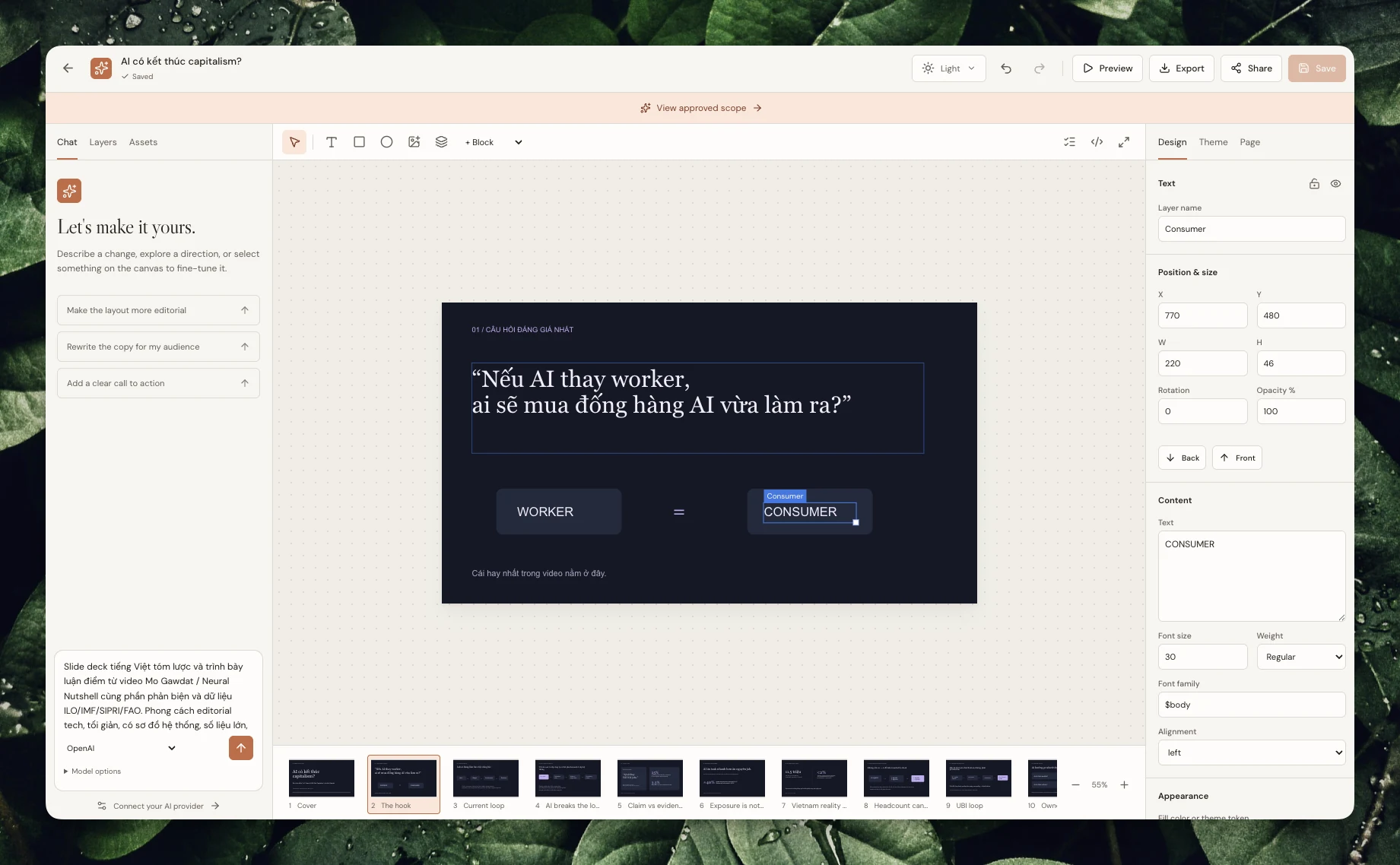
Slides — refine individual elements while keeping the presentation in view.
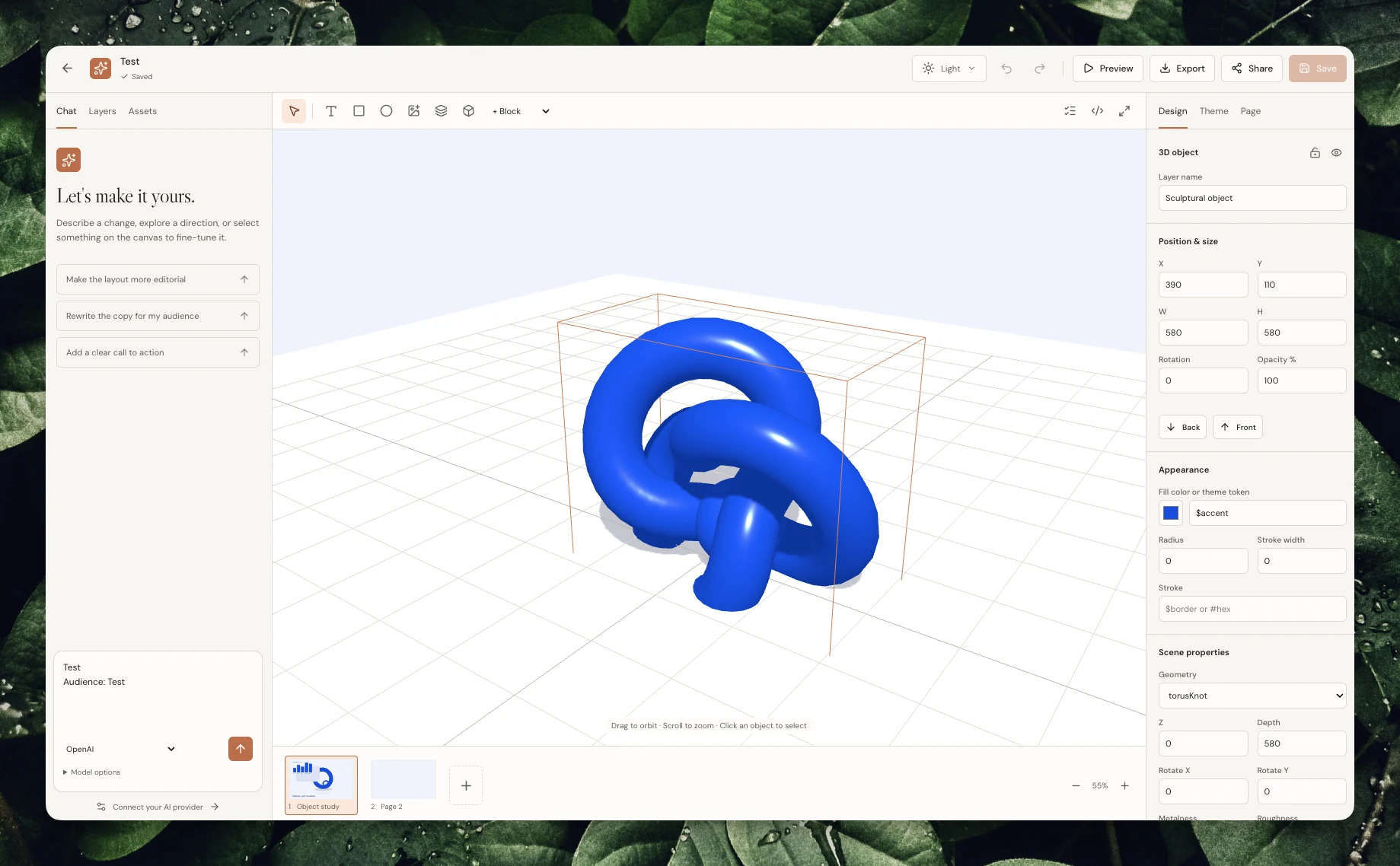
3D scenes — inspect objects, materials, and composition in the interactive scene.
Run locally
Use Node.js 24 or newer:
npm ci
npm ci --prefix packages/cli
npm run build:cli
npx playwright install chromium
npm run build
Set a stable random 32-byte base64 ENCRYPTION_KEY in the server's process environment, and set APP_URL=http://localhost:8787. Generate a key once with:
node -e "console.log(require('node:crypto').randomBytes(32).toString('base64'))"Keep the key with your deployment secrets; changing it prevents decryption of existing provider keys. Deployment instructions include shell examples. npm start does not automatically load dotenv files.
npm startOpen localhost:8787. SQLite and assets persist under DATA_DIR (default data). For development, run npm run dev:api and npm run dev in separate terminals with the same server environment; Vite serves 127.0.0.1:5173 and proxies the API.
Docker
Set ENCRYPTION_KEY and the public APP_URL in your environment or a local Compose .env, then run docker compose up --build -d. The container binds to 0.0.0.0:8787. compose.yaml persists database/assets in studio-data at /data. Use HTTPS at your reverse proxy for an internet-facing installation. See deployment and backups.
Agent access
Create an API token in Settings and inject DESIGN_STUDIO_API_KEY into the agent environment. DESIGN_STUDIO_URL defaults to the live studio. Network MCP is at https://studio.agentkit.best/mcp, with OAuth discovery on the same origin.
Install the published v0.4.3 release CLI tarball:
npm install -g https://github.com/bestagentkits/design-studio-ai/releases/download/v0.4.3/bestagentkits-design-studio-ai-0.4.3.tgz
dsa --help
The package is not published to the npm registry. To build and install from this checkout instead:
cd packages/cli
npm pack
cd ../..
npm install -g ./packages/cli/bestagentkits-design-studio-ai-0.4.3.tgz
dsa --help
dsa schema
dsa projects list
The release also includes the installable agent skill ZIP. Agent documentation covers revisions, secret handling, exports, and skill installation.
Verify and contribute
Start with the contributor documentation to find the owning guide and source for your change. Coding agents should follow AGENTS.md.
Run npm run typecheck, npm test, and npm run build. npm run test:e2e starts an isolated temporary test server and runs desktop/mobile Chromium workflows; see the test runner. Tests use real local persistence and inspect format content. Follow architecture when changing public contracts; do not add a second document format for a client.
Current boundaries
- Provider/Google success needs external credentials and was not live-verified in the initial delivery environment. Missing configuration returns useful errors.
- Google Slides accepts native text/shapes and HTTPS images; unsupported complex nodes fail explicitly. PowerPoint keeps editable text/primitives and rasterizes complex content.
- Cloud binary export requires imported project assets for remote media, enforces render-size bounds, and limits motion to 60 seconds. MP4 depends on an available encoder. SVG is static; HTML can include the trusted interactive scene/timeline viewer. See export behavior.
- Cloud motion mixes imported audio/video; browser fallback recordings are silent. Serialized camera, lights, mesh/UV data, materials and rigs persist. Live synchronization polls saved revisions every 1.2 seconds.
- WebMCP is experimental and feature-detected; other browsers retain the human UI and network MCP.
- Upstream dependency audit findings remain; see security notes.
Product brief records the requested scope. Release verification records the observed checks and limitations for v0.2.0. Initial delivery evidence remains available for v0.1.0.
Discover and share reusable designs in Community. Community documentation covers publishing, portable downloads, independent remixes, contextual search and moderation.