  ██╗  ██╗███████╗ █████╗ ██████╗ ██████╗  ██████╗  ██████╗ ███╗   ███╗
  ██║  ██║██╔════╝██╔══██╗██╔══██╗██╔══██╗██╔═══██╗██╔═══██╗████╗ ████║
  ███████║█████╗  ███████║██║  ██║██████╔╝██║   ██║██║   ██║██╔████╔██║
  ██╔══██║██╔══╝  ██╔══██║██║  ██║██╔══██╗██║   ██║██║   ██║██║╚██╔╝██║
  ██║  ██║███████╗██║  ██║██████╔╝██║  ██║╚██████╔╝╚██████╔╝██║ ╚═╝ ██║
  ╚═╝  ╚═╝╚══════╝╚═╝  ╚═╝╚═════╝ ╚═╝  ╚═╝ ╚═════╝  ╚═════╝ ╚═╝     ╚═╝
                  The context compression layer for AI agents
60–95% fewer tokens · library · proxy · MCP · 6 algorithms · local-first · reversible






Docs · Install · Proof · Agents · Discord · llms.txt
AI agents / LLMs: read /llms.txt here, or fetch the live index / full docs blob.
Headroom compresses everything your AI agent reads — tool outputs, logs, RAG chunks, files, and conversation history — before it reaches the LLM. Same answers, fraction of the tokens.

Live: 10,144 → 1,260 tokens — same FATAL found.
What it does
- Library —
compress(messages)in Python or TypeScript, inline in any app - Proxy —
headroom proxy --port 8787, zero code changes, any language - Agent wrap —
headroom wrap claude|codex|cursor|aider|copilotin one command - MCP server —
headroom_compress,headroom_retrieve,headroom_statsfor any MCP client - Cross-agent memory — shared store across Claude, Codex, Gemini, auto-dedup
headroom learn— mines failed sessions, writes corrections toCLAUDE.md/AGENTS.md- Reversible (CCR) — originals never deleted; LLM retrieves on demand
How it works (30 seconds)
 Your agent / app
   (Claude Code, Cursor, Codex, LangChain, Agno, Strands, your own code…)
        │   prompts · tool outputs · logs · RAG results · files
        ▼
    ┌────────────────────────────────────────────────────┐
    │  Headroom   (runs locally — your data stays here)  │
    │  ────────────────────────────────────────────────  │
    │  CacheAligner  →  ContentRouter  →  CCR            │
    │                    ├─ SmartCrusher   (JSON)        │
    │                    ├─ CodeCompressor (AST)         │
    │                    └─ Kompress-base  (text, HF)    │
    │                                                    │
    │  Cross-agent memory  ·  headroom learn  ·  MCP     │
    └────────────────────────────────────────────────────┘
        │   compressed prompt  +  retrieval tool
        ▼
 LLM provider  (Anthropic · OpenAI · Bedrock · …)
- ContentRouter — detects content type, selects the right compressor
- SmartCrusher / CodeCompressor / Kompress-base — compress JSON, AST, or prose
- CacheAligner — stabilizes prefixes so provider KV caches actually hit
- CCR — stores originals locally; LLM calls
headroom_retrieveif it needs them
→ Architecture · CCR reversible compression · Kompress-base model card
Get started (60 seconds)
# 1 — Install
pip install "headroom-ai[all]"          # Python
npm install headroom-ai                 # Node / TypeScript

# 2 — Pick your mode
headroom wrap claude                    # wrap a coding agent
headroom proxy --port 8787              # drop-in proxy, zero code changes
# or: from headroom import compress      # inline library

# 3 — See the savings
headroom stats
Granular extras: [proxy], [mcp], [ml], [agno], [langchain], [evals]. Requires Python 3.10+.
Proof
Savings on real agent workloads:
| Workload | Before | After | Savings |
|---|---|---|---|
| Code search (100 results) | 17,765 | 1,408 | 92% |
| SRE incident debugging | 65,694 | 5,118 | 92% |
| GitHub issue triage | 54,174 | 14,761 | 73% |
| Codebase exploration | 78,502 | 41,254 | 47% |
Accuracy preserved on standard benchmarks:
| Benchmark | Category | N | Baseline | Headroom | Delta |
|---|---|---|---|---|---|
| GSM8K | Math | 100 | 0.870 | 0.870 | ±0.000 |
| TruthfulQA | Factual | 100 | 0.530 | 0.560 | +0.030 |
| SQuAD v2 | QA | 100 | — | 97% | 19% compression |
| BFCL | Tools | 100 | — | 97% | 32% compression |
Reproduce: python -m headroom.evals suite --tier 1 · Full benchmarks & methodology
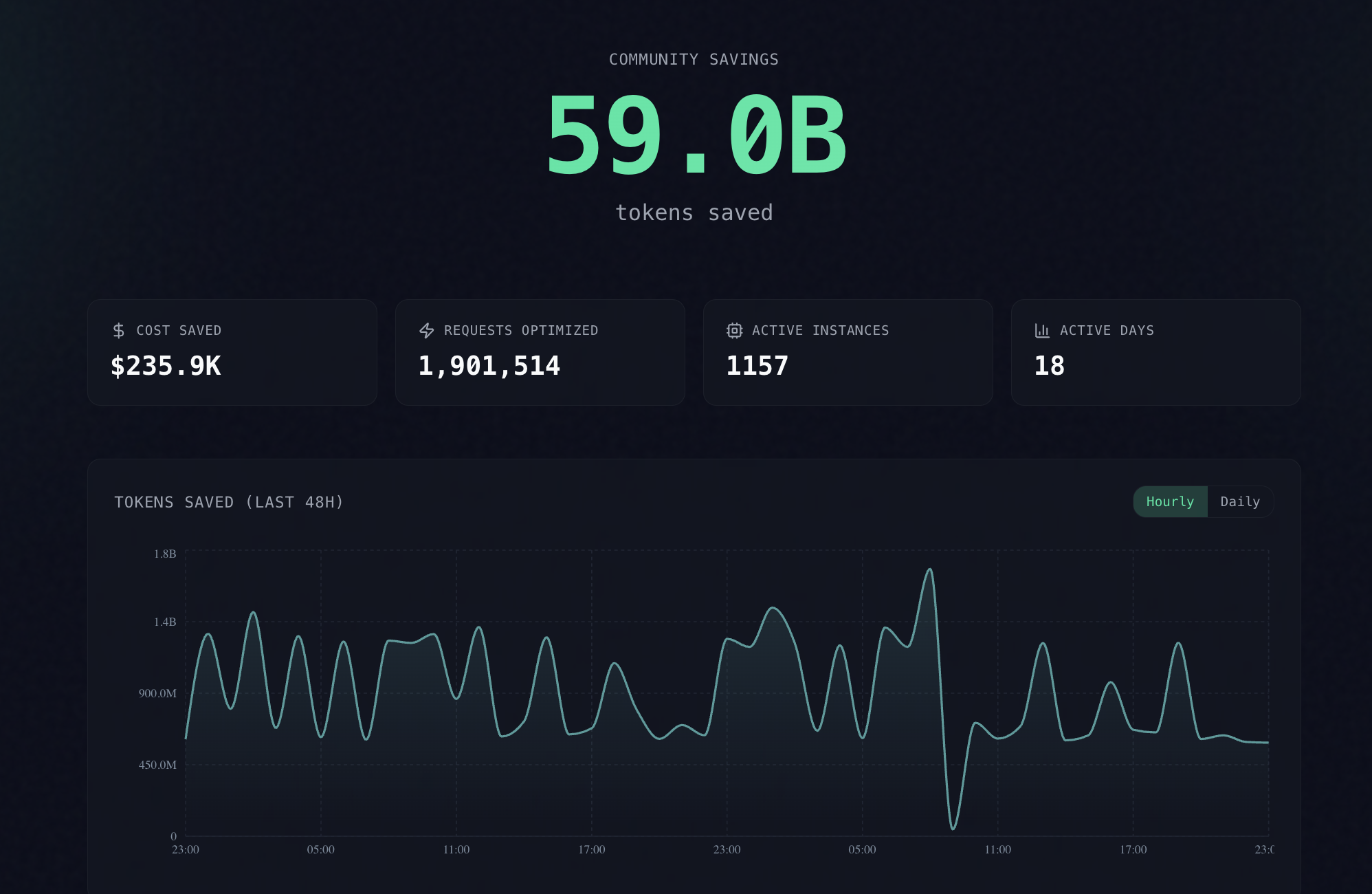
60B+ tokens saved by the community — live leaderboard →
Agent compatibility matrix
| Agent | headroom wrap | Notes |
|---|---|---|
| Claude Code | ● | --memory · --code-graph |
| Codex | ● | shares memory with Claude |
| Cursor | ● | prints config — paste once |
| Aider | ● | starts proxy + launches |
| Copilot CLI | ● | starts proxy + launches |
| OpenClaw | ● | installs as ContextEngine plugin |
Any OpenAI-compatible client works via headroom proxy. MCP-native: headroom mcp install.
When to use · When to skip
Great fit if you…
- run AI coding agents daily and want savings without changing your code
- work across multiple agents and want shared memory
- need reversible compression — originals always retrievable via CCR
Skip it if you…
- only use a single provider's native compaction and don't need cross-agent memory
- work in a sandboxed environment where local processes can't run
Integrations — drop Headroom into any stack
| Your setup | Hook in with |
|---|---|
| Any Python app | compress(messages, model=…) |
| Any TypeScript app | await compress(messages, { model }) |
| Anthropic / OpenAI SDK | withHeadroom(new Anthropic()) · withHeadroom(new OpenAI()) |
| Vercel AI SDK | wrapLanguageModel({ model, middleware: headroomMiddleware() }) |
| LiteLLM | litellm.callbacks = [HeadroomCallback()] |
| LangChain | HeadroomChatModel(your_llm) |
| Agno | HeadroomAgnoModel(your_model) |
| Strands | Strands guide |
| ASGI apps | app.add_middleware(CompressionMiddleware) |
| Multi-agent | SharedContext().put / .get |
| MCP clients | headroom mcp install |
What's inside
- SmartCrusher — universal JSON: arrays of dicts, nested objects, mixed types.
- CodeCompressor — AST-aware for Python, JS, Go, Rust, Java, C++.
- Kompress-base — our HuggingFace model, trained on agentic traces.
- Image compression — 40–90% reduction via trained ML router.
- CacheAligner — stabilizes prefixes so Anthropic/OpenAI KV caches actually hit.
- IntelligentContext — score-based context fitting with learned importance.
- CCR — reversible compression; LLM retrieves originals on demand.
- Cross-agent memory — shared store, agent provenance, auto-dedup.
- SharedContext — compressed context passing across multi-agent workflows.
headroom learn— plugin-based failure mining for Claude, Codex, Gemini.
Pipeline internals
Headroom exposes one stable request lifecycle across compress(), the SDK, and the proxy:
Setup → Pre-Start → Post-Start → Input Received → Input Cached → Input Routed → Input Compressed → Input Remembered → Pre-Send → Post-Send → Response Received
- Transforms do the work: CacheAligner, ContentRouter, SmartCrusher, CodeCompressor, Kompress-base, IntelligentContext / RollingWindow.
- Pipeline extensions observe or customize lifecycle stages via
on_pipeline_event(...). - Compression hooks sit alongside the canonical lifecycle as an additional extension seam.
- Proxy extensions remain the server/app integration seam for ASGI middleware, routes, and startup policy.
Provider and tool-specific behavior lives under headroom/providers/ so core orchestration stays focused on lifecycle, sequencing, and policy.
- CLI/tool slices:
headroom/providers/claude,copilot,codex,openclaw - Provider runtime slices:
headroom/providers/claude,gemini, plus shared backend/runtime dispatch inheadroom/providers/registry.py - Core files stay orchestration-first:
wrap.py,client.py,cli/proxy.py, andproxy/server.pydelegate provider-specific env shaping, API target normalization, backend selection, and transport dispatch.
Install
pip install "headroom-ai[all]"          # Python, everything
npm install headroom-ai                 # TypeScript / Node
docker pull ghcr.io/chopratejas/headroom:latest
Granular extras: [proxy], [mcp], [ml] (Kompress-base), [agno], [langchain], [evals]. Requires Python 3.10+.
Using pipx? Choose a supported interpreter explicitly:
pipx install --python python3.13 "headroom-ai[all]"
→ Installation guide — Docker tags, persistent service, PowerShell, devcontainers.
headroom learn

headroom learn — mines failed sessions, writes corrections to CLAUDE.md / AGENTS.md / GEMINI.md.
Documentation
| Start here | Go deeper |
|---|---|
| Quickstart | Architecture |
| Proxy | How compression works |
| MCP tools | CCR — reversible compression |
| Memory | Cache optimization |
| Failure learning | Benchmarks |
| Configuration | Limitations |
Compared to
Headroom runs locally, covers every content type, works with every major framework, and is reversible.
| Scope | Deploy | Local | Reversible | |
|---|---|---|---|---|
| Headroom | All context — tools, RAG, logs, files, history | Proxy · library · middleware · MCP | Yes | Yes |
| RTK | CLI command outputs | CLI wrapper | Yes | No |
| lean-ctx | CLI commands, MCP tools, editor rules | CLI wrapper · MCP | Yes | No |
| Compresr, Token Co. | Text sent to their API | Hosted API call | No | No |
| OpenAI Compaction | Conversation history | Provider-native | No | No |
Attribution. Headroom ships with the excellent RTK binary for shell-output rewriting —
git show --short, scopedls, summarized installers. Huge thanks to the RTK team; their tool is a first-class part of our stack, and Headroom compresses everything downstream of it. Headroom can also use lean-ctx as the selected CLI context tool; setHEADROOM_CONTEXT_TOOL=lean-ctxbefore runningheadroom wrap ....
Contributing
git clone https://github.com/chopratejas/headroom.git && cd headroom
pip install -e ".[dev]" && pytest
Devcontainers in .devcontainer/ (default + memory-stack with Qdrant & Neo4j). See CONTRIBUTING.md.
Community
- Live leaderboard — 60B+ tokens saved and counting.
- Discord — questions, feedback, war stories.
- Kompress-base on HuggingFace — the model behind our text compression.
License
Apache 2.0 — see LICENSE.