









☕ Sponsor this project

📱 Vietnam MoMo · VietQR · napas247 |

💰 Binance Pay Crypto / cross-border |
🌍 International (card):

(yes — I moved this up here on purpose. Was afraid nobody scrolls past the badges 😅)
FLOW KIT
Standalone system to generate AI videos via Google Flow API. Uses a Chrome extension as browser bridge for authentication, reCAPTCHA solving, and API proxying.
Showcase
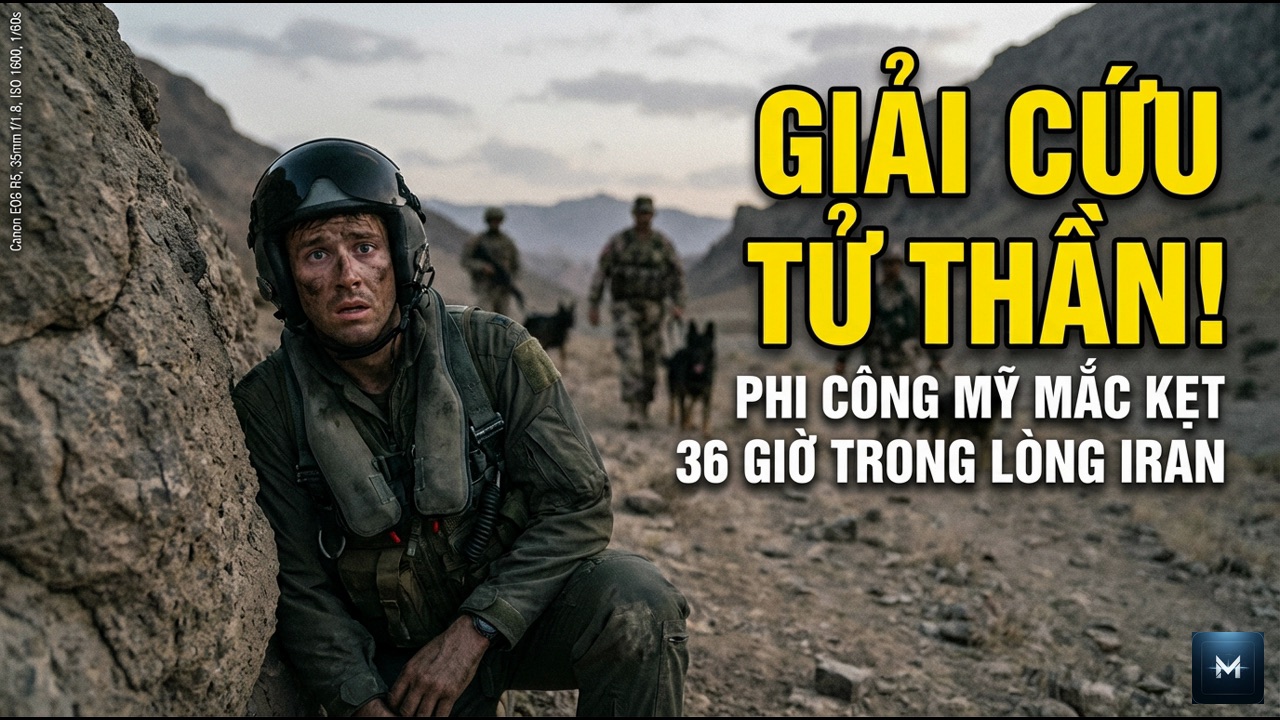
All outputs below were generated end-to-end by this system — from story concept to final YouTube-ready video with thumbnails, narration, and branding.
Generated YouTube Thumbnails





Visual Consistency Across Scenes
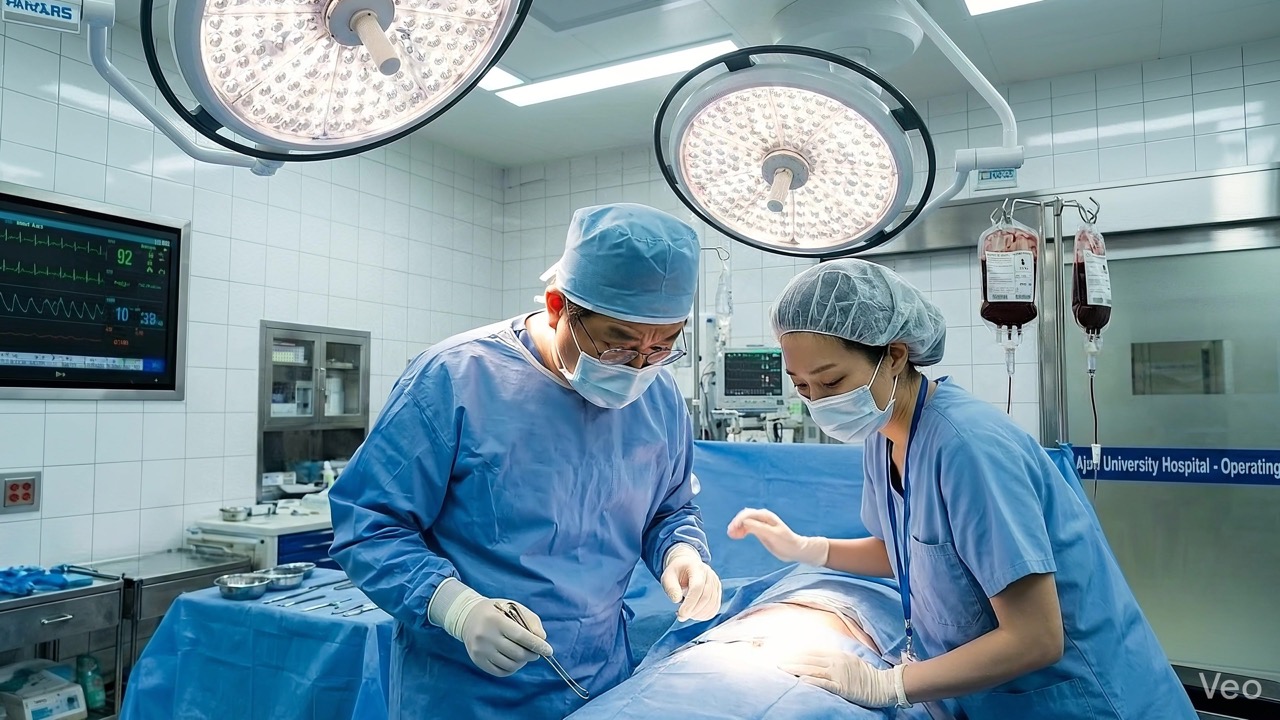
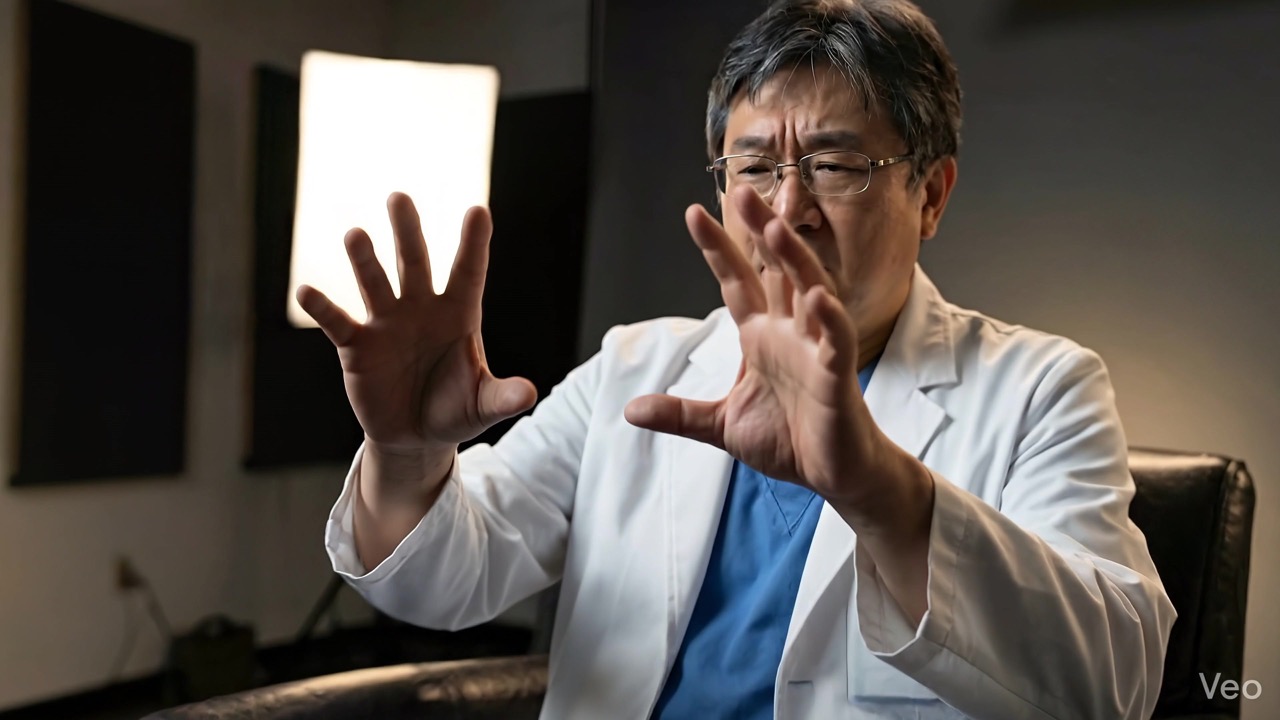
The reference image system keeps characters consistent across an entire video. Each character is generated once as a reference, then the AI uses that reference in every scene — maintaining the same face, clothing, and features.
Doctor character — same face, glasses, white coat across 4 different scenes:
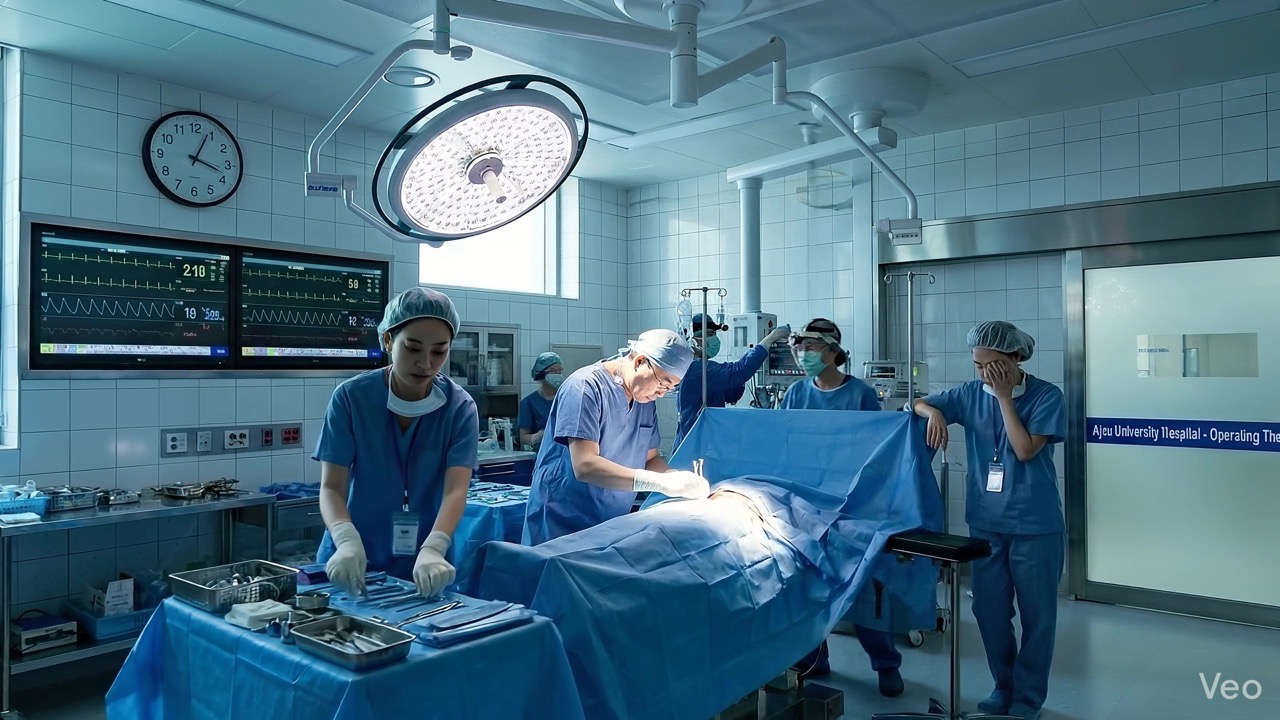

Defector character — same face across ICU, hospital, interview, and Seoul streets:
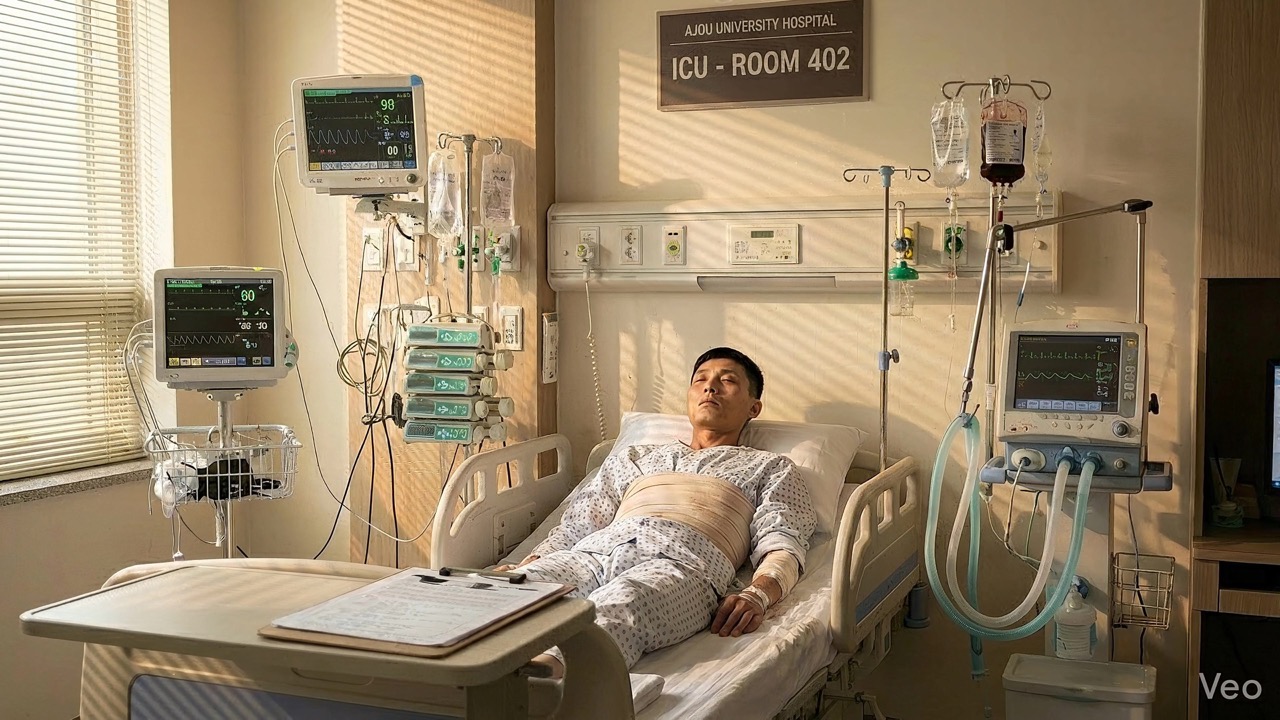
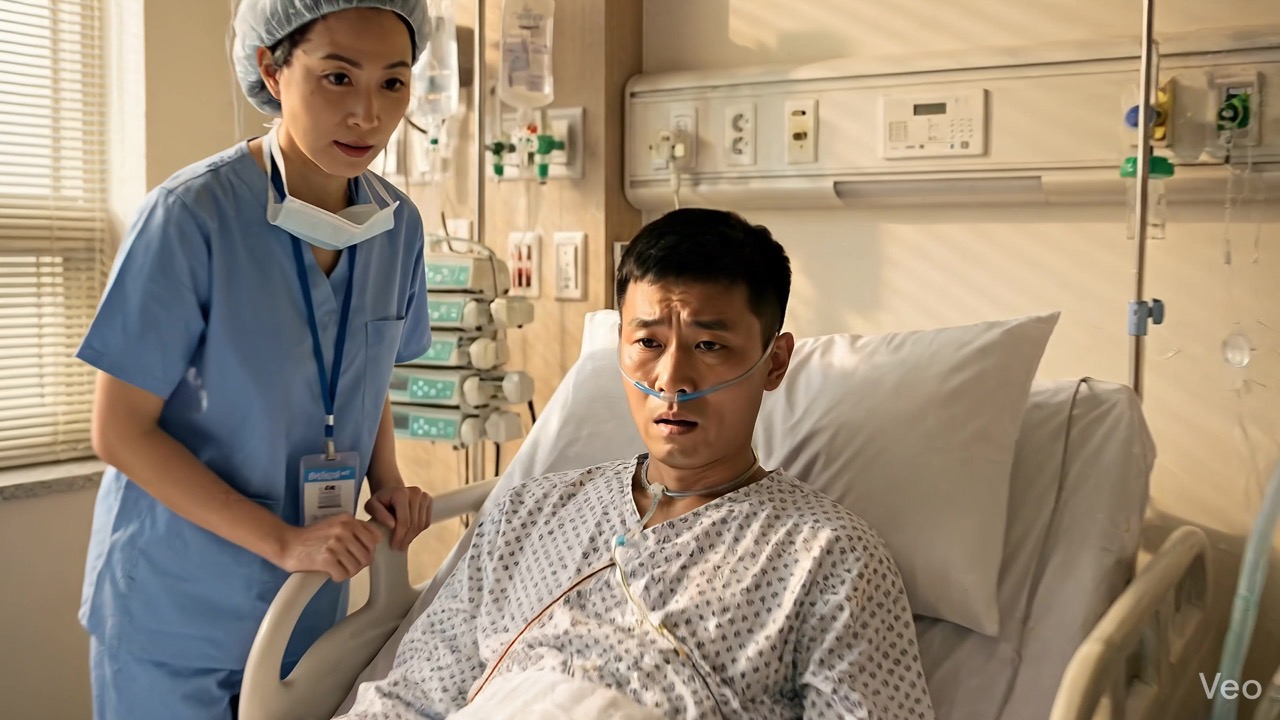
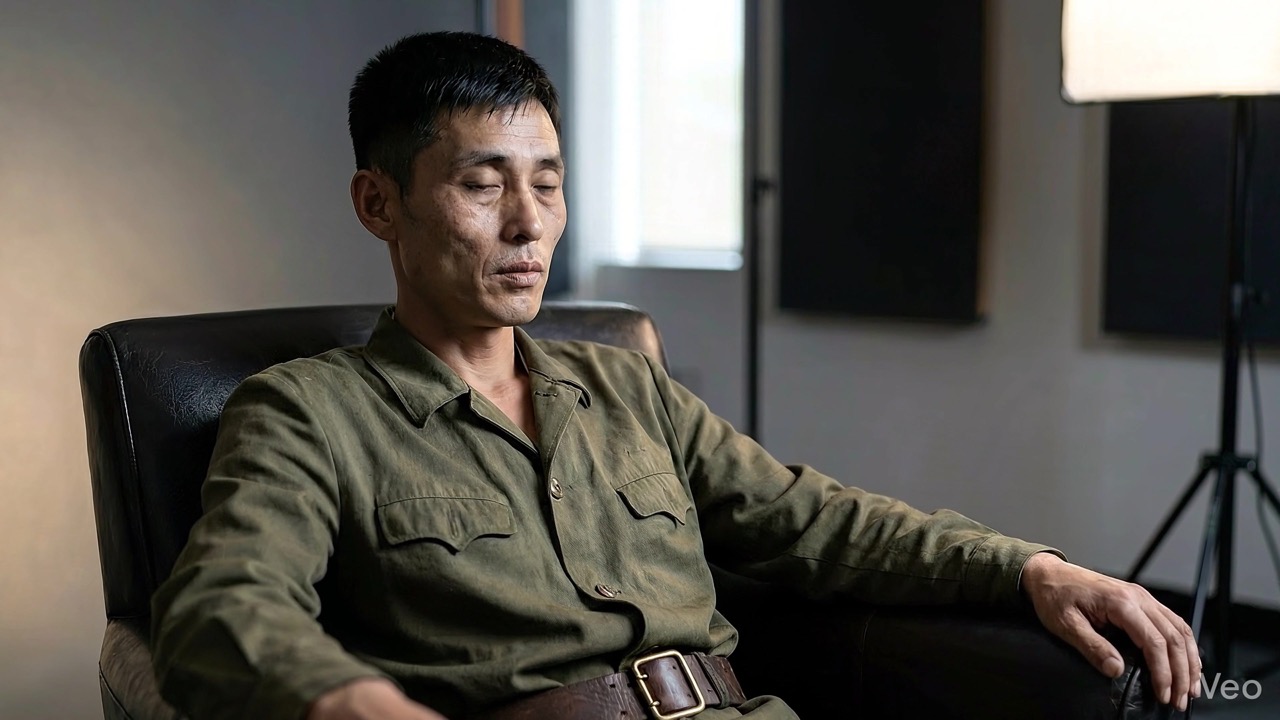
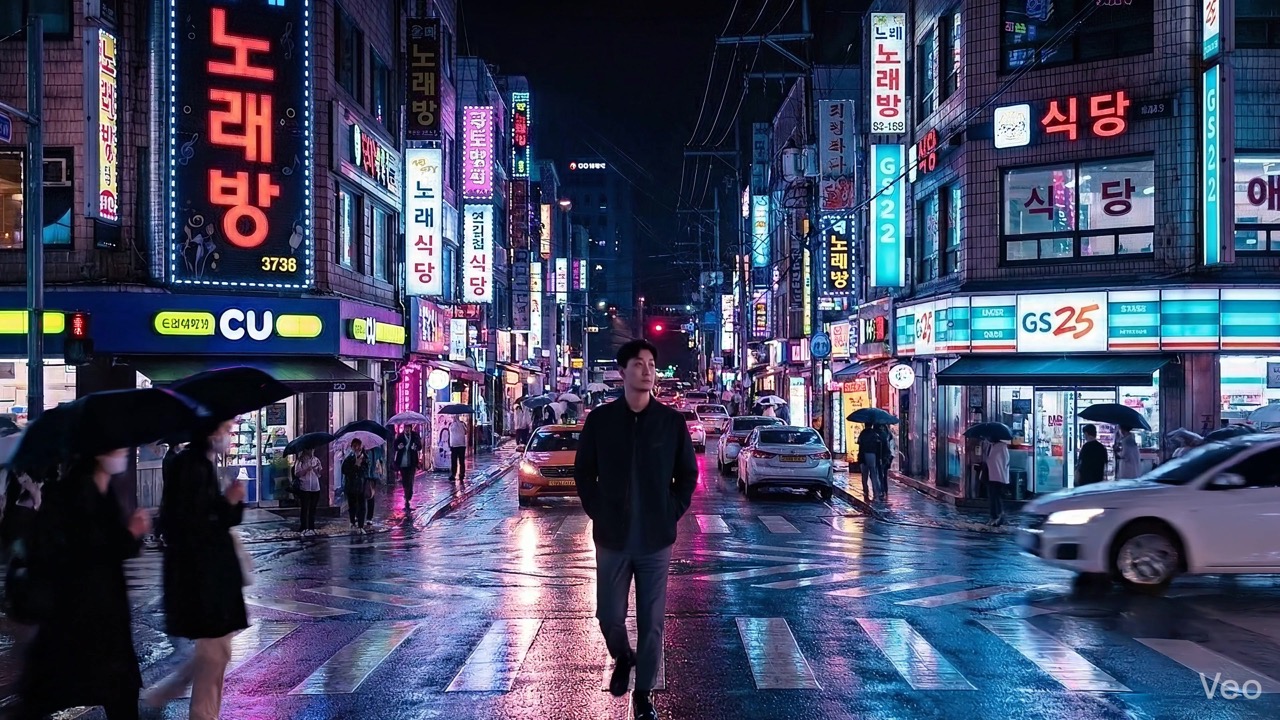
All frames from a single 50-scene project. Both characters maintain consistent appearance across completely different settings and lighting conditions — powered by the reference image system.
F-15E Rescue — Full Story Arc (25 scenes)
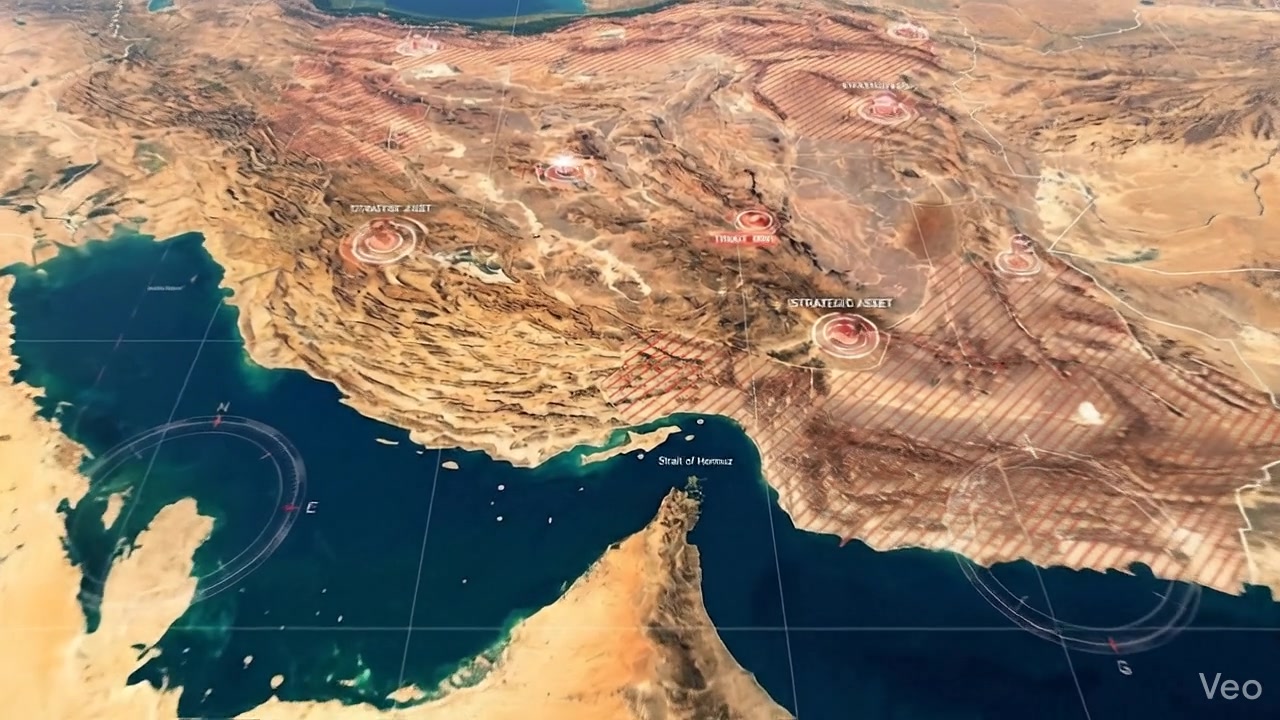
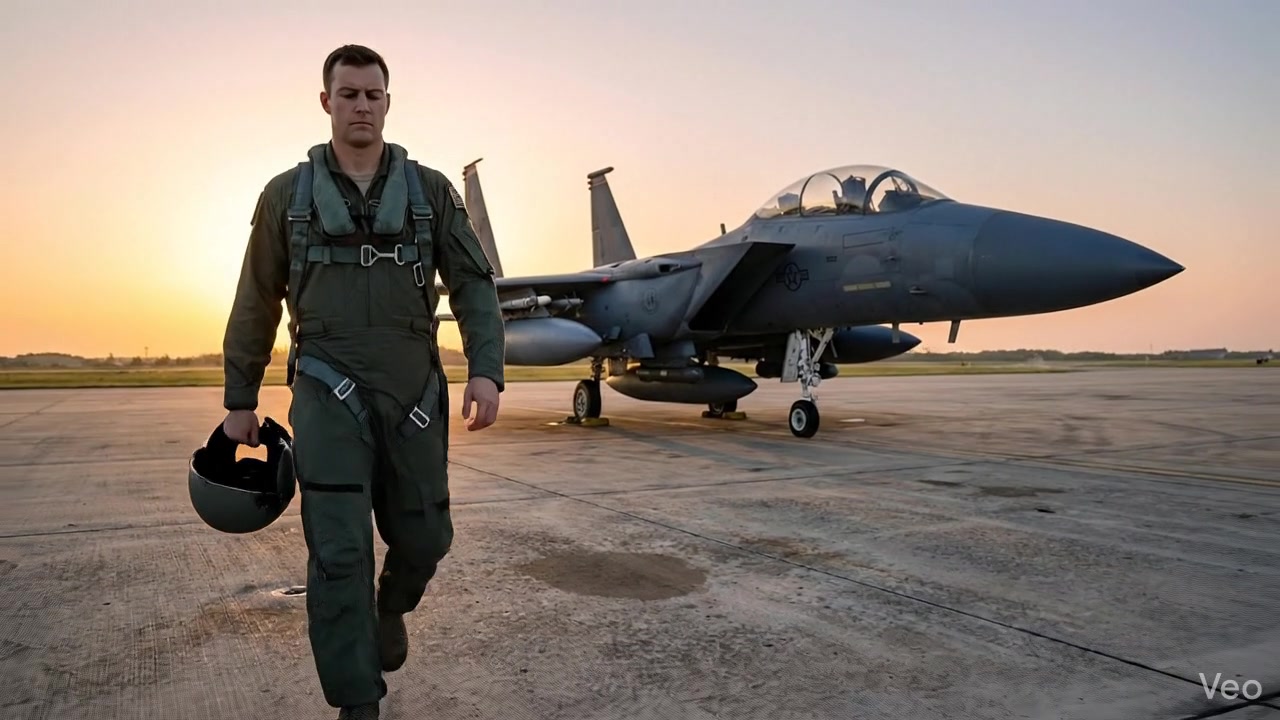
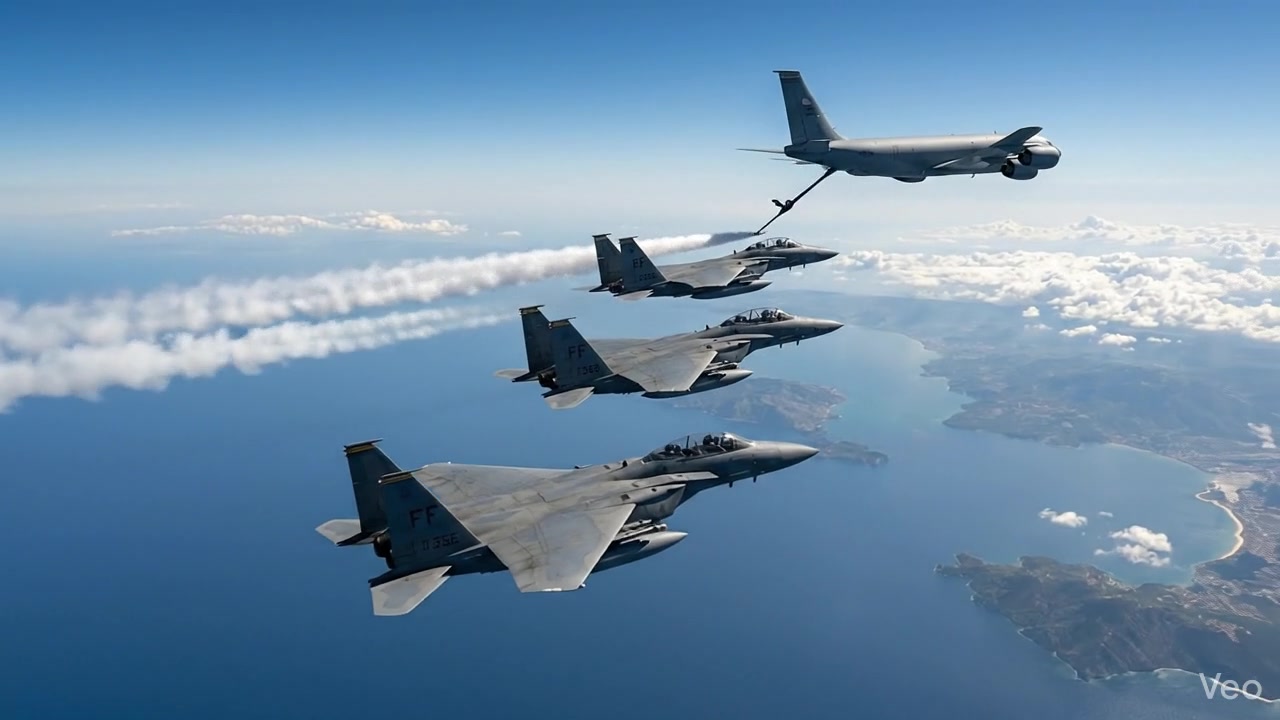
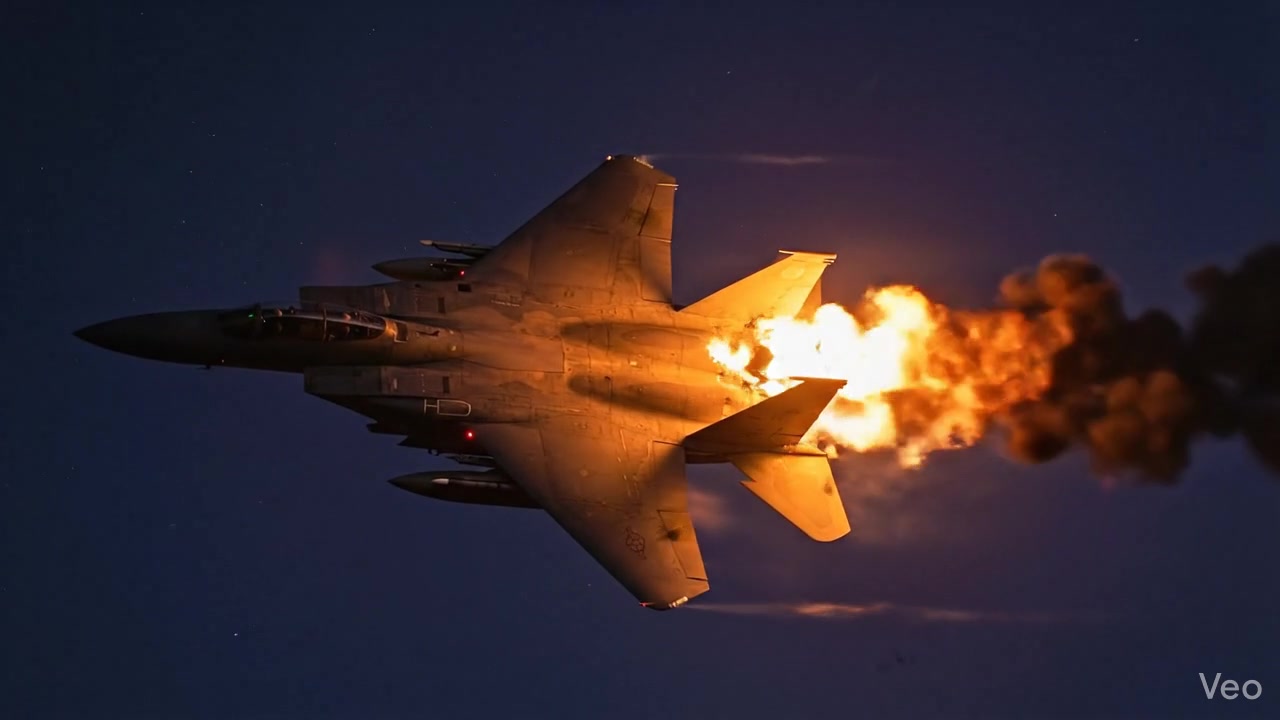
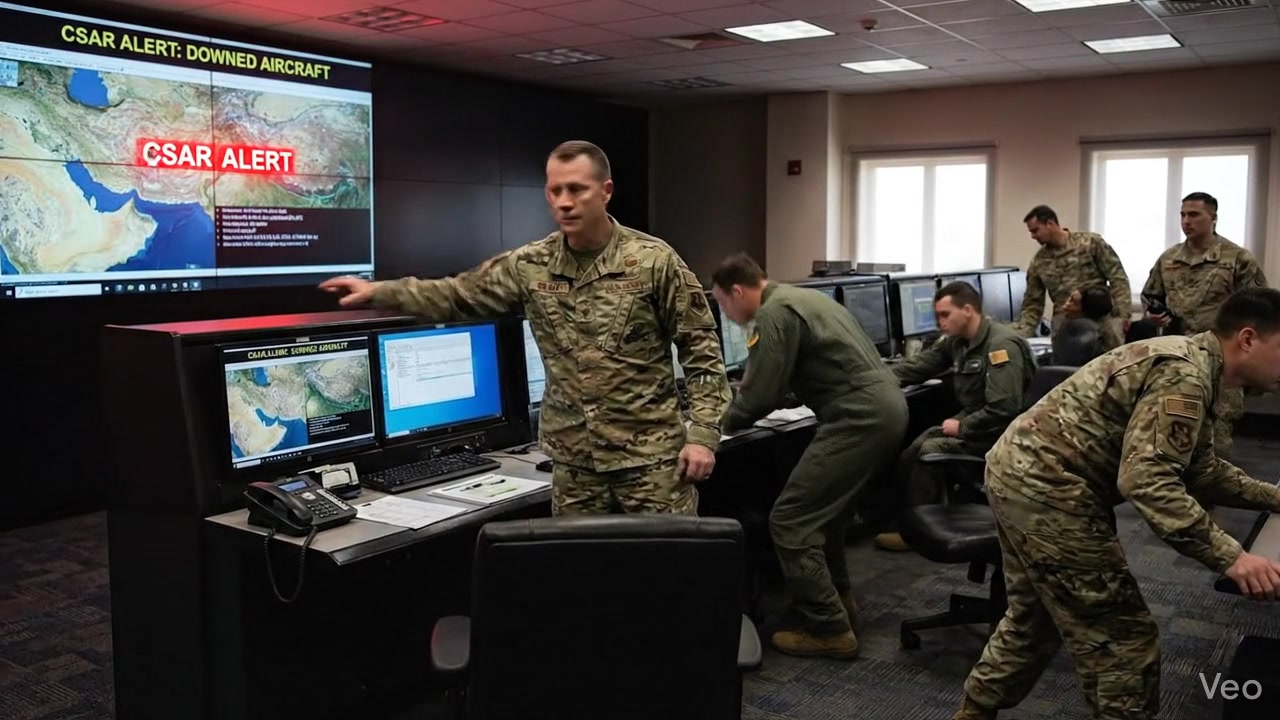
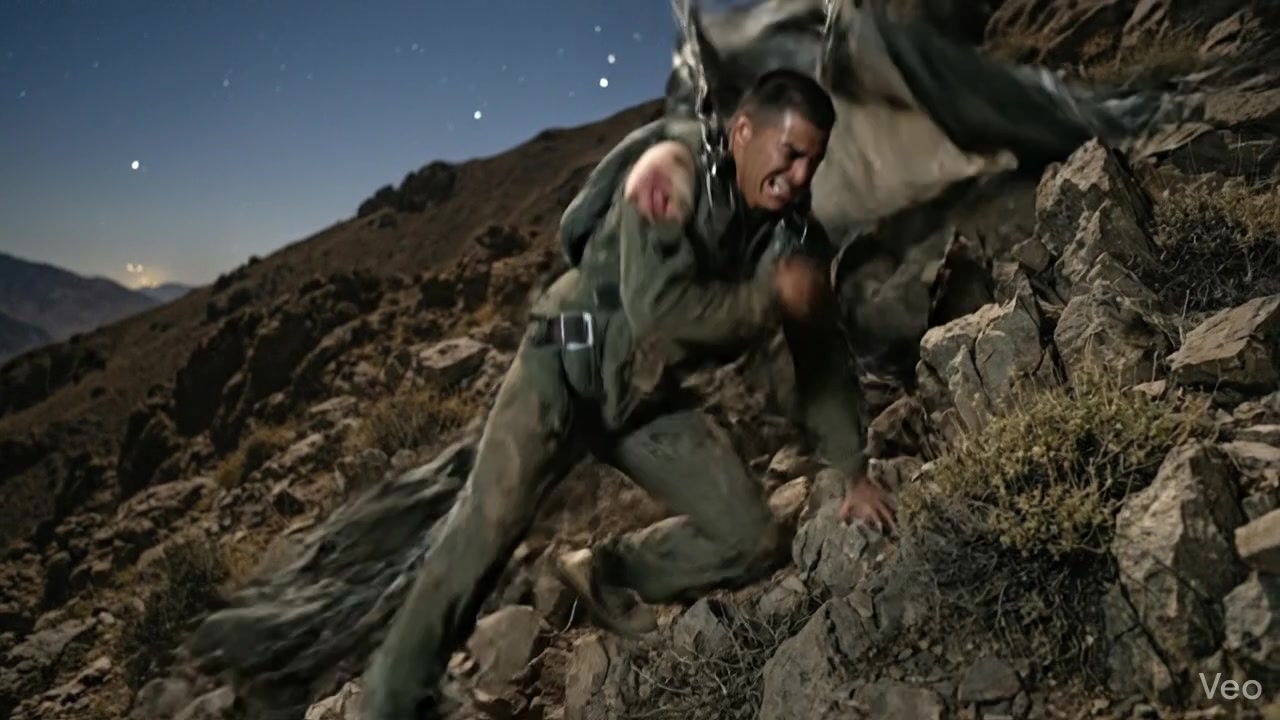
Strategic briefing → pilot departure → formation flight → aircraft hit → CSAR alert → pilot survival.
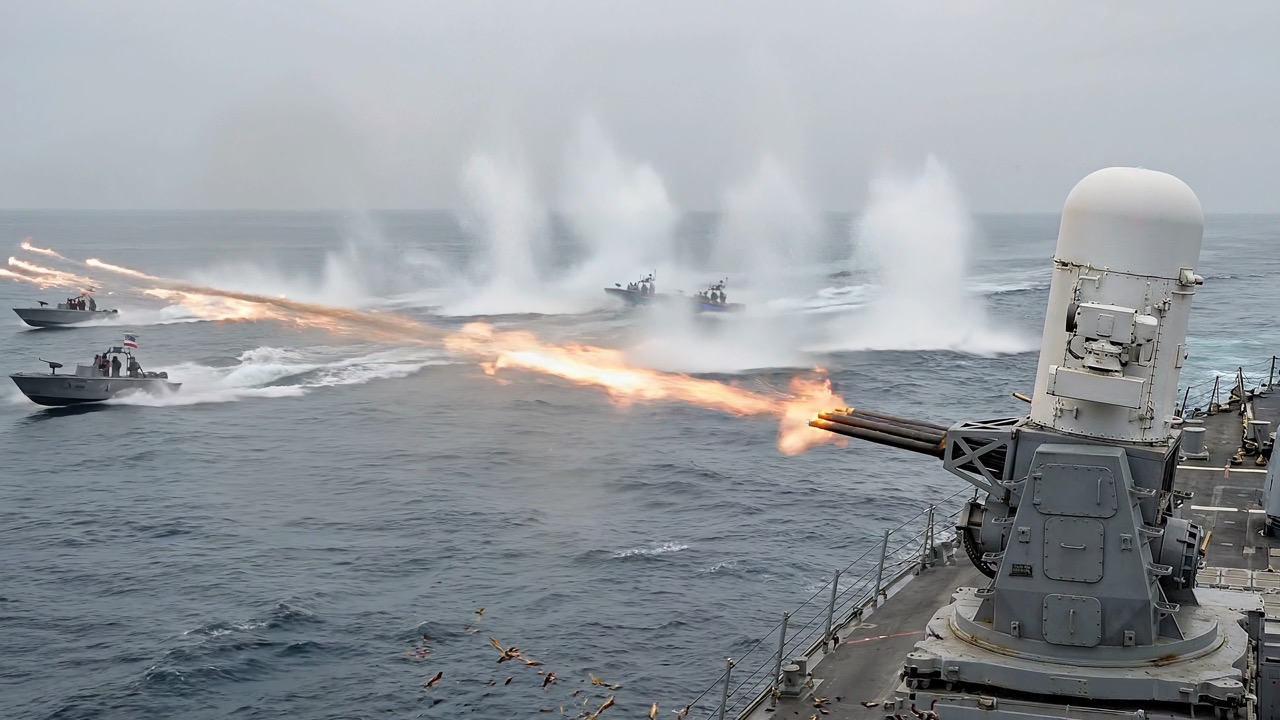
Hormuz Strait — Naval Scenes



What the Pipeline Produces
Each project goes through: story → entities → reference images → scene images → 8s video clips → narration (TTS) → concat → thumbnails → YouTube upload — all orchestrated via API or AI agent skills.
| Output | Description |
|---|---|
| Reference images | One per character/location/prop — maintains visual consistency |
| Scene images | Composed using all referenced entities |
| 8-second video clips | Generated from scene images with camera motion + sound effects |
| 4K upscale | Optional upscale to 4K resolution |
| Narrator TTS | Voice-cloned narration per scene |
| Final video | All clips concatenated, trimmed to narrator timing |
| Thumbnails | YouTube-optimized with text overlays + branding |
| YouTube metadata | SEO-optimized title, description, tags, hashtags |
Chrome Extension — Live Dashboard
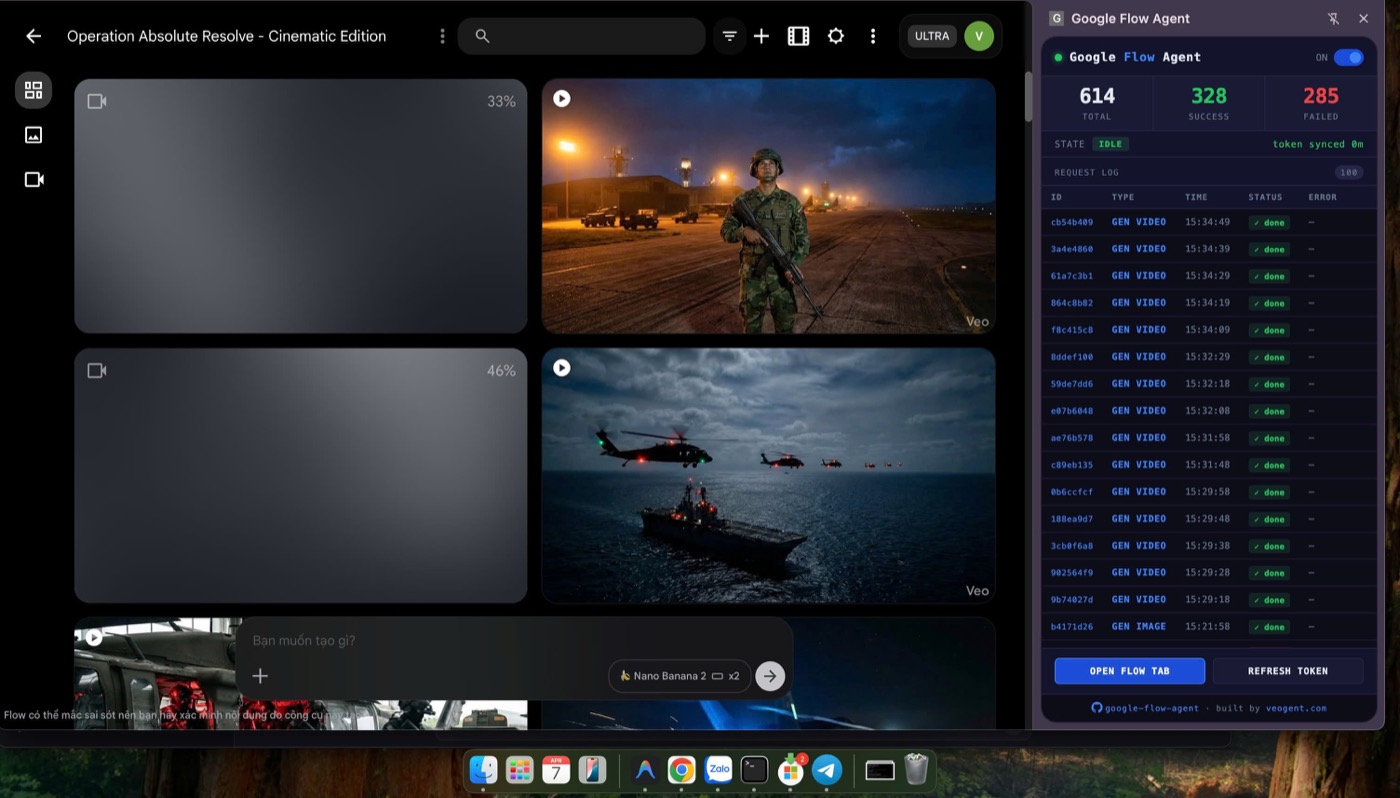
The Chrome extension runs alongside Google Flow — showing real-time request log (614 total, 328 success), video generation progress, and token status. The Python agent communicates with the extension via WebSocket to automate all API calls.
Architecture
┌──────────────────┐     WebSocket      ┌──────────────────────┐
│  Python Agent    │◄──────────────────►│  Chrome Extension     │
│  (FastAPI+SQLite)│     localhost:9222  │  (MV3 Service Worker) │
│                  │                    │                       │
│  - REST API :8100│  ── commands ──►   │  - Token capture      │
│  - Queue worker  │  ◄── results ──    │  - reCAPTCHA solve    │
│  - Post-process  │                    │  - API proxy          │
│  - SQLite DB     │                    │  (on labs.google)     │
└──────────────────┘                    └──────────────────────┘
Quick Start
One-command setup
./setup.shThis checks and installs: Python 3.10+, pip, ffmpeg, ffprobe, Chrome, creates venv, installs dependencies, verifies imports.
Windows: Use WSL (
wsl --install) or Git Bash. All bash scripts and commands assume a Unix shell.
Manual setup
# Prerequisites: Python 3.10+, ffmpeg, Chrome
pip install -r requirements.txt
Run
# 1. Load Chrome extension: chrome://extensions → Developer mode → Load unpacked → extension/
# 2. Open https://labs.google/fx/tools/flow and sign in
# 3. Start agent
source venv/bin/activate   # if using setup.sh
python -m agent.main

# 4. Verify
curl http://127.0.0.1:8100/health
# {"status":"ok","extension_connected":true}
End-to-End Example: "Pippip the Fish Merchant"
A chubby cat sells fish at a market. 3 scenes, vertical, Pixar 3D style.
How it works (read this first)
The system uses reference images to keep visuals consistent across scenes. Here's the mental model:
1. Identify every visual element that should look the same across scenes:
- Characters →
entity_type: "character"(portrait reference) - Places →
entity_type: "location"(landscape reference) - Important objects →
entity_type: "visual_asset"(detail reference)
2. Describe ONLY appearance in the entity description — this generates the reference image:
"Chubby orange tabby cat with blue apron, straw hat"(what it looks like)
3. Write scene prompts as ACTION — reference entities by name, describe what they DO:
"Pippip stands behind Fish Stall, arranging fish..."(what happens)- NOT:
"A chubby orange tabby cat wearing a blue apron stands behind a wooden stall..."(don't repeat appearance)
4. List all entities that appear in each scene's character_names array — their reference images get passed to the AI as visual input, ensuring consistency.
Story idea
    ↓
Break into visual elements → characters[] array with entity_type + description
    ↓
Write scene prompts using entity NAMES → character_names lists which refs to use
    ↓
System generates ref image per entity → then composes scenes using those refs
Using Skills (recommended)
Skills handle all the API calls, polling, and verification automatically. Use with Claude Code (/fk-command) or follow the recipe in skills/*.md for any AI agent.
/fk-create-project             ← interactive: asks story, creates entities + scenes
/fk-gen-refs <project_id>      ← generates all reference images, verifies UUIDs
/fk-gen-images <pid> <vid>     ← generates scene images with all refs applied
/fk-gen-videos <pid> <vid>     ← generates videos (2-5 min each, polls automatically)
/fk-concat <vid>               ← downloads + merges into final video
/fk-status <pid>               ← dashboard: what's done, what's next
Full pipeline in 5 commands. Each skill pre-checks dependencies (e.g. /fk-gen-images verifies all refs exist first).
Manual API (step by step)
Click to expand raw curl commands
Step 1: Create project with reference entities
From the story, identify every visual element that repeats across scenes:
| Element | entity_type | description (appearance only) |
|---|---|---|
| Pippip | character | Chubby orange tabby cat, big green eyes, blue apron, straw hat |
| Fish Stall | location | Rustic wooden stall, thatched roof, ice display |
| Open Market | location | Southeast Asian market, colorful awnings, lanterns |
| Golden Fish | visual_asset | Golden koi, shimmering scales, magical glow |
curl -X POST http://127.0.0.1:8100/api/projects \
  -H "Content-Type: application/json" \
  -d '{
    "name": "Pippip the Fish Merchant",
    "story": "Pippip is a chubby orange tabby cat who sells fish at a Southeast Asian open market. Scene 1: Morning setup. Scene 2: Staring at the golden fish. Scene 3: Eating the last fish at sunset.",
    "characters": [
      {"name": "Pippip", "entity_type": "character", "description": "Chubby orange tabby cat with big green eyes, blue apron, straw hat. Walks upright. Pixar-style 3D."},
      {"name": "Fish Stall", "entity_type": "location", "description": "Small rustic wooden market stall with thatched bamboo roof, crushed ice display, hanging brass scale."},
      {"name": "Open Market", "entity_type": "location", "description": "Bustling Southeast Asian open-air market with colorful awnings, hanging lanterns, stone walkway."},
      {"name": "Golden Fish", "entity_type": "visual_asset", "description": "Magnificent golden koi fish with shimmering iridescent scales, elegant fins, slight magical glow."}
    ]
  }'
# Save project_id from response
Step 2: Create video + scenes
Scene prompts reference entities by name (not description). character_names lists which reference images to apply.
# Create video
curl -X POST http://127.0.0.1:8100/api/videos \
  -H "Content-Type: application/json" \
  -d '{"project_id": "<PID>", "title": "Pippip Episode 1"}'

# Scene 1 (ROOT) — Pippip + Fish Stall + Open Market appear
curl -X POST http://127.0.0.1:8100/api/scenes \
  -H "Content-Type: application/json" \
  -d '{
    "video_id": "<VID>", "display_order": 0,
    "prompt": "Pippip stands behind Fish Stall, arranging fresh fish on ice. Sunrise, golden light in Open Market. Pixar 3D.",
    "character_names": ["Pippip", "Fish Stall", "Open Market"],
    "chain_type": "ROOT"
  }'

# Scene 2 (CONTINUATION) — Golden Fish now appears
curl -X POST http://127.0.0.1:8100/api/scenes \
  -H "Content-Type: application/json" \
  -d '{
    "video_id": "<VID>", "display_order": 1,
    "prompt": "Pippip leans over Fish Stall, staring at Golden Fish on empty ice. Drooling. Open Market dark behind. Pixar 3D.",
    "character_names": ["Pippip", "Fish Stall", "Golden Fish", "Open Market"],
    "chain_type": "CONTINUATION", "parent_scene_id": "<scene-1-id>"
  }'

# Scene 3 (CONTINUATION)
curl -X POST http://127.0.0.1:8100/api/scenes \
  -H "Content-Type: application/json" \
  -d '{
    "video_id": "<VID>", "display_order": 2,
    "prompt": "Pippip sits on stool at Fish Stall eating Golden Fish with chopsticks. SOLD OUT sign. Open Market sunset. Pixar 3D.",
    "character_names": ["Pippip", "Fish Stall", "Golden Fish", "Open Market"],
    "chain_type": "CONTINUATION", "parent_scene_id": "<scene-2-id>"
  }'
Step 3-6: Generate refs → images → videos → concat
# Step 3: Generate reference images (one per entity, wait for each)
curl -X POST http://127.0.0.1:8100/api/requests \
  -d '{"type": "GENERATE_CHARACTER_IMAGE", "character_id": "<CID>", "project_id": "<PID>"}'
# Poll: GET /api/requests/<RID> until status=COMPLETED
# Repeat for each entity. Verify all have UUID media_id.

# Step 4: Generate scene images
curl -X POST http://127.0.0.1:8100/api/requests \
  -d '{"type": "GENERATE_IMAGE", "scene_id": "<SID>", "project_id": "<PID>", "video_id": "<VID>", "orientation": "VERTICAL"}'
# Worker blocks if any ref is missing media_id

# Step 5: Generate videos (2-5 min each)
curl -X POST http://127.0.0.1:8100/api/requests \
  -d '{"type": "GENERATE_VIDEO", "scene_id": "<SID>", "project_id": "<PID>", "video_id": "<VID>", "orientation": "VERTICAL"}'

# Step 6: Download + concat
curl -s "http://127.0.0.1:8100/api/scenes?video_id=<VID>"  # get video URLs
# Download each, normalize with ffmpeg, concat
Core Concepts
Reference Image System
Every visual element that should stay consistent gets a reference image — characters, locations, props. Each reference has a UUID media_id used in all scene generations via imageInputs.
| Entity Type | Aspect Ratio | Composition |
|---|---|---|
character | Portrait | Full body head-to-toe, front-facing, centered |
location | Landscape | Establishing shot, level horizon, atmospheric |
creature | Portrait | Full body, natural stance, distinctive features |
visual_asset | Portrait | Detailed view, textures, scale reference |
Scene Prompts = Action Only
Scene prompts describe what happens, not character appearance. The reference images maintain visual consistency.
DO:   "Pippip juggling fish at Fish Stall, crowd watching in Open Market"
DON'T: "Pippip the chubby orange tabby cat wearing a blue apron juggling..."
Media ID = UUID
All media_id values are UUID format (xxxxxxxx-xxxx-xxxx-xxxx-xxxxxxxxxxxx). Never the base64 CAMS... mediaGenerationId.
Two Prompts per Scene
Each scene has two separate prompts:
prompt— describes the still image (frame 0):"Luna steps out of rocket onto candy planet. Wide shot, sunrise."video_prompt— describes the 8s video motion with sub-clip timing and camera directions:
0-3s: Wide crane down, Luna steps out of rocket onto Candy Planet Surface. Luna gasps "It's beautiful!"
3-6s: Low angle tracking shot, Luna walks across candy ground, shallow DOF. Luna says "Everything is made of candy."
6-8s: Close-up Luna's face, eyes wide with wonder, golden hour backlight. Silence, ambient wind.
Character Voice
Characters can have a voice_description (max ~30 words) for voice consistency:
{"name": "Luna", "entity_type": "character", "description": "Small white cat...", "voice_description": "Soft curious childlike voice with wonder and slight purring"}Voice descriptions are auto-appended to video prompts before generation.
No Background Music
The worker auto-appends "No background music. Keep only natural sound effects and ambient sounds." to all video prompts. Sound effects from the scene (footsteps, splashing, wind) are preserved.
Pipeline Overview
1. Create project      POST /api/projects (with entities + story)
2. Create video        POST /api/videos
3. Create scenes       POST /api/scenes (chain_type: ROOT → CONTINUATION)
4. Gen ref images      POST /api/requests {type: GENERATE_CHARACTER_IMAGE} per entity
   → Wait ALL complete, verify all have UUID media_id
5. Gen scene images    POST /api/requests {type: GENERATE_IMAGE} per scene
   → Wait ALL complete
6. Gen videos          POST /api/requests {type: GENERATE_VIDEO} per scene
   → Wait ALL complete (2-5 min each)
7. (Optional) Upscale  POST /api/requests {type: UPSCALE_VIDEO} (TIER_TWO only)
8. Download + concat   ffmpeg normalize + concat
Skills (AI Agent Workflows)
Ready-to-use workflow recipes in skills/ (also available as /slash-commands in Claude Code):
Basic Pipeline
| Skill | Description |
|---|---|
/fk-create-project | Create project + entities + video + scenes interactively |
/fk-gen-refs | Generate reference images for all entities |
/fk-gen-images | Generate scene images with character refs |
/fk-gen-videos | Generate videos from scene images |
/fk-upscale-4k | Upscale completed videos to 4K + auto-download (PAYGATE_TIER_TWO) |
/fk-concat | Download + merge all scene videos |
Advanced Video
| Skill | Description |
|---|---|
/fk-gen-chain-videos | Auto start+end frame chaining for smooth transitions (i2v_fl) |
/fk-insert-scene | Multi-angle shots, cutaways, close-ups within a chain |
/fk-creative-mix | Analyze story + suggest all techniques (chain, insert, r2v, parallel) |
Reference
| Skill | Description |
|---|---|
/fk-camera-guide | Camera angles, movements, lighting, DOF for cinematic video prompts |
TTS & Narration
| Skill | Description |
|---|---|
/fk-gen-tts-template | Create a voice template for consistent narration |
/fk-gen-narrator | Generate narrator text + TTS for all scenes |
/fk-gen-text-overlays | Generate text overlays from narrator text (dates, locations, stats) |
/fk-concat-fit-narrator | Trim scene videos to fit narrator duration, then concat |
YouTube
| Skill | Description |
|---|---|
/fk-youtube-seo | Generate SEO-optimized title, description, tags |
/fk-brand-logo | Apply channel icon watermark to video/thumbnails |
/fk-youtube-upload | Upload to YouTube with rule validation + scheduling |
/fk-thumbnail | Generate YouTube-optimized thumbnails |
Utilities
| Skill | Description |
|---|---|
/fk-status | Full project dashboard + recommended next action |
/fk-fix-uuids | Repair any CAMS... media_ids to UUID format |
/fk-add-material | Image material system |
AI CLI Compatibility
Skills work with any AI CLI that can read files:
| CLI | Instructions | How skills work |
|---|---|---|
| Claude Code | CLAUDE.md (auto-loaded) | Native /fk: slash commands |
| Codex CLI | AGENTS.md → reads CLAUDE.md | User says /fk:<name>, agent reads skills/fk:<name>.md |
| Gemini CLI | GEMINI.md → reads CLAUDE.md | Same pattern |
Video Generation Techniques
| Technique | API Type | Use Case |
|---|---|---|
| i2v | GENERATE_VIDEO | Image → video (standard) |
| i2v_fl | GENERATE_VIDEO + endImage | Start+end frame → smooth scene transitions |
| r2v | GENERATE_VIDEO_REFS | Reference images → video (intros, dream sequences) |
| Upscale | UPSCALE_VIDEO | Video → 4K (TIER_TWO only) |
API Reference
CRUD Endpoints
| Resource | Create | List | Get | Update | Delete |
|---|---|---|---|---|---|
| Project | POST /api/projects | GET /api/projects | GET /api/projects/{id} | PATCH /api/projects/{id} | DELETE /api/projects/{id} |
| Character | POST /api/characters | GET /api/characters | GET /api/characters/{id} | PATCH /api/characters/{id} | DELETE /api/characters/{id} |
| Video | POST /api/videos | GET /api/videos?project_id= | GET /api/videos/{id} | PATCH /api/videos/{id} | DELETE /api/videos/{id} |
| Scene | POST /api/scenes | GET /api/scenes?video_id= | GET /api/scenes/{id} | PATCH /api/scenes/{id} | DELETE /api/scenes/{id} |
| Request | POST /api/requests | GET /api/requests | GET /api/requests/{id} | PATCH /api/requests/{id} | — |
Special Endpoints
| Endpoint | Description |
|---|---|
GET /health | Server + extension status |
GET /api/flow/status | Extension connection details |
GET /api/flow/credits | User credits + tier |
GET /api/requests/pending | Pending request queue |
GET /api/projects/{id}/characters | Entities linked to project |
Request Types
| Type | Required Fields | Async? | reCAPTCHA? |
|---|---|---|---|
GENERATE_CHARACTER_IMAGE | character_id, project_id | No | Yes |
GENERATE_IMAGE | scene_id, project_id, video_id, orientation | No | Yes |
GENERATE_VIDEO | scene_id, project_id, video_id, orientation | Yes | Yes |
GENERATE_VIDEO_REFS | scene_id, project_id, video_id, orientation | Yes | Yes |
UPSCALE_VIDEO | scene_id, project_id, video_id, orientation | Yes | Yes |
Worker Behavior
- Server handles throttling — worker enforces max 5 concurrent + 10s cooldown automatically. Use
POST /api/requests/batchto submit all at once; do NOT manually batch. - 10s cooldown between API calls (anti-spam, configurable via
API_COOLDOWN) - Reference blocking — scene image gen refuses if any referenced entity is missing
media_id - Skip completed — won't re-generate already-completed assets
- Cascade clear — regenerating image auto-resets downstream video + upscale
- Retry — failed requests retry up to 5 times
- UUID enforcement — extracts UUID from fifeUrl if response doesn't provide it directly
- Voice context — auto-appends character
voice_descriptionto video prompts - No background music — auto-appends "no background music, keep sound effects" to all video prompts
- Dual video response schema — Lite/Fast/Ultra models return
operations[]and stream URLs; Low Priority models (veo_3_1_*_low_priority,*_ultra_relaxed) returnworkflows + mediawith the MP4 inline as base64. The SDK auto-detects, validates theftypmagic, and saves the binary tooutput/_workflow_videos/{media_id}.mp4. The scene's_video_urlis then afile://path whichcurlandffmpeghandle natively._video_media_idalways stores the real Flow media UUID, so upscale works for both schemas.
Default Model & Tier Compatibility
The default for PAYGATE_TIER_TWO frame_2_video and start_end_frame_2_video is veo_3_1_i2v_lite_low_priority — the TRUE 0-credit Low Priority that works on every service tier including SERVICE_TIER_ADVANCED.
The *_ultra_relaxed family (Low Priority ultra-quality) silently returns empty operations on SERVICE_TIER_ADVANCED accounts because Google requires SERVICE_TIER_ULTRA for that path. ULTRA-tier users can switch back via /fk-change-model — see skills/fk-change-model.md for the full preset list and tier compatibility matrix.
Material System
Every project must have a material field that controls the visual style of generated images. Set it at project creation.
# List available materials
curl -s http://127.0.0.1:8100/api/materials

# Set on project
curl -X POST http://127.0.0.1:8100/api/projects \
  -d '{"name": "...", "material": "3d_pixar", ...}'
Materials control both entity image_prompt style and scene scene_prefix. Examples: realistic, 3d_pixar, anime, stop_motion, minecraft, oil_painting.
Configuration
| Variable | Default | Description |
|---|---|---|
API_HOST | 127.0.0.1 | REST API bind address |
API_PORT | 8100 | REST API port |
WS_HOST | 127.0.0.1 | WebSocket server bind |
WS_PORT | 9222 | WebSocket server port |
POLL_INTERVAL | 5 | Worker poll interval (seconds) |
MAX_RETRIES | 5 | Max retries per request |
VIDEO_POLL_TIMEOUT | 420 | Video gen poll timeout (seconds) |
API_COOLDOWN | 10 | Seconds between API calls (anti-spam) |
Architecture
agent/
├── main.py              # FastAPI app + WebSocket server
├── config.py            # Configuration (loads models.json)
├── models.json          # Video/upscale/image model mappings
├── db/
│   ├── schema.py        # SQLite schema (aiosqlite)
│   └── crud.py          # Async CRUD with column whitelisting
├── models/              # Pydantic models + Literal enums
├── api/                 # REST routes (projects, videos, scenes, characters, requests, flow)
├── services/
│   ├── flow_client.py   # WS bridge to extension
│   ├── headers.py       # Randomized browser headers
│   ├── tts.py           # OmniVoice TTS (subprocess-based)
│   ├── scene_chain.py   # Continuation scene logic
│   └── post_process.py  # ffmpeg trim/merge/music
└── worker/
    └── processor.py     # Queue processor + poller

extension/               # Chrome MV3 extension
skills/                  # AI agent workflow recipes (CLI-agnostic)
youtube/
├── auth.py              # OAuth2 multi-channel auth
├── upload.py            # Upload with scheduling + rule validation
└── channels/            # Per-channel config (gitignored)
    └── <channel_name>/
        ├── client_secrets.json  # OAuth2 credentials
        ├── token.json           # Auth token (auto-created)
        ├── channel_rules.json   # Upload rules + SEO defaults
        └── upload_history.json  # Upload log
CLAUDE.md                # AI agent instructions (Claude Code)
AGENTS.md                # AI agent instructions (Codex CLI)
GEMINI.md                # AI agent instructions (Gemini CLI)
TTS Narration (OmniVoice)
Optional narrator voice for scenes. Uses OmniVoice — multilingual zero-shot TTS with voice cloning (600+ languages).
Setup
See skills/fk-gen-tts-template.md for full install guide. Quick version:
pip install torch==2.8.0 torchaudio==2.8.0   # or +cu128 for NVIDIA
pip install omnivoice
python3 -c "from omnivoice import OmniVoice; print('OK')"
If OmniVoice is in a separate venv, point to it:
export TTS_PYTHON_BIN=/path/to/omnivoice-venv/bin/python3Workflow
- Create voice template —
/fk-gen-tts-template— generates an anchor voice WAV - Add narrator text to scenes —
PATCH /api/scenes/{id}withnarrator_text - Generate narration —
/fk-gen-narrator— voice-clones the template for each scene - Concat with narration —
/fk-concat-fit-narrator— trims scene videos to match TTS duration
CPU-only recommended (MPS produces artifacts). ~15-30s per scene.
YouTube Upload Pipeline
Automated upload with per-channel rules, SEO optimization, and brand watermarking.
Setup
# 1. Place OAuth credentials
cp client_secrets.json youtube/channels/<channel_name>/

# 2. Authenticate (opens browser)
python3 youtube/auth.py <channel_name>              # Linux / Windows (WSL)
arch -arm64 python3 youtube/auth.py <channel_name>  # macOS Apple Silicon

# 3. Token saved to youtube/channels/<channel_name>/token.json (auto-refreshes)
Channel Rules (channel_rules.json)
Each channel has a rules file controlling upload scheduling and SEO:
{
  "shorts": {"max_per_day": 3, "optimal_times": ["07:00", "12:00", "17:00"]},
  "long_form": {"max_per_day": 1, "optimal_times": ["19:00"]},
  "scheduling": {"min_gap_hours": 4, "avoid_hours": [0,1,2,3,4,5]},
  "seo": {"niche": "...", "default_tags": [...], "title_max_chars": 65}
}
Skill Chain
/fk-youtube-seo    → generates title, description, hashtags, tags
/fk-brand-logo     → applies channel icon watermark
/fk-youtube-upload  → validates rules + uploads (auto-detects Short vs Long-form)
Upload validation checks: max per day, min gap between uploads, avoid dead hours. Auto-detects Short (<61s + vertical 9:16) vs Long-form.
Error Handling
Errors can originate from four layers — Google Flow backend, Chrome extension, FastAPI layer, and the worker itself. The worker's _handle_failure (agent/worker/processor.py:414-481) routes recovery by error_message string content, not HTTP status, because Flow lumps many distinct failures under HTTP 400 with varying details.reason values.
Flow-Native Structured Errors
These arrive in the response body as data.error.details[].reason. The worker appends the reason to error_message as "<msg> [<reason>]".
| Reason string | Meaning | Auto-handling |
|---|---|---|
PUBLIC_ERROR_UNSAFE_GENERATION | Prompt tripped safety filter (people, violence, nudity) | Mark FAILED — rewrite prompt (use alias names, remove triggers) |
PUBLIC_ERROR_USER_QUOTA_REACHED | Daily credits exhausted | Mark FAILED — wait for reset or upgrade tier |
PUBLIC_ERROR_MODEL_ACCESS_DENIED | Tier mismatch (e.g. TIER_ONE trying Veo 3 / upscale) | Mark FAILED — auto-detect should downgrade to allowed model |
Requested entity was not found | Uploaded media_id expired (~1h TTL) | Auto-recover via _recover_entity_not_found — re-uploads from image_url, re-queues PENDING |
Internal error encountered | Flow backend transient 500 | Exponential backoff retry: 2^retry * 10s, capped 300s |
reCAPTCHA failed / captcha | Extension couldn't solve CAPTCHA | Retry up to 10× without incrementing retry_count (processor.py:454-464) |
PUBLIC_ERROR_UNUSUAL_ACTIVITY (403, message reCAPTCHA evaluation failed) | Google flagged the session as bot-like — usually rapid bursts of submits, VPN/shared IP, or stale auth cookies | NOT auto-recoverable. Pause submits, clear cookies for google.com + labs.google in Chrome, sign back in at labs.google/fx/tools/flow, then resubmit with ≥1s gap and ≤5 concurrent. See /fk-doctor for full playbook. |
HTTP Status Codes
| Status | Source | Meaning | Handling |
|---|---|---|---|
| 400 | Flow API | Invalid payload, UNSAFE_GENERATION, entity not found (sometimes) | Route by details.reason — some are auto-recoverable, others terminal |
| 401 | Flow API | Bearer token expired | Extension re-captures token from labs.google tab; request retries |
| 403 | Extension (background.js:432) | CAPTCHA_FAILED, NO_FLOW_TAB, or MODEL_ACCESS_DENIED | CAPTCHA → retry loop; NO_FLOW_TAB → fail (user must open Flow); tier → fail |
| 404 | Flow API | media_id not found (expired upload) | Same as "Requested entity was not found" — auto re-upload |
| 429 | Flow API | Rate limited / quota | Back off + retry; if USER_QUOTA_REACHED appears, fail |
| 500 | Flow backend or extension fetch exception (background.js:504) | Transient server error OR network drop during fetch | Retry with exponential backoff |
| 502 | FastAPI default (agent/api/flow.py:80,92) | Extension returned error without explicit status | Retry; check extension health |
| 503 | FastAPI (api/flow.py) | "Extension not connected" or NO_FLOW_KEY | Worker waits for reconnect — status set to PENDING, not FAILED |
| 504 | Agent | 60s timeout waiting for extension WS response | Treated as transient; re-queue PENDING |
Status-code detection logic lives in agent/worker/_parsing.py:_is_error — a result is an error if result.error is set, status >= 400, or data.error is present.
Extension / Transport Errors
String patterns in error_message that the worker recognizes:
| Error message contains | Cause | Handling |
|---|---|---|
Extension not connected | Chrome extension offline or WS dropped | 503 returned; worker re-queues PENDING and waits |
extension reconnected / extension disconnected | WS bounce mid-request | Re-queue PENDING without incrementing retry_count |
extension_switched | User switched Flow tabs mid-generation | Re-queue PENDING |
NO_FLOW_KEY | Extension has no captured bearer token | User must open labs.google/fx/tools/flow and sign in |
NO_FLOW_TAB | No Google Flow tab available for reCAPTCHA | User must open a Flow tab |
Failed to fetch | Network drop inside extension service worker | Retry with backoff |
timeout / WS 60s no response | Extension hung mid-request | Re-queue PENDING |
Worker Retry Policy
processor.py:_handle_failure decides terminal vs retryable:
- Auto-recover if message contains
"not found"→ re-upload media, mark PENDING. - Transient WS (
reconnected/disconnected/switched) → re-queue PENDING, keepretry_count. - CAPTCHA → retry up to 10× without counting toward
MAX_RETRIES. - Default → increment
retry_count; if <MAX_RETRIES(5), schedule retry with2^retry * 10sbackoff (capped 300s). Otherwise mark FAILED.
YouTube Upload Errors
From youtube/upload.py (HTTP errors from YouTube Data API v3):
| Error | Cause | Fix |
|---|---|---|
invalidTags (400) | Tags exceed 500-char limit (incl. quote overhead: spaces → +2 per tag) | Trim tags; validate with sum(len(t) + (2 if ' ' in t else 0) for t in tags) + (len(tags)-1) <= 500 |
invalidCategoryId (400) | Unknown category | Use "22" (People & Blogs) or "24" (Entertainment) |
quotaExceeded (403) | Daily 10K quota exhausted (uploads cost 1600) | Wait 24h (Pacific midnight reset) |
uploadLimitExceeded (400) | Channel daily upload cap hit | Wait 24h or use different channel |
invalid_grant (auth) | Token revoked or expired | Re-run python3 youtube/auth.py <channel> |
scheduledPublishTimeInPast | publishAt <= now | Use auto_schedule() or bump to next day |
Common Symptoms → Fix
| Problem | Solution |
|---|---|
| Extension shows "Agent disconnected" | Start python -m agent.main |
| Extension shows "No token" | Open labs.google/fx/tools/flow and sign in |
CAPTCHA_FAILED: NO_FLOW_TAB | Open a Google Flow tab |
403 MODEL_ACCESS_DENIED | Tier mismatch — check /api/flow/credits, downgrade model in models.json |
403 PUBLIC_ERROR_UNUSUAL_ACTIVITY / reCAPTCHA evaluation failed | Pause submits, clear cookies for google.com + labs.google in Chrome, sign back in, then resubmit with ≥1s gap and ≤5 concurrent. Switch network or wait 1–6 h if still blocked |
| Scene images inconsistent | Check all refs have UUID media_id — run /fk-fix-uuids |
media_id starts with CAMS... | Run /fk-fix-uuids to extract UUID from URL |
| Upscale "permission denied" | Requires PAYGATE_TIER_TWO account |
| Request stuck in PROCESSING | Check error_message history; if extension dropped, restart extension |
| "Requested entity was not found" spam | Image URLs expired — re-upload via POST /api/upload-image or wait for auto-recovery |
YouTube upload invalidTags | Tag-char overflow; reduce tags (quote overhead bytes count) |
Python cryptography arch mismatch | Use python3.10, not python3.13 (x86/arm64 binary mismatch) |
License
MIT
Community & Support

Share anything crazy and useful created with Vibe Code. Drop in to:
- Post the story-video runs and thumbnails you've generated
- Share scene templates, prompt recipes, and reference-image setups
- Ask for help when an output isn't matching what you imagined
- Request features and report bugs you've hit in the wild
- Trade tips on Google Flow plan limits, Veo i2v behaviour, and Chrome extension setup
- Facebook Post via Extension MCP
- Right way to build Mobile Application + System