Star 历史趋势
数据来源: GitHub API · 生成自 Stargazers.cn
README.md
VoiceStudio logo

VoiceStudio

Previously OmniVoice-Studio

Local voice cloning, dubbing, dictation, and long-form audio.

16 TTS engines · 11 ASR engines · 646-language catalogue · macOS, Windows, and Linux

Local-first. No account, API key, subscription, or usage meter for the core workflow.

Install · Features · Compare · Requirements · Engines · Architecture · API · Docs · 简体中文

GitHub stars Total downloads Latest release AGPL-3.0 license Discord community

Download VoiceStudio

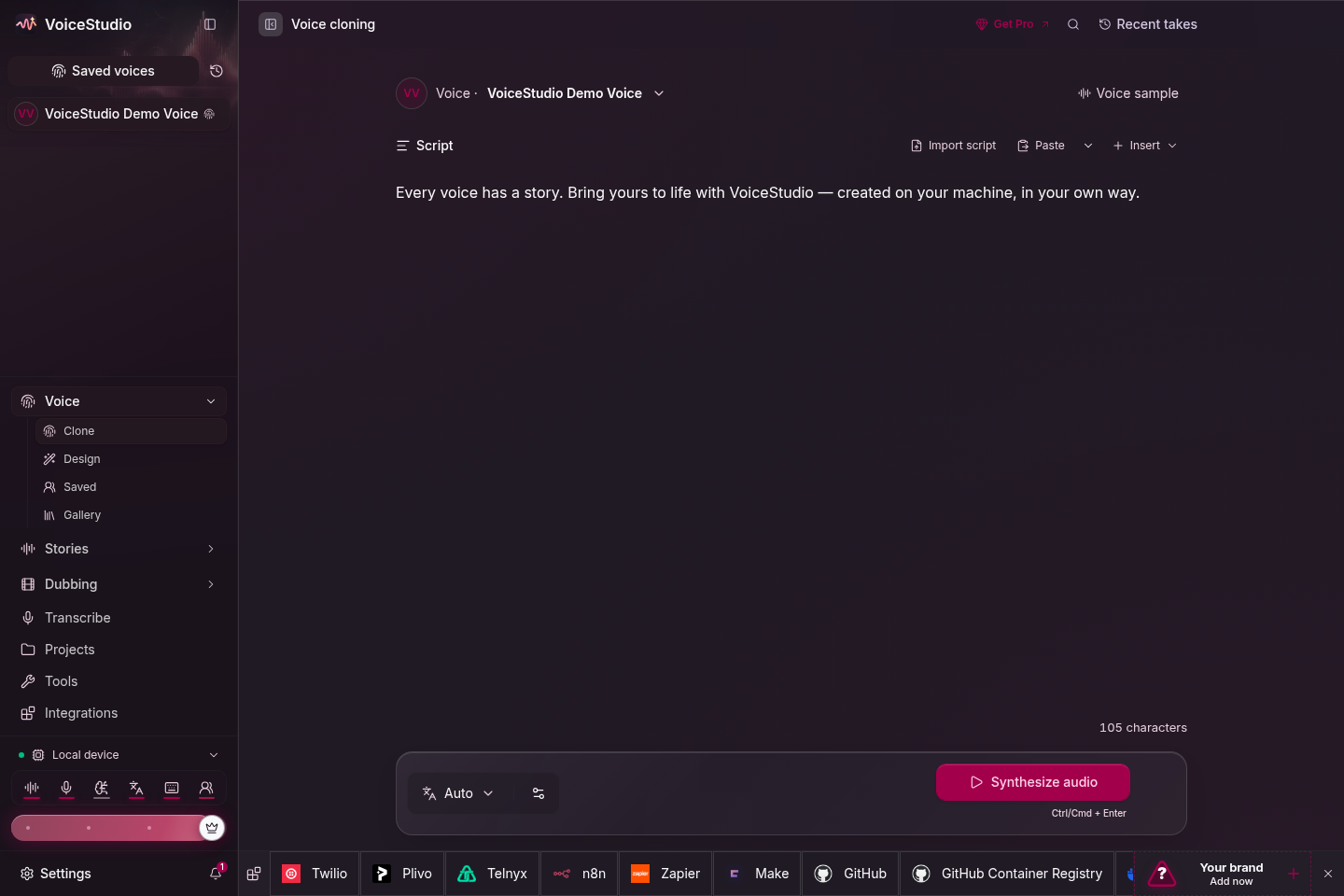
Switching TTS engines from the VoiceStudio status bar

[!WARNING] Active beta. Use the latest release for stable work or main for current fixes. Report problems through GitHub Issues.

At a glance

VoiceStudio
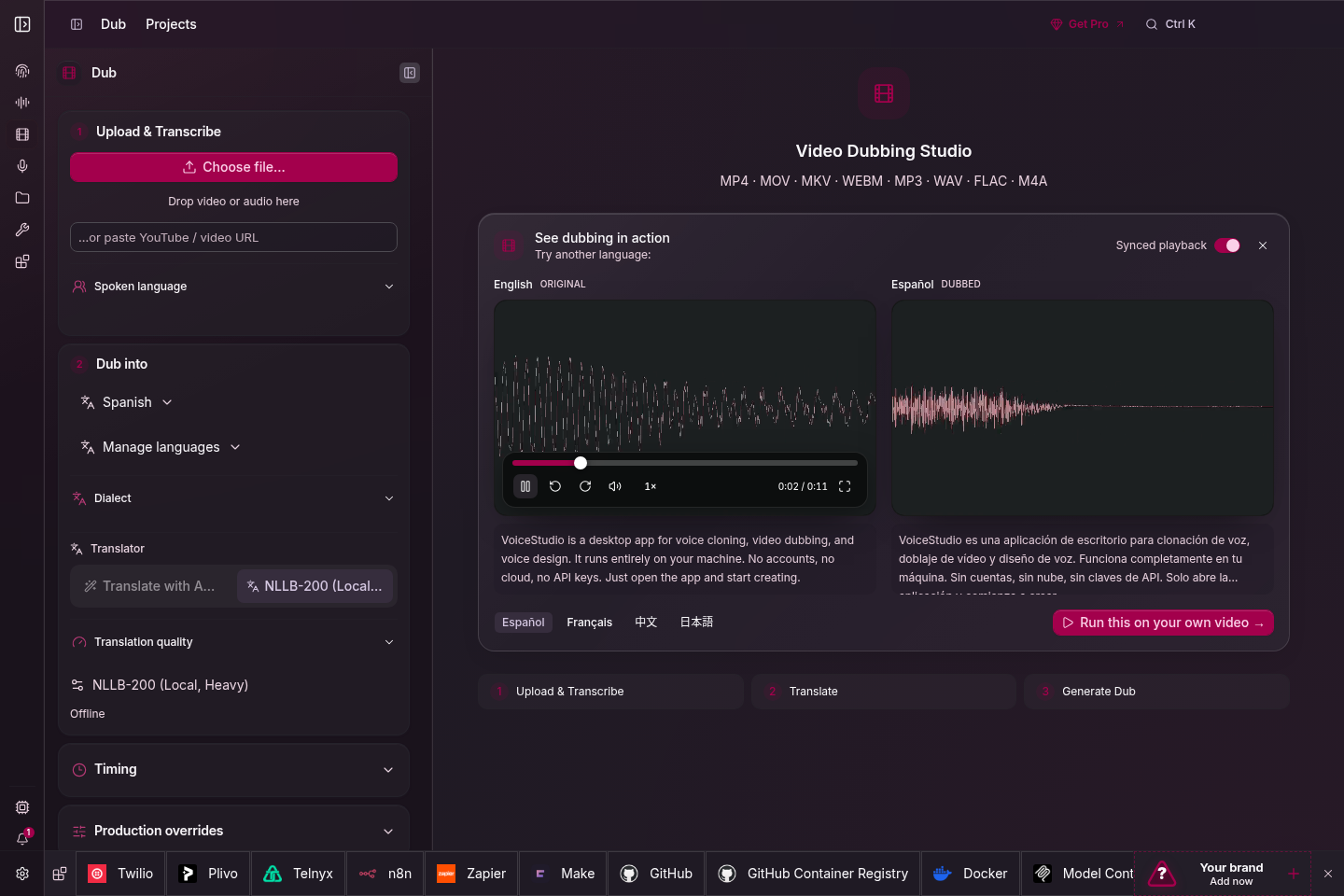
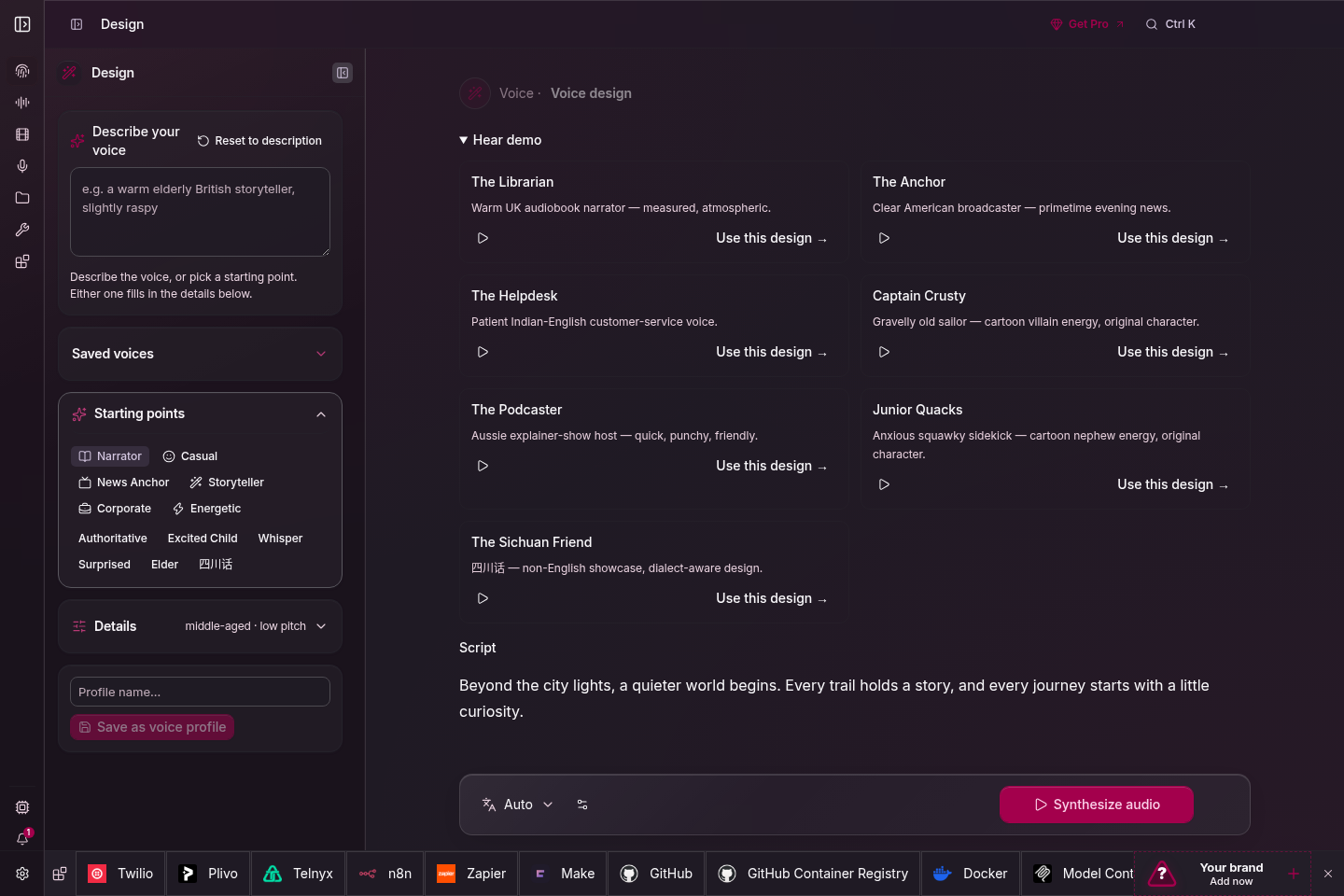
WorkflowsVoice cloning and design, video dubbing, dictation, stories, audiobooks, batch generation
Language catalogue646 TTS languages; actual coverage and quality depend on the selected engine
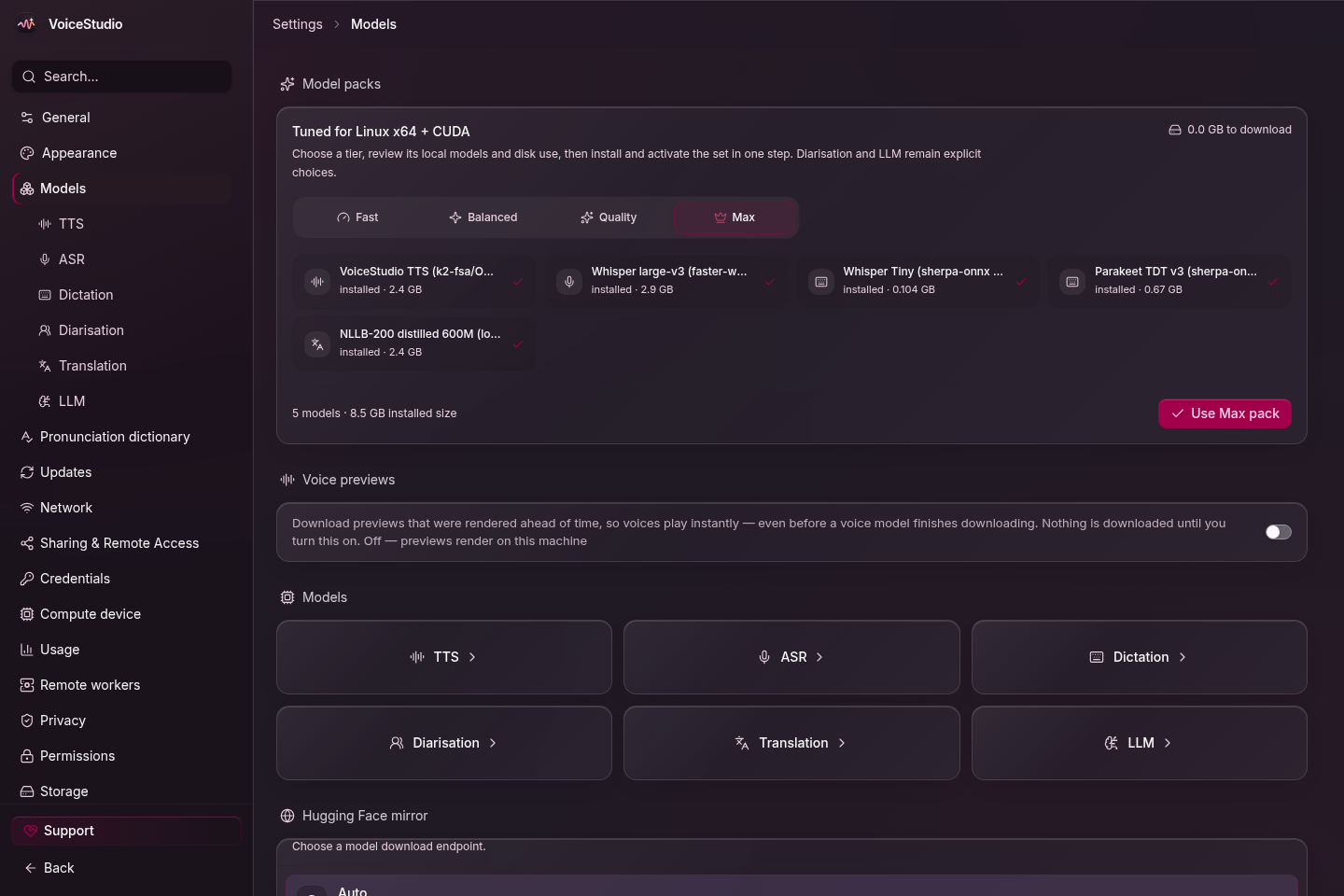
Engines16 TTS · 11 ASR · switch in Model Catalogue or with Ctrl/Cmd+E
PlatformsmacOS 13.3+ on Apple Silicon · Windows 10/11 x64 · Linux x86_64 with glibc 2.39+
ComputeCUDA · Apple Silicon MPS/MLX · ROCm on Linux · CPU · optional remote workers
InterfacesDesktop app · local REST/SSE/WebSocket API · OpenAI-compatible audio API · MCP Server
StorageVoices, projects, settings, and outputs stay on the machine by default
LicenseAGPL-3.0; optional engines keep their own model licenses

Install

PlatformPackageGuide
macOS 13.3+DMG, Apple SiliconInstall on macOS
Windows 10/11MSI, x64Install on Windows
LinuxAppImage, x86_64 with glibc 2.39+Install on Linux
DockerCUDA, ROCm, or CPURun with Docker

Download packages from the latest release. First launch creates a managed Python environment and downloads the default model. Later launches reuse both.

[!NOTE] On macOS, first launch needs a one-time right-click → Open approval. Intel Macs cannot run the local Python backend; use a remote backend instead.

First voice

  1. Launch VoiceStudio and open Voice Cloning.
  2. Add a clean voice sample. Three seconds works; 5–15 seconds usually gives a better prompt.
  3. Enter text, choose a language, then select Generate.

Run from source

Install the development prerequisites, then:

git clone https://github.com/debpalash/VoiceStudio.git
cd VoiceStudio
bun install
bun run desktop

Use bun run dev for the browser UI. See Contributing for services, tests, and platform packages.

If setup fails

Features

AreaIncluded
Voice CloningZero-shot synthesis from a short reference clip
Voice DesignCreate a voice from age, accent, pitch, style, and delivery instructions
Video DubbingTranscribe, translate, preserve speakers, synthesize, and export video
Stories and audiobooksMulti-voice scripts · EPUB/PDF import · chapter rendering · .m4b export
Dictation WidgetSystem-wide shortcut, live transcription, optional local-LLM cleanup
Vocal IsolationDemucs speech/background separation
Speaker DiarizationPyannote and WhisperX speaker assignment
Batch QueueQueue large sets of audio and video jobs with per-job progress
Model CatalogueInstall, remove, select, and route TTS, ASR, and LLM models
Remote Model DownloadsInstall models on enrolled remote workers with live progress
GPU Auto-DetectCUDA, MPS, ROCm, and CPU routing with per-engine checks
AI WatermarkAudioSeal embedding and detection
MCP ServerSynthesis and transcription tools for MCP clients
DiagnosticsSelf-checks, error journal, logs, and scrubbed support bundles
Local-firstCore creation stays local; network-backed features are explicit opt-ins
ExtensibleRegistry-based TTS, ASR, and plugin interfaces
VoiceStudio Model CatalogueSaving a gallery voice as a local profile
Model Catalogue: engine, device, and install stateGallery: save a shared voice as a local profile

Comparison

VoiceStudio trades managed cloud compute for local control. This is the practical difference:

VoiceStudioTypical hosted voice service
Best fitPrivate, offline, self-hosted, or high-volume workFast setup without local model management
Data pathLocal by default; remote features are opt-inAudio and text are processed by the provider
Cost modelFree software; you supply the hardwareSubscription, credits, or metered API use
SetupInstall the app and model weightsCreate an account and use the web app or API
PerformanceDepends on your engine and hardwareProvider manages compute and scaling
Offline useYes, after required models are installedUsually requires a network connection
CustomizationSource, engines, models, API, and routing are openLimited to provider options
MaintenanceYou manage updates, disk, and computeProvider manages infrastructure

Requirements

Requirements vary by engine. These values cover the default local workflow.

MinimumRecommended
OSWindows 10 x64 · macOS 13.3 Apple Silicon · Linux x86_64 with glibc 2.39+Current supported OS release
RAM8 GB16 GB+
Disk10 GB free20 GB+ SSD
GPUOptional; CPU mode is supportedNVIDIA CUDA or Apple Silicon
VRAM4 GB when using a GPU8 GB+; large optional engines need more
Python from source3.11+3.11–3.12

ROCm is Linux-only and opt-in. Windows AMD/Ryzen AI uses CPU. Systems with limited VRAM offload work to CPU when required. See performance, benchmarks, and engine disk usage.

Engines

Engine support is capability-specific. Check cloning, language, platform, memory, and license before choosing one. Full setup guides: docs/engines.

Text to speech

EngineLanguagesCloneInstructLinuxmacOS ARMWindowsLicense
VoiceStudio (default, powered by k2-fsa/OmniVoice)600+YesYesCUDA/CPUMPSCUDA/CPUAGPL-3.0 app · Apache-2.0 model
CosyVoice 39 + 18 dialectsYesYesCUDA/CPUCPUCUDA/CPUApache-2.0
GPT-SoVITS5YesCUDA/CPUCUDA/CPUMIT
VoxCPM230YesYesCUDA/CPUMPSCUDA/CPUApache-2.0
MOSS-TTS-Nano20YesCUDA/CPUCPUCUDA/CPUApache-2.0
KittenTTSEnglishCPUCPUCPUMIT
MLX-AudioModel-dependentVariesVariesMLXVaries
Sherpa-ONNX20+CUDA/CPUCPUCUDA/CPUApache-2.0
IndexTTS 2.5ZH · EN · JA · ES · ARYesCUDA/CPUCPUCUDA/CPUBilibili model license¹
OmniVoice GGUF600+YesYesCUDA/CPUMPS/CPUCUDA/CPUAGPL-3.0 app · Apache-2.0 model
OmniVoice (subprocess)600+YesYesCUDA/CPUMPSCUDA/CPUAGPL-3.0 app · Apache-2.0 model
PocketTTSEN · FR · DE · PT · IT · ESYesCPUCPUCPUCC-BY-4.0, gated²
Supertonic 331CPUCPUCPUOpenRAIL-M
MOSS-TTS-v1.531YesCUDA/CPUCPUCUDA/CPUApache-2.0
dots.tts24YesCUDA/CPUCPUApache-2.0
Confucius4-TTS14YesCUDA/CPUCPUCUDA/CPUApache-2.0

⚡ Installed or registered on demand.

¹ IndexTTS 2.5 requires a separate written Bilibili license above 100 million monthly active users or RMB 1 billion annual revenue. Review the model license.

² PocketTTS shows its gated-access and CC-BY-4.0 terms before first use.

Clone-less engines cannot preserve a reference speaker in dubbing or pinned-voice batch jobs. VoiceStudio rejects those jobs instead of silently changing engines. Heavy engines have separate memory and platform limits; check their engine guide first.

Speech to text

EngineIDLanguagesBest fit
WhisperX (default)whisperx~100Dubbing, subtitles, word-level timing
Faster-Whisperfaster-whisper~100General cross-platform transcription
Faster-Whisper (isolated)faster-whisper-isolated~100Crash-isolated batch transcription
MLX Whispermlx-whisper~100Apple Silicon
PyTorch Whisperpytorch-whisper~100CUDA, MPS, and CPU fallback
Parakeet TDTnemo-parakeetEnglish + 25 EUFast CPU/CUDA transcription
Parakeet TDT v3 (MLX)parakeet-mlx25 EUApple Silicon dictation and word timestamps
MoonshinemoonshineEnglishLow-power, low-latency ONNX
FunASRfunasr50+VAD and inline diarization
sherpa-onnx (live dictation)sherpa-onnx-asrModel-dependentStreaming CPU dictation
OpenAI-compatible ⚠️ remoteopenai-compat-asrServer-dependentQwen3-ASR or another compatible endpoint; audio leaves the machine

WhisperX and Faster-Whisper retry with int8 when efficient float16 is unavailable. Pin ASR_COMPUTE_TYPE=int8 or float32 only if automatic selection still fails.

Architecture

Tauri v2 desktop shell (Rust)
        │ IPC
React + Vite UI
        │ HTTP · SSE · WebSocket on localhost:3900
FastAPI backend
        ├── TTS / ASR engine registries
        ├── dubbing / audio / long-form pipelines
        ├── OpenAI-compatible API and MCP server
        └── SQLite + Alembic → omnivoice_data/
LayerPathResponsibility
Desktop shellfrontend/src-tauri/Window lifecycle, tray, shortcuts, updater, sidecar bootstrap
Frontendfrontend/src/React UI, Zustand state, API and event clients, i18n
APIbackend/api/REST routes, schemas, auth boundaries, streaming
Core servicesbackend/services/Generation, dubbing, audio processing, persistence
Enginesbackend/engines/Isolated and optional engine adapters
Worker systembackend/worker/Authenticated remote compute and job transport
Dataomnivoice_data/Projects, voices, settings, logs, and SQLite state
Deliveryscripts/, deploy/, .github/workflows/Development, packaging, containers, releases, CI

Network boundary

  • The desktop talks to a loopback-only backend on localhost:3900.
  • Loopback API calls need no server key. Remote access requires a share PIN or API key.
  • Remote workers and OpenAI-compatible ASR are opt-in. The UI identifies when audio leaves the machine.
  • Analytics is off until consent. If enabled, it sends allowlisted, content-free usage metadata—not text, audio, file names, or projects.

OpenAI-compatible API

Point an OpenAI-compatible audio client at the local backend:

- base_url="https://api.openai.com/v1"
+ base_url="http://localhost:3900/v1"
EndpointPurpose
POST /v1/audio/speechTTS to mp3, opus, aac, flac, wav, or pcm; select a profile with voice and an engine with model
POST /v1/audio/transcriptionsSTT to json, text, verbose_json, srt, or vtt
GET /v1/audio/voicesList local voice profiles and engines
from openai import OpenAI

client = OpenAI(base_url="http://localhost:3900/v1", api_key="local")

with client.audio.speech.with_streaming_response.create(
    model="tts-1",
    voice="<profile-id>",
    input="Made on my own hardware.",
    response_format="wav",
) as response:
    response.stream_to_file("speech.wav")

The full API reference is in Settings → OpenAPI Reference. For LAN, Tailscale, or proxy access, read API authentication before exposing the backend.

Agent skills

Install the VoiceStudio skills for Claude Code, Codex, Cursor, and other skills.sh-compatible agents:

npx skills add debpalash/omnivoice-studio
  • omnivoice: synthesize speech and transcribe audio through local VoiceStudio.
  • oss-maintainer: the repository's open-source maintenance workflow.

Google Colab

Open in Colab

The notebook runs the app and web UI on a Colab GPU. Colab is remote compute, so uploaded audio and project data do not remain local to your machine.

Documentation

NeedRead
InstallmacOS · Windows · Linux · Docker
Fix setupTroubleshooting · model downloads · Hugging Face token
Choose an engineEngine guides · benchmarks · expressive speech
Tune hardwarePerformance · remote workers
Build integrationsAPI auth · MCP · examples
Build VoiceStudioContributing · engine acceptance
Track changesChangelog · roadmap · latest release
Remove everythingUninstall guide

FAQ

Does it work on Apple Silicon and Intel Macs?

Apple Silicon is supported with MPS and MLX options. Intel Macs cannot run the local backend because current PyTorch wheels are unavailable; they can connect to a remote backend. See macOS installation.

How much VRAM do I need?

A GPU is optional. Use 4 GB VRAM as the minimum for accelerated work and 8 GB+ for the default multi-stage workflow. Large optional engines can require 12–16 GB or more. Check the benchmarks and engine guide.

Why does a longer reference clip not always improve the clone?

Cloning is zero-shot: the clip is a prompt, not training data. Use 5–15 seconds of one speaker, close to the microphone, without music, noise, or reverb. Match the tone and pace you want in the output. For training, see data preparation and training.

Can I use generated audio commercially?

Yes under VoiceStudio's AGPL-3.0 terms. Optional engines and model weights may use different licenses; review the selected engine's license before commercial use.

Does VoiceStudio collect data?

Not unless you opt in. Analytics is off by default and skipping consent keeps it off. When enabled, the app sends allowlisted, content-free usage metadata. Text, audio, file names, voices, and projects are excluded. Change this at Settings → Privacy.

How do I remove VoiceStudio and its data?

Use scripts/uninstall.sh on macOS/Linux or scripts\uninstall.ps1 on Windows. Both show a dry run before deletion. See the uninstall guide for every path.

Community and contributing

Support development

VoiceStudio is free and has no paid tier. Donations fund development and infrastructure.

Ko-fi · PayPal · Sponsorship details

License

VoiceStudio is licensed under AGPL-3.0. You may run it, modify it, use it internally, and sell generated audio. If you modify VoiceStudio and provide that modified version as a network service, AGPL requires you to offer the corresponding source under the same license. A commercial license is available for proprietary embedding; contact VoiceStudio@palash.dev. See LICENSE-NOTICE.md for the plain-language scope.

Optional engines and downloaded models retain their own licenses. The bundled omnivoice/ model remains Apache-2.0 upstream.

Acknowledgments

VoiceStudio builds on OmniVoice, WhisperX, Demucs, Pyannote, CTranslate2, AudioSeal, Tauri, Supertonic, Sherpa-ONNX, GPT-SoVITS, and PocketTTS.

关于 About

VoiceStudio is the open-source, fully-local ElevenLabs alternative — voice cloning, voice design, video dubbing, dictation, transcription & audiobook creation in 646 languages.
aiaudiobookcudadubbingelevenlabs-alternativehuggingfacelocal-firstmlxomnivoice-studiospeech-to-texttauritext-to-speechtranscriptiontranslatettsvoice-aivoice-cloningvoice-generationvoicestudioworkflow

语言 Languages

Python59.8%
JavaScript27.9%
Rust4.3%
TypeScript3.9%
CSS1.7%
Shell1.7%
Jupyter Notebook0.4%
PowerShell0.1%
Dockerfile0.0%
HTML0.0%
Mako0.0%

提交活跃度 Commit Activity

代码提交热力图
过去 52 周的开发活跃度
1754
Total Commits
峰值: 432次/周
Less
More

核心贡献者 Contributors