Astro Terminal Theme
I love both Astro and the Terminal theme by panr, so I decided to port this theme to Astro. This is an adaptation of the Hugo Terminal Theme created by panr. All design credit goes to the original author.
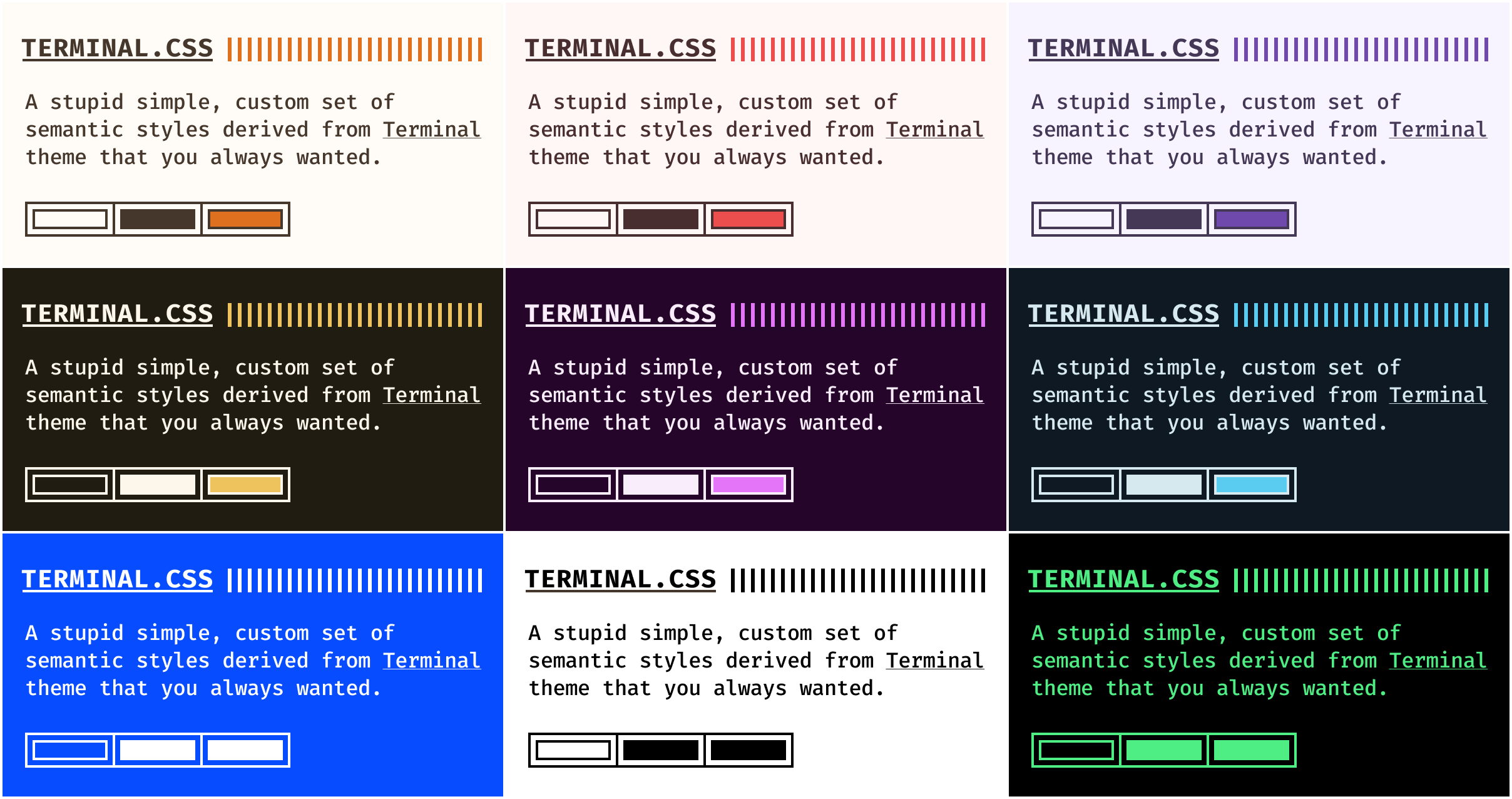
Features
- Customisable colour schemes — works with panr's Terminal.css colour scheme generator or choose from the default schemes available there
- Fira Code as default monospaced font — easily changeable
- nice syntax highlighting — thanks to Astro's built-in Shiki support
- fully responsive — works great on mobile and desktop
- tag support — organise posts with tags and browse by tag
- RSS feed — automatically generated RSS feed for your blog
Requirements
- Astro v5.0.0 or higher
- Node.js 18 or higher
Installation
Clone repository
git clone https://github.com/dennisklappe/astro-theme-terminal.git your-site-name
cd your-site-name
npm install
Use as a template
You can also use this repository as a template on GitHub:
- Click the "Use this template" button on the GitHub repository
- Create a new repository from the template
- Clone your new repository and install dependencies
How to start
npm run devHow to build
npm run buildConfiguration
Site Configuration
Edit astro.config.mjs:
import { defineConfig } from 'astro/config';

export default defineConfig({
  site: 'https://your-domain.com',
  markdown: {
    shikiConfig: {
      theme: 'css-variables',
      langs: [],
      wrap: true,
    },
  },
});
Theme Configuration
The theme uses CSS custom properties for theming. To change colours, modify the variables in src/styles/terminal.css:
:root {
  --background: #1e2022;
  --foreground: #d6deeb;
  --accent: #ffa86a;
  --secondary: #8be9fd;
  --selection: #4c5f7a;
  --code-border: #4c5f7a;
  --comment: #637777;
}
You can also use panr's Terminal.css generator to create your own colour scheme - this Astro port is fully compatible with the generated colour schemes.
Navigation Menu
Edit the navigation in src/layouts/BaseLayout.astro. The theme includes a dropdown menu for additional pages:
<!-- Main navigation items -->
<li><a href="https://stargazers.cn/raw/dennisklappe/astro-theme-terminal/main/about">About</a></li>
<li><a href="https://stargazers.cn/raw/dennisklappe/astro-theme-terminal/main/posts/showcase">Showcase</a></li>

<!-- Dropdown menu -->
<ul class="menu__dropdown">
  <li><a href="https://stargazers.cn/raw/dennisklappe/astro-theme-terminal/main/posts">Posts</a></li>
  <li><a href="https://stargazers.cn/raw/dennisklappe/astro-theme-terminal/main/tags">Tags</a></li>
  <li><a href="https://stargazers.cn/raw/dennisklappe/astro-theme-terminal/main/posts/rich-content">Rich Content</a></li>
</ul>
Content
Posts
Create posts in src/content/posts/:
---
title: 'My First Post'
description: 'This is my first blog post'
pubDate: 2024-01-01
author: 'Your Name'
tags: ['astro', 'terminal']
---

Your content here...
Pages
Create pages in src/pages/:
---
import BaseLayout from '../layouts/BaseLayout.astro';
---

<BaseLayout title="About">
  <div class="page">
    <h1>About</h1>
    <p>Your content here...</p>
  </div>
</BaseLayout>
Syntax Highlighting
The theme uses Astro's built-in Shiki syntax highlighter with a custom monochrome theme that matches the terminal aesthetic. Code blocks automatically get syntax highlighting:
// JavaScript example
function hello() {
  console.log("Hello, World!");
}
Layouts
BaseLayout
The main layout that includes header, footer, and all necessary CSS imports.
PostLayout
Layout specifically for posts, includes metadata display and post navigation.
Components
- Header - Site header with terminal decoration
- Footer - Site footer with copyright
- PostCard - Post preview card
- Pagination - Page navigation component
- FormattedDate - Date formatting component
Features
Tags
Posts can be organised with tags. Each tag gets its own page at /tags/[tag-name] showing all posts with that tag. A tag index page at /tags displays all available tags.
Customization
Fonts
To change the monospace font, update the font import in src/styles/fonts.css and the font-family in src/styles/terminal.css.
Colours
Create your own colour scheme or choose from the default schemes using panr's Terminal.css generator.
CSS Structure
The theme uses modular CSS files:
terminal.css- Core theme styles and variablesfonts.css- Font imports and utilitiesmain.css- Layout and utility classesheader.css- Header stylesmenu.css- Navigation menufooter.css- Footer stylespost.css- Post stylesbuttons.css- Button componentscode.css- Code block functionalitysyntax.css- Syntax highlighting themepagination.css- Pagination stylesgist.css- GitHub Gist embed stylesterms.css- Terms and conditions styles
Deployment
GitHub Pages
This theme includes a GitHub Actions workflow for automatic deployment to GitHub Pages:
- Go to your repository Settings → Pages
- Set Source to "GitHub Actions"
- Push to the
mainbranch or manually trigger the workflow - Your site will be available at
https://[username].github.io/astro-theme-terminal
To deploy to a custom domain or different base path, update the site and base options in astro.config.mjs.
Note: The base path is only applied in production builds. During development, the site runs at the root path (/) for easier testing.
Contributing
If you find any bugs or have ideas for improvements, please open an issue or submit a pull request.
Credits
This theme is a port of the Hugo Terminal Theme created by panr. All design decisions, colour schemes, and visual aesthetics are credited to the original author.
Astro port created by Dennis Klappe.
License
The original Hugo Terminal Theme is licensed under the MIT License. This Astro port maintains the same licence.
Copyright for the original design: panr
Made with love for the Astro community