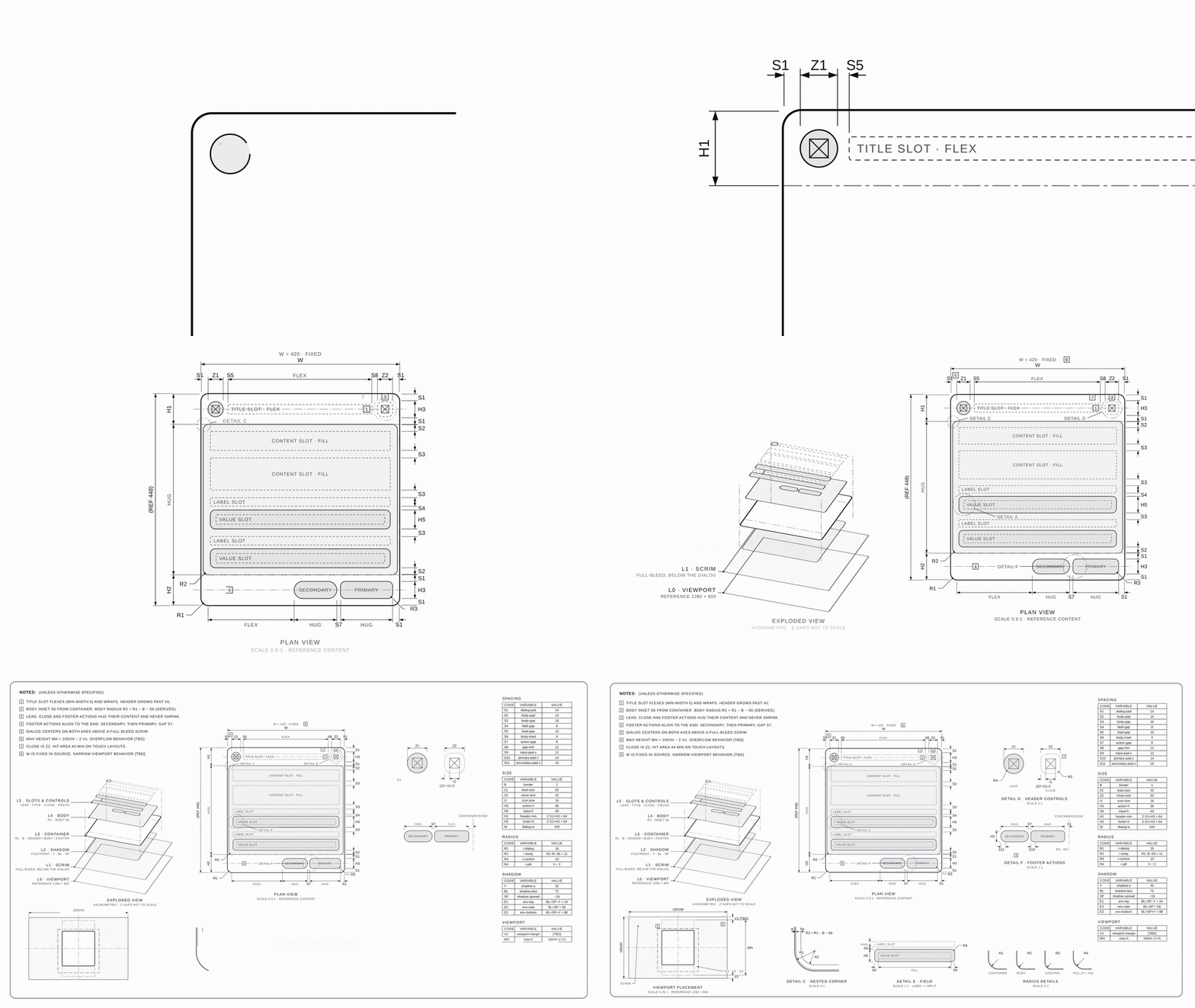
dimensional-drawing ✏️📐
Give it a UI component, get back a one-page technical drawing of it.
Paddings, gaps, corner radii, layers and viewport placement, measured and labeled like Apple's dimensional drawings.
Install · Use it · Make it move · Examples
Apple publishes dimensional drawings for every device so accessory makers can build cases that fit. They are calm, dense and beautiful: one sheet, a few views, tiny detail circles, numbers everywhere.
This repo teaches your agent to draw your components the same way. A card or a dialog becomes a spec sheet you could hand to anyone and they would rebuild its architecture: paddings, gaps, radii, layers, how it sits in the viewport. Copy and content are left out on purpose, so the drawing stays true when the text changes.
What's inside 🎁
skills/
├── dimensional-drawing/          the drawing skill
│   ├── SKILL.md
│   └── examples/                 card + dialog sheets (single HTML files)
└── dimensional-drawing-motion/   turns a sheet into a ~10 s film
    ├── SKILL.md
    ├── templates/                reference scene + stylesheet
    └── adapters/
        ├── claude-motion.md      Claude's Motion artifact (primary)
        └── headless/             Playwright + ffmpeg, no Claude needed
The house rules
| ⚫️ Monochrome | grays only; things are told apart by line weight, dashes and hatches |
| 🧱 Architecture, not content | TITLE SLOT · FLEX, ACTION · HUG, CONTENT SLOT · FILL |
| 🔤 Variables, not numbers | S1, R2, H1 = 2·S1 + H3, R2 = R1 − B − S6 |
| 🏷️ Unbranded | neutral names like UI-CARD-001 |
| 🙅 Never invent values | unknowns stay [TBD] |
Install
Claude Code
git clone https://github.com/enesozturk/dimensional-drawing
cp -r dimensional-drawing/skills/* ~/.claude/skills/
claude.ai / Claude desktop: zip a skill folder (for example skills/dimensional-drawing) and add it under Settings → Capabilities → Skills.
Any other agent (Codex, Cursor, Gemini CLI, …): use the skills CLI, or point your agent at the SKILL.md files.
npx skills add enesozturk/dimensional-drawingUse it
Ask for a drawing and point at the source (a repo file, a Storybook story, a URL, a screenshot):
Make a dimensional drawing of the
Cardcomponent insrc/components/Card.tsx
Draw the anatomy of our settings dialog, same style as the examples
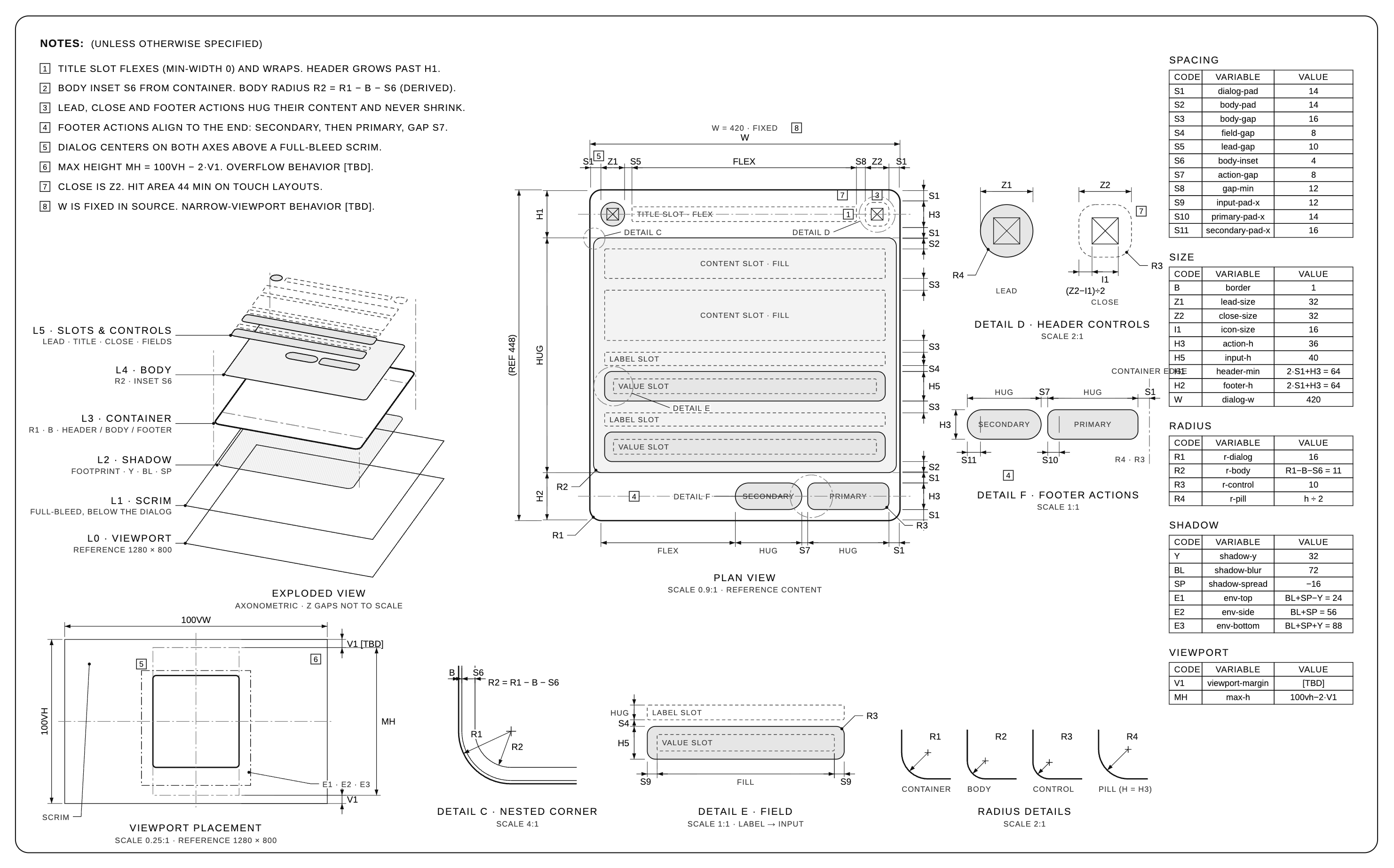
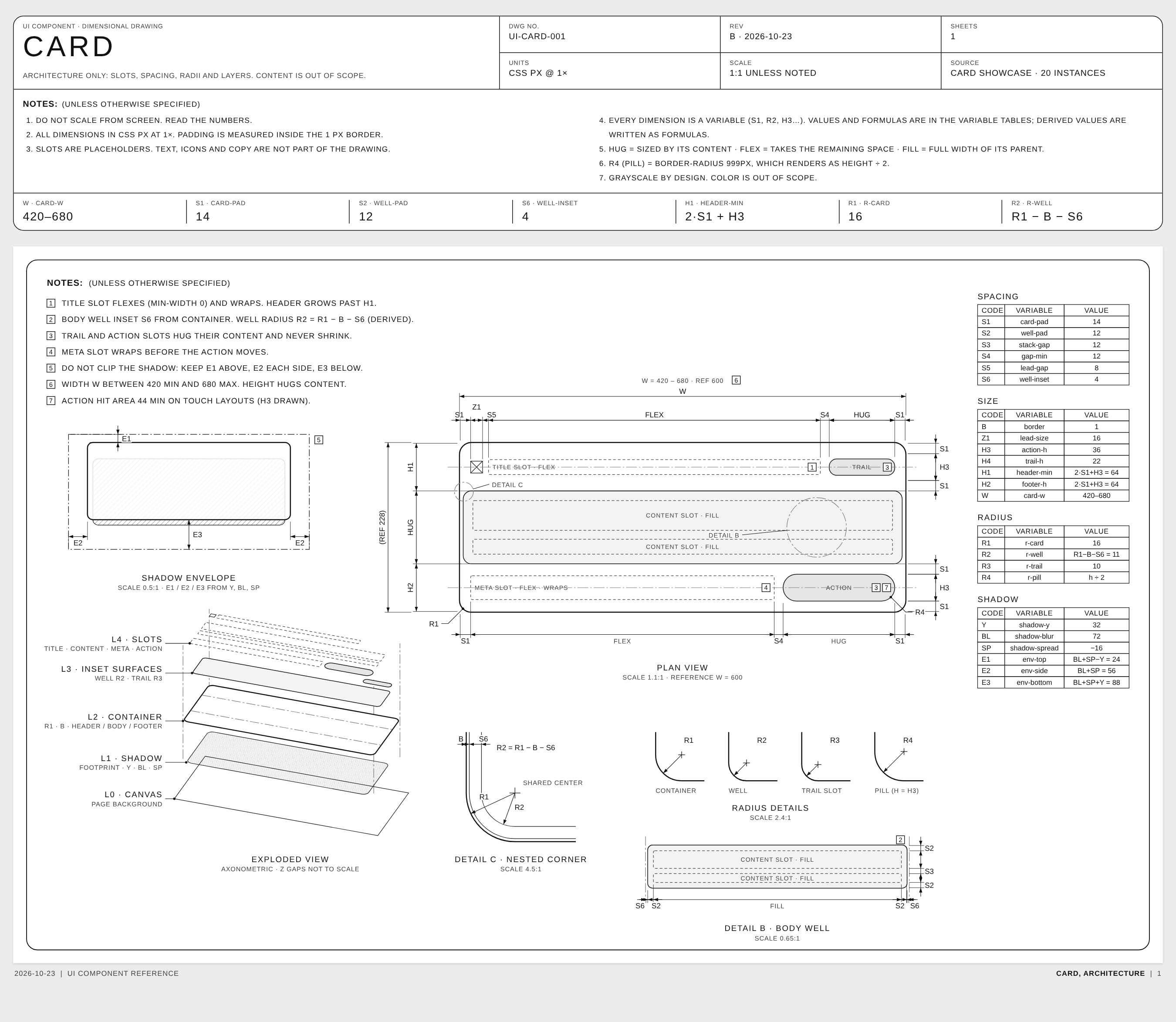
You get a title block with the key variables on top, then one dense sheet: notes, plan view, exploded layers, detail views (nested corner, radii, body), and variable tables.
It works for physical things too (third-angle views, mm, published specs only). Try a thermos 🫖.
Make it move 🎬
The motion skill animates a finished sheet like a pen drawing it while a camera moves over the paper:
- close-up on the header as its lines draw in
- pull back to the plan view while the rest draws
- layers lift off the plan into the exploded view (strokes first, fills after, so nothing flashes)
- pull back to the full sheet as the remaining views draw in
The scene is a pure function of time, so it runs in two places:
| With Claude | ask "animate this drawing". Claude builds it in the Motion artifact and you export MP4. This is the primary target and where the timing was tuned. |
| Without Claude | cd skills/dimensional-drawing-motion/adapters/headless && npm install, then node render.mjs --scene ../../templates/scene-dialog.js --css ../../templates/base.css --out dialog.mp4. Needs Node 18+ and ffmpeg. |
[!NOTE] Optimized for Claude Motion. The headless renderer is tested with Playwright (Chromium) + ffmpeg. Other animation libraries (Remotion, Motion Canvas, GSAP, Lottie…) are not tested.
Examples
Dialog: fixed width, scrim, viewport placement, header controls, footer actions
Card: flexible width, body well, nested corner, shadow envelope
Open the HTML versions in skills/dimensional-drawing/examples. The full film is assets/dialog-motion.mp4.
Thanks 💌
- Apple's accessory dimensional drawings, the north star
- Andreas Storm, whose post started this
License
MIT © Enes Ozturk. Draw all the things.