Espressif KiCad Library



Notice: A major update from version 1.0.1 was made to be compliant to the KLC. Please consider updating your library and checking the symbols and footprints.
From the version 2.0.0, the library installation process is done by the PCM.
This repository contains the Symbols, Footprint, and 3D Models for the Espressif SoC and Modules family.
- Notice: The libraries are provided in the hope that they will be useful but without a warranty of any kind.
The libraries in this repository are intended to be used with KiCad version 10
Each footprint library is stored as a directory with the .pretty suffix. The footprint files are .kicad_mod files within.
Hardware Design Guidelines
Before designing your hardware, be sure to check all recommendations at:
Symbols and Footprints
All footprints were designed according to the Recommended PCB Land Pattern section present on each module datasheet.
SoC
The following SoC are included in this library
Please note: SoC symbols use footprints from either this library (PCM_Espressif) or the official KiCad library, as indicated by each symbol's default footprint.
| SoC | Symbol | Footprint | Resource |
|---|---|---|---|
| ESP32 | Yes | Yes | Datasheet |
| ESP32-D0WD-V3 | Yes | Yes | Datasheet |
| ESP32-U4WDH | Yes | Yes | Datasheet |
| ESP32-PICO-V3 | Yes | Yes | Datasheet |
| ESP32-S2 | Yes | Yes | Datasheet |
| ESP32-S3 | Yes | Yes | Datasheet |
| ESP32-S3-PICO-1 | Yes | Yes | Datasheet |
| ESP32-S31 | Yes | Yes | Datasheet |
| ESP8684 (ESP32-C2) | Yes | Yes | Datasheet |
| ESP32-C3 | Yes | Yes | Datasheet |
| ESP8685 | Yes | Yes | Datasheet |
| ESP32-C6 | Yes | Yes | Datasheet |
| ESP32-C61 | Yes | Yes | Datasheet |
| ESP32-H2 | Yes | Yes | Datasheet |
| ESP8286 | Yes | Yes | Datasheet |
| ESP8285 | Yes | Yes | Datasheet |
| ESP32-P4 (EOL) | Yes | Yes | |
| ESP32-P4X | Yes | Yes | Datasheet |
Modules
| Module | Symbol | Footprint | Resource |
|---|---|---|---|
| ESP32-WROOM-32E | Yes | Yes | Datasheet |
| ESP32-WROOM-32UE | Yes | Yes | Datasheet |
| ESP32-WROOM-DA | Yes | Yes | Datasheet |
| ESP32-WROVER-E | Yes | Yes | Datasheet |
| ESP32-MINI-1 | Yes | Yes | Datasheet |
| ESP32-MINI-1U | Yes | Yes | Datasheet |
| ESP32-C3-MINI-1 | Yes | Yes | Datasheet |
| ESP32-C3-MINI-1U | Yes | Yes | Datasheet |
| ESP32-C3-WROOM-02 | Yes | Yes | Datasheet |
| ESP32-C5-MINI-1 | Yes | Yes | Datasheet |
| ESP32-C5-MINI-1U | Yes | Yes | Datasheet |
| ESP32-C5-WROOM-1 | Yes | Yes | Datasheet |
| ESP32-C5-WROOM-1U | Yes | Yes | Datasheet |
| ESP32-C6-MINI-1 | Yes | Yes | Datasheet |
| ESP32-C6-MINI-1U | Yes | Yes | Datasheet |
| ESP32-C6-WROOM-1 | Yes | Yes | Datasheet |
| ESP32-C6-WROOM-1U | Yes | Yes | Datasheet |
| ESP32-C61-WROOM-1 | Yes | Yes | Datasheet |
| ESP32-C61-WROOM-1U | Yes | Yes | Datasheet |
| ESP32-S2-MINI-1 | Yes | Yes | Datasheet |
| ESP32-S2-MINI-1U | Yes | Yes | Datasheet |
| ESP32-S2-MINI-2 | Yes | Yes | Datasheet |
| ESP32-S2-MINI-2U | Yes | Yes | Datasheet |
| ESP32-S2-SOLO | Yes | Yes | Datasheet |
| ESP32-S2-SOLO-2U | Yes | Yes | Datasheet |
| ESP32-S2-WROOM | Yes | Yes | Datasheet |
| ESP32-S2-WROVER | Yes | Yes | Datasheet |
| ESP32-S3-MINI-1 | Yes | Yes | Datasheet |
| ESP32-S3-MINI-1U | Yes | Yes | Datasheet |
| ESP32-S3-WROOM-1 | Yes | Yes | Datasheet |
| ESP32-S3-WROOM-1U | Yes | Yes | Datasheet |
| ESP32-S3-WROOM-2 | Yes | Yes | Datasheet |
| ESP32-S31-WROOM-1 | Yes | Yes | Datasheet |
| ESP32-S31-WROOM-1U | Yes | Yes | Datasheet |
| ESP32-S31-WROOM-3 | Yes | Yes | Datasheet |
| ESP32-H2-MINI-1 | Yes | Yes | Datasheet |
| ESP32-H2-MINI-1U | Yes | Yes | Datasheet |
| ESP32-H2-WROOM-02C | Yes | Yes | Datasheet |
| ESP8684-WROOM-02C | Yes | Yes | Datasheet |
| ESP8684-WROOM-01UC | Yes | Yes | Datasheet |
| ESP8685-WROOM-06 | Yes | Yes | Datasheet |
Development Boards
| Dev Board | Symbol | Footprint | Resource |
|---|---|---|---|
| ESP32-DevKitM-1 | Yes | Yes | Schematic |
| ESP32-S2-Saola-1 | Yes | Yes | Schematic |
| ESP32-S2-DevKitC-1 | Yes | Yes | Schematic |
| ESP32-DevKitC | Yes | Yes | Schematic |
| ESP32-S3-DevKitC | Yes | Yes | Schematic |
| ESP32-S2-DevKitM | Yes | Yes | Schematic |
| ESP32-C3-DevKitM | Yes | Yes | Schematic |
| ESP32-C5-DevKitC-1 v1.1 | Yes | Yes | User guide, schematic, dimensions |
| ESP32-C5-DevKitC-1 v1.2 (N8R8) | Yes | Yes | User guide, schematic, dimensions |
| ESP32-C6-DevKitC-1 | Yes | Yes | Schematic |
| ESP32-C6-DevKitM-1 | Yes | Yes | Schematic |
The unversioned ESP32-C5-DevKitC-1 symbol and footprint remain available as aliases for the v1.1 board to preserve compatibility with existing designs.
Installation with KiCad PCM
The recommended way to install the Espressif KiCad library is through KiCad's Plugin and Content Manager (PCM).
Add the Espressif PCM Repository (Recommended)
- Open KiCad and select Plugin and Content Manager.
- Click Manage..., then Add Repository.
- Enter the following repository URL:
https://raw.githubusercontent.com/espressif/kicad-libraries/main/repository.json - Confirm the repository and close the repository manager.
- Find Espressif Library in the PCM package list and click Install.
KiCad can then notify you when new versions of the library are available.
Install from a Downloaded File
Alternatively, download espressif-kicad-addon.zip from the latest release and select Install from File... in PCM. For legacy support, visit the legacy branch and follow its instructions.
Download here the latest library!
Make sure to download the correct zip file and do not extract the files. If you are using macOS and Safari, ensure to that the automatic unzip feature (Open safe files after downloading) is disabled.
For KiCad 6, 7 and 8 you can use the following steps:
- On KiCad, open the PCM in the main KiCad window.

- The PCM window will display a list of available plugins, libraries, and color themes. You can browse through the categories or use the search bar to find a specific package.
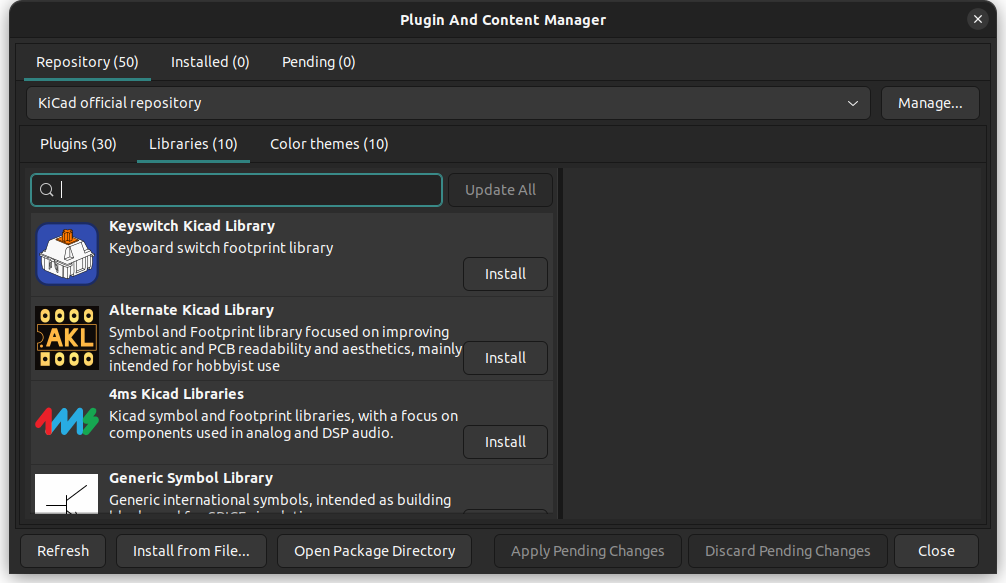
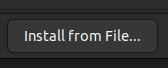
- To install the library manually using the ZIP file from the latest release, you need to select the file from "Install from file..."
- Once the package is installed, you will see the Espressif Library listed on the Installed tab.
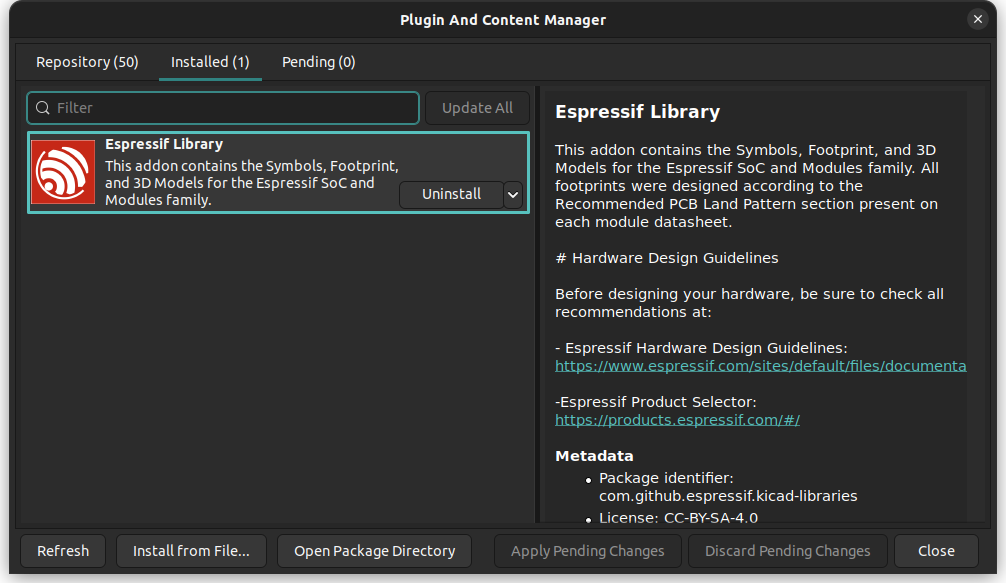
- Now you are ready to use the library. Note that the library will be listed as PCM_Espressif in the Symbol and Footprint.
Contributing
If you want to contribute, please consider sending us a Pull Request (PR).
About KiCad
KiCad is a Cross-Platform and Open Source Electronics Design Automation Suite. See KiCad EDA for more information.