Chernobyl Simulator

Chernobyl Simulator is a port of the simulation game Chernobyl: The Legacy Continues to modern 64-bit Windows. The original version was released by Gatekeeper Technology Group in 1998 for Windows 3.1 and Windows 95.
Your goal is to safely operate the Chernobyl Nuclear Power Plant Unit 3, fixing any malfunctions that arise, while keeping the whole operation on a tight budget. You will learn about RBMK reactors and nuclear power plants in general.
The manual remains the primary resource to learn how to play, but you may want to read "Getting started with Chernobyl Simulator" for an introduction to the game.
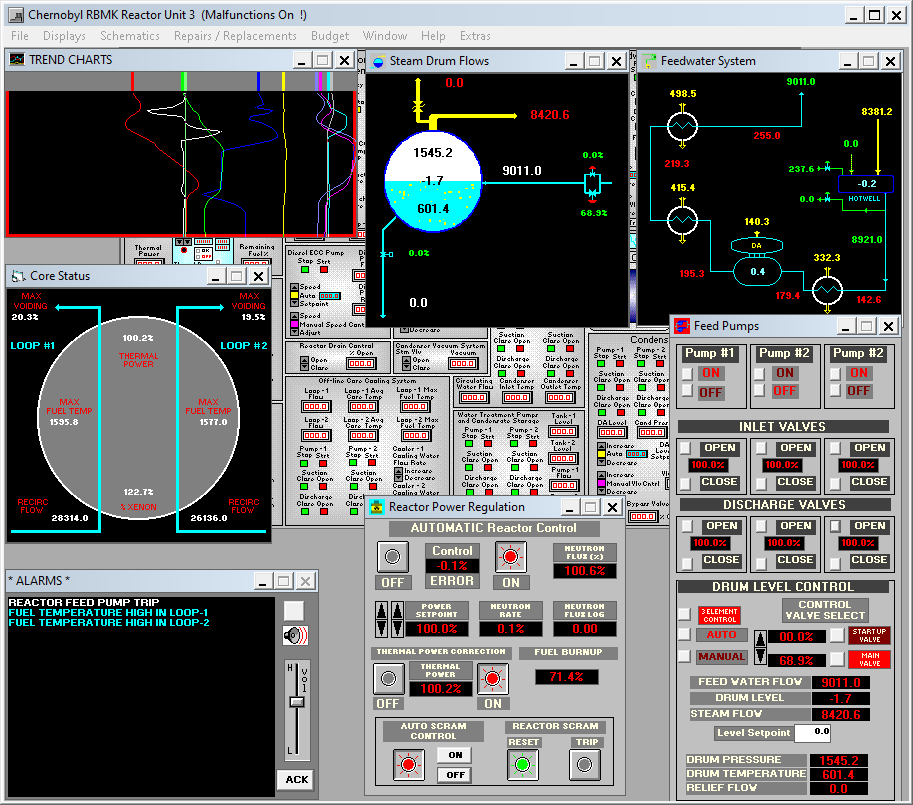
Releases
| Type | Version | Download |
|---|---|---|
| Setup | 0.2.0 | chernobyl-setup.exe |
| Manual | (scan) | chernobyl-manual-scan.pdf |
| Manual | (conv) | chernobyl-manual-conv.pdf |
To run the game, use the shortcuts added by the installer to the Windows Start Menu:
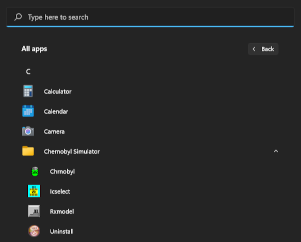
There are 2 versions of the manual:
- Scan of the copy distributed with the original game.
- Conversion of an original WordPerfect draft to PDF.
The scan is monochrome with a lower text quality, but the converted draft content may slightly differ from the final version.
Extras
I had to make slight changes to the original game to make it work under otvdm. For convenience, I also added the following features to the menu Extras:
- Pause: pauses the simulation.
- Malfunctions: toggles malfunctions on/off.
- Fuel: freezes fuel burnup.
- Videos: blocks video popups.
Hacking
The supporting programs (RXMODEL, ICSELECT, etc.) are Visual Basic 3.0 executables. They were extracted using DoDi's VB3 Decompiler. If you want to modify and recompile them, you can follow these steps:
-
Download the Microsoft Visual Basic 3 Professional installation disks from WinWorldPC.
-
Extract all disk images into separate directories named
disks1,disks2,disks3, etc. -
Open the setup disk (
disks1/setup.exe) throughotvdmw.exeinstalled inC:\Chrnobyl\otvdm\to start the installation. -
After installation, launch the Visual Basic IDE by opening
C:\VB\VB.exethroughotvdmw.exe. -
Open one of the project files (RXMODEL, ICSELECT, etc.) and make your changes.
-
Compile to an
.exeinsideC:\Chrnobyl\and test by running it throughotvdmw.exe.
Acknowledgements
- otvdm: 16-bit Windows emulator based on Wine.
- NSIS: installation wizard.
- SimGenics: permission to distribute this modified version of their game.
License
Unless otherwise noted, all rights go to the original authors (see LICENSE.rtf).