story-to-handdrawn-video

中文
把中文故事文案或一组有序的手绘图片,转换成 3:4 竖屏手绘故事动画。内置 20 种可切换风格,包含彩铅日记、儿童蜡笔、极简线条、水墨、水彩、水粉绘本、Zine 拼贴、白板讲解与木刻社论等视觉家族;未指定时继续使用已确认并锁定的「彩铅日记漫画」默认风格。支持手写体字幕、从左到右的「文字 → 黑白画稿 → 彩色插画」揭示、可选右下角卷页翻书转场和安全不裁剪构图。基于 Remotion,默认输出无配音、无音乐的 H.264 画面轨,方便后期配音。
本仓库包含两部分:
- 渲染器项目(根目录):Remotion 工程,负责实际的分镜、动效和渲染。
- Codex / Agent Skill(
skill-package/):可分发的 Skill,装进 Codex 等 Agent 后用自然语言驱动渲染器,无需手动跑脚本。
功能特性
- 中文故事自动分句和动态分镜,保留原文措辞
- 上传漫画页或完整图片,保持原顺序和构图
- 自动拆分上方文字区与下方插画区
- 本地生成与彩色插画对齐的黑白层
文字 → 黑白画稿 → 彩色插画从左到右揭示- 可选右下角卷页翻书转场(纸背保留淡化的原页纹理)
- 1080×1440 正式渲染和 720×960 快速预览
- Codex Image2 工作流,以及显式选择的 OpenAI API 工作流
- 20 种内置手绘风格,支持编号、英文 id、中文名和别名选择
- 每种风格附带固定示例图,并提供统一场景的风格总览
环境要求
- Node.js 20 或更高版本
- Python 3.10 或更高版本
- FFmpeg,且
ffmpeg、ffprobe可从终端调用 - npm
- Google Chrome,或由 Remotion 管理的兼容浏览器
- 支持 Skill 的 Agent 运行时(Codex、Claude Code、Kimi Code 等)
安装
- 准备渲染器项目:
git clone https://github.com/gnipbao/story-to-handdrawn-video.git
cd story-to-handdrawn-video
npm ci
npm run check # TypeScript 检查 + 分镜结构校验,不访问网络- 把 Skill 装进 Agent 的 skills 目录:
# Codex
cp -R skill-package/story-to-handdrawn-video ~/.codex/skills/

# Claude Code / 通用 Agent
cp -R skill-package/story-to-handdrawn-video ~/.claude/skills/

# Kimi Code
cp -R skill-package/story-to-handdrawn-video ~/.agents/skills/- 告诉 Skill 渲染器项目在哪里(在渲染器项目目录内运行 Agent 时可省略):
export STORY_VIDEO_PROJECT=/absolute/path/to/story-to-handdrawn-video使用方法(Codex Skill 示例)
装好 Skill 后,全部通过自然语言驱动,分句、分镜、图片生成、导入、渲染由 Agent 按 Skill 约定自动完成。
故事文本 → 手绘动画(Skill 的默认提示词):
使用 $story-to-handdrawn-video 把这段故事生成可后期配音的手绘动画。

<在这里粘贴故事文本>
也可以把故事放在 UTF-8 文本文件里:
使用 $story-to-handdrawn-video 把 /absolute/story.txt 生成手绘动画,标题叫「纸上的夏天」。上传图片 → 手绘动画(图片按播放顺序给出):
使用 $story-to-handdrawn-video 把这几张图片按顺序生成手绘动画:
/absolute/01.jpg /absolute/02.jpg /absolute/03.jpg翻书效果(保留原始页面,从右下角卷页):
使用 $story-to-handdrawn-video 把这些图片做成翻书效果的手绘动画:
/absolute/01.jpg /absolute/02.jpg先出预览(720×960,确认效果后再出正式版):
使用 $story-to-handdrawn-video 先给这个故事生成一个预览版。使用建议:
- 故事文本默认一个完整句子一个节拍;想控制节奏,直接在故事里按句分行即可。
- 遇到时间跳跃、指代不明、医疗场景或年龄敏感角色时,建议先让 Agent 给出视觉规划(两位场景编号为键的 JSON),确认后再生成。
- 默认使用 Codex Image2 生成图片;只有明确要求时才会走 OpenAI API(需
OPENAI_API_KEY)。 - 输出是静音画面轨,配音和 BGM 属于后期工作。
20 种内置手绘风格
所有示例使用同一组人物、动作和构图生成,便于直接比较画材、线条、色板与完成度。示例图只作为风格证据,生成故事时仍由原文和角色锁定控制人物、场景与动作。
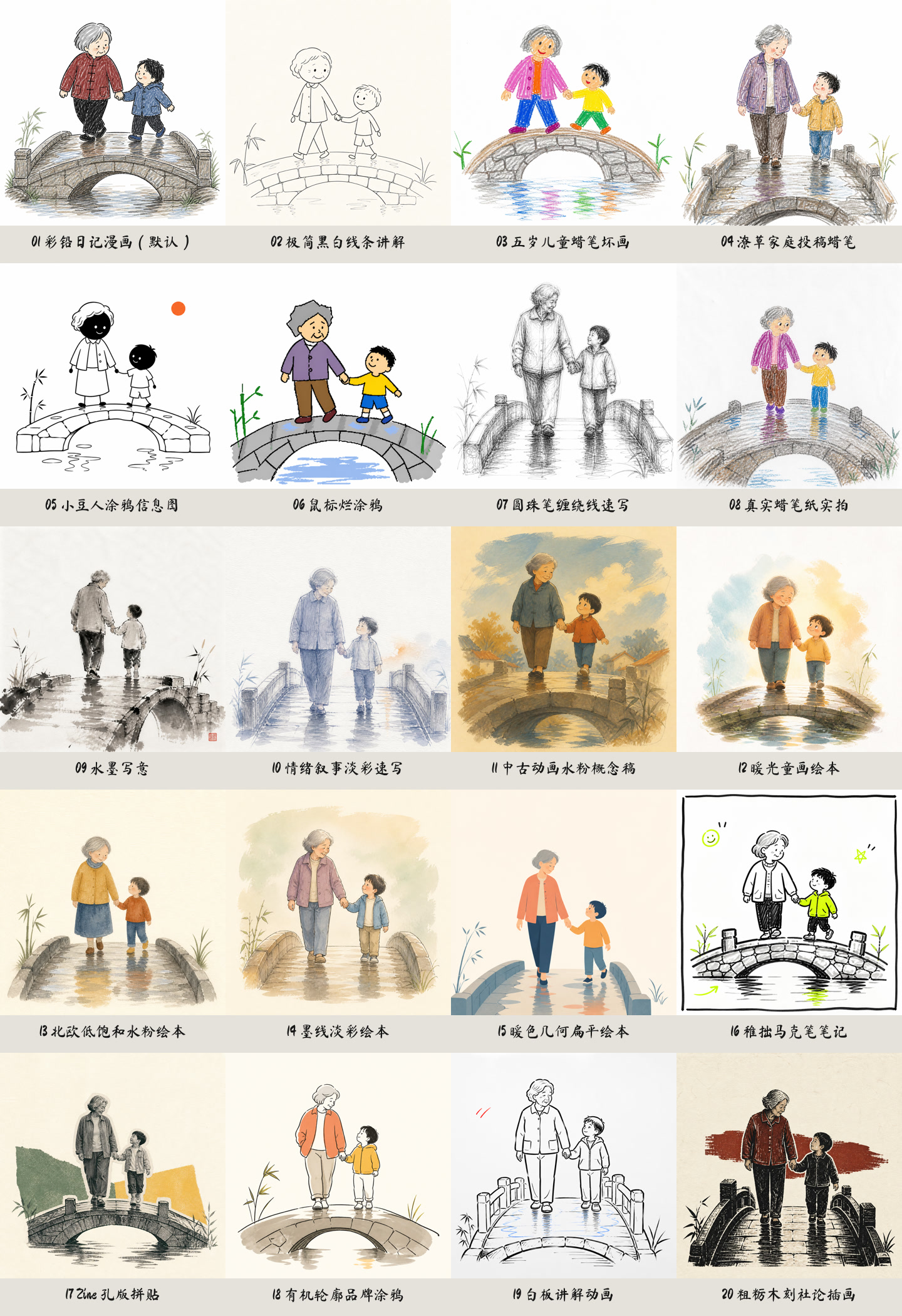
| # | 示例 | Style id | 中文名 | 视觉特征 | 推荐题材 |
|---|---|---|---|---|---|
| 1 | 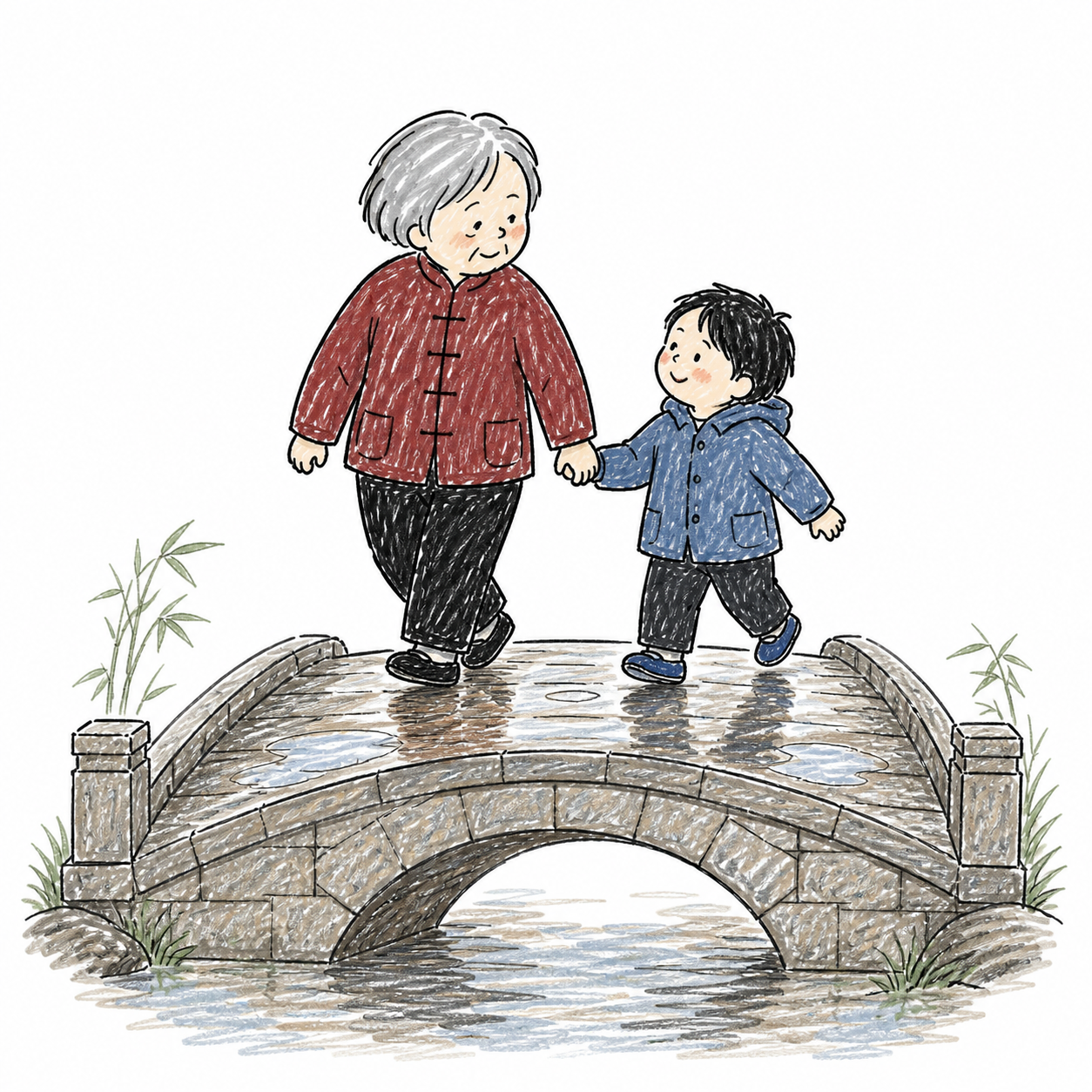 | colored-pencil-diary | 彩铅日记漫画(默认) | 笨拙黑色毡尖笔轮廓、低饱和彩铅乱涂、大留白 | 家庭、生活、纪实情感 |
| 2 | 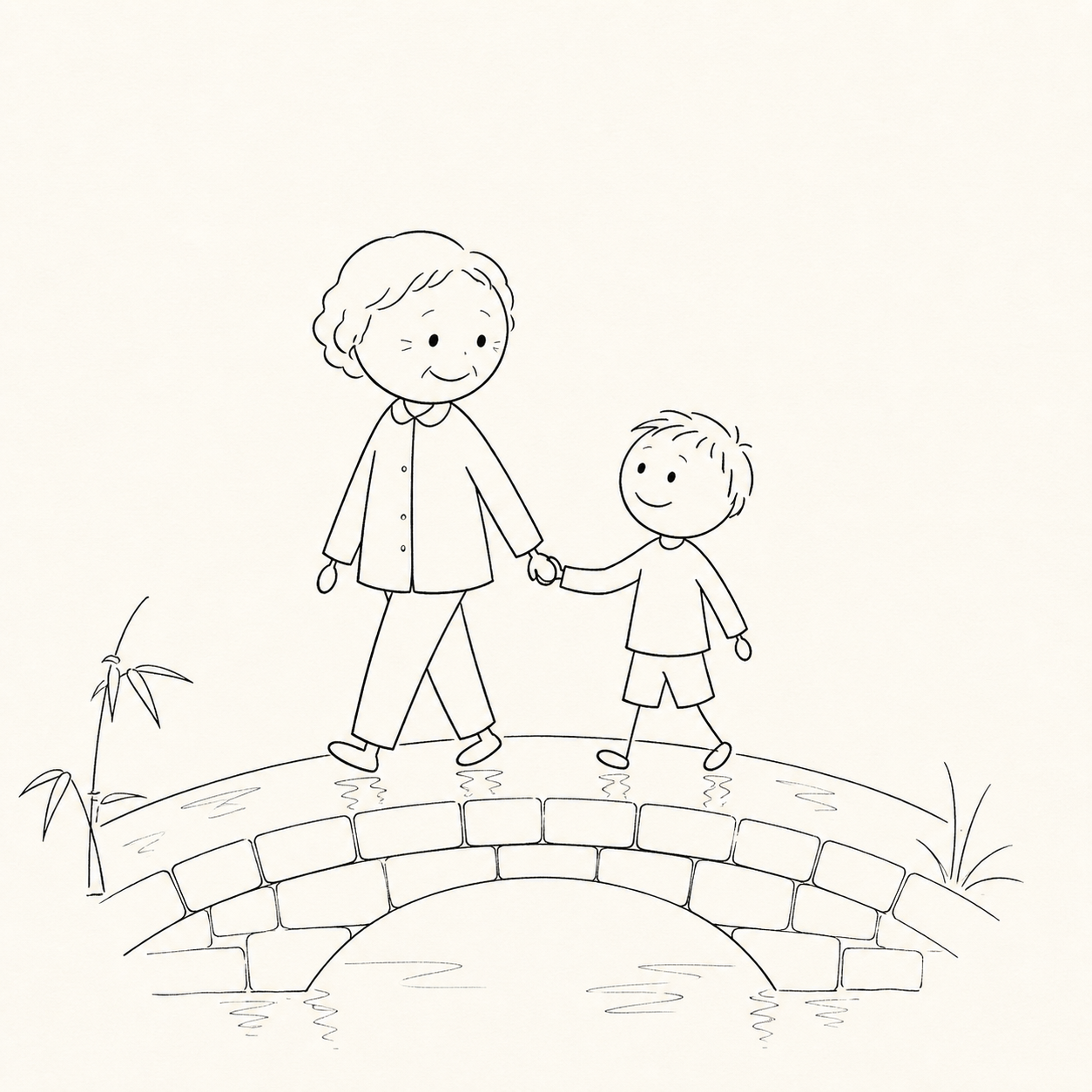 | minimal-line-explainer | 极简黑白线条讲解 | 米白纸、细黑单线、火柴人与极少道具 | 科普、流程、观点 |
| 3 | 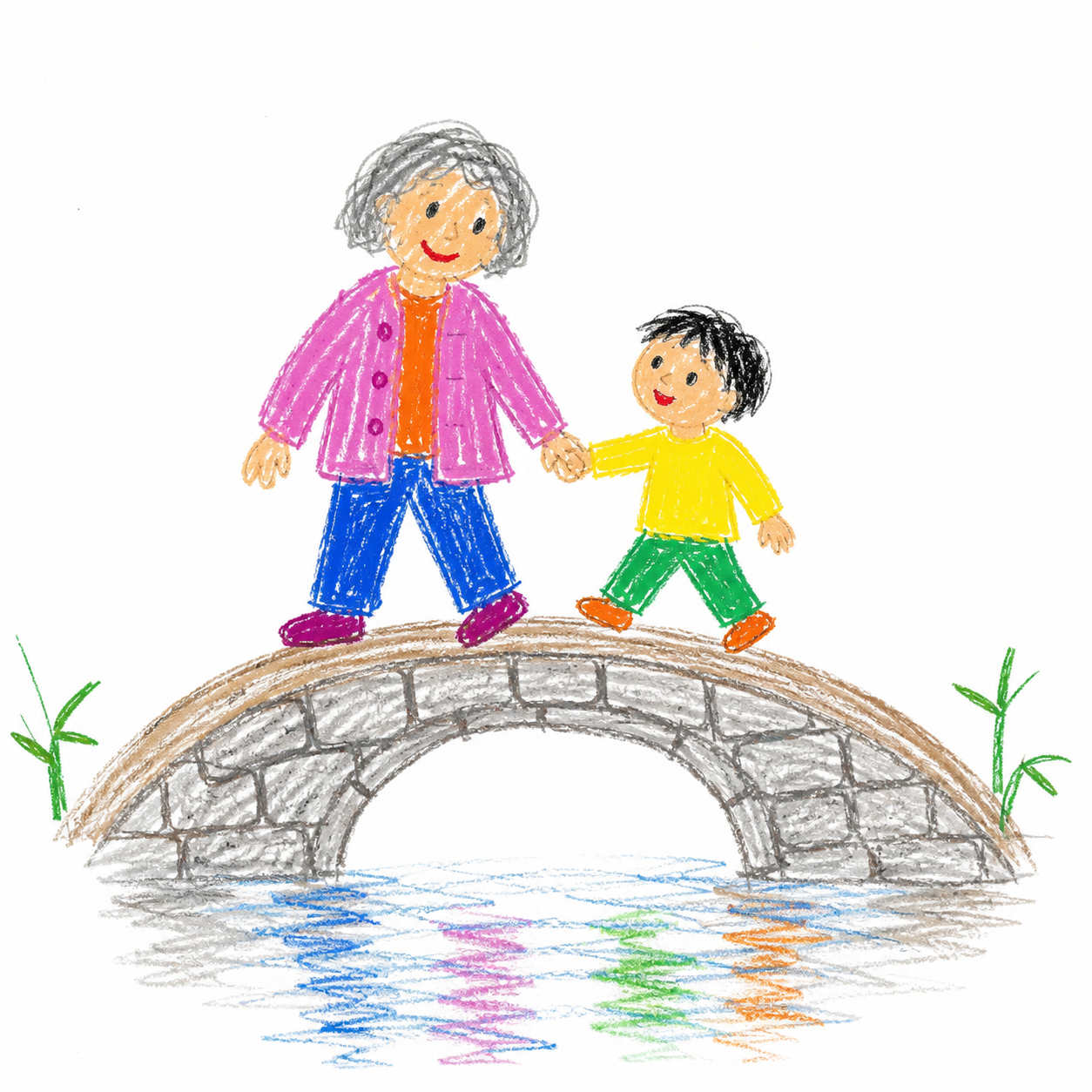 | kid-crayon | 五岁儿童蜡笔坏画 | 歪扭比例、线条不闭合、明亮蜡笔涂出边界 | 童年、亲子、轻喜剧 |
| 4 | 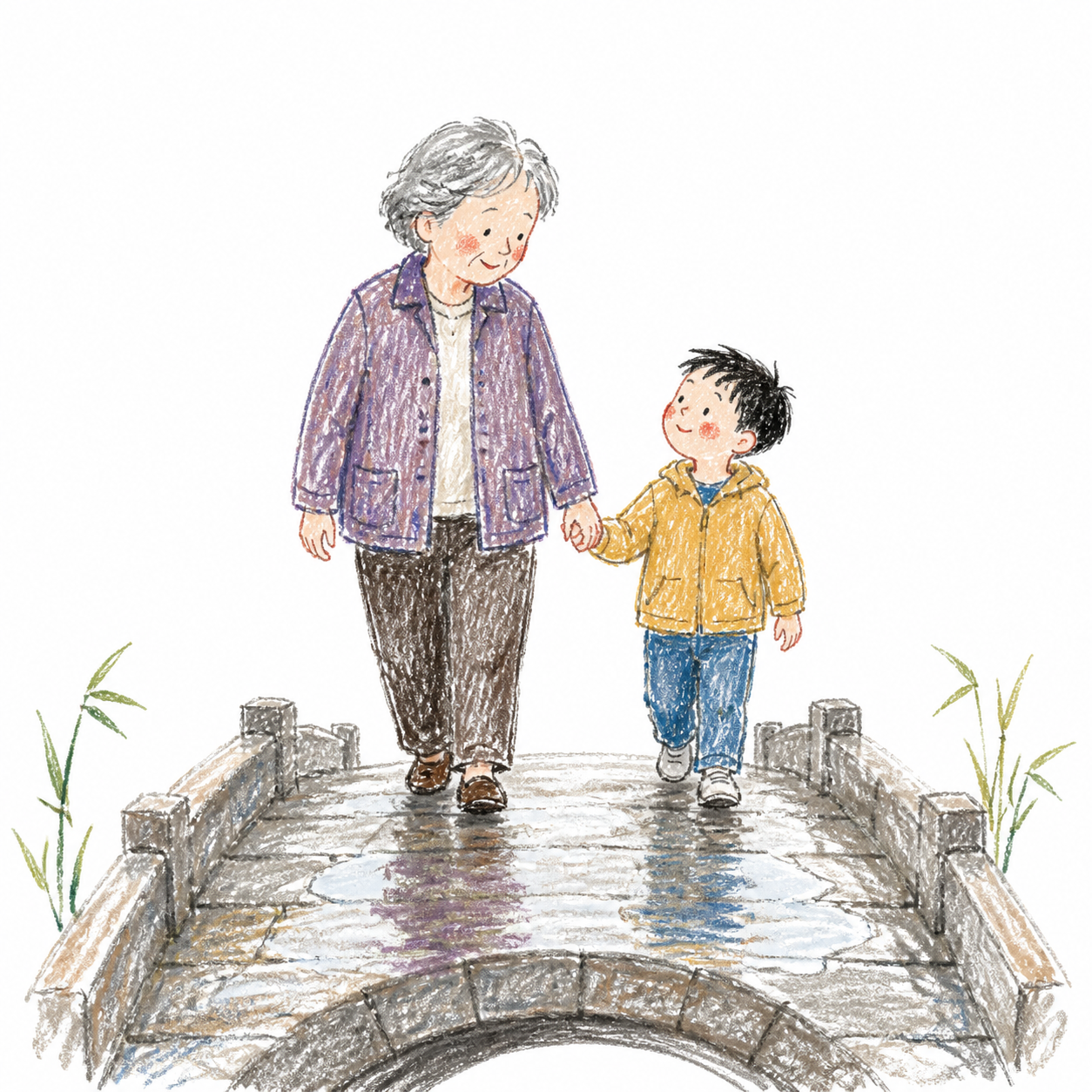 | rawkid-crayon | 潦草家庭投稿蜡笔 | 家长歪线稿、孩子粗乱上色、大片露白 | 家庭连载、温暖日常 |
| 5 | 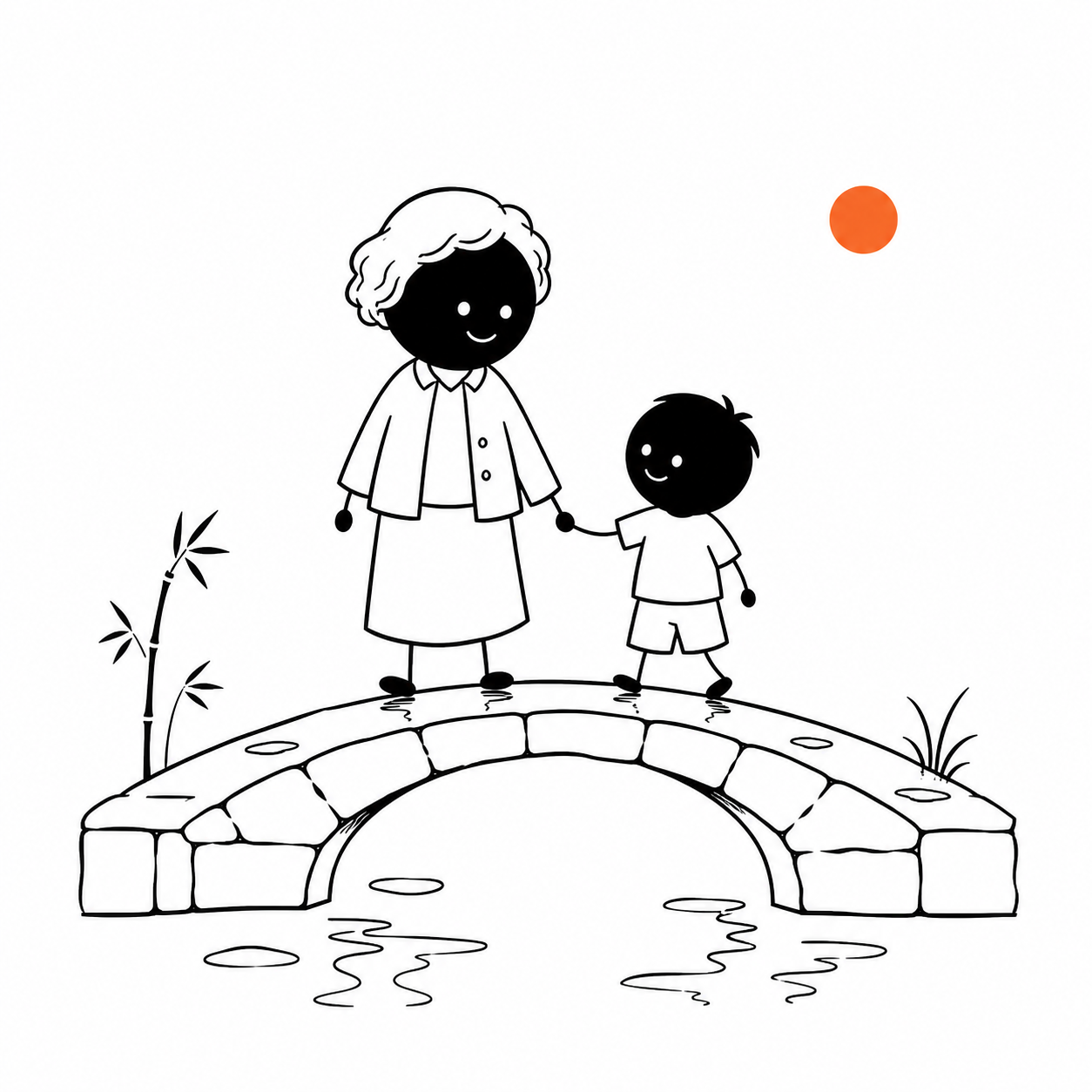 | bean-doodle-infographic | 小豆人涂鸦信息图 | 黑色圆豆人、白点眼、单一橙色强调 | 步骤、清单、知识卡 |
| 6 | 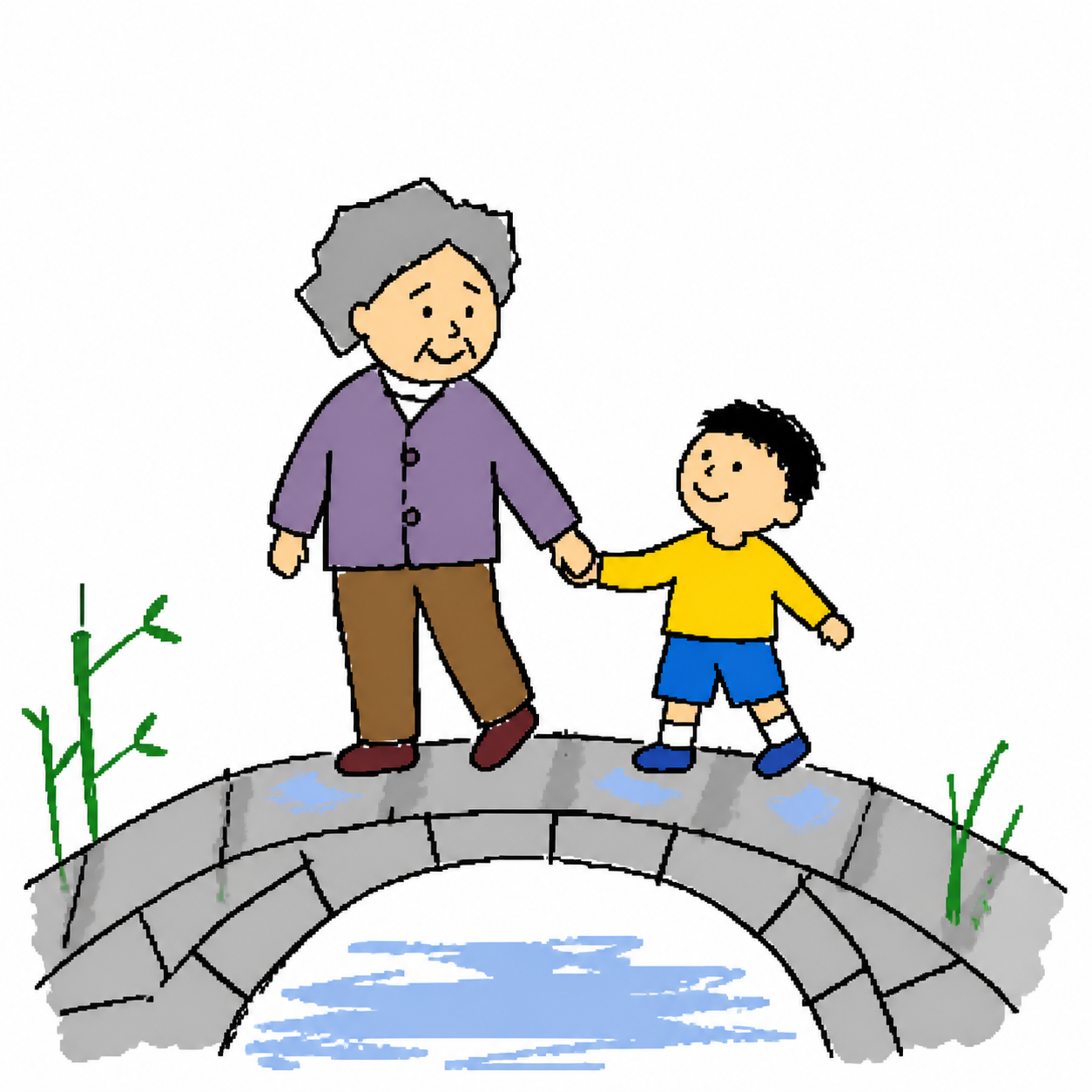 | ms-paint-bad-doodle | 鼠标烂涂鸦 | 锯齿鼠标线、荒谬比例、粗糙纯色块 | 吐槽、反转、荒诞 |
| 7 | 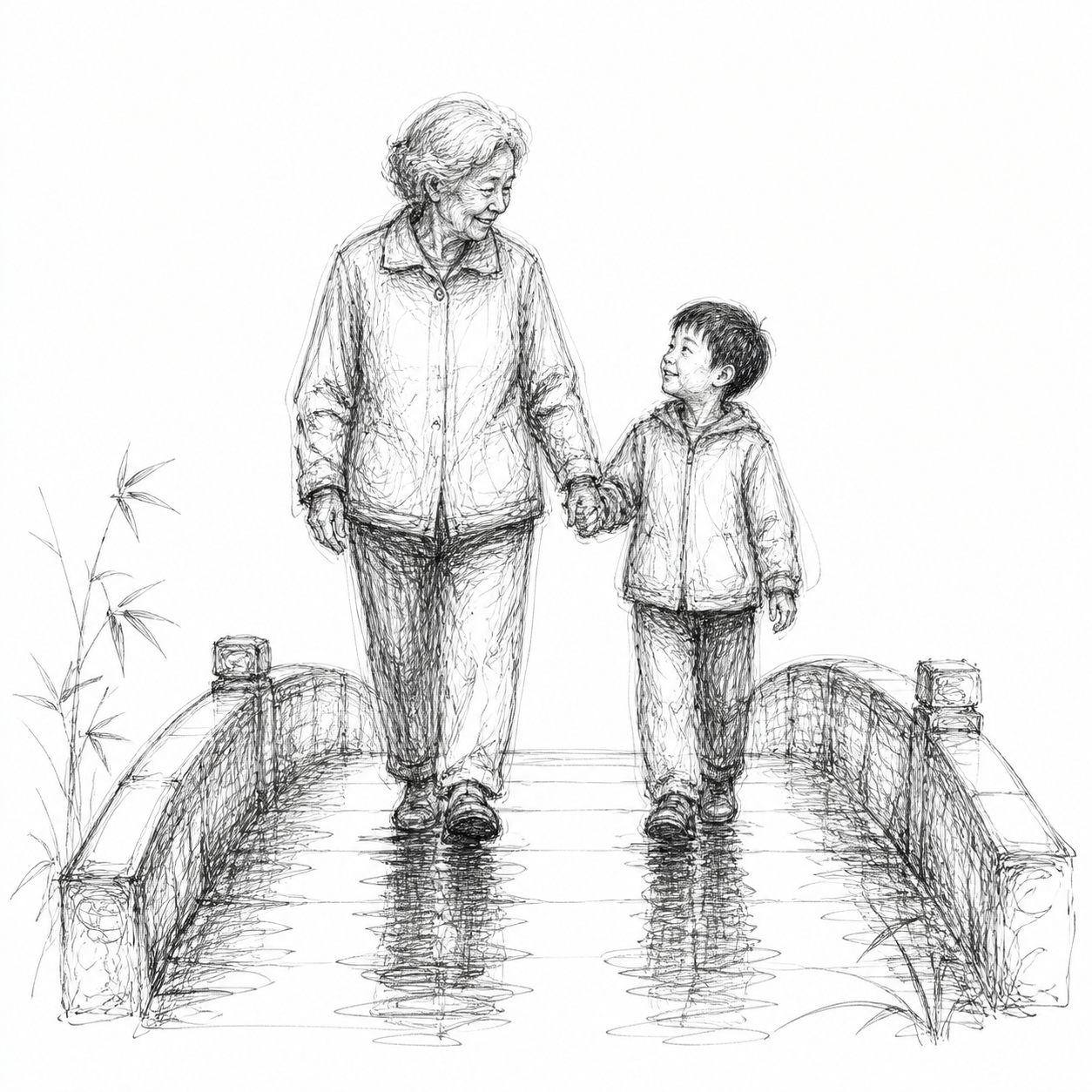 | ballpoint-scribble | 圆珠笔缠绕线速写 | 单色圆珠笔缠绕线、疏密塑形、现场手稿感 | 肖像、动物、独白 |
| 8 | 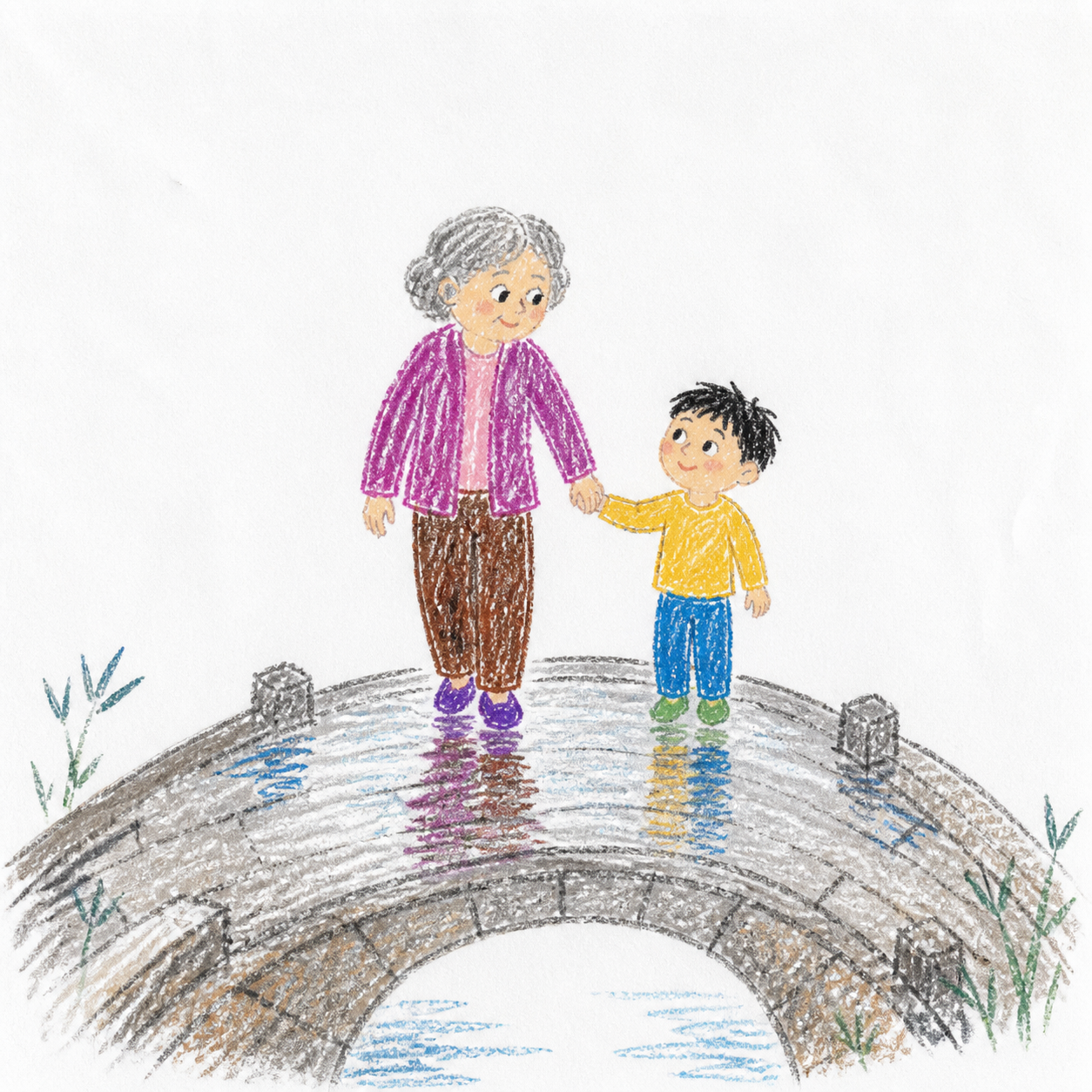 | real-crayon-paper | 真实蜡笔纸实拍 | 可见纸纹、蜡质结块、压力变化与大量漏白 | 儿童视角、成长记录 |
| 9 | 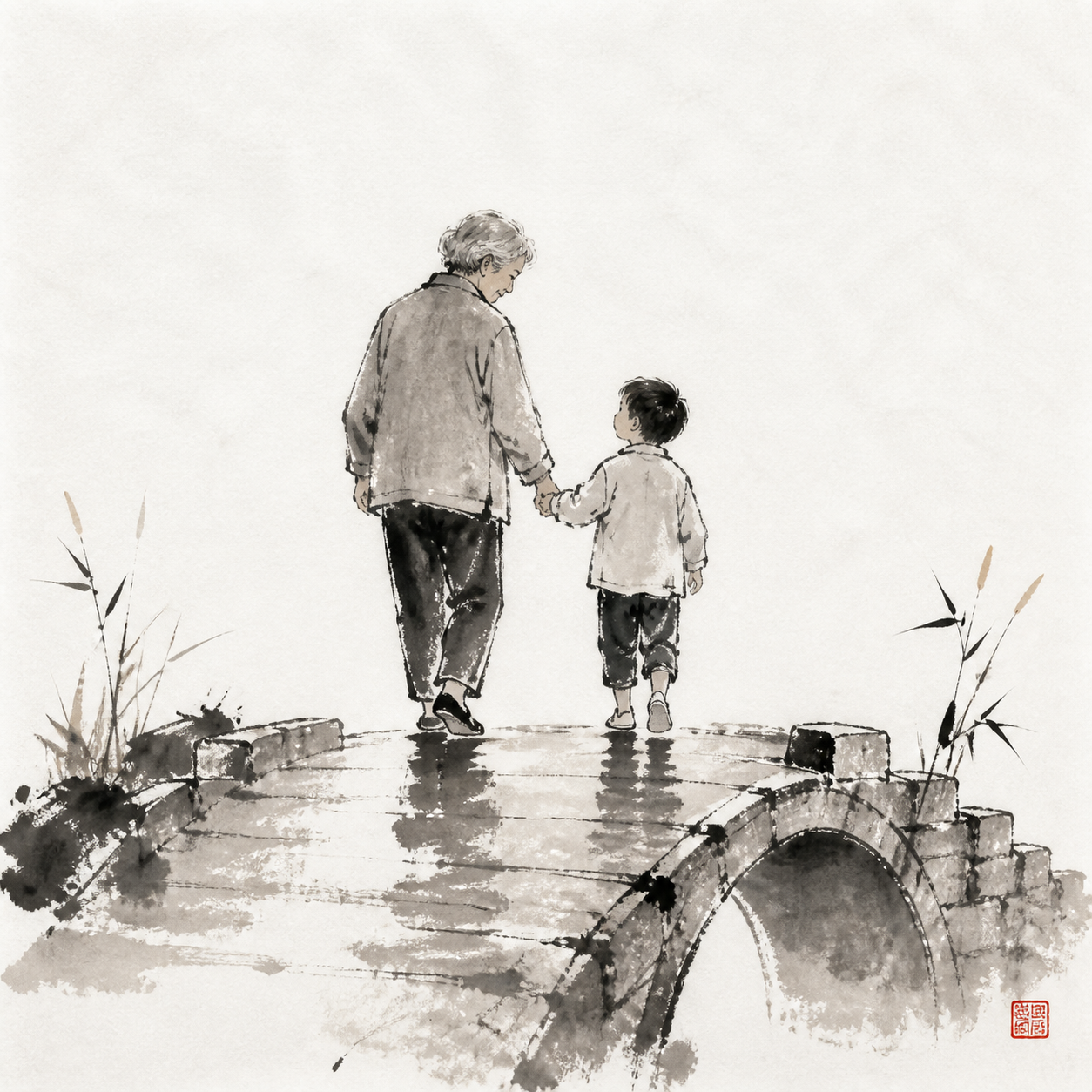 | ink-wash | 水墨写意 | 宣纸、浓淡干湿、飞白枯笔与朱红点睛 | 文化、寓言、感悟 |
| 10 | 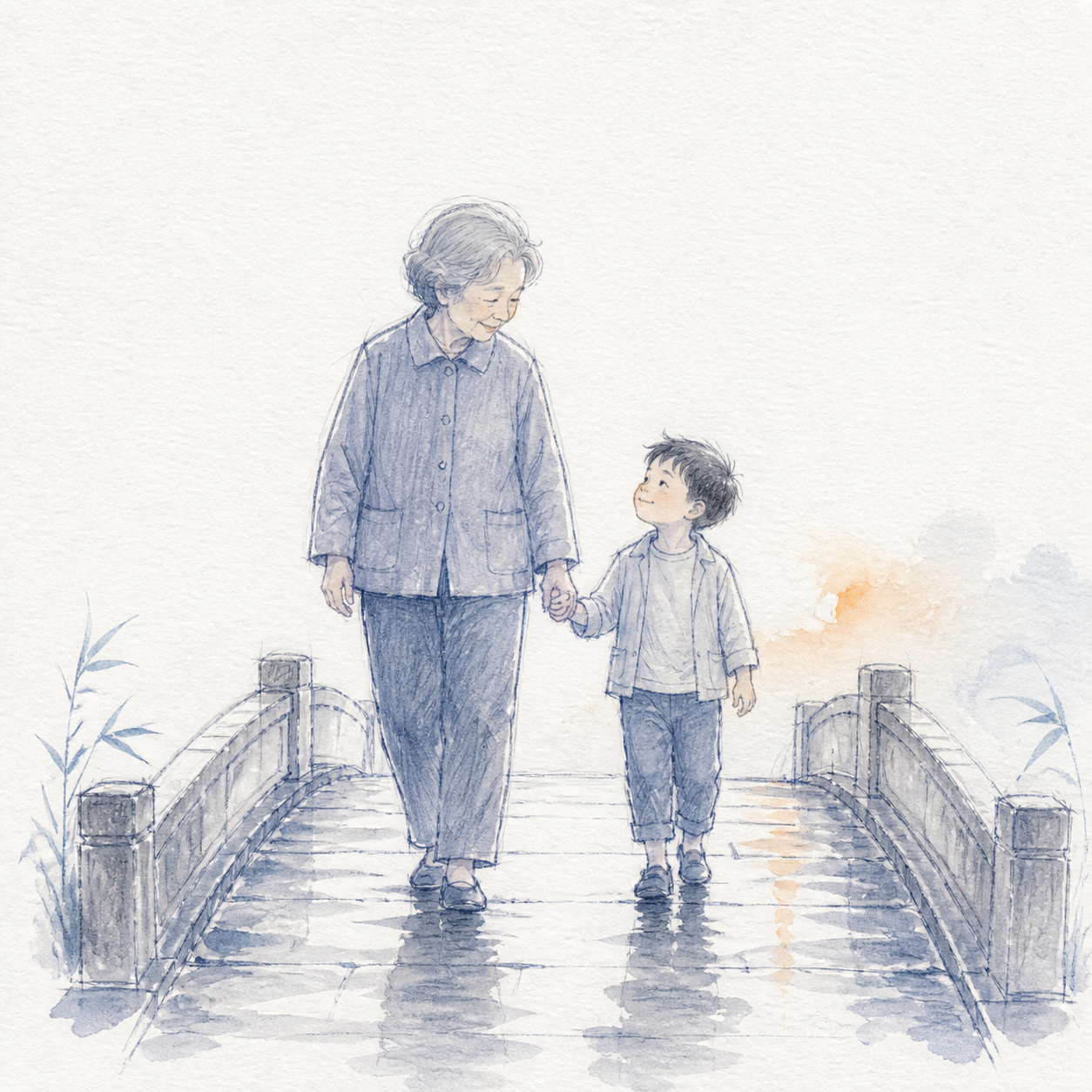 | emotional-watercolor-sketch | 情绪叙事淡彩速写 | 靛蓝松散速写、透明淡彩、单一暖橙焦点 | 回忆、关系、克制纪实 |
| 11 | 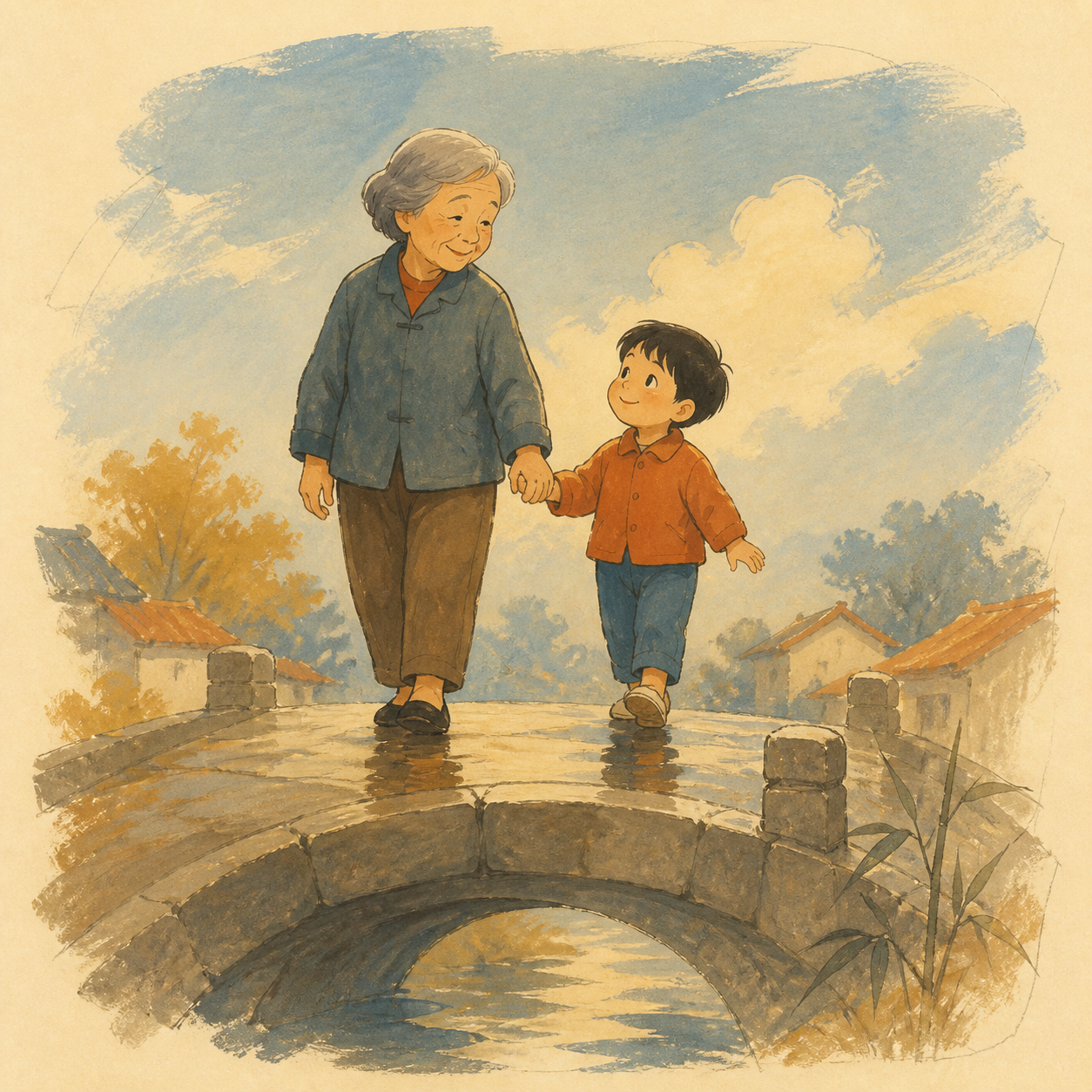 | retro-gouache-concept | 中古动画水粉概念稿 | 奶油纸、水粉大形、橙蓝互补、干刷边缘 | 怀旧、城市、温暖剧情 |
| 12 | 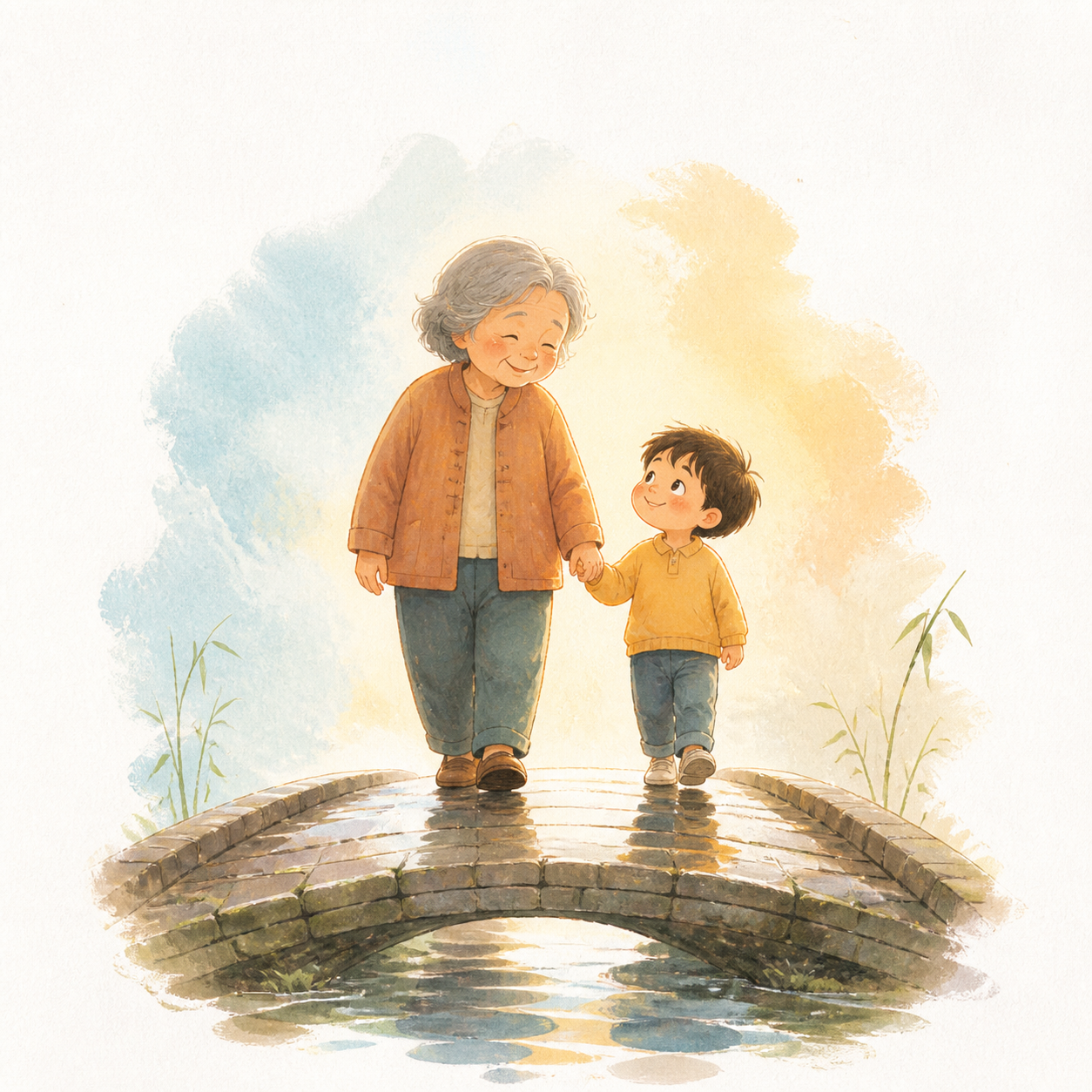 | sunlit-storybook | 暖光童画绘本 | 柔软水粉、暖边光、蓬松形状与未完成感 | 治愈、童话、亲情 |
| 13 | 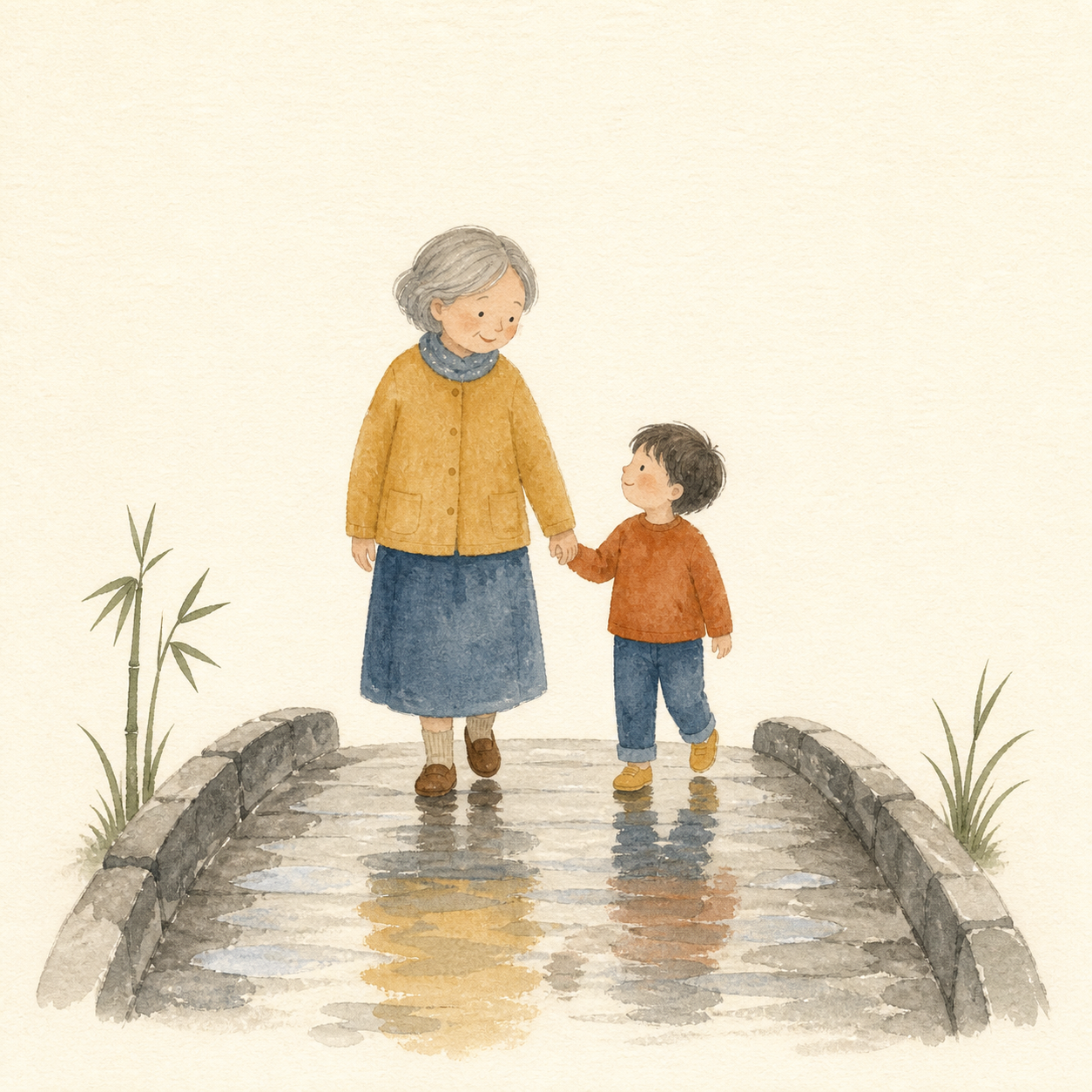 | nordic-gouache-storybook | 北欧低饱和水粉绘本 | 丹宁蓝与芥末黄、哑光颗粒、安静留白 | 日常、自然、睡前故事 |
| 14 | 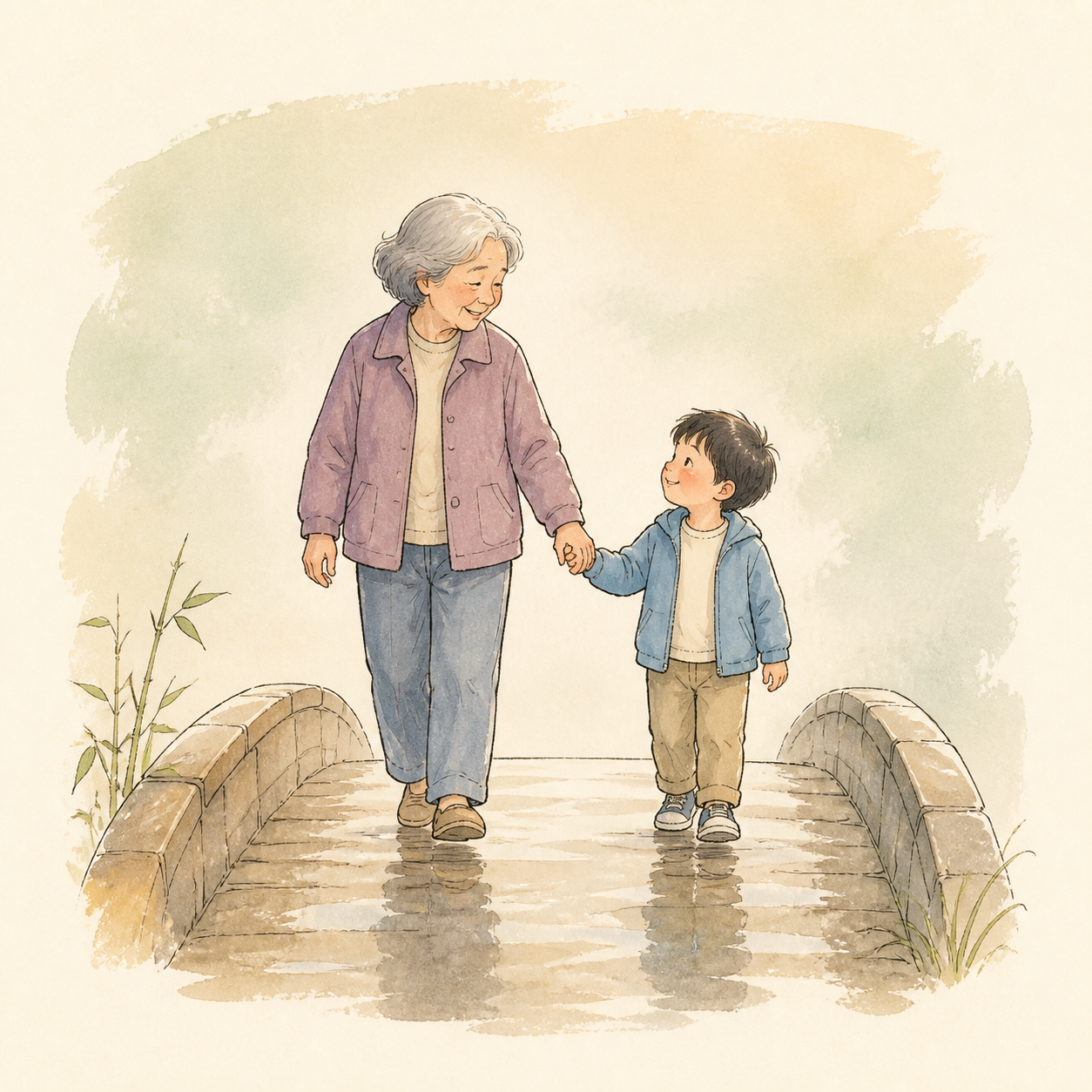 | inked-storybook | 墨线淡彩绘本 | 清晰墨线、轻薄水彩、角色表演突出 | 角色、青春、对白 |
| 15 | 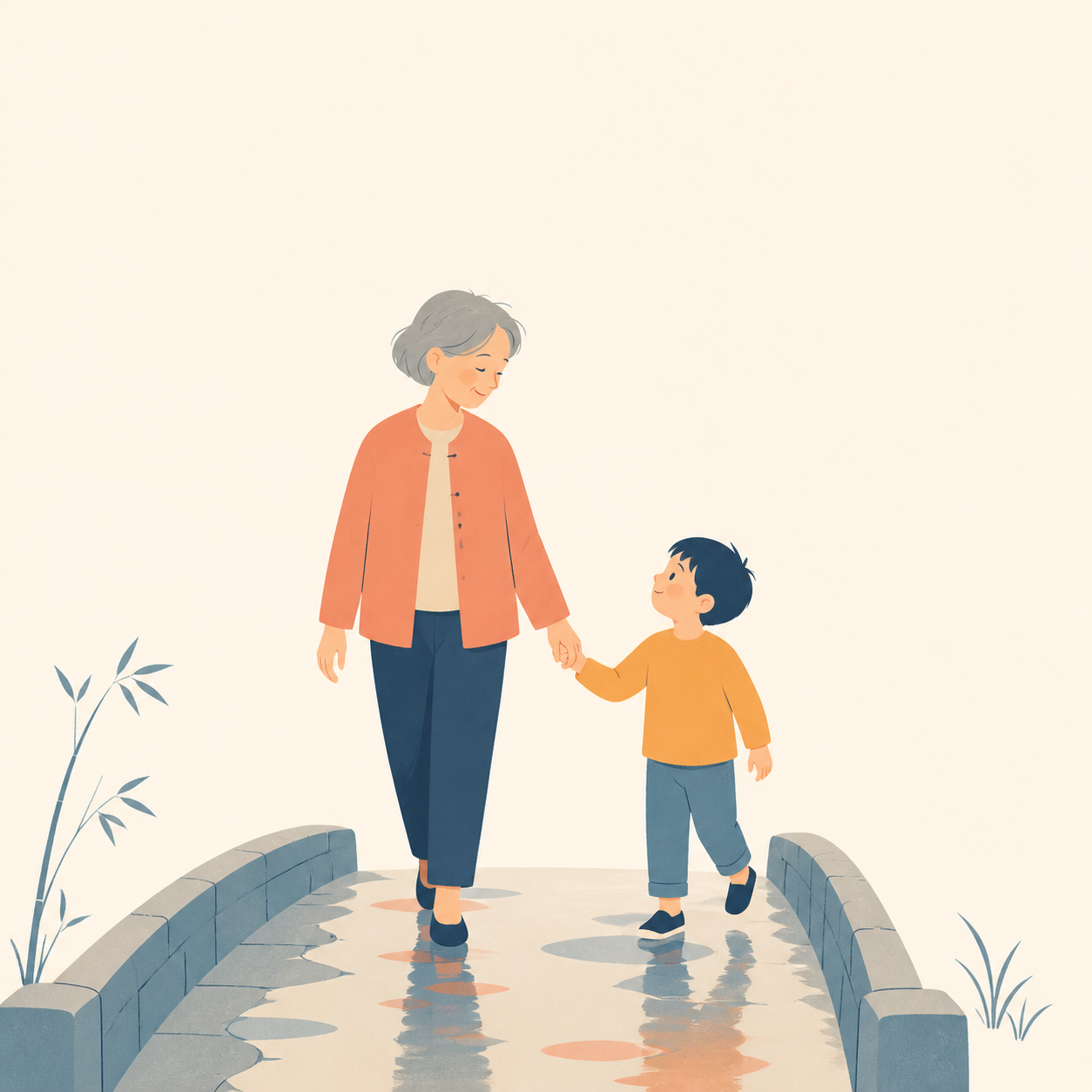 | warm-flat-storybook | 暖色几何扁平绘本 | 简化几何块面、暖色平涂、清楚视觉层级 | 关系、品牌、轻科普 |
| 16 | 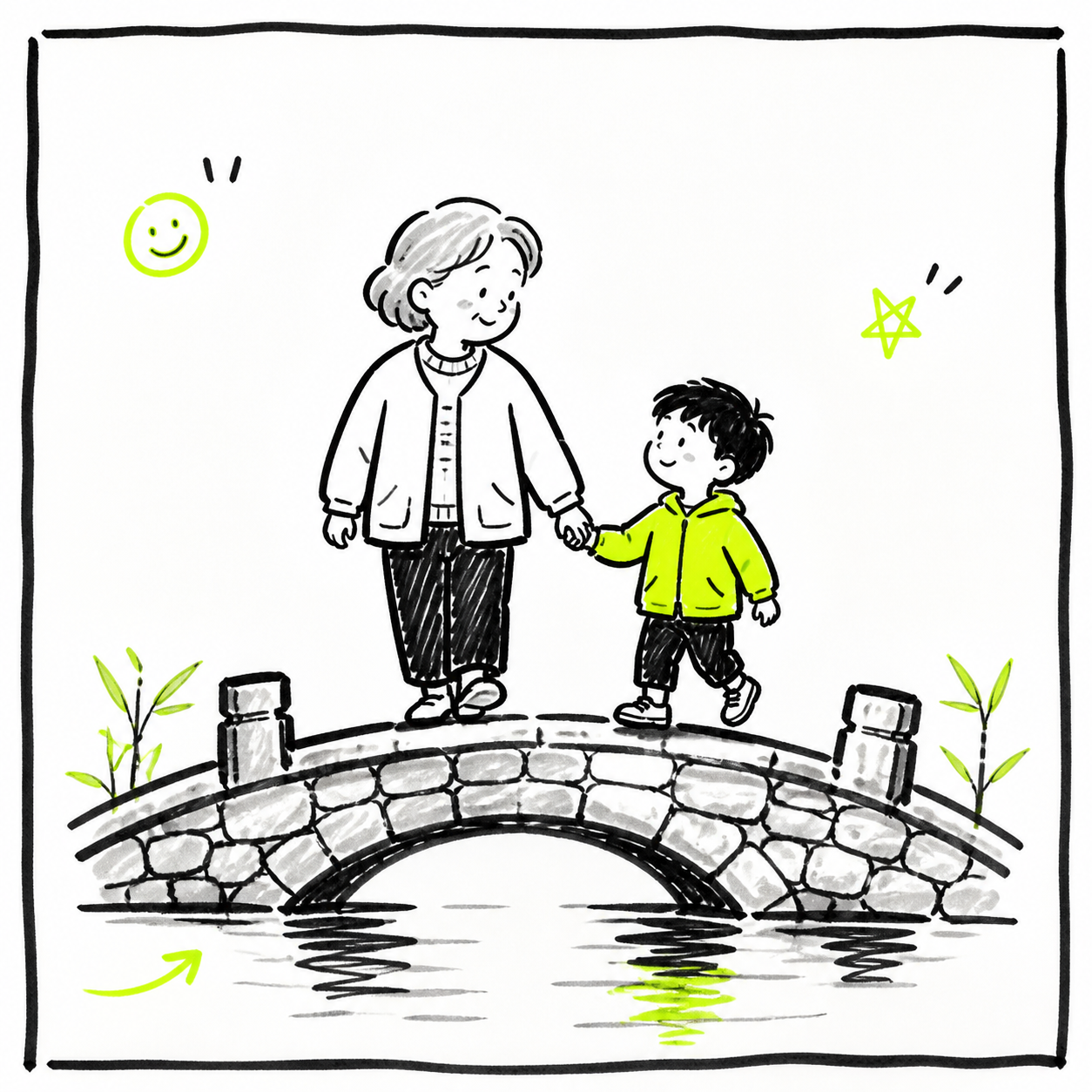 | naive-marker-notes | 稚拙马克笔笔记 | 粗黑马克笔、荧光重点与随手批注感 | 社媒、观点、年轻化内容 |
| 17 | 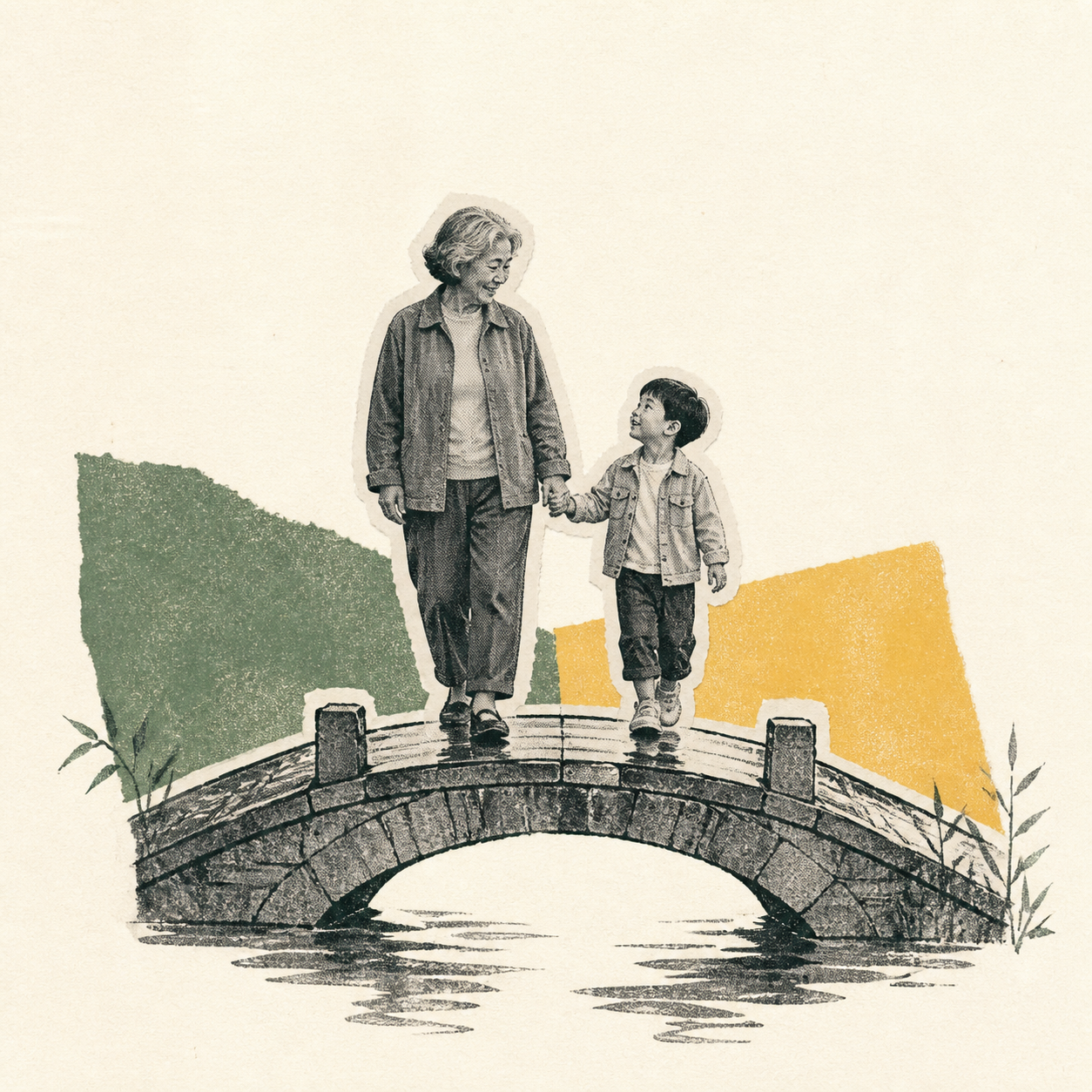 | zine-riso-collage | Zine 孔版拼贴 | 复印颗粒、撕纸拼贴、有限孔版套色 | 成长、旅行、音乐文化 |
| 18 | 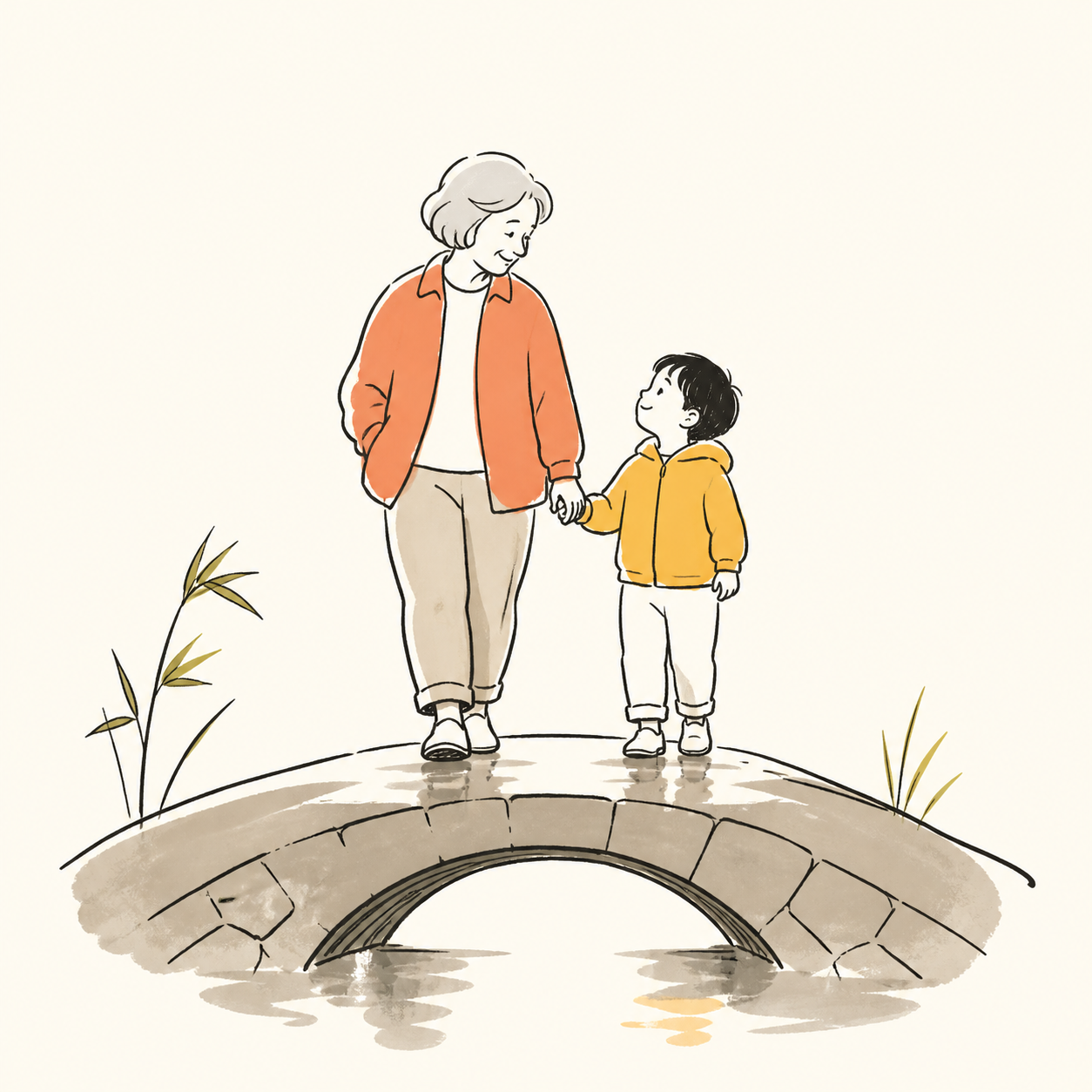 | organic-contour-doodle | 有机轮廓品牌涂鸦 | 松弛轮廓、温暖点色、生活方式插画感 | 餐饮、生活方式、品牌故事 |
| 19 | 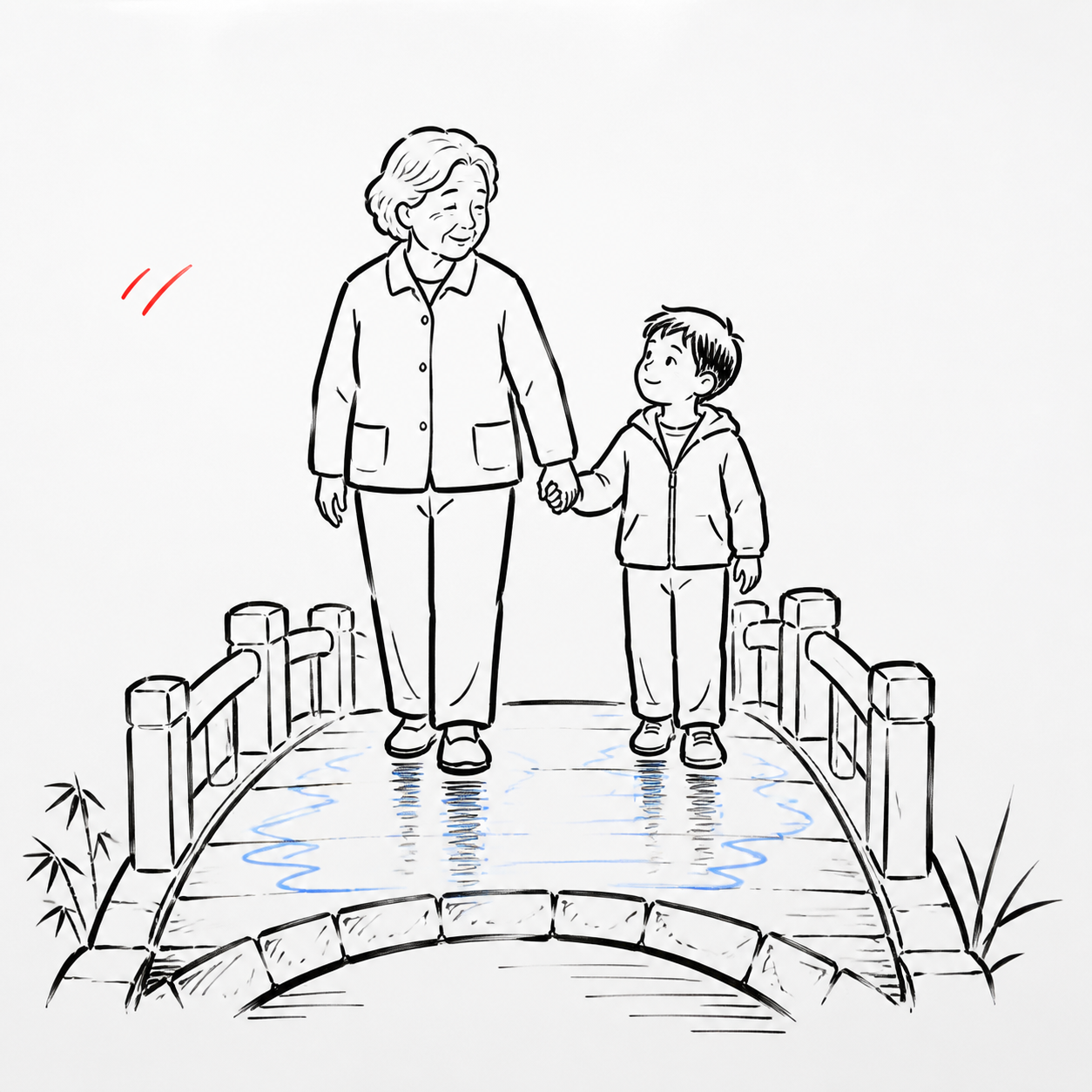 | whiteboard-explainer | 白板讲解动画 | 白底黑线、少量红蓝标记、步骤清晰 | 教程、商业解释、时间线 |
| 20 | 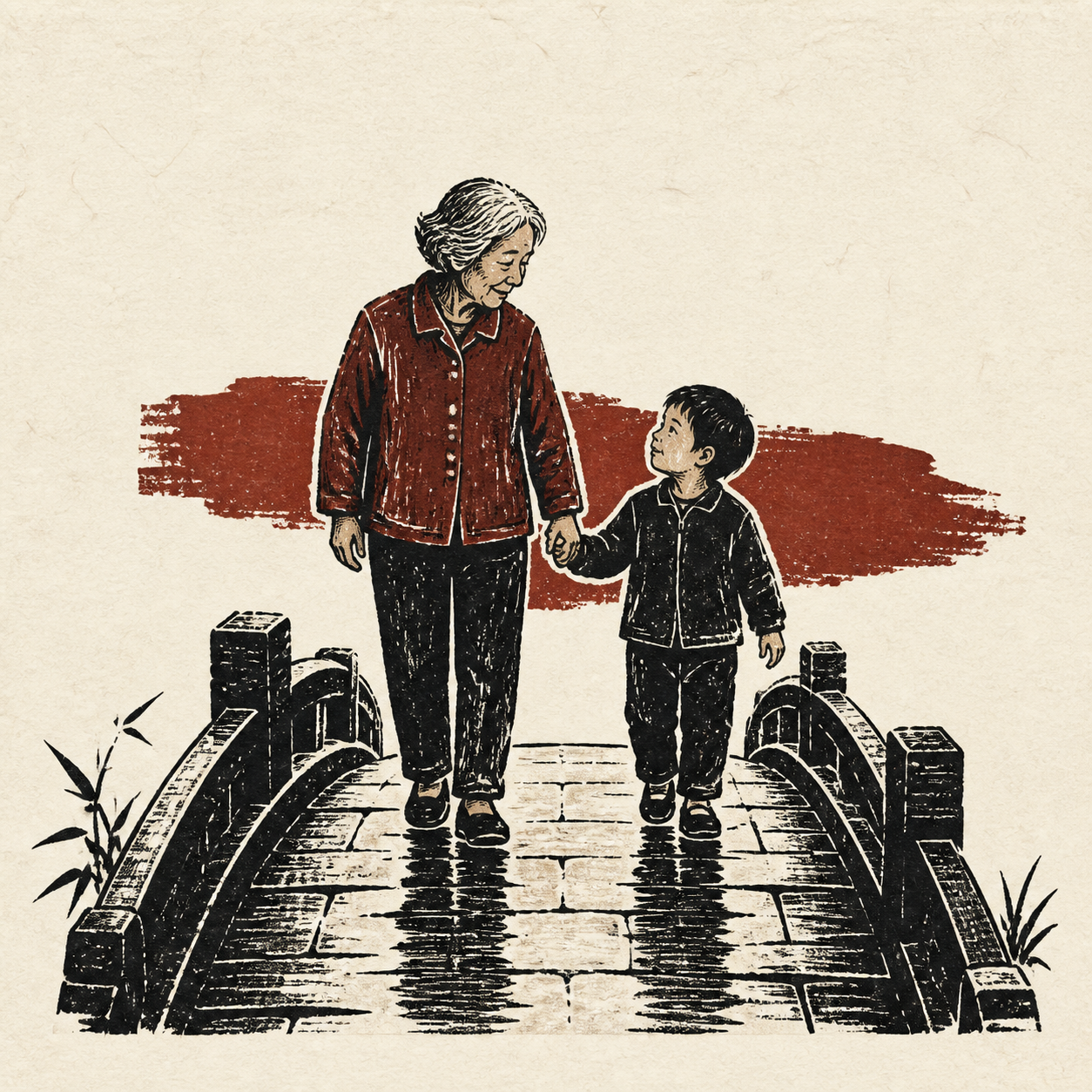 | linocut-editorial | 粗粝木刻社论插画 | 高反差刻痕、套色偏移、纸张颗粒 | 社会议题、历史、寓言 |
查看完整菜单和每张示例图路径:
python3 scripts/run_story_video.py --list-styles选择风格时可使用编号、id、中文名或别名:
使用 $story-to-handdrawn-video 选择「水墨写意」风格,把这段故事生成静音手绘动画。python3 scripts/run_story_video.py \
--input examples/story.txt \
--title "纸上的夏天" \
--style ink-wash \
--mode plan机器可读配方位于 references/handdrawn-style-library.json。其中 contact_sheet 指向总览图,每种风格的 example_image 指向对应示例;来源于 hand-drawn-styles 的配方保留 MIT 署名,详见 references/handdrawn-styles-LICENSE.txt。
输出契约
| 输入 | 模式 | 输出路径 |
|---|---|---|
| 故事文本 | 正式 | out/picture_silent.mp4 |
| 故事文本 | 预览 | out/picture_silent-preview.mp4 |
| 上传图片 | 正式 | out/uploaded_picture_silent.mp4 |
| 上传图片 | 预览 | out/uploaded_picture_silent-preview.mp4 |
- 分辨率:正式 1080×1440,预览 720×960
- 编码:H.264,静音
Skill 的完整行为约定见 skill-package/story-to-handdrawn-video/SKILL.md。
项目结构
.
├── src/                    # Remotion 组件(场景、擦除动效、翻页、缓动)
├── scripts/                # 渲染器入口与导入/校验/打包脚本(由 Skill 调用)
├── skill-package/          # 可分发的 Codex / Agent Skill
├── examples/               # 示例故事文本
├── references/             # 20 风格配方、默认风格参考板与示例图库
├── public/                 # 字体与素材(generated/ 为运行时产物)
├── storyboard.json         # 默认文本故事分镜示例
├── storyboard.uploaded.json # 上传图片分镜示例
└── DESIGN.md # 设计说明渲染器项目的维护命令:npm run dev(Remotion Studio)、npm run check(类型与分镜校验)、npm run build(生产构建)、npm run package:share(生成源码分享包)。
字体
项目使用随附的站酷马善政毛笔字体(Ma Shan Zheng),许可证见 public/fonts/OFL-MaShanZheng.txt(SIL Open Font License)。
贡献
欢迎贡献——请阅读 CONTRIBUTING.md。注意 skill-package/ 下的 Skill 契约与 src/、scripts/ 下的渲染器逻辑是核心部分,修改需要充分理由。
开源协议
English
Convert Chinese story copy — or ordered hand-drawn images — into a 3:4 vertical hand-drawn story animation. The project includes 20 selectable visual families spanning colored pencil, kid crayon, minimal line art, ink wash, watercolor, gouache storybooks, zine collage, whiteboard explainers, and linocut editorial illustration. When no style is requested, it preserves the approved and locked colored-pencil diary default. Built on Remotion; outputs a silent H.264 picture track ready for post-production voiceover.
This repo contains:
- The renderer project (root): the Remotion app that storyboards, animates, and renders.
- A Codex / agent skill (
skill-package/): a distributable skill that drives the renderer with natural language — no scripts to run by hand.
Requirements
- Node.js 20+, Python 3.10+, npm
- FFmpeg (
ffmpegandffprobeon PATH) - Google Chrome or a Remotion-managed compatible browser
- An agent runtime with skill support (Codex, Claude Code, Kimi Code, …)
Install
- Set up the renderer project:
git clone https://github.com/gnipbao/story-to-handdrawn-video.git
cd story-to-handdrawn-video
npm ci
npm run check- Install the skill into your agent's skills directory:
# Codex
cp -R skill-package/story-to-handdrawn-video ~/.codex/skills/

# Claude Code / generic agents
cp -R skill-package/story-to-handdrawn-video ~/.claude/skills/

# Kimi Code
cp -R skill-package/story-to-handdrawn-video ~/.agents/skills/- Point the skill at the renderer project (skip when the agent runs inside it):
export STORY_VIDEO_PROJECT=/absolute/path/to/story-to-handdrawn-videoUsage (Codex skill examples)
Everything is driven in natural language; sentence splitting, storyboarding, image generation, import, and rendering are handled by the agent per the skill contract.
Story text → animation (the skill's default prompt):
使用 $story-to-handdrawn-video 把这段故事生成可后期配音的手绘动画。

<paste your story here>
Ordered images → animation:
使用 $story-to-handdrawn-video 把这几张图片按顺序生成手绘动画:
/absolute/01.jpg /absolute/02.jpg /absolute/03.jpg
Page-flip effect (uploaded pages shown untouched, curled from the bottom-right corner):
使用 $story-to-handdrawn-video 把这些图片做成翻书效果的手绘动画:
/absolute/01.jpg /absolute/02.jpg
Preview first (720×960, before committing to a full render):
使用 $story-to-handdrawn-video 先给这个故事生成一个预览版。Notes: one complete sentence per beat by default; Codex Image2 is the default image generator (the OpenAI API path is only used when explicitly requested and requires OPENAI_API_KEY); output is a silent picture track — voiceover and BGM are post-production.
Built-in style library
The samples below use the same characters, action, and composition so line work, material, palette, and finish can be compared directly. Samples are style evidence only; story text and the character lock still control scene content and identity.
| # | Sample | Style id | English name | Best fit |
|---|---|---|---|---|
| 1 | | colored-pencil-diary | Colored-pencil diary comic (default) | family, everyday life, documentary emotion |
| 2 | | minimal-line-explainer | Minimal line explainer | education, process, ideas |
| 3 | | kid-crayon | Kid crayon bad drawing | childhood, parenting, light comedy |
| 4 | | rawkid-crayon | Raw family crayon card | family serials, warm daily moments |
| 5 | | bean-doodle-infographic | Bean doodle infographic | steps, lists, knowledge cards |
| 6 | | ms-paint-bad-doodle | MS Paint bad doodle | satire, reversal, absurdity |
| 7 | | ballpoint-scribble | Ballpoint scribble sketch | portraits, animals, monologue |
| 8 | | real-crayon-paper | Real crayon paper | child viewpoint, growth records |
| 9 | | ink-wash | Expressive ink wash | culture, fables, reflection |
| 10 | | emotional-watercolor-sketch | Emotional light-watercolor sketch | memory, relationships, restrained documentary |
| 11 | | retro-gouache-concept | Mid-century gouache concept | nostalgia, cities, warm drama |
| 12 | | sunlit-storybook | Sunlit storybook vis-dev | healing stories, fairy tales, family |
| 13 | | nordic-gouache-storybook | Nordic gouache storybook | quiet daily life, nature, bedtime stories |
| 14 | | inked-storybook | Inked light-watercolor storybook | character scenes, youth, dialogue |
| 15 | | warm-flat-storybook | Warm flat storybook | relationships, branding, light education |
| 16 | | naive-marker-notes | Naive marker notes | social posts, opinions, youth content |
| 17 | | zine-riso-collage | Zine risograph collage | growth, travel, music culture |
| 18 | | organic-contour-doodle | Organic contour doodle | lifestyle, food, brand stories |
| 19 | | whiteboard-explainer | Whiteboard explainer | tutorials, business concepts, timelines |
| 20 | | linocut-editorial | Linocut editorial | social issues, history, fables |
List styles and their example paths:
python3 scripts/run_story_video.py --list-stylesSelect a style by order, id, Chinese name, English name, or alias:
python3 scripts/run_story_video.py \
  --input examples/story.txt \
  --title "Paper Summer" \
  --style ink-wash \
  --mode plan
The machine-readable recipes live in references/handdrawn-style-library.json. Its contact_sheet points to the overview and each example_image points to an individual sample. Recipes adapted from hand-drawn-styles retain MIT attribution in references/handdrawn-styles-LICENSE.txt.
Outputs
| Input | Mode | Path |
|---|---|---|
| Story text | final | out/picture_silent.mp4 |
| Story text | preview | out/picture_silent-preview.mp4 |
| Uploaded images | final | out/uploaded_picture_silent.mp4 |
| Uploaded images | preview | out/uploaded_picture_silent-preview.mp4 |
Final 1080×1440, preview 720×960, H.264, silent. The full behavior contract lives in SKILL.md.
License
MIT. The bundled Ma Shan Zheng font is under the SIL Open Font License.