Antigravity CLI
Antigravity CLI understands your codebase, makes edits with your permission, and executes commands — right from your terminal.
- Official Docs: antigravity.google/docs/cli-overview
- Official Website: antigravity.google/product/antigravity-cli
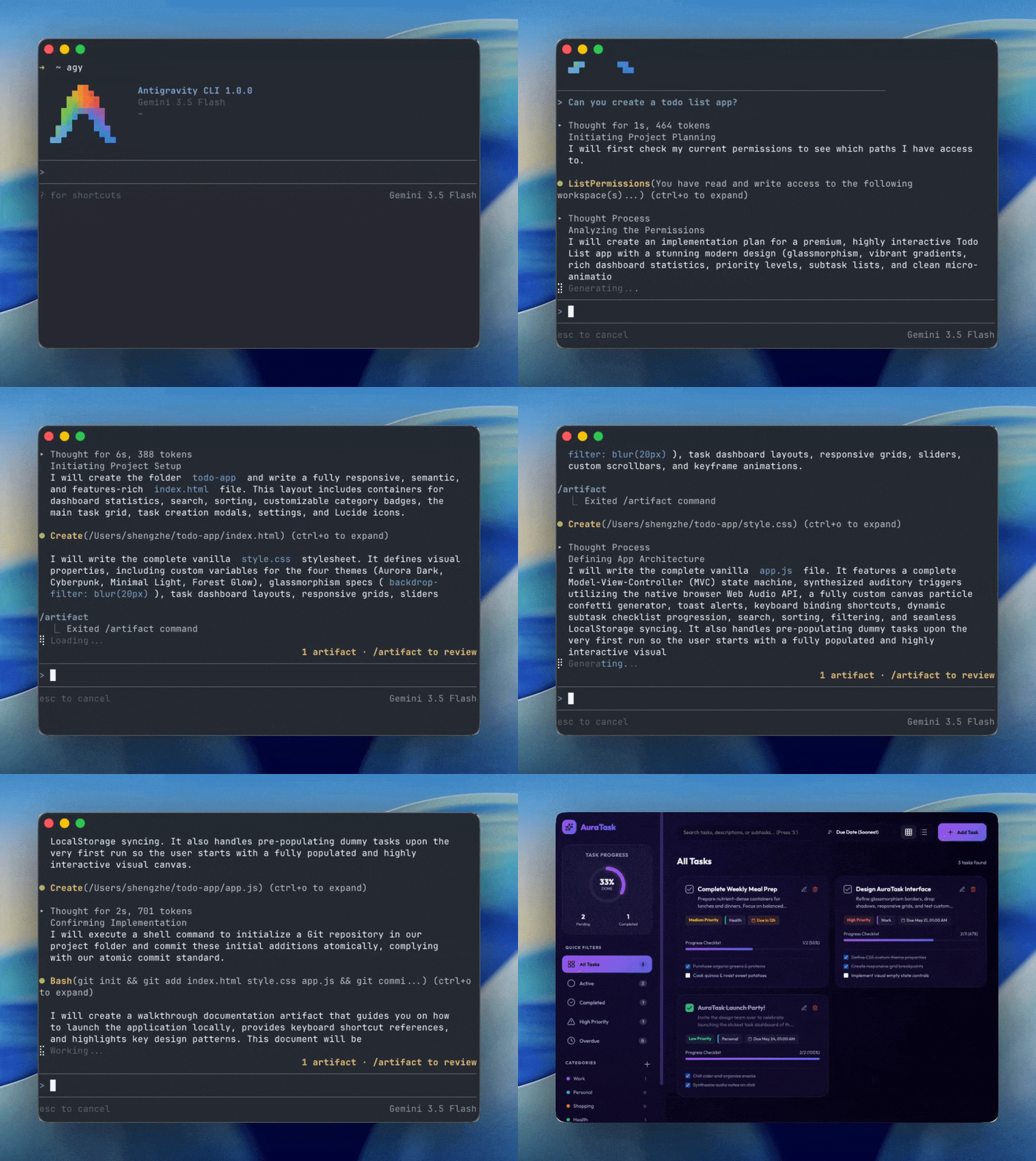
Antigravity CLI brings the core capabilities of Antigravity 2.0 (multi-step reasoning, multi-file editing, tool calling, and persistent history) directly to your terminal. It is optimized for keyboard-driven workflows and remote SSH sessions with minimal resource overhead.
Features at a Glance
| Feature | Antigravity CLI | Antigravity 2.0 |
|---|---|---|
| Primary Focus | Speed, keyboard efficiency, low overhead | Comprehensiveness, visual orchestration, project management |
| Interface | Terminal User Interface (TUI) | Full Rich GUI Application |
| Workflows | SSH/Remote sessions, keyboard-first | Local workspaces, heavy orchestration |
| Agent Engine | Shared Core Agent Engine | Shared Core Agent Engine |
Integration
- Shared Agent Engine: Both interfaces run on the same core agent engine. Improvements automatically apply to both.
- Shared Settings: Preferences and permissions sync bidirectionally.
- Session Export: Export terminal sessions to the Antigravity 2.0 GUI to continue working.
Installation
macOS / Linux
curl -fsSL https://antigravity.google/cli/install.sh | bash
Windows PowerShell
irm https://antigravity.google/cli/install.ps1 | iex
Windows CMD
curl -fsSL https://antigravity.google/cli/install.cmd -o install.cmd && install.cmd && del install.cmd
Authentication
The CLI authenticates via the system keyring, falling back to Google Sign-In if no active session exists.
- Local: Automatically opens your default browser.
- Remote / SSH: Detects SSH sessions and prints an authorization URL to complete login locally.
- Sign Out: Run
/logoutto clear saved credentials.
[!NOTE] For enterprise access, connect your GCP project during onboarding. See the Enterprise page for details.
Terms of Service & Data Use
[!WARNING] AI coding agents are known to have certain security risks, including autonomous code execution, data exfiltration, prompt injection, and supply chain risks. Ensure that you monitor and verify all actions taken by the agent.
By using Antigravity CLI, you agree to help improve the product by allowing Google to collect and use your Interactions data, subject to the Google Terms of Service and Google Privacy Policy. You can choose to opt out at any time via your settings.
Legal & Privacy Links
- Terms of Service: antigravity.google/terms
- Privacy Policy: policies.google.com/privacy