Web Augmenter
Turn any website into a programmable surface using natural language.
Web Augmenter is a Chrome side panel extension that lets you modify any website by describing what you want in plain English. It uses AI to generate and inject CSS/JavaScript changes on the fly.
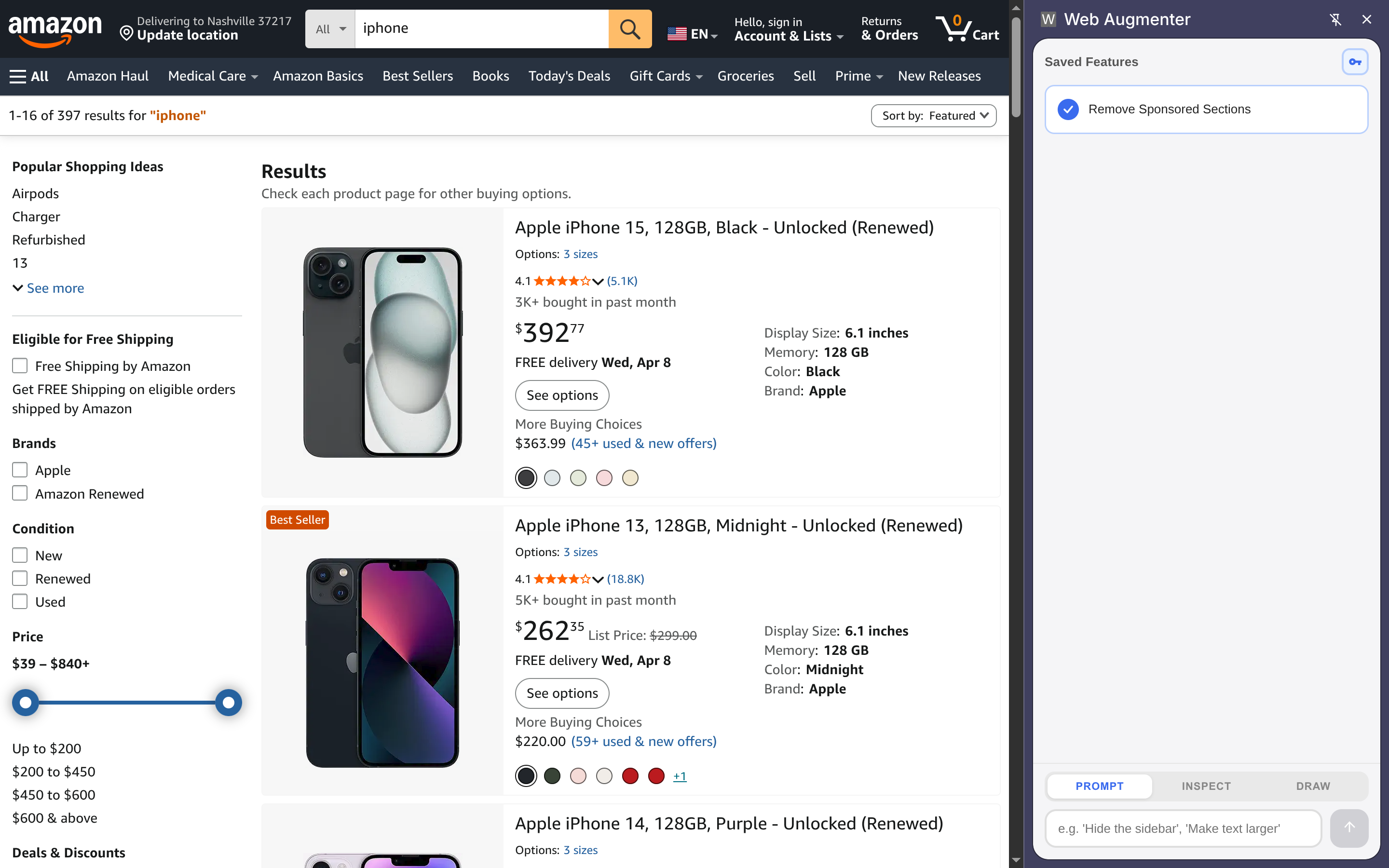
Features
- Prompt mode: Describe a change and apply it to the current page
- Inspect mode: Click any element on the page to select it, then describe what to change
- Draw mode: Draw a rectangle on the page to define a region, then describe the UI to generate there
- Saved features: Applied changes are saved and auto-applied on return visits
- Multiple AI providers: Anthropic (Claude) or OpenRouter with a configurable model
Installation
- Clone or download this repository
- Build the extension:
npm install npm run build - Load in Chrome:
- Go to
chrome://extensions/ - Enable Developer mode
- Click Load unpacked and select the
distfolder
- Go to
- After loading, click Details on the extension and enable Allow user scripts
Usage
Open the side panel by clicking the Web Augmenter icon in the Chrome toolbar.
Modes
| Mode | How to activate | What it does |
|---|---|---|
| Prompt | Default | Type an instruction and apply it to the whole page |
| Inspect | Click INSPECT tab | Click an element on the page, then describe the change |
| Draw | Click DRAW tab | Draw a rectangle on the page, then describe the UI to create |
API Setup
Click the key icon in the top-right of the panel to configure your AI provider.
Anthropic: paste an API key starting with sk-ant-...
OpenRouter: paste your OpenRouter key and optionally specify a model (defaults to anthropic/claude-sonnet-4).
Saved Features
Every successfully applied instruction is saved as a feature. From the features list you can:
- Toggle auto-apply on/off per feature
- Delete a feature (also reloads the page)
Features are scoped to the site they were created on and auto-apply when you revisit.
Development
npm install        # install dependencies
npm run build      # production build
npm run dev        # watch mode
npm run package    # zip for distribution
Project Structure
src/
├── background/serviceWorker.ts   # service worker
├── content/
│   ├── contentScript.ts          # page interaction, mode handling
│   ├── injectPatches.ts          # CSS/JS injection
│   └── toolExecutor.ts           # AI tool execution
├── popup/
│   ├── popup.html / popup.ts     # side panel UI
│   └── popup.css
└── shared/
    ├── llmClient.ts              # Anthropic + OpenRouter API
    ├── domSnapshot.ts            # page structure extraction
    ├── screenshot.ts             # optional visual context
    ├── persistence.ts            # chrome.storage wrapper
    ├── types.ts
    └── constants.ts
Permissions
activeTab,tabs— access current tab and capture screenshotsscripting,userScripts— inject generated CSS/JSstorage— persist features and settings locallysidePanel— host the UI as a Chrome side panel<all_urls>— run on any website
Privacy
All features and settings are stored locally in your browser (chrome.storage.local). The extension only sends page structure and your instruction to the configured AI API — no personal data is collected or stored externally.