pi-pretty


A pi extension that upgrades built-in tool output in the terminal and includes built-in FFF-powered search for find/grep.
It currently enhances:
read: syntax-highlighted text previews with line numbers, plus inline image rendering when the terminal supports itbash: colored exit summary (exit 0/exit 1) with a preview body of command outputls: Nerd Font file icons with tree-oriented renderingfind/grep: built-in FFF-backed search with frecency-aware results, plus grouped/highlighted rendering
Companion to @heyhuynhgiabuu/pi-diff for
write/editdiff rendering.
Install
pi install npm:@heyhuynhgiabuu/pi-pretty
Latest release: https://github.com/buddingnewinsights/pi-pretty/releases/latest
Or load locally:
pi -e ./src/index.ts
Screenshots
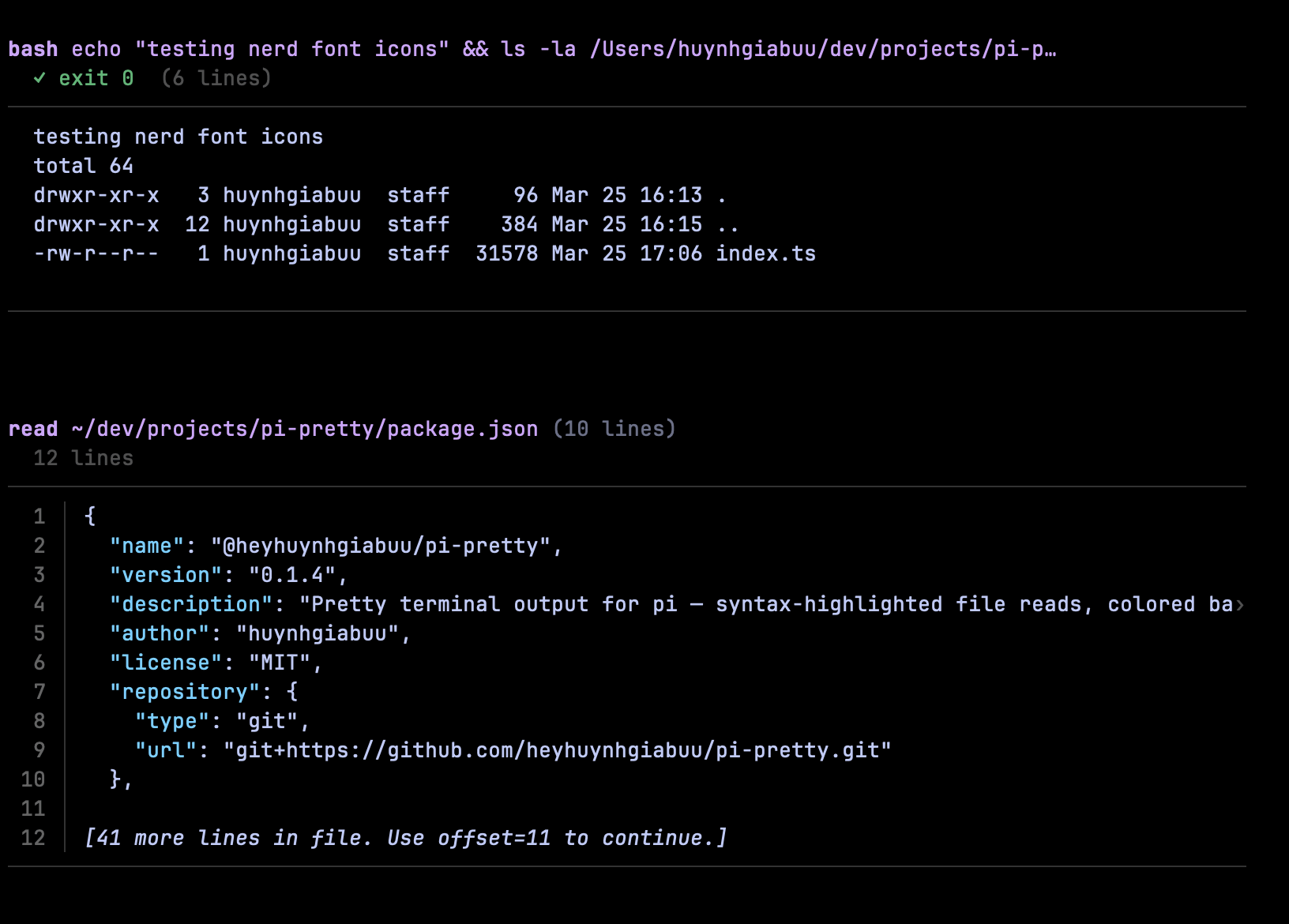
bash exit summary + output preview, and syntax-highlighted read text output.
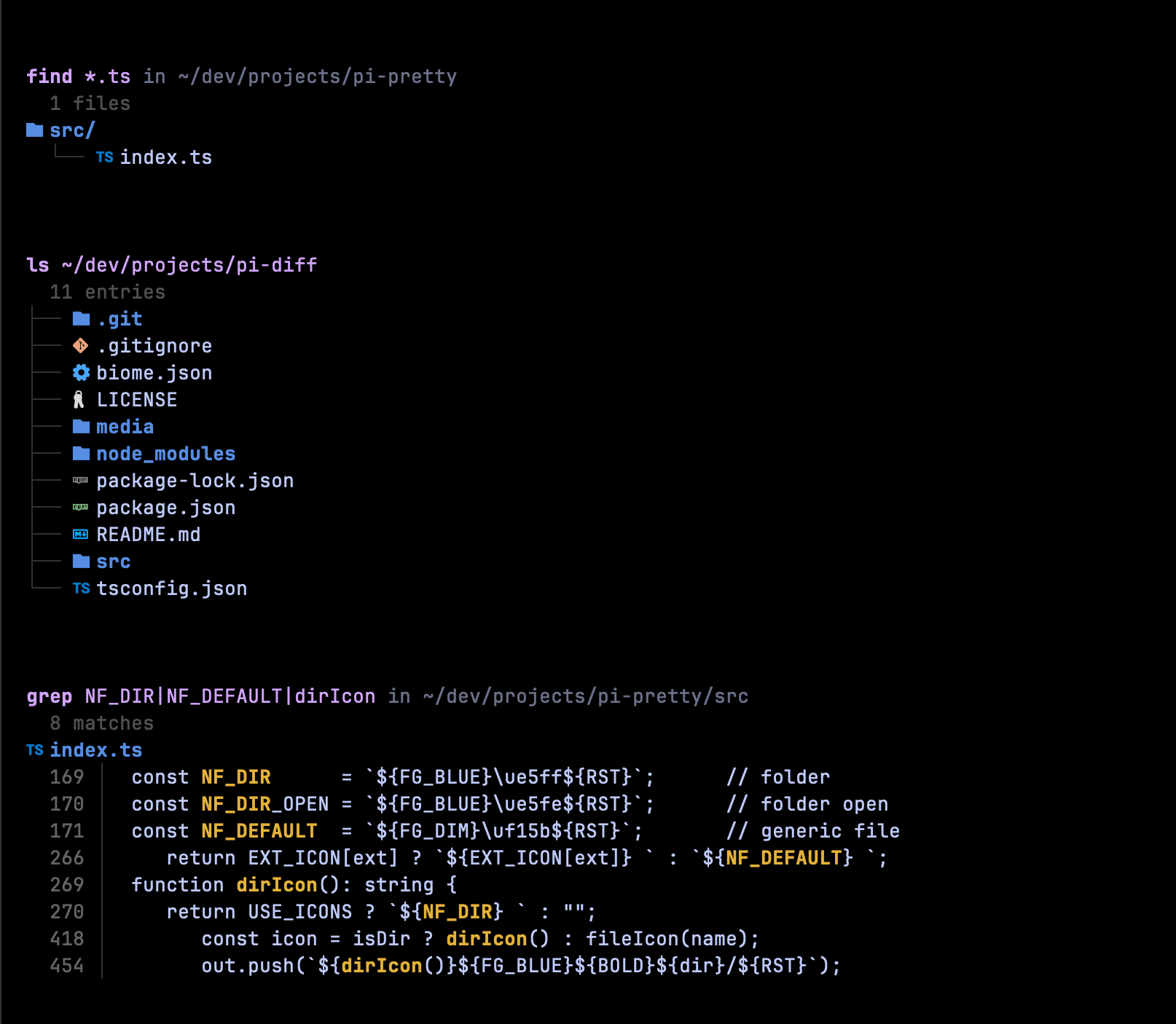
ls/find/grep with Nerd Font icons and grouped/tree-oriented rendering.
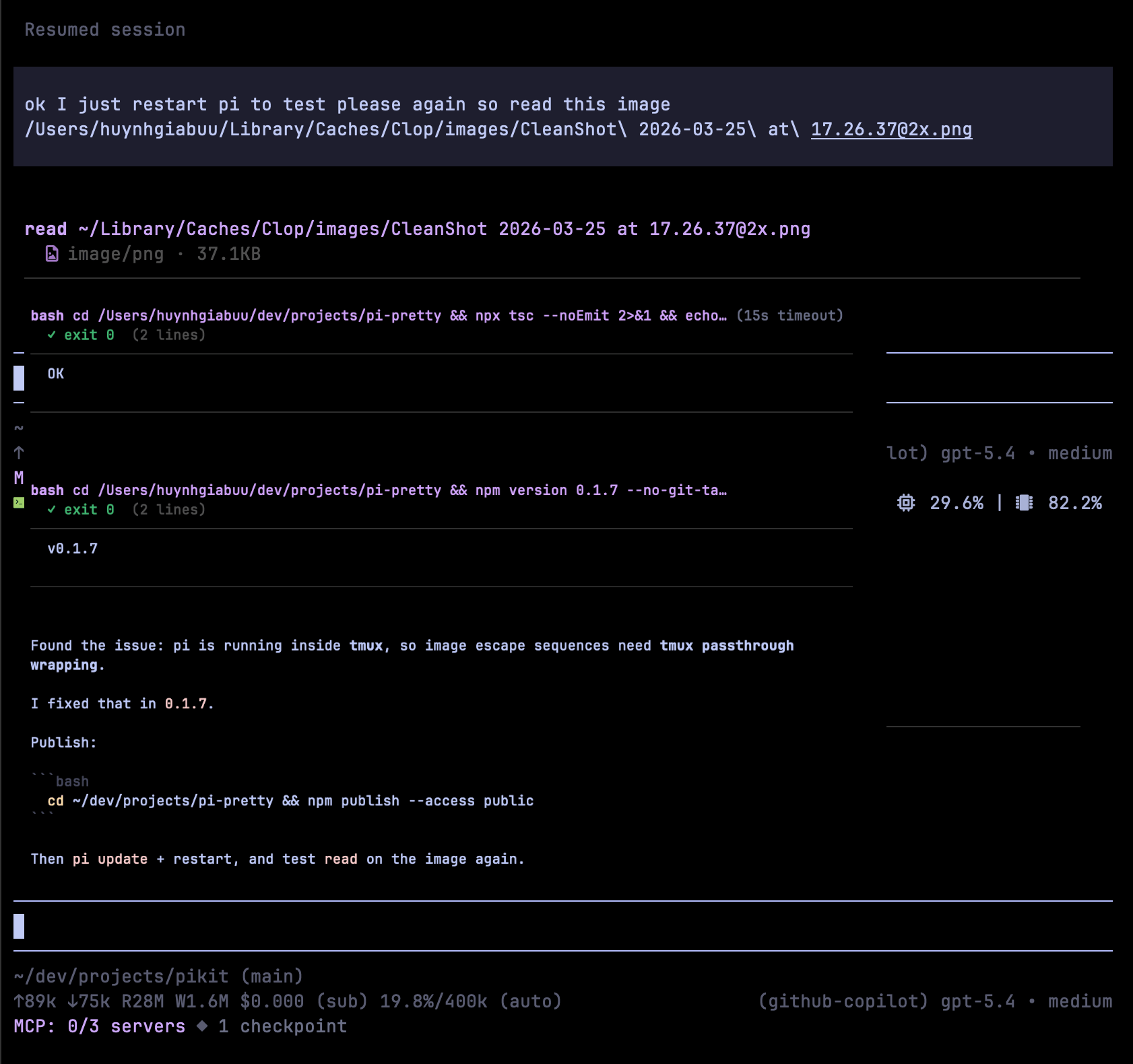
read rendering an image inline in supported terminals.
Terminal support for inline images
Inline image previews are supported in Ghostty, Kitty, iTerm2, and WezTerm.
When running in tmux, pi-pretty uses passthrough escape sequences.
tmux must allow passthrough. Enable it with:
set -g allow-passthrough on(or run once in a session:
tmux set -g allow-passthrough on)
Bundled FFF search
pi-pretty now bundles @ff-labs/fff-node and owns the built-in find / grep search behavior directly.
If you use bundled FFF mode, do not load pi-fff at the same time, because Pi extensions do not compositionally share ownership of the same built-in tool names.
FFF data is stored under a pi-pretty-specific path:
~/.pi/agent/pi-pretty/fff/
This makes it clear that the cache belongs to this extension rather than Pi core.
How to use it
1. Install and load only pi-pretty
pi install npm:@heyhuynhgiabuu/pi-pretty
Do not also load pi-fff in the same Pi setup.
2. Start Pi in a project
cd /path/to/your/project
pi
On session start, pi-pretty initializes the bundled FFF index for the current working directory.
3. Use the built-in tools normally
You keep using the normal built-in tool names — pi-pretty owns them directly.
Examples:
find pattern="*.ts" path="src"
grep pattern="handleRequest" glob="*.ts"
read path="src/index.ts"
ls path="src"
4. Use multi_grep when you want OR-search across multiple strings
multi_grep is bundled on top of FFF and is useful when you want any of several patterns:
multi_grep patterns=["handleRequest","handle_request","HandleRequest"] constraints="*.ts"
Good uses:
- find several naming variants at once
- search related symbols in one pass
- replace slow regex alternation with literal OR matching
5. Check FFF status or force a rescan
pi-pretty also provides two maintenance commands:
/fff-health
/fff-rescan
Use them when:
- you want to confirm indexing is active
- the session started with a partial index warning
- you made large filesystem changes and want a fresh scan
Notes
findresults are frecency-aware, so files you touch more often can bubble up earlier.grepandmulti_grepcan show a cursor notice when more results are available.- If you see a partial index warning, let the session settle or run
/fff-rescan.
Configuration
Optional environment variables:
PRETTY_THEME(overrides~/.pi/agent/settings.jsontheme; otherwise pi-pretty falls back to that setting beforegithub-dark)PRETTY_MAX_HL_CHARS(default:80000)PRETTY_MAX_PREVIEW_LINES(default:80)PRETTY_CACHE_LIMIT(default:128)PRETTY_ICONS(nerdby default, set tononeto disable icons)
Development
npm install
npm run typecheck
npm run lint
npm test
License
MIT — huynhgiabuu