NovelClaw






✨ A structured long-form fiction workspace centered on chapter drafting, inspectable runs, manuscript review, and memory-aware writing control.
💡 NovelClaw is not a one-shot prompt wrapper. It turns long-form fiction work into an inspectable writing workspace with sessions, storyboards, manuscript surfaces, character and world views, and editable memory banks.
🌐 Try it online: colong-idea-studio.cloud
🚀 Start locally now: .\START_LOCAL.bat





Overview | Visual Tour | Why It Stands Out | Workflow | Quick Start | Claw Mode Guide | Architecture | Runtime Artifacts
🚀 Local Preview 👀 Enter from
http://127.0.0.1:8010/select-mode, then continue intohttp://127.0.0.1:8012/dashboardfor the main NovelClaw workspace.
🌐 Live Platform Visit colong-idea-studio.cloud if you want the fastest online entry point.
Overview 🌟
https://github.com/user-attachments/assets/f768395f-0d6e-471f-826d-62aed266fd0e
Demo showcase of the NovelClaw workspace.
NovelClaw is the core writing workspace in this GitHub-safe public bundle. While Portal provides a clean public entry path and MultiAgent offers an optional faster ideation lane, the sustained long-form writing experience is concentrated in NovelClaw itself.
Instead of treating long-form fiction as a single prompt submission, NovelClaw organizes work into ongoing sessions, run inspection, manuscript review, storyboard development, and memory-aware writing control.
That makes it a better fit for authors and builders who want stronger continuity, clearer iteration surfaces, and more direct control over chapter-level progress. 🎯
- 📚 long-form fiction, serial writing, and chapter-by-chapter continuation.
- 🧠 memory-aware drafting with inspectable chapter output and reusable story state.
- 🤝 human-in-the-loop writing workflows with persistent control surfaces.
- 🔍 observable runs with logs, progress traces, chapters, downloads, and review pages.
✍️ Writing WorkspaceNovelClaw keeps conversation, chapter drafting, run review, and continuation work inside one main workspace instead of scattering them across separate tools. |
🗂️ Manuscript SurfacesStoryboards, manuscript views, style panels, world panels, and character surfaces remain visible as working material instead of becoming hidden intermediate output. |
🧠 Memory ControlEditable memory banks, run-linked artifacts, and chapter outputs give you a concrete surface for continuity, revision, and reuse across longer projects. |
Visual Tour 👀
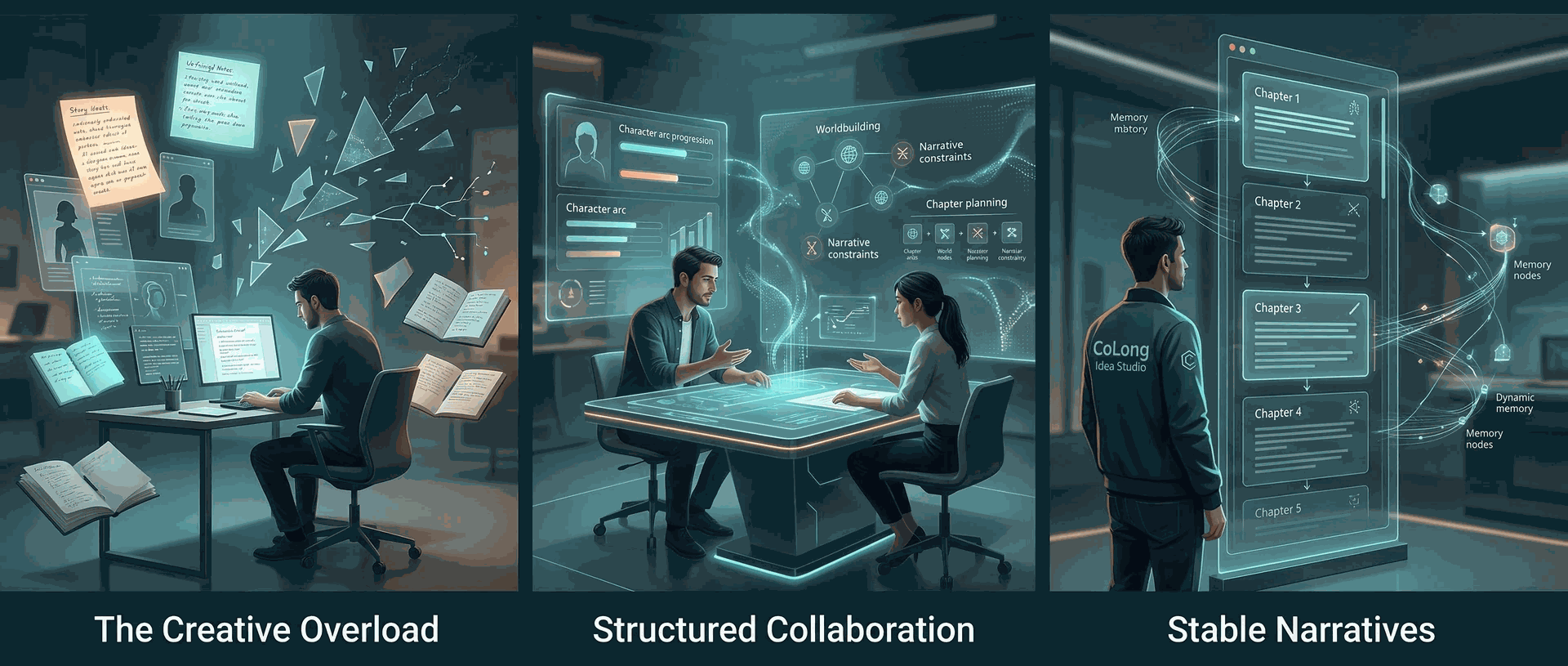
NovelClaw is built around a simple claim: long-form writing quality improves when drafting, review, and memory control are treated as a continuing workspace rather than a one-pass generation event. ✨
Why It Stands Out ✨
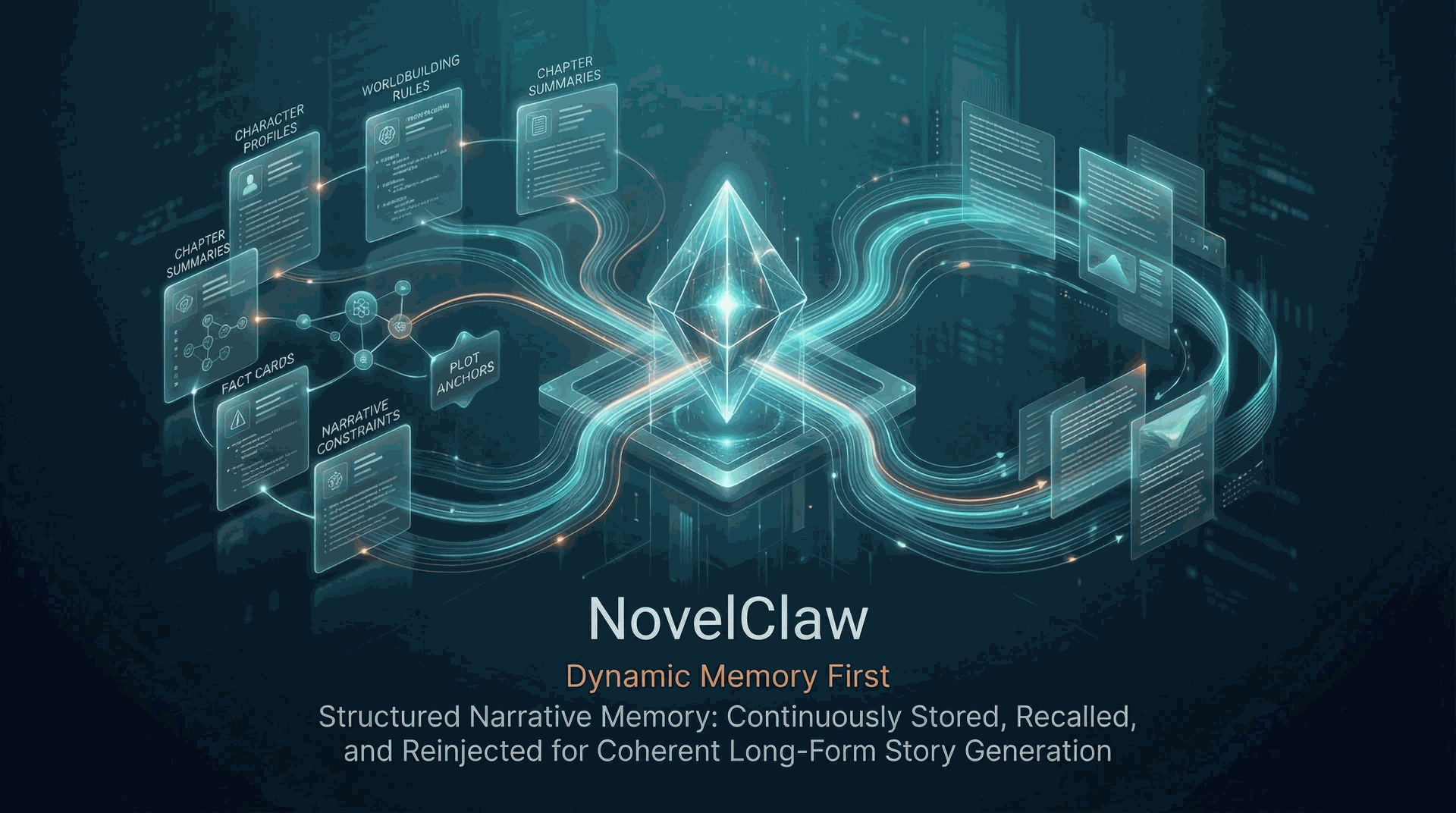
| Typical fiction tool flow | NovelClaw |
|---|---|
| Treats long-form writing as one large prompt | Treats long-form writing as an ongoing workspace with sessions and run inspection |
| Hides execution state behind opaque generation | Exposes worker output, progress.log, chapter files, downloads, and job detail views |
| Leaves story state scattered across temporary prompts | Keeps manuscript surfaces, world and character views, and memory banks inside the workspace |
| Makes continuation control difficult after the first draft | Supports repeated return through sessions, storyboard views, manuscript review, and chapter monitoring |
| Publishes public bundles with mixed local leftovers | Pairs the workspace with GitHub-safe packaging, safe env templates, and deployment references |
NovelClaw In Practice 🧠
- 📝 conversation sessions remain available as active writing context
- 📌 chapter output, progress traces, and downloads stay inspectable throughout a run
- 👤 world, character, style, and manuscript surfaces remain available for revision and continuation
- 🔁 Portal and MultiAgent can assist with entry and preparation, but the main long-form control surface remains NovelClaw
Workflow 🔄
1. EnterStart from the public entry at |
2. PrepareIf needed, use the support layers for provider setup or faster idea refinement before moving into the main writing workspace. |
3. DraftWork inside NovelClaw to continue sessions, monitor runs, inspect chapter output, and steer manuscript development. |
4. ReviewUse manuscript, storyboard, world, character, style, and memory-bank surfaces to keep the project coherent as it grows. |
Best Use Cases 🎯
- 📖 chapter-based long-form fiction and serialized writing workflows
- 🧠 writing projects that need continuity tracking rather than one-pass output
- 🤝 collaborative or supervised drafting where the author keeps steering the process
- 🧪 engineering and product experiments around inspectable long-form writing systems
Quick Start 🚀
🐳 Option A: Docker Deployment (Recommended)
💻 Quick start with Docker:
Windows:
.\docker-start.batLinux/Mac:
chmod +x docker-start.sh
./docker-start.sh
Or manually:
# 1. Setup environment files
cp .env.auth-portal.example apps/auth-portal/.env
cp .env.multiagent.example apps/multiagent/.env
cp .env.novelclaw.example apps/novelclaw/.env

# 2. Review .env files. API keys are optional until you run a cloud provider.

# 3. Start services
docker compose up -d
🌐 Access URLs:
Portal      http://localhost:8010/select-mode
MultiAgent  http://localhost:8011/dashboard
NovelClaw   http://localhost:8012/dashboard
The portal keeps the host you opened (localhost or 127.0.0.1) when it sends you to the workspace ports, so cross-port session cookies keep working in Docker.
✅ Docker benefits:
- no Python environment setup required
- consistent deployment across platforms
- easy to start, stop, and manage services
- data persistence through volumes
📖 See DOCKER_DEPLOYMENT.md for detailed Docker deployment guide. 🤖 CLI/agent automation can use the token API in docs/AGENT_API.md.
🌐 Option B: One-Click Local Stack
💻 Recommended on Windows:
.\START_LOCAL.bat🌐 Local URLs:
Portal      http://127.0.0.1:8010/select-mode
MultiAgent  http://127.0.0.1:8011/dashboard
NovelClaw   http://127.0.0.1:8012/dashboard
✅ Recommended main path:
http://127.0.0.1:8010/select-mode -> http://127.0.0.1:8012/dashboard✅ What this script does:
- stops old listeners on
8010,8011, and8012 - writes local
.envfiles from safe defaults - prepares a shared
.venv-shared - starts
Portal,MultiAgent, andNovelClaw
⌨️ Option B: Manual PowerShell Startup
.\scripts\setup-local-env.ps1 -Overwrite
.\scripts\bootstrap-shared-venv.ps1
.\scripts\start-all-local.ps1 -UseSharedVenv
🛑 Stop everything:
.\STOP_LOCAL.bat🛠️ Helpful commands:
.\scripts\stop-all-local.ps1
.\scripts\start-all-local.ps1 -UseSharedVenv -RestartExisting
Claw Mode Guide 🛠️
If your goal is to work inside the main NovelClaw writing workspace, the most practical operating path is:
- Enter the workspace
Start from
http://127.0.0.1:8010/select-mode, chooseNovelClaw, and continue intohttp://127.0.0.1:8012/dashboard. - Configure models first
Open
/console/models, save an API key for an available provider, or add a custom provider if you do not want to use the default list. If no provider is configured, the chat workspace will remind you to finish this step first. - Start a writing session
Open
/console/chat, choose a provider, and submit an initial premise, tone, cast, or writing task. NovelClaw will open an active conversation thread, continue asking for refinement when needed, and let you hand the brief off to formal creation when the session is ready. - Track the active run
Open
/console/tasksor the linked job detail page to inspect run status,worker.log,progress.log, chapter output, and downloadable artifacts while the writing process is running. - Review and continue
Use
/console/manuscript/readfor chapter reading,/console/storyboardfor outline and plot structure, and/console/memory/banksfor memory inspection or edits. Then return to/console/chatto continue the same session instead of starting from scratch.
In short: Models configures the writing stack, Chat starts and steers the session, Runs exposes execution state, and Manuscript / Storyboard / Memory Banks provide the main continuation surfaces after generation begins.
What You Get 🎁
🎨 Workspace Capabilities
|
🔍 Inspectable Output
|
Architecture 🧠
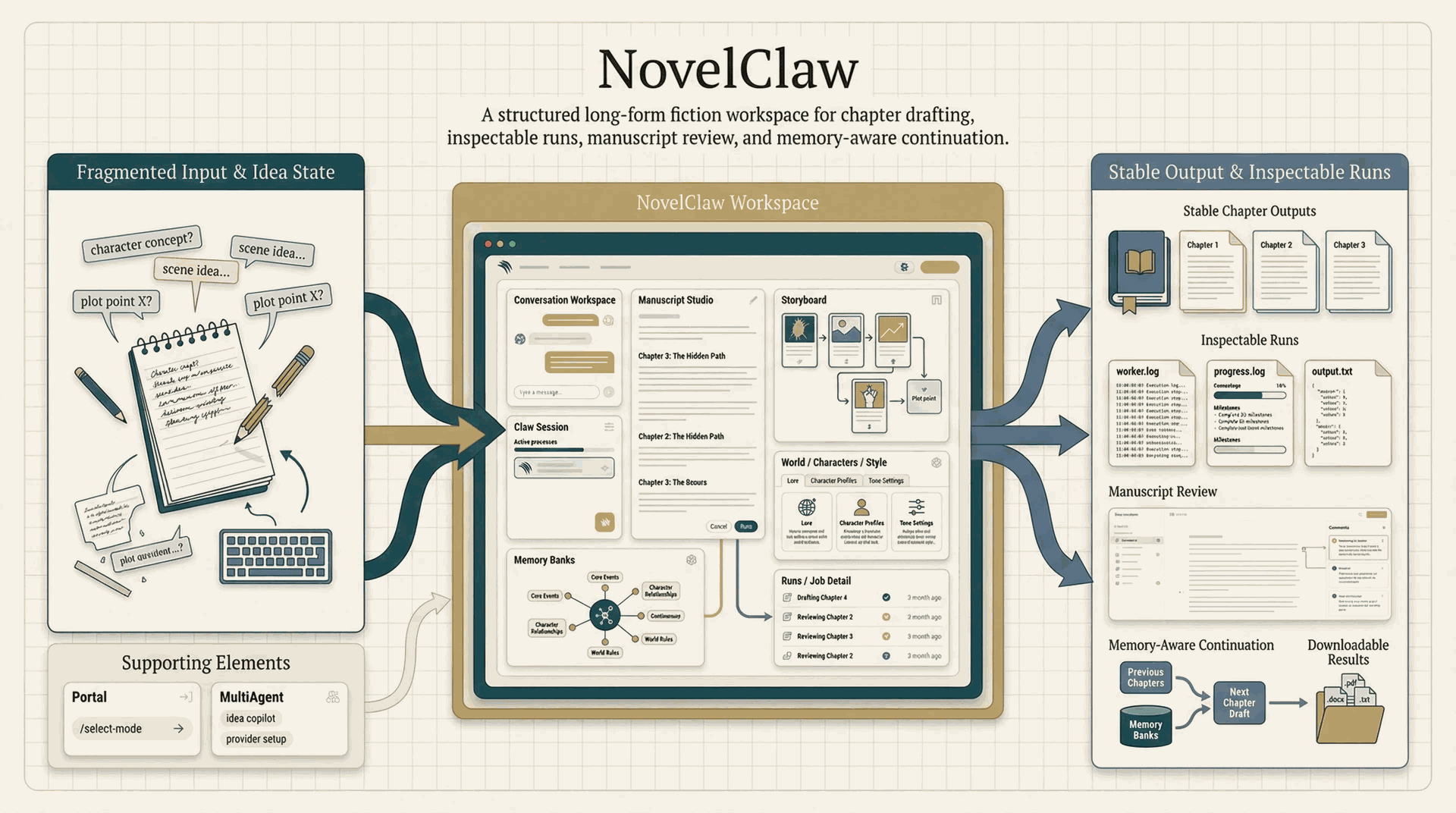
The architecture links public entry, writing sessions, run execution, manuscript review, and memory-aware continuation into one inspectable loop, so the workspace can support longer projects without collapsing into a single opaque prompt interaction.
Runtime Artifacts 📦
The most useful paths for inspecting NovelClaw are:
apps/novelclaw/local_web_portal/data/app.db
apps/novelclaw/local_web_portal/runs/<run_id>/
Representative files inside a run directory:
status.json
worker.log
progress.log
output.txt
chapters/
Representative progress.log events:
| Event | Meaning |
|---|---|
global_outline | Global outline persisted |
chapter_outline_ready | Chapter outlines prepared |
chapter_plan | Current chapter writing plan |
chapter_length_plan | Chapter target and inferred source |
memory_snapshot | Memory snapshot refreshed |
character_setting / world_setting | Setting memory written back |
Repository Layout
.
|-- apps/
|   |-- auth-portal/       # public entry layer
|   |-- multiagent/        # optional fast ideation layer
|   `-- novelclaw/         # main writing workspace
|-- scripts/               # local bootstrap / start / stop helpers
|-- docs/                  # screenshots and operator notes
|-- infra/
|   |-- nginx/             # reverse-proxy example
|   |-- systemd/           # service unit examples
|   `-- env/               # safe env templates only
`-- state_snapshots/       # intentionally cleared for public-safe release
Deployment Notes
- upload source, docs, and infrastructure references only
- keep real
.envvalues and secrets outside the repository - do not commit runtime databases, restored snapshots, or local keys after running the stack
- treat
/claw/as the main product route and/select-modeas its public entry
See DEPLOYMENT.md, docs/DEPLOYMENT.zh-CN.md, RUN_LOCAL_WEB.md, docs/LOCAL_RUN.zh-CN.md, and WHAT_IS_SAFE_FOR_GITHUB.md for operator-focused details.
🙇 Thanks
Documentation 📚
- 🇨🇳 Chinese README: README.zh-CN.md
- 🌐 Local run guide: RUN_LOCAL_WEB.md
- 🌐 本地运行指南: docs/LOCAL_RUN.zh-CN.md
- 🛠️ Deployment guide: DEPLOYMENT.md
- 🛠️ 部署说明: docs/DEPLOYMENT.zh-CN.md
- 🔐 GitHub safety notes: WHAT_IS_SAFE_FOR_GITHUB.md
- ⚖️ License: MIT