claude-show-your-work
Claude Code can show you pictures and play videos in the terminal.




claude-show-your-work is a Claude Code plugin that displays images and plays videos in the chat. Claude uses it to show what it has made, such as a web page, a design, a chart or a video, and to play recordings of your app while it tests it.
Install
Run these two commands in Claude Code:
/plugin marketplace add https://github.com/iamumeransari/claude-show-your-work.git
/plugin install show-your-work@iamumeransari
The plugin requires macOS, Claude Code 2.1.287 or later, and the Ghostty terminal. Videos also require ffmpeg, which you can install with brew install ffmpeg or by asking Claude to install it.
Usage
Claude shows visual work without being asked. You can also ask for it directly, for example:
- "Give me four directions for the homepage hero and show them side by side."
- "Build the sign-up form, test it, and show me the recording."
- "Fix the billing toggle and show me before and after."
Design
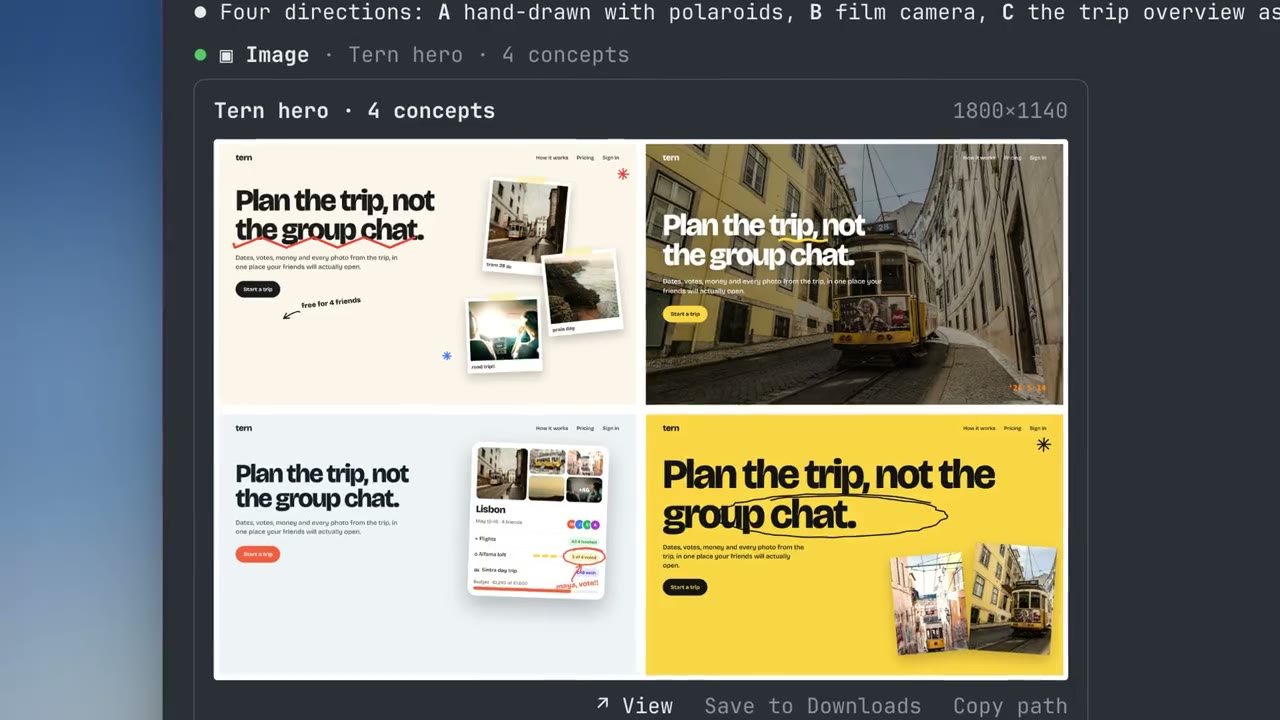
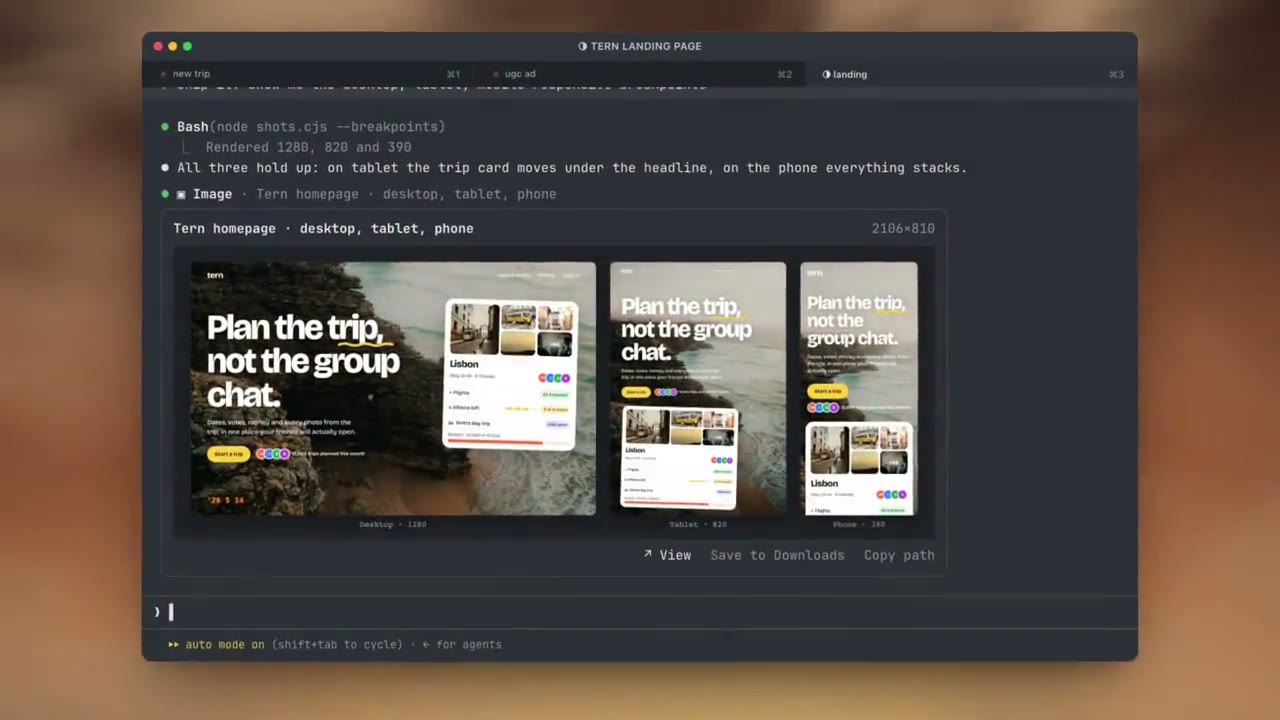
Claude can show several design concepts side by side, and you choose one by replying. It can also show a finished page at desktop, tablet and phone widths in a single image.
Testing
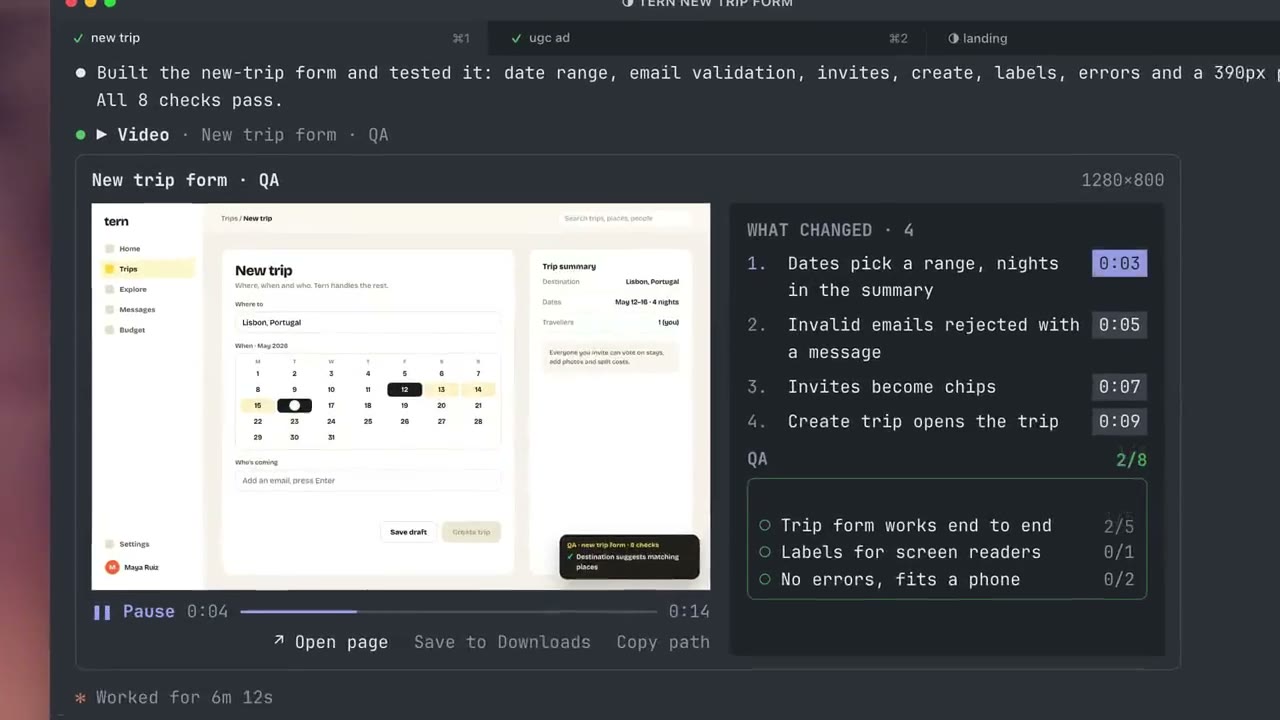
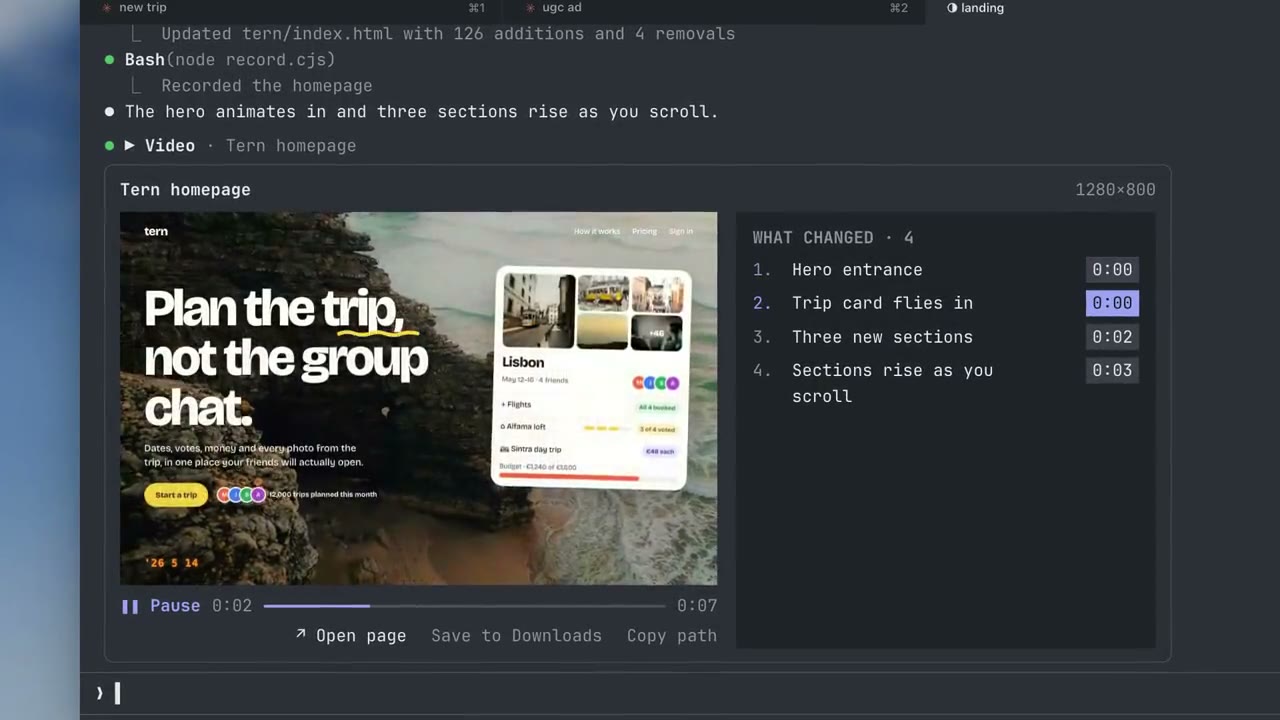
Claude can test a feature with Playwright, record the run, and play the recording in the chat. The changes it made are listed next to the video, and clicking a change jumps to that point. Each check is marked as passed or failed when the video reaches it.
For a bug fix, Claude records the same steps on the old and new versions. The Compare view plays both recordings side by side and keeps them in sync, even when one loads more slowly, with the check results for each version.
Video
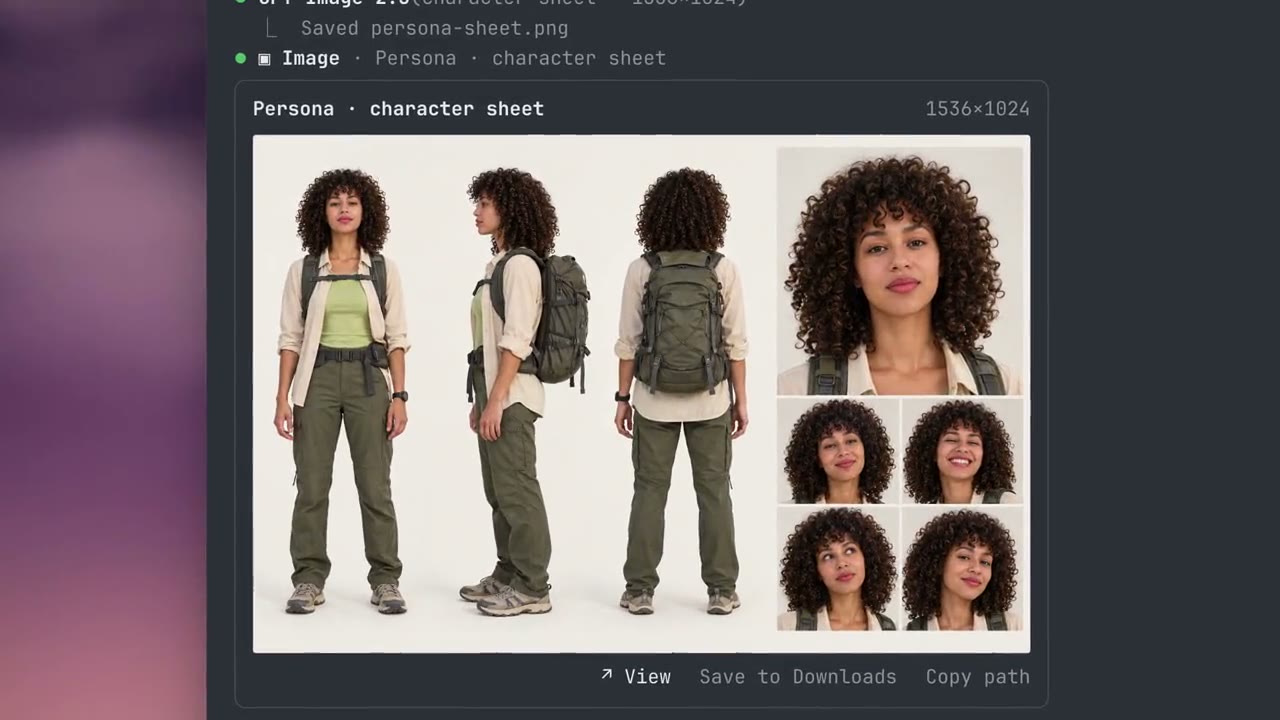
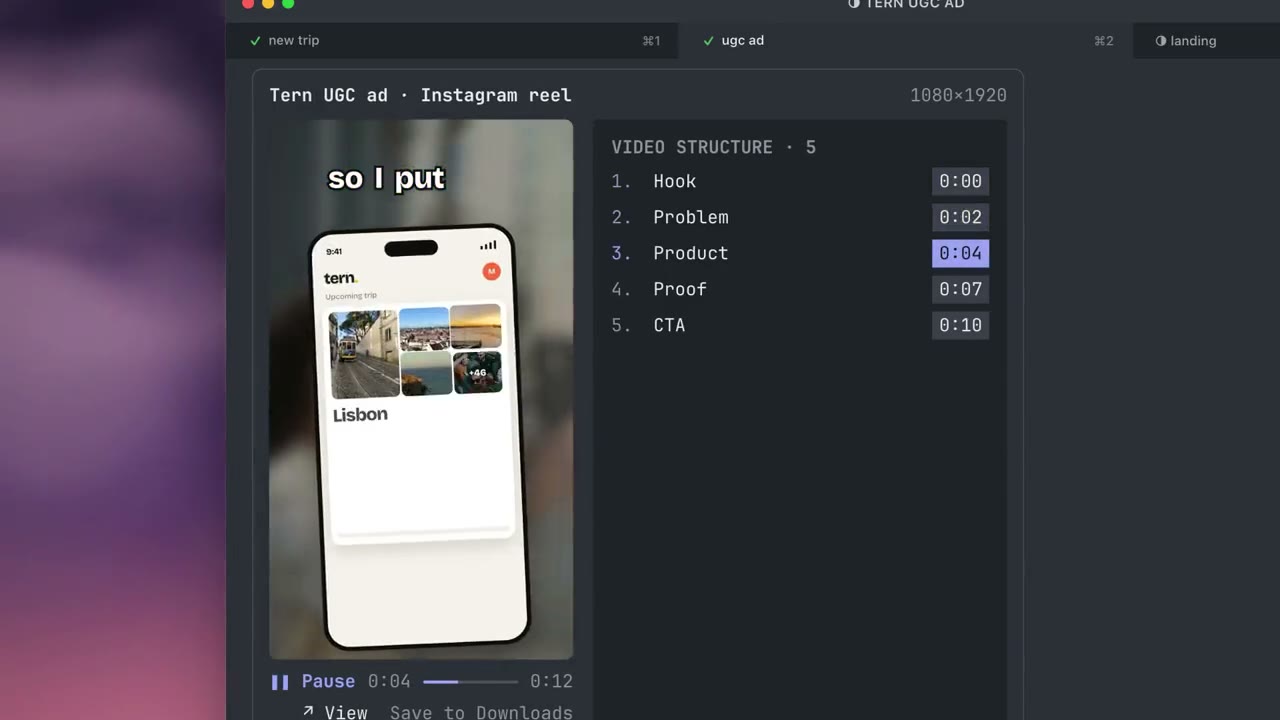
Videos play in the chat with a list beside them, such as the sections of an ad. When Claude makes a new version, the earlier ones stay in the history so you can compare them.
Charts, slides, motion graphics and any other image or video file work the same way.
Errors
If a file can't be shown, a note appears in its place with the reason: the file is missing, it isn't an image, the video is damaged or has no picture, ffmpeg isn't installed, or the terminal can't display images. The note has a button that copies a prompt for Claude to fix the problem.
How it works
Claude Code mods let a plugin draw its own interface inside Claude Code, and Ghostty can display images in the terminal. Claude tells the plugin which file to show, and the plugin passes it to the terminal.
Videos are split into frames with ffmpeg. The plugin prepares a few seconds of frames at a time, so long videos use little memory or disk space.
The image or video goes to your screen and not to Claude, so displaying it uses no tokens.
Terminals
The plugin works in Ghostty. iTerm2, Terminal.app and the VS Code terminal can't display these images, and the plugin tells you when that happens.
In tmux, add set -g allow-passthrough on to ~/.tmux.conf. If the setting is off, the plugin shows you how to turn it on.
FAQ
Does it update itself?
Yes. When Claude Code starts, the plugin checks GitHub for a new version once a day and installs it. Turn this off with /show-your-work-settings updates off.
Does it collect any data?
It sends anonymous usage counts, such as which versions are in use and how often images and videos are shown. It never sends files, file names, paths, prompts or anything you write, and it never records your IP address or location. Turn it off with /show-your-work-settings stats off.
Feedback
To report a bug or suggest a change, open an issue.
For developers
The plugin gives Claude two tools, show_image and show_video. A basic call needs only a path. For a before and after, Claude also passes the old file and its results:
{
  "path": "qa/after.webm",          // the run on the fixed version
  "compare": "qa/before.webm",      // the same steps on the old version
  "title": "Pricing page",
  "url": "http://localhost:3000/pricing",
  "changes": [                      // what changed, and the second it shows up
    { "title": "Annual toggle sets prices", "at": 3.2 },
    { "title": "Plan buttons line up", "at": 5.4 }
  ],
  "summary": [                      // the test results, at most three lines
    { "label": "Billing: toggle works", "ok": true, "passed": 1, "total": 1 },
    { "label": "Layout: plans, buttons", "ok": true, "passed": 3, "total": 3 }
  ]
}
Videos become frames at up to 12 per second, 960 px wide, 900 frames at most. You can open any file yourself with /img path/to/file.png.
To work on the plugin, edit hooks/register.tsx and run /reload-plugins. Check it with claude plugin validate . and claude plugin test ..
License
MIT. Photography in the examples is from Unsplash, used under the Unsplash License.