LEGO Island Decompilation
Development Vlog | Contributing | Matrix | Forums | Patreon
This is a functionally complete decompilation of LEGO Island (Version 1.1, English). It aims to be as accurate as possible, matching the recompiled instructions to the original machine code as much as possible. The goal is to provide a workable codebase that can be modified, improved, and ported to other platforms later on.
Note: This repository is for decompilation only and its code is true to the original release. It will not compile for targets other than 32-bit Windows. For a modern adaptation of the LEGO Island codebase with native compatibility for all major platforms and the Web, see isle-portable instead.
Status
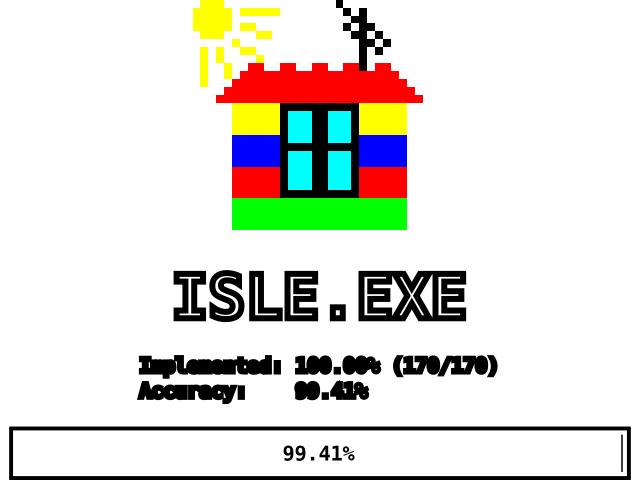
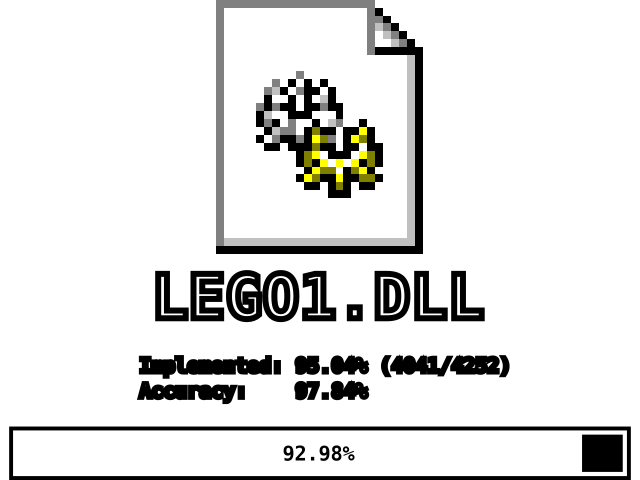
Both ISLE.EXE and LEGO1.DLL are completely decompiled and, to the best of our knowledge, are functionally identical to the originals. However, work is still ongoing to improve the accuracy, naming, documentation, and structure of the source code. While there may still be unresolved bugs that are not present in retail, the game should be fully playable with the binaries derived from this source code.
Due to various complexities with regard to the compiler, these binaries are not a byte-for-byte match of the original executables. We remain hopeful that this can be resolved at some point.
Building
This project uses the CMake build system, which allows for a high degree of versatility regarding compilers and development environments. For the most accurate results, Microsoft Visual C++ 4.20 (the same compiler used to build the original game) is recommended. Since we're trying to match the output of this code to the original executables as closely as possible, all contributions will be graded with the output of this compiler.
These instructions will outline how to compile this repository using Visual C++ 4.2 into highly-accurate binaries where the majority of functions are instruction-matching with retail. If you wish, you can try using other compilers, but this is at your own risk and won't be covered in this guide.
Prerequisites
You will need the following software installed:
- Microsoft Visual C++ 4.2. This can be found on many abandonware sites, but the installer can be a little iffy on modern versions of Windows. For convenience, a portable version is available that can be downloaded and used quickly instead.
- CMake. A copy is often included with the "Desktop development with C++" workload in newer versions of Visual Studio; however, it can also be installed as a standalone app.
Compiling
- Open a Command Prompt (
cmd). - From Visual C++ 4.2, run
BIN/VCVARS32.BAT x86to populate the path and other environment variables for compiling with MSVC. - Make a folder for compiled objects to go, such as a
buildfolder inside the source repository (the folder you cloned/downloaded to). - In your Command Prompt,
cdto the build folder. - Configure the project with CMake by running:
cmake <path-to-source> -G "NMake Makefiles" -DCMAKE_BUILD_TYPE=RelWithDebInfo
- Visual C++ 4.2 has issues with paths containing spaces. If you get configure or build errors, make sure neither CMake, the repository, nor Visual C++ 4.2 is in a path that contains spaces.
- Be aware that long file paths (e.g.,
C:\Users\LongUserName\LongerFolderName\isle) may be truncated bymake, resulting in “File not found” errors. - Replace
<path-to-source>with the source repository. This can be..if your build folder is inside the source repository. RelWithDebInfois recommended because it will produce debug symbols useful for further decompilation work. However, you can change this toReleaseif you don't need them. WhileDebugbuilds can be compiled and used, they are not recommended as the primary goal is to match the code to the original binary. This is because the retail binaries were compiled asReleasebuilds.NMake Makefilesis most recommended because it will be immediately compatible with Visual C++ 4.2. For faster builds, you can useNinja(if you have it installed), however due to limitations in Visual C++ 4.2, you can only buildReleasebuilds this way (debug symbols cannot be generated withNinja).
- Build the project by running
nmakeorcmake --build <build-folder> - When this is done, there should be a recompiled
ISLE.EXEandLEGO1.DLLin the build folder. - Note that
nmakemust be run twice under certain conditions, so it is advisable to always (re-)compile usingnmake && nmake.
If you have a CMake-compatible IDE, it should be pretty straightforward to use this repository, as long as you can use VCVARS32.BAT and set the generator to NMake Makefiles.
Docker
Alternatively, we support Docker as a method of compilation. This is ideal for users on Linux and macOS who do not wish to manually configure a Wine environment for compiling this project.
Compilation should be as simple as configuring and running the following command:
docker run -d \
	-e CMAKE_FLAGS="-DCMAKE_BUILD_TYPE=RelWithDebInfo" \
	-v <path-to-source>:/isle:rw \
	-v <build-folder>:/build:rw \
	ghcr.io/isledecomp/isle:latest
<path-to-source> should be replaced with the path to the source code directory (ie: the root of this repository).
<build-folder> should be replaced with the path to the build folder you'd like CMake to use during compilation.
You can pass as many CMake flags as you'd like in the CMAKE_FLAGS environment variable, but the default configuration provided in the command is already ideal for building highly-accurate binaries.
Usage
The simplest way to use the recompiled binaries is to swap the original executables (ISLE.EXE, LEGO1.DLL, and CONFIG.EXE) in LEGO Island's installation directory for the ones that you've built from this source code. By default, LEGO Island is installed to C:\Program Files\LEGO Island on 32-bit operating systems and C:\Program Files (x86)\LEGO Island on 64-bit operating systems.
For advanced users, you can get LEGO Island to run from anywhere as long as ISLE.EXE and LEGO1.DLL are in the same directory and the cdpath and diskpath registry keys (usually found in HKEY_LOCAL_MACHINE\Software\Mindscape\LEGO Island on 32-bit operating systems and HKEY_LOCAL_MACHINE\Software\Wow6432Node\Mindscape\LEGO Island on 64-bit operating systems) point to the correct location for the asset files (the directory that contains the LEGO folder).
If you see an error about d3drm.dll, you will need to acquire a copy and place it in the same directory as the game executables, as it has not shipped with Windows since Windows XP. We have published a known good copy here that works with LEGO Island.
Contributing
If you're interested in helping or contributing to this project, check out the CONTRIBUTING page.
Additional Information
Which version of LEGO Island do I have?
Right click on LEGO1.DLL, select Properties, and switch to the Details tab. Under Version you should either see 1.0.0.0 (1.0) or 1.1.0.0 (1.1). Additionally, you can look at the game disc files; 1.0's files will all say August 8, 1997, and 1.1's files will all say September 8, 1997. Version 1.1 is by far the most common, especially if you're not using the English or Japanese versions, so that's most likely the version you have.
Please note that some localized versions of LEGO Island were recompiled with small changes despite maintaining a version number parallel with other versions; this decompilation specifically targets the English release of version 1.1 of LEGO Island. You can verify you have the correct version using the checksums below:
- ISLE.EXE
md5: f6da12249e03eed1c74810cd23beb9f5 - LEGO1.DLL
md5: 4e2f6d969ea2ef8655ba3fc221a0c8fe - CONFIG.EXE
md5: 92d958a64a273662c591c88b09100f4a