LEGO Racers Decompilation
This is a work-in-progress decompilation of LEGO Racers (1999). It aims to be as accurate as possible, matching the recompiled instructions to the original machine code as much as possible. The goal is to provide a workable codebase that can be modified, improved, and ported to other platforms later on.
This project is modeled after the LEGO Island decompilation.
Status
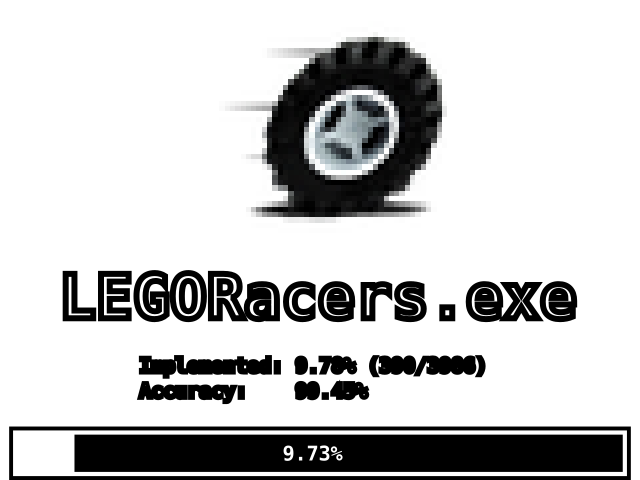
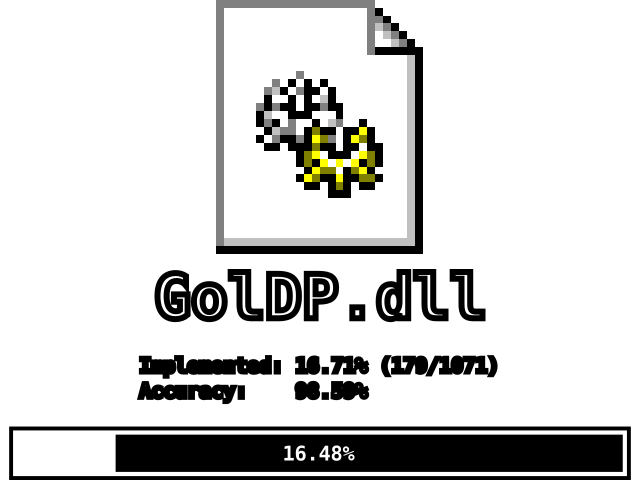
This project is in its early stages. LEGORacers.exe and GolDP.dll are being decompiled with the goal of eventually reaching full accuracy against the original binaries. Contributions are welcome.
Building
This project uses the CMake build system, which allows for a high degree of versatility regarding compilers and development environments. For the most accurate results, Microsoft Visual C++ 6.0 (the same compiler used to build the original game) is recommended. Since we're trying to match the output of this code to the original executables as closely as possible, all contributions will be graded with the output of this compiler.
These instructions will outline how to compile this repository using Visual C++ 6.0 into highly-accurate binaries where the majority of functions are instruction-matching with retail. If you wish, you can try using other compilers, but this is at your own risk and won't be covered in this guide.
Prerequisites
You will need the following software installed:
- Microsoft Visual C++ 6.0. A portable version is available that can be downloaded and used quickly.
- CMake. A copy is often included with the "Desktop development with C++" workload in newer versions of Visual Studio; however, it can also be installed as a standalone app.
Compiling
- Open a Command Prompt (
cmd). - From Visual C++ 6.0, run
VC98\Bin\VCVARS32.BATto populate the path and other environment variables for compiling with MSVC. - Make a folder for compiled objects to go, such as a
buildfolder inside the source repository (the folder you cloned/downloaded to). - In your Command Prompt,
cdto the build folder. - Configure the project with CMake by running:
cmake <path-to-source> -G "NMake Makefiles" -DCMAKE_BUILD_TYPE=RelWithDebInfo
- Visual C++ 6.0 has issues with paths containing spaces. If you get configure or build errors, make sure neither CMake, the repository, nor Visual C++ 6.0 is in a path that contains spaces.
- Replace
<path-to-source>with the source repository. This can be..if your build folder is inside the source repository. RelWithDebInfois recommended because it will produce debug symbols useful for further decompilation work.NMake Makefilesis most recommended because it will be immediately compatible with Visual C++ 6.0.
- Build the project by running
nmakeorcmake --build <build-folder> - When this is done, there should be a recompiled
LEGORacers.exeandGolDP.dllin the build folder. - Note that
nmakemust be run twice under certain conditions, so it is advisable to always (re-)compile usingnmake && nmake.
Docker
Alternatively, we support Docker as a method of compilation. This is ideal for users on Linux and macOS who do not wish to manually configure a Wine environment for compiling this project.
Compilation should be as simple as configuring and running the following command:
docker run -d \
	-e CMAKE_FLAGS="-DCMAKE_BUILD_TYPE=RelWithDebInfo" \
	-v <path-to-source>:/racers:rw \
	-v <build-folder>:/build:rw \
	ghcr.io/isledecomp/racers:latest
<path-to-source> should be replaced with the path to the source code directory (ie: the root of this repository).
<build-folder> should be replaced with the path to the build folder you'd like CMake to use during compilation.
You can pass as many CMake flags as you'd like in the CMAKE_FLAGS environment variable, but the default configuration provided in the command is already ideal for building highly-accurate binaries.
Verification
To verify your build against the original binaries, install the reccmp tooling:
pip install -r tools/requirements.txt
Create reccmp-user.yml in the project root pointing to the original binaries:
targets:
  LEGORACERS:
    path: path/to/LEGORacers.exe
  GOLDP:
    path: path/to/GolDP.dll
Then run:
reccmp-reccmp --target LEGORACERS -S LEGORACERSPROGRESS.SVG --svg-icon assets/legoracers.png
reccmp-reccmp --target GOLDP -S GOLDPPROGRESS.SVG --svg-icon assets/goldp.png
Project Structure
LEGORacers/- Decompilation ofLEGORacers.exeGolDP/- Decompilation ofGolDP.dllutil/- Utility headers for decompilationcmake/- CMake modulestools/- Python tools and requirementsassets/- Progress report icons
Target Binaries
| Binary | Size | SHA256 |
|---|---|---|
| LEGORacers.exe | 802,816 bytes | fe9e881cfa3ffc208db23ab8057ecc5697bad94d2752e8eccf6c79b10a5c1103 |
| GolDP.dll | 425,984 bytes | 37856363c936c6baeb3bdbed69de182d9ecb92752b36e6db444369117e80fdba |
Both binaries are dated July 22, 1999.
Contributing
Contributions are welcome. Please follow the conventions established in the codebase:
- Use reccmp annotations (
FUNCTION:,STUB:,GLOBAL:) for all decompiled code - Functions in a compilation unit must be ordered by their address in ascending order
- Follow the clang-format configuration
- Use NCC naming conventions (
FUN_XXXXXXXXfor unknown functions,g_unk0xXXXXXXXXfor unknown globals) - Keep pull requests small and focused